

 100% Security Verified | No Subscription Required | No Malware


 ChatGPT
 Perplexity
 Gemini
 Claude
 Grok
Grok
Sepia sits between warm brown and soft gold, echoing aged photographs, coffee-stained paper, and late-afternoon light. Psychologically, sepia tones feel nostalgic, calm, and trustworthy, which is why they are often used to suggest memory, heritage, and storytelling. In video and design, a sepia color palette instantly shifts your audience into a reflective, cinematic mood without looking too bold or saturated.
For creators, sepia is a powerful base for video color grading, YouTube thumbnails, intros, lower thirds, and social media branding. Below you will find 15 ready-to-use sepia color palettes with HEX codes that work beautifully in Filmora for color matching, titles, graphics, and filters. Use these combinations as starting points for your own presets, brand looks, and cinematic styles.
In this article
Vintage & Cinematic Sepia Color Palettes
Old Film Grain
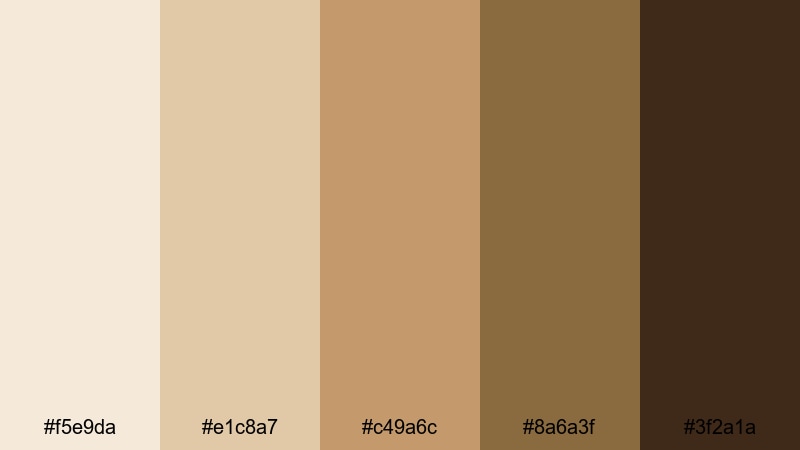
- HEX Codes: #f5e9da, #e1c8a7, #c49a6c, #8a6a3f, #3f2a1a
- Mood: Nostalgic, grainy, and cinematic like a restored classic film.
- Use for: Perfect for cinematic b-roll, film essay intros, and moody documentary sequences.
This palette moves from pale cream to deep coffee brown, recreating the texture of old celluloid and film prints. The light tones (#f5e9da, #e1c8a7) feel like washed-out highlights, while the darker shades (#8a6a3f, #3f2a1a) provide rich, grainy shadows that look dramatic without turning harsh.
Use Old Film Grain for essay-style YouTube videos, title cards, and opening credits where you want viewers to feel like they are watching a restored classic. The mid-tone browns are perfect for overlays, text backgrounds, and channel branding, while the darkest color works well for typography on thumbnails, lower thirds, and end screens.
Pro Tip: Build a Cinematic Sepia Look in Filmora
To keep a consistent Old Film Grain feeling across your entire project, turn this palette into a repeatable look inside Filmora. Start with a warm base filter, then gently pull highlights toward the lighter creams and shadows toward the deep browns using color correction tools. Save this as a custom preset so your intros, b-roll, talking-head segments, and shorts all share the same cinematic sepia character.
In addition, you can design matching titles and graphics in Filmora by sampling these HEX codes for text, shapes, and background panels. This way, your color grading and your on-screen design work together, making your channel feel intentional and branded instead of random from video to video.
AI Color Palette
If you have a reference frame or moodboard that nails your ideal sepia vibe, Filmora's AI Color Palette feature helps you copy that look to an entire video in just a few clicks. Import your reference image, let Filmora analyze the tones, and apply the result to your clips to instantly echo the Old Film Grain atmosphere.
This is especially useful for long projects like documentaries or video essays, where you shoot on different days or cameras. AI Color Palette smooths out those differences so your highlights, midtones, and shadows all stay within the same warm sepia family from the first frame to the last.
 secure download

HSL, Color Wheels & Curves
Once your base sepia grade is applied, use HSL, Color Wheels, and Curves in Filmora to fine-tune the mood. Slightly desaturate yellows and oranges for a more authentic film stock feel, push midtone wheels toward warm browns, and use curves to gently lift shadows so details are visible without losing that vintage fade. For a step-by-step walkthrough, check out this color correction tutorial in Filmora and adapt the ideas to your own sepia style.
These tools give you frame-level control, so you can make talking-head clips a bit cleaner while keeping b-roll more textured and nostalgic. The result is a cohesive project where every shot reinforces the same sepia storytelling atmosphere.
secure download1000+ Video Filters & 3D LUTs
If you want to get to a stylish sepia grade even faster, Filmora offers built-in filters and LUTs that can act as a base. Filmora's video filters and 3D LUTs make it easy to apply cinematic tints, fade curves, and film-style contrasts, then you can nudge the tones toward the exact HEX values in Old Film Grain.
Stack a subtle vintage filter with your custom color correction, then save the combination as your own preset. This lets you apply the same sepia look to new footage, YouTube Shorts, vertical Reels, and even thumbnail exports, without rebuilding the grade from scratch every time.
secure downloadDusty Archive Glow
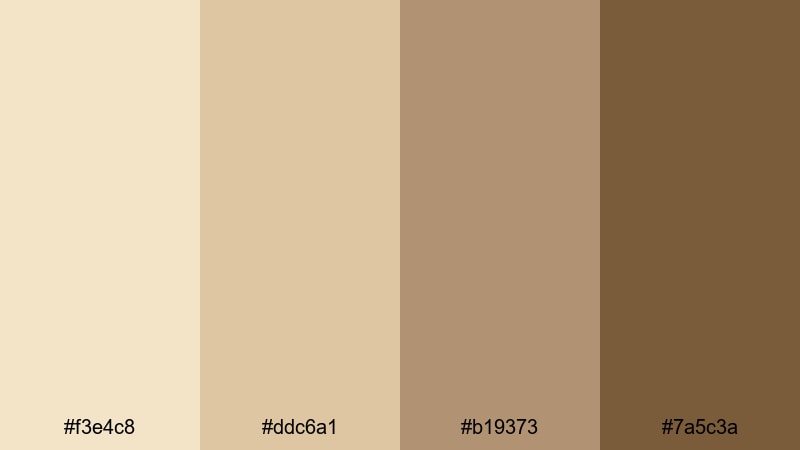
- HEX Codes: #f3e4c8, #ddc6a1, #b19373, #7a5c3a
- Mood: Soft, historical, and slightly mysterious, like hidden archives.
- Use for: Great for history videos, museum promos, and title cards with a scholarly tone.
Dusty Archive Glow leans into parchment creams and muted browns that recall old documents and library stacks. It feels gentle and intellectual, with just enough contrast to remain readable on screens while still hinting at age and patina.
Use this palette to color grade history explainers, documentary lower thirds, and educational shorts. The lighter tones are ideal for backgrounds behind text or infographics, while the deeper browns can frame thumbnails, intros, and outro slates for channels focused on culture, books, or academia.
Silent Era Studio
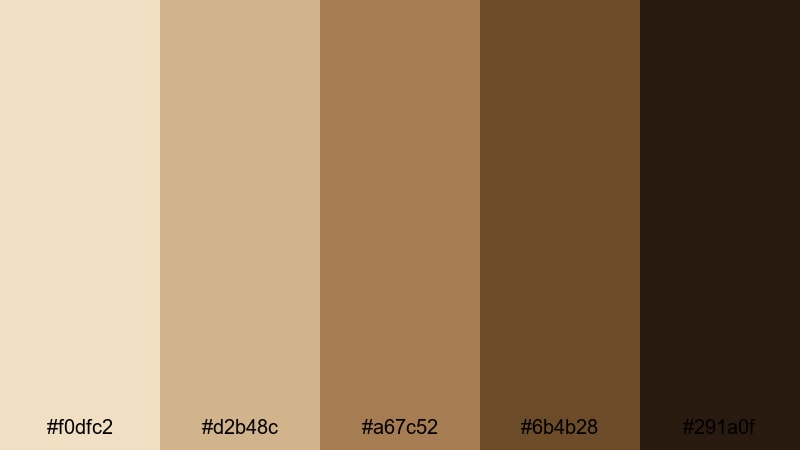
- HEX Codes: #f0dfc2, #d2b48c, #a67c52, #6b4b28, #291a0f
- Mood: Dramatic and theatrical, channeling early Hollywood sound stages.
- Use for: Ideal for dramatic trailers, performance reels, and stylized narrative shorts.
Silent Era Studio balances bright studio-spotlight highlights with rich, stage-like shadows. The mid-browns mimic wooden sets and vintage costumes, while the darkest shade gives you deep, inky blacks that still stay warm.
Try this palette when cutting dramatic narrative scenes, performance reels, or stylized fashion edits. Use the lighter colors for intertitle-style cards or subtitles, and the deeper tones for borders, letterbox bars, channel logos, and bold thumbnail text that hints at old Hollywood drama.
Copper Reel Memories
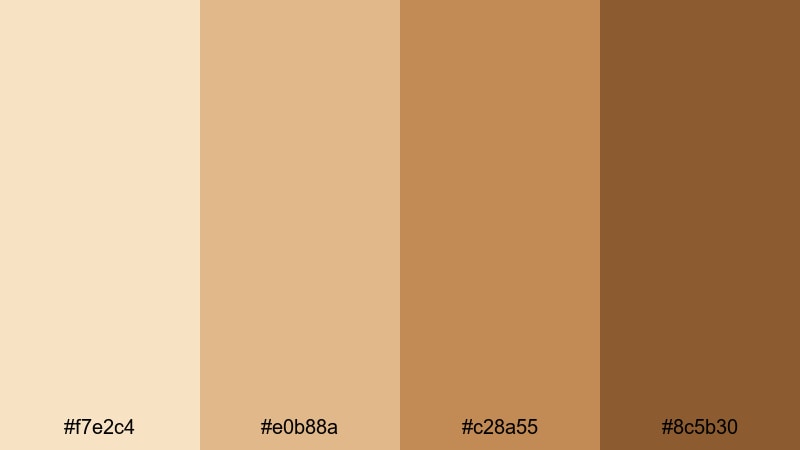
- HEX Codes: #f7e2c4, #e0b88a, #c28a55, #8c5b30
- Mood: Warm, reflective, and cinematic with a coppery glow.
- Use for: Use for travel recaps, memory montages, and YouTube channel trailers.
Copper Reel Memories shifts sepia toward golden copper, creating a reflective and almost sun-kissed look. The range from cream to burnt caramel suggests film reels caught in afternoon light, perfect for content anchored in nostalgia and travel.
Use it for highlight reels, recap videos, and emotional vlogs. Grade your footage with the midtones for a gentle copper tint, then use the lighter colors for clean text panels and the darker shades for logo reveals, end screens, and playlist thumbnails that all share the same warm identity.
Warm & Cozy Sepia Color Palettes
Autumn Latte Mood
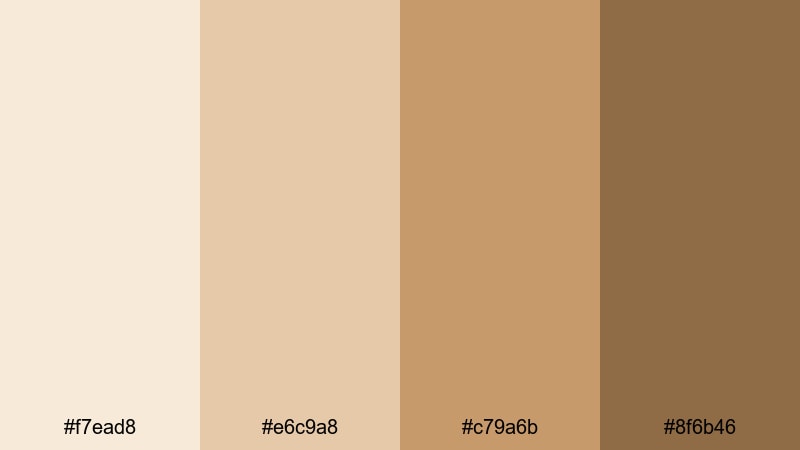
- HEX Codes: #f7ead8, #e6c9a8, #c79a6b, #8f6b46
- Mood: Comforting, cozy, and relaxed like a slow coffee shop morning.
- Use for: Perfect for lifestyle vlogs, cozy study sessions, and podcast visuals.
Autumn Latte Mood layers soft cream and latte colors with gentle caramel shadows. It instantly gives your frames that coffee-shop ambience, ideal for calming, slow-paced content where viewers want to relax or focus.
Use the lighter tones as background colors for quote graphics, timestamps, or chapter markers in your videos, and reserve the darker browns for text, buttons, and thumbnail titles. In Filmora, combine this palette with subtle grain and vignette for study-with-me streams, journaling vlogs, or cozy weekly recaps.
Fireplace Story Night
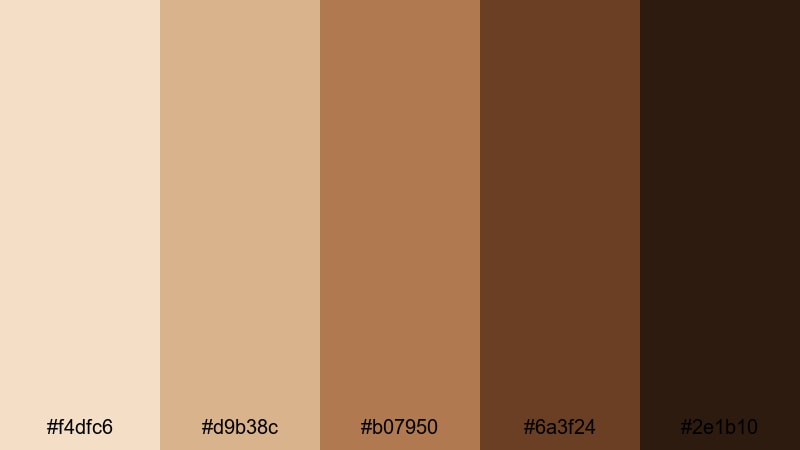
- HEX Codes: #f4dfc6, #d9b38c, #b07950, #6a3f24, #2e1b10
- Mood: Intimate, moody, and storytelling-focused like fireside tales.
- Use for: Great for narrative shorts, bedtime story videos, and spoken-word content.
Fireplace Story Night mixes ember-like oranges and deep, smoky browns. It feels like being lit by a single warm light source in a dark room, drawing all attention to the storyteller or subject.
Apply this palette to podcasts, storytime videos, and narration-heavy content. Use the brighter colors for subtle glows behind titles or chapter labels, and lean on the darkest browns for framing elements, overlays, and lower thirds that keep the viewer focused on the voice and message.
Soft Library Corners
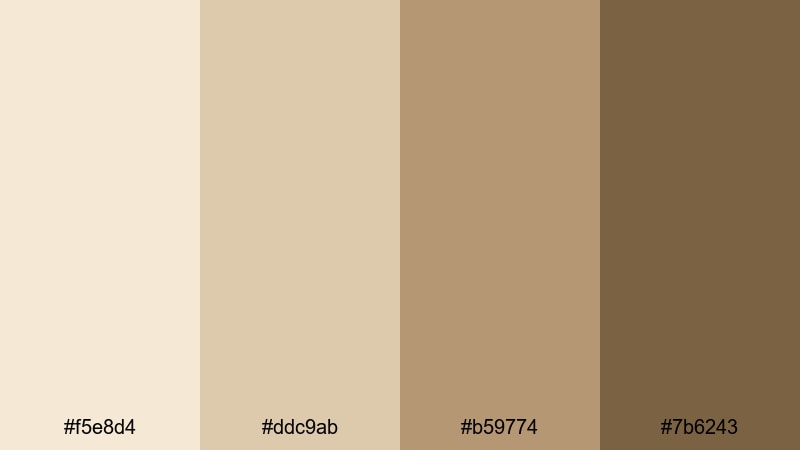
- HEX Codes: #f5e8d4, #ddc9ab, #b59774, #7b6243
- Mood: Quiet, intellectual, and gentle like reading in a corner nook.
- Use for: Perfect for study-with-me videos, book reviews, and academic explainers.
Soft Library Corners combines parchment beiges with mellow wood tones that feel scholarly and calm. The colors are muted enough to keep attention on your words or diagrams, but warm enough so the frame never feels clinical.
Use this palette to design intro cards, lower thirds, and thumbnail layouts for booktube channels, research explainers, or productivity videos. The lighter tones work well for slide-style backgrounds, and the darker hues can highlight key points, annotations, or chapter titles across your Filmora timeline.
Honeyed Morning Light
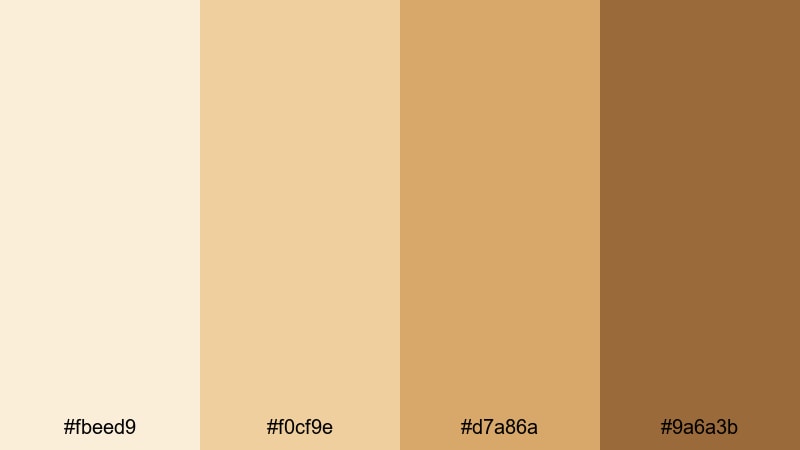
- HEX Codes: #fbeed9, #f0cf9e, #d7a86a, #9a6a3b
- Mood: Optimistic, gentle, and bright like early morning sun.
- Use for: Great for morning routines, productivity vlogs, and uplifting social content.
Honeyed Morning Light tilts sepia toward soft gold and honey. It feels optimistic and fresh, like sunlight through sheer curtains, making it a strong fit for content around habits, routines, and motivation.
Use the brightest shades as backgrounds for checklists, timers, and callouts in your edits, and choose the deeper amber-brown for titles, progress bars, and social handles on screen. For YouTube thumbnails, combining the pale cream with dark text from this palette keeps things clean yet warm and engaging.
Minimal & Modern Sepia Color Palettes
Clean Sepia Monochrome
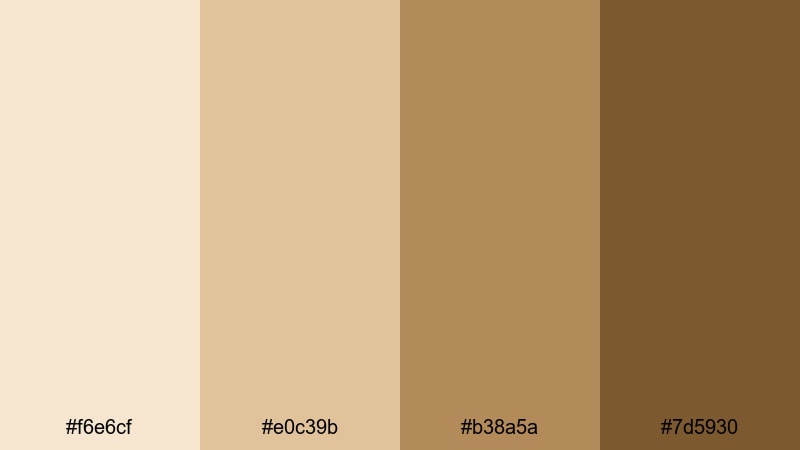
- HEX Codes: #f6e6cf, #e0c39b, #b38a5a, #7d5930
- Mood: Simple, sleek, and design-forward with a warm twist.
- Use for: Ideal for minimalist titles, brand intros, and UI overlays in videos.
Clean Sepia Monochrome is a streamlined gradient from pale cream to mid-brown, giving you a modern, minimal base that still feels human and warm. With no extreme darks, it keeps everything soft and airy.
Use this palette for clean YouTube channel branding, subtle lower thirds, and UI-style overlays in tutorials or software demos. Because the hues are so close, your fonts and icons will look consistent across intros, outros, and thumbnails, creating a cohesive brand experience without visual clutter.
Urban Coffee Tones
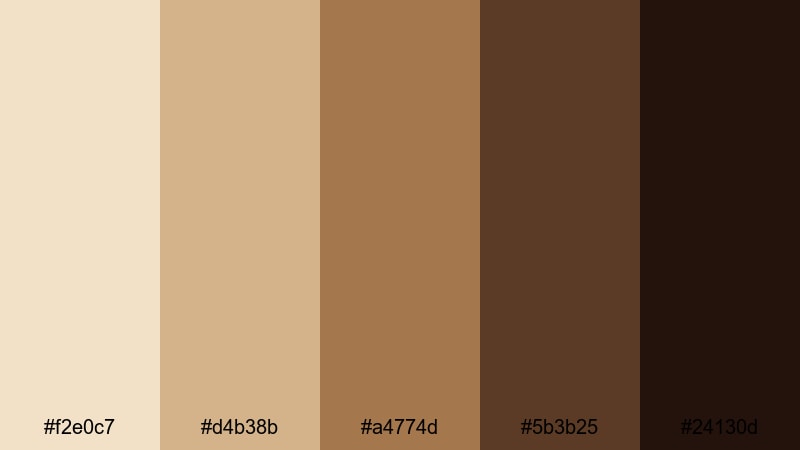
- HEX Codes: #f2e0c7, #d4b38b, #a4774d, #5b3b25, #24130d
- Mood: Chic, urban, and grounded like a city cafe aesthetic.
- Use for: Perfect for creator brands, reels about work life, and cinematic city vlogs.
Urban Coffee Tones spans from oat-milk beige to deep espresso, making it ideal for polished, city-inspired visuals. It feels grounded and stylish, perfect for creators who film in studios, coworking spaces, and cafes.
In Filmora, use lighter shades for minimalist backgrounds, motion graphics, and text highlights, while the darkest tones anchor logo reveals, navigation buttons, and bold thumbnail headings. This palette works especially well for personal brands built around freelancing, entrepreneurship, and urban lifestyle content.
Muted Workspace Edit
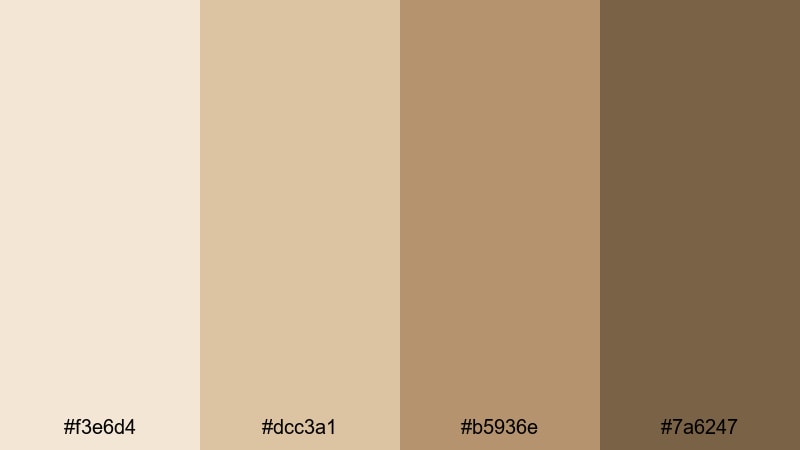
- HEX Codes: #f3e6d4, #dcc3a1, #b5936e, #7a6247
- Mood: Focused, calm, and productive with gentle neutral warmth.
- Use for: Great for desk setups, productivity edits, and tutorial backgrounds.
Muted Workspace Edit blends beige and wood tones that feel like a tidy desk or studio space. It is neutral enough not to distract from your screen recordings or talking points, but still offers warmth compared to pure gray interfaces.
Use it as the base for tutorial frames, callout boxes, and background plates behind webcam footage. When you color grade your clips toward these tones in Filmora, your entire video interface, overlays, and on-screen text will look like one unified, professional workspace.
Romantic & Storytelling Sepia Color Palettes
Nostalgic Love Letters
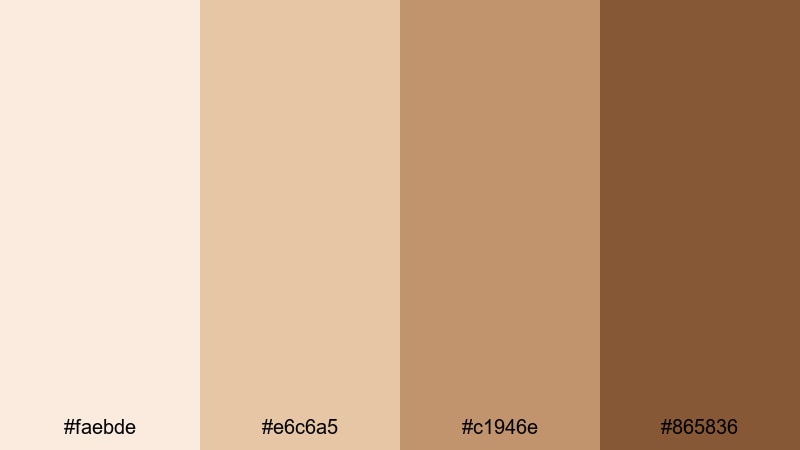
- HEX Codes: #faebde, #e6c6a5, #c1946e, #865836
- Mood: Tender, emotional, and romantic like handwritten notes.
- Use for: Perfect for wedding highlight reels, anniversary edits, and heartfelt storytelling.
Nostalgic Love Letters leans into soft paper creams and warm ink browns. It feels intimate and delicate, making it an excellent fit for relationship stories and emotional celebrations.
Apply this palette to wedding films, engagement recaps, and memory montages. Use the lightest shades for handwritten-style titles or captions, and the deeper browns for elegant thumbnail typography, monograms, and logo marks that carry through your entire romantic series or playlist.
Golden Hour Promise
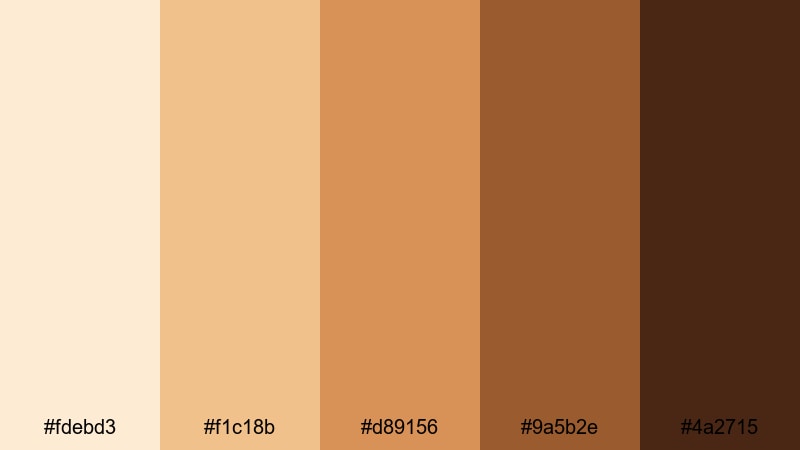
- HEX Codes: #fdebd3, #f1c18b, #d89156, #9a5b2e, #4a2715
- Mood: Hopeful and cinematic, like a vow made at sunset.
- Use for: Great for engagement films, travel couples vlogs, and emotional finales.
Golden Hour Promise captures the transition from peachy light to deep amber shadows, closely mirroring real golden hour footage. It feels dreamy and cinematic, with enough contrast to give your scenes structure and depth.
Use this palette to color grade outdoor shoots, proposal videos, or travel diaries featuring couples. In Filmora, combine the brighter hues with soft bloom effects for highlights, and rely on the darkest browns for letterboxing, logo animations, and closing title screens that end your story on a warm, emotional note.
Vintage Travel Postcards
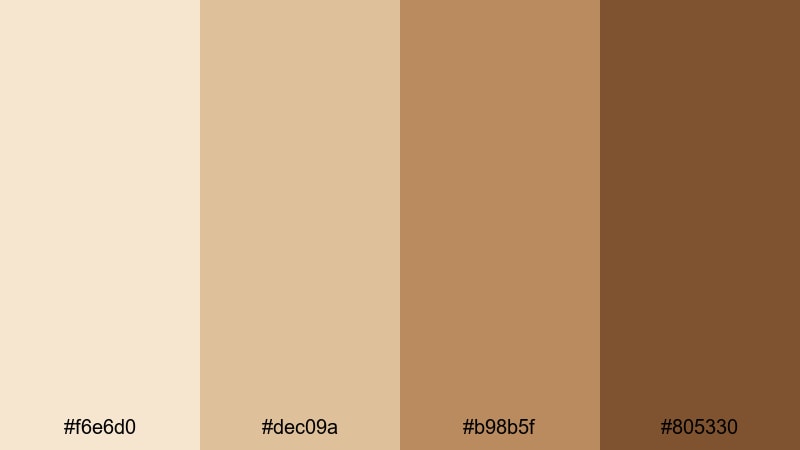
- HEX Codes: #f6e6d0, #dec09a, #b98b5f, #805330
- Mood: Wanderlust-filled, nostalgic, and slightly faded like old cards.
- Use for: Ideal for travel diaries, map overlays, and montage sequences.
Vintage Travel Postcards offers sun-faded beiges and warm browns that feel like old luggage stickers and mailed postcards. The palette suggests journeys remembered rather than live reportage, giving your edits a reflective travel-diary tone.
Use it to design map overlays, location labels, and animated stamps in Filmora. Grade your travel clips gently toward these hues to tie together shots from different cities or cameras so your whole series looks like it belongs in the same lovingly curated album.
Faded Family Album
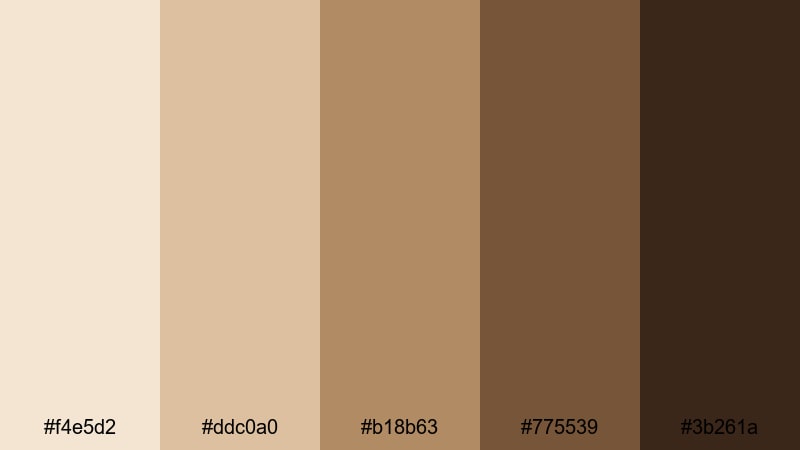
- HEX Codes: #f4e5d2, #ddc0a0, #b18b63, #775539, #3b261a
- Mood: Sentimental, grounded, and deeply nostalgic like heirloom photos.
- Use for: Perfect for family documentaries, heritage projects, and memory reels.
Faded Family Album combines light parchment with mid and deep walnut browns, closely imitating the tones of aged prints and photo pages. It carries a strong sense of time, roots, and continuity.
Use this palette when editing family histories, tribute videos, or heritage documentaries. In Filmora, you can tint old scans and new footage alike toward these colors, then use the darker shades for chapter cards, name labels, and end credits, giving your project the feel of a carefully preserved heirloom.
Tips for Creating Sepia Color Palettes
When building your own sepia color combinations for video and design, it helps to think about balance, readability, and how your tones interact with real-world footage and platform algorithms.
- Always include at least one very light and one fairly dark shade so you have enough contrast for readable text on thumbnails, titles, and lower thirds.
- Decide how nostalgic vs. modern you want to feel; more muted, desaturated browns feel archival, while golden, more saturated sepias feel fresh and lifestyle-focused.
- Test your palette on both mobile and desktop screens to ensure text stands out clearly, especially for YouTube thumbnails and short-form vertical videos.
- Match your sepia palette to your content category: softer creams for education and productivity, richer copper tones for travel and cinematic stories, deep browns for mystery or drama.
- Use one or two accent colors (like muted teal or dusty rose) very sparingly if you need emphasis, but keep most of the frame within the warm sepia family for consistency.
- In Filmora, save your favorite sepia grades, title presets, and color settings as reusable presets so each new video automatically inherits your brand look.
- Check skin tones carefully when you apply strong sepia; if faces look too orange or muddy, dial back the effect with HSL and curves while keeping your graphics in full sepia.
- Create variations of the same palette (lighter for daytime content, moodier for night clips) so you can adapt without losing your core visual identity.
Sepia color palettes are a powerful way to shape mood, suggest time and memory, and build a recognizable brand identity across your channel. From vintage film looks and cozy coffee aesthetics to romantic golden-hour stories, a well-crafted sepia scheme can make your videos stand out in a feed full of oversaturated colors.
Use the 15 palettes above as ready-made starting points, then tweak them in Filmora to match your own footage, story, and audience. Experiment with AI Color Palette, HSL, color wheels, curves, filters, and LUTs until you find a sepia style that feels like your signature.
Once you are happy with the result, save your settings as presets and apply them to intros, b-roll, thumbnails, and shorts so every piece of content carries the same warm, timeless tone.
secure downloadNext: Muted Color Palette
