

 100% Security Verified | No Subscription Required | No Malware


 ChatGPT
 Perplexity
 Gemini
 Claude
 Grok
Grok
Sony A7C lifestyle LUTs are perfect for creators who want everyday footage to feel cinematic without spending hours color grading. Paired with the right Filmora filters, your street walks, coffee runs, and candid hangouts can instantly look like polished lifestyle films.
Below are curated Filmora filters designed to complement Sony A7C lifestyle LUTs, helping videographers and creators quickly dial in soft tones, balanced contrast, and a modern aesthetic across vlogs, reels, and social content.
In this article
Warm Golden Hour City Strolls
Sunlit Soft Glow
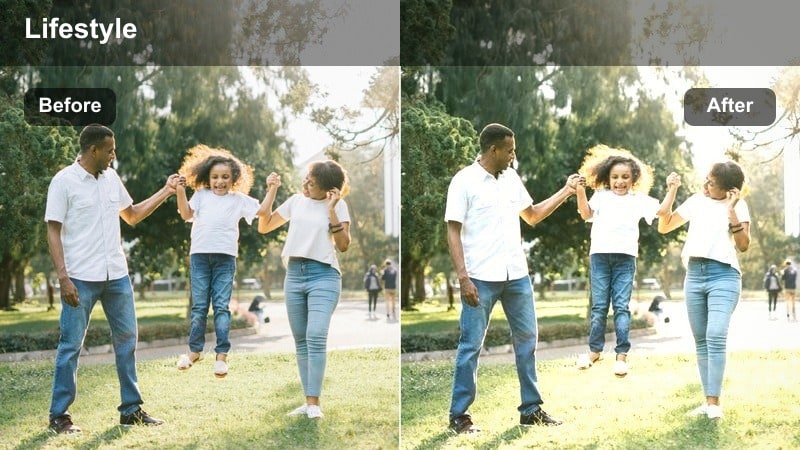
- Effect look: Gentle warm contrast that softens highlights and keeps skin tones flattering in evening light.
- Best for: Handheld lifestyle walks through the city during golden hour with the Sony A7C.
- Editing tip: Lower filter intensity to around 60 percent when using strong lifestyle LUTs so the warmth does not overpower the scene.
Sunlit Soft Glow is ideal when you want your Sony A7C lifestyle LUTs to feel romantic and inviting without crushing detail in bright sidewalks or skies. By adding a gentle warm contrast, it keeps faces flattering and highlights under control, which is perfect for backlit walks and over-the-shoulder shots as the sun sets between buildings.
In Filmora, apply your Sony A7C lifestyle LUT first, then stack Sunlit Soft Glow on top and pull the intensity slider back to around 50 to 60 percent. Use the curves panel to slightly lower midtone contrast so the warm halo feels cinematic instead of harsh, and fine-tune exposure with the highlights and shadows controls to keep window reflections and metal railings from clipping.
Match Sony A7C Lifestyle LUTs with Filmora's AI Color Tools
Filmora's AI-driven color tools help you harmonize Sony A7C lifestyle LUTs with your chosen filters so skin tones stay consistent from clip to clip. Even when you move from warm golden hour streets to cooler shaded alleys, AI keeps the overall palette cohesive.
Use AI color matching to align different angles of the same scene, or to match your A-roll talking shots to B-roll of city details. This reduces manual keyframing and lets you focus more on storytelling than constant color tweaks.
 secure download

Preview Lifestyle Filters on Sony A7C Footage in Real Time
Filmora lets you quickly preview multiple lifestyle filters over your Sony A7C LUT-graded clips, so you can compare looks like warm golden hour, matte cafe tones, or clean street style in seconds. This makes it easy to pick a look that fits your story, not just a preset that looks intense.
Toggle filters on and off, scrub through the timeline, and adjust intensity live while you playback your vlog or reel. You can also duplicate clips on the timeline and apply different filters to each to see side-by-side variations before committing.
secure download1000+ Video Filters and 3D LUTs
Beyond lifestyle presets, Filmora includes 1000 plus filters and 3D LUTs you can stack with your Sony A7C lifestyle LUT pack. This library covers everything from soft matte and vintage film to bold travel and night city looks, giving you endless combinations for your channel style.
Use creative LUTs and HSL controls together to lock in your brand colors, refine skin tones, and make sure every video thumbnail and reel feels like it belongs to the same visual universe. Once you dial in a favorite mix, save it as a custom preset for one-click grading.
secure downloadUrban Amber Haze
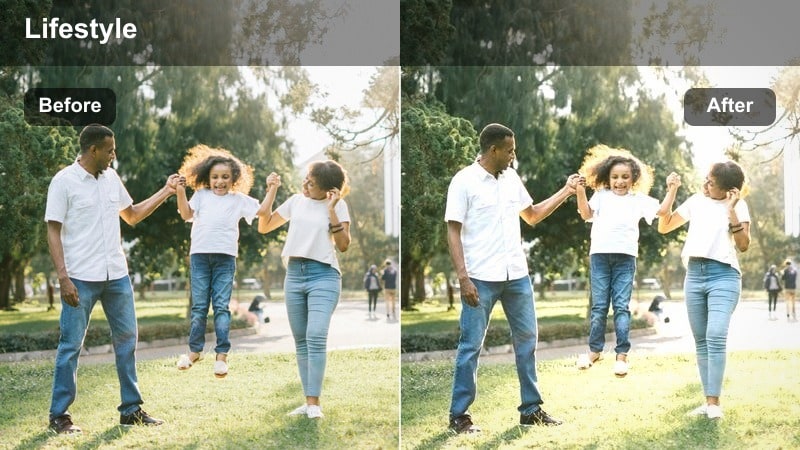
- Effect look: Subtle amber tint with softened shadows that adds a relaxed, dreamy layer to city scenes.
- Best for: Lifestyle b-roll of streets, crosswalks, and storefronts shot in late afternoon light.
- Editing tip: Pair with a neutral Sony A7C LUT and reduce saturation slightly to keep skin from turning too orange.
Urban Amber Haze adds a gentle, cinematic glow to late-afternoon Sony A7C shots, rounding off hard edges in shadows and pulling your viewer into a softer atmosphere. It is especially effective on wide shots of crosswalks, store signs, and traffic because it ties together many small light sources with one cohesive amber wash.
In Filmora, start with a neutral Sony A7C lifestyle LUT to establish correct color, then apply Urban Amber Haze and pull global saturation down a touch. If faces lean too orange, fine-tune white balance with a slight move toward cooler temperatures, and use selective color controls to keep shop lights and building facades consistent across your sequence.
Golden Sidewalk Pop
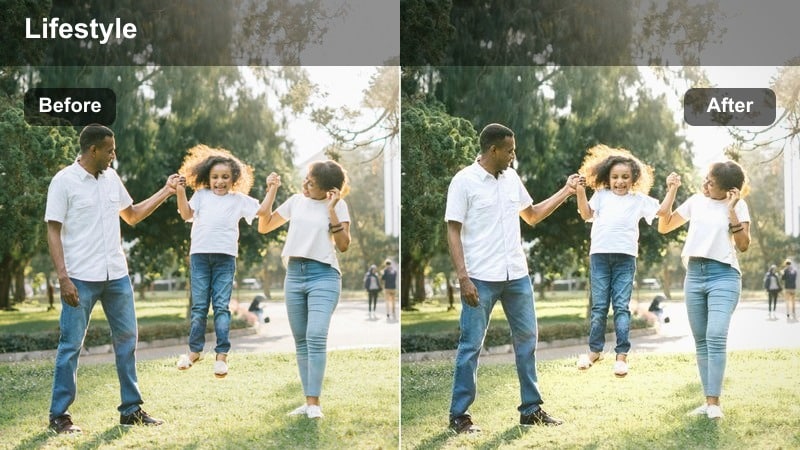
- Effect look: Punchy yet controlled contrast that makes sidewalk textures and outfits stand out in warm light.
- Best for: Outfit-of-the-day lifestyle videos and walking transitions on urban sidewalks.
- Editing tip: Add a mild vignette after the filter to keep focus on your subject as they move through the frame.
Golden Sidewalk Pop is built for bold, scroll-stopping OOTD and walking shots filmed on the Sony A7C, where you want shoes, fabrics, and pavement textures to stand out. It boosts contrast and warmth without making the scene look overly commercial, preserving the relaxed lifestyle feel.
In Filmora, pair this filter with a slightly flatter LUT or picture profile so you have room to push contrast without clipping highlights. After applying Golden Sidewalk Pop, add a subtle vignette and lightly lift black levels to keep shadows soft, then adjust the intensity slider to sit between 50 and 70 percent depending on how bright your original footage is.
Cozy Indoor Cafes and Work Sessions
Latte Soft Matte
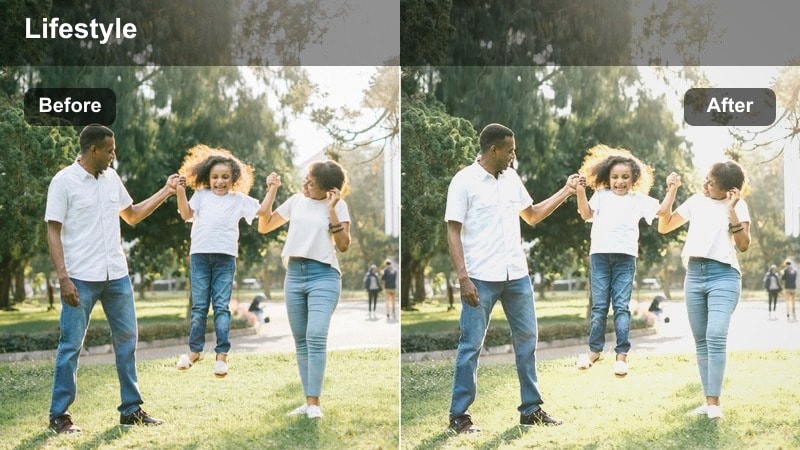
- Effect look: Soft matte contrast with gentle desaturation that flattens harsh indoor lighting.
- Best for: Cafe desk setups, laptop shots, and lifestyle creator talking-heads near windows.
- Editing tip: Use Filmora's skin tone tool after this filter to reintroduce natural color to faces while keeping the scene muted.
Latte Soft Matte is designed to calm down mixed indoor lighting from cafes and co-working spaces, where warm bulbs and cool window light often clash. The matte contrast subtly lifts shadows and lowers highlights, turning your Sony A7C lifestyle footage into soft, cozy visuals ideal for workday vlogs and study-with-me content.
Apply your Sony A7C lifestyle LUT first in Filmora, then layer Latte Soft Matte to even out the contrast and gently reduce saturation. Afterwards, use the skin tone and HSL tools to nudge facial colors back toward natural while leaving backgrounds slightly muted, giving your subject presence without sacrificing the relaxed, modern cafe atmosphere.
Window Light Balance
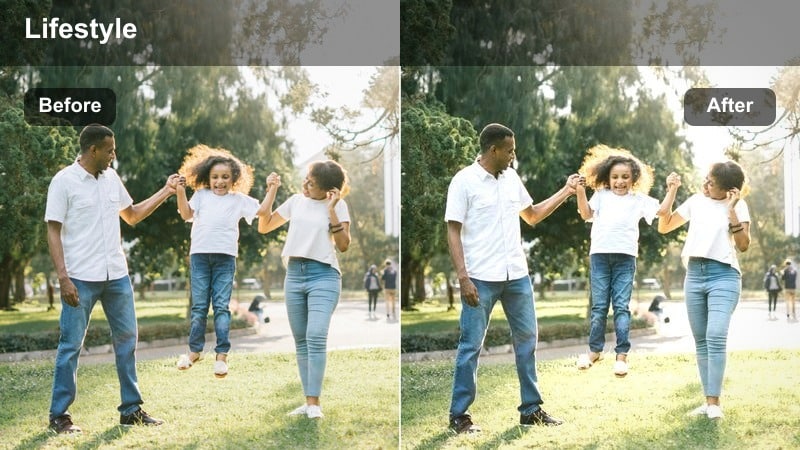
- Effect look: Balanced exposure between bright windows and darker interiors with a clean, neutral lifestyle tone.
- Best for: Filming at a cafe window or home desk where outside light is strong but the room is dim.
- Editing tip: Apply before your Sony A7C lifestyle LUT so it can work on a more evenly exposed base image.
Window Light Balance helps you deal with high-contrast window scenes by gently pulling back blown highlights while lifting interior shadows. This makes Sony A7C clips at a bright window or home office look more like a controlled studio environment, with both the outside view and your subject visible.
In Filmora, drop this filter onto your footage before applying your chosen Sony A7C lifestyle LUT so the LUT grades a more even starting point. Use the exposure and highlight sliders to keep details in signage or buildings outside, then fine-tune midtones so skin remains bright and inviting without the background turning gray or washed out.
Desk Daylight Clean
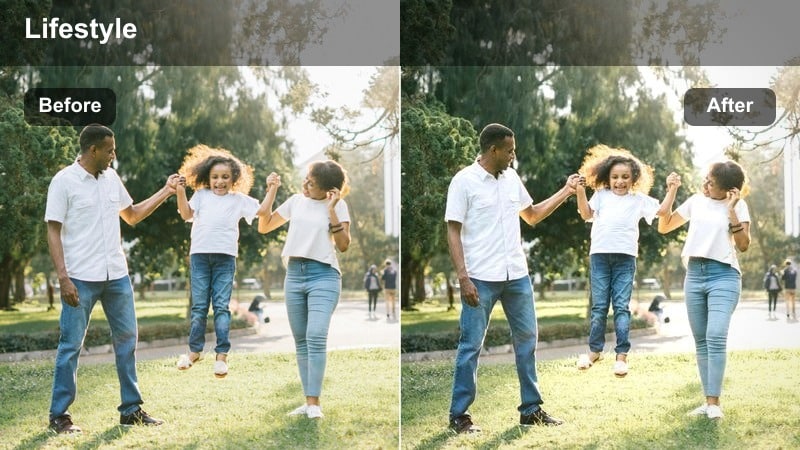
- Effect look: Crisp, cool-neutral indoor look that gives lifestyle desk setups a clean content-creator vibe.
- Best for: Overhead shots of notebooks, phones, and gear on a desk in soft window light.
- Editing tip: Raise clarity slightly after this filter for product details, but keep sharpening modest to hold the lifestyle aesthetic.
Desk Daylight Clean is made for top-down shots and flatlays where you want a minimal, tech-friendly aesthetic. It neutralizes strong color casts from walls or wood desks, giving Sony A7C lifestyle clips of laptops, planners, and gear the tidy look associated with modern creator channels.
After you apply your base LUT in Filmora, add Desk Daylight Clean and gently cool the white balance if your surfaces skew warm. Increase clarity just enough to make text and textures pop, avoid excessive sharpening, and, if needed, use the tint slider to counter any green or magenta contamination from surrounding decor.
Street Style and Outfit Diaries
Street Style Film
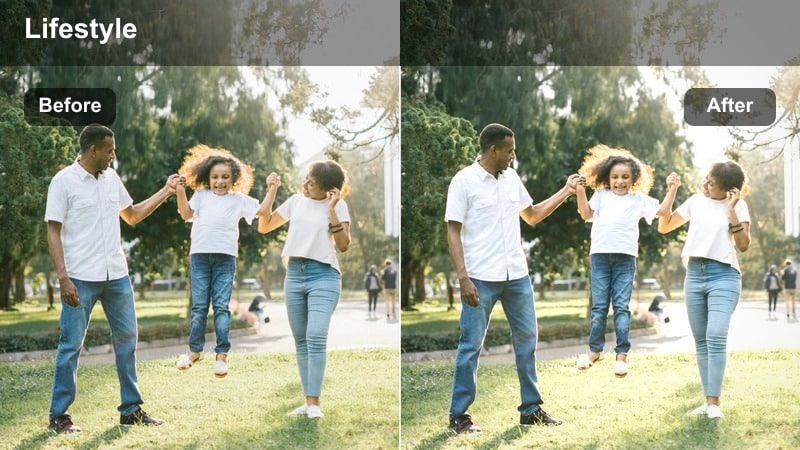
- Effect look: Subtle filmic grain and slightly muted colors that make outfits feel editorial but still casual.
- Best for: Outfit-of-the-day clips, slow pans of shoes and jackets, and lifestyle lookbooks shot outdoors.
- Editing tip: Do not overdo grain; keep it fine and light so social media compression does not make the image look noisy.
Street Style Film gives your Sony A7C fashion clips a gentle editorial edge with soft grain and tamed saturation, ideal for lookbooks and OOTD reels. It preserves fabric detail and silhouette contrast while avoiding the overly glossy feel of heavy commercial grading.
In Filmora, apply your Sony A7C lifestyle LUT to lock in accurate outfit colors, then add Street Style Film and keep grain settings low for clean online playback. Slightly lift blacks and reduce saturation by a small margin to enhance the relaxed mood, and, if necessary, use masks to keep skin tones smooth while letting the background carry more of the filmic texture.
Sidewalk Neutral Chic
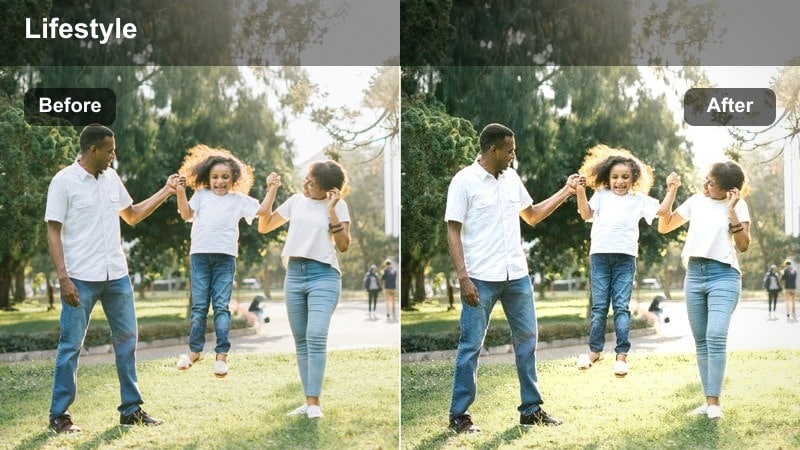
- Effect look: Neutral, slightly cool look that lets outfit colors stay accurate and on-brand.
- Best for: Vertical reels of walking shots, spin transitions, and quick pose sequences on sidewalks.
- Editing tip: Use saturation curves to keep branding colors consistent across different locations and times of day.
Sidewalk Neutral Chic focuses on color accuracy, giving your Sony A7C lifestyle footage a clean, slightly cool cast that keeps clothing tones true. This is especially useful when you feature brand partnerships or capsule wardrobes where exact color representation matters.
In Filmora, start with a custom white balance in-camera and a neutral LUT, then apply Sidewalk Neutral Chic to maintain consistency between different streets and lighting conditions. Use saturation curves and HSL panels to protect key brand colors, and copy these adjustments across your reel or lookbook timeline to keep the overall style unified.
Crosswalk Motion Blend
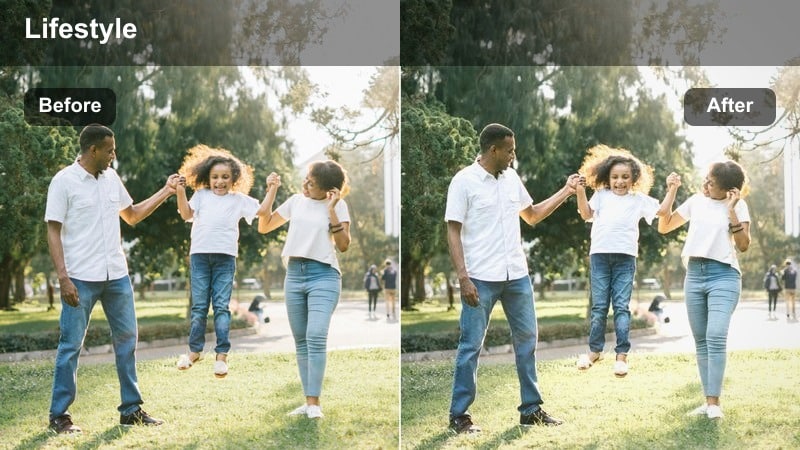
- Effect look: Smooth contrast and motion-friendly details that keep moving crosswalk shots looking sharp yet soft.
- Best for: Lifestyle crosswalk transitions, slow-motion steps, and gimbal walks across busy intersections.
- Editing tip: Combine with a slight motion blur effect for transitions while keeping faces clear and readable.
Crosswalk Motion Blend is tuned for kinetic Sony A7C shots where your subject moves through busy intersections, and you want both clarity and a soft, cinematic feel. It keeps edges from becoming too crispy in motion, reducing the risk of jittery or overly digital-looking footage once compressed for social platforms.
In Filmora, apply this filter to your walking and transition clips, then add a light motion blur effect to emphasize movement between cuts. Keep the filter intensity moderate so skin detail stays clear, adjust contrast to avoid crushing shadow areas under cars or buildings, and, if needed, keyframe exposure when moving from bright sun into shade during a single tracking shot.
Night City Lifestyle and Neon Moments
Neon Soft City
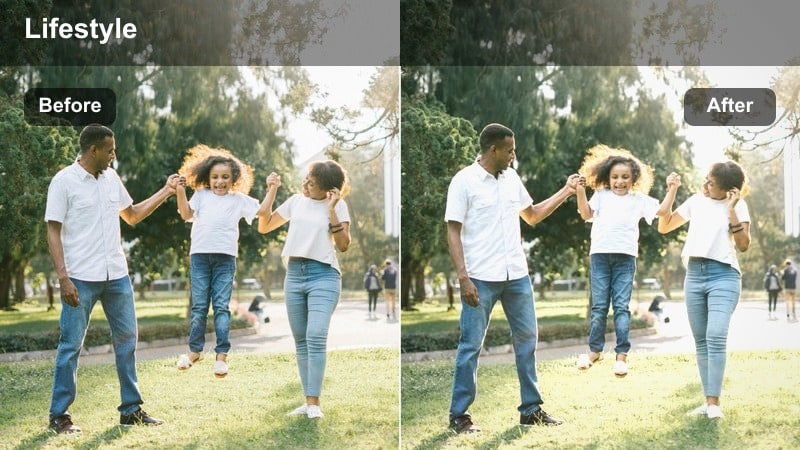
- Effect look: Softened highlights and gentle contrast that keep neon signs from blowing out while preserving mood.
- Best for: Nighttime lifestyle walks past billboards, shop signs, and colorful city lights.
- Editing tip: Expose a bit darker in-camera, then let this filter and your Sony A7C lifestyle LUT bring back midtones in post.
Neon Soft City is crafted for Sony A7C night walks where bright signs and billboards dominate the frame. It softens specular highlights and controls contrast so neon typography and reflections remain readable and stylized instead of turning into pure white blobs.
When editing in Filmora, expose slightly under in-camera, apply your lifestyle LUT to set the overall color mood, and then layer Neon Soft City to tame the brightest areas. Use highlight and whites sliders to dial in sign detail, and, if skin picks up too much magenta or blue from the lights, adjust individual color channels to bring complexions back to a natural but still night-appropriate tone.
City Night Clean
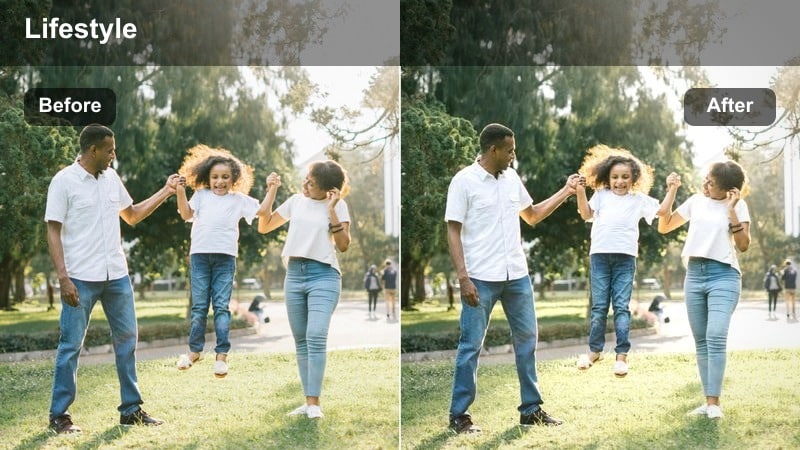
- Effect look: Clean, low-noise night look that slightly lifts shadows while preserving a realistic city atmosphere.
- Best for: Low-light lifestyle vlogs, handheld talking segments, and friends hanging out on city corners.
- Editing tip: Add just a touch of Filmora noise reduction before this filter to avoid smearing fine details.
City Night Clean helps Sony A7C lifestyle vlogs shot in available light look polished without losing the authentic feel of night streets. It gently opens up shadows so faces and outfits are readable while avoiding the overly bright, artificial look that can make night scenes feel like daytime.
In Filmora, run a light noise reduction pass first to smooth high-ISO grain, then apply City Night Clean to refine contrast and lift midtones. Keep contrast curves soft so alleyways and backgrounds retain depth, and adjust saturation carefully to prevent colorful noise in deep shadows while still keeping street signs and traffic lights vibrant.
Late Ride Vibes
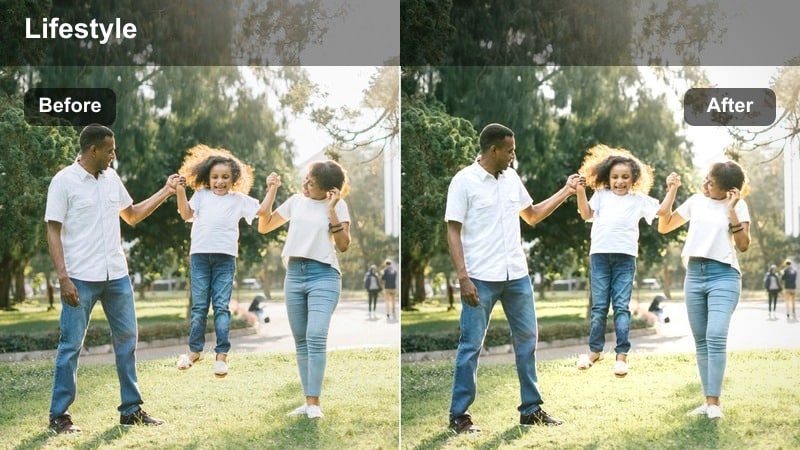
- Effect look: Moody contrast with subtle cool tones that enhance car lights and street reflections at night.
- Best for: Lifestyle b-roll from car windows, rideshare trips, and walking near traffic at night.
- Editing tip: Use keyframes to slightly increase filter intensity as you move into darker streets for consistent mood.
Late Ride Vibes leans into cool, cinematic tones that amplify reflections from wet roads, car windows, and city glass. On Sony A7C night footage, it adds a moody atmosphere ideal for travel vlogs, ride-along sequences, and contemplative B-roll between talking segments.
In Filmora, apply your Sony A7C lifestyle LUT to set a base color balance, then layer Late Ride Vibes and nudge temperature slightly cooler until car lights and reflections feel stylized but not surreal. Use keyframes on the filter intensity and exposure controls as you pass from lit avenues into darker side streets, maintaining a consistent mood and visibility throughout each ride sequence.
Tips for Using Sony A7c Lifestyle Luts Filters in Filmora
- Apply your Sony A7C lifestyle LUT first in Filmora, then add filters so you preserve the LUT's original color science and just refine contrast and mood.
- Shoot with a slightly flatter picture profile on the Sony A7C to protect highlights, then rely on your LUT plus filters for the final punchy or matte look.
- Keep filter intensity below about 70 percent for most lifestyle content to avoid an over-edited, artificial appearance in vlogs and reels.
- Group similar scenes on the timeline and copy filter settings between them to maintain a consistent Sony A7C lifestyle look throughout each sequence.
- Use Filmora scopes, such as the vectorscope and waveform, to monitor skin tones while stacking filters over your Sony A7C lifestyle LUTs.
- Create separate presets in Filmora for daytime city walks, indoor cafes, and night city clips so grading future projects becomes a one-click step.
Sony A7C lifestyle LUTs paired with the right Filmora filters let videographers and creators turn everyday clips into cohesive, cinematic stories with minimal effort. With scene-specific looks for city walks, cafe sessions, street style, and night rides, you can keep your visuals consistent while still adapting to changing light.
Experiment with the filters above, save your favorite LUT plus filter stacks as Filmora presets, and reuse them across vlogs, reels, and B-roll. Over time, your audience will recognize your signature Sony A7C lifestyle look the moment your content appears in their feed.
secure downloadNext: Sony A7IV Wedding LUTS
