

 100% Security Verified | No Subscription Required | No Malware


 ChatGPT
 Perplexity
 Gemini
 Claude
 Grok
Grok
Sony A7IV wedding LUTs are all about soft skin tones, gentle highlights, and a timeless romantic palette, but you can get a similar cinematic look directly inside Filmora with the right filters.
Below are 12 carefully curated filters that mimic popular Sony A7IV wedding LUT aesthetics, organized by typical wedding scenes so videographers and creators can grade fast and consistently across an entire wedding film.
In this article
Soft Morning Light and Getting Ready Moments
Soft Bridal Glow
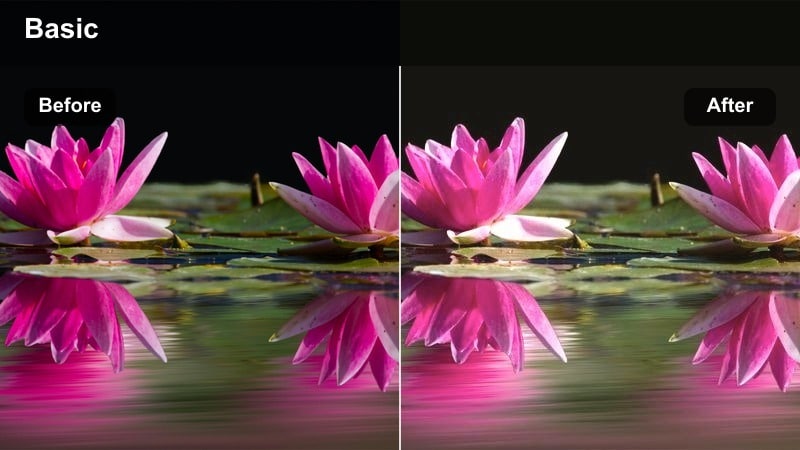
- Effect look: Creamy highlights with softened contrast and flattering warm skin tones, perfect for mimicking pastel Sony A7IV wedding LUTs during prep.
- Best for: Bride and groom getting ready in softly lit hotel rooms, makeup close-ups, and detail shots of the dress or suit.
- Editing tip: Reduce clarity slightly and add a touch of vignette to draw focus to faces while keeping whites clean and not overly yellow.
Soft Bridal Glow leans into warm but balanced tones so bridal prep looks luminous instead of orange or muddy. In Filmora, it smooths contrast around faces and gently brightens midtones, which is ideal for natural window light and pale dresses that need to stay clean and elegant.
Apply this filter on your Sony A7IV clips as a base grade, then fine tune exposure and white balance with Filmora color controls. If your hotel room has mixed lighting, keyframe the filter intensity and warmth so the transition from window light to interior areas still feels cohesive and romantic.
Build a Sony A7IV Wedding Look with AI Color Tools
Filmora's AI-driven color tools help you quickly adapt these filters to match the look of your favorite Sony A7IV wedding LUTs, even when the light shifts between prep rooms and ceremony spaces. You can lock in a hero look once, then let AI do the heavy lifting for the rest of the day.
Use AI color matching to keep skin tones, dresses, and venue colors aligned from clip to clip so the entire film feels like one unified story instead of a mix of different cameras and lighting conditions.
 secure download

Preview Filters on Real Wedding Footage
Instead of guessing how a look will behave, drop a short Sony A7IV clip into Filmora and cycle through these filters directly on the timeline. You will quickly see which presets flatter your preferred exposure, lenses, and picture profiles.
Once you lock in a look that fits your brand, save it as a custom preset so future wedding projects start with the same cinematic baseline in just a few clicks.
secure download1000+ Video Filters and 3D LUTs
Filmora includes a large library of filters and 3D LUTs that complement your Sony A7IV footage, from subtle wedding grades to bold creative looks. You can layer these with the presets in this guide to build signature styles for different couples and venues.
Combine Filmora filters with external Sony LUTs at low intensity to fine tune skin tones, highlights, and contrast while keeping your base color science intact.
secure downloadPastel Room Light
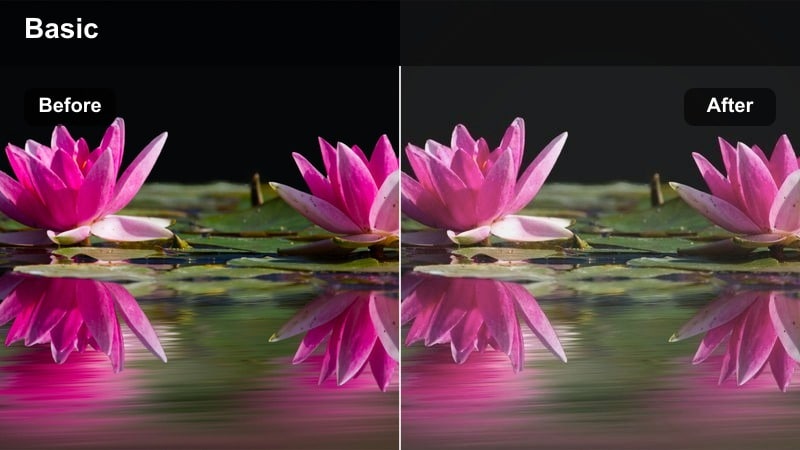
- Effect look: Muted contrast with pastel highlights and gently lifted shadows, echoing airy Sony A7IV wedding LUTs.
- Best for: Flat or log footage from the A7IV in bright hotel rooms, capturing candid interactions and quiet emotional moments.
- Editing tip: Dial back saturation in reds and oranges slightly, then boost luminance of skin tones to keep the image soft but still lively.
Pastel Room Light is designed to give bright bridal suites and groomsmen rooms a clean, high end editorial feel. It takes advantage of your Sony A7IV dynamic range, lifting shadows and softening contrast so white walls, dresses, and decor look airy without losing texture.
In Filmora, apply this filter to your log or cine profile footage and then adjust color wheels to keep skin luminance slightly above the background. Reduce saturation in reds and oranges so lipstick, florals, and wood tones do not overpower the pastel atmosphere you are aiming for.
Timeless Monochrome Prep
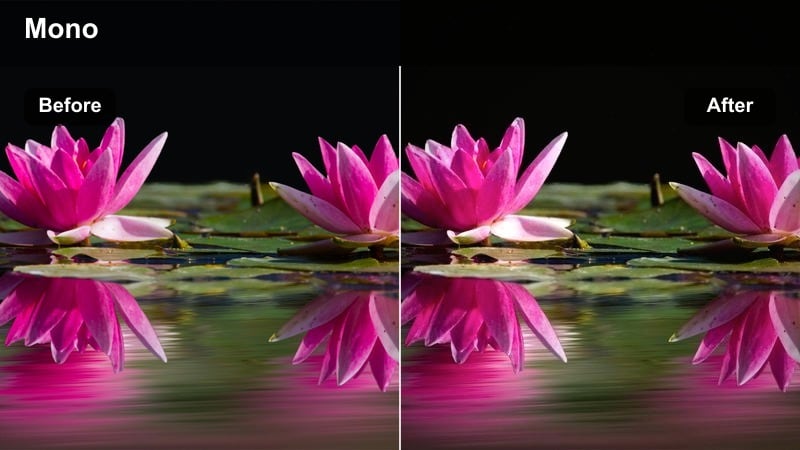
- Effect look: Soft black and white conversion with lifted blacks and gentle halation feel around highlights.
- Best for: Classic groom prep shots, cufflinks, tie adjustments, and emotional parent moments that need a timeless feel.
- Editing tip: Lower the filter intensity slightly and add a bit of grain to emulate a refined filmic B&W grade from a custom LUT.
Timeless Monochrome Prep strips away color distractions and lets expressions, light, and composition take center stage. The lifted blacks and subtle highlight glow echo premium black and white LUTs, making your Sony A7IV prep footage feel like a curated documentary sequence.
In Filmora, use this filter on selective clips within the prep montage to break up color sequences with emotional black and white beats. Add a small amount of grain and keep sharpness moderate so the final look feels organic and film inspired instead of overly digital.
Ceremony Elegance and Vows
Sanctuary Warmth
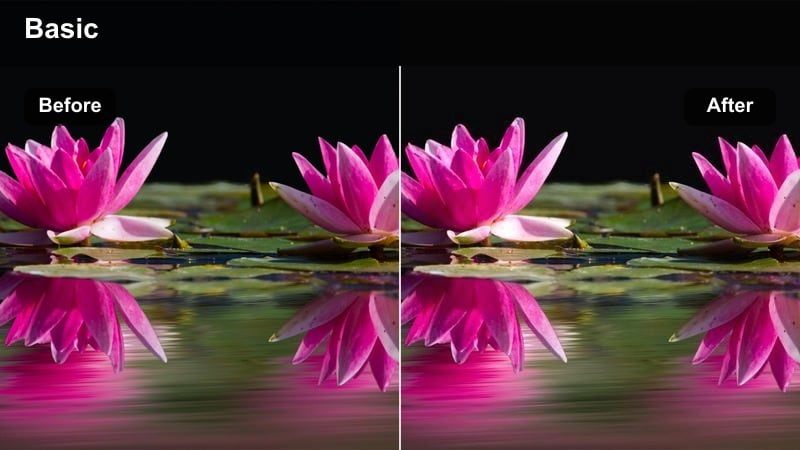
- Effect look: Warm midtones with gentle contrast and preserved highlight detail, tailored for indoor ceremony lighting.
- Best for: Church or indoor ceremonies with tungsten or mixed lighting where you want cozy, cinematic warmth without orange skin.
- Editing tip: Use the filter at medium strength, then cool the overall white balance slightly to balance warm wood and candlelight.
Sanctuary Warmth leans into the natural ambiance of churches and indoor venues by emphasizing wood tones, candles, and decor while keeping skin tones believable. It helps counteract the heavy orange cast you often get from tungsten fixtures on Sony A7IV footage, creating a more controlled, cinematic palette.
Apply this filter in Filmora as a base adjustment across ceremony angles on an adjustment layer, then refine white balance per camera if you used multiple bodies. Slightly reducing saturation in the orange channel keeps the overall warmth while protecting faces from looking sunburned or overly yellow.
Sunlit Aisle
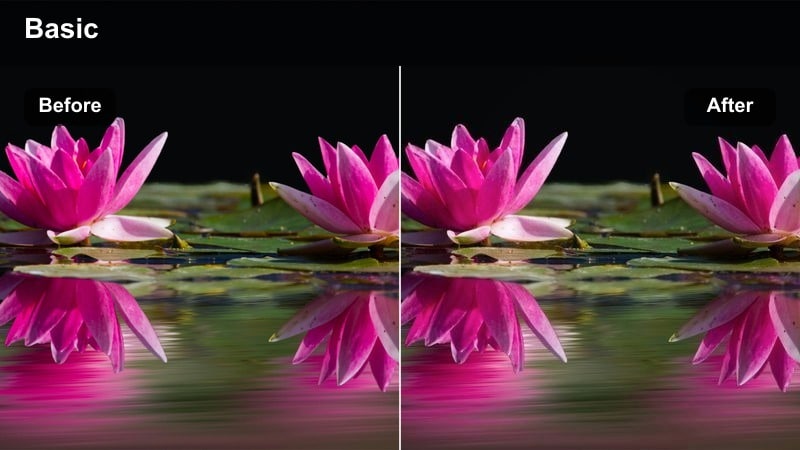
- Effect look: Balanced, slightly cool highlights with crisp whites and a soft film-like contrast curve, suited for outdoor ceremonies.
- Best for: Bright outdoor aisle walks, processions, and standing vows where you want classy, neutral color similar to modern wedding LUTs.
- Editing tip: Lower highlights and raise shadows a touch after applying the filter to avoid harsh midday sun while keeping the image fresh.
Sunlit Aisle is tuned for hard outdoor light, where dresses and skies can easily clip on the Sony A7IV. The filter cools highlights slightly, preserves white detail, and shapes contrast so the scene stays elegant rather than harsh or overly saturated.
In Filmora, use this preset as your foundation for all outdoor ceremony angles, then refine exposure with curves to bring back detail in veils and suits. If your footage was shot in S Log3, add a gentle contrast boost before the filter so it has enough density to create a polished, modern wedding look.
Vows Focus Soft
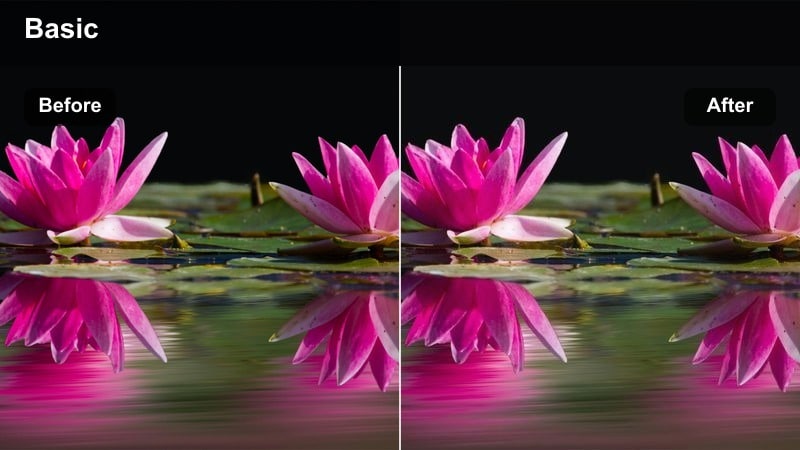
- Effect look: Subtle bloom in highlights and softened micro-contrast around faces to draw attention to emotions.
- Best for: Tight shots of the couple reciting vows, ring exchanges, and close-up reaction shots during the ceremony.
- Editing tip: Use keyframes to increase filter intensity during close-ups and lower it on wide shots to retain detail in architecture.
Vows Focus Soft gently blooms highlights on veils, hair, and jewelry while lowering micro contrast around faces, helping emotional expressions pop without turning the whole frame hazy. It is a great complement to the Sony A7IVs sharp 4K image, adding just enough softness to feel romantic.
In Filmora, apply this filter more strongly on close up angles and ease it back on wides using keyframes so you do not lose fine detail in the venue. Combine it with subtle vignette and a touch of saturation reduction in the background colors to keep all eyes on the couple during their vows.
Golden Hour Portraits and Couple Sessions
Golden Hour Embrace
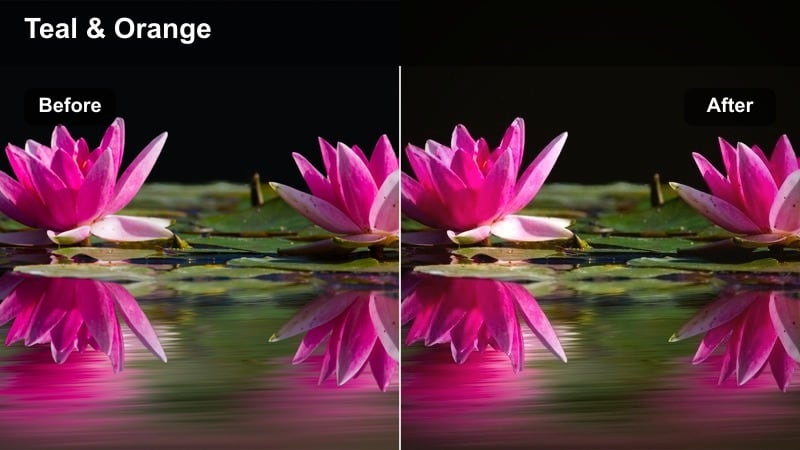
- Effect look: Rich golden highlights with warm midtones, subtle teal shadows, and a gentle cinematic curve.
- Best for: Sunset couple portraits, backlit hugs and spins, and sweeping shots of the venue grounds.
- Editing tip: Reduce saturation in yellows slightly and pull back the filter strength if the sunset is already very intense.
Golden Hour Embrace amplifies sunset warmth and adds a soft teal bias to the shadows, giving your Sony A7IV portraits a classic cinematic color contrast. It helps define silhouettes and backlight while maintaining smooth highlight rolloff on skin and dresses.
In Filmora, use this filter on all your sunset sequences, then fine tune individual shots with HSL sliders to manage greens and yellows in grass or trees. If the sky is already very vivid, slightly lower filter intensity and global saturation to keep the couple, not the sunset, as the hero of the frame.
Romantic Soft Film
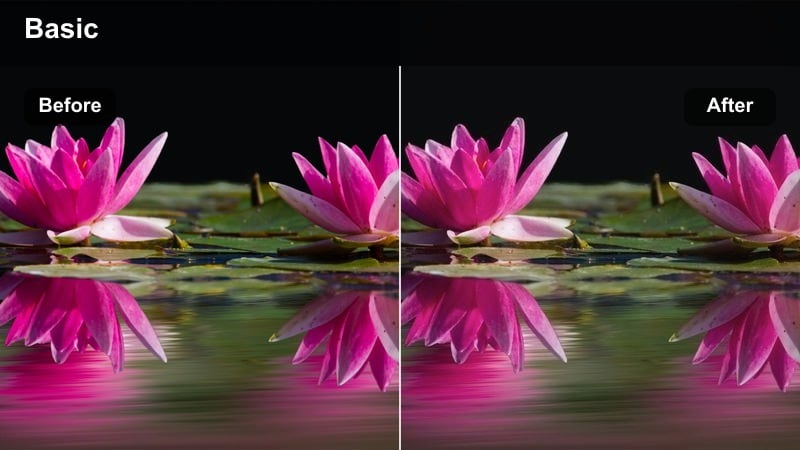
- Effect look: Lowered contrast, lifted blacks, and gentle pastel color shifts for a modern filmic wedding style.
- Best for: Slow-motion walking shots, veil tosses, and quiet close-up portraits in open shade or soft evening light.
- Editing tip: Add a light grain overlay and reduce sharpness slightly to fully sell the film-inspired aesthetic.
Romantic Soft Film nudges your colors toward pastel and fades blacks slightly, giving dusk and shaded portraits a dreamy, editorial feel. It pairs especially well with Sony A7IV cine profiles that already preserve highlight detail and soft contrast.
Apply this filter in Filmora to sequences where you want a gentle, emotional pacing, such as slow motion walks or intimate cuddles. Layer a subtle grain effect and pull back digital sharpness so the overall look leans into film softness instead of clinical 4K precision.
Sunset Silhouette Clean
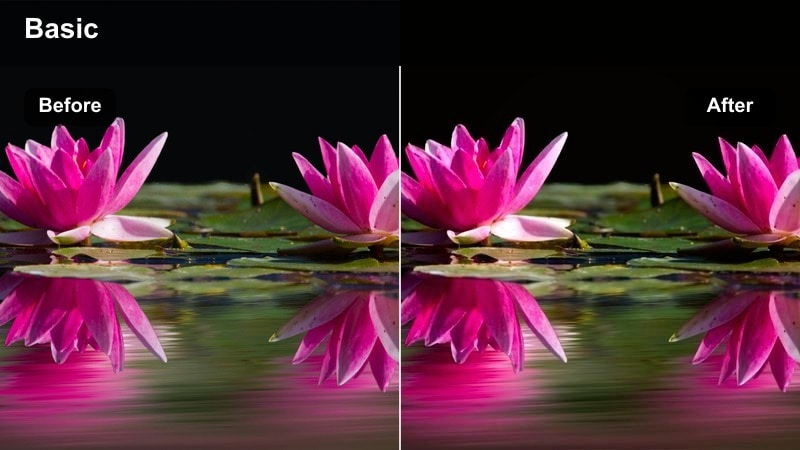
- Effect look: Clean, slightly cool shadows with pronounced silhouettes and saturated sunset colors.
- Best for: Wide silhouette shots of the couple against the sky, drone passes, and establishing shots of the venue at dusk.
- Editing tip: Increase contrast after applying the filter if the couple's outline is not clearly separated from the background.
Sunset Silhouette Clean is tuned to maximize separation between your couple and the sky, pushing shadows deeper while enhancing sunset color. The slight coolness in dark areas keeps the scene from feeling too warm overall, even when the sky is intense.
In Filmora, use this filter on wides and drone shots of the venue or couple framed against the horizon. If your Sony A7IV exposure is a little flat, add extra contrast and a small vignette so the silhouettes read clearly on both large screens and mobile devices.
Reception, Dancefloor, and Night Moments
First Dance Glow
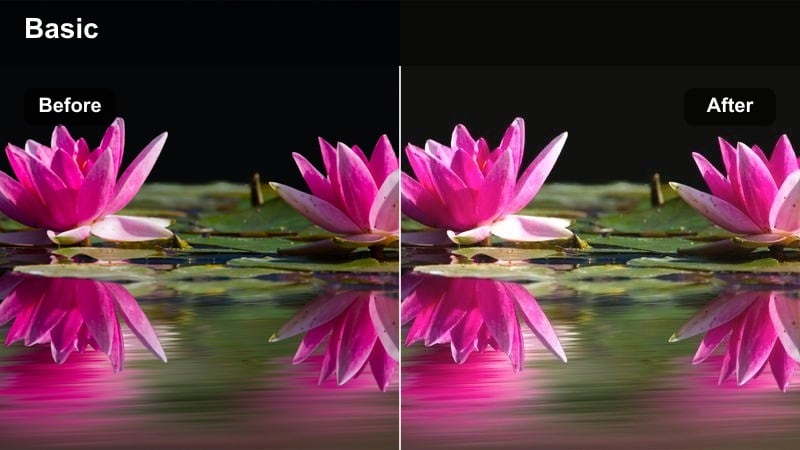
- Effect look: Softened highlights with warm midtones and a gentle bloom around fairy lights and practicals.
- Best for: First dances, parent dances, and slow-motion rotations under string lights or chandeliers.
- Editing tip: Keep exposure slightly lower and let the filter brighten midtones to avoid clipping fairy lights and dress details.
First Dance Glow enhances the romance of reception lighting by blooming practicals and string lights while preserving detail in dresses and suits. It adds controlled warmth to midtones, flattering skin even when your Sony A7IV is working at higher ISOs.
In Filmora, apply this filter to all first dance angles, then fine tune brightness with curves so the couple remains clearly visible without blowing out highlights. If your footage is noisy, run a light noise reduction pass before grading to keep the glow soft rather than grainy.
Dancefloor Energy
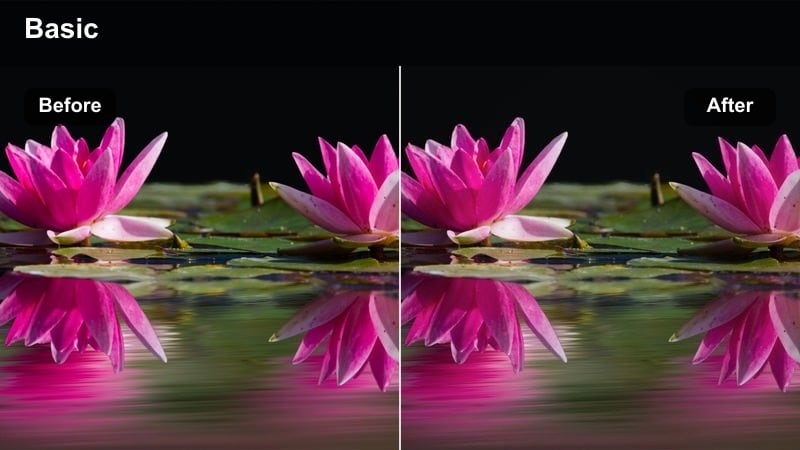
- Effect look: Punchy contrast with saturated colors and crisp highlights that make DJ lights and decor pop.
- Best for: Open dancefloor, bouquet toss, and party sequences where you want high energy and vivid colors.
- Editing tip: Use short bursts of higher filter intensity, then pull back for calmer reception moments to create dynamic pacing.
Dancefloor Energy embraces bold color and contrast so party scenes feel alive and energetic. It enhances DJ lights, neon accents, and decor while keeping skin tones acceptably natural for a stylized, music video inspired look on your Sony A7IV clips.
In Filmora, ramp this filter up for key hype moments like bouquet tosses, big drops, or crowd surfing, then ease back to a softer preset for speeches and quieter interactions. Use quick cuts and rhythmic editing to let the saturated colors and strong contrast match the pace of the music.
Sparkler Exit Clean
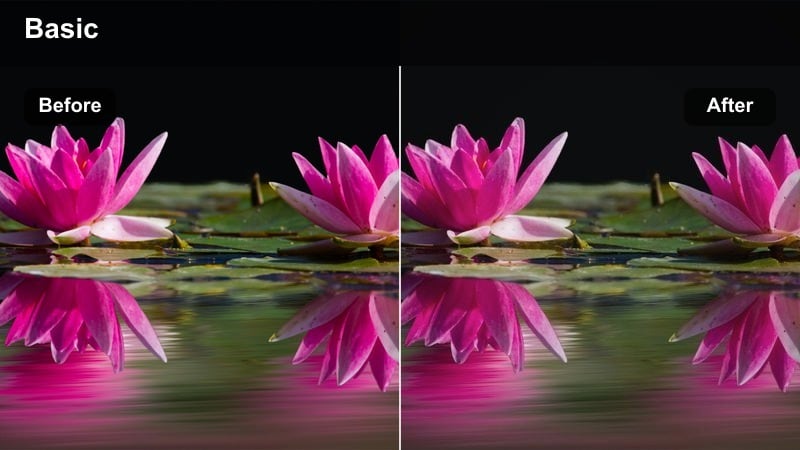
- Effect look: Clean, neutral night tones with lifted shadows and controlled highlights to keep sparklers bright but detailed.
- Best for: Sparkler exits, confetti tunnels, and night walkaways lit by practical lights or available ambient light.
- Editing tip: Apply noise reduction in Filmora before this filter on high-ISO A7IV clips to avoid amplifying grain in the shadows.
Sparkler Exit Clean balances the tricky combination of bright sparks and dark surroundings, lifting shadows enough to reveal faces without turning blacks gray. It reins in highlight clipping so sparklers still look bright and lively on Sony A7IV footage shot at higher ISOs.
In Filmora, place this filter on an adjustment layer covering the entire exit sequence, then refine exposure shot by shot if needed. Run gentle noise reduction first, and consider a subtle vignette so the brightest area stays around the couple as they move through the tunnel of guests.
Tips for Using Sony A7iv Wedding Luts Filters in Filmora
- Shoot the entire wedding day on one or two consistent picture profiles on the Sony A7IV to make grading with filters faster and more predictable.
- Create a short reference reel from prep, ceremony, portraits, and reception, then test your favorite filters on all four before committing to a final look.
- Use adjustment layers in Filmora so you can tweak one filter that affects multiple clips instead of grading each shot individually.
- Match skin tones first, then fine-tune background colors and sky hues so couples always look natural and flattering.
- Keep ISO as low as possible on the A7IV during receptions; filters tend to amplify noise in underexposed footage.
- Save separate presets for daytime and nighttime scenes so you can quickly switch between them while editing.
- Use Filmora's scopes to avoid crushing blacks or clipping highlights when stacking filters with LUTs.
- Keyframe filter intensity around big lighting changes, like doors opening or DJ lights starting, for smoother transitions.
Using carefully chosen filters in Filmora, you can recreate much of the polish and romance associated with Sony A7IV wedding LUTs while staying fast and flexible in the edit.
Experiment with these scene-based presets, refine them to your own shooting style, and save custom looks so every wedding film you deliver feels cinematic, cohesive, and unmistakably yours.
secure downloadNext: Sony FX30 S-log3 LUTS
