

 100% Security Verified | No Subscription Required | No Malware


 ChatGPT
 Perplexity
 Gemini
 Claude
 Grok
Grok
These Filmora filters are crafted to mimic popular Sony A7R V photography LUTs so you can turn high-resolution stills into cinematic, share-ready images in just a few clicks.
Whether you shoot street, lifestyle, or travel on your Sony A7R V, the following looks give you fast, repeatable color grades along with practical tips for dialing in exposure, contrast, and detail.
In this article
Golden Hour Cityscapes and Urban Rooftops
Sunlit Amber Contrast
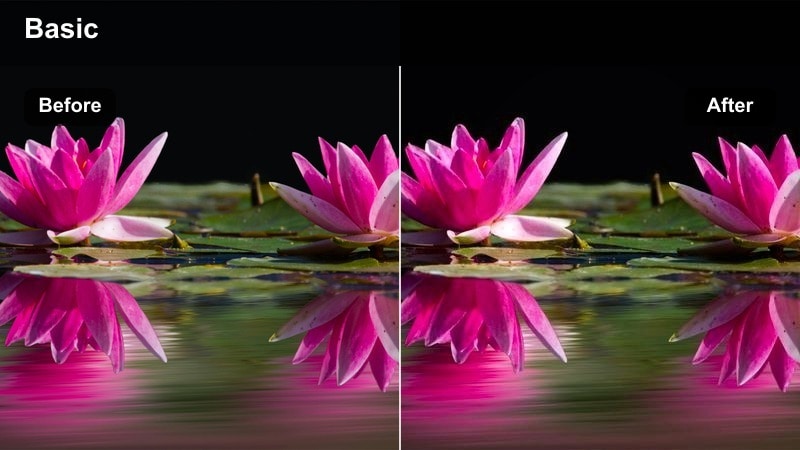
- Effect look: Warm, punchy contrast with golden highlights and crisp city detail
- Best for: Rooftop portraits, skyline shots, and sunlit street photography with the Sony A7R V
- Editing tip: Lower highlights slightly to protect bright windows and boost clarity to emphasize architecture lines.
Use Sunlit Amber Contrast when you want your Sony A7R V rooftop and skyline shots to feel like a movie still. The filter wraps buildings and skin tones in a rich golden hue while adding crisp contrast that makes glass, steel, and horizon lines pop. It is especially effective when the sun is low and hitting façades at an angle, bringing out the full detail your high-resolution sensor captures.
In Filmora, apply this filter as your base grade, then gently pull down the highlights slider to control bright windows and reflective rooftops. Boost clarity or texture to accentuate architectural lines without over-sharpening faces. If the scene starts leaning too warm, nudge white balance a touch cooler so skin tones stay natural while the city and sky retain that cinematic amber glow.
Refine Sony A7R V LUT-Style Looks with AI Color Tools
After choosing a filter that matches your preferred Sony A7R V photography LUTs, Filmora's AI-powered color tools help you refine the look in seconds. The AI engine intelligently detects skin tones, skies, and city elements so you can adjust them without complex masks or manual selections.
Use the AI color palette to push or pull specific hues like blues in the sky, oranges in sunset highlights, or greens in city parks while keeping your overall grade intact. This lets you adapt a single base filter to different locations and lighting conditions, all while maintaining a consistent, cinematic style across your images.
 secure download

See Filters in Action on Sony A7R V City Footage and Stills
Load a short sequence of Sony A7R V city stills or clips into a Filmora timeline and stack several filters on duplicate tracks. This makes it easy to compare how each style handles highlight roll-off, shadow depth, and color in buildings, skies, and skin tones.
By previewing filters side by side, you can quickly pick the look that best matches your story before committing to a full batch grade. Once you find your favorite, apply it across the set as a unified, LUT-style grade for that particular shoot or series.
secure download1000+ Video Filters and 3D LUTs
Filmora includes a large library of built-in video filters and 3D LUTs that translate beautifully to Sony A7R V stills. You can combine these creative looks with the dedicated photo-style filters in this guide to build your own LUT-style toolkit for every shooting scenario.
Experiment with cinematic LUTs, vintage film simulations, and modern color pops, then save your favorite combinations as presets. This way, you can move from golden hour portraits to night streets while maintaining a recognizable visual language that fits your brand or portfolio.
secure downloadUrban Gold Soft Haze
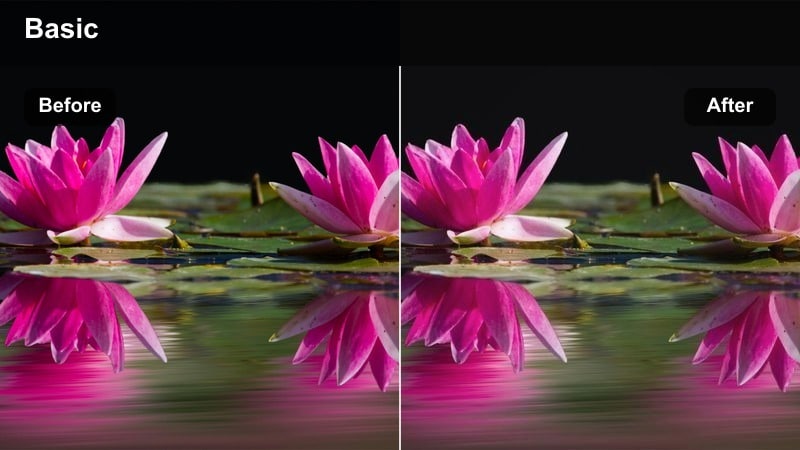
- Effect look: Soft, low-contrast golden haze with subtle bloom around city lights
- Best for: Backlit city streets, crosswalk shots, and candid lifestyle frames at sunset
- Editing tip: Add a slight vignette and reduce clarity for a dreamy cinematic feel that flatters faces.
Urban Gold Soft Haze wraps your Sony A7R V city shots in a dreamy, low-contrast glow that is ideal for romantic or nostalgic storytelling. Backlit sidewalks, crosswalks, and street corners take on a subtle bloom around highlights that feels cinematic without becoming overly stylized.
In Filmora, apply this filter and then slightly reduce clarity to smooth out harsh textures while keeping silhouettes and key lines visible. A gentle vignette draws attention toward your subject in the brightest part of the frame, and you can nudge exposure down a touch if the haze feels too bright for your intended mood.
Copper Skyline Punch
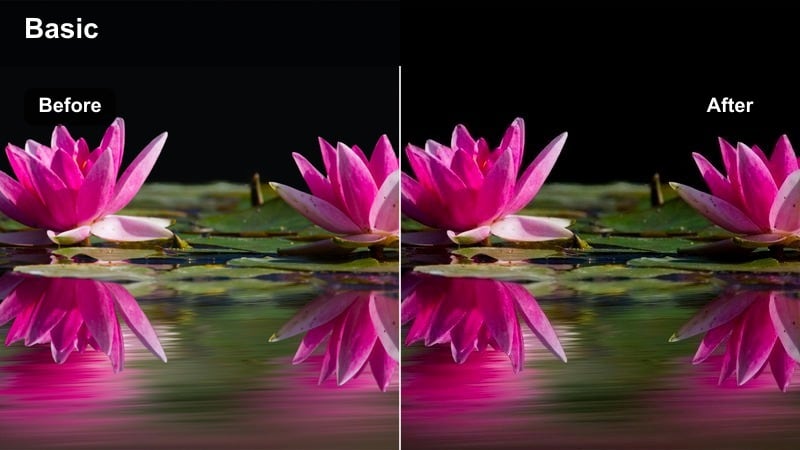
- Effect look: High-contrast copper and teal color grade with deep shadows and rich skies
- Best for: Dramatic skyline panoramas, bridges, and architectural details at dusk
- Editing tip: Increase saturation carefully and lift shadows slightly to keep detail in dark buildings.
Copper Skyline Punch gives your Sony A7R V skyline images a bold copper-and-teal treatment straight out of a blockbuster poster. Buildings take on rich bronze tones while skies push into deep teal, enhancing separation between structures and background and adding drama to dusk or early night scenes.
Inside Filmora, start by applying the filter, then lift the shadows just enough to retain window and façade detail in the darkest areas. Use the saturation control with care so the grade stays cinematic rather than cartoonish, and if the sky becomes too intense, selectively lower blue saturation instead of reducing overall color strength.
Night Street Photography and Neon Vibes
Neon Chrome Pop
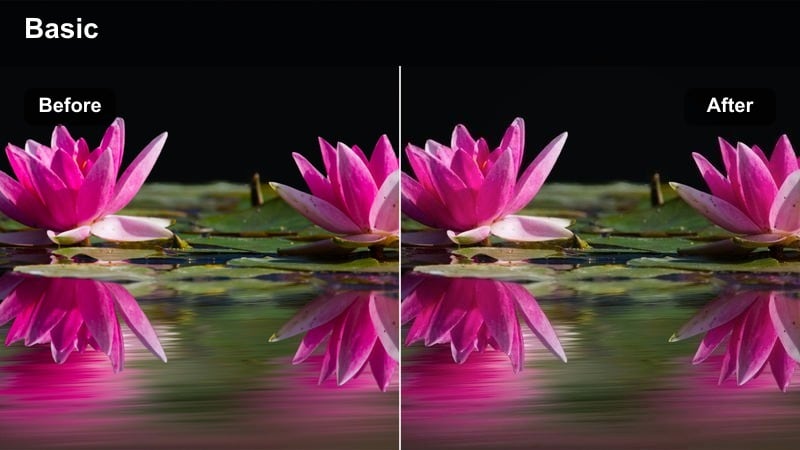
- Effect look: Punchy neon saturation with cool shadows and crisp chrome reflections
- Best for: Neon signs, reflective streets after rain, and cyberpunk-style night walks
- Editing tip: Pull down luminance in blues to deepen the night sky while protecting skin tones with selective color.
Neon Chrome Pop is designed for Sony A7R V night streets filled with signs, screens, and rain-slicked pavement. It pushes saturation in neon tones while cooling down shadows, turning puddles and car surfaces into vibrant color reflectors that define a cyberpunk-inspired atmosphere.
When grading in Filmora, apply the filter then gently lower blue luminance to make the night sky and deep shadows richer without sacrificing skin tone clarity. Use selective color tools to keep faces and hands natural while allowing purples, blues, and magentas in the environment to stay bold and eye-catching.
Midnight Cinematic Fade
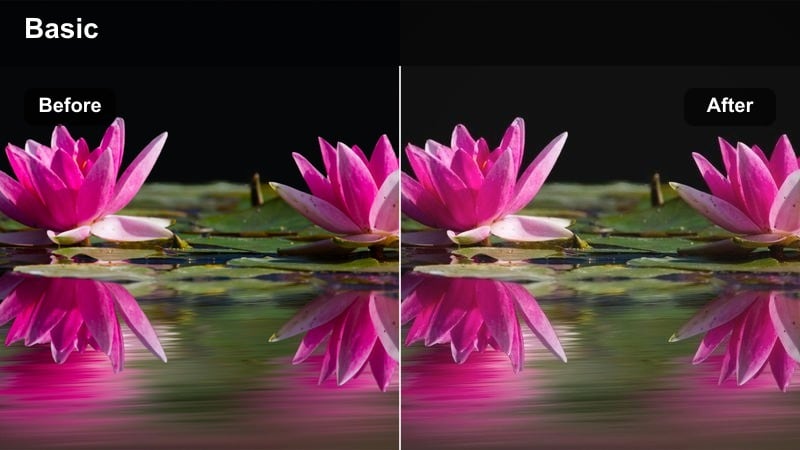
- Effect look: Muted, low-saturation night palette with lifted blacks and soft filmic fade
- Best for: Moody alleys, empty streets, and character-driven night portraits
- Editing tip: Lift black levels just enough to keep detail in dark coats and hair without losing depth.
Midnight Cinematic Fade is ideal when your Sony A7R V images lean more toward character and mood than neon color. It mutes saturation, gently lifts blacks, and adds a film-like fade that makes alleys, parking lots, and quiet streets feel intentional and story-driven.
In Filmora, start with this filter, then fine-tune the blacks slider so you maintain detail in clothing, hair, and background objects without flattening the entire image. Add a subtle film grain overlay if you want to enhance the analog feeling and separate your grade from a standard low-light digital look.
Electric Street Glo
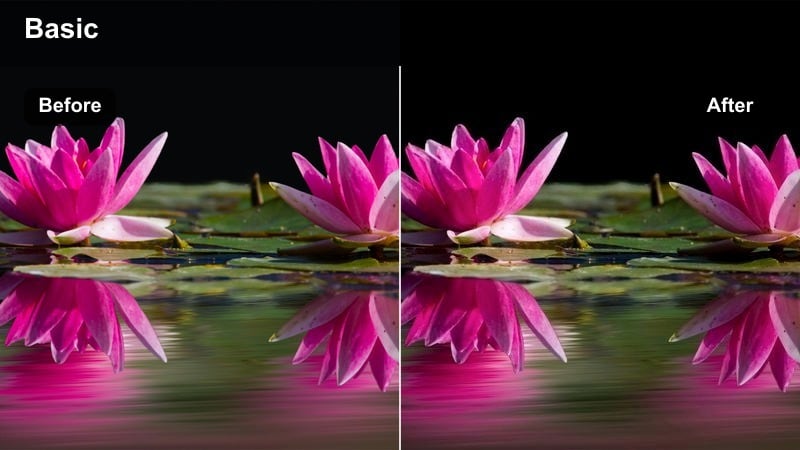
- Effect look: Vibrant magenta and teal shift with glowing highlights around streetlights
- Best for: Busy intersections, crosswalk shots, and handheld night sequences
- Editing tip: Reduce highlight clarity slightly to exaggerate the glow of signs and headlights.
Electric Street Glo adds a dramatic magenta-and-teal color shift that works perfectly with Sony A7R V night scenes packed with cars and crowds. Streetlights, traffic signals, and storefronts gain a luminous halo that turns everyday intersections into highly stylized frames.
Within Filmora, pair this filter with a small reduction in highlight clarity to accentuate the glow and make lights feel more atmospheric. If you have motion in the frame, consider adding a light motion blur or using frames with longer shutter speeds so the color streaks complement the electric vibe of the grade.
Daytime Street Walks and Travel Storytelling
Clean City Neutral
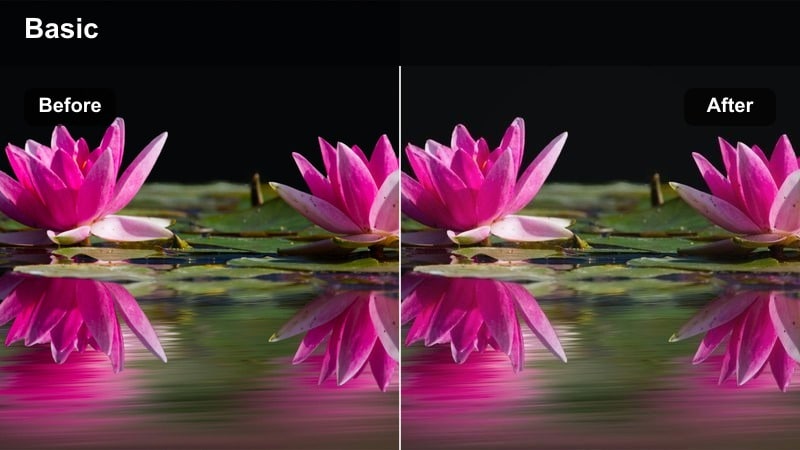
- Effect look: Balanced, true-to-life color with soft contrast and crisp detail
- Best for: Travel diaries, city guides, and documentary-style Sony A7R V photo sets
- Editing tip: Keep saturation moderate and rely on micro-contrast to enhance architecture and street textures.
Clean City Neutral is your go-to look when you want Sony A7R V daytime shots to stay realistic and versatile. It maintains accurate colors with a gentle contrast curve, preserving detail in buildings, vehicles, and crowds, which is ideal for travel blogs, city guides, and documentary coverage.
In Filmora, apply this filter first and then use subtle micro-contrast or clarity adjustments to bring out street textures, signage, and architectural details. Because the grade stays restrained, it is easy to batch apply across many images and still have room for local tweaks like brightening faces or taming individual hotspots.
Street Journal Soft Matte
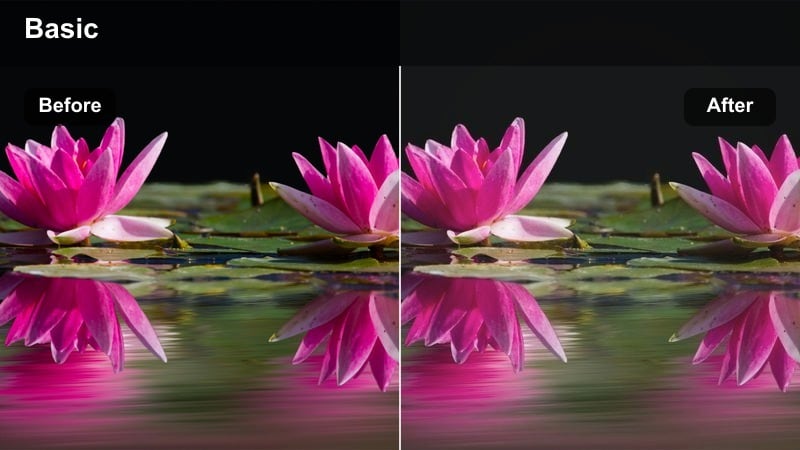
- Effect look: Soft matte shadows with slightly desaturated colors and gentle grain feel
- Best for: Candid market scenes, sidewalks, and documentary street stories
- Editing tip: Pull back vibrance if signage gets too bold, and lift midtones for a printed-magazine feel.
Street Journal Soft Matte turns Sony A7R V everyday scenes into quiet, editorial-style frames. Matte shadows, muted colors, and a subtle filmic character make busy markets, sidewalks, and café exteriors feel curated and ready for zines, blogs, or print layouts.
When grading in Filmora, combine this filter with a small lift to midtones to emulate the soft tonality of printed magazines. If colorful signs or clothing dominate the frame, dial back vibrance slightly so the narrative and gesture stay front and center rather than being overwhelmed by saturation.
Travel Sun Soft Film
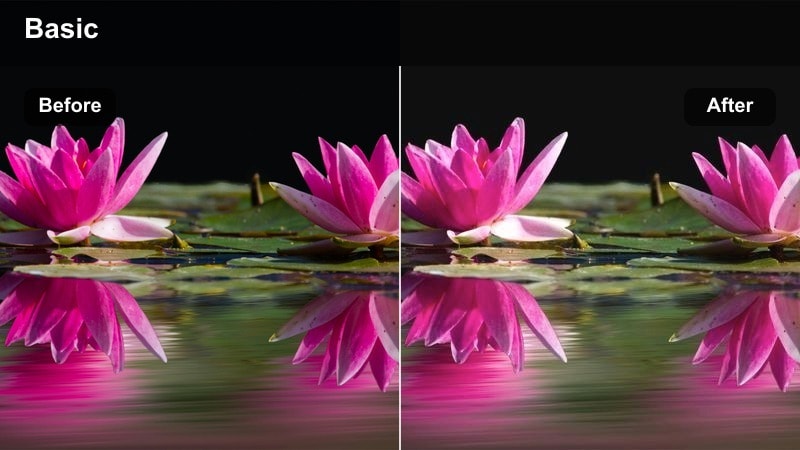
- Effect look: Warm highlights, gentle pastel colors, and a slight filmic roll-off in bright areas
- Best for: City plazas, travel portraits, and scenic lookouts under bright sun
- Editing tip: Dial exposure down just a touch before applying to avoid clipping bright skies and white buildings.
Travel Sun Soft Film adds a warm, pastel-toned character to Sony A7R V images captured in bright plazas, squares, and open streets. Highlights roll off smoothly, keeping white façades and reflective surfaces from looking harsh while preserving the sun-drenched mood of the scene.
In Filmora, lower exposure slightly before or just after applying the filter, then fine-tune with curves so you lift midtones without blowing out skies. This approach keeps your travel portraits and cityscapes looking soft and filmic while still showcasing the dynamic range and detail of your camera.
Lifestyle Portraits and Social Content
Creator Lifestyle Glow
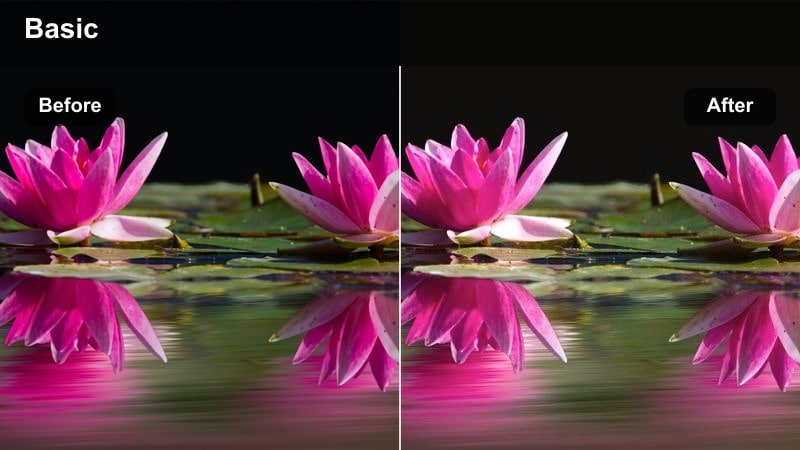
- Effect look: Soft, flattering contrast with warm skin tones and clean highlights
- Best for: Influencer portraits, creator workspaces, and behind-the-scenes stills
- Editing tip: Reduce sharpness slightly on skin while keeping eyes and hair crisp with selective sharpening.
Creator Lifestyle Glow is tailored for Sony A7R V portraits and workspace shots destined for social media, portfolios, and thumbnails. It gently warms skin tones, smooths contrast, and preserves clean highlights around windows and screens so creators and their setups look polished but approachable.
Inside Filmora, combine this filter with selective sharpening to keep eyes, hair, and key props crisp while slightly softening skin. Save your favorite combination as a preset so you can apply the same flattering look to headshots, desk details, and behind-the-scenes images, building a unified creator brand across platforms.
Minimal Studio Clarity
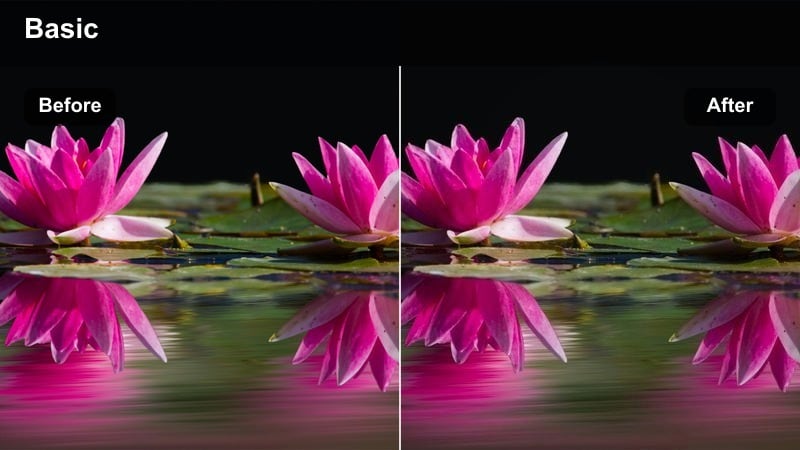
- Effect look: Clean whites, cool shadows, and precise micro-contrast for modern spaces
- Best for: Desk setups, studio corners, and tech-focused lifestyle grids
- Editing tip: Keep white balance slightly on the cool side and avoid over-sharpening glossy objects.
Minimal Studio Clarity is ideal for Sony A7R V shots of clean desks, studio nooks, and modern interiors. It emphasizes bright whites and cool shadows, bringing out product lines, textures, and materials in tech gear, stationery, and décor while keeping the overall frame uncluttered and professional.
In Filmora, lean your white balance a bit cooler and pair the filter with restrained sharpening so metal, plastic, and glass surfaces stay crisp without creating halo artifacts. A subtle vignette can help guide the viewer's eye toward your hero product or center of the layout while preserving the airy, minimal aesthetic.
Social Feed Pastel
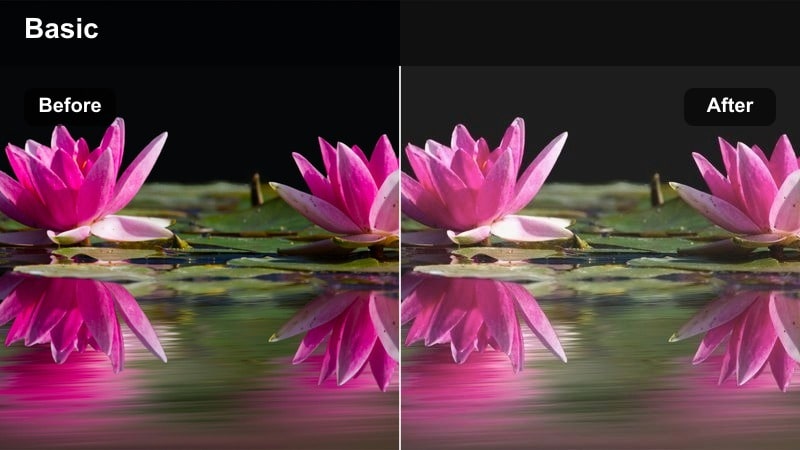
- Effect look: Soft pastel color shift with lowered contrast and bright, airy exposure
- Best for: Lifestyle carousels, lookbooks, and mood-board style social posts
- Editing tip: Raise exposure slightly but protect skin tones by reducing orange saturation if needed.
Social Feed Pastel brightens Sony A7R V lifestyle photos into a light, airy palette that works beautifully for cohesive grids and carousels. It softens contrast and infuses subtle pastel tints, making outfits, interiors, and props feel gentle and mood-board ready.
In Filmora, slightly increase exposure after applying the filter, then check skin tones and reduce orange saturation if they start to look too vivid. Once you are happy with your reference image, copy and paste the filter settings across the rest of the set and only tweak exposure per frame for a smooth, consistent social feed.
Tips for Using Sony A7r V Photography Luts Filters in Filmora
- Shoot Sony A7R V stills with a slightly flatter in-camera profile so Filmora filters and LUT-style looks have more room to shape color and contrast.
- Group your images by lighting type, such as golden hour, daytime shade, and night neon, before grading so you can batch apply the same filter to each group.
- Use Filmora's selective sharpening or mask-based tools to sharpen eyes, hair, and architectural edges instead of globally sharpening the entire frame.
- Watch your histogram for clipping when using punchy, high-contrast filters, especially around bright windows, reflective buildings, and neon signage.
- Save custom presets in Filmora that combine your favorite filters with basic exposure and white-balance adjustments for Sony A7R V files.
- Export a few test versions of key images with small variations in warmth and contrast, then review them on your phone to see which look performs best on mobile screens.
- When working with mixed lighting, use AI color tools or HSL adjustments to gently align color temperatures so your chosen filter stays consistent across the set.
With the right Filmora filters, your Sony A7R V photography can quickly take on polished, LUT-style looks that match the mood of any urban, travel, or lifestyle story. You can move from cinematic golden hour portraits to stylized neon streets without rebuilding your grade from scratch every time.
Build a small toolkit of favorite filters, save them as presets, and adapt them with AI color tools so your visual style stays consistent from rooftop golden hour to late-night sessions. Over time, this preset-driven workflow becomes a reliable color language that ties all of your Sony images together across platforms and campaigns.
secure downloadNext: Sony A7C Lifestyle LUTS
