

 100% Security Verified | No Subscription Required | No Malware


 ChatGPT
 Perplexity
 Gemini
 Claude
 Grok
Grok
These Filmora filters are crafted to echo the clean, flexible feel of Sony FX30 S-Log3 LUTs, helping videographers and creators turn flat log footage into polished, cinematic images in just a few clicks.
From controlled skin tones to rich city nights and stylized travel color, each filter below includes an effect look, best use case, and a quick editing tip so you can match your Sony FX30 S-Log3 footage faster and more consistently.
In this article
Balanced Daylight Base Grades for S-Log3 Footage
Neutral Rec.709 Convert
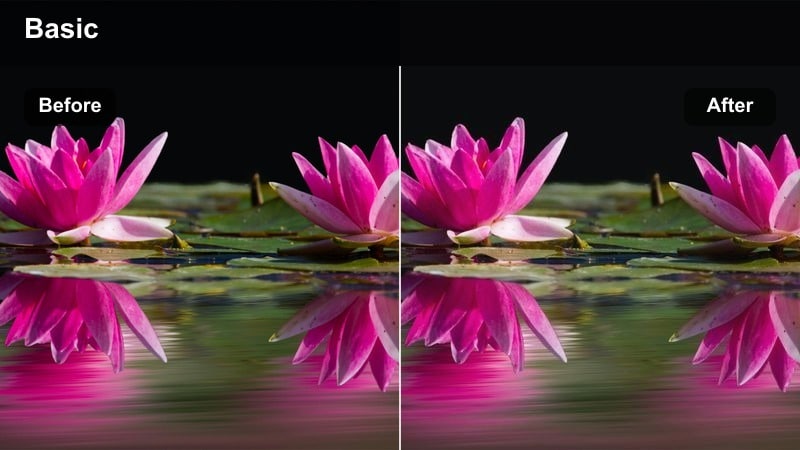
- Effect look: Clean, low-contrast Rec.709 conversion that gently compresses highlights and restores natural saturation for an accurate base grade.
- Best for: Sony FX30 S-Log3 footage in soft daylight where you want a neutral starting point before creative grading.
- Editing tip: Apply first on your FX30 S-Log3 clips, then fine-tune white balance with the temperature and tint sliders before adding creative filters.
This neutral Rec.709 Convert filter is designed to act like a technical S-Log3 to Rec.709 LUT for your Sony FX30 footage, but with a softer touch that protects highlight roll-off. It takes the flat, low-saturation image from S-Log3 and restores natural color and contrast so you can see a true-to-life version of your shot right away in Filmora.
Use it as the very first step in your FX30 workflow, then adjust exposure, temperature, and tint on an adjustment layer until the image feels balanced. Once this baseline is dialed in, you can stack additional Filmora filters or LUTs on top, confident that all your S-Log3 clips share the same consistent starting point.
Match Sony FX30 S-Log3 Colors with AI Palette Tools
Filmora AI color tools help you normalize Sony FX30 S-Log3 clips shot in different locations or lighting so your filters respond more predictably. By matching a well-graded reference shot, you can quickly bring entire scenes into the same color family before applying your favorite looks.
Import a hero clip with ideal exposure and color, then use AI color matching to align surrounding shots. Once they are balanced, your FX30-inspired filters will need fewer manual tweaks and will behave more like dedicated S-Log3 LUTs across the whole edit.
 secure download

See Sony FX30 Filters in Action on Real Footage
Once your FX30 S-Log3 clips are on the timeline, you can audition several Filmora filters to find the most flattering base for each scene. Quickly jump between daylight, travel, and night-focused looks to see how contrast curves and color shifts affect the same shot.
Use split-screen previews to compare options side by side and decide on one or two signature grades for the entire project. This keeps your final video cohesive while still giving you flexibility to emphasize special shots like hero B-roll or thumbnails.
secure download1000+ Video Filters and 3D LUTs
Beyond these FX30 S-Log3 inspired styles, Filmora includes a large library of filters, cinematic LUTs, and overlays that you can stack for endless combinations. You can start with a neutral conversion, then add film emulation, glow, or creative color to match your channel branding.
Experiment with intensity sliders and blending options to keep your Sony FX30 footage looking polished rather than overprocessed. Saving your favorite stacks as custom presets makes it easy to apply the same cinematic look across multiple projects.
secure downloadBalanced Skin Tone Boost
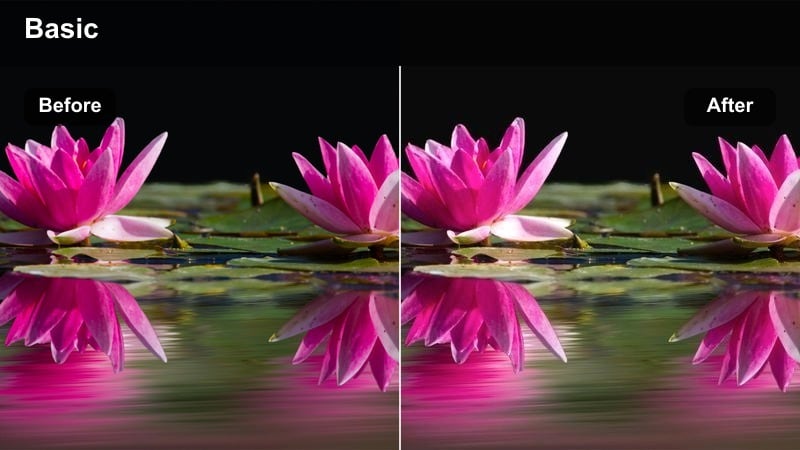
- Effect look: Soft contrast with subtle mid-tone warmth to keep skin tones flattering without oversaturating the background.
- Best for: Talking-head shots, YouTube content, and interviews shot on the Sony FX30 in S-Log3 under daylight or soft window light.
- Editing tip: Lower overall saturation slightly, then nudge the orange hue slider if needed to keep skin looking natural across different lighting setups.
Balanced Skin Tone Boost is tuned specifically for faces, adding gentle warmth and contrast where it matters most. It keeps the background restrained so bookshelves, plants, and props do not steal attention from your subject in FX30 S-Log3 talking-head setups.
Apply this filter after establishing a neutral base, then refine skin with Filmora color controls, especially the orange and red channels. For multi-camera interviews or podcast setups, copy this look across all angles to maintain consistent skin tones, even if each camera sees slightly different light.
Punchy Daylight Pop
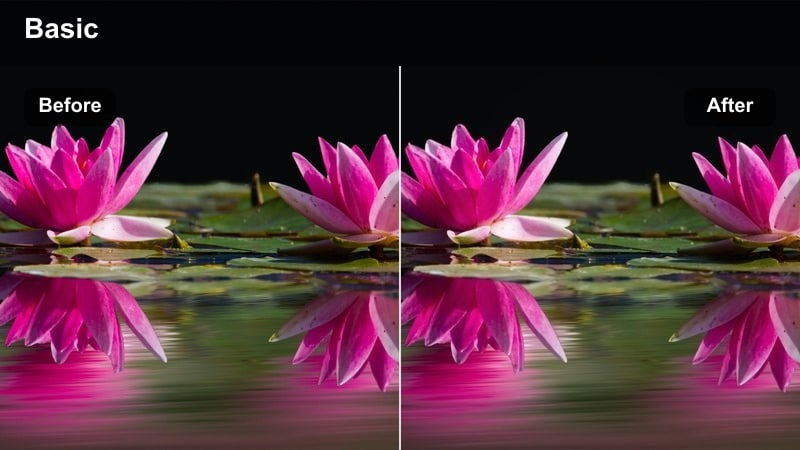
- Effect look: Medium-contrast Rec.709-style look with crisp micro-contrast and a modest saturation lift for bright outdoor scenes.
- Best for: Sunny-day FX30 S-Log3 clips, outdoor b-roll, and handheld walk-and-talk vlogs in open shade.
- Editing tip: Protect highlights by backing off exposure slightly before applying, then use the curve tool to bring mid-tones back up if needed.
Punchy Daylight Pop adds energy and clarity to bright outdoor scenes, giving Sony FX30 S-Log3 footage the kind of punch you expect from a finished YouTube vlog. Contrast is tightened, edges feel crisper, and color gains a little extra life while still looking natural.
Use it on city walks, park b-roll, or any sunlit exterior where you want architecture, foliage, and clothing to stand out. If highlights start to feel too strong, reduce filter intensity or gently pull down the upper part of the curve in Filmora so the sky and bright reflections stay controlled.
Cinematic Travel and Landscape Looks
Soft Film Travel
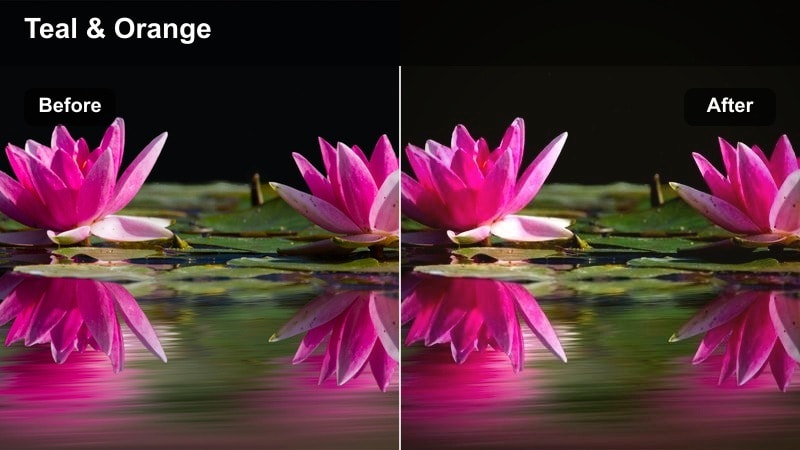
- Effect look: Low-contrast cinematic curve with gentle halation-style bloom and a slight teal shift in shadows for modern travel vibes.
- Best for: Sony FX30 S-Log3 travel vlogs, city roaming, and handheld b-roll with mixed daylight and shade.
- Editing tip: Dial back the teal in shadows when skin is the focus, and keep this look stronger on wide establishing shots and street cutaways.
Soft Film Travel is inspired by contemporary travel films that use pastel contrast and teal-leaning shadows to create a dreamy, cinematic feel. On Sony FX30 S-Log3 clips, it smooths harsh lighting transitions and adds a subtle bloom that flatters both people and architecture.
Apply it to wide city streets, markets, and transition shots between locations to build a distinct visual identity for your travel vlog. For close-ups of faces, reduce filter strength or adjust the shadow tint in Filmora so skin retains a natural warmth while the environment stays stylized.
Golden Hour Glow
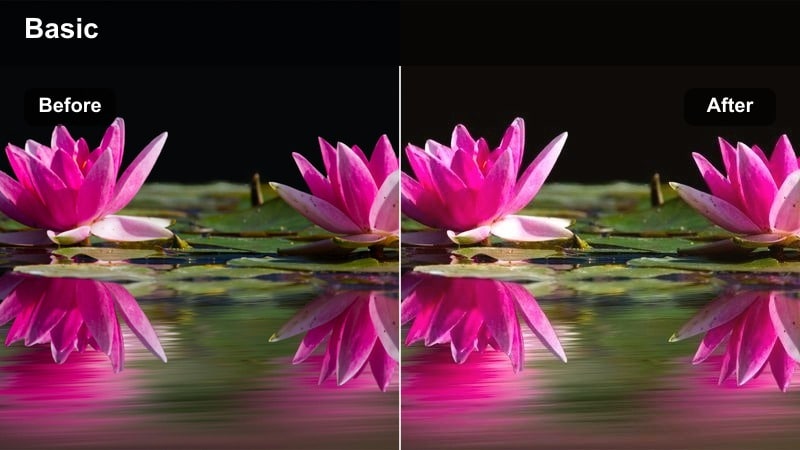
- Effect look: Warm highlights and lifted shadows that intensify golden sunlight while keeping mid-tone contrast smooth and cinematic.
- Best for: Sunset cityscapes, rooftop b-roll, and backlit walk-and-talk shots on the Sony FX30 in S-Log3.
- Editing tip: Expose your S-Log3 footage slightly to the right in-camera, then pull back highlights with this filter to preserve the glow without clipping.
Golden Hour Glow leans into the warm, directional light of sunrise and sunset, enhancing the amber tones while preserving the soft, cinematic character of S-Log3. It gently lifts shadows so backlit subjects remain visible without losing the magic of the rim light around them.
Use it on rooftop scenes, silhouettes, and any FX30 shot where the sun is close to the horizon. If the warmth starts to overpower the scene, slightly cool the mid-tones in Filmora or pull back overall saturation so skin and buildings stay believable while the sun itself remains rich and golden.
Cool Urban Explorer
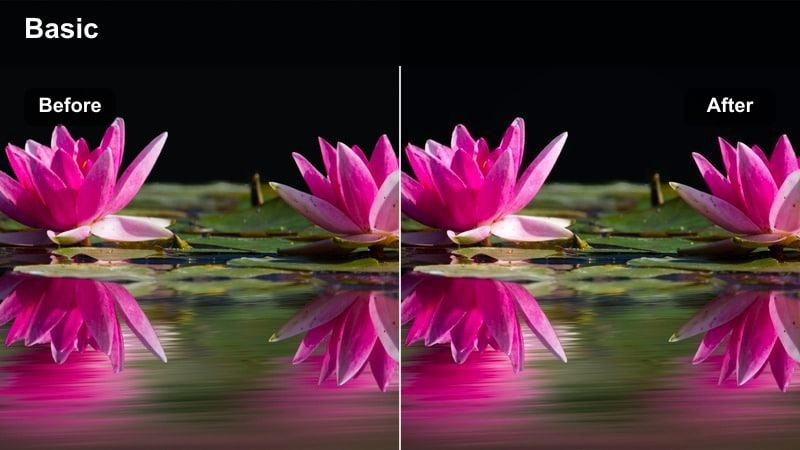
- Effect look: Cooler global color with cyan-leaning shadows and muted warm tones for a sleek, modern city-travel mood.
- Best for: Urban travel sequences, street exploration, and Sony FX30 gimbal shots around modern architecture.
- Editing tip: Lower saturation in yellows to avoid distracting signs and taxis, then add slight clarity to emphasize city textures and lines.
Cool Urban Explorer gives S-Log3 city footage a polished, futuristic palette by cooling shadows and toning down strong oranges. This works especially well with glass, steel, and concrete, where reflections and lines become the stars of the frame.
Apply it to gimbal moves through business districts, subway entrances, and high-rise rooftops to establish a consistent urban tone. Keep skin tones in check by selectively warming the orange channel in Filmora if your subject is frequently in frame, so they stand out naturally against the cooler environment.
Stylized Low-Light and City Night Filters
Neon Night Pop
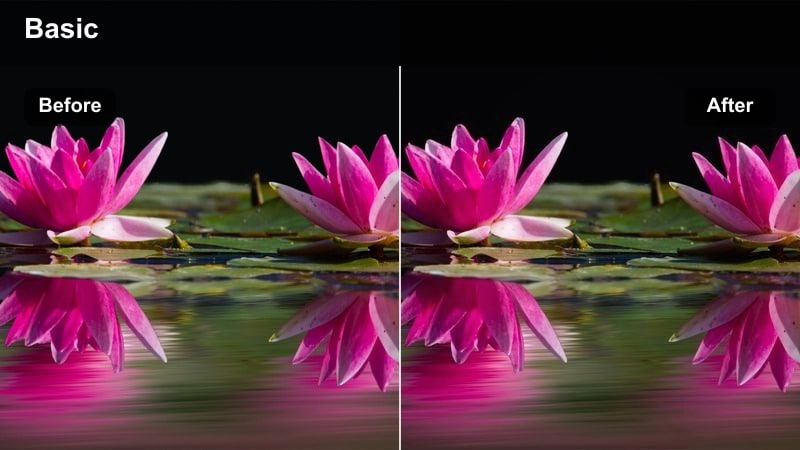
- Effect look: High-contrast night look with rich saturation in neon colors and controlled noise in the shadows.
- Best for: Sony FX30 S-Log3 night street footage, neon-lit alleys, and storefront b-roll in busy entertainment districts.
- Editing tip: Reduce saturation in clipped highlights, then use selective color to push magentas and cyans for a strong neon story color.
Neon Night Pop is built to make city signs, billboards, and shop windows explode with color while keeping the rest of the frame dark and cinematic. On FX30 S-Log3 clips, it adds contrast where lights meet shadows and leans into magenta and cyan to create a recognizable night aesthetic.
Use it on sequences where neon is part of the story, such as nightlife montages or rainy street reflections. If noise becomes too visible, reduce shadow lifting and add a touch of Filmora noise reduction so the bright signs stay clean and the blacks remain deep.
Moody Cinematic Night
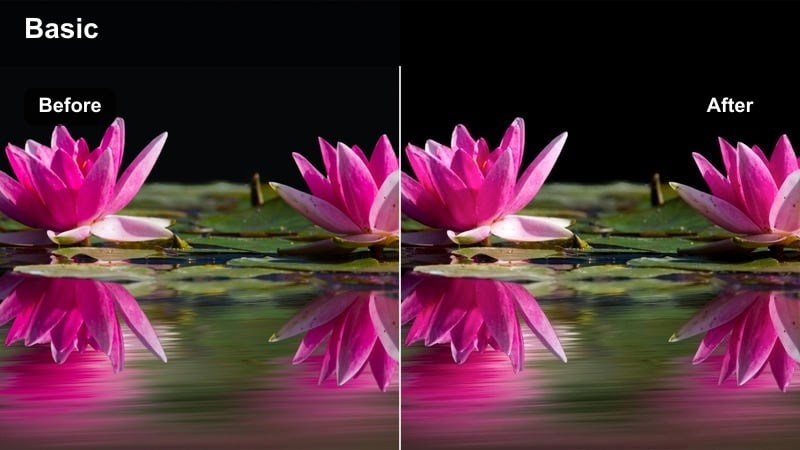
- Effect look: Deep shadows, subtle color separation, and a soft roll-off in highlights for a filmic, story-driven night aesthetic.
- Best for: Narrative scenes, moody walk-and-talk shots, and FX30 S-Log3 gimbal moves through dimly lit streets.
- Editing tip: Add a slight vignette and reduce mid-tone detail to avoid emphasizing noise, especially when shooting at higher ISO values.
Moody Cinematic Night is tailored for story-driven scenes where atmosphere matters more than sheer brightness. It preserves pockets of light while allowing large areas of the frame to fall into rich, textured shadow, giving FX30 S-Log3 footage a dramatic, film-like feel.
Apply it to dialogue scenes under streetlights, slow walk-and-talks, or contemplative B-roll of empty alleys and windows. Fine-tune color separation in Filmora so warm practical lights stand out against cooler backgrounds, subtly guiding the viewer toward important narrative details.
Clean Street Night
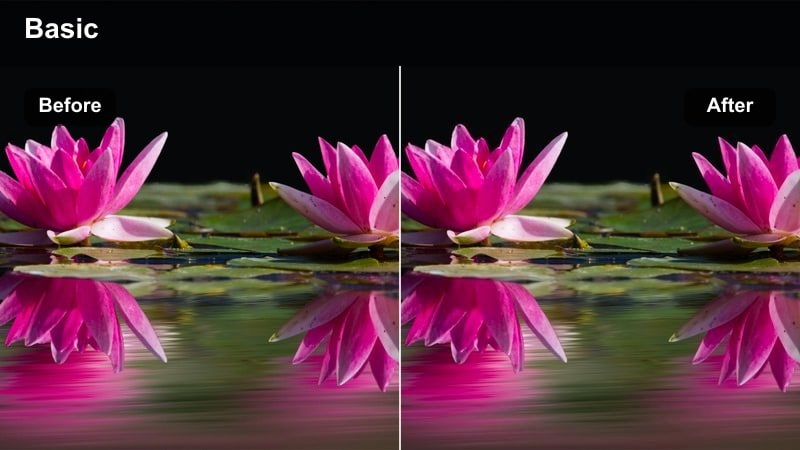
- Effect look: Balanced contrast and noise-friendly color that preserves shadow detail and keeps white balance neutral under mixed lighting.
- Best for: Run-and-gun Sony FX30 S-Log3 street coverage, documentary nights, and handheld b-roll under sodium and LED lights.
- Editing tip: Start by neutralizing extreme color casts with white balance, then apply this filter and fine-tune greens and magentas in streetlights.
Clean Street Night focuses on accurate, neutral color when shooting under mixed sources like sodium vapor, LEDs, and shop windows. It keeps contrast moderate so documentary or run-and-gun FX30 S-Log3 footage remains readable without crushing important details into black.
Use it when you are covering events, street life, or handheld walk-throughs where viewers need to clearly see faces and environments. Correct big color casts first with white balance in Filmora, then let this filter refine the scene into a clean, consistent night look across your entire sequence.
Creator-Friendly Styles for Social and YouTube
Clean Creator Look
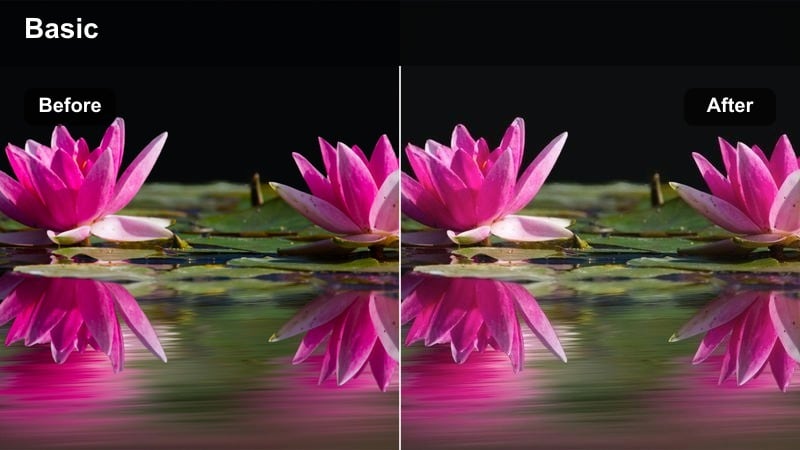
- Effect look: Bright, clean image with soft contrast, neutral color, and a subtle lift in exposure for a polished, platform-ready feel.
- Best for: YouTube sit-down videos, product talking-heads, and Sony FX30 S-Log3 studio setups with controlled lighting.
- Editing tip: Keep backgrounds slightly darker than your subject and reduce saturation in reds to avoid distracting elements on shelves or walls.
Clean Creator Look is optimized for modern studio-style videos where clarity and professionalism come first. It brightens FX30 S-Log3 footage, smooths contrast, and keeps color neutral so skin, products, and set design all look crisp on mobile and desktop screens.
Use it as your go-to grade for tutorials, reactions, and reviews shot against softboxes or window light. To keep the viewer focused on your face, slightly darken and desaturate the background in Filmora, especially if you have colorful LEDs or decor behind you.
High Key Creator Hype
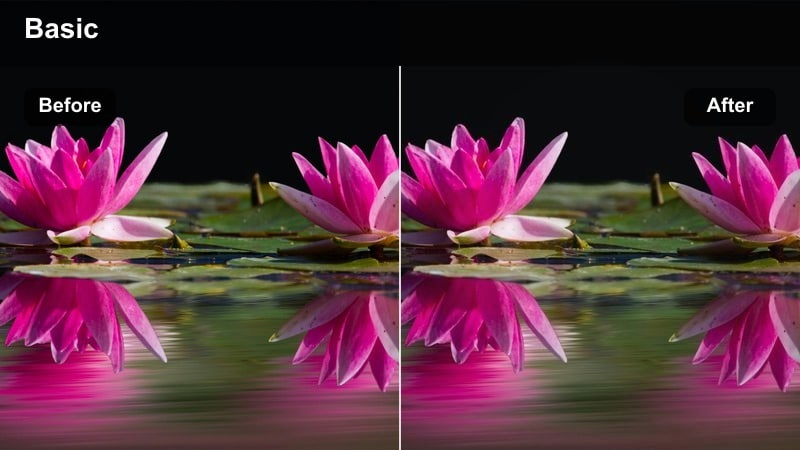
- Effect look: High-energy, high-key look with lifted shadows, crisp whites, and a slight saturation boost to emphasize enthusiasm.
- Best for: Fast-paced YouTube intros, announcements, and FX30 S-Log3 vertical clips for social media reels.
- Editing tip: Use this look mainly on A-roll and key shots, then tone it down on detailed b-roll to prevent eye fatigue in longer edits.
High Key Creator Hype brightens everything from mid-tones to highlights, creating a punchy, attention-grabbing grade ideal for hooks and short-form content. FX30 S-Log3 footage responds well to the lifted shadows, maintaining detail while giving your set a clean, almost glowing appearance.
Apply it to opening lines, calls to action, and vertical clips repurposed for TikTok or Instagram Reels. For the rest of your timeline, consider mixing it with softer grades so the brightest moments stand out and your viewers do not get overwhelmed by continuous high-key visuals.
Subtle Cine Creator
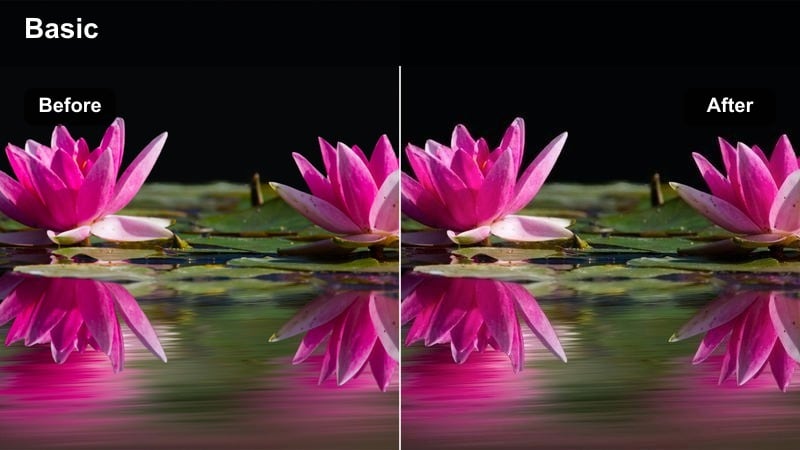
- Effect look: Gentle cinematic curve with slightly desaturated primaries and a hint of cool in shadows for a refined, professional creator vibe.
- Best for: Skill tutorials, gear reviews, and FX30 S-Log3 content where you want a cinematic feel without distracting color.
- Editing tip: Add a tiny bit of film grain and reduce sharpness to keep the image from looking overly digital on high-resolution monitors.
Subtle Cine Creator takes the edge off bright YouTube grading by slightly lowering saturation and cooling the shadows. This gives Sony FX30 S-Log3 footage a more cinematic, editorial feel that suits tutorials, explainers, and long-form educational content.
Use it when you want your visuals to feel premium but understated, allowing your message and on-screen graphics to take center stage. Small additions like light film grain and a touch of softness in Filmora can further separate your work from standard high-contrast creator grades.
Tips for Using Sony Fx30 S-Log3 Luts Filters in Filmora
- Shoot S-Log3 on the Sony FX30 with proper exposure and white balance so Filmora filters respond predictably and retain highlight detail.
- Organize your clips by scene type, such as daylight, travel, and night, then apply matching filters in batches for faster grading.
- Use Filmora adjustment layers to apply your chosen FX30-inspired filter across multiple clips while keeping per-shot corrections flexible.
- When combining Filmora filters with external Sony S-Log3 LUTs, lower filter intensity to around 60 to 80 percent to avoid an overprocessed look.
- Monitor scopes in Filmora to keep skin tones centered in the mid-range and to catch unwanted color shifts early in the grade.
- Save your favorite filter and correction stacks as custom presets so every new FX30 project starts from a consistent baseline.
- Test your graded FX30 footage on both phones and larger displays to ensure contrast and saturation remain comfortable for viewers.
- Create separate presets for daylight, tungsten, and mixed lighting so you can quickly match different shooting environments in one timeline.
These Filmora filters give videographers and creators an easy way to bring Sony FX30 S-Log3 footage to life, from neutral conversions to stylized travel and night looks.
Once you find a handful of favorites that match your shooting style, save them as presets so every new FX30 project starts with fast, consistent color grading.
secure downloadNext: Sony A6600 Travel LUTS
