

 100% Security Verified | No Subscription Required | No Malware


 ChatGPT
 Perplexity
 Gemini
 Claude
 Grok
Grok
Sony FX30 vlog LUTs are all about fast, consistent color so your videos look cinematic straight out of edit, without spending hours on grading nodes and curves.
Below are 12 Filmora filter presets that mimic popular Sony FX30 vlog LUT looks, so videographers and creators can dial in clean skin tones, rich contrast, and stylized color for everything from YouTube talking heads to run-and-gun travel content.
In this article
Bright Street Vlogs and Daytime Walk-and-Talks
FX30 Clean Day Walk
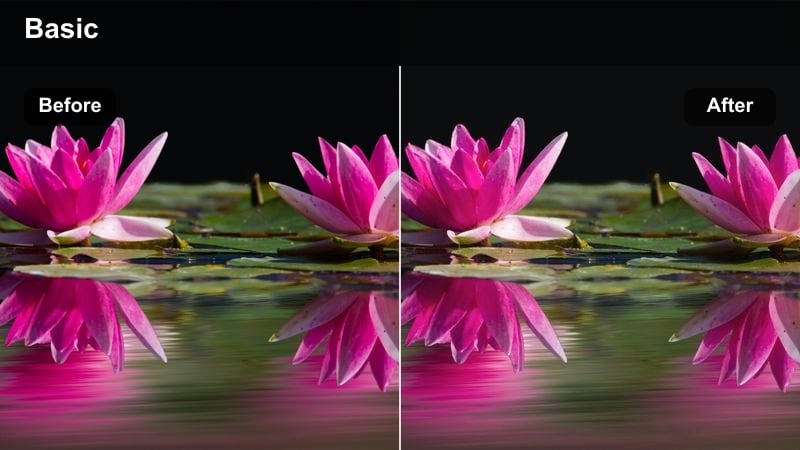
- Effect look: Neutral, low-contrast base that gently lifts shadows and keeps highlights under control for a realistic but polished vlog look.
- Best for: City street walk-and-talk vlogs in flat daylight where you want natural skin tones without a heavy stylistic grade.
- Editing tip: Expose slightly to the right on your Sony FX30 and reduce Filmora contrast a touch before adding this filter to preserve dynamic range.
This FX30-style filter gives you a clean, documentary-style image that still feels cinematic. It is designed as a soft base grade rather than a heavy stylized look, so you get balanced contrast, detailed skies, and skin tones that do not skew too warm or too cool.
In Filmora, apply this filter after you have dialed in exposure and white balance on your clips. Use it as your primary treatment across all daylight walk-and-talk segments, then make small per-clip tweaks with exposure and saturation so your entire vlog feels cohesive from one street scene to the next.
Match Your Sony FX30 LUT Look with AI Color Tools
Filmora's AI-powered color tools help you quickly match the feel of your favorite Sony FX30 vlog LUTs across different shooting days, lenses, and lighting setups. Instead of rebuilding a grade from scratch, you can get close to your ideal look in just a few targeted adjustments.
Import a reference shot you love, let AI guide your exposure and color balance tweaks, and then save the result as a preset. This makes it easy to keep your FX30 indoor and outdoor vlogs visually consistent, even when you are moving fast between locations.
 secure download

Preview Vlog Filters on Real FX30 Footage
Filmora lets you stack different filters on duplicate clips so you can quickly compare how each LUT-style look reacts to Sony FX30 footage. This is especially useful for checking skin tone, signage, and sky detail before committing to one style for an entire vlog.
Create a short test timeline with a mix of A-roll and B-roll, then apply a few options side by side. Watching them in real time makes it much easier to pick the filter that feels most cinematic and on-brand for your channel.
secure download1000+ Video Filters and 3D LUTs
Beyond these FX30-inspired looks, Filmora includes a large library of filters and 3D LUTs you can stack, blend, and customize. This makes it easy to evolve a basic vlog filter into a unique signature grade for your channel.
Combine creative filters with Filmora's HSL and color wheels to fine-tune specific hues like skies, foliage, and city lights. Once you are happy with the result, save everything as a reusable preset for future Sony FX30 projects.
secure downloadFX30 Soft Skin Street
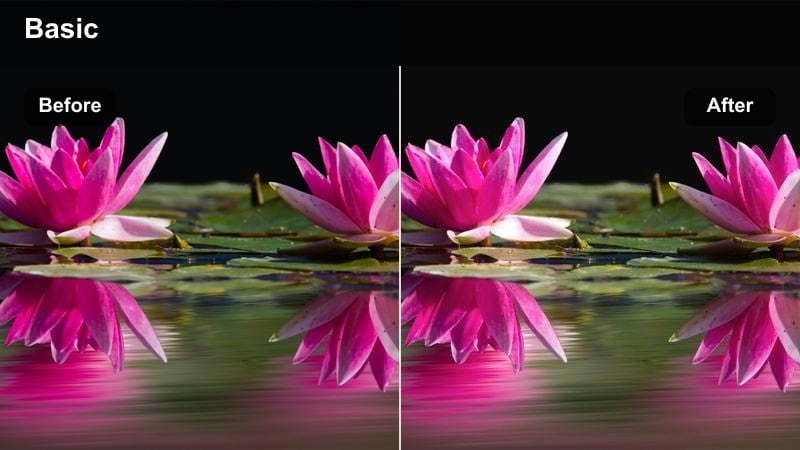
- Effect look: Soft contrast with a slight warmth in midtones to flatter skin while keeping street colors realistic.
- Best for: Talking to camera on sidewalks, coffee shop entrances, and casual city lifestyle b-roll with faces in focus.
- Editing tip: Use a subtle skin-smoothing adjustment in Filmora only on the face area and let this filter handle the overall color and contrast.
This filter prioritizes flattering skin, adding a gentle warmth and slight contrast roll-off that suits close-up street vlogs. It keeps background colors believable so storefronts, trees, and cars do not look overprocessed while your face remains the hero of the frame.
In Filmora, combine this filter with light face-only retouching or masking to keep detail in hair and clothing. It is a strong option for creators who shoot a lot of handheld intros and outros on the sidewalk and want a consistent, friendly look from video to video.
FX30 Urban Pop Day
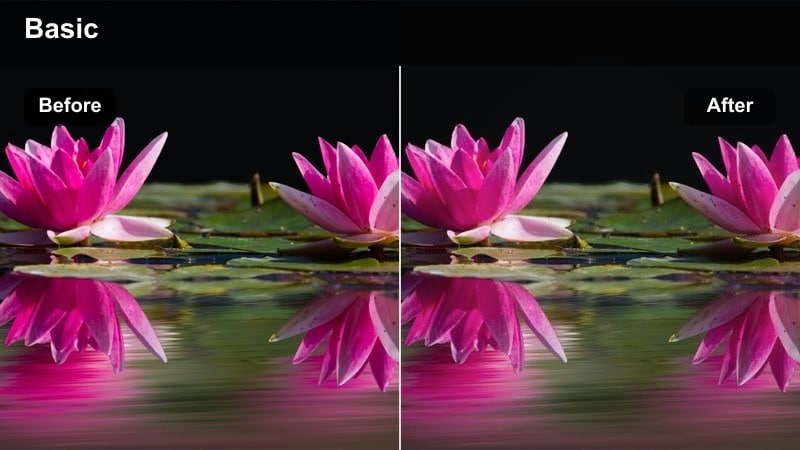
- Effect look: Punchy contrast with slightly boosted saturation and crisp micro-contrast to make signs and buildings pop.
- Best for: Street b-roll, storefront details, and handheld shots weaving through colorful downtown areas in the daytime.
- Editing tip: Add a touch of Filmora sharpening after this filter to emphasize textures in bricks, glass, and street details.
FX30 Urban Pop Day is built for energetic city coverage, emphasizing lines, logos, and architecture. It increases overall punch so your B-roll cutaways feel dynamic in between calmer talking-head segments.
Drop this filter onto your Sony FX30 street sequences in Filmora and fine-tune saturation if your brand requires more restrained color. It works especially well when you cut fast between signs, crowds, and building details to create a high-energy montage for vlogs and travel recaps.
Indoor Talking-Head, Desk, and Studio Vlogs
FX30 Desk Neutral
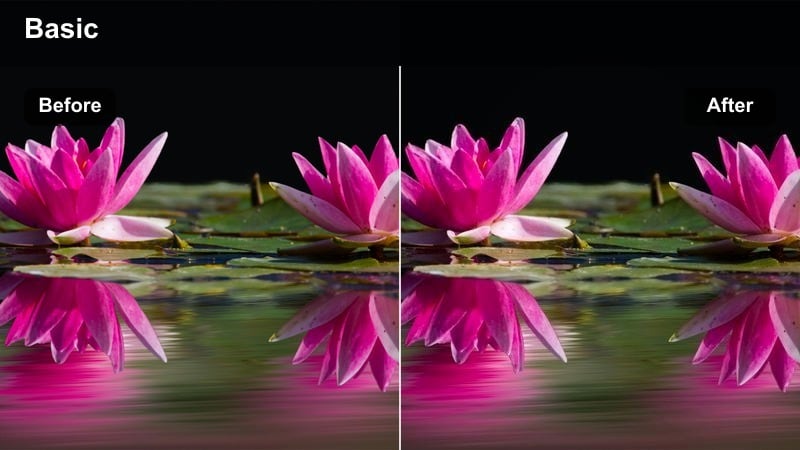
- Effect look: Clean, low-saturation look with balanced contrast that keeps monitors, LED lights, and skin tones accurate.
- Best for: YouTube desk setups, tutorials, and talking-head content shot in controlled lighting with the Sony FX30.
- Editing tip: White balance off your key light or a gray card before applying the filter so your skin tone stays consistent across episodes.
This desk-focused filter is ideal if you want your channel to look professional and color-accurate, especially for tutorials, reviews, and explainer content. It keeps saturation in check so monitor screens, product colors, and UI elements look close to real life.
In Filmora, apply FX30 Desk Neutral as your default look for seated A-roll. Save it as a preset so each new video starts from the same baseline, then nudge exposure or contrast per episode to account for small lighting changes in your studio.
FX30 Soft Warm Studio
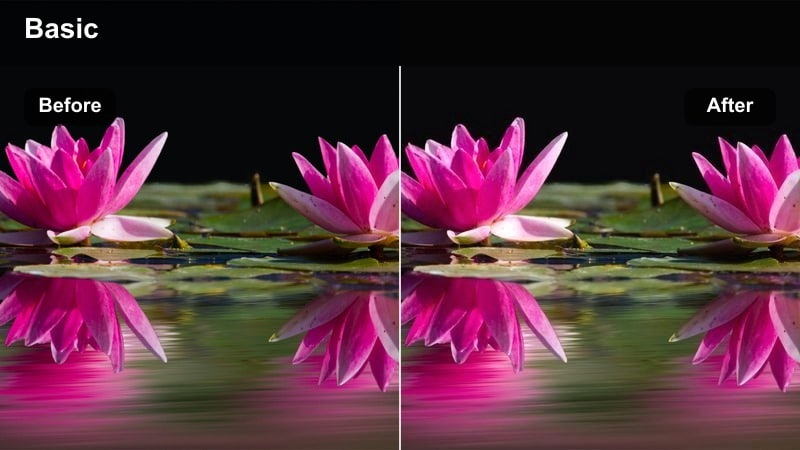
- Effect look: Soft, warm tones with slightly lifted blacks that create a cozy, lifestyle studio feel.
- Best for: Podcast-style vlogs, storytime videos, and creative studio setups with practical lamps in the background.
- Editing tip: Lower highlights just a bit if your background lamps are too bright so they glow softly instead of clipping.
FX30 Soft Warm Studio leans into a relaxed, lifestyle aesthetic with gentle contrast and warm midtones. It is ideal for story-driven content where your audience spends a lot of time looking at your face and background decor.
Use this filter in Filmora on any episode where you want the set to feel inviting, such as Q and A sessions or podcasts. Light your background with practical lamps and LED accents, then let the filter lightly lift shadows to maintain a soft, cinematic mood without losing detail.
FX30 Tech Cool Studio
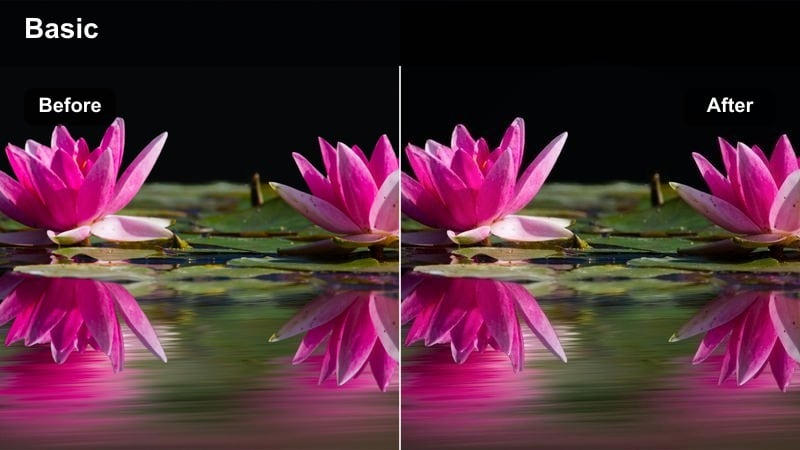
- Effect look: Cooler, modern tones with clean whites and subtle cyan in shadows for a tech-forward vibe.
- Best for: Tech reviews, productivity vlogs, and screen-record plus facecam videos where you want a crisp, digital look.
- Editing tip: Use this filter lightly; reduce its intensity in Filmora if your skin starts looking too cold compared to your background LEDs.
This look tilts your FX30 studio footage toward cool, contemporary tones without turning everything blue. Whites stay clean while shadows take on a hint of cyan, which pairs nicely with RGB and LED strips in a modern setup.
In Filmora, apply FX30 Tech Cool Studio to clips where you showcase gadgets, software, and workspaces. If your skin tone drifts too cool, lower the filter strength or add a warm color correction mask around your face to maintain a natural complexion.
Travel, Gimbal Moves, and Scenic City B-Roll
FX30 Travel Film Soft
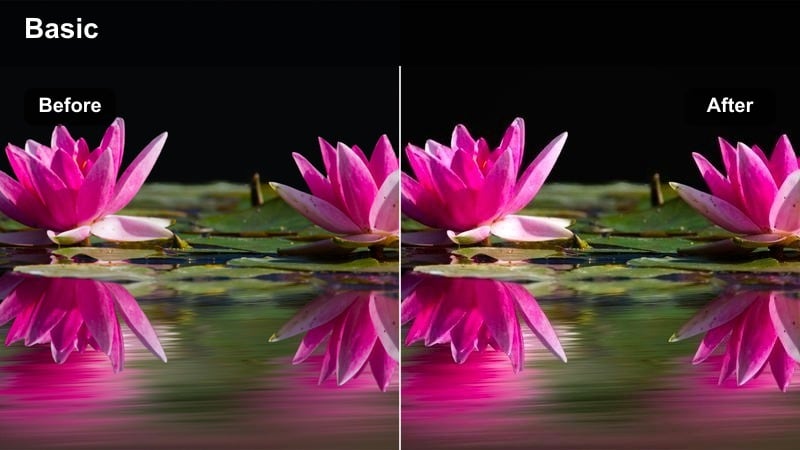
- Effect look: Soft highlights with gentle halation and slightly desaturated colors for a subtle travel film look.
- Best for: Slow gimbal moves, city skyline reveals, and travel transitions between landmarks shot with the Sony FX30.
- Editing tip: Apply this filter after basic stabilization and speed ramping so the softness and grain feel intentional, not like motion blur.
FX30 Travel Film Soft aims for a delicate, almost analog feel, reducing harsh edges and tempering strong colors. It is ideal for scenic intros, transitions, and establishing shots that set the mood for your travel vlogs.
In Filmora, use this filter on your wides and gimbal reveals while keeping closer shots a bit crisper with other filters. That separation helps your edits breathe, while the soft highlights and subtle halation give your travel sequences a timeless, cinematic texture.
FX30 City Golden Glow
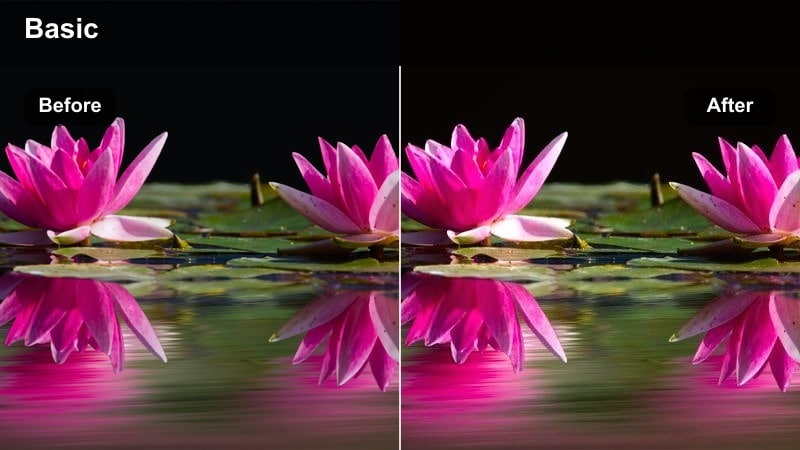
- Effect look: Rich golden midtones and lifted shadows for a romantic, glowing city travel aesthetic.
- Best for: Golden hour street crossings, rooftop overlooks, and handheld b-roll of crowds and traffic during sunset.
- Editing tip: Warm the white balance slightly in Filmora before the filter so skies and skin take on a natural, sunset-colored glow.
This filter is tuned for sunset and late-afternoon light, enhancing warm tones and giving your FX30 footage a gentle, luminous wash. Lifted shadows keep detail in faces, pavement, and buildings, even when you are shooting into the sun.
Apply FX30 City Golden Glow in Filmora to any clip with backlight, flares, or strong directional sunlight. It is perfect for vlogs built around golden hour walks and city explorations, making each transition shot feel like a postcard from your trip.
FX30 City Chrome Contrast
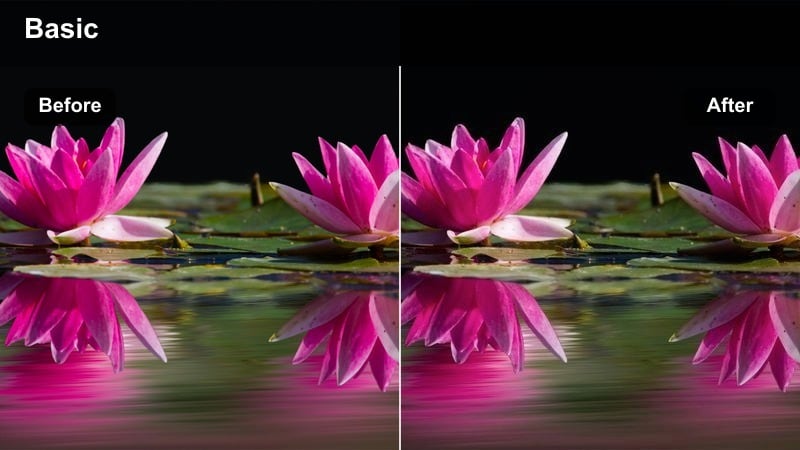
- Effect look: High contrast, cooler shadows, and slightly reduced saturation for a sleek, urban chrome vlog style.
- Best for: Subways, glass skyscrapers, and rainy city streets where reflections and geometry are the focus.
- Editing tip: Toggle this filter on and off to check you are not crushing shadow detail; raise blacks in Filmora if the image feels too harsh.
FX30 City Chrome Contrast gives your travel b-roll a bold, graphic presence, emphasizing shapes and reflections over soft color. It is especially strong in locations with metallic surfaces, glass, and symmetrical architecture.
In Filmora, use this filter on sequences shot in subways, business districts, and rainy conditions. Pair it with slow-motion or hyperlapse footage to highlight the interplay of light and shadow, and adjust black levels slightly if you want a more forgiving, YouTube-friendly look.
Night City, Neon Signs, and Low-Light Vlogs
FX30 Neon Pop Night
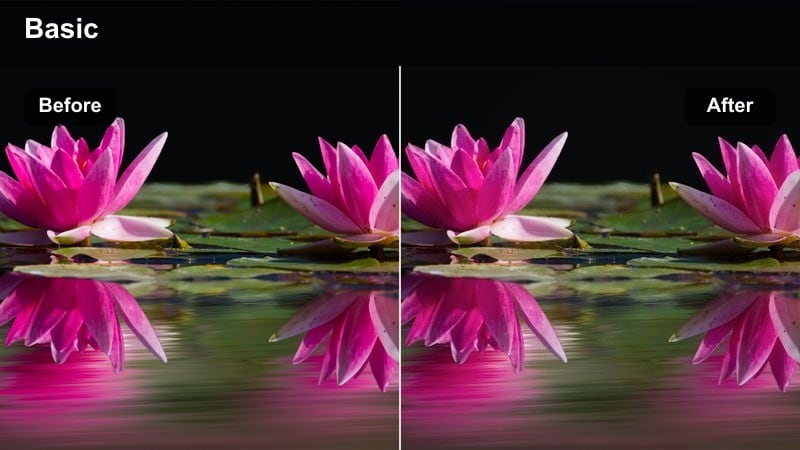
- Effect look: Deep blacks with vibrant neon color separation to make signs, storefronts, and LED lights stand out.
- Best for: Night street vlogs, arcade b-roll, and handheld shots walking past neon signs in busy entertainment districts.
- Editing tip: Reduce noise with Filmora first if your ISO was high, then apply this filter so the neon color stays clean and not gritty.
FX30 Neon Pop Night pushes contrast and color separation so neon signage and LED lighting cut clearly through the dark. Blacks go deep while saturated reds, blues, and magentas feel rich rather than washed out by noise.
In Filmora, run denoise on your FX30 clips if you shot at high ISO, then add this filter to define your final look. It works well for nightlife vlogs, gaming arcades, and festival coverage where bright signs and screens are a key visual element.
FX30 Cinematic Night Ride
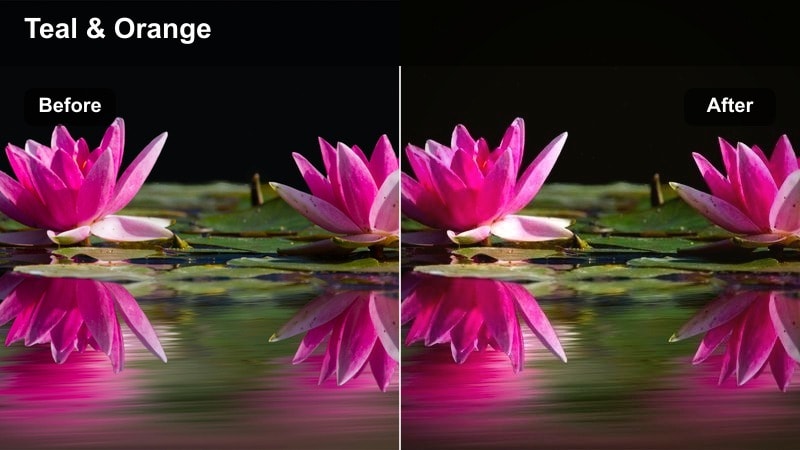
- Effect look: Soft contrast with slightly teal shadows and warm skin tones for a classic teal-and-orange night grade.
- Best for: Car ride vlogs, scooter or bike POVs, and b-roll looking out at city lights through windows at night.
- Editing tip: Lower saturation on yellow street lights slightly to avoid them overpowering faces while keeping overall color contrast strong.
This night filter applies a cinematic teal-and-orange palette to your FX30 footage, giving city lights a cool cast while keeping faces warm and inviting. It is ideal for storytelling sequences inside vehicles or looking out onto the city from trains and buses.
In Filmora, apply it to continuous night-driving segments so the entire sequence holds one cohesive mood. Tweak saturation and highlight roll-off to keep headlights and street lamps from clipping while preserving that stylized color contrast your viewers expect from cinematic night vlogs.
FX30 Moody Alley Night
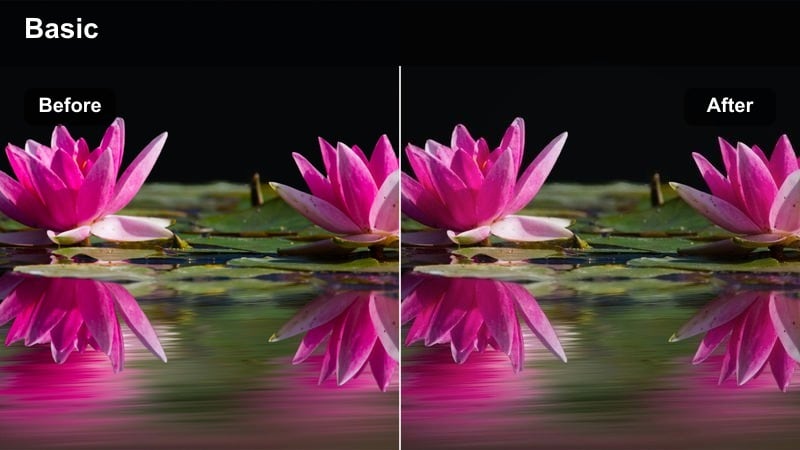
- Effect look: Crushed blacks, muted mids, and selective color emphasis for a gritty, cinematic alleyway feel.
- Best for: Urban alleys, side streets, and moody narrative moments inside your vlog where you want drama and tension.
- Editing tip: Push Filmora clarity a bit higher with this filter for more texture on bricks, puddles, and metal surfaces.
FX30 Moody Alley Night is built for drama, leaning heavily into contrast and controlled color for a more narrative, film-like grade. Blacks go deep and mids are pulled down, with subtle highlights on key colors like sodium lamps or neon accents.
Use this filter in Filmora when your vlog shifts into storytelling mode, such as reflective walk segments or cinematic B-roll inserts. Increase clarity and texture slightly to bring out wet pavement, brick walls, and metal details, reinforcing the gritty mood without losing your subject in the shadows.
Tips for Using Sony Fx30 Vlog Luts Filters in Filmora
- Shoot in a flat or log profile on your Sony FX30 when possible so Filmora filters have more latitude to shape contrast and color.
- Set exposure and white balance carefully in-camera; LUT-style filters work best on well-balanced footage with no clipped highlights.
- Group clips by scene or lighting setup in Filmora, then apply the same filter to each group to avoid jarring color jumps within a vlog.
- Start with lower filter intensity and build up slowly; small adjustments often look more cinematic than extreme, one-click grades.
- Use Filmora scopes to keep skin tones on the natural line, especially when pushing stylized hues into backgrounds and shadows.
- Create a short look-test timeline when you change lenses, locations, or lighting so you can see how your favorite filters respond.
- Add a very light layer of noise or grain at the end of your grade if you want more texture without destroying low-light detail.
- Export a high-bitrate master so your carefully tuned Sony FX30 colors survive YouTube and social media compression.
Sony FX30 vlog LUT-style filters in Filmora give videographers and creators a fast way to lock in cinematic color without deep grading knowledge.
Build a small set of go-to looks for day, studio, travel, and night, then reuse them across projects so your channel feels polished and visually consistent from video to video.
secure downloadNext: Sony A6400 Portrait LUTS
