

 100% Security Verified | No Subscription Required | No Malware


 ChatGPT
 Perplexity
 Gemini
 Claude
 Grok
Grok
If you shoot with a Sony FX6 and want a cinematic, filmic image without spending hours in color grading software, Filmora's filters can help you quickly mimic popular Sony FX6 film look LUTs.
Below are 12 carefully chosen Filmora filters that match common Sony FX6 film looks, with scene-based suggestions and editing tips tailored for videographers and creators who want fast, consistent results.
In this article
Golden Hour Drama and Sunset Narratives
Sunset Soft Amber
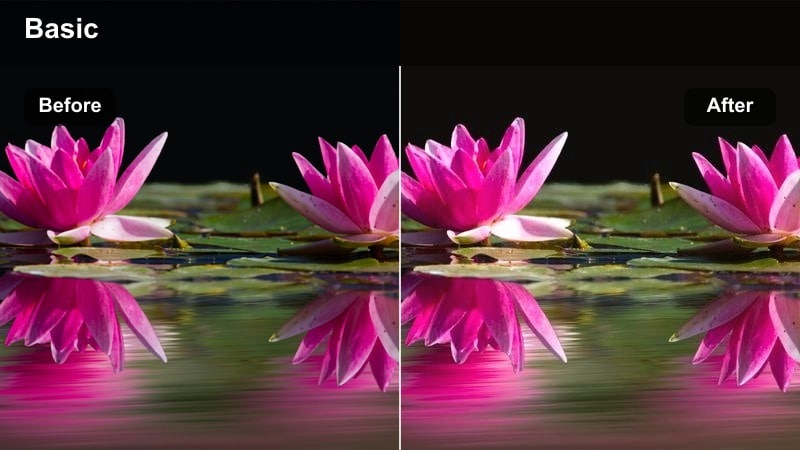
- Effect look: Warm, low-contrast cinematic glow that emulates soft film exposure at sunset
- Best for: Golden hour portraits, walk-and-talk scenes, emotional vlogs shot on the Sony FX6
- Editing tip: Slightly lower highlights and add a touch of film grain to keep bright skies from clipping while preserving a dreamy feel.
Sunset Soft Amber wraps Sony FX6 footage in a warm, film-like glow that is ideal for golden hour storytelling. It softens contrast just enough to roll off highlights smoothly while gently lifting shadows, so faces stay flattering even when your subject is backlit by the setting sun.
In Filmora, apply this filter to your FX6 clips, then fine-tune highlight and shadow controls to protect the brightest parts of the sky. Add a subtle layer of film grain and a light vignette to deepen the emotional tone of walk-and-talks, travel vlogs, and closing scenes without needing a complex color grading workflow.
Speed Up FX6 Film Looks with AI-Powered Color Tools
Filmora's AI color tools analyze exposure, white balance, and contrast in your Sony FX6 footage so you can push clips toward cinematic film looks in just a few clicks. Instead of manually tweaking every parameter, AI gives you a balanced starting point that feels closer to a finished grade.
Once your base color is consistent, you can stack the film-style filters from this guide to dial in contrast, warmth, and mood that match different scenes and story beats, all while keeping skin tones under control.
 secure download

Preview Filmora Filters on Sony FX6 Footage in Real Time
With Filmora's real-time preview engine, you can quickly scroll through cinematic filters inspired by Sony FX6 film look LUTs and instantly see how each one reshapes your color, contrast, and mood. This lets you compare subtle golden hour grades, punchy nightlife looks, and neutral portraits side by side.
Audition several options on a short FX6 clip, then lock in the look that best fits your project before batch-applying it across larger sequences for a faster, more confident grading workflow.
secure download1000+ Video Filters and 3D LUTs
Beyond the film-style looks in this guide, Filmora includes a large library of creative filters and 3D LUTs you can stack with your Sony FX6 color workflow. You can start with a technical conversion for S-Log3, then layer stylized presets to add subtle texture or bold cinematic character.
Combine these tools with Filmora's HSL and curves controls to fine-tune individual colors, protect skin tones, and build a repeatable FX6 look that fits your channel or brand.
secure downloadCinematic Golden Contrast
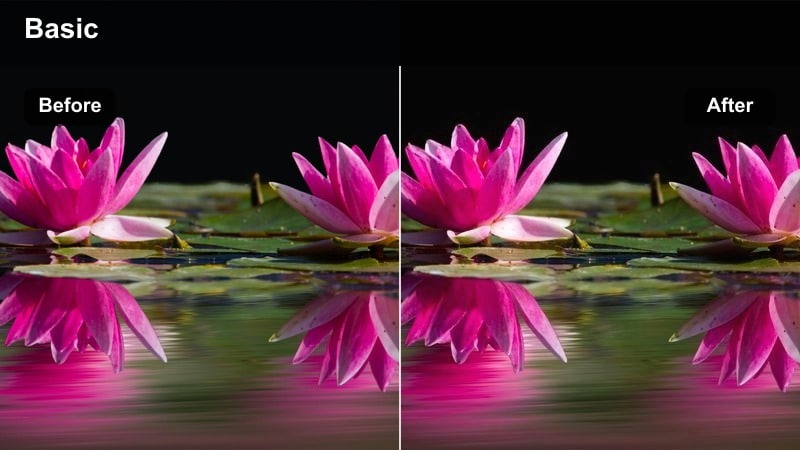
- Effect look: Rich golden highlights with boosted midtone contrast and slightly muted shadows
- Best for: Travel B-roll, city skyline sunsets, and slow-motion FX6 shots with strong directional light
- Editing tip: Raise midtones instead of overall exposure to keep skies dramatic while still bringing detail back into your subject.
Cinematic Golden Contrast adds a strong yet controlled punch to Sony FX6 sunset scenes by intensifying golden highlights and midtones. The look keeps shadows a bit muted so silhouettes, buildings, and city textures feel dramatic without turning muddy or overly crushed.
Apply this filter in Filmora when you want FX6 travel footage or skyline B-roll to stand out with theatrical richness. Use scopes to push midtone contrast and saturation until the sky feels alive, then back off global exposure so your highlights remain detailed rather than blown out.
Sunset Film Matte
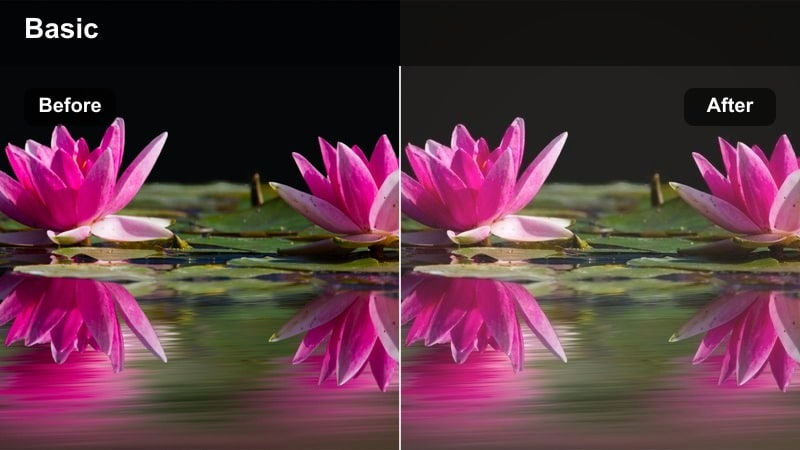
- Effect look: Soft, slightly faded filmic curve with a subtle matte in the blacks and pastel warm tones
- Best for: Indie short film endings, reflective travel montages, slow pans across landscapes at dusk
- Editing tip: Dial back saturation by a small amount and lift shadows to create a gentle, nostalgic finish to your FX6 sequences.
Sunset Film Matte emulates the look of slightly aged film stock by softening contrast and adding a delicate lift to the black levels. On Sony FX6 dusk footage, this creates pastel skies and a nostalgic, reflective ambiance that is perfect for endings or memory sequences.
In Filmora, combine this filter with minor saturation reduction and subtle vignette to guide the eye toward your subject while maintaining a dreamy softness. It works especially well on slow pans or handheld moments where you want the audience to feel like they are looking back on a cherished memory rather than a raw documentary capture.
Urban Night, Neon Streets, and City Light Stories
Neon Teal Magenta
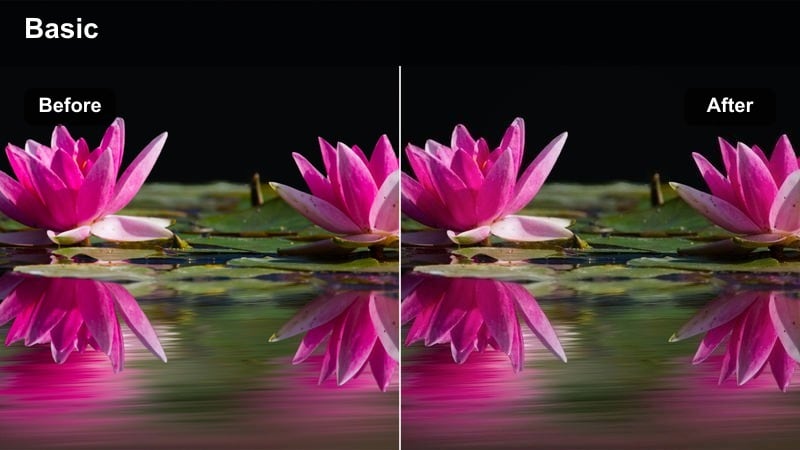
- Effect look: Stylized teal shadows and magenta highlights inspired by neon-lit city environments
- Best for: Sony FX6 handheld night shoots, cyberpunk B-roll, urban fashion reels under mixed neon lights
- Editing tip: Use vignettes to focus attention on faces and let teal-magenta colors breathe in the background signage and reflections.
Neon Teal Magenta pushes Sony FX6 night footage into a bold, cyberpunk-inspired direction by cooling shadows toward teal while nudging highlights into magenta. The result is a dramatic separation between subjects and the neon environment, ideal for music videos, fashion edits, and cinematic city walks.
In Filmora, start by setting white balance for neutral skin, then apply this filter and fine-tune intensity with HSL controls. Add a soft vignette and a bit of glow to bright signs and reflections so the colored lights feel rich and atmospheric without overpowering your subject's face.
Gritty City Film
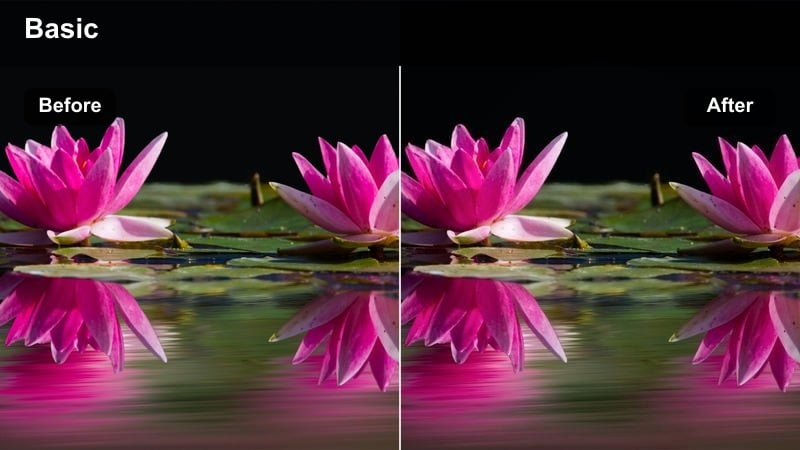
- Effect look: Desaturated, contrasty film look with cool shadows and subtle grain for street realism
- Best for: Documentary-style city walks, urban street portraits, moody FX6 B-roll of alleys and subway scenes
- Editing tip: Slightly lower saturation in greens and yellows to avoid color noise and keep the frame focused on shapes and light.
Gritty City Film turns Sony FX6 low-light footage into a grounded, documentary-style image with cool shadows and reduced saturation. It emphasizes contrast and structure so alleys, subway tunnels, and everyday street scenes feel raw and cinematic without looking overly polished.
Apply this filter in Filmora when you want to highlight texture, reflections, and urban architecture. Then tame greens and yellows in HSL to prevent neon casting from distracting the viewer, and finish with a light film grain layer that blends digital noise into an intentional aesthetic.
Chrome Street Glow
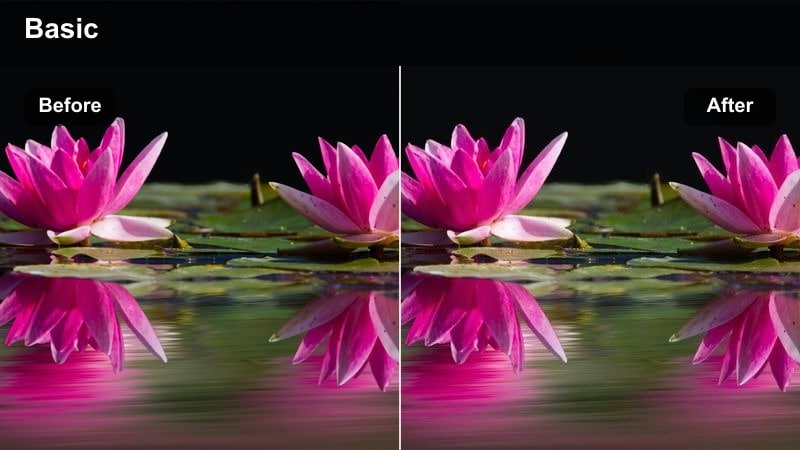
- Effect look: High-contrast chrome-like highlights with deep blacks and subtle bloom in bright points
- Best for: Car commercials, rainy night driving scenes, reflective FX6 shots with wet roads and bright signage
- Editing tip: Boost clarity only in the midtones to make reflections pop on metal and glass without pushing digital noise in dark areas.
Chrome Street Glow is designed to make Sony FX6 night footage of cars and wet streets feel glossy and high-end. It deepens blacks for strong separation, boosts highlight contrast, and adds a hint of bloom to bright streetlights so reflections on chrome and glass really stand out.
In Filmora, use this filter on driving shots, tracking vehicles, or any scene with wet pavement and point lights. Adjust midtone clarity to taste, watching for noise in the shadows, and add a slight saturation boost to colorful reflections so the whole frame feels sleek and commercial-ready.
Daylight Natural Color and True-to-Life Skin Tones
Neutral Film Portrait
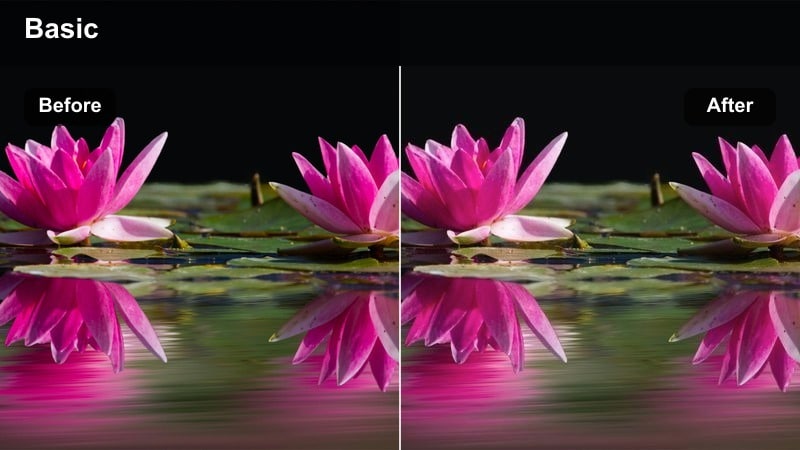
- Effect look: Soft contrast with neutral color balance, slightly lifted shadows, and gentle roll-off in highlights
- Best for: Talking-head interviews, corporate videos, and YouTube content shot on Sony FX6 in soft daytime light
- Editing tip: Use Filmora's skin tone adjustment to subtly warm midtones around faces while keeping white backgrounds neutral.
Neutral Film Portrait is tuned to give Sony FX6 interview footage a clean, professional finish with accurate skin tones. It softens contrast just enough to make faces flattering, while maintaining neutral whites and realistic color in office environments, home studios, and simple backdrops.
In Filmora, drop this filter onto your talking-head clips, then fine-tune exposure so skin sits comfortably in the midtone range on scopes. Use targeted skin tone adjustments to add a hint of warmth to faces while leaving walls, slides, and backgrounds crisp and neutral for corporate or educational content.
Soft Documentary Day
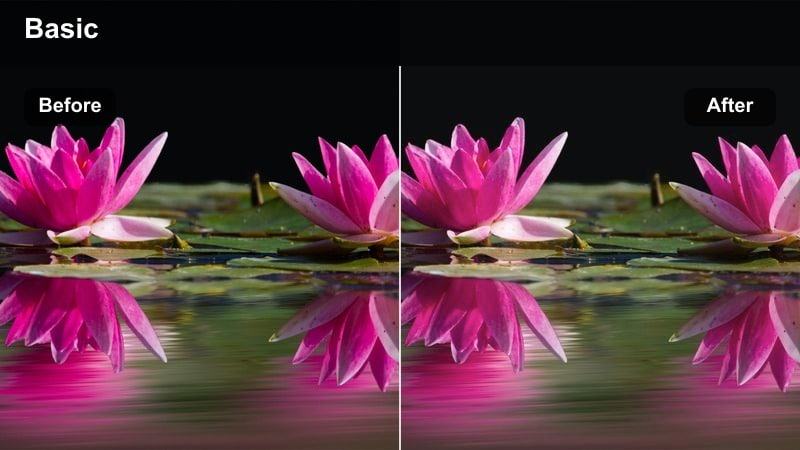
- Effect look: Low-saturation, low-contrast look that prioritizes realistic detail and subtle color shifts
- Best for: Daytime documentaries, behind-the-scenes coverage, and event highlights filmed with the Sony FX6
- Editing tip: Reduce vibrance more than saturation to keep clothing and signage from overpowering the story of the scene.
Soft Documentary Day gives Sony FX6 daytime footage an understated, honest visual style that prioritizes realism over punch. By slightly lowering contrast and saturation, it keeps attention on expressions, gestures, and interactions rather than bold color.
Use this filter in Filmora for BTS videos, event coverage, or any project where authenticity matters more than heavy stylization. Gently reduce vibrance so bright clothing and signs do not steal focus, and then tweak shadows and highlights to retain enough contrast that your images still feel cinematic and well-shaped.
Clean Commercial Daylight
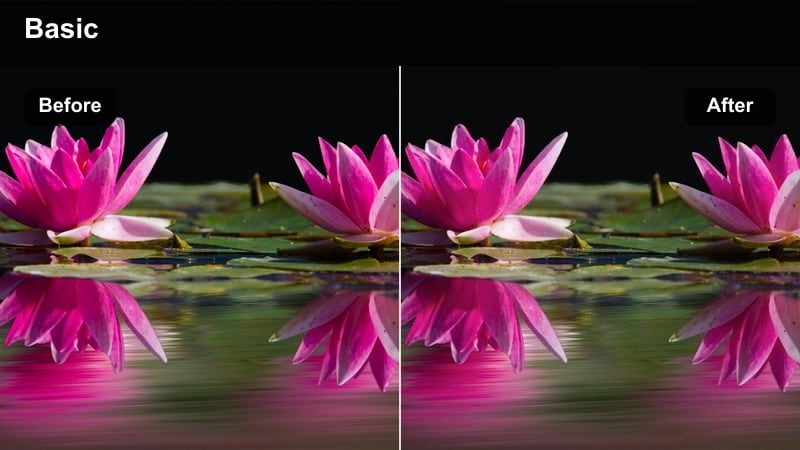
- Effect look: Bright, crisp look with clean whites, vibrant but controlled colors, and subtle commercial polish
- Best for: Product spots, lifestyle ads, and social media promos shot with FX6 in studios or bright interiors
- Editing tip: Increase local contrast and sharpness slightly on product close-ups while keeping noise reduction strong in backgrounds.
Clean Commercial Daylight is tailored to make Sony FX6 product and lifestyle shots feel modern and market-ready. It brightens whites, adds a controlled boost to color, and introduces just enough contrast to make details pop without harsh edges.
In Filmora, apply this filter to tabletop shots, beauty content, or lifestyle scenes, then selectively enhance sharpness and clarity on your hero products. Keep background noise reduced and saturation balanced so brand colors remain accurate and your subject stands out crisply in feeds and ad placements.
Dramatic S-Log Cinematic Grades and Story-Driven Scenes
Deep Cinema Contrast
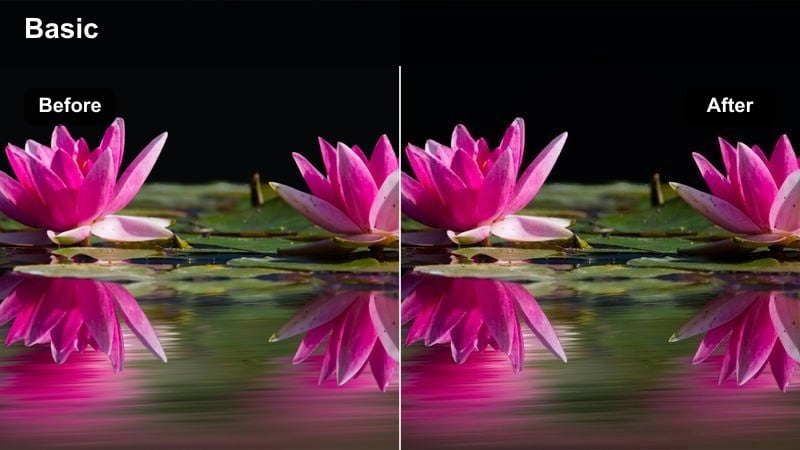
- Effect look: Bold film-style contrast with rich midtones, cinematic roll-off, and slightly cool shadows
- Best for: Narrative short films, dramatic scenes, and music videos captured in S-Log3 on the Sony FX6
- Editing tip: Start with a gentle S-Log3 to Rec.709 conversion, then apply this filter and refine with curves to avoid clipped highlights.
Deep Cinema Contrast transforms flat Sony FX6 S-Log3 footage into a punchy, theatrical image with strong midtones and sculpted lighting. It introduces a subtle coolness to shadows that enhances mood while keeping skin tones grounded and natural.
In Filmora, first apply a basic S-Log3 to Rec.709 conversion or a technical LUT, then layer this filter on top. Use the curves panel to fine-tune contrast and protect highlight detail in windows, lamps, or practicals, ensuring your dramatic scenes feel rich and cinematic without losing important information.
Analog Soft Cinema
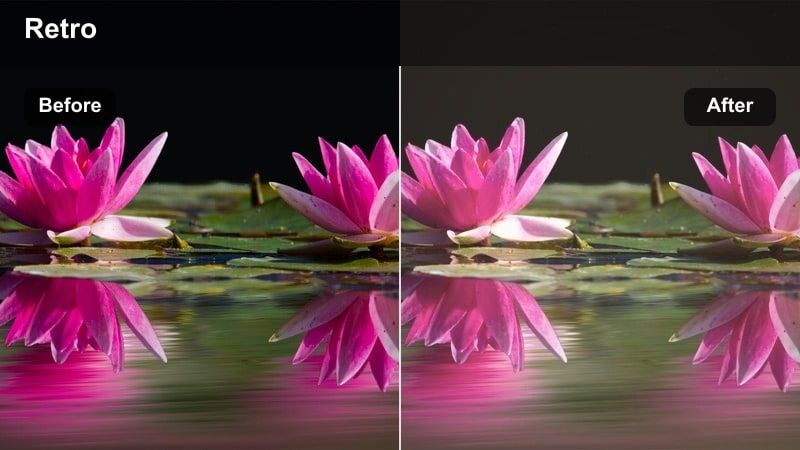
- Effect look: Gentle contrast with warm highlights, soft halation effect, and a light analog-style fade in the blacks
- Best for: Romantic scenes, character-driven moments, and slow narrative sequences on the FX6
- Editing tip: Lower clarity slightly to soften digital edges and add a subtle vignette to keep attention on your main subject.
Analog Soft Cinema gives Sony FX6 story scenes a nostalgic, character-focused tone by softening contrast, warming highlights, and slightly fading the deepest blacks. The effect mimics analog halation and lends emotional weight to close-ups and intimate dialogue.
Use this filter in Filmora on key emotional beats, such as confessions, reunions, or reflective montages. Reduce clarity to smooth skin and edges just a touch, and add a gentle vignette so the viewer's eye naturally rests on your subject's expression rather than the edges of the frame.
Cool Thriller Grade
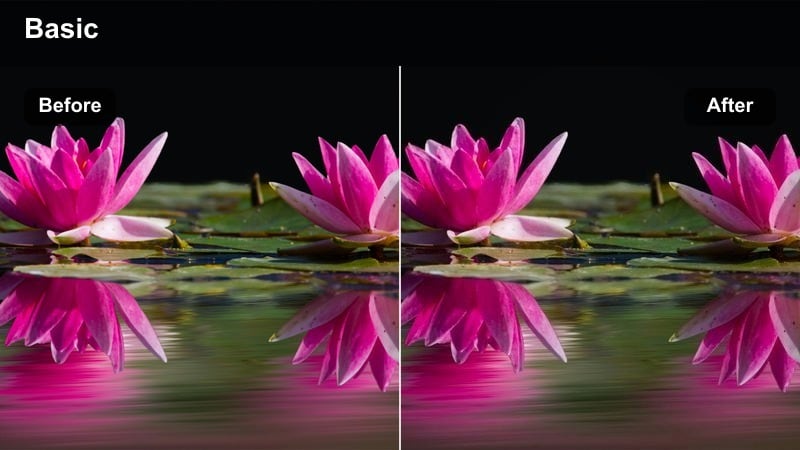
- Effect look: Cool, tense color palette with slightly green shadows, controlled highlights, and strong separation in midtones
- Best for: Thrillers, crime dramas, and suspense scenes shot with the Sony FX6 in low-key lighting setups
- Editing tip: Pull saturation down in reds and yellows slightly to make practical lights feel harsh and clinical rather than cozy.
Cool Thriller Grade pushes Sony FX6 footage toward a tense, clinical aesthetic by cooling the overall palette and carefully introducing green into the shadows. Highlights stay controlled so practical lamps, overhead fluorescents, and flashlights feel harsh and unsettling instead of warm.
In Filmora, apply this filter to low-key interiors, corridors, and interrogation-style setups. Reduce saturation in reds and yellows so skin does not look too healthy or inviting, and use split-screen previews to balance the cool, eerie mood against a more neutral reference so the grade stays intentional rather than simply color-shifted.
Tips for Using Sony Fx6 Film Look Luts Filters in Filmora
- Shoot in S-Log3 or Cine profiles on the Sony FX6 to capture maximum dynamic range before applying Filmora's cinematic filters and LUTs.
- Set a custom white balance on your FX6 for each scene so Filmora filters respond consistently and skin tones remain predictable.
- Use Filmora's video scopes to keep highlights below clipping and ensure your midtones place skin tones in a flattering range.
- Start with a technical FX6 LUT or basic Rec.709 conversion, then stack creative filters on top to build your preferred film look.
- Create custom presets inside Filmora that save your favorite filter, exposure, and color tweaks tailored for recurring FX6 projects.
- Test your chosen cinematic style on a short sequence first, then refine contrast, saturation, and grain before grading an entire timeline.
- Organize your FX6 footage by scene and lighting setup so you can batch-apply similar filters and maintain visual continuity quickly.
- When mixing multiple looks in one project, reserve the most stylized filters for key emotional beats and keep other scenes more neutral.
Using Filmora's cinematic filters, you can quickly approximate popular Sony FX6 film look LUTs and give your projects a polished, story-first visual style without deep color grading knowledge.
Pick a filter that fits your scene, fine-tune exposure and color, save it as a preset, and you will be able to give every Sony FX6 shoot a consistent, cinematic signature in just a few steps.
secure download