

 100% Security Verified | No Subscription Required | No Malware


 ChatGPT
 Perplexity
 Gemini
 Claude
 Grok
Grok
Turn gloomy, rainy footage into scroll-stopping TikTok videos with moody LUT-style filters that add cinematic depth, soft contrast, and atmospheric tones.
These TikTok rainy day LUTs moody look presets are designed for content creators who want to lean into the stormy vibe, enhancing reflections, city lights, and emotional storytelling in every frame.
In this article
Soft Urban Rain Streets
Misty Crosswalk Glow
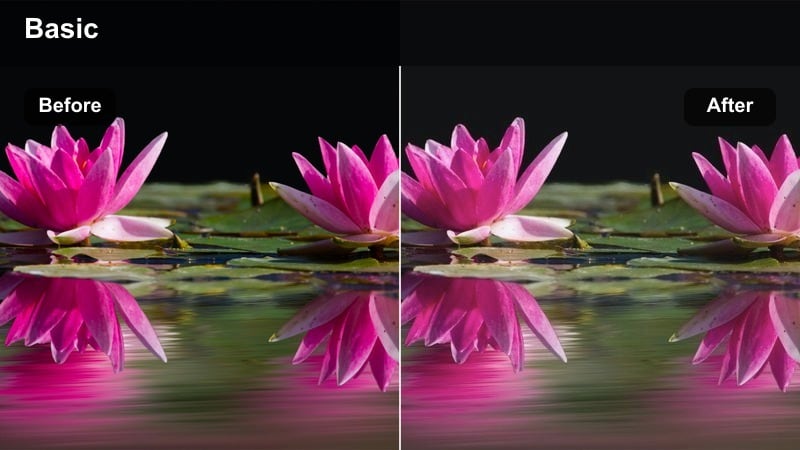
- Effect look: Soft, low-contrast glow that wraps streetlights and car headlights in a gentle haze while keeping midtones slightly muted.
- Best for: TikTok rainy city walks, umbrella shots at intersections, and reflective crosswalk b-roll.
- Editing tip: Lower clarity slightly and add a slow push-in crop to accentuate the dreamy movement of rain and traffic.
In Filmora, Misty Crosswalk Glow is ideal when you want your rainy city clips to feel dreamy and cinematic instead of harsh and gritty. The LUT-style look softens the brightest points in your frame, letting streetlights and headlights stretch into a gentle haze while midtones stay controlled so faces and outfits do not disappear into the fog.
Apply this filter to slow-motion crosswalk shots, umbrella transitions, or POV walks where reflections dance across wet asphalt. Combine it with Filmora tools like slight clarity reduction, a slow push-in crop, and subtle vignetting to pull attention toward your subject and give every step through the rain a calm, movie-like flow.
Match Your Rainy Mood with Smart Color Control
Use Filmoras AI-driven color tools to quickly adapt each TikTok rainy day LUT-style filter to your exact mood, from blue-toned melancholy to warm, nostalgic drizzle. Start with a moody preset, then let AI Color Palette harmonize shots from different locations or lighting conditions into one cohesive rainy aesthetic.
Fine-tune temperature, tint, and contrast on top of these presets so your rainy clips always match the story you are telling, whether it is calm, romantic, or dramatic. This keeps your entire TikTok carousel or series feeling consistent, even if you shot on different days or devices.
After building the color grade, Filmora can export the compatible color adjustments from the selected clip as a standard .cube LUT for reuse in future projects or in DaVinci Resolve, Adobe Premiere Pro, and Final Cut Pro.
 secure download

Preview Moody Rain Filters in One Click
Filmora lets you hover through multiple rainy day filters and LUT-style looks in real time, so you can instantly test soft, cinematic, or neon moods on the same clip. This makes it easy to see how each style affects skin tones, street reflections, and window light without committing.
Apply different presets to a short TikTok-ready segment, then compare them side by side to discover which rainy aesthetic best matches your chosen audio and pacing. Once you find a favorite, you can apply it across your entire sequence in just a few clicks.
secure downloadBuild a Signature Rainy TikTok Aesthetic
Combine Filmoras TikTok rainy day LUTs moody look filters with grain overlays, vignettes, and subtle motion blur to craft a recognizable rainy brand. By stacking effects, you can create a signature look that followers associate with your name every time a storm rolls in.
Once you dial in your ideal balance of contrast, color, and texture, save the setup as a custom preset. This lets you apply the same rainy-day style to vlogs, city walks, or window shots in seconds, keeping your entire TikTok grid visually cohesive.
secure downloadOvercast Alley Matte
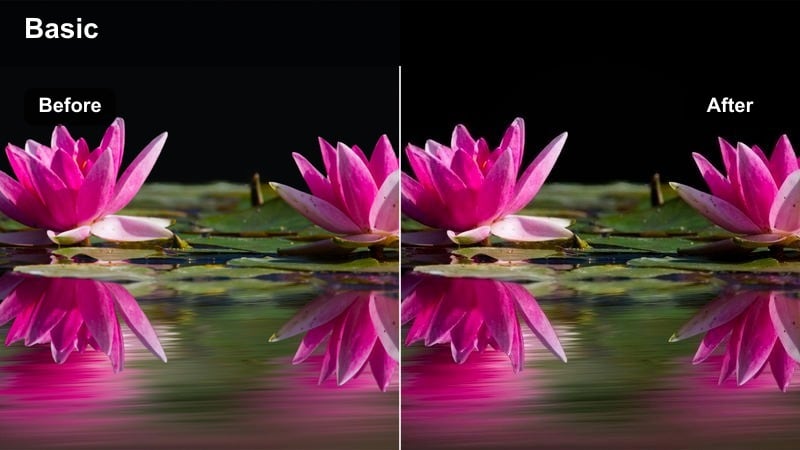
- Effect look: Muted contrast with a subtle matte finish in the shadows and slightly cool highlights for a cinematic alleyway vibe.
- Best for: Handheld walking monologues, outfit checks, and storytelling in narrow streets or alleys on rainy days.
- Editing tip: Reduce saturation in bright colors like reds to keep the mood consistent and let skin tones stay natural.
Overcast Alley Matte in Filmora adds a gentle, cinematic wash to rainy alleyway shots, lifting the blacks and dialing down harsh contrast so your scene feels quiet and introspective. The cool tint in the highlights emphasizes wet stone, brick, and puddles while still keeping faces and outfits readable for TikTok viewers watching on small screens.
Use this look on handheld walk-and-talk clips, OOTD reveals, or narrative storytime moments filmed in narrow streets. In Filmora, pair the LUT-style filter with reduced saturation on bold colors, a mild vignette, and smooth stabilization so the entire frame leans into a calm, muted drama that fits slow, reflective voiceovers.
Puddle Reflection Soft
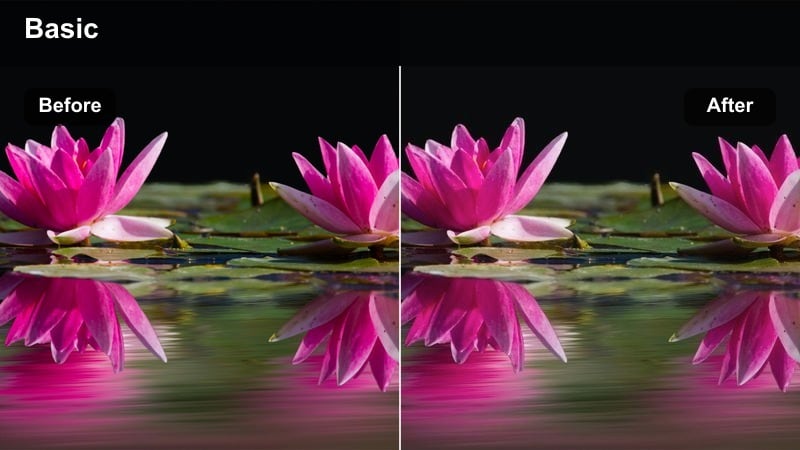
- Effect look: Soft, low-saturation tones with boosted clarity in midtones to emphasize reflections in wet streets and puddles.
- Best for: Close-ups of puddles, reflection shots of neon signs, and aesthetic footstep clips.
- Editing tip: Flip some reflection clips vertically in your edit for a surreal look, then pair with slow zooms to enhance the mood.
Puddle Reflection Soft is designed to spotlight the tiny details that make rainy streets feel magical, from ripples to reflected lights. In Filmora, the LUT boosts midtone clarity just enough to sharpen reflections while keeping overall saturation gentle, so your frame stays moody instead of overly vibrant.
Apply this filter to close-ups of shoes splashing, neon signs mirrored in water, or POV shots that track along the ground. For extra creativity, use Filmoras transform tools to flip your reflection clips vertically, then layer in slow zooms and subtle speed ramps to create surreal, dreamy transitions perfect for TikTok edits and reels.
Rain on Windows and Interiors
Windowpane Cinema Fade
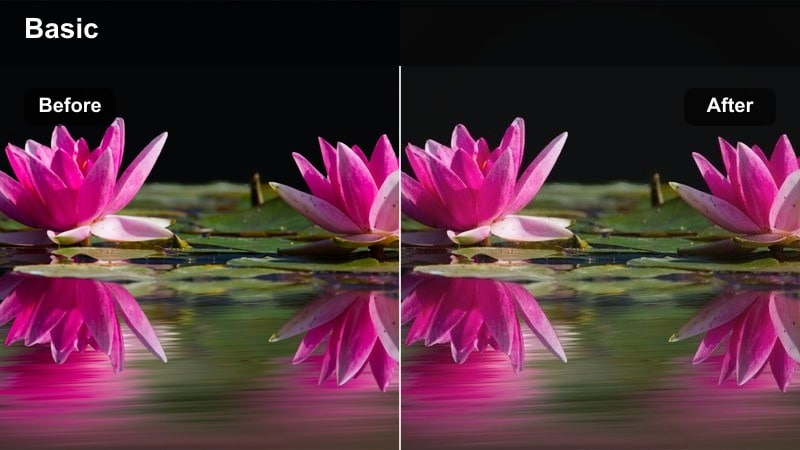
- Effect look: Soft fade with warm indoor tones and cooler background highlights, ideal for looking-out-the-window storytelling.
- Best for: POV shots from inside a car or bedroom, journaling clips, and reflective voiceovers on rainy days.
- Editing tip: Use shallow depth-of-field if possible and let raindrops on the glass stay slightly out of focus for a cinematic blur.
Windowpane Cinema Fade gives rainy window shots a clear emotional split between cozy interiors and distant, cooler exteriors. In Filmora, the LUT warms skin tones and nearby objects while nudging background highlights cooler, creating that classic movie feel of staring out at a storm from a safe space inside.
Use this look for journaling clips, car window POVs, or soft B-roll between storytime segments. Combine the filter with gentle Filmora fades, low-key music, and slow motion on hand or face movements to enhance the introspective mood and keep TikTok viewers hooked on your narrative.
Cozy Desk Rainy Focus
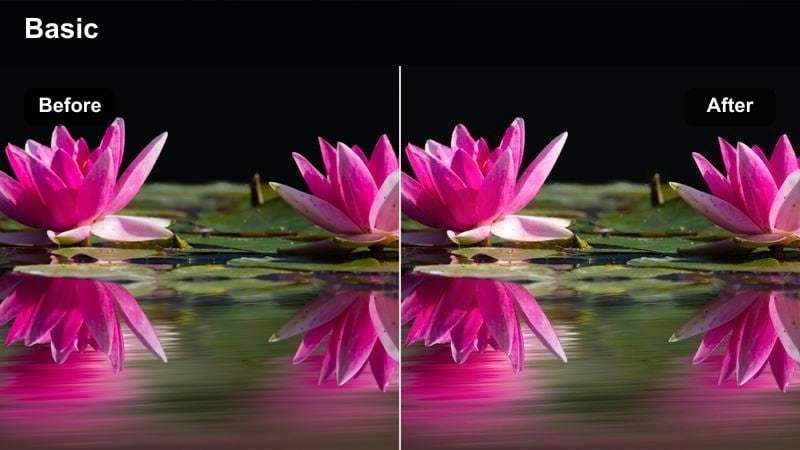
- Effect look: Balanced contrast with slightly desaturated blues and gentle warmth on desks, screens, and hands for a focused, cozy vibe.
- Best for: Study-with-me clips, editing sessions, or work-from-home TikToks filmed near a rainy window.
- Editing tip: Add subtle speed ramps when you transition from typing to looking out the window to keep viewers engaged.
Cozy Desk Rainy Focus is built for productivity aesthetics, keeping your workspace warm and inviting while the rain outside feels calm and slightly muted. In Filmora, this LUT gently desaturates blues and cool tones so your desk lamp, notebook, and hands stand out against a soft, rainy backdrop.
Apply it to study-with-me loops, screen recordings combined with desk shots, or WFH check-ins filmed near a window. Enhance your TikTok edits by using Filmoras speed ramping between typing, writing, and looking outside, then add light ambient rain sounds and subtle background music to lock in that focused yet cozy rainy-day mood.
Fogged Glass Silhouette
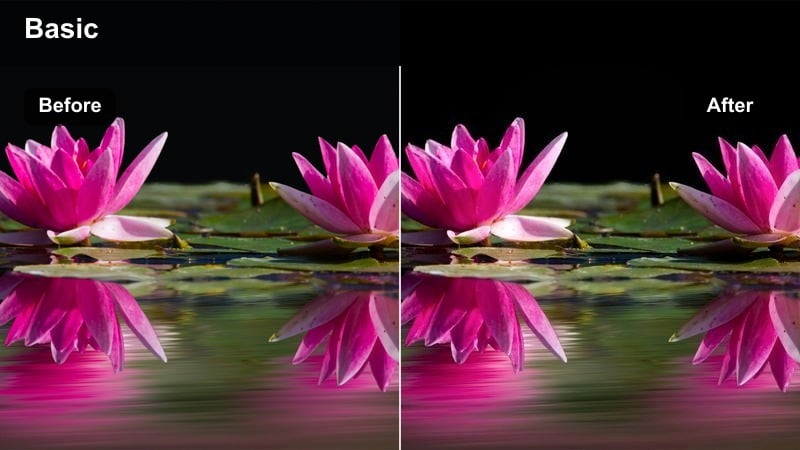
- Effect look: Raised blacks, soft highlights, and slightly cooler midtones that turn figures into gentle silhouettes behind misty glass.
- Best for: Silhouette transitions, emotional storytelling, and aesthetic clips drawing shapes or words on fogged windows.
- Editing tip: Use frame holds on key hand movements, like finishing a word on the glass, to match dramatic beats in music.
Fogged Glass Silhouette in Filmora transforms ordinary rainy windows into dreamy, abstract canvases. By lifting the blacks and softening highlights, the LUT turns people into gentle silhouettes while preserving just enough detail in raindrops and glass texture to keep the scene visually rich.
Use it when you are tracing words, hearts, or shapes on a window, or filming profile shots behind foggy glass. In Filmora, add frame holds or freeze-frames on key hand movements, sync them to dramatic beats in your TikTok audio, and leave negative space in the frame for on-screen text or captions that complete the emotional story.
Neon Nights and Stormy Streets
Neon Rain Noir
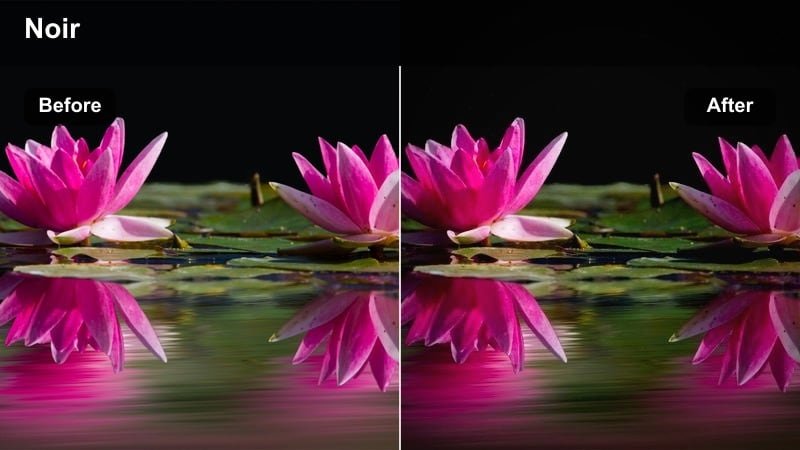
- Effect look: High contrast with rich blacks, punchy neon colors, and cool overall tint for a film-noir-meets-cyberpunk atmosphere.
- Best for: Nightcity walks, umbrella shots under neon signs, and moody lip-syncs in front of glowing storefronts.
- Editing tip: Stabilize handheld clips slightly and add subtle motion blur for smoother, more cinematic night movement.
Neon Rain Noir is made for late-night TikToks where rain, reflections, and neon signs steal the show. In Filmora, the LUT deepens blacks, boosts neon hues, and adds a cool tint across the frame, giving your rainy city footage a stylized cyber-noir edge that feels instantly cinematic.
Apply it to umbrella walks beneath signs, moody lip-syncs in front of glowing storefronts, or POV rides through wet streets. Pair this look with Filmoras stabilization, subtle motion blur, and rhythmic cuts on beat drops to create high-energy edits that keep viewers watching and rewatching your stormy night sequences.
Streetlamp Rain Halo
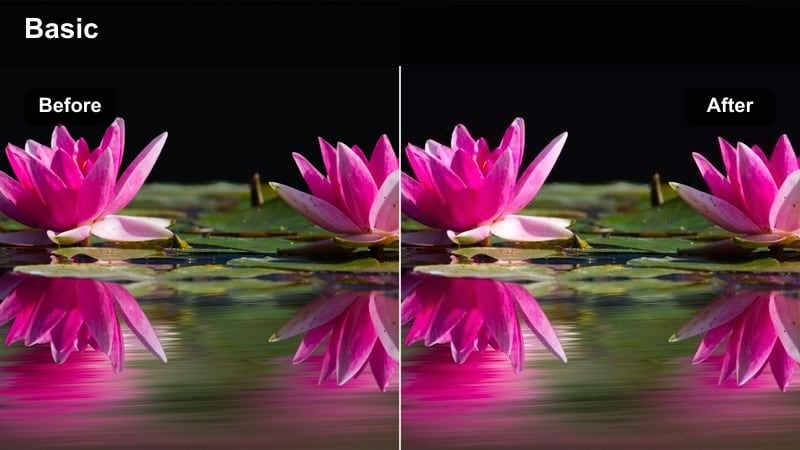
- Effect look: Gentle bloom around bright lights with softened details in the background and a neutral-to-warm mood.
- Best for: Slow-motion spins under streetlamps, breath clouds in cold air, and cinematic b-roll under drizzle.
- Editing tip: Crop vertically tighter than usual to exaggerate the halo around the lamp and keep distractions out of frame.
Streetlamp Rain Halo in Filmora emphasizes the glow and bloom around single light sources, perfect for intimate night scenes in the rain. The LUT keeps the overall tone neutral to slightly warm while softening background details so the viewer focuses on the subject standing under the lamp and the halo of light around them.
Use it on slow spins, profile shots, or still moments under a streetlamp with drizzle catching the light. In your Filmora timeline, add gentle slow zooms, slight slow motion, and cuts synced to lyric phrases so the halo effect feels like it is breathing with the music, giving your TikToks a romantic, story-driven energy.
Taxi Trails Moody
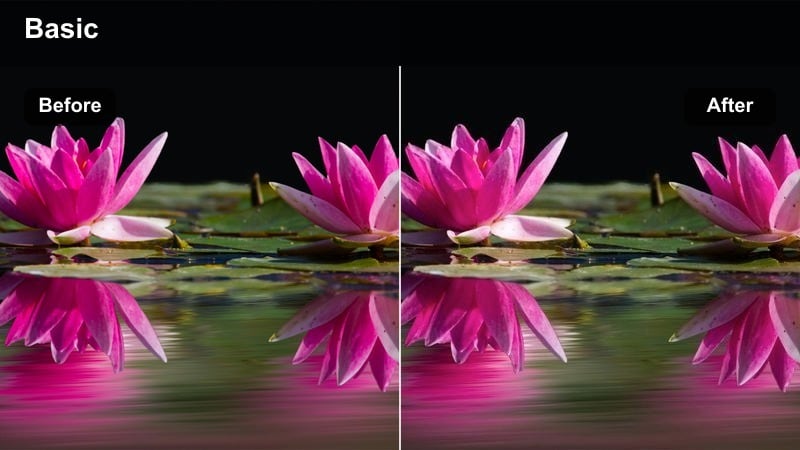
- Effect look: Cool-toned streets with enhanced yellows on taxis and headlights plus a gentle vignette for focused, busy-night energy.
- Best for: POV rides in cabs, city traffic shots in the rain, and transition clips between locations at night.
- Editing tip: Add slight motion blur to fast-moving cars and use jump cuts synced to the music rhythm for dynamic pacing.
Taxi Trails Moody gives rainy traffic scenes a sharp, modern energy by cooling the overall frame while pushing yellows in taxis and headlights. In Filmora, the LUT adds a subtle vignette and contrast so your viewers focus on moving cars, reflections, and light trails slicing through wet streets.
Apply this look to dashboard POVs, shots through car windows, or city crosswalks filled with vehicles. Enhance it with Filmoras motion blur, speed changes, and jump cuts timed to your soundtrack, turning routine travel clips into dynamic transitions between chapters in your TikTok story or day-in-the-life vlog.
Rainy Day Vlogs and Storytime
Greyday Story Soft
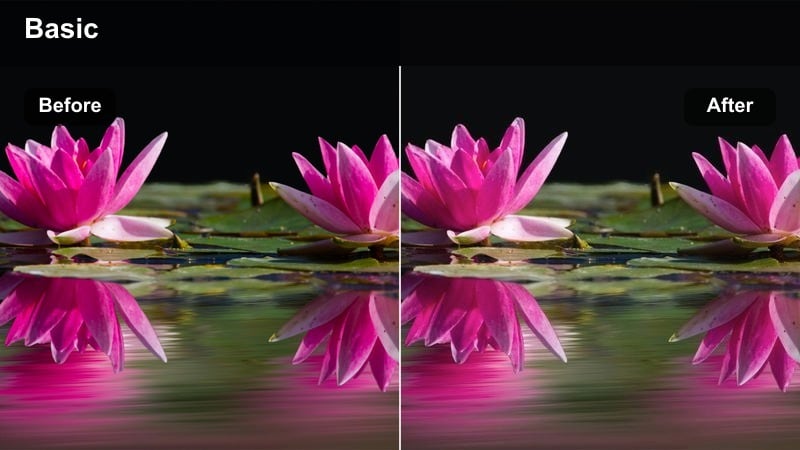
- Effect look: Soft, low-saturation tones with slightly lifted shadows to keep faces clear while the environment stays muted and calm.
- Best for: Face-to-camera storytime, personal updates, and calm-day-in-my-life vlogs on overcast or rainy days.
- Editing tip: Keep cuts simple and avoid heavy transitions so the softness of the filter matches your pacing and narration.
Greyday Story Soft is crafted for direct-to-camera clips where your expression matters more than dramatic lighting. In Filmora, the LUT gently lifts shadows and softens contrast so your face remains clear and flattering, while the rainy background stays muted and low-saturation to support a calm, reflective tone.
Use it for personal updates, gentle rants, or reflective storytime videos filmed near a window or in softly lit rooms. Keep your Filmora edits minimal with simple cuts, basic text, and gentle background music so the filter and your voice carry the emotion without distracting visual effects.
Hoodie Walk Confessional
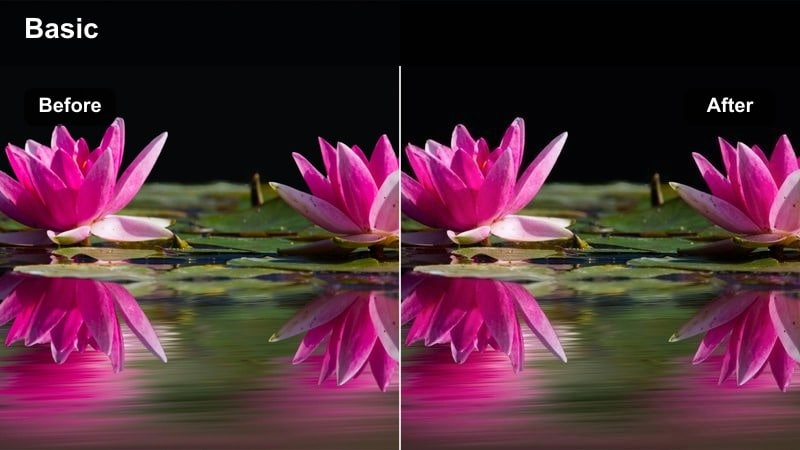
- Effect look: Moderate contrast with slightly cooled highlights and natural skin tones, perfect for handheld walking-and-talking clips.
- Best for: Walk-and-talk rants, confessional vlogs, and quick life updates while strolling with a hood up or under an umbrella.
- Editing tip: Stabilize shaky footage and trim out pauses so the pacing stays tight and your message feels focused.
Hoodie Walk Confessional is optimized for handheld, selfie-style videos in light rain or drizzle. In Filmora, the LUT maintains natural skin tones while slightly cooling highlights and adding moderate contrast, giving your walking clips a grounded, honest feel that still looks polished on TikTok.
Apply it to quick life updates, rants, or spontaneous thoughts captured on rainy walks. In the edit, use Filmoras stabilization to smooth out bumps, cut out long pauses or repeats, and add subtitles in the headroom above you so viewers can follow along even with sound low or off.
Blanket Fort Rainy Thoughts
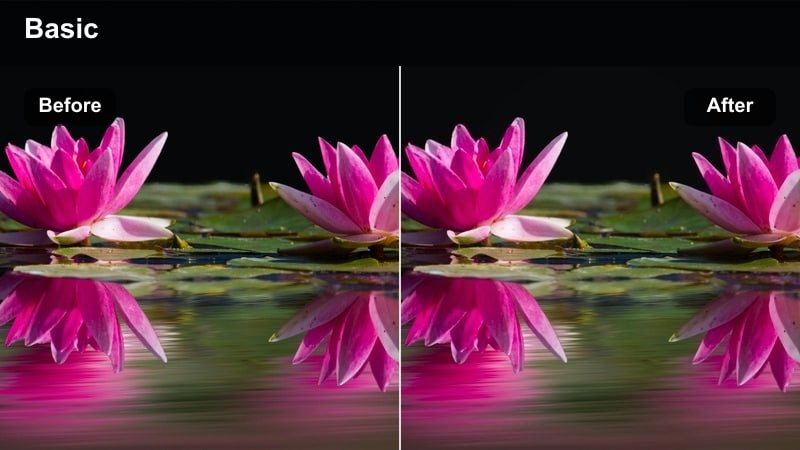
- Effect look: Warm, low-contrast interior tones with a hint of coolness in background shadows for intimate, late-night vibes.
- Best for: Nighttime storytime, mental health check-ins, and quiet confessionals filmed indoors with rain in the background.
- Editing tip: Lower background music volume more than usual so your voice feels close and personal with this intimate filter.
Blanket Fort Rainy Thoughts is perfect for late-night, vulnerable content where you want viewers to feel like they are sitting right beside you. In Filmora, the LUT warms interior tones and skin while leaving a slight coolness in background shadows, creating a cozy but subtly moody contrast that suits deeper topics.
Use it for mental health check-ins, soft spoken confessionals, or quiet chats filmed by a dim window or string lights. In your Filmora project, keep contrast low, reduce background music volume, and maybe add a touch of room tone or rain ambience so your voice and expressions stay front and center.
Tips for Using Tiktok Rainy Day Luts Moody Look Filters in Filmora
- Film slightly underexposed on rainy days so highlights and reflections are preserved when you apply moody filters.
- Wipe your lens frequently to avoid distracting water spots that can catch harsh light and break the aesthetic.
- Shoot in stable, deliberate movements like slow pans and push-ins to complement the calm, cinematic rainy mood.
- Mix wide establishing shots of rainy streets with close-ups of hands, faces, and puddles for richer storytelling.
- Match your audio choice to the filters mood, using softer tracks for matte looks and punchier beats for neon rain styles.
With the right TikTok rainy day LUTs moody look filters, every gray, wet afternoon becomes a chance to film cinematic stories full of emotion and atmosphere.
Load your rainy clips into Filmora, try these presets, and start building a signature stormy aesthetic that your TikTok audience instantly recognizes and saves.
secure download