

 100% Security Verified | No Subscription Required | No Malware


 ChatGPT
 Perplexity
 Gemini
 Claude
 Grok
Grok
These bright style TikTok unboxing video LUT-like filters are designed for content creators who want clean, punchy product shots that look ready for the For You page without heavy color grading.
Use these presets to keep packaging colors accurate, backgrounds tidy, and your hands and face evenly lit so every unboxing detail feels crisp, exciting, and easy to watch on a vertical screen.
In this article
Desk Studio Unboxings in Soft Daylight
Sunlit Desk Pop
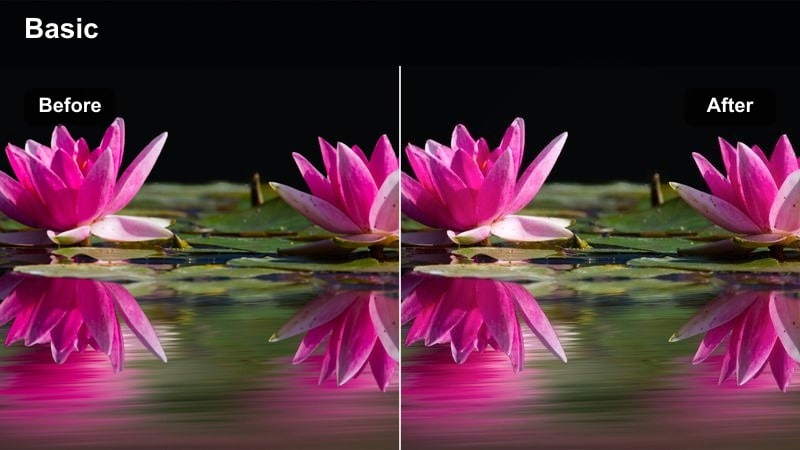
- Effect look: Bright, clean whites with boosted product colors and soft contrast for daytime desk unboxings.
- Best for: Overhead unboxing shots filmed near a window or softbox with mostly white or light backgrounds.
- Editing tip: Slightly lower exposure before applying the filter so the boosted highlights do not clip shiny packaging.
Use Sunlit Desk Pop when you want your desk to feel like a bright studio without losing the real-world look of your packaging. In Filmora, this bright style filter lifts whites and boosts saturation on your products while keeping the overall contrast soft enough for long, watchable TikTok unboxings.
Apply it to overhead shots of boxes, inserts, and accessories laid out on your desk, then fine-tune exposure and highlight sliders so reflective or metallic packaging stays detailed. Because the look is already optimized for daylight, you can batch apply it across multiple clips in a sequence to keep your entire unboxing smooth and consistent.
Match Bright LUT-Style Looks with One Click
Filmora s AI-powered color tools let you match your unboxing footage to any bright LUT-style reference in seconds. Instead of manually adjusting curves and color wheels, you can lean on AI to recreate the same clean whites and punchy product colors used by top TikTok creators.
Import a reference frame from your favorite bright unboxing video, let AI analyze it, and apply a similar look to every shot in your timeline so your product close ups, overheads, and talking clips all share one cohesive style.
 secure download

Preview Filters on Your Unboxing Clips Instantly
With Filmora, you can drag and drop bright unboxing filters onto your clips and see the results in real time. This makes it easy to compare a few bright styles on the same shot and decide which one keeps your packaging, skin tones, and background looking best.
Stack multiple filters, adjust intensity sliders, and reorder effects in the timeline until you find a look that feels punchy without appearing overprocessed on TikTok s small screen.
secure download1000+ Video Filters and 3D LUTs
Filmora includes a large library of filters and 3D LUTs you can combine with these bright unboxing looks to build a signature TikTok style. Start with a clean, bright base, then layer a subtle LUT on top to add a hint of cinematic color or trendy pastel tones.
Because LUT intensity is fully adjustable, you can keep product colors accurate while giving your overall feed a recognizable aesthetic that viewers associate with your unboxing series.
secure downloadClean Brand Showcase
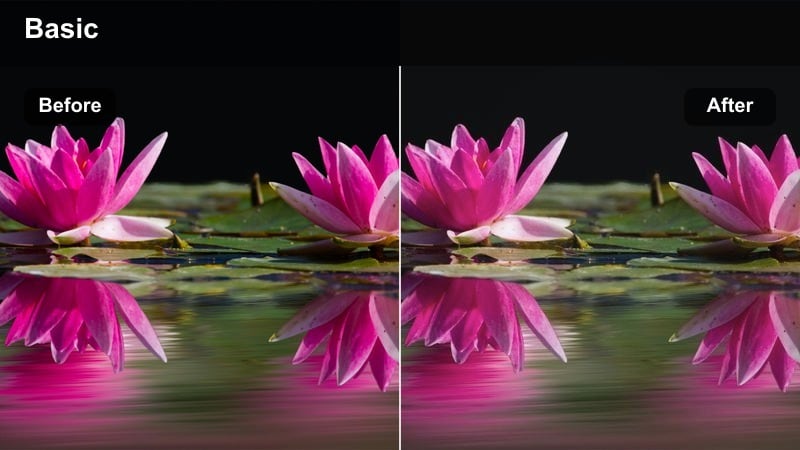
- Effect look: Neutral brightening with subtle clarity and minimal color shift to keep brand colors faithful.
- Best for: Sponsored unboxings where accurate logo and packaging colors are important for brand consistency.
- Editing tip: Lock white balance first, then apply this filter so the brightening effect does not push colors warm or cool.
Clean Brand Showcase is designed for sponsored or affiliate unboxings where you must keep brand palettes accurate while still delivering a bright, polished TikTok look. In Filmora, this filter lifts exposure and clarity evenly without pushing saturation too far, so logos, brand fonts, and packaging remain true to life.
Apply it across A roll and B roll for the same product so every shot in your deliverable looks consistent. After adding the filter, use Filmora s color tools to make tiny corrections to white balance if needed, then save the setup as a custom preset you can reuse for recurring brand partners.
Crisp Hand Cam
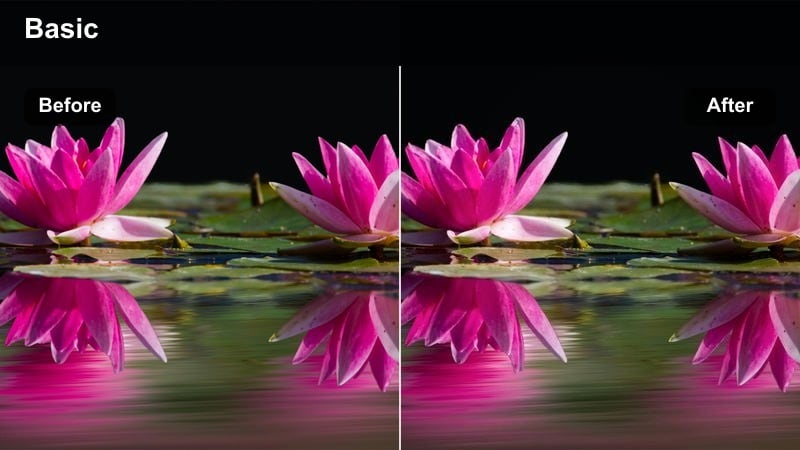
- Effect look: Bright micro-contrast for hands and products with softened shadows to avoid harsh lines.
- Best for: Handheld close-ups of unboxing details like seals, stickers, and texture shots shot at your desk.
- Editing tip: Crop vertically to fill the frame with your hands and item so the bright contrast draws eyes straight to the product.
Crisp Hand Cam brings out every tiny movement and texture in your close up unboxing shots, from peeling plastic to snapping seals. In Filmora, this bright filter enhances micro contrast around edges while gently softening shadows, which keeps your hands looking smooth but detailed.
Use it on tight, vertical crops where the product fills most of the frame, and pair it with built in stabilization if your original footage is slightly shaky. You can also add a bit of sharpening or clarity in Filmora after the filter is applied to emphasize satisfying ASMR style moments without making the image look harsh.
Minimal Room Aesthetic Unboxings
Airy Room Reveal
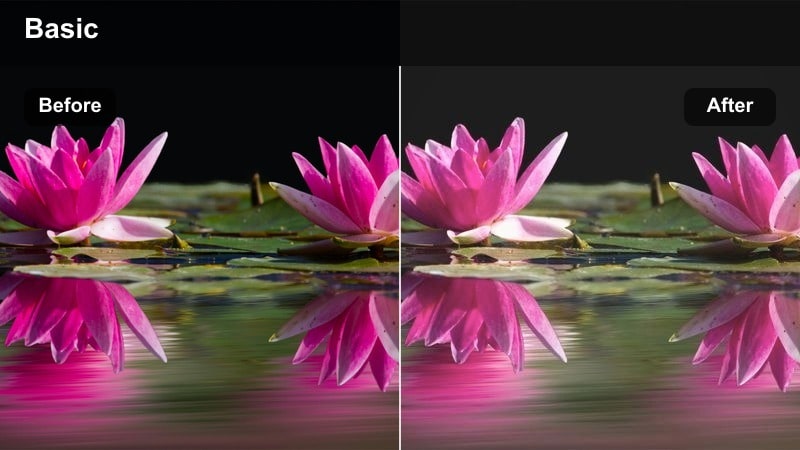
- Effect look: Soft pastel brights with lowered contrast and gentle glow for relaxed, aesthetic room unboxings.
- Best for: TikTok unboxings filmed on a bed, couch, or floor with neutral decor and soft textiles.
- Editing tip: Reduce saturation on your background after applying this filter so product colors stand out against the soft scene.
Airy Room Reveal gives your lifestyle unboxings a soft, pastel aesthetic that feels cozy and bingeable. In Filmora, this bright style filter slightly lowers contrast, adds a gentle glow, and keeps highlights smooth so bedding, pillows, and decor look dreamy instead of flat.
Apply it to clips filmed on your bed or couch, then use Filmora s HSL or saturation controls to subtly dial down background colors while leaving the product more saturated. This keeps your feed cohesive and aesthetic while still making each new item the focal point of the frame.
Bright Aesthetic Haul
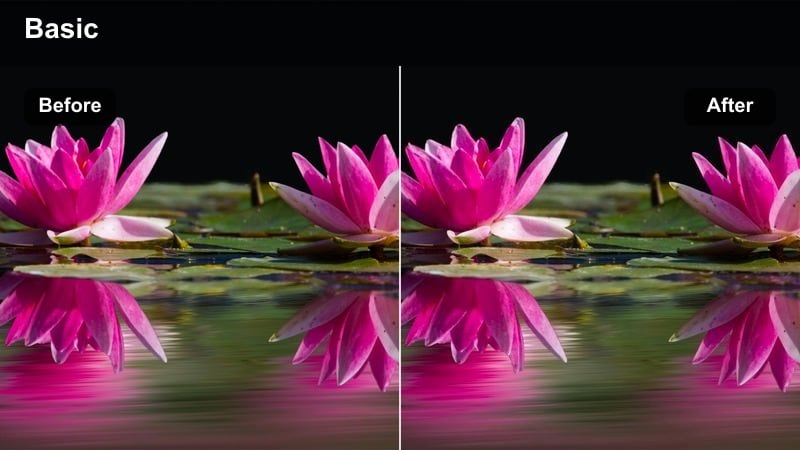
- Effect look: Evenly lifted mids and highlights with smooth skin tones for talking-style haul and unboxing clips.
- Best for: Sit-down unboxings where you hold items up to the camera and talk through each product.
- Editing tip: Place your face near a window and apply this filter to keep both your expression and product equally bright.
Bright Aesthetic Haul is ideal for talking head style TikToks where you are breaking down multiple products in one video. In Filmora, the filter brightens midtones evenly and focuses on keeping skin tones flattering, so your face and the packages you hold up are both clearly visible.
Use it on medium shots framed from the chest up and combine it with Filmora s auto reframing or crop tools to optimize for vertical viewing. You can also add light color correction on top to nudge warmth or coolness depending on your room lighting while preserving the smooth, bright base this filter provides.
Soft Floor Flatlay
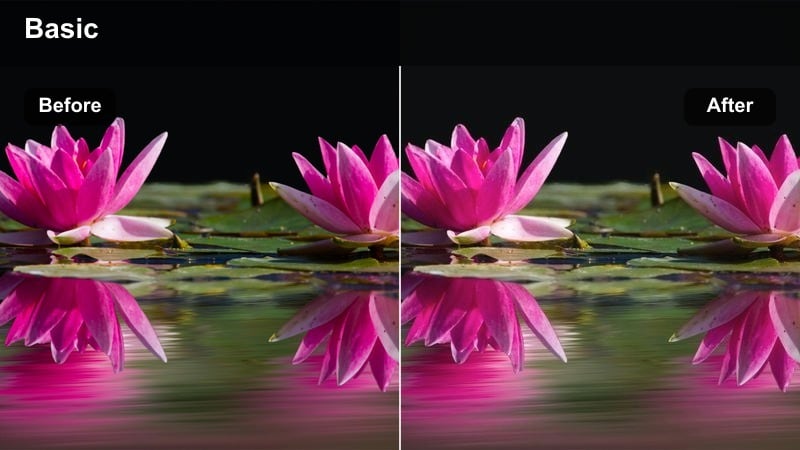
- Effect look: Bright, low-shadow flatlay style with gentle sharpening on edges of boxes and accessories.
- Best for: Flatlay-style unboxings on rugs or mats where you lay out all items and peel packaging on camera.
- Editing tip: Align boxes in a grid pattern before filming so the filter s clarity makes your layout feel intentional and satisfying.
Soft Floor Flatlay is tuned to make top down layouts feel organized and bright without harsh shadows between products. In Filmora, the filter lightly sharpens box edges and accessories while lifting overall exposure so details stay visible even on textured rugs or mats.
Apply it to sequences where you arrange every item from the box in a grid, then speed ramp or cut to the beat for satisfying reveal moments. Because shadows are already softened, you can confidently add transitions and zoom effects in Filmora without introducing distracting flicker or contrast changes between cuts.
Creator Studio Lighting Unboxings
Ring Light Boost
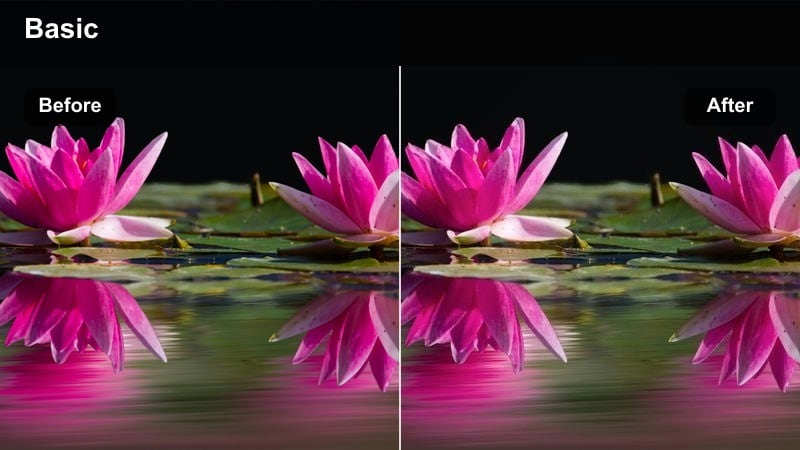
- Effect look: Brightened midtones with controlled highlights for ring-light setups, keeping shine manageable on glossy boxes.
- Best for: Desk or standing unboxings filmed with a ring light or panel light right behind your phone.
- Editing tip: Angle boxes slightly to avoid direct glare, then use this filter to keep the front of the packaging bright but readable.
Ring Light Boost is built for classic creator setups where a ring light or panel is your main source. In Filmora, this filter raises midtones so your face and product are bright while carefully protecting highlights, which helps reduce blown out hotspots on glossy packaging and reflective plastic.
Use it on any A roll clip recorded directly to camera and combine it with Filmora s highlight and shadow controls for extra refinement. Once the filter is applied, you can add subtle skin retouching or smoothing effects without losing label legibility or sharpness on your product boxes.
Studio Shelf Showoff
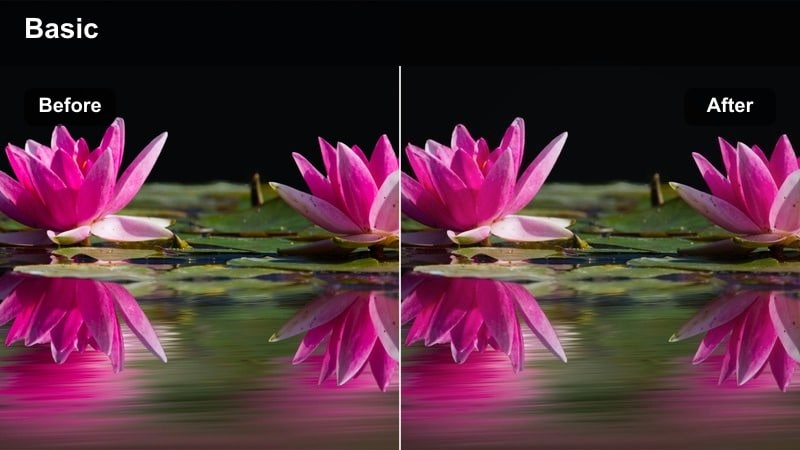
- Effect look: Bright foreground with slightly muted background to make products and shelves in front of you stand out.
- Best for: Unboxings filmed in front of decorated shelves, LED strips, or a creator-style backdrop.
- Editing tip: Place your unboxed items on a front shelf and film B-roll; this filter will subtly separate them from your background decor.
Studio Shelf Showoff is perfect when your studio wall or shelves are part of your brand look, but you still want newly unboxed products to be the hero. In Filmora, this bright filter emphasizes the foreground and slightly mutes the background so your decor stays visible but not overpowering.
Apply it to B roll where you place products on your main shelf, then cut those clips between your unboxing steps. If needed, use Filmora s masking or vignette tools to further darken edges of the frame and keep attention locked on your highlighted products and display areas.
Creator Desk Focus
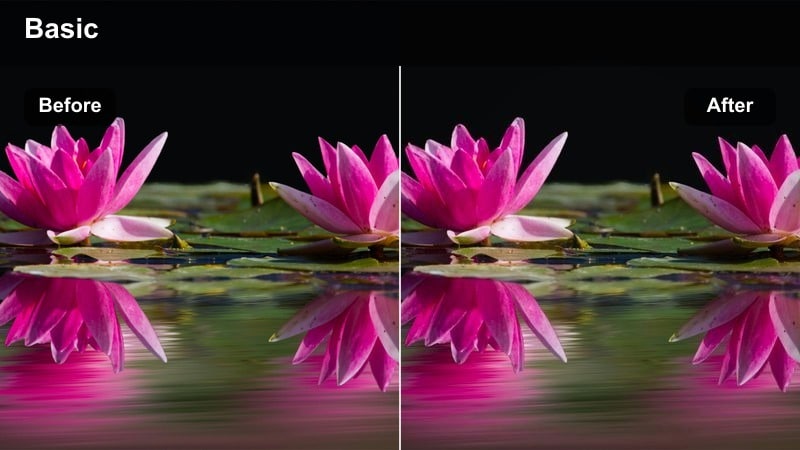
- Effect look: Selective brightness and contrast on the center of the frame to keep the product area extra vivid.
- Best for: Unboxings where the main box stays centered on your creator desk throughout the video.
- Editing tip: Frame your product dead-center before applying the filter so the subtle vignette keeps viewers locked on the action.
Creator Desk Focus adds a subtle, center weighted bright boost that acts like an invisible spotlight on your main unboxing area. In Filmora, this filter works especially well for static overhead or front facing desk shots where the box stays in roughly the same place for the whole sequence.
Use it on long, continuous clips of you cutting tape, lifting flaps, and arranging contents in the middle of the desk. Combined with Filmora s speed controls and jump cuts, this bright focus effect makes even simple unboxings feel more premium and directed without any extra lighting gear.
Quick Grab-and-Go TikTok Unboxings
Bright Countertop Snap
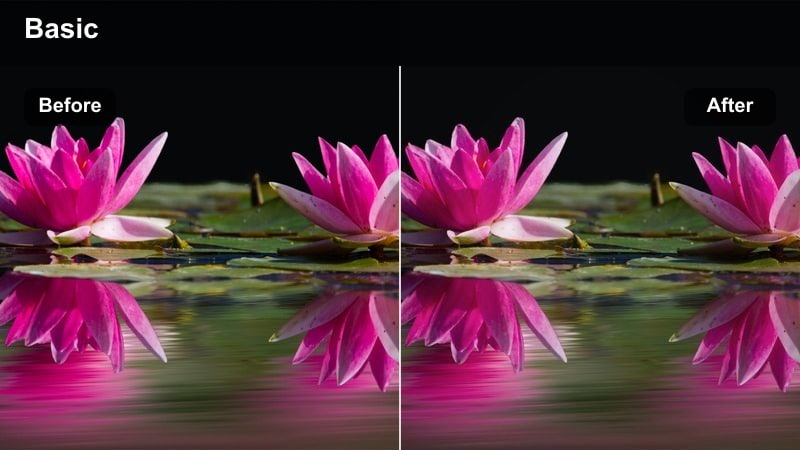
- Effect look: High-energy brightening with crisp edges and a clean white balance for quick kitchen or counter reveals.
- Best for: Fast-paced unboxings filmed on countertops, side tables, or any quick grab-and-go location.
- Editing tip: Shoot short, punchy clips and cut to the beat of your audio; this bright filter keeps each cut feeling sharp and intentional.
Bright Countertop Snap is tuned for quick, energetic reveals filmed wherever you first drop the package down. In Filmora, the filter adds clear, snappy brightness and crisp edges that hold up well when you edit with fast cuts or trending sounds.
Apply it to short clips of slicing boxes open on a counter, pulling items out quickly, and placing them down in frame. Then use Filmora s beat detection or audio markers to trim and sync each motion to your soundtrack, letting the bright look emphasize that punchy, scroll stopping rhythm.
Window Ledge Highlight
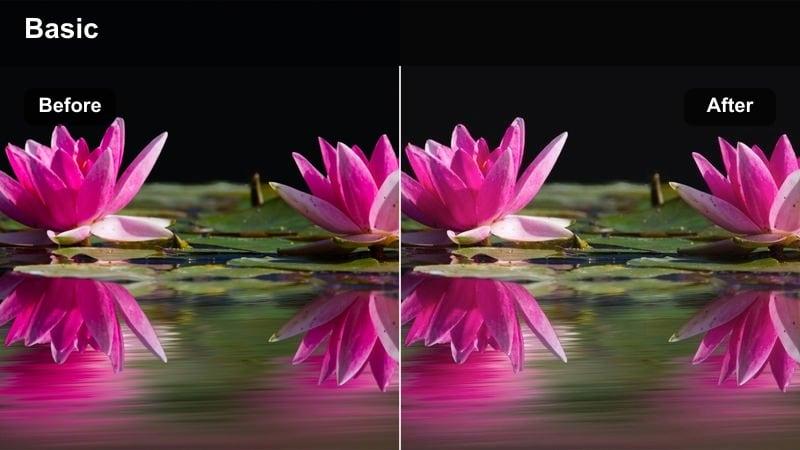
- Effect look: Directional brightness from one side with soft roll-off for window-side product shots.
- Best for: Simple TikTok clips where you place the box on a window ledge or sill and open it in natural light.
- Editing tip: Keep the window on one side of the frame and let this filter smooth the shadow side for a cinematic but bright feel.
Window Ledge Highlight capitalizes on free natural light, creating a bright yet cinematic mood for simple first look shots. In Filmora, this filter enhances the lit side of your product while gently lifting shadows, so the overall image feels stylized but still true to how it looked by the window.
Apply it to side angle clips of you opening boxes or lifting products into the light, then add slow zooms or pans in the editor to make the moment more dramatic. Because the contrast is controlled, you can safely stack text overlays or stickers on the darker side of the frame without them feeling hard to read.
Car Seat First Look
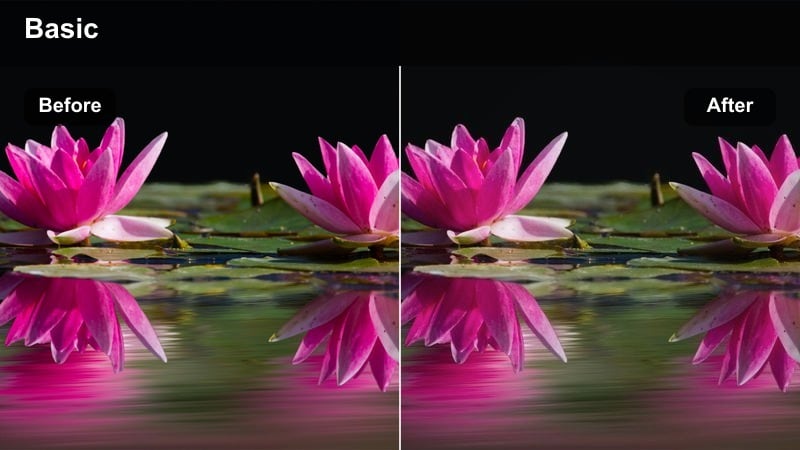
- Effect look: Brightened cabin shadows with extra clarity on hands and packaging for in-car unboxings.
- Best for: First-look unboxings filmed in the car right after picking up a delivery or store purchase.
- Editing tip: Face your car toward a bright area and apply this filter to keep your dash and seats subtle while the product stands out.
Car Seat First Look is built around the unique lighting conditions inside a car, where shadows can easily hide details. In Filmora, this bright filter lifts interior shadows and adds clarity to your hands and packaging so viewers can clearly see every part of the first reveal.
Use it on handheld clips of packages on your lap, center console, or passenger seat, then stabilize in Filmora if needed to reduce road vibration. You can also trim together quick B roll of the shopping bag, storefront, and final product shot while keeping the same bright filter for a cohesive mini vlog feel.
Tips for Using Tiktok Unboxing Video Luts Bright Style Filters in Filmora
- Lock exposure and white balance in your camera app before recording so Filmora s bright filters do not shift mid shot when you open the box.
- Keep your background simple and tidy so the boosted brightness creates clear separation between your product and the scene.
- Shoot in the highest resolution your phone allows, then crop and frame vertically in Filmora to maintain crisp detail after brightening.
- Avoid mixing strong colored lights like RGB strips and warm lamps; let the filter handle brightness so product colors stay accurate on TikTok.
- Use Filmora s real time preview to compare a few bright filters on the same clip and choose the one that keeps skin tones most natural.
- Record a few still shots of the fully unboxed product and apply the same filter so you have bright B roll for intros, outros, and thumbnails.
- Batch apply your favorite bright filter preset across all clips in an unboxing sequence to keep your TikTok grid visually consistent.
Bright style TikTok unboxing filters in Filmora give content creators an easy way to keep products vivid, skin tones flattering, and backgrounds clean without complex color work. By starting from these curated looks, you can focus more on storytelling, sound choices, and on screen energy instead of manual grading.
Test several of these presets on your next unboxing, tweak intensity and basic color settings, and then save your favorite combinations as custom Filmora presets. Reusing the same bright style across series and playlists helps your TikTok feed stay instantly recognizable and ready to land on the For You page.
secure download