

 100% Security Verified | No Subscription Required | No Malware


 ChatGPT
 Perplexity
 Gemini
 Claude
 Grok
Grok
Cool urban street filters can instantly transform everyday city footage into cinematic scenes with crisp lines, moody blues, and a modern vibe. In Filmora, the right presets help street photographers and vloggers turn neon alleys, glass towers, and busy intersections into visually cohesive stories.
This guide walks you through the Cool Urban Filter. City Blue preset and 11 more cool urban street filters tailored for modern street and architecture scenarios. Use them as quick presets or as a base to dial in your own signature urban street aesthetic filter style.
In this article
Signature Cool Urban City Blue Looks
Cool Urban Filter. City Blue
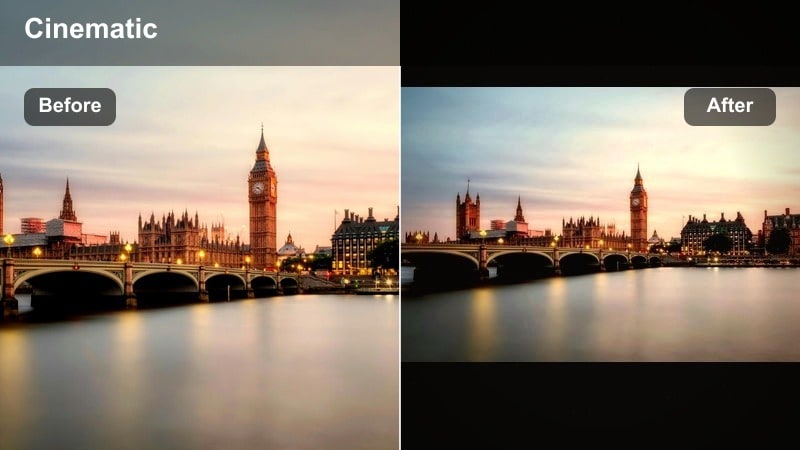
- Effect look: Clean, cool city blues with subtle desaturation in warm tones and soft contrast for a modern editorial street finish.
- Best for: Street photographers and vloggers capturing modern city streets, glass architecture, and overcast urban days.
- Editing tip: Lower the highlights slightly to protect bright sky reflections, then add a touch of clarity for extra structure in buildings.
This modern city blue preset cools your entire frame, giving steel, glass, and concrete a cohesive tone while keeping skin tones smooth and natural. It is especially effective on wide shots of intersections and high-rises where you want crisp edges, controlled highlights, and a subtle editorial polish without looking overprocessed.
In Filmora, apply Cool Urban Filter. City Blue as your base grade on city vlog timelines, then fine-tune exposure and white balance per clip. Use it to quickly unify mixed footage from cloudy days, shaded alleys, and reflective facades so your whole project shares one consistent cool urban street aesthetic filter.
Use AI Tools in Filmora to Refine Cool Urban Looks
After you apply a cool urban street filter like City Blue, Filmora AI tools can automatically even out exposure and color across mixed city clips. This is ideal when your street project jumps between bright plazas, shaded alleys, and interiors with tricky lighting.
Rely on AI color matching to copy your favorite City Blue look from one hero shot to the rest of your timeline, then adjust the intensity slider per clip. This keeps portraits, architecture, and crowd shots aligned under the same cool urban palette without manual micro-adjustments every time.
 secure download

Preview Cool Urban Filters on Real Street Footage
Before you commit to a full grade, it helps to stress-test these cool urban filters on a short mix of clips. Drop in some handheld street vlogs, static architecture shots, and a few night or blue hour angles to see how each preset reacts to different lighting.
In Filmora, you can duplicate a 20 to 30 second test sequence and apply a different cool urban street filter to each version. This side-by-side comparison makes it easy to choose whether City Blue, a deeper night variant, or a minimal look best fits your modern city vibe.
secure download1000+ Video Filters and 3D LUTs
Beyond these dedicated cool urban street filters, Filmora includes a large library of creative filters and 3D LUTs you can stack and customize. This lets you combine a City Blue base with stylized overlays like film looks, light leaks, or subtle tints for a unique signature grade.
Save your favorite combinations as presets or export them as LUTs to reuse across future street vlogs and architecture edits. Over time, you can build a consistent modern city identity that is easy to apply in just a few clicks.
secure downloadCity Blue Deep Night
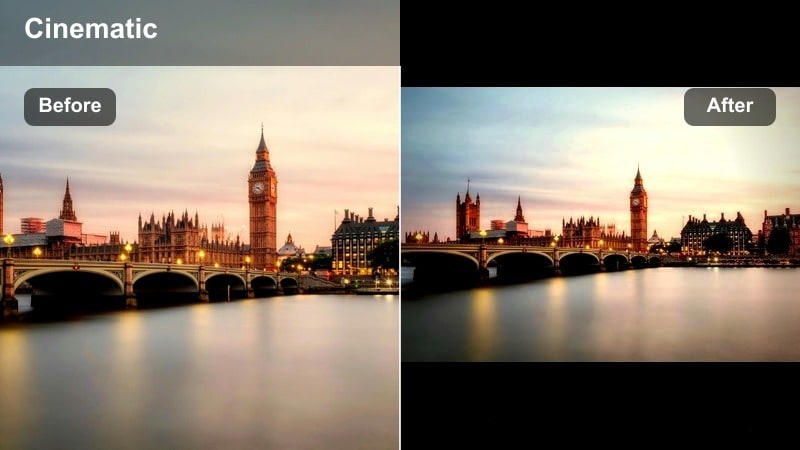
- Effect look: Deepened blues, lowered exposure, and boosted neon highlights for a cinematic night street feel.
- Best for: Neon signs, wet pavements, late night street food scenes, and moody night architecture walks.
- Editing tip: Gently increase saturation in blues and magentas only to make neon lights stand out without oversaturating skin.
City Blue Deep Night is designed to turn ordinary night streets into dramatic, neon-lit frames with rich shadows and glowing signage. Blues push deeper, highlights on signs and windows pop, and puddles or wet roads reflect color for a cinematic cyber-street aesthetic.
In Filmora, drop this preset on clips from night markets, late train rides, or rainy alleys to quickly unify mixed light sources. Fine-tune exposure and shadow levels per clip to avoid crushed blacks, and use targeted HSL adjustments if you want specific neon colors to stand out more against the cool urban base.
City Blue Minimal
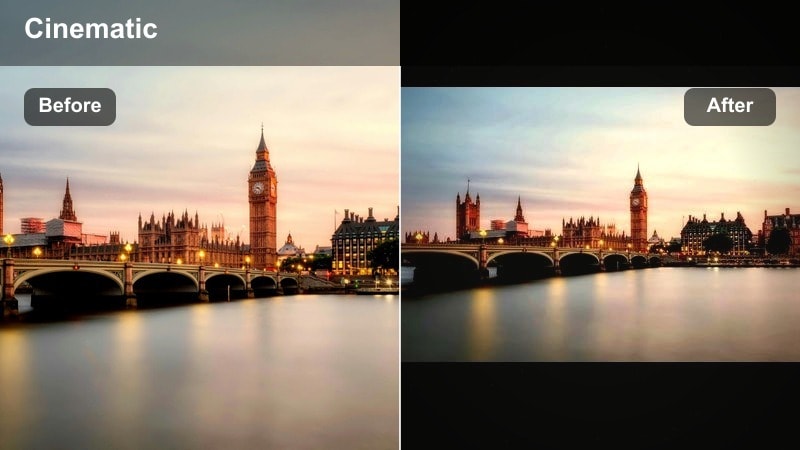
- Effect look: Soft contrast, subdued saturation, and cool midtones for a minimal, design-focused street aesthetic.
- Best for: Clean architecture shots, corporate districts, and minimalist street compositions with negative space.
- Editing tip: Reduce vibrance slightly if your scene has many mixed colors, then add a tiny bit of film grain for a refined editorial touch.
City Blue Minimal pulls down saturation and contrast just enough to give modern buildings and open plazas a calm, design-forward feel. Lines and shapes remain crisp, while colors shift into softer, cooler tones that work well for brand intros or portfolio reels.
Use this preset in Filmora for sequences where geometry and layout matter more than bright colors, such as corporate towers, wide steps, or quiet side streets. Combine it with slow pans or locked-off tripod shots so viewers can fully appreciate the architecture highlighted by the cool, minimal palette.
Blue Urban Filters for Street Motion
Blue Urban Motion
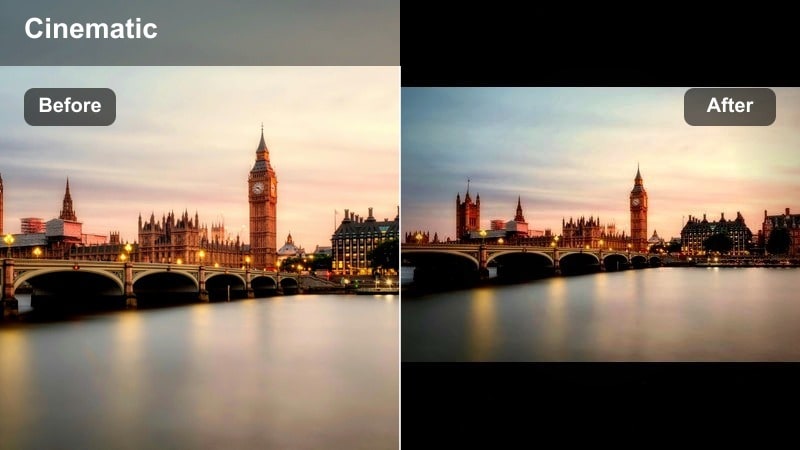
- Effect look: Cool blue highlight shift with crisp contrast and slightly muted oranges, ideal for fast-paced city scenes.
- Best for: Walk-and-talk street vlogs, commuter rush shots, and bike or skateboard sequences.
- Editing tip: Add a mild motion blur or speed ramp to dynamic clips and keep sharpening low to avoid crunchy noise in shadows.
Blue Urban Motion introduces a punchy cool cast that keeps skin looking natural while making glass, metal, and street details feel energetic. The slight reduction in warm tones stops traffic lights and storefronts from overpowering your subject when you are moving quickly through the city.
Apply this preset in Filmora across entire walk-and-talk vlogs or skate montages for a unified, modern tone. Enhance movement further with built-in speed ramps and transitions, and keep sharpening subtle so fast handheld footage stays clean and cinematic under the cool blue grade.
Subway Steel Blue
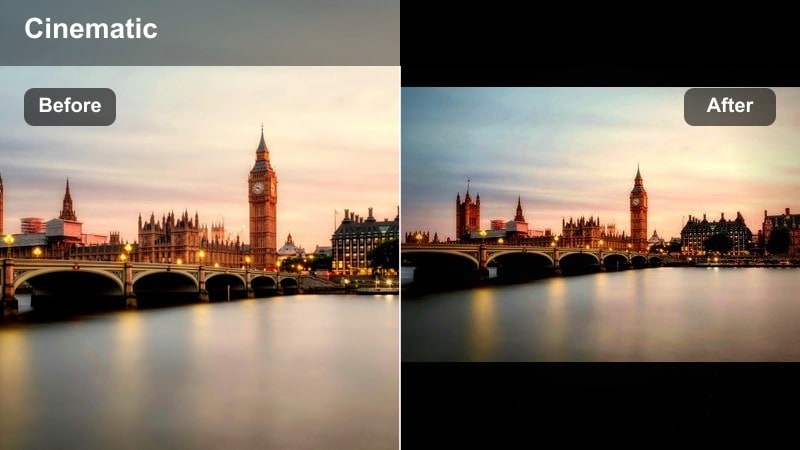
- Effect look: Steel-gray blues, reduced saturation, and lifted blacks for a grungy underground atmosphere.
- Best for: Subway platforms, tunnels, parking garages, and underpass street sessions.
- Editing tip: Bring down greens slightly to clean up fluorescent lighting and use color noise reduction if footage is shot at high ISO.
Subway Steel Blue is tailored for underground and indoor transit scenes, turning fluorescent-heavy footage into a moody, cinematic environment. Colors lean toward steel blues and grays, while lifted blacks keep important shadow details visible in dark corners and tunnel walls.
In Filmora, use this preset on metro rides, stairwells, and graffiti-covered underpasses to instantly add grit and cohesion. Pair it with gentle noise reduction and tint corrections to tame mixed lighting, then add subtle camera shake or handheld shots to reinforce the raw, urban feeling.
Blue Hour Commute
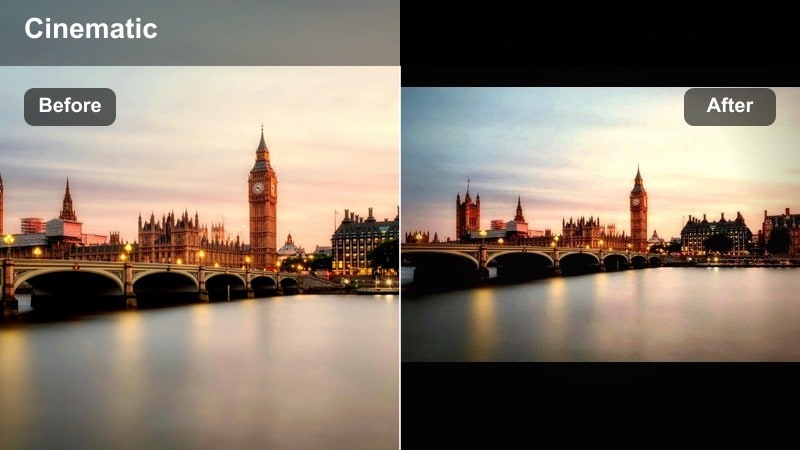
- Effect look: Soft blue cast over shadows with gentle highlight roll-off to enhance early morning or late evening city light.
- Best for: Sunrise commutes, tram and bus windows, and skyline shots during blue hour.
- Editing tip: Slightly increase saturation in warm colors to keep sunrise or sunset glows visible against the cool city base.
Blue Hour Commute enhances the naturally cool light of dawn and dusk, preserving the delicate transition between night and day. Shadows gain a soft blue tint, highlights roll off smoothly, and small pockets of warm light from windows or street lamps stay rich and atmospheric.
Use this filter in Filmora for timelapses, window reflections, or quiet city transitions before and after work hours. After applying, nudge warm color saturation up a bit so sunrises, car lights, and interior glows gently contrast against the cool urban surroundings without breaking the overall mood.
Modern Street Aesthetic Filters
Neon Grid Modern
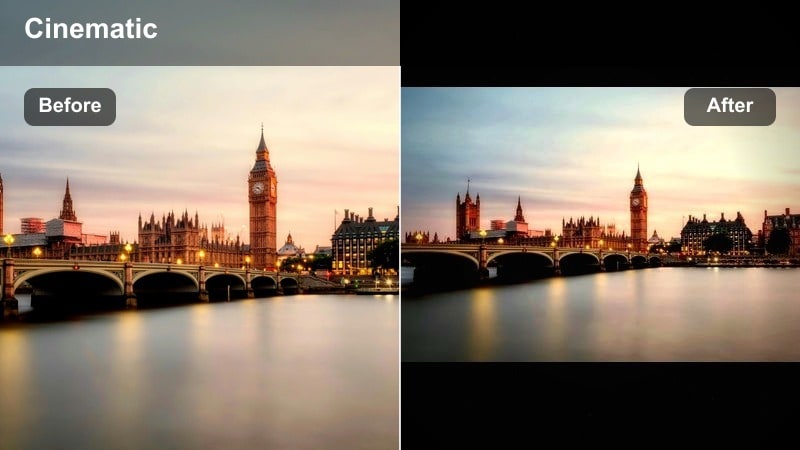
- Effect look: High contrast, vivid neon accents, and cooler shadows for a futuristic cyber-street mood.
- Best for: Neon-dense districts, billboards, night markets, and city gaming or tech vlogs.
- Editing tip: Mask your subject’s face and subtly reduce saturation there if neon reflections get too strong on skin.
Neon Grid Modern pushes night city footage toward a bold, futuristic style where signs, LED panels, and screens dominate the frame. Blues and magentas become vivid, contrast ramps up, and shadows stay firmly cool to support cyberpunk or tech-driven storytelling.
In Filmora, this filter is perfect for gaming channel intros, tech product shoots in the city, or nightlife reels. Combine it with subject masks, glow effects, and dynamic transitions to keep faces readable while the environment glows with stylized neon energy.
Concrete Chill
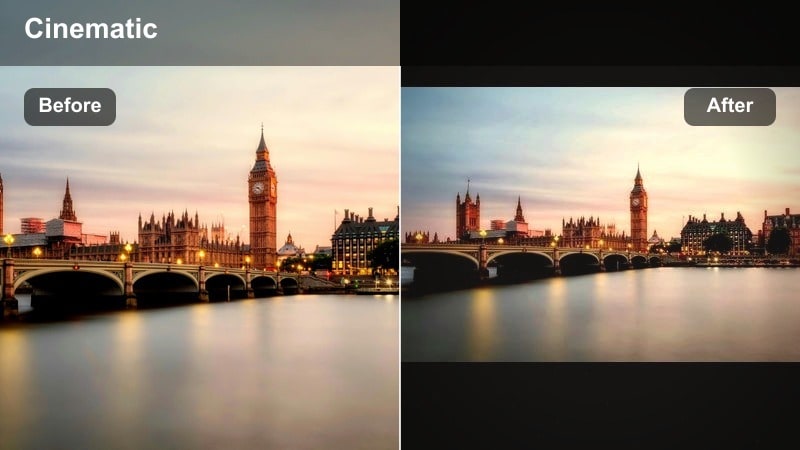
- Effect look: Muted colors with a cool concrete bias, soft highlights, and subtle fade in the blacks.
- Best for: Skate spots, street fashion shoots, concrete plazas, and brutalist buildings.
- Editing tip: Dial back saturation in yellows and greens to remove color casts from concrete and keep the palette neutral and stylish.
Concrete Chill gives plazas, ramps, and brutalist blocks a relaxed, fashion-ready street look. The palette leans toward cool neutrals, soft highlights reduce harsh glare off concrete, and a slight fade in the blacks adds a modern, lifestyle-oriented finish.
Use this preset in Filmora for skate edits, lookbooks, or casual hangout vlogs where outfits and tricks should stand out against a toned-down backdrop. After applying, selectively protect key clothing colors or board graphics so they pop subtly within the calm, cool urban environment.
Urban Editorial Cool
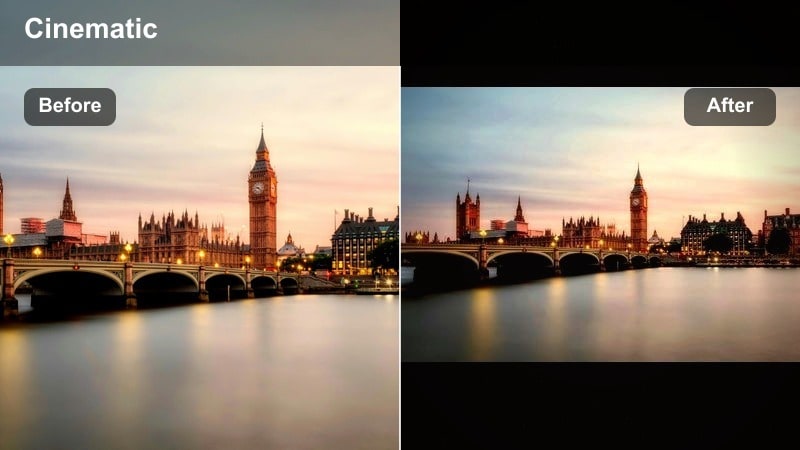
- Effect look: Editorial-style cool color grade with balanced contrast and slightly lifted shadows for a magazine-ready finish.
- Best for: Street portraits, brand promos, and polished city b-roll for intros and outros.
- Editing tip: Use a vignette to subtly darken edges and keep attention on faces or key architectural elements.
Urban Editorial Cool creates a refined, magazine-like look that works equally well on people and architecture. The cool cast feels intentional but not extreme, while lifted shadows and controlled contrast keep skin smooth and building details clean.
In Filmora, apply this filter to hero shots, talking-head segments filmed on the street, or branded b-roll for intros and outros. Add a gentle vignette and subtle sharpening for a premium finish, then reuse the preset across campaigns to keep your urban brand identity consistent.
Architecture and Skyline Cool Street Filters
Glass Tower Cool
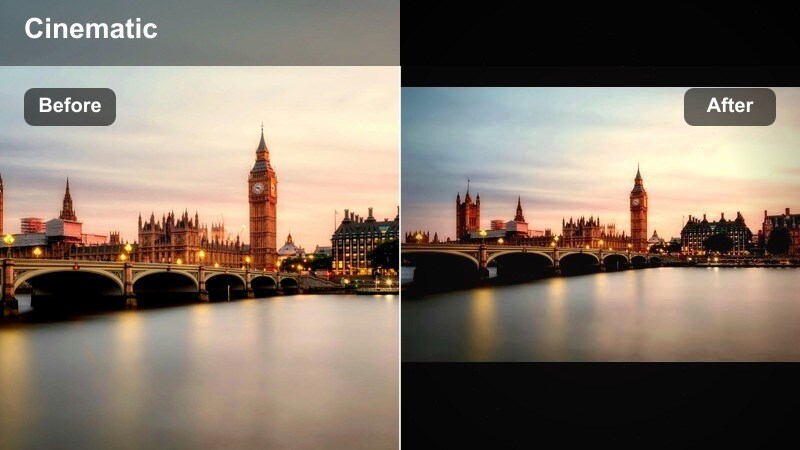
- Effect look: High clarity, cool shadows, and crisp highlights that emphasize reflections in glass and metal.
- Best for: Skyscrapers, office facades, and reflective modern architecture on bright days.
- Editing tip: Reduce global contrast slightly if your building has many mirrored surfaces to avoid clipping skies and window detail.
Glass Tower Cool is built to make glass and steel pop, accentuating reflections, edges, and repeating patterns in tall structures. Cool shadows and precise highlights draw out window grids and metal beams, perfect for skyline b-roll or architecture-focused edits.
In Filmora, use this filter on daytime shots of business districts, high-rise exteriors, or drone passes around towers. Pair it with lens correction and perspective tools first, then ease off contrast if needed so cloud detail and window reflections stay intact under the crisp, cool grade.
Skyline Steel Cool
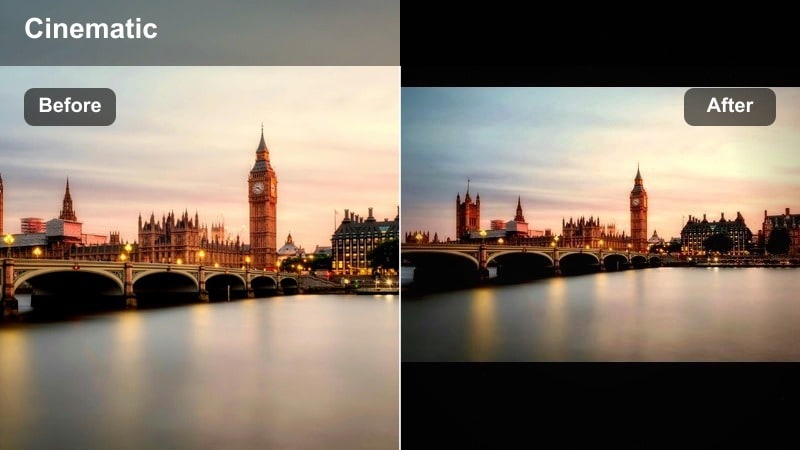
- Effect look: Steel-toned blues and grays with moderate contrast, designed to unify varied buildings in one cohesive frame.
- Best for: City skyline timelapses, rooftop views, drone shots, and establishing b-roll.
- Editing tip: If haze is heavy, combine this filter with a dehaze adjustment and small clarity boost to recover distant building detail.
Skyline Steel Cool brings a balanced steel-blue finish to wide city views, helping different building styles and materials feel like part of one unified scene. Moderate contrast and cool grays control color clutter, making your skyline shots feel clean and cinematic.
Apply this preset in Filmora to drone flyovers, rooftop reveals, and timelapses at the start of your vlog or short film. Add a bit of dehaze and clarity to carve out distant skyscrapers, then reuse the filter for all establishing shots so your project opens with a strong, recognizable city identity.
Mono Line Urban
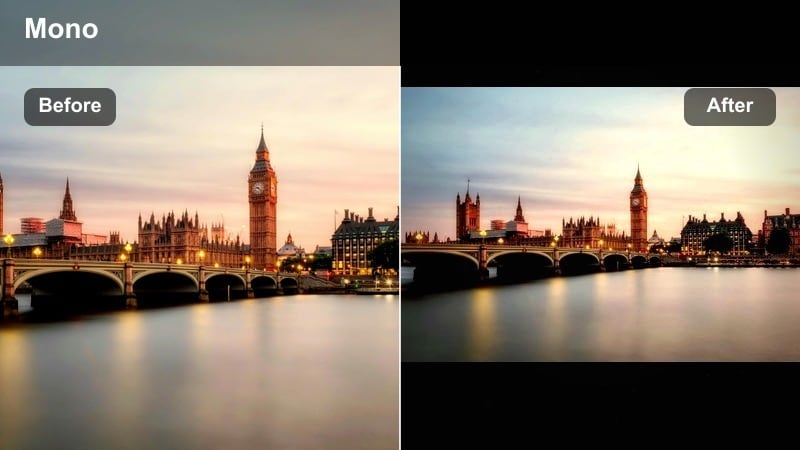
- Effect look: Almost monochrome cool palette with subdued colors and strong emphasis on lines and geometry.
- Best for: Black-and-white leaning street projects, staircases, bridges, and high-contrast shadow patterns.
- Editing tip: If colors still distract, desaturate individual hues further until only subtle tints remain and shapes become the main focus.
Mono Line Urban strips your city scenes down to shapes, angles, and shadows with a nearly monochrome cool palette. Colors retreat into subtle tints, allowing staircases, railings, bridges, and window grids to take center stage in a graphic, design-driven composition.
In Filmora, this filter is ideal for experimental edits, title sequences, or artful architecture montages. Combine it with slow push-ins, static compositions, and minimal text overlays to let geometry and light patterns tell the story with a strong, simplified cool urban style.
Tips for Using Urban Street Cool Filters in Filmora
- Shoot slightly flatter in-camera and avoid heavy contrast profiles so cool urban filters have more room to shape the final look.
- Keep white balance a bit on the neutral side while filming; you can always cool the scene later with Filmora filters and color wheels.
- Build a small library of go-to cool street presets for day, blue hour, and night so you can grade faster and stay consistent.
- For talking-head street vlogs, always check skin tones after applying heavy blue filters and warm midtones if needed.
- Use masks and keyframes to keep your subject clean while pushing the environment into deeper blues or more stylized tones.
- Combine subtle film grain with modern cool filters to keep digital noise from night shots looking intentional and cinematic.
- When editing architecture shots, correct perspective and horizon lines before grading so strong cool tones do not exaggerate distortion.
- Batch-apply your chosen filter to similar clips, then fine-tune exposure and white balance individually to polish the sequence.
Cool urban street filters in Filmora make it easy for street photographers and vloggers to turn everyday city moments into cohesive, modern visuals. By starting with focused presets like Cool Urban Filter. City Blue and its variations, you can quickly build a unique city aesthetic that fits your style.
Use these presets as a flexible base, then refine them with AI tools, masking, and subtle color tweaks until the mood matches your vision for each modern street and architecture scenario. As you build a library of saved looks and LUTs, your cool urban aesthetic will become faster to apply and easier to recognize across every new project.
secure download