

 100% Security Verified | No Subscription Required | No Malware


 ChatGPT
 Perplexity
 Gemini
 Claude
 Grok
Grok
Warm lifestyle video filters instantly add golden, sun-kissed tones that make everyday moments feel cinematic and cozy. Whether you are capturing outdoor lifestyle shots or family memories, a soft warm grade can transform flat footage into scroll-stopping content.
This guide walks lifestyle bloggers and family vloggers through Filmora filters and warm tone looks that enhance skin tones, deepen sunsets, and create a consistent aesthetic for golden hour lifestyle content.
In this article
Soft Golden Glow Filters for Everyday Lifestyle Clips
Honey Glow
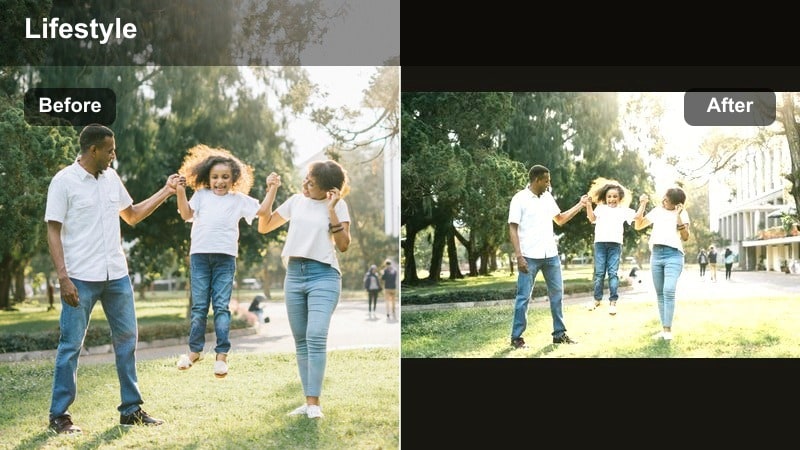
- Effect look: Soft honey warmth with gentle contrast that brightens skin and adds a subtle golden cast to midtones.
- Best for: Family vlogs, casual morning routines, cozy kitchen shots, and warm lifestyle b-roll with natural light.
- Editing tip: Reduce filter strength to 60-70 percent and slightly lower highlights to keep bright areas from looking washed out.
Honey Glow is ideal when you want everyday scenes to feel a bit more cinematic without losing their natural charm. In Filmora, apply this warm lifestyle video filter to clips straight from your camera, then fine-tune intensity with the effect strength slider so skin stays flattering and midtones gain a gentle honey cast.
Use Honey Glow on breakfast tables, hallway walk-throughs, or casual talking clips to create a cohesive golden lifestyle filter across your vlog. Combine it with basic exposure tweaks in the Color panel to recover detail in windows and countertops so the warmth feels intentional rather than overexposed.
Pro Tip: Pair Honey Glow With Gentle Skin Smoothing
After applying Honey Glow, add a light skin-smoothing effect so warm tones enhance faces without emphasizing texture. This keeps your subject looking polished while still feeling authentic on camera.
Keep smoothing intensity low and prioritize eyes and smiles by adding a subtle sharpen to those areas for a polished yet natural lifestyle look. In Filmora, stack these effects on the same clip and save them as a custom preset for future family or daily vlog episodes.
Use Filmora’s AI Tools to Lock In Your Warm Lifestyle Palette
Filmora’s AI-driven color tools make it simple to repeat your favorite warm lifestyle video filters from project to project. Once you land on a golden, sun-kissed look that feels right for your brand, you can use AI color matching to align new clips to that same tone, even if they were filmed on different cameras or in changing light.
By pairing AI color matching with warm tone presets like Honey Glow, your skin tones and backgrounds stay consistent across intros, b-roll, and talking shots. This consistency helps your channel look professional and makes playlists feel smooth and bingeable.
 secure download

Preview Warm Lifestyle Filters in Real Time
Filmora lets you preview warm lifestyle video filters directly on your footage so you can quickly compare subtle golden looks versus deeper cinematic warmth. Instead of guessing how a filter will affect your vlog, you can see skin tone, backdrop, and highlight changes instantly in the Viewer.
Use split-screen previews on outdoor lifestyle clips and golden hour footage to check how each warm filter shifts sky color, grass, and faces. This workflow helps you decide whether a gentler style like Honey Glow or a richer grade is better for a specific sequence before locking in your final look.
secure downloadCombine Warm Filters With LUTs for a Signature Look
For creators who want a more advanced, signature style, Filmora allows you to blend warm lifestyle video filters with warm tone LUTs. This stacking method adds subtle depth and contrast while keeping the inviting, sun-kissed mood your audience expects from lifestyle content.
Start with a gentle warm filter as your base layer, then add a LUT at low intensity to refine color separation in skies, foliage, and interiors. This is especially powerful for golden hour walks, city adventures, and family days outdoors where you want both warmth and a cinematic finish.
secure downloadSunrise Soft
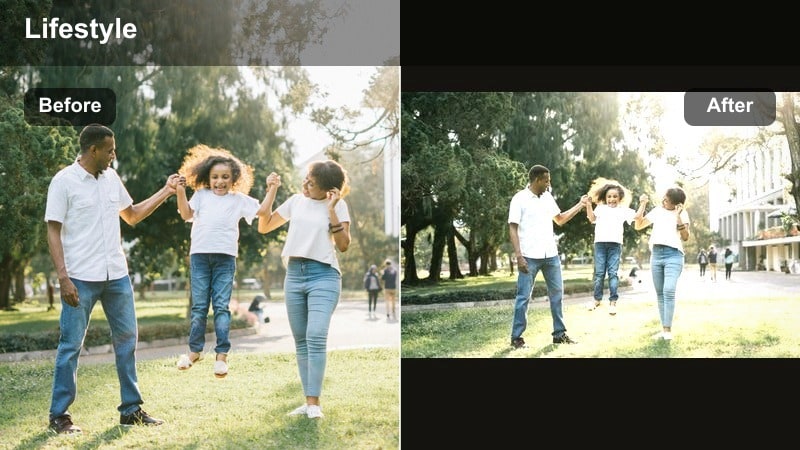
- Effect look: Low-contrast pastel warmth that mimics early morning sunlight with creamy highlights and softened shadows.
- Best for: Slow morning routines, journaling shots, coffee b-roll, and aesthetic lifestyle montages filmed near windows.
- Editing tip: Slightly lift shadows and reduce clarity to keep the frame dreamy; add a touch of vignette to draw attention to the subject.
Sunrise Soft is perfect when you want your mornings to feel gentle and unhurried on screen. Apply this filter in Filmora to clips filmed by windows, breakfast bars, or reading nooks, then lower contrast a bit more to embrace a hazy, pastel atmosphere.
Combine Sunrise Soft with slower cuts and minimal transitions to support calming voiceovers or ambient music. Use the vignette controls to pull focus toward coffee mugs, notebooks, or your face during reflective monologues without making the grade feel heavy.
Pro Tip: Use Sunrise Soft for B-roll Transitions
Apply Sunrise Soft across multiple b-roll clips in your intro so the first 10-15 seconds of your video feel cohesive and peaceful. Matching this soft warmth on every shot creates a recognizable morning aesthetic your audience will associate with your channel.
Export a short sequence as a preset reference and reuse the same settings for future lifestyle series to keep your brand look consistent. In Filmora, you can save these combined adjustments as a custom preset to apply with a single click.
Family Glow
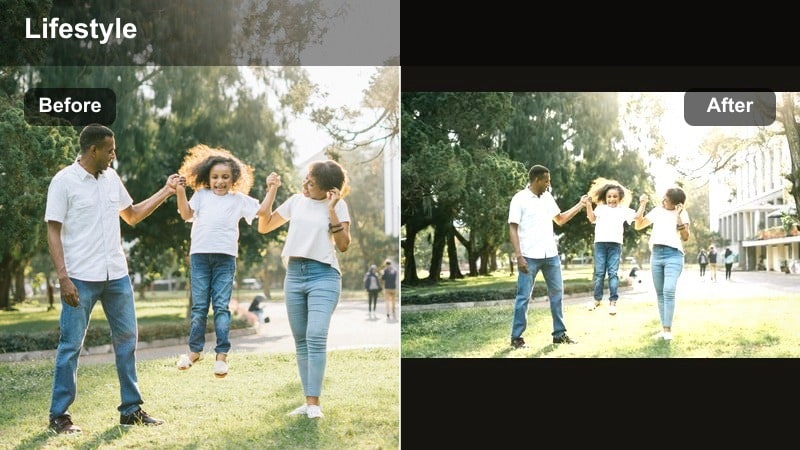
- Effect look: Warm, friendly tones with balanced saturation that flatter skin and add inviting warmth to indoor scenes.
- Best for: Family vlogs, kids playtime, birthday parties, and candid lifestyle moments shot in mixed lighting.
- Editing tip: Dial back saturation in reds and oranges if indoor lights are strong, and bump vibrance slightly to protect natural skin tones.
Family Glow is designed to handle real-life living rooms and mixed lighting without making colors feel chaotic. In Filmora, apply this warm lifestyle filter to your indoor clips to gently unify daylight from windows and warm lamps while keeping skin tones natural.
This filter works well on fast-paced family montages, party highlights, and playful b-roll where you do not have time to correct each clip from scratch. After applying, use HSL controls to slightly tame strong reds from decor or toys so the overall warmth stays flattering.
Pro Tip: Match Multiple Cameras With Family Glow
If you film with both a camera and a phone, apply Family Glow as a base on each track to unify color and skin tone across angles. This makes multi-camera edits feel seamless without complex grading work.
Fine-tune white balance per clip after applying the filter, keeping temperature just slightly warm instead of orange. Once you are happy, save your combination as a preset so future family events can be edited quickly with the same cozy look.
Golden Hour Filters for Outdoor Lifestyle Shots
Golden Lifestyle
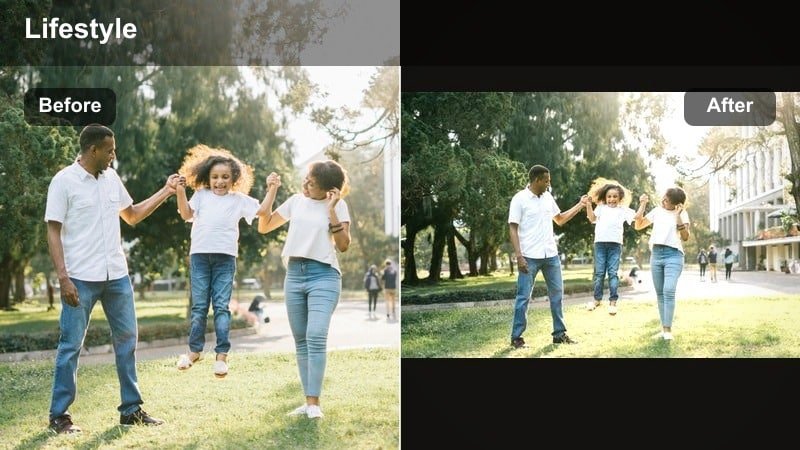
- Effect look: Rich golden highlights and deep, warm shadows that mimic perfect golden hour even when the light is flat.
- Best for: Outdoor lifestyle shots, park walks, beach clips, and travel vlogs filmed in late afternoon light.
- Editing tip: Lower contrast slightly and boost saturation in yellows to bring out sun-kissed grass, hair highlights, and warm skies.
Golden Lifestyle is your go-to when you want every outdoor clip to feel like it was shot at peak golden hour. In Filmora, apply this filter to late afternoon walks, beach scenes, or garden clips to enhance warm sunlight and deepen shadows for a cinematic edge.
Use the color controls to subtly boost yellows and oranges, especially in foliage and skies, while protecting skin from becoming too intense. Paired with gentle camera motion and slower cuts, Golden Lifestyle can turn simple strolls into emotionally rich sequences.
Pro Tip: Fake Golden Hour on Cloudy Days
Apply Golden Lifestyle to cloudy outdoor footage, then raise temperature and tint slightly toward magenta for a believable warm sunset feel. This approach is especially useful when your filming schedule does not match the weather.
Mask the filter away from faces if they become too orange, keeping skin natural while the background stays golden and dramatic. Filmora’s masking tools let you limit the strongest warmth to skies, trees, or buildings for a more realistic grade.
Sun-Kissed Trails
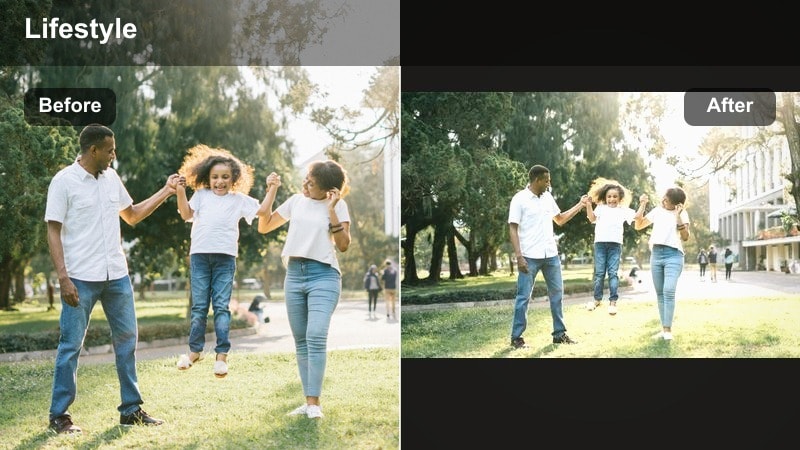
- Effect look: Warm, sun-kissed highlights with amber midtones and gentle fade in the blacks for a film-like outdoor vibe.
- Best for: Hiking vlogs, dog walks, park runs, and outdoor lifestyle b-roll with plenty of greenery and sky.
- Editing tip: Add a touch of green to shadows to balance the warm highlights and keep foliage looking natural, not oversaturated.
Sun-Kissed Trails is tailored for active outdoor vloggers who want movement and scenery to feel cinematic. In Filmora, use this filter on trail walks, bike rides, and park playtime to add a subtle amber glow and vintage-style faded blacks.
After applying the filter, slide the green channel slightly into the shadows to keep trees and grass from looking too orange. This balance preserves a realistic environment while still delivering a warm, nostalgic mood across your vlog.
Pro Tip: Use Speed Ramps With Sun-Kissed Trails
Combine Sun-Kissed Trails with slow push-in shots and gentle speed ramps to highlight key outdoor moments. The warm filter softens transitions while speed changes emphasize views, laughs, or pet reactions.
Keep motion blur subtle so your footage stays watchable on mobile devices, and let the warm grade carry the emotion as you reveal lookouts, beaches, or city viewpoints. Filmora’s speed ramping controls make this style easy to repeat across episodes.
Backyard Golden
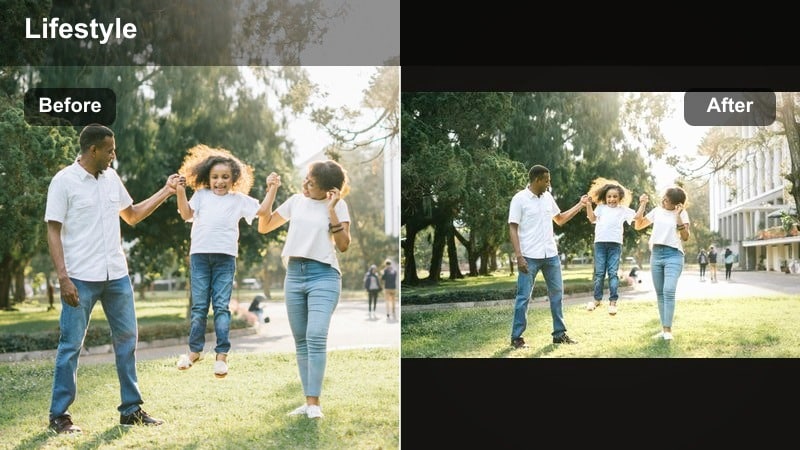
- Effect look: Balanced golden warmth with slightly lifted shadows that make backyards and porches look editorial and inviting.
- Best for: Backyard hangouts, grilling scenes, kids playing outside, and everyday outdoor family lifestyle content.
- Editing tip: Reduce blacks just a touch to add depth, and use local adjustments around faces to keep features crisp and bright.
Backyard Golden turns everyday patios and small gardens into inviting lifestyle sets. In Filmora, apply this filter to grilling, games, and evening hangs to bring a warm editorial feel without losing the authenticity of your real space.
Lift shadows slightly to keep details in bushes, fences, and furniture, then lower blacks a bit so clips do not feel flat. Use local adjustments or masks to keep faces sharp and well lit, especially during sunset when background brightness can change quickly.
Pro Tip: Build a Backyard Series Look
Save Backyard Golden as part of a custom preset with your preferred exposure and vignette settings for repeat backyard videos. This helps all your recurring porch chats or outdoor dinners share the same recognizable mood.
Apply the same preset to intros, b-roll, and talking clips so viewers instantly recognize they are back in your signature backyard setting. Over time, this consistency becomes a memorable part of your channel branding.
Cozy Indoor Warm Filters for Lifestyle Vlogs
Candlelight Cozy
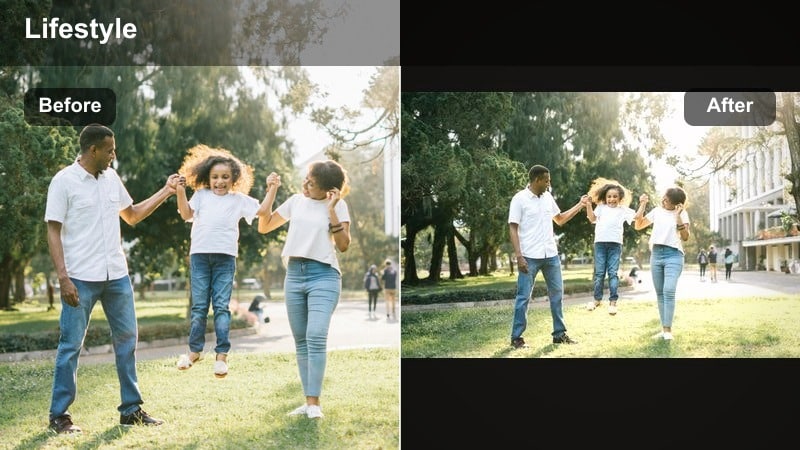
- Effect look: Deep amber warmth with softened contrast that mimics candlelight and string lights in evening scenes.
- Best for: Cozy nights in, movie nights, bedroom decor tours, and slow evening routines with warm lamps.
- Editing tip: Drop overall saturation slightly and protect highlights so fairy lights keep detail and do not bloom too aggressively.
Candlelight Cozy is made for intimate night shots where light sources are part of the story. In Filmora, use this filter on clips filled with candles, fairy lights, or warm bedside lamps to accentuate amber tones and soften contrast.
Lower overall saturation a touch and carefully manage highlights so bulbs and flames keep shape instead of turning into glowing blobs. This results in a cinematic evening look that still feels comfortable and realistic to watch.
Pro Tip: Balance Noise With Warmth at Night
Low-light clips often show visible grain, so apply gentle noise reduction in Filmora before stacking Candlelight Cozy on top. This keeps warm tones smooth and pleasing instead of emphasizing noise in dark corners.
Avoid heavy sharpening on night scenes; let the soft glow be the star of the image. Focus more on mood than micro-detail, using slower cuts and calm music to complete the cozy vibe.
Coffeehouse Warm
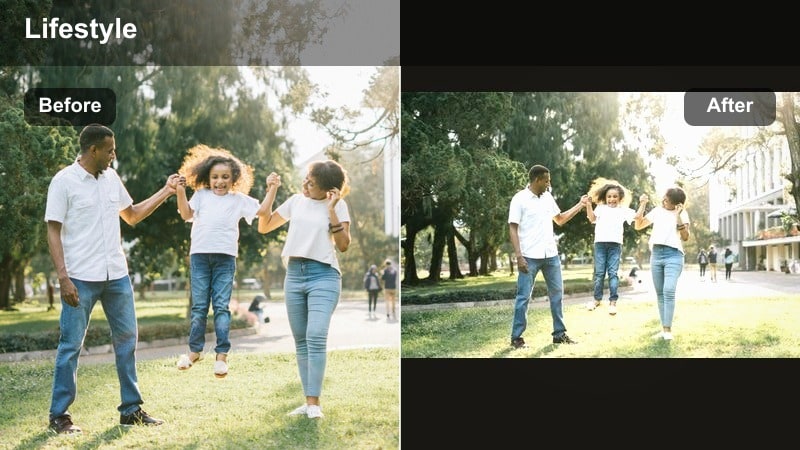
- Effect look: Muted warm tones with creamy highlights that feel like a cozy cafe, enhancing browns, beiges, and latte colors.
- Best for: Cafe work sessions, laptop shots, coffee-pouring b-roll, desk tours, and productivity lifestyle videos.
- Editing tip: Add subtle grain for a slightly analog feel, and raise midtone detail around hands, mugs, and keyboards.
Coffeehouse Warm is tailored to showcase rich browns, wooden textures, and latte art in your lifestyle vlogs. In Filmora, apply it to cafe clips and desk setups to evoke a productive yet cozy atmosphere, especially when paired with typing or writing sounds.
Introduce a small amount of film grain and midtone sharpening so mugs, notebooks, and keyboards stay crisp without spoiling the creamy highlights. This combination creates an inviting working aesthetic ideal for study-with-me or workday vlogs.
Pro Tip: Turn Cafe Clips Into a Branded Intro
Use Coffeehouse Warm on a library of cafe b-roll shots and reuse them as a recurring intro across multiple videos. Familiar keyboard closeups, coffee pours, and window shots quickly become part of your visual identity.
Keep framing and filter strength similar each time you film new cafe footage. When you edit in Filmora, drop in your saved preset to instantly match your past episodes and maintain a recognizable warm, cozy brand feel.
Homey Brunch
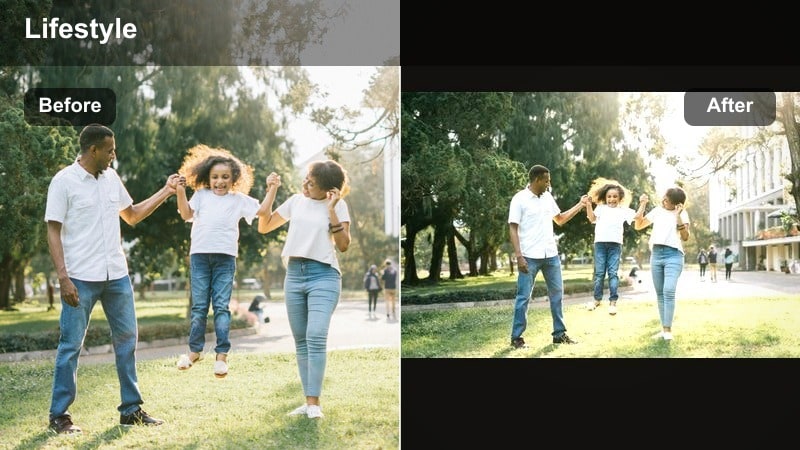
- Effect look: Bright, inviting warmth with crisp whites and boosted yellows that make brunch tables and decor pop.
- Best for: Weekend brunch vlogs, kitchen makeovers, table setups, and family breakfast lifestyle content.
- Editing tip: Protect whites by lowering highlight saturation; fine-tune yellow hue toward a softer, buttery tone for a premium look.
Homey Brunch is made for airy kitchens and colorful breakfast spreads. In Filmora, apply this filter to overhead table shots, cooking sequences, and dining room walkthroughs to brighten the overall frame while keeping plates and linens clean and crisp.
Use the color controls to slightly reduce saturation in highlights so white plates do not turn yellow. Then, steer yellow hues toward a softer, buttery tone so dishes and decor feel fresh and premium rather than neon.
Pro Tip: Combine Homey Brunch With Overhead Shots
Film overhead shots of your brunch spread and apply Homey Brunch to make plates, mugs, and linens visually cohesive. The added brightness and warmth make these clips perfect for intros, recipe reveals, or quick reels.
Stabilize handheld top-down clips inside Filmora so the movement feels smooth and polished. When your framing and filter strength are consistent, viewers will instantly recognize your signature brunch aesthetic.
Sun-Kissed Signature Looks With Warm Tone LUT Style Filters
Sun-Kissed Skin
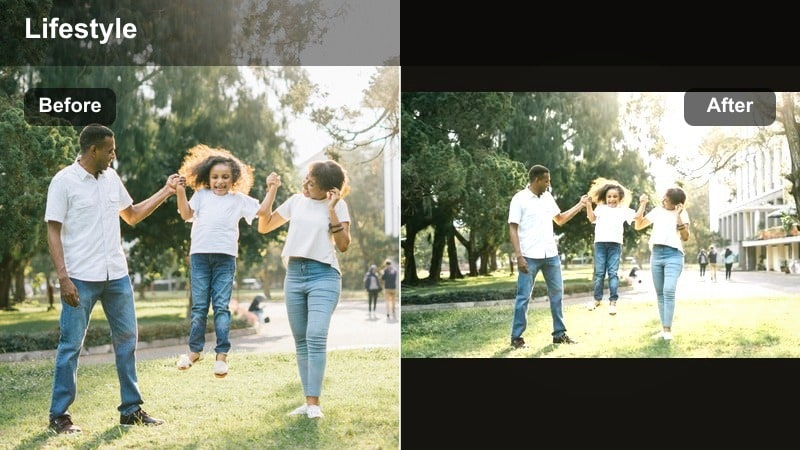
- Effect look: Sculpted warm tones that gently tan skin, add glow to cheeks, and infuse the frame with a subtle bronze cast.
- Best for: Fashion lifestyle videos, outfit of the day clips, and close-up vlogging where flattering skin tone is the focus.
- Editing tip: Use Filmora’s HSL controls to desaturate orange slightly if skin leans too red, and add a soft blur to the background.
Sun-Kissed Skin is built for creators who spend a lot of time close to the camera. In Filmora, apply this filter to talking head clips, outfit breakdowns, and beauty routines to give your skin a gentle bronze glow without looking obviously edited.
After adding the filter, fine-tune orange and red channels in the HSL panel to keep cheeks and noses from becoming too intense. A light background blur or depth-of-field effect will help your warm, glowing face remain the clear focal point of the frame.
Pro Tip: Keep Eyes Crisp With Sun-Kissed Skin
Once you warm your footage, add a small amount of sharpness and saturation around the eyes to keep them bright and engaging. This balances the soft warmth on skin with a point of crisp detail where viewers naturally look first.
If you shoot backlit scenes, lift highlights around hair and shoulders instead of raising overall exposure. This creates a subtle rim light effect that works beautifully with the bronzed tones from Sun-Kissed Skin.
Golden Journey
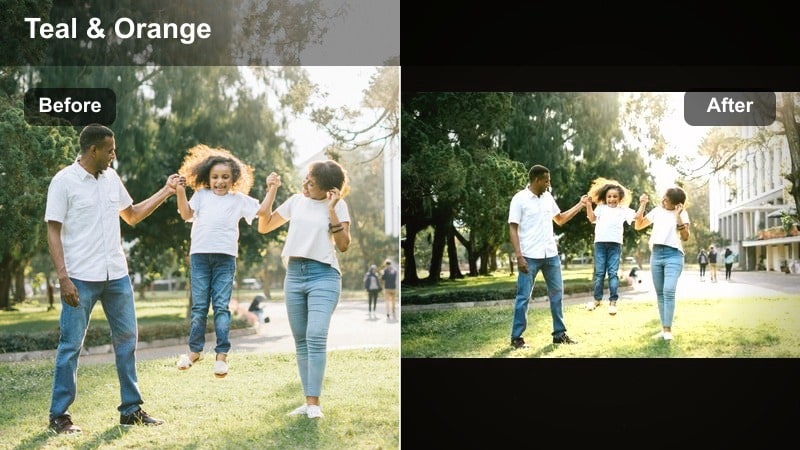
- Effect look: Cinematic warm tones with rich contrast and slightly teal shadows for a modern travel-lifestyle color grade.
- Best for: Travel lifestyle vlogs, city walks, airport days, and on-the-go storytelling with varied lighting conditions.
- Editing tip: Expose slightly darker before applying, then lift midtones to keep skies detailed and skin warm but controlled.
Golden Journey delivers a modern, cinematic travel look that still feels approachable for lifestyle content. In Filmora, use this filter on city walks, train rides, and airport days to blend warm midtones with slightly cooler shadows for stylish contrast.
Underexpose your footage slightly in-camera or with the Color panel before applying the filter so highlights in skies and windows retain detail. Then, raise midtones to bring back faces and key objects, letting the filter tie together varied locations into one cohesive journey.
Pro Tip: Use Golden Journey Across Entire Travel Series
Apply Golden Journey as your base look for every episode in a specific travel series so viewers associate that golden grade with the trip. This visual continuity makes playlists feel more like a single, connected story.
Create a Filmora preset that combines the filter with your preferred titles and transitions. Each time you edit a new episode, apply the preset to save time and maintain a strong, unified brand feel.
Sunlit Minimal
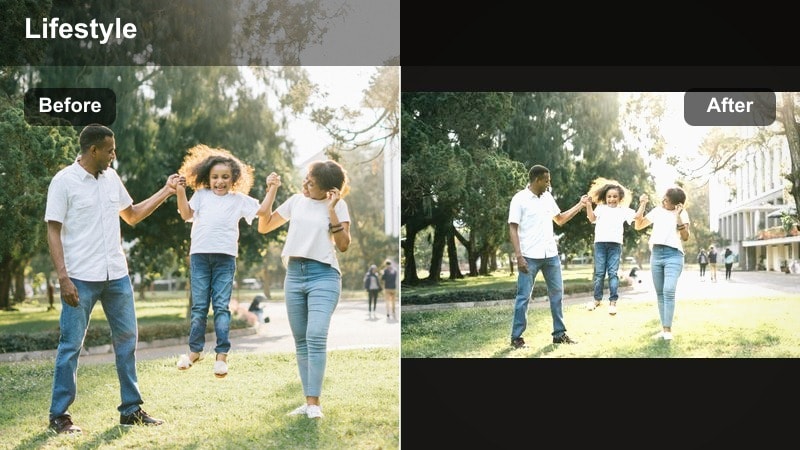
- Effect look: Clean, soft warmth with subtle saturation and minimal contrast changes for a fresh, airy lifestyle aesthetic.
- Best for: Minimalist lifestyle content, room makeovers, wardrobe organization, and aesthetic desk setups in natural light.
- Editing tip: Keep whites neutral by lowering warm tones in highlights while allowing midtones to stay softly golden.
Sunlit Minimal is ideal if your channel leans bright, clean, and clutter-free. In Filmora, apply this filter to room tours, wardrobe edits, and desk setups to introduce a slight golden touch while preserving plenty of pure white and neutral tones.
Reduce warmth in the highlight range so walls, bedding, and stationery stay crisp and not overly yellow. Let midtones carry most of the warmth instead, giving wood, skin, and decor a gentle glow that matches minimalist Instagram-style feeds.
Pro Tip: Build Thumbnails Around Sunlit Minimal
Export still frames from clips graded with Sunlit Minimal and reuse them in your thumbnail designs. This keeps the same gentle warmth and clean aesthetic across both your videos and your channel grid.
Avoid heavy overlays or harsh colors in thumbnail text; let the calm, sunlit look be your main visual identity. Simple fonts and subtle graphics will complement the soft warmth rather than compete with it.
Tips for Using Lifestyle Video Warm Filters in Filmora
- Shoot slightly underexposed during bright golden hour so Filmora’s warm filters can recover detail without blowing out the sky.
- Keep white balance just a bit warm in-camera instead of extremely orange; let your warm lifestyle video filters do most of the color work.
- Use the same warm filter or preset across intros, b-roll, and talking clips to build a recognizable aesthetic for your lifestyle channel.
- Lower saturation in reds and oranges when filming under indoor tungsten lights to prevent skin from turning too orange after warming.
- Save your favorite warm lifestyle video filters as custom presets in Filmora so you can apply them in one click to new projects.
- Use Filmora’s split-screen preview to compare different warm filters side by side and choose the one that flatters skin tones best.
- Combine warm filters with gentle vignette and slight grain to add depth and a subtle film-inspired texture to your lifestyle vlogs.
- Test your warm grades on both desktop and mobile screens to ensure colors stay pleasing and readable for viewers everywhere.
Warm lifestyle video filters give your content a golden, sun-kissed feel that works beautifully for outdoor shots, family vlogs, and everyday aesthetic moments. With the right presets, you can quickly transform flat footage into inviting, cinematic clips your audience loves to watch.
Experiment with a few favorite warm looks in Filmora, save them as presets, and apply them consistently so your lifestyle channel develops a recognizable, inviting visual signature. Over time, this cohesive warm tone becomes a key part of your personal brand across platforms.
