

 100% Security Verified | No Subscription Required | No Malware


 ChatGPT
 Perplexity
 Gemini
 Claude
 Grok
Grok
This Weekend Home Vlog Video LUT filter collection is built for content creators who want their casual weekend moments at home to feel warm, cinematic, and inviting without heavy color grading skills.
Use these filters in Filmora to quickly transform your indoor weekend footage into a cohesive cozy lifestyle vlog, with looks tailored for mornings, afternoons, and nighttime home routines.
In this article
Soft Filters for Slow Weekend Mornings
Soft Window Glow
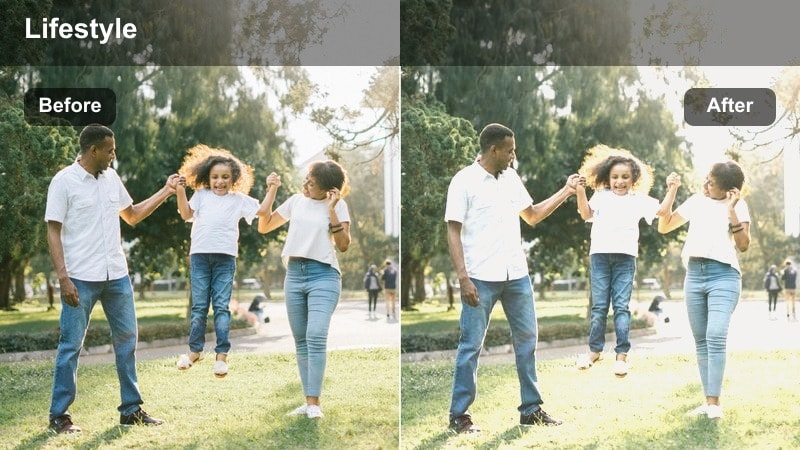
- Effect look: Gentle, low-contrast glow that brightens window light and softens skin tones for a dreamy wake-up feel.
- Best for: Bedside intros, making coffee by the window, quiet reading shots, and soft-focus b-roll of your room.
- Editing tip: Lower the filter intensity if your footage is already very bright to avoid blown-out highlights near windows.
Soft Window Glow is ideal when you want your weekend mornings to feel airy and relaxed without complicated color grading. In Filmora, apply this LUT to clips with strong natural window light so it can gently lift exposure, soften contrast, and smooth skin tones while keeping a realistic, lived-in look.
For best results, use Soft Window Glow early in your color workflow, then fine-tune exposure and contrast on an adjustment layer. If text on mugs, books, or phones starts to look too hazy, add a touch of clarity or sharpness so small details remain readable while the dreamy atmosphere stays intact.
Match Your Weekend Home Vlog Aesthetic With AI
Use Filmora s AI tools to quickly balance color and exposure before applying your Weekend Home Vlog Video LUT filters. Automatic detection of faces, indoor lighting, and mixed color temperatures gives you a clean, neutral base so cozy morning looks like Soft Window Glow stay natural instead of washed out.
Once AI has evened out your clips, you can apply one LUT across multiple scenes and get a consistent, polished weekend vlog without manual keyframing. This workflow is especially helpful when shooting in small apartments where every room has slightly different light.
 secure download

Preview Weekend Filters on Real Home Vlog Clips
Before you commit to a full weekend color grade, test each Weekend Home Vlog Video LUT on a short montage of your apartment. In Filmora, you can quickly cycle through filters like Soft Window Glow or Warm Breakfast Corner to see how they react to windows, lamps, and overhead bulbs in your real space.
Use the split-screen or before and after previews to compare a neutral base against your chosen LUT. This makes it easy to decide which look should be your main filter and which ones you will reserve for special morning or evening sequences.
secure downloadBuild a Weekend Home Vlog Filter Stack
Filmora includes 1000 plus video filters and 3D LUTs, so you can stack this Weekend Home Vlog collection with additional looks to create a signature style. Start with a neutral base like Clean Living Room Neutral, then add a warm or faded LUT on top for extra coziness.
Once you have a combination you love, save it as a custom preset in Filmora. This lets you apply the same weekend home vlog stack to future episodes with one click, keeping your channel branding steady and recognizable.
secure downloadWarm Breakfast Corner
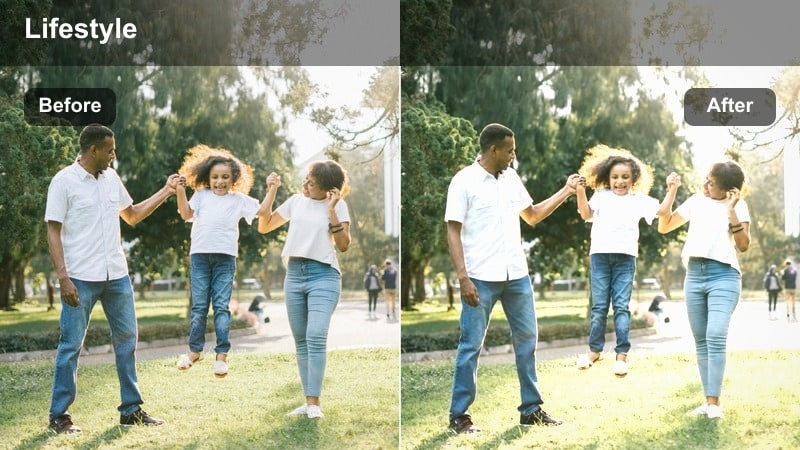
- Effect look: Warm, slightly desaturated filter that makes indoor light feel golden and cozy without oversaturating colors.
- Best for: Kitchen table shots, breakfast prep b-roll, and chatting to camera while sitting at a small dining nook.
- Editing tip: If your kitchen uses cool LED lights, add a touch of temperature warmth after applying this filter to keep skin tones flattering.
Warm Breakfast Corner gives your kitchen and dining clips a gentle golden tone that feels like a slow weekend morning, even if you filmed under plain overhead bulbs. In Filmora, apply this LUT to any cooking, coffee, or table scenes where you want food, mugs, and wood textures to feel inviting but not overly saturated.
Because many apartments mix window daylight with cool LEDs, use the Color or White Balance controls in Filmora to nudge temperature slightly warmer after the LUT is applied. Lock your camera on a tripod for steady table shots, then trim the clips a bit tighter so the warm mood looks intentional and keeps your audience focused on your morning routine.
Lazy Sunday Fade
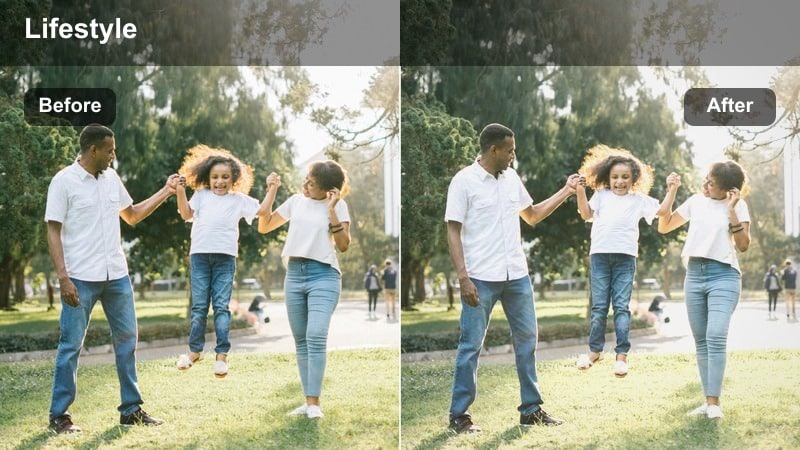
- Effect look: Soft faded contrast with muted highlights and gentle shadows for a relaxed, film-inspired morning vibe.
- Best for: Pajama clips, bed-making montages, calm talking segments, and minimalist home b-roll.
- Editing tip: Add a subtle vignette after this filter to keep focus on your face or the center of your bedroom frame.
Lazy Sunday Fade adds a delicate, film-like wash to your footage by lowering contrast and slightly muting highlights. In Filmora, it works especially well on bedroom scenes, minimal decor shots, and any quiet moments where you want the visuals to feel nostalgic instead of ultra-crisp.
After applying the LUT on an adjustment layer, experiment with a light vignette and simple crossfades between clips to maintain the calm tone. Pair this look with softer, low-tempo background music so your viewers feel the gentle, slow-burn pacing of a real lazy Sunday at home.
Balanced Filters for Daytime Home Activities
Clean Living Room Neutral
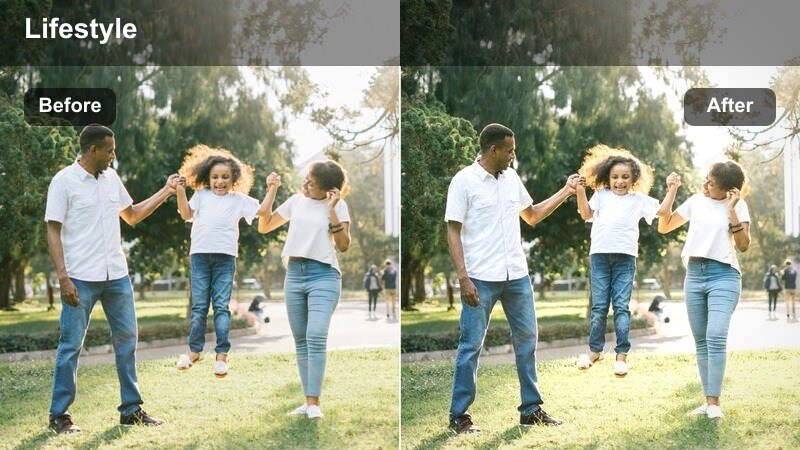
- Effect look: Neutral, brightening filter that evens out mixed lighting while preserving natural wall and furniture colors.
- Best for: Living room cleaning montages, organizing sessions, and wide shots of your apartment layout.
- Editing tip: Boost exposure slightly, then lower highlights to keep windows from clipping in wide living room shots.
Clean Living Room Neutral is designed to be your everyday base look for most home vlog scenes. In Filmora, this LUT gently lifts brightness and evens out color so your walls, couch, and decor look clean and true to life, making it ideal for talking head segments and wide living room shots.
Use this filter on an adjustment layer that covers your main storyline clips, then fine-tune exposure and highlight controls to protect detail near windows. Once you dial in the perfect intensity, save it as a custom preset so your entire weekend vlog series can share the same neutral, polished living room aesthetic.
Minimal Work Session
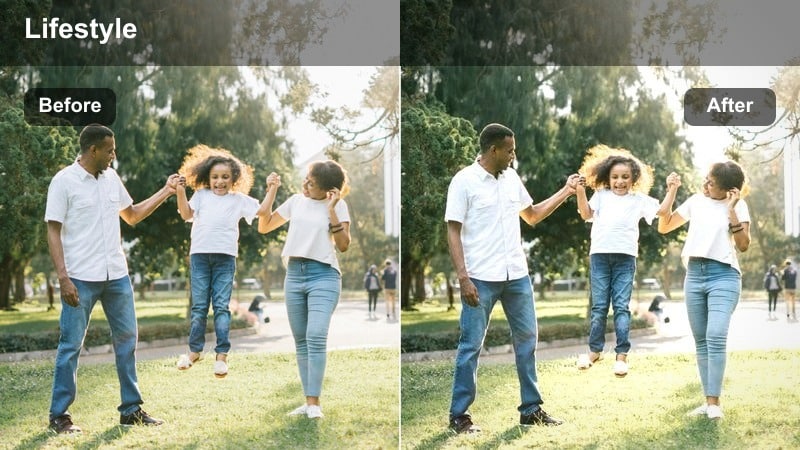
- Effect look: Cooler, slightly contrasty filter that makes desks and screens look clean and modern without harsh edges.
- Best for: Laptop work, planning content at your desk, or weekend study sessions at home.
- Editing tip: After applying, nudge saturation down a little to avoid distracting colored objects around your workspace.
Minimal Work Session is perfect for productivity-focused segments where you show your laptop, planner, or editing timeline. In Filmora, the cooler tone and modest contrast make your workspace feel organized and modern while keeping text on screens and notebooks legible.
Apply this LUT only to your desk and office clips so they feel visually distinct from warmer living areas. Then slightly reduce saturation or individually tone down bright accent colors in the Color panel, keeping viewer attention on your workflow, task list, and hands rather than clutter in the background.
Plants And Sunlight
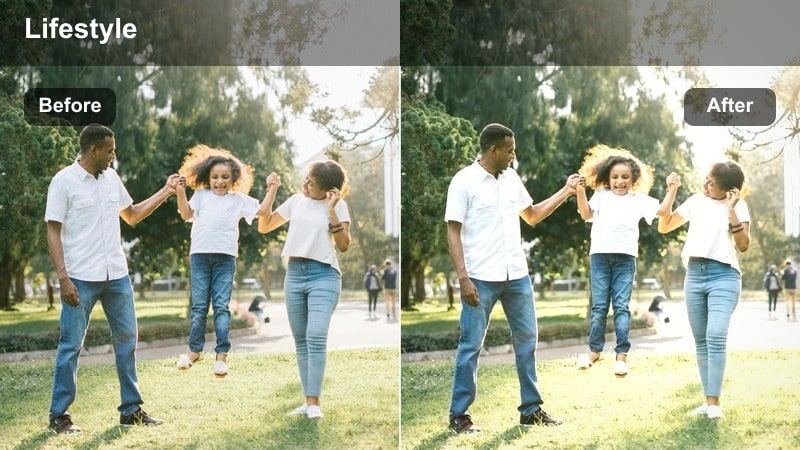
- Effect look: Soft warm filter with slightly lifted shadows to make sun patches on floors and furniture feel gentle and inviting.
- Best for: Window-side lounging, reading on the couch, or capturing sunspots moving across your room.
- Editing tip: Slow your clips slightly or use subtle speed ramps to highlight the movement of light in your home.
Plants And Sunlight enhances natural rays streaming across floors, plants, and furniture, giving your daytime shots a relaxed glow. In Filmora, it slightly lifts shadows so details in darker corners remain visible while still emphasizing the warmth of direct sunlight.
Use this LUT on clips captured near windows or balcony doors, then experiment with gentle slow motion or speed ramps to showcase light drifting across your space. Cutting together several angles from the same corner across the day can create a simple time-lapse feel that adds cinematic storytelling to your weekend home vlog.
Cozy Filters for Indoor Weekend Activities
Movie Night Sofa
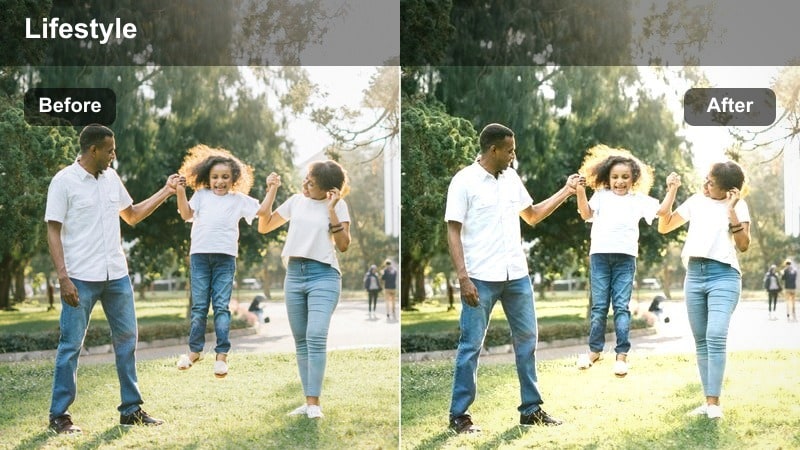
- Effect look: Low-light friendly filter with lifted shadows and gentle warmth to keep faces visible during dim movie scenes.
- Best for: Watching shows on the couch, gaming sessions, or couch chats with ambient screen light.
- Editing tip: Reduce noise with Filmora s denoise tool after applying this filter if your footage was shot in very dark conditions.
Movie Night Sofa is tailored for dim living rooms where the main light source is your TV or monitor. In Filmora, this LUT raises shadow detail and adds a touch of warmth so your face and expressions stay visible without destroying the cozy darkness of the room.
Combine the filter with Filmora s built-in noise reduction if you shot at higher ISO, and keep a floor lamp or small practical light on in the background to give the LUT some warm tones to enhance. By exposing slightly for your face while filming, you will get the best balance of cinematic mood and watchable detail once the LUT is applied.
Journaling Corner
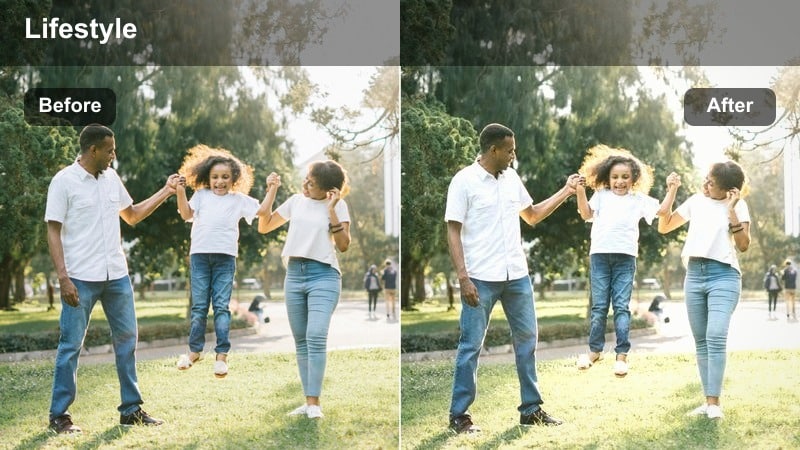
- Effect look: Soft focus feel with subtle matte shadows and gentle color warmth for reflective, calm scenes.
- Best for: Writing in a notebook, planning content, or capturing quiet reflective moments at a small home corner.
- Editing tip: Combine this filter with close-up shots of hands and stationery to create textured, tactile b-roll.
Journaling Corner is made for reflective, slower-paced clips where you want viewers to feel grounded in your space. In Filmora, the LUT softens contrast and slightly warms tones, giving notebooks, blankets, and floor cushions a gentle, tactile presence on screen.
Layer this look over close-ups of hands writing, flipping pages, or highlighting text to build a detailed, sensory sequence. Record a few seconds of room tone and pen-on-paper sounds, then place them under your timeline so the soft visual grade and ambient audio work together to create an intimate, meditative mood.
Weekend Hobby Focus
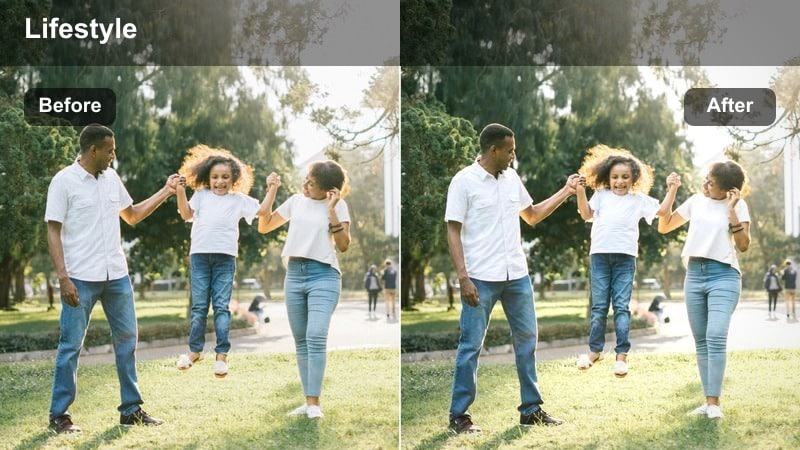
- Effect look: Moderate contrast and clarity with neutral colors that keep hands and objects sharp and attention-grabbing.
- Best for: Indoor hobbies like drawing, crafting, or assembling items at a table or floor space.
- Editing tip: Shoot from multiple angles and use quick cuts so the energetic clarity of this filter matches the pace.
Weekend Hobby Focus emphasizes edges, textures, and small objects, making it ideal for hands-on activities filmed at home. In Filmora, the LUT adds moderate contrast and clarity while keeping colors neutral, so your paints, tools, or craft supplies pop without looking oversaturated.
Plan a simple shot list that includes wides, over-the-shoulder views, and close-ups of detailed motions. After applying the LUT, cut out long pauses and use slightly quicker pacing with light background music so the sharpness and clarity of the grade match the productive, creative energy of your hobby segment.
Warm Filters for Evening Wind-Down Scenes
Golden Lamp Glow
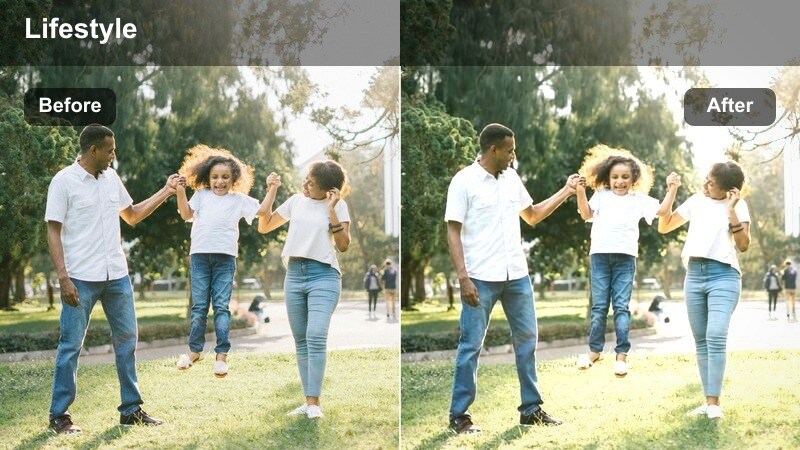
- Effect look: Rich golden warmth with softened highlights that makes apartment lamp light feel cinematic and intimate.
- Best for: Nighttime check-ins on the couch, reading under a lamp, or evening chats from your favorite chair.
- Editing tip: Slightly lower saturation on bright colored decor so the golden tone stays elegant, not orange.
Golden Lamp Glow turns ordinary lamp light into a cinematic, amber-toned atmosphere that feels perfect for end-of-day reflections. In Filmora, this LUT warms midtones and gently rolls off highlights so lamp bulbs stay soft while your skin tones look flattering and inviting.
When filming, expose for your face instead of the lamp to avoid harsh clipping, then apply the LUT and adjust saturation if any decor starts to look too orange. Framing lamps near the edge of the shot and keeping your expression centered will allow the filter to add depth and mood without competing with your on-camera storytelling.
Night Routine Soft
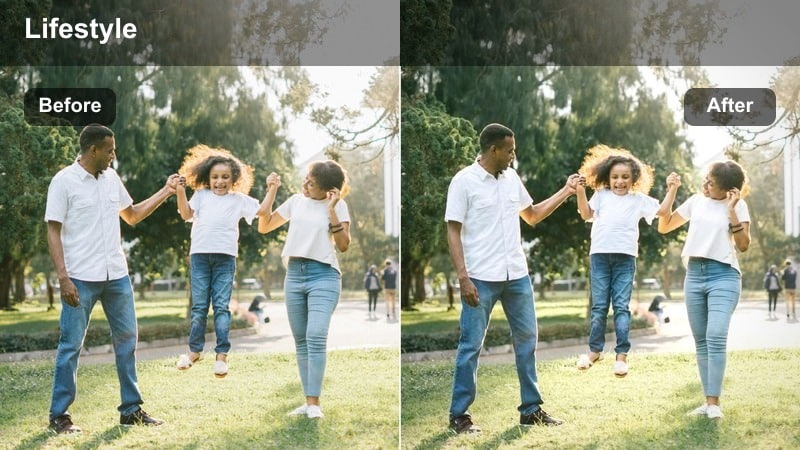
- Effect look: Gentle low-contrast evening filter that smooths indoor shadows and keeps colors calm for bedtime routines.
- Best for: Skincare routines, laying out clothes for Monday, or cleaning up your apartment before sleep.
- Editing tip: Use slower crossfades or dip-to-black transitions so the soft filter complements your wind-down pacing.
Night Routine Soft is designed to make your bedtime clips look soothing and unhurried. In Filmora, the LUT reduces contrast and tames strong colors, helping overhead and bedside lamps blend smoothly so your skincare, closet, and tidy-up shots feel calm and intentional.
Apply this look across your whole night sequence so viewers experience a consistent, relaxing palette from start to finish. Pair it with slower transitions like crossfades or dip-to-black, and keep your background uncluttered so the gentle grade highlights your wind-down actions instead of distracting objects.
City Lights Window
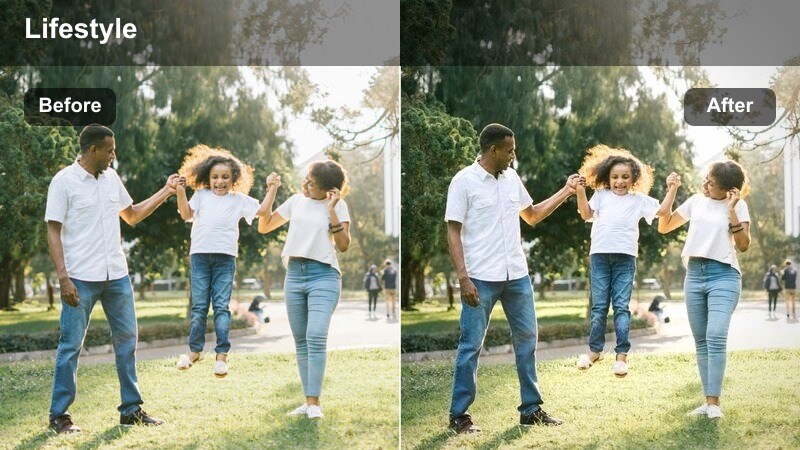
- Effect look: Cooler evening filter that enhances outside city lights while keeping indoor tones balanced and natural.
- Best for: Talking to camera with a city view behind you, reflective shots looking out the window, or closing monologues.
- Editing tip: Position yourself at an angle to the window so both your face and the city view catch enough light for this filter.
City Lights Window adds a subtle cool touch to your evening scenes, emphasizing neon signs, building windows, and distant traffic outside while preserving natural indoor skin tones. In Filmora, this LUT is a strong choice for intros or outros where the city backdrop is part of your story.
To get the most from this look, film at an angle to your window so screen or lamp light falls on your face and the skyline remains visible. Apply the LUT and fine-tune exposure and shadows until both you and the city details are clear, then add soft background music so your closing monologue feels polished and cinematic.
Tips for Using Weekend Home Vlog Video Lut Filters in Filmora
- Pick one main filter, such as Clean Living Room Neutral, for most of your weekend home vlog and reserve specialized looks for key scenes like mornings or nighttime segments.
- Film at the brightest times of day available in your apartment so softer filters like Soft Window Glow and Lazy Sunday Fade have enough natural light to work with.
- Keep white balance consistent in-camera to avoid unexpected color shifts when you apply warmer or cooler Weekend Home Vlog Video LUT filters in Filmora.
- Use adjustment layers in Filmora to apply a LUT across multiple clips at once, then tweak opacity or color settings without editing every single shot.
- Stack one neutral LUT with a warm or faded filter, then save the result as a custom preset for a recognizable, reusable weekend home vlog style.
- Export a short 20 to 30 second test sequence and watch it on your phone to confirm that your chosen LUT still looks natural on smaller screens.
- Organize your timeline by time of day so you can quickly apply matching filters to morning, daytime, and evening sections for a cohesive flow.
The Weekend Home Vlog Video LUT filter collection is designed to help content creators turn simple indoor moments into cinematic, cozy lifestyle stories without complex color grading.
Experiment with a few looks, save your favorites as presets in Filmora, and build a weekend home vlog style that feels both polished and true to your everyday life.
secure downloadNext: Explore an Indoor Cozy Lifestyle Filter Pack for Your Next Video
