

 100% Security Verified | No Subscription Required | No Malware


 ChatGPT
 Perplexity
 Gemini
 Claude
 Grok
Grok
Woodland Fern sits in the sweet spot between earthy and refreshing. It feels calm, stable, and quietly alive, like a shaded path under tall trees. In color psychology, these deep, natural greens signal balance, trust, and restoration, which makes them perfect for creators who want content to feel grounded instead of overly glossy or artificial.
For video editors, designers, and thumbnail creators, Woodland Fern color palettes can pull a whole project together, from cinematic intros and B-roll to channel branding, logos, and social banners. Below are ready-made Woodland Fern color combinations with HEX codes, so you can quickly apply them in Filmora or your design tools and keep your visuals consistent across thumbnails, title cards, and full edits.
In this article
Calm & Natural Woodland Fern Color Palettes
Forest Trail Morning Haze
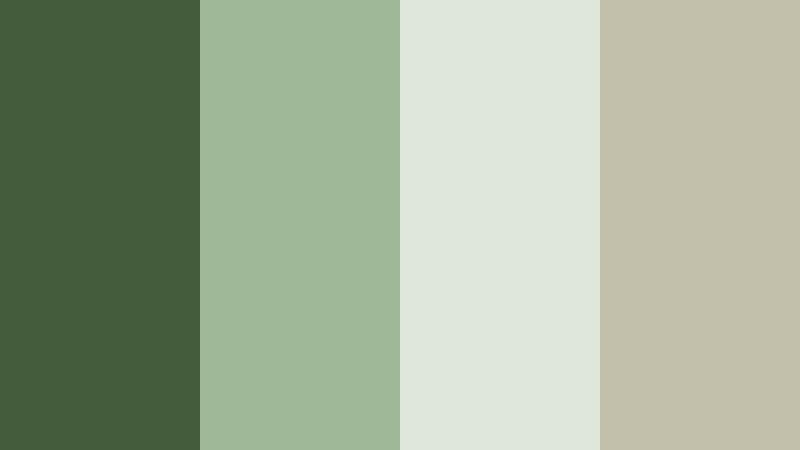
- HEX Codes: #445c3c, #9fb898, #dfe7da, #c2c0aa
- Mood: Quiet, grounded, and slightly misty, like a cool walk through dense forest at sunrise.
- Use for: Great for cinematic travel vlogs, outdoor documentaries, and minimalist title cards that need a serene, nature-first mood.
This palette blends deep Woodland Fern greens with soft, hazy neutrals, creating a look that feels like cool air and early light rolling across a forest path. The contrast is gentle rather than harsh, which makes it perfect for scenes that should feel calm, meditative, and real.
Use the darkest green for typography, lower thirds, or logo marks, then let the lighter tones carry backgrounds, borders, and thumbnail frames. In Filmora, this combination works beautifully for hiking videos, slow travel films, and eco-brand intros where you want every frame to whisper calm instead of shouting for attention.
Pro Tip: Build a Cinematic Woodland Fern Look in Filmora
To keep this misty Woodland Fern feeling consistent from intro to end screen, build a simple look in Filmora and reuse it across your project. Start by color grading one hero shot with deep, cool greens in the shadows and soft neutral highlights, then save those settings as a preset so your B-roll, talking head, and overlay graphics all share the same forest-trail mood.
You can also coordinate your titles and motion graphics with the palette: pick the darkest green for text, the mid greens for shape layers, and the pale tones for safe, readable backgrounds. This way, thumbnails, opening titles, and chapter cards all feel like part of the same calm Woodland Fern story.
AI Color Palette
If you have a still frame or mood board that nails this Forest Trail Morning Haze look, you can turn it into a full video style with Filmora's AI tools. Filmora's AI Color Palette feature lets you sample colors from a reference image and apply that palette to your footage so your greens, neutrals, and highlights stay consistent across every cut.
Import your reference frame, let AI analyze the Woodland Fern tones, then match the rest of your clips to that style. This is especially useful for creators who shoot on different days or cameras but want a single unified forest inspired aesthetic across YouTube episodes, Reels, and Shorts.
 secure download

HSL, Color Wheels & Curves
Once your base Woodland Fern look is in place, use HSL, color wheels, and curves in Filmora to fine-tune it. Slightly desaturate yellows while keeping greens rich to avoid a muddy forest, or lift the shadows just a touch so your misty scenes stay soft rather than overly dramatic. You can push midtones toward cooler greens for a fresh, morning forest effect, or nudge them warmer if you want a late afternoon woodland vibe.
Color wheels are great for separating skin tones from the background: keep shadows and highlights in the green palette while steering midtones toward natural skin hues. Curves let you add gentle S-curve contrast that keeps the forest feeling cinematic without crushing detail in darker greens. For more ideas, explore Filmora's tutorials on advanced color grading with curves and wheels.
secure download1000+ Video Filters & 3D LUTs
If you do not want to build a full grade from scratch, Filmora's video filters and 3D LUTs make it easy to stylize your Woodland Fern palette. Choose soft film looks or earthy LUTs and then tweak the intensity so your greens stay natural while still getting that cinematic polish.
You can apply different LUTs to intros, B-roll, and thumbnails, then adjust them so the overall color story still feels like one forest inspired brand. This saves time and helps even quick edits and vertical clips feel thoughtfully graded.
secure downloadMossy Creek Reflection
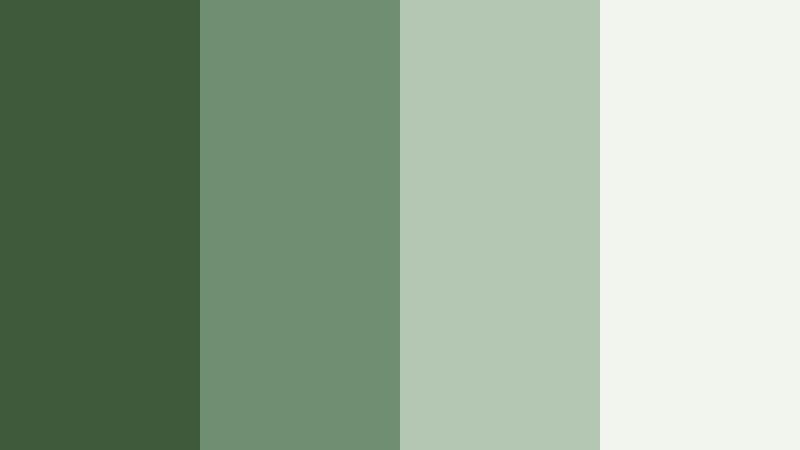
- HEX Codes: #3f5a3a, #6f8f72, #b4c7b2, #f1f5ee
- Mood: Reflective and soothing with a clean, refreshing lift.
- Use for: Perfect for talking head content, productivity channels, and brand intros that want to feel trustworthy, natural, and polished.
Mossy Creek Reflection mixes grounded greens with pale, waterlike highlights. It has the feeling of a quiet stream with soft light catching on the surface, clean enough for professional content but still rooted in nature.
Use the deeper greens for background blocks behind your titles and the lighter tones for text boxes, icons, and UI elements. In Filmora, this palette works well for desk setups, study vlogs, productivity tips, and any brand that wants to promise clarity and calm rather than chaos.
Evergreen Cabin Retreat
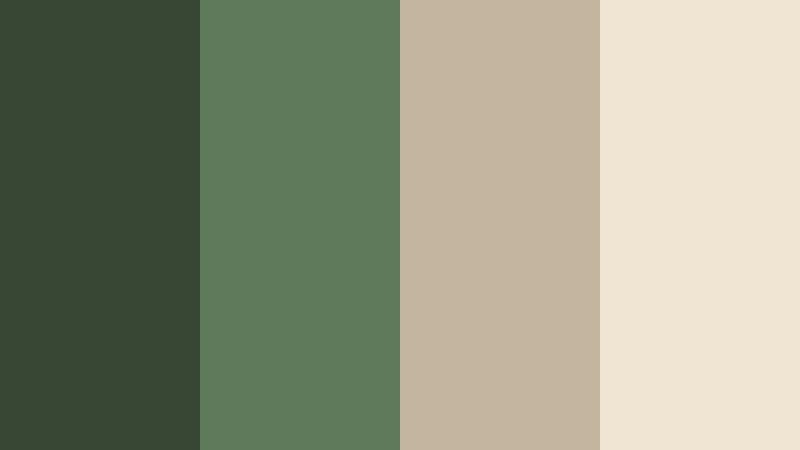
- HEX Codes: #374733, #5f7a5a, #c3b59f, #f0e4d3
- Mood: Cozy, rustic, and welcoming like a weekend escape in the woods.
- Use for: Use for intro cards, lower thirds, and channel branding focused on slow living, camping, or cabin life aesthetics.
Evergreen Cabin Retreat combines deep Woodland Fern greens with warm, wood toned neutrals. It feels like firewood stacked beside a forest cabin and sunlight spilling over worn wooden tables.
This palette is ideal for slow living vlogs, cabin tours, and outdoor retreat promos. Let the greens dominate your footage and overlays, while the beige and tan shades frame your thumbnails, callout boxes, and logo elements for a welcoming, story-rich aesthetic.
Fern Shadow Canopy
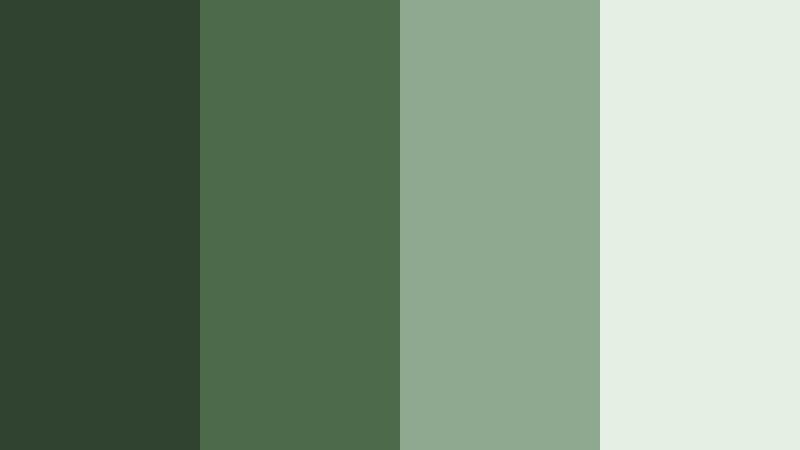
- HEX Codes: #2f4330, #4d6b4a, #8ea990, #e5efe4
- Mood: Shaded, cool, and introspective with a gentle light filtering in.
- Use for: Ideal for moody b roll sequences, cinematic reels, and polished UI backgrounds that need depth without harsh contrast.
Fern Shadow Canopy lives in the cool side of Woodland Fern, emphasizing depth and shade. The darker greens feel like the undergrowth under tall trees, while the lighter tones mimic soft light filtering through leaves.
Apply this palette to moody cinematic edits, reflective travel diaries, or nature inspired app demos. Dark greens can be used for full screen backgrounds, with the lighter mints for buttons, labels, and subtle highlight lines so your content feels polished but never sterile.
Wild Herb Meadow
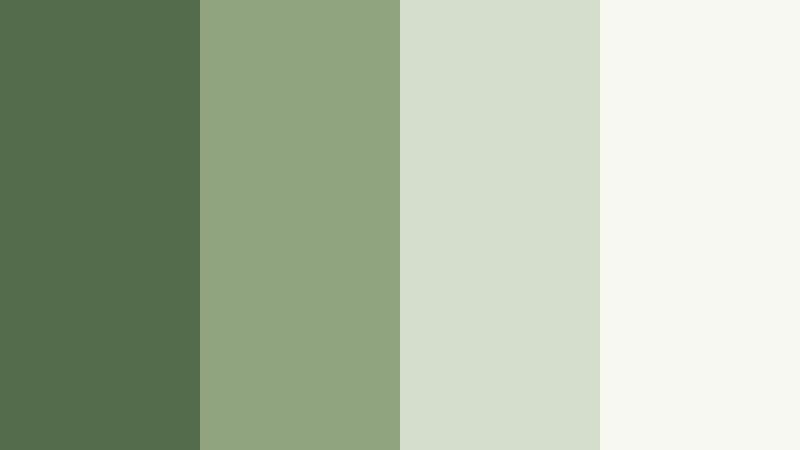
- HEX Codes: #546c4c, #8fa37f, #d4ddc9, #f7f8f2
- Mood: Fresh, airy, and herbal with a light countryside charm.
- Use for: Great for DIY, garden, and wellness content thumbnails where you want a bright but still natural look.
Wild Herb Meadow brightens Woodland Fern into a light, garden fresh palette. The herbaceous greens feel uplifting, while the off whites keep everything clean and easy on the eyes.
It is a strong choice for gardening channels, DIY projects, skincare content, and lifestyle thumbnails. Use the mid greens for headers and icons, then rely on the pale tones for background panels, lower thirds, and breathable layouts that feel fresh but not neon.
Elegant & Modern Woodland Fern Color Palettes
Urban Fern Minimal
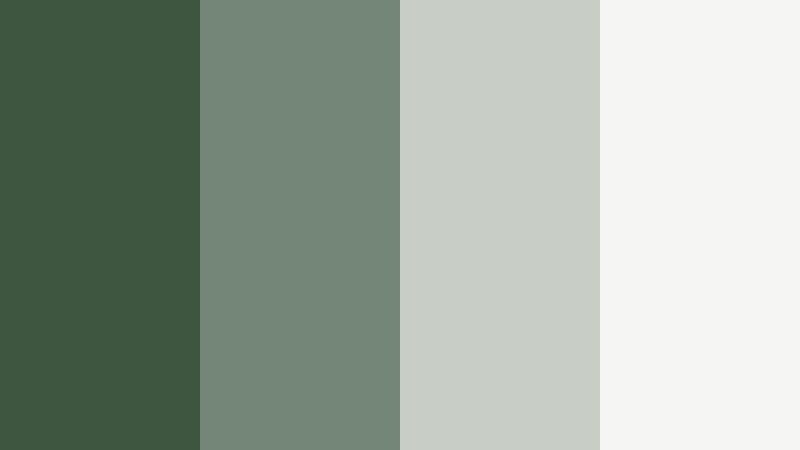
- HEX Codes: #3e5640, #738678, #c8cdc6, #f5f5f3
- Mood: Modern, understated, and quietly sophisticated.
- Use for: Ideal for tech explainers, portfolio reels, and modern brand identities that want a subtle nature inspired twist.
Urban Fern Minimal softens Woodland Fern with cool grays and crisp off white. It keeps a connection to nature while fitting seamlessly into a modern, urban visual style.
Use the deepest green for logos and main headings, the mid grays for interface panels, and the lightest tone as your clean background. In tech explainers or portfolio reels, this palette makes your graphics feel contemporary while gently signaling eco awareness and calm.
Glasshouse Atrium Glow
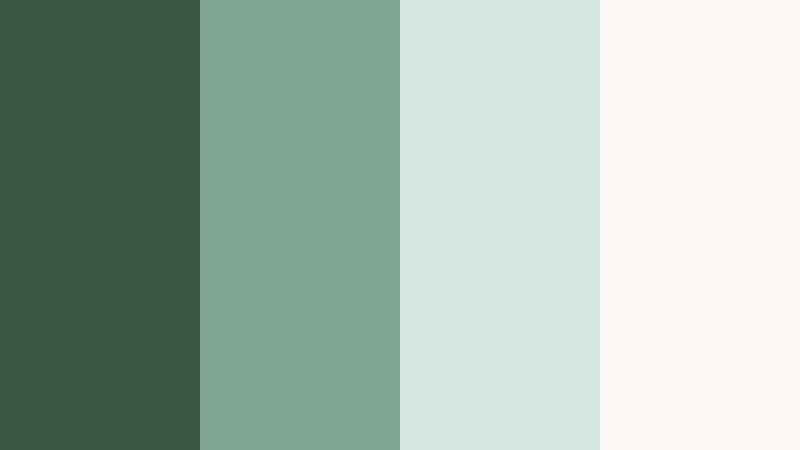
- HEX Codes: #3a5841, #7da490, #d7e6dd, #fdfaf5
- Mood: Light filled, cultivated, and refined like a curated glasshouse.
- Use for: Use in product promos, skincare or design tutorials, and brand openers that need a polished but organic aesthetic.
Glasshouse Atrium Glow feels airy and curated, like a perfectly arranged indoor garden. The greens are softened and slightly translucent, paired with bright neutrals that create a sense of space and light.
This palette works especially well for high end product shots, skincare routines, and design walkthroughs. Use the medium greens for gentle gradients behind products, and let the lightest shade dominate clean, high key thumbnails and intro frames.
Olive Stone Gallery
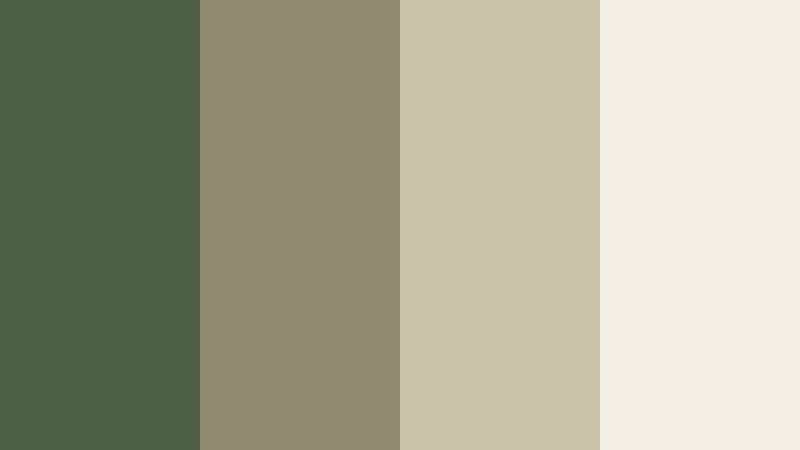
- HEX Codes: #4c5e46, #8f8b73, #c9c1a9, #f3eee3
- Mood: Artful, composed, and gallery ready with a hint of warmth.
- Use for: Great for case study videos, portfolio showcases, and typography focused layouts that need quiet elegance.
Olive Stone Gallery mixes leafy greens with stone neutrals, giving your visuals a gallery like calm. It is elegant without being cold, ideal for content where the design itself should feel curated.
Use the darker tones behind bold typography and the softer creams for text areas and clean slides. In Filmora, pair this palette with slow transitions and simple motion to make case studies, lookbooks, and brand stories feel elevated and timeless.
Rainwashed Concrete Fern
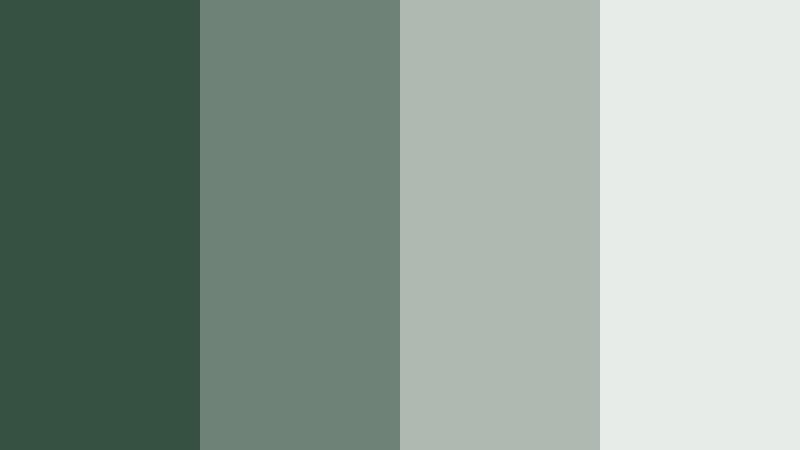
- HEX Codes: #365141, #6f8278, #aeb9b1, #e7ece8
- Mood: Cool, rain soaked, and sophisticated with subtle depth.
- Use for: Perfect for documentary intros, tech lifestyle pieces, and professional brand videos that avoid overly bright colors.
Rainwashed Concrete Fern balances muted Woodland Fern greens with cool concrete grays. It has a rain after feel that is professional and quietly cinematic.
Choose this palette for documentary style intros, minimalist tech or architecture features, and LinkedIn ready brand explainers. The darker greens add depth to frames and overlays, while the gray neutrals keep charts, diagrams, and lower thirds looking refined.
Warm & Rustic Woodland Fern Color Palettes
Campfire Fern Evenings
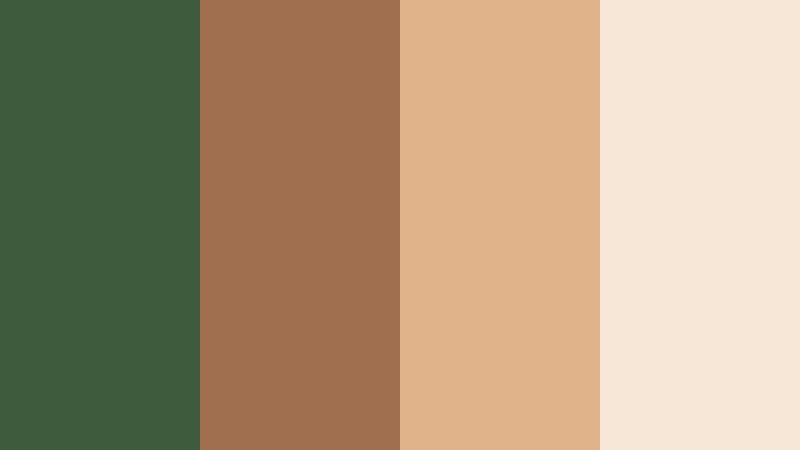
- HEX Codes: #3f5b3d, #a06f4f, #e1b38a, #f6e7d7
- Mood: Warm, nostalgic, and adventurous with a cozy campfire glow.
- Use for: Use in travel vlogs, camping intros, and storytelling videos that mix nature with warmth and human connection.
Campfire Fern Evenings pairs smoky Woodland Fern greens with ember like browns and golden highlights. It feels like swapping stories by the fire under pine trees.
This palette is perfect for outdoor adventure channels, camp recaps, and nostalgic storytime videos. Use the warm browns for accents and text, with the deep green grounding your backgrounds and frames so the whole edit feels adventurous yet intimate.
Woodland Market Morning
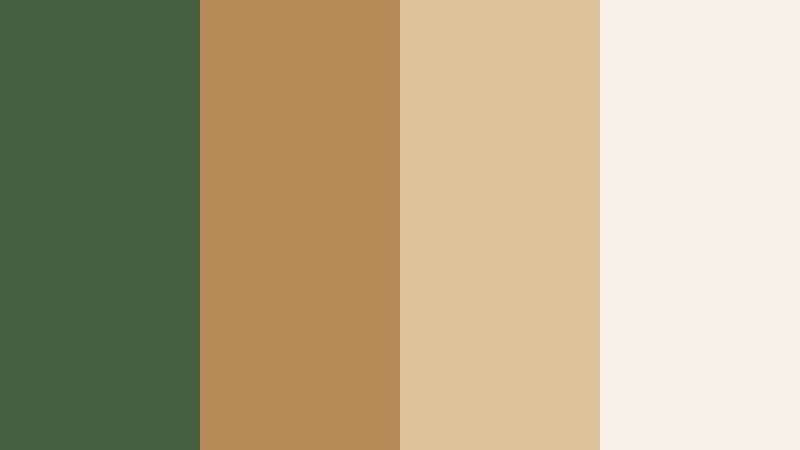
- HEX Codes: #476043, #b58b57, #ddc29a, #f9f1e5
- Mood: Friendly, artisanal, and sunlit like a local forest market.
- Use for: Great for food channels, craft tutorials, and farmer market themed branding that needs organic warmth.
Woodland Market Morning combines organic greens with honeyed browns and creamy highlights. It carries the warmth of a small local market where produce, coffee, and handmade goods share the same sunlit space.
Apply this palette to food videos, coffee shop promos, craft tutorials, and any channel that leans into handmade, local, or sustainable themes. Let the green carry your base style, then use the warm browns for buttons, badges, and price tags in overlays or lower thirds.
Autumn Grove Storybook
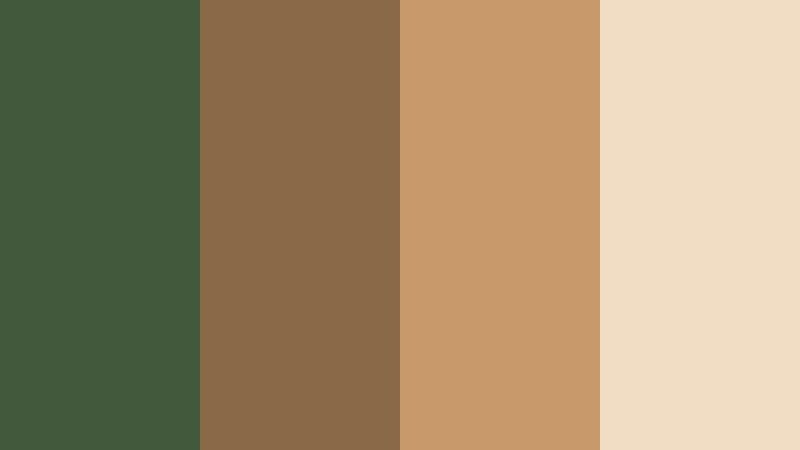
- HEX Codes: #42593b, #8a6a46, #c89a6b, #f1ddc3
- Mood: Storybook, nostalgic, and softly cinematic.
- Use for: Perfect for intros and credit sequences of narrative shorts, cozy reading vlogs, or fall themed content.
Autumn Grove Storybook blends fern greens with soft autumn browns, echoing turning leaves beneath a forest canopy. It has a nostalgic, slightly cinematic warmth that feels perfect for storytelling.
Use this palette for narrative intros, chapter cards, and end credits, especially in fall or cozy reading themed content. The greens keep your brand rooted in Woodland Fern, while the browns and creams add a gentle seasonal glow to your titles and thumbnails.
Soft & Dreamy Woodland Fern Color Palettes
Misted Fern Daydream
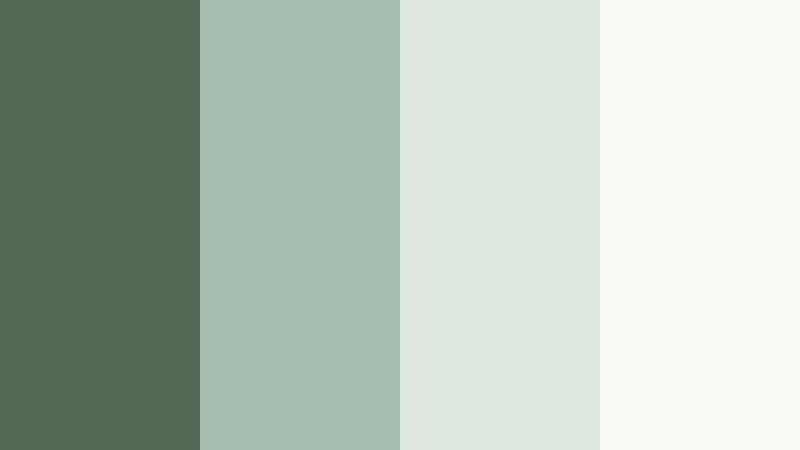
- HEX Codes: #546a57, #a7bfb0, #dde8df, #fafbf6
- Mood: Weightless, dreamy, and calm with a soft focus haze.
- Use for: Ideal for aesthetic vlogs, morning routines, and lo fi edits where you want a light, dreamy filter feel.
Misted Fern Daydream takes Woodland Fern into a dreamy, desaturated space. The greens are softened and wrapped in foggy pastels and near white highlights.
It is a natural fit for morning routines, study aesthetics, and lo fi edits. In Filmora, combine this palette with slightly lowered contrast and gentle blur or grain to create thumbnails and scenes that feel like memories rather than raw footage.
Leaf Whisper Pastels
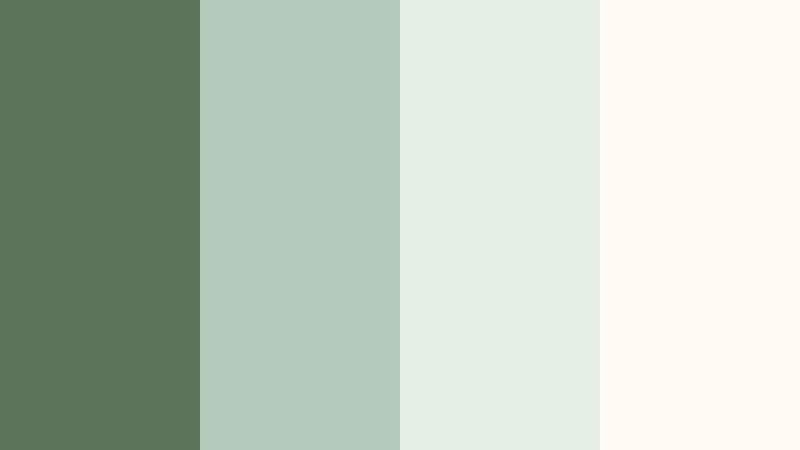
- HEX Codes: #5b7358, #b3cbbd, #e6efe6, #fffaf3
- Mood: Whisper soft, hopeful, and delicate with a spring like lift.
- Use for: Use for wellness reels, affirmation videos, and brand kits aimed at mindfulness or self care content.
Leaf Whisper Pastels keeps the Woodland Fern base but surrounds it with light, hopeful pastels. It has a gentle spring energy that feels optimistic and calm.
Choose this palette for wellness brands, mindfulness channels, affirmation shorts, and soft educational content. Let the darker green act as a subtle anchor in icons or logos, while the pastels make your backgrounds, frames, and text boxes feel weightless and inviting.
Twilight Fern Lullaby
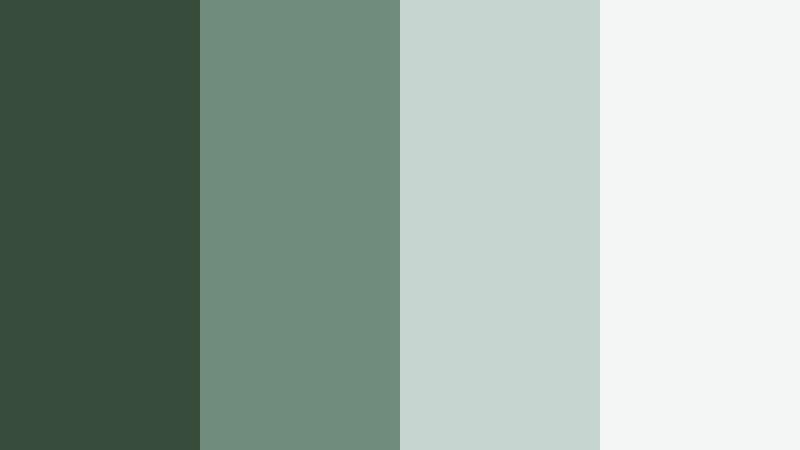
- HEX Codes: #374c3b, #708c7d, #c4d5cf, #f3f6f4
- Mood: Hushed, twilight calm with a hint of cinematic romance.
- Use for: Great for closing sequences, credits, and slow cinematic b roll in reflective or emotional edits.
Twilight Fern Lullaby leans into dusk like tones: deeper greens fading into misty, cool highlights. It holds a quiet cinematic romance, ideal for winding your videos down.
Use this palette for end screens, closing sequences, and reflective B-roll. The darker greens work well for fade to color transitions and overlay shapes, while the pale tones keep your end cards and credits readable and soft.
Tips for Creating Woodland Fern Color Palettes
When you build your own Woodland Fern color combinations for video and design, think about balance between depth and light, and how your greens will support legibility, mood, and branding across intros, thumbnails, and full edits.
- Pair Woodland Fern with warm neutrals (beiges, taupes) for rustic or cozy stories, and with cool grays for modern, professional edits.
- Always check text contrast: use the darkest shade in your palette for typography over light backgrounds, and the lightest shade over deep greens.
- Pick one primary green as your brand anchor color, then limit yourself to 2 or 3 supporting neutrals to keep thumbnails and overlays consistent.
- Match your grade to your palette: in Filmora, nudge greens in HSL toward your chosen Woodland Fern tone so footage and graphics do not clash.
- Use lighter tones for spacious background areas and UI elements, reserving the richest greens for key buttons, CTAs, and logo marks.
- Test palettes on mobile: preview thumbnails and lower thirds at small sizes to ensure text stays readable against the greens.
- Lean into subtle gradients between two close greens for cinematic overlays and title cards instead of using flat blocks of color.
- Create reusable presets in Filmora so your Woodland Fern look stays unified across episodes, seasons, and different content formats.
Woodland Fern color palettes are powerful tools for shaping how your brand and stories feel. From calm nature vlogs and clean productivity layouts to warm campfire stories and dreamy morning edits, the right green based combination can make your channel instantly recognizable and emotionally consistent.
Use the HEX codes in this guide as ready made recipes, then refine them in Filmora to match your footage, lighting, and brand personality. With a few saved presets and color tools, you can carry your favorite Woodland Fern palette through intros, B-roll, thumbnails, and social teasers without starting from scratch every time.
Open a new project, drop in one of these palettes, and start experimenting with Filmora's grading, filters, and LUTs. In just a few tweaks, you can lock in a natural, cinematic Woodland Fern aesthetic that feels uniquely yours.
secure download