

 100% Security Verified | No Subscription Required | No Malware


 ChatGPT
 Perplexity
 Gemini
 Claude
 Grok
Grok
This guide shows content creators how to use Filmora filters to mimic YouTube vlog cinematic LUTs for daily life, turning quick everyday clips into cohesive, stylized stories.
From soft morning light to neon city walks and cozy indoor chats, you will find scene-based filter ideas that keep skin tones natural, details crisp, and your vlogs looking like a polished YouTube series.
In this article
Soft Cinematic Looks for Morning Routines
Morning Soft Glow
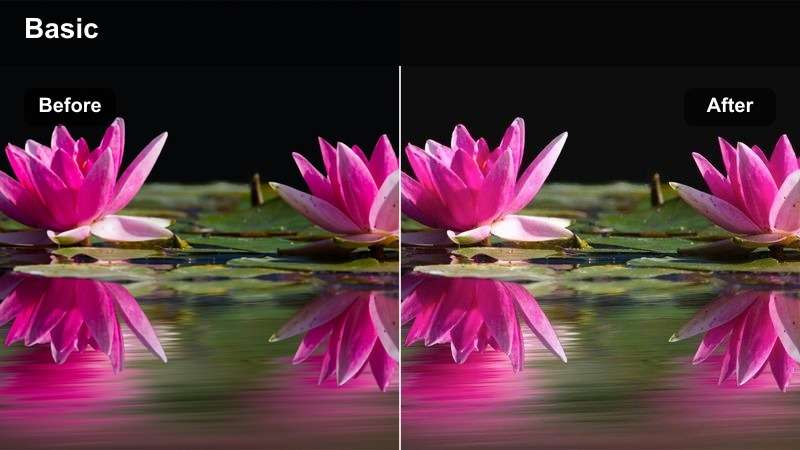
- Effect look: Gentle lifted shadows with warm highlights that make early light feel airy and cinematic.
- Best for: Getting-ready shots, making coffee, quiet apartment walkthroughs filmed near a window.
- Editing tip: Lower contrast slightly and add a small vignette to keep attention on your face and hands during close-ups.
Use Morning Soft Glow in Filmora whenever you are working with soft window light or slightly backlit morning shots. The lifted shadows keep detail in your hair and clothing, while the warm highlights make the natural daylight feel more intentional and cinematic, similar to popular YouTube vlog LUTs without making the image look overprocessed.
To dial it in, start by balancing exposure so your face sits in the midtones, then apply the filter and fine-tune contrast with the basic color controls. Add a subtle vignette and a touch of skin smoothing at low strength to maintain a polished but realistic look that fits seamlessly across your entire morning routine sequence.
Lock In a Daily Vlog Palette with AI Tools
Filmora s AI color tools make it easy to keep a consistent daily vlog palette, even when you move from a bright kitchen to a darker hallway or a cloudy street. Instead of building every look from scratch, you can let the AI quickly harmonize color and contrast across clips.
Match your favorite YouTube vlog cinematic LUTs style by choosing a reference shot you like, then using AI Color Match and related tools to bring the rest of your timeline in line. Once you are happy, save the result as a preset so your next daily vlog starts with the same base look.
 secure download

See Filters on Real Daily Life Footage
To understand how each Filmora filter treats skin tones, whites, and mixed lighting, experiment on a short daily vlog timeline that includes errands, desk work, and night chats. Applying filters to whole sequences instead of single shots reveals which styles stay versatile across your routine.
Duplicate an existing vlog, then audition different cinematic looks on your morning, outdoor, and evening sections. This sandbox project becomes your personal reference so you can pick a filter set quickly every time you edit.
secure download1000+ Video Filters and 3D LUTs
Filmora includes a large library of filters and 3D LUT-style effects so you can echo the look of top YouTube daily vloggers without complicated grading. You can start with a Filmora filter to shape exposure and contrast, then layer a LUT-style look at low intensity for extra character.
Combine these tools with HSL controls to fine-tune specific colors like skin tones, greens, or neon signs. This blend keeps your daily life footage natural while still delivering a strong cinematic identity.
secure downloadClean Minimal Morning
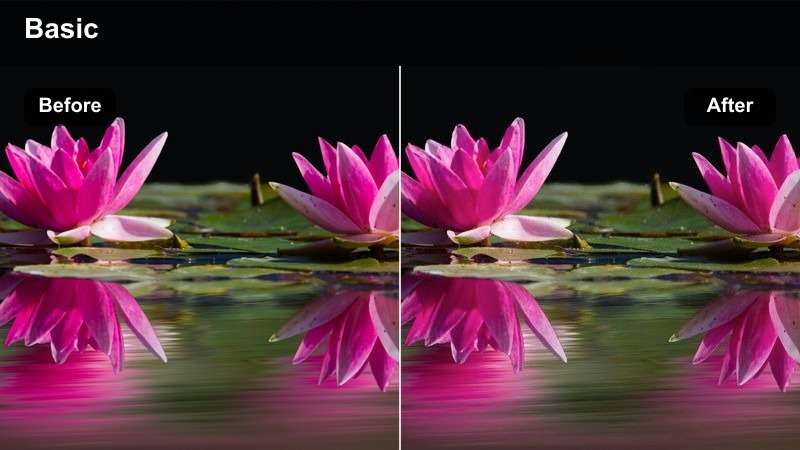
- Effect look: Neutral, low-saturation everyday look that feels crisp and documentary-style.
- Best for: Minimalist desk setups, journaling shots, and quiet daily planning scenes.
- Editing tip: Slightly reduce saturation of strong colors like red or orange objects to keep the frame calm and focused on your actions.
Clean Minimal Morning is ideal if your channel aesthetic leans toward productivity, minimalism, or study vlogs. The neutral, low-saturation look keeps colorful objects from stealing attention, making your handwriting, laptop, or planner the clear focus while still looking naturally lit.
In Filmora, apply this filter to your morning A-roll and b-roll, then fine-tune saturation with the color controls, gently pulling back intense reds and oranges. Save the result as a custom preset, so every sponsored morning routine or brand-friendly segment carries the same calm, modern visual identity.
Warm Routine Journal
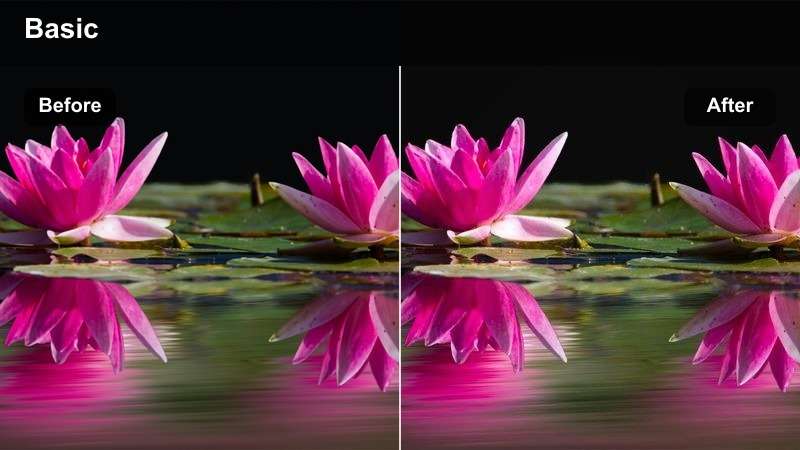
- Effect look: Slightly warm and cozy tones with softened highlights for intimate daily moments.
- Best for: Bed-making scenes, breakfast prep, and candid handheld walking through your home.
- Editing tip: Add gentle stabilization so the cozy look feels intentional instead of shaky or distracting.
Warm Routine Journal adds a gentle warmth that makes simple tasks like making your bed or pouring coffee feel like story beats in a movie. The softened highlights help control bright spots from lamps or windows, which is especially flattering in smaller apartments.
When editing in Filmora, apply this filter to all clips from your morning in the same vlog, then adjust white balance so the warmth stays consistent as you move between rooms. Combine it with light stabilization and a subtle vignette to guide attention toward your face and hands, reinforcing that intimate, diary-style vibe.
Cinematic Filters for Outdoor Errands and Walks
Street Documentary Day
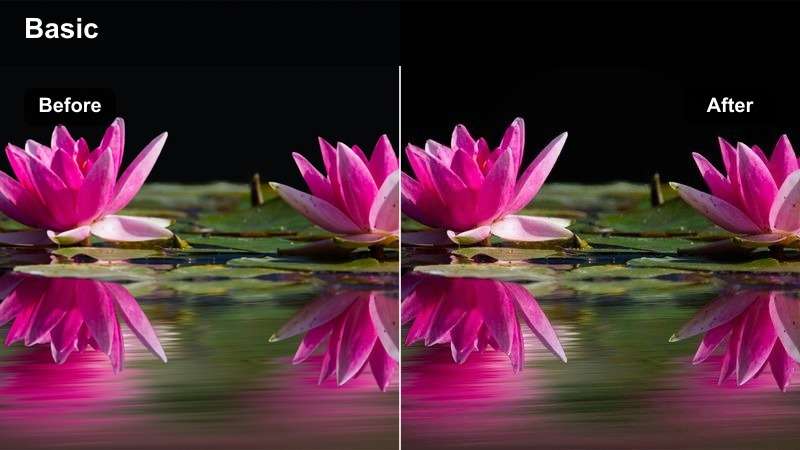
- Effect look: Balanced contrast with slightly cooler midtones for a casual city-documentary vibe.
- Best for: Walking to the train, grocery runs, and handheld shots on busy sidewalks.
- Editing tip: Use mild sharpening and keep saturation moderate so street colors feel real but not distracting.
Street Documentary Day is designed for daytime city errands where you want realism with a subtle cinematic polish. The cooler midtones cut through harsh sunlight and reflective buildings, while balanced contrast preserves detail in both faces and backgrounds.
In Filmora, drop this filter onto all clips from the same walk and slightly reduce highlight intensity if you filmed under strong midday sun. Add mild sharpening and keep saturation in check so your outfit and face stand out against the busier colors of shops, cars, and signs.
Subtle Film Street
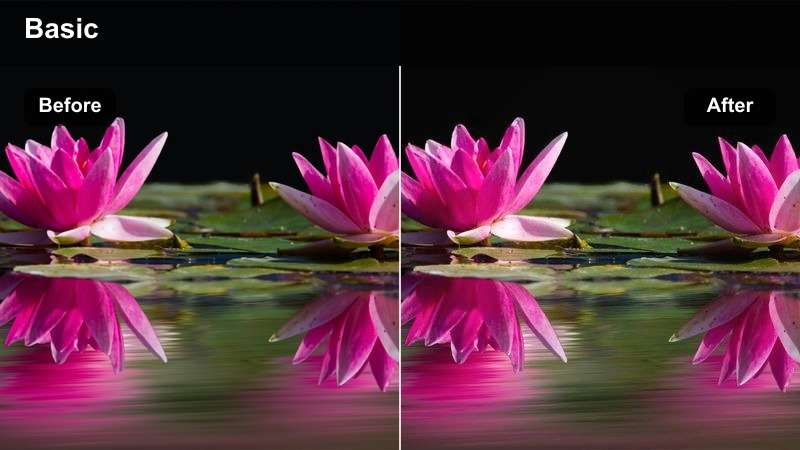
- Effect look: Soft filmic contrast with slightly lifted blacks and a hint of grain-like texture.
- Best for: Sidewalk b-roll, crossing streets, and POV shots of your commute.
- Editing tip: Slow some clips to 60 percent speed with this filter to emphasize small daily moments like crossing lights or passing traffic.
Subtle Film Street brings a gentle film-inspired character to quick transitional shots and b-roll. The lifted blacks and soft contrast are forgiving on less-than-perfect lighting, giving crosswalk steps, traffic lights, and storefronts a cohesive analog-style mood.
In Filmora, reserve this filter mainly for b-roll sequences and layer it with slow motion and a slight vignette. Keeping your talking-head clips more neutral while your street b-roll uses this filmic look creates a clear visual rhythm that feels cinematic without overwhelming your story.
Greenery City Park
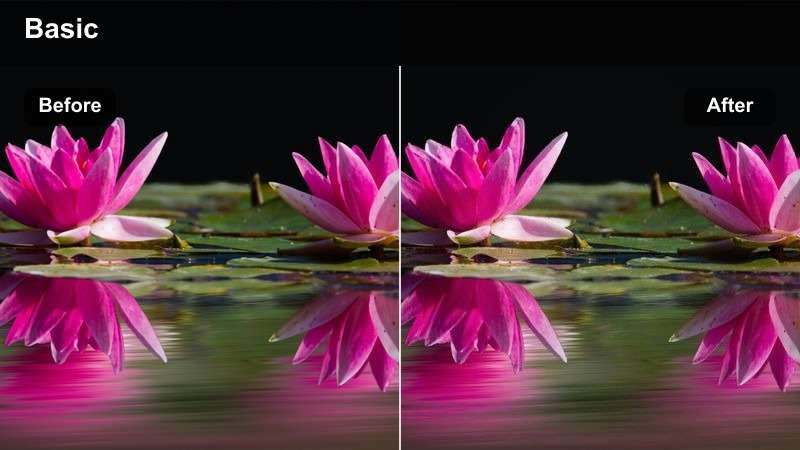
- Effect look: Natural greens with gently boosted vibrance for parks and tree-lined streets.
- Best for: Short breaks in city parks, dog walks, and quick afternoon resets on a bench.
- Editing tip: Reduce yellow saturation slightly so skin tones stay clean while greens still pop in the background.
Greenery City Park is built for those small resets in your vlog when you sit under trees or walk through a park. It subtly boosts greens and overall vibrance, helping foliage look lively and fresh without turning your skin too warm or cartoonish.
After applying the filter in Filmora, use the HSL or color adjustment tools to fine-tune yellows and greens so your skin remains natural. Slightly underexpose park clips on the timeline, then lift shadows so both your face and the leaves retain texture and color detail.
Natural Talking-Head Looks for Daily Life Storytime
Neutral Talking Head
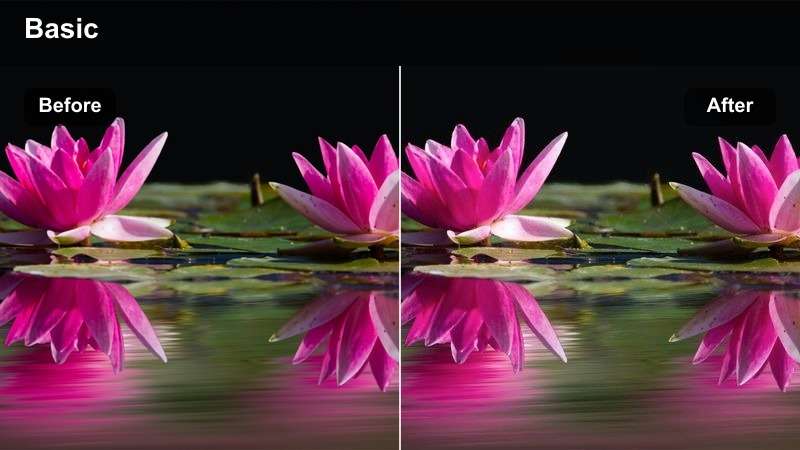
- Effect look: True-to-life color with subtle contrast that flatters natural skin tones.
- Best for: Sit-down updates, life recap segments, and commentary between daily b-roll clips.
- Editing tip: Dial in white balance on your face before adding the filter so skin stays consistent between jump cuts.
Neutral Talking Head is the foundation look you can build your entire daily vlog around. It keeps colors accurate and contrast gentle, which is perfect for A-roll segments where viewers need to focus on your story, expressions, and eye contact.
In Filmora, correct white balance and exposure on one representative talking-head clip, then add this filter and copy the settings to all A-roll in that scene. Once your base look is locked, you can stylize b-roll more heavily, knowing your sit-down segments will always feel professional and consistent.
Soft Bedroom Chat
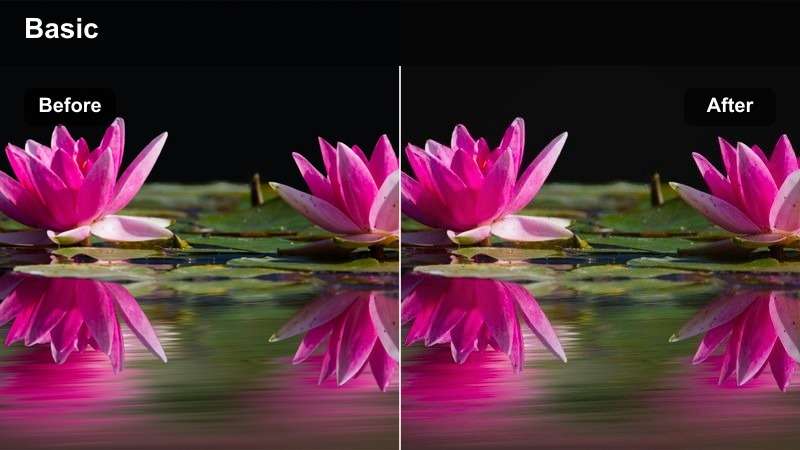
- Effect look: Delicate, slightly warm filter that smooths shadows in dim indoor rooms.
- Best for: Evening recaps sitting on the bed, mental health check-ins, and casual Q and A sessions.
- Editing tip: Lift shadows carefully to avoid noise, and add a light vignette to hide cluttered corners in the frame.
Soft Bedroom Chat adds a forgiving warmth and softness that works well in low-light bedrooms or cozy corners. It smooths out harsh shadows from small lamps or fairy lights, helping your face stay readable and flattering even if your ISO was a bit high.
Apply this filter in Filmora to all clips from the same evening storytime, then gently raise shadows instead of over-brightening the whole frame. Use subtle noise reduction and a small vignette so viewers focus on your expression while any room clutter fades into the background.
Workspace Creator Desk
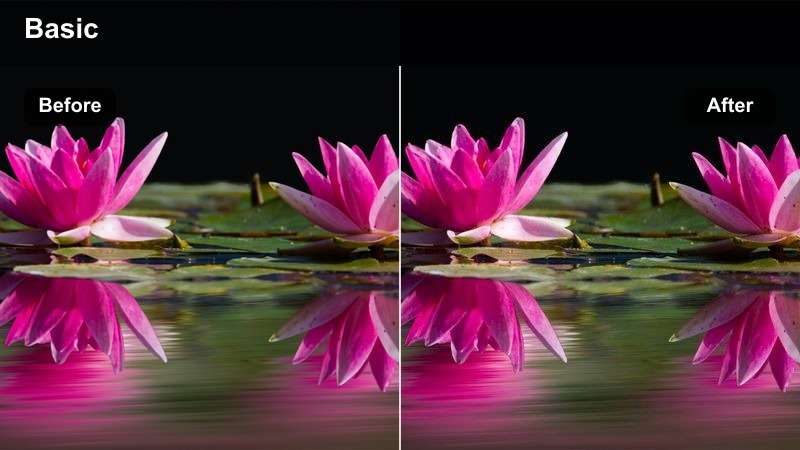
- Effect look: Cool-neutral desk look with clean whites and gentle contrast for a productivity vibe.
- Best for: Desk diaries, editing sessions, and work-from-home daily life clips.
- Editing tip: Avoid over-saturating screen colors so your face remains the brightest, most important element.
Workspace Creator Desk gives your office or bedroom setup a modern, tech-forward feel with cool-neutral tones and crisp whites. It is especially effective for productivity or creator channels where the desk and monitor are key parts of your storytelling.
Inside Filmora, apply this filter to all desk-related clips and slightly lower saturation on monitor blues and interface colors. Save a couple of exposure variants as presets so you can quickly match bright daytime and dimmer cloudy scenes while keeping your channel s workspace identity consistent.
Evening City Walks and Cozy Night-In Aesthetic
Neon City Evening
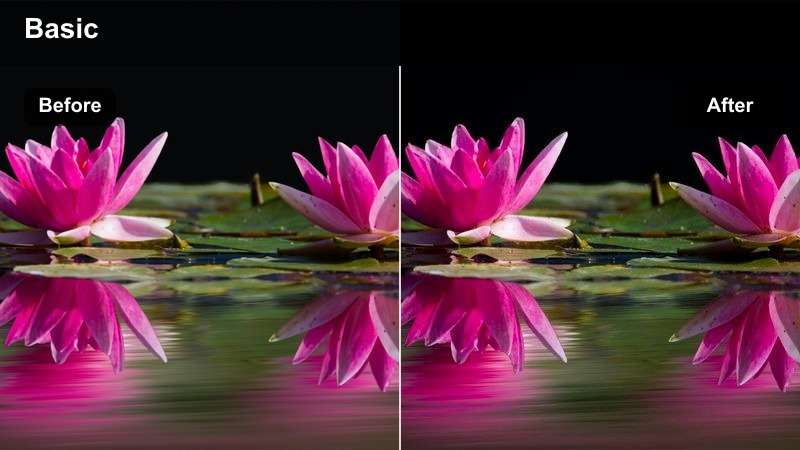
- Effect look: Punchy contrast with rich blues and neon highlights for night street scenes.
- Best for: Night walks, storefront reflections, and handheld city b-roll under streetlights.
- Editing tip: Lower midtone noise with subtle denoising, then add this filter so the colors feel bold without looking messy.
Neon City Evening transforms ordinary night errands into stylized street sequences with deep blues and glowing signs. It enhances colorful highlights from storefronts and traffic lights while keeping enough detail in the shadows to maintain a professional, cinematic feel.
Before applying the filter in Filmora, dial down overall exposure slightly to protect bright neon areas, then use gentle noise reduction on your night clips. Once the filter is on, tweak contrast and saturation to taste, and keep camera movements slow so the bold colors feel smooth and intentional on screen.
Cozy Lamp Night
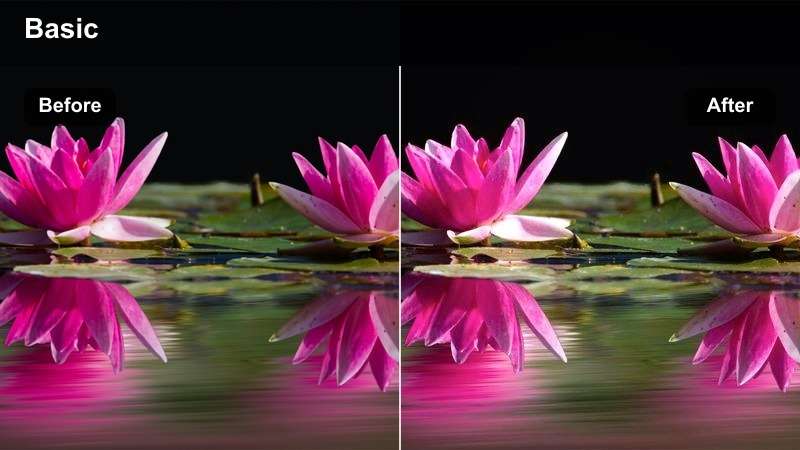
- Effect look: Warm lamp glow with softened contrast that flatters indoor tungsten light.
- Best for: Nighttime desk work, reading on the couch, and casual end-of-day reflections.
- Editing tip: Drop saturation of intense oranges just a bit so lamp light looks soft instead of overly yellow.
Cozy Lamp Night emphasizes the golden glow from lamps and string lights, making small apartments and bedrooms feel cinematic and intimate. By softening contrast slightly, it hides harsh edges and makes your face look gentler and more relaxed at the end of the day.
In Filmora, turn off any overhead lights when filming and rely on one or two lamps, then apply this filter to unify the color. Reduce orange saturation a touch and adjust white balance until your skin tone looks natural but still bathed in warm, inviting light.
Screen Glow Edit Night
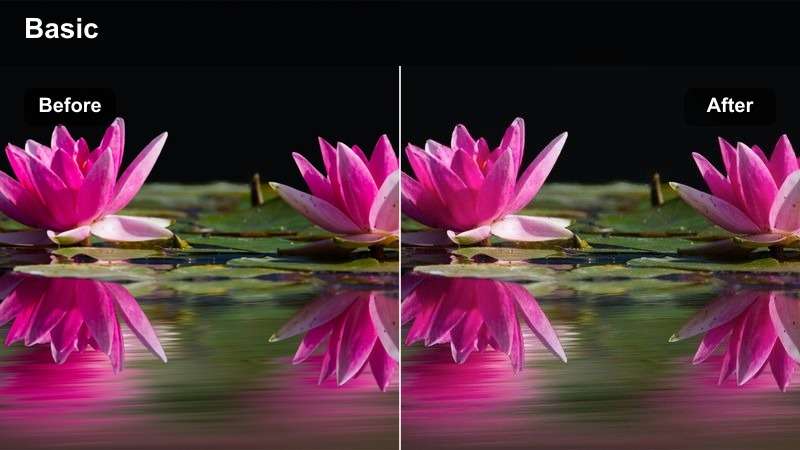
- Effect look: Cooler overall tone with bright, clean highlights from screens and devices.
- Best for: Late-night editing, watching videos, and tight desk shots lit mainly by monitors.
- Editing tip: Lower blue saturation slightly to keep the scene cool but not harsh on viewers eyes for long videos.
Screen Glow Edit Night leans into the natural glow of your monitor or laptop, giving editing sessions and late-night browsing a focused, cinematic tech aesthetic. The cooler tone contrasts nicely with your daytime footage, clearly signaling a shift to nighttime work mode.
In Filmora, apply this filter to all clips where screens are the main light, then pull back blue saturation to avoid eye strain for viewers watching on phones. Keep the overall exposure a bit lower and let the monitor highlights and your face be the brightest areas, guiding attention directly to your workflow.
Tips for Using Youtube Vlog Cinematic Luts Daily Life Filters in Filmora
- Choose one main talking-head filter, such as Neutral Talking Head or Workspace Creator Desk, and use it consistently so your daily vlog series feels visually unified.
- Shoot with a slightly flatter in-camera profile when possible, then rely on Filmora filters and LUT-style effects to add controlled contrast and color.
- Always check skin tones first and correct white balance in Filmora before pushing strong cinematic looks or heavy saturation.
- Group similar scenes on your timeline, like all morning routines or all park clips, and apply the same filter to each group for fast, consistent grading.
- Use stronger, more stylized filters on b-roll while keeping A-roll talking segments cleaner and more neutral for clarity.
- Create and save custom presets after tweaking filters so you can reuse your favorite daily-life looks in future uploads with one click.
- Test how your filters look on both mobile and desktop screens and adjust contrast or saturation if details are getting lost.
- Combine Filmora filters with subtle LUT-style overlays at low intensity to echo popular YouTube vlog aesthetics without sacrificing realism.
With the right Filmora filters, everyday tasks like commuting, working, and relaxing at home can feel like scenes from a cinematic YouTube vlog.
Build a small set of go-to looks for morning, outdoor, talking-head, and night footage so each daily vlog feels cohesive, recognizable, and easy to edit on a busy schedule.
secure download