

 100% Security Verified | No Subscription Required | No Malware


 ChatGPT
 Perplexity
 Gemini
 Claude
 Grok
Grok
Eye contact on live streams is important. However, a lot of creators can’t maintain it since they are actually looking at a screen or a camera and not at a real person. The good news is that watchers are often more focused on what they are presenting or selling. So they barely notice. However, things change when the video becomes a VOD. People judge recorded media more.
Thanks to the advancement of technology, you can fix that before uploading the replay. Tools will let you correct your gaze. This article will delve into why that is important, how it affects viewership, and how to do it. Continue reading to learn more.
In this article
The Reality of Live Video: Imperfect Eye Contact
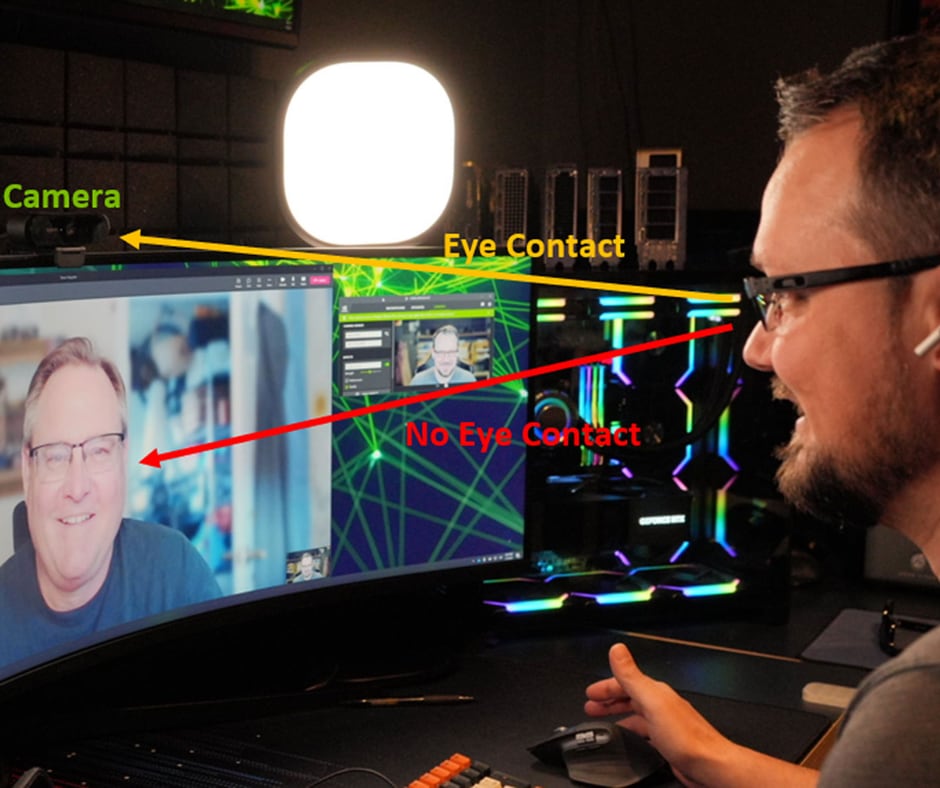
Live streaming makes perfect eye contact difficult, even for experienced creators. During a live session, you often need to multitask and manage several things at once.
- Reading comments and chat pulls your attention away from the camera.
- Checking notes or a second monitor causes natural gaze shifts.
- Managing slides or stream controls makes constant eye contact unrealistic.
Unlike recorded videos, live sessions do not allow retakes. Everything happens in real time, so small eye contact mistakes are normal.
The good news is that live viewers are usually more forgiving. They focus more on interaction and real-time engagement than perfect camera presence.
However, once the live stream becomes a replay, inconsistent eye contact becomes much more noticeable.

Why Eye Contact Matters More in Replays Than in Live
When the viewers get to watch a replay, the expectations shift. This is because they're no longer participating but observing. Given this context, the inconsistent eye contact live becomes more noticeable. This frequent shift in gaze can easily come off to the viewers as unpreparedness or lack of confidence and professionalism.
Compared to when you're doing live sessions, replay viewers cannot interact or ask questions. Thus, they rely heavily on the visual cues, like eye contact, to stay engaged. Replay content is also a long-term asset. It can be repurposed to:
- YouTube videos
- Course Materials
- Marketing clips
- Social media posts
Because of this, the quality standard is higher for them. Poor eye contact can reduce watch time, lower retention rates, and ultimately affect the performance of your content. This is where live eye contact AI begins to play a crucial role.
The Smart Strategy: Don’t Fix It Live, Fix It After
Trying to maintain perfect eye contact live is not only difficult, but it can also actually hurt your performance. Focusing too much on staring at the camera, you're risking:
- Losing your natural delivery
- Missing audience interactions
- Sounding less authentic
Instead of forcing perfection during the live session, a smarter approach is to separate performance from optimization. During a live session,
- Focus on delivering value
- Engage with your audience
- Be natural and responsive
After the live,
- Optimize your content using editing tools
- Enhance visual quality
- Refine eye contact using AI
This shift in mindset is becoming increasingly popular among creators. With the rise of live eye contact AI, you no longer have to choose between your authenticity and professionalism, as you can have both of them.
How AI Eye Contact Transforms Live Content
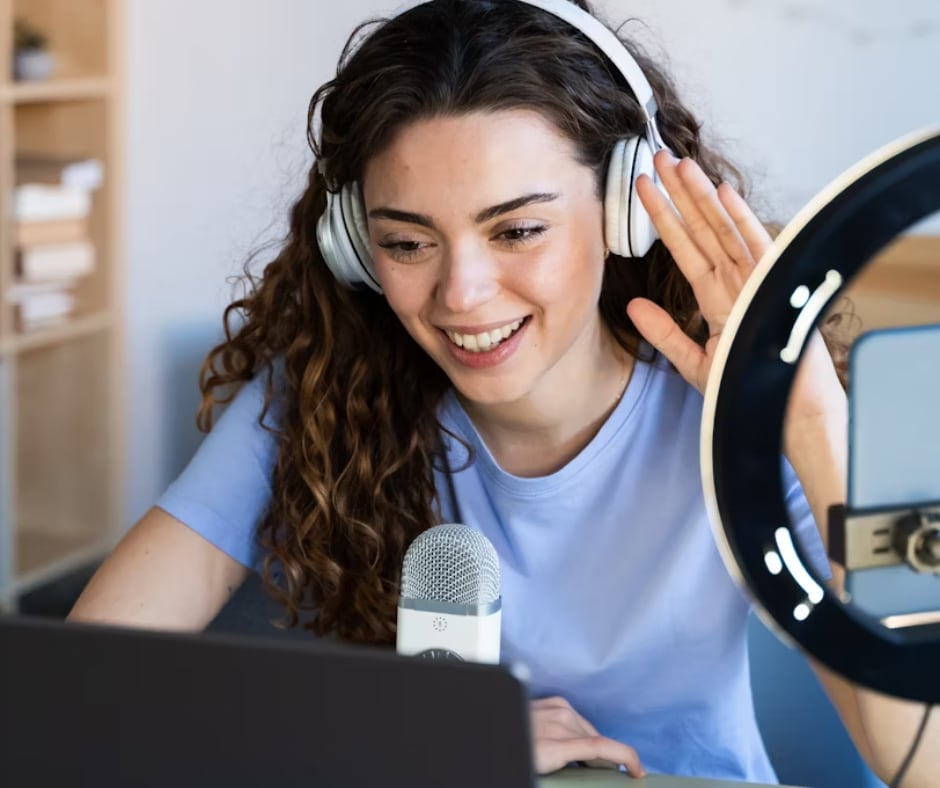
AI-powered eye contact tools are slowly changing the game for content creators. Instead of reshooting videos or struggling during live sessions, you can now refine your gaze during post-production. Now, here's how live eye contact AI in Filmora can enhance your content:
- Makes Replays Look More Intentional - AI can subtly adjust your gaze so it could appear that you're directly looking into the camera. This now creates a more focused and engaging viewing experience for the audience.
- Improves Professional Quality - Consistent eye contact builds trust. It supports the feeling of confidence, well-polished content, and being well-prepared. Use these factors to keep your audiences engaged.
- Boosts Watch Time and Retention - A strong connection with the speaker can help in maintaining your audience and keeping them watching. To maintain that connection, having eye contact is a must.
- Saves Time and Effort - Instead of re-recording the content or stressing during live sessions because you're having trouble with your eye contact, you can rely on AI to handle visual refinements quickly and efficiently.
With tools like Filmora, applying live eye contact AI is straightforward and accessible even for beginners.

 secure download

Workflow: From Live Stream to Polished Video
Turning a raw live stream into a high quality content doesn't have to be that complicated. Here's a simple workflow that you can follow:
Step 1: Record Your Live Session
Focus on delivering value to your audience. Don't worry too much about maintaining perfect eye contact during the live stream. Just be present and authentic while recording.
Step 2: Edit Highlights
Import your recording into Wondershare Filmora and trim unnecessary parts. Identify which are the key moments worth repurposing.
Step 3: Use Filmora AI Eye Contact
Filmora's AI Eye Contact feature automatically adjusts a subject's gaze so they appear to be looking directly at the camera. It is especially useful for talking-head videos, tutorials, interviews, online courses, product presentations, and any clips where the speaker is reading from notes, a screen, or a teleprompter.
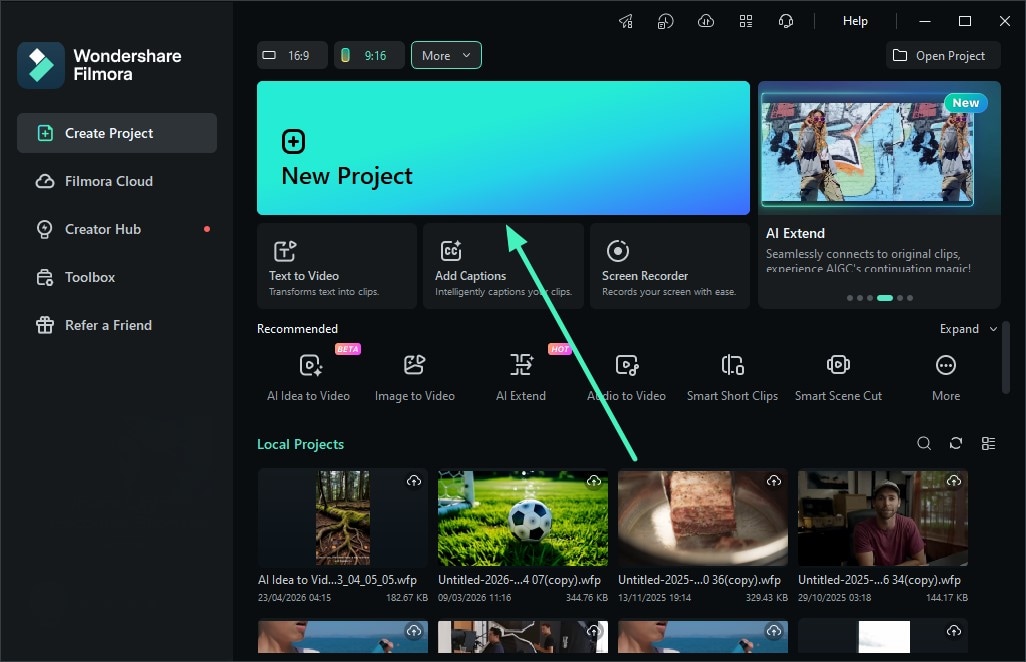
1. Create a New Project and Import Your Video
Launch Filmora and click New Project. Then import the video clip you want to improve and add it to the timeline. For best results, use a single talking-head clip where the subject's face is clearly visible.
2. Enable the Eye Contact Feature
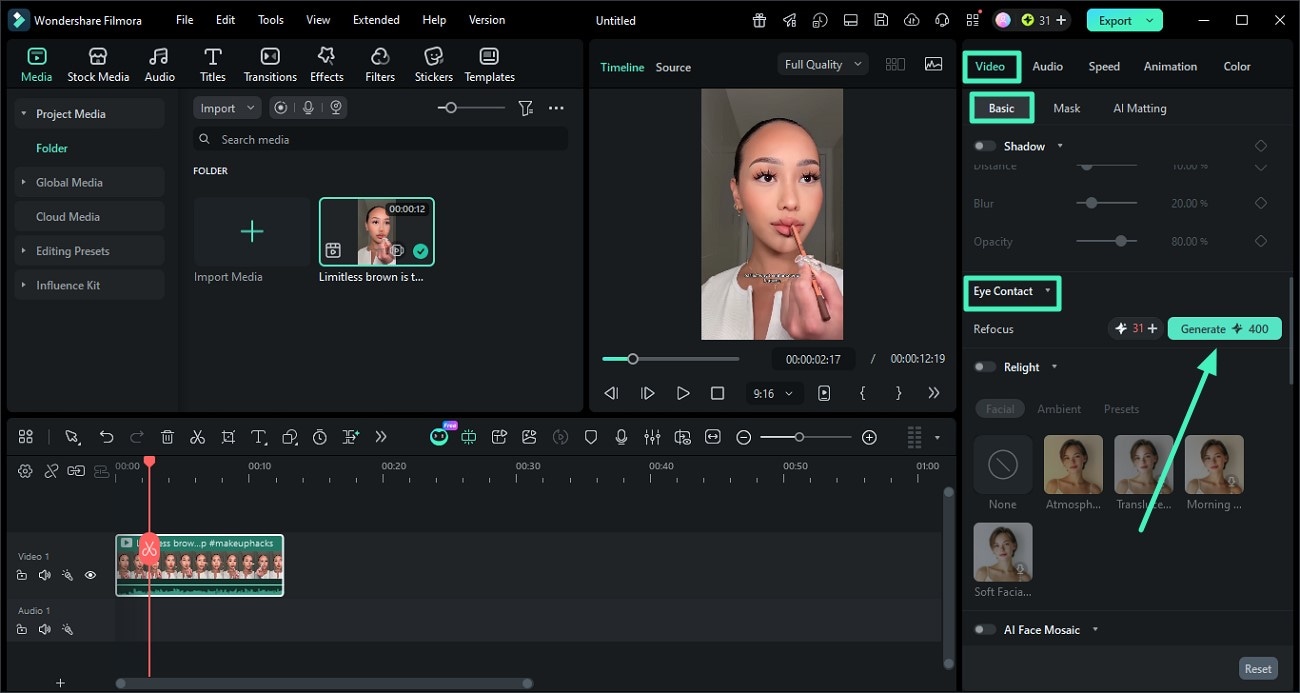
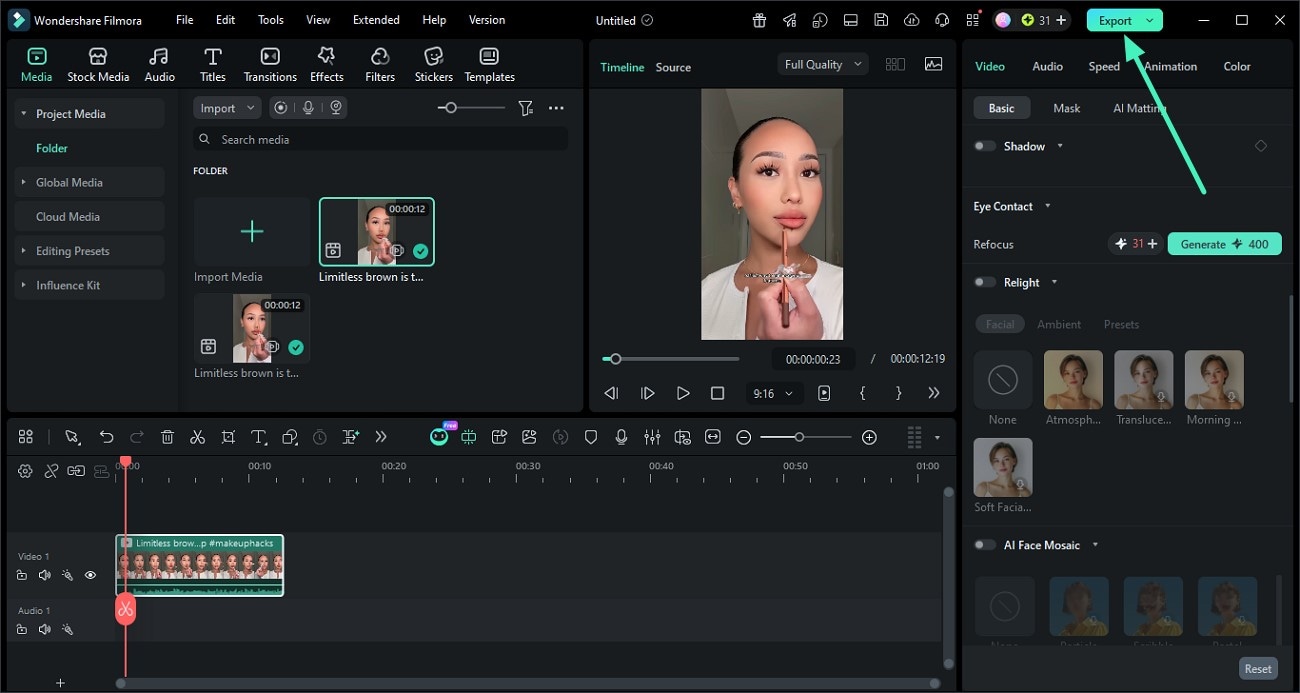
Select the video on the timeline, then go to the Properties panel on the right. Open the Basic section, find Eye Contact, turn it on, and click Generate. Filmora will automatically adjust the speaker's gaze toward the camera.
3. Preview and Export the Final Video
After the AI processing is complete, preview the result in Filmora to check whether the subject's gaze looks natural. Once you are satisfied, click Export to save the final video.
Step 4: Publish Clips or Full VOD
Export your edited video and distribute it across platforms like YouTube, TikTok or your website. This kind of workflow gives room for you to maximize the value of a single live session while still maintaining high production quality.
Real Use Cases
The combination of live streaming and live eye contact AI is already being used across different industries and platforms.
- YouTubers Repurposing Streams - Creators who stream gameplay, tutorials, or discussions often turn their live sessions into edited videos. This is where AI eye contact helps in making these replays feel more engaging and professional.
- Coaches Selling Recorded Sessions - Online coaches and educators frequently sell access to recorded webinars or training sessions. Consistent eye contact improves credibility and enhances the learning experience.
- Webinar Marketers - Marketing teams use webinars to generate leads and build authority. After the live event, they'll refine the content using AI tools to ensure it performs well as evergreen material.
Pro Tips for Hybrid Optimization
If you're aiming for the best results, both in live and replay content, keep notes of these tips:
- Don't Over-Focus on the Camera During Live - Trying too hard to maintain eye contact live can make you appear stiff or unnatural. It's best to prioritize communication over perfection.
- Use Natural Anchors - Place your camera near your screen or notes to minimize large gaze shifts. This makes AI correction even more effective later.
- Let AI Handle Perfection - Trust your tools like Wondershare Filmora to refine your visuals. This allows you to focus on content quality rather than the technical details.
- Plan for Repurposing - Structure your live sessions with replay content in mind. To make the editing much easier, have clear segments and impose strong key points.
- Review Before Publishing - After you've applied live eye contact AI, watch your video to ensure that the adjustments look natural and aligned with your preferred delivery.
Conclusion
Live streaming is inherently imperfect, and this is just a part of its charm. But when we talk about replay content, the expectations are on a different level. The key takeaway in this is simple:
Live is raw, replay is refined.
You don't need to stress about achieving flawless eye contact live during your stream. But instead, you should be focusing on delivering value and connecting with your audience at the moment. And then you can use helpful tools like Wondershare Filmora to enhance your content afterward.
With the help of live eye contact AI, you can easily transform your live sessions into polished, professional videos that engage your viewers and stand the test of time.
secure download 