

 100% Security Verified | No Subscription Required | No Malware


 ChatGPT
 Perplexity
 Gemini
 Claude
 Grok
Grok
One of the most popular formats people like to watch these days is the talking-head video, but recording one isn't always easy. You need to remember your script, maintain eye contact with the camera, and deliver your message naturally at the same time.
That's why online teleprompters have become increasingly popular. They display your script while you record. It helps you speak more confidently without constantly looking away from the camera.
So, for beginners who need guidance in finding the right tool, we cover the best online teleprompters on the market. We'll break down their key features, strengths, and limitations.
In this article
How We Curated the Most Usable Web Teleprompter Tools
With so many web prompter tools available, choosing the right one can be tricky. Some tools come with plenty of features. However, their interfaces can feel clunky and difficult to navigate. Others are easier to use but offer fewer customization options.

To narrow down the list, we evaluated each online prompter based on the features that matter most during recording. Here are the main criteria we considered:
- Simple Setup: The tool should be easy to navigate. Plus, it better not be overloaded with unnecessary settings.
- Customization Options: How much control users have over the reading experience. This includes settings such as font size, scrolling speed, alignment, and screen layout.
- Smooth Text Scrolling: Reading feels more comfortable when the text moves at a steady pace.
- Recording Support: We considered how practical the tool is in everyday use. The best options work well for recording, presenting, and live streaming.
- Pricing: We compared both free online prompters and paid options.
Part 1. Online Teleprompter Comparison Chart
Before diving into each tool, let's start with a quick comparison of the online teleprompters. It highlights the key differences between each online teleprompter at a glance.
| Tool | Best For | Platform | Price |
|---|---|---|---|
| Teleprompter.com | Recording and reading scripts in one place | Online, Android, iOS, macOS | Free trial with paid plans available |
| Speakflow | Script reading and webcam recording | Online | Free trial with paid plans available |
| CuePrompter | Quick and free script reading | Online | Free |
| BIGVU | Script reading with recording and livestreaming | Online, iOS and Android | Free and paid plans available |
| EasyPrompter | Advanced script teleprompter | Online | Free and paid plans available |
| Promptr | Simple teleprompting with mirror support | Online | Free |
| VEED Teleprompter | Script reading with camera and screen recording | Online | Free |
Part 2. Top Online Teleprompter Tools Reviewed
The comparison chart gives you the big picture, but the details matter too. Now, let's explore the online teleprompter tools one by one. Each teleprompter offers a slightly different experience.
1. Teleprompter.com
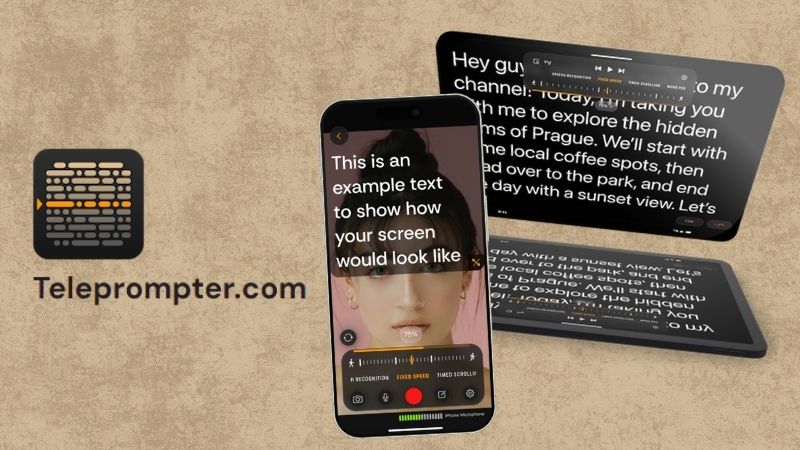
We'll start with Teleprompter.com. It's often one of the first results that appear when looking for a web teleprompter. The platform does more than display scripts. You can also record videos directly from the platform in up to 4K resolution. The platform also supports exports for different social media platforms. This can save content creators a bit of extra work.
Key Features:
- Import scripts from your device or cloud storage.
- Offers several scrolling methods, such as voice tracking, fixed speed, timed scrolling, and reading pace controls.
- Extensive text customization options with dyslexia-friendly fonts and support for right-to-left languages.
Platform: Online, Android, iOS, macOS.
Pricing: Free trial available. Paid plans start at $19.99/month.
2. Speakflow
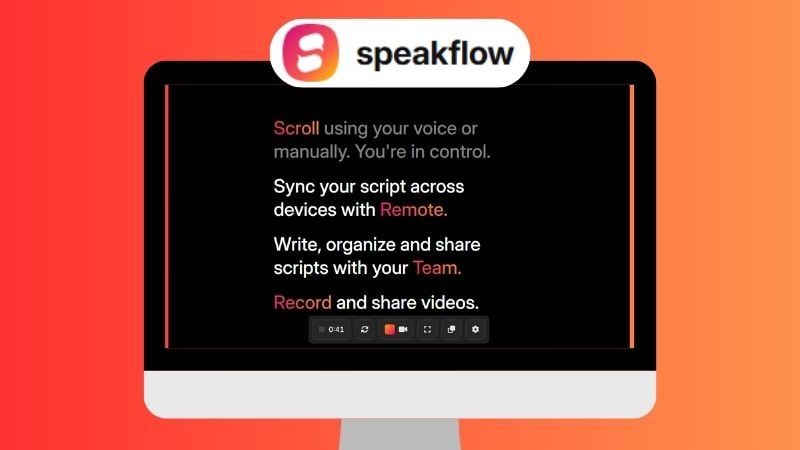
Next on the list is Speakflow. This web teleprompter lets you read scripts and record videos directly from your browser. It also includes collaboration features, allowing team members to write, edit, review, and manage scripts from a shared workspace. It's particularly useful for businesses, agencies, and content teams.
Key Features:
- Adjustable script window, font size, and layout.
- Manual scrolling and voice-controlled Flow Mode.
- Organize scripts into folders and workspaces for easier project management.
Platform: Online.
Pricing: Free trial available. Paid plans start at $19/month.
3. CuePrompter
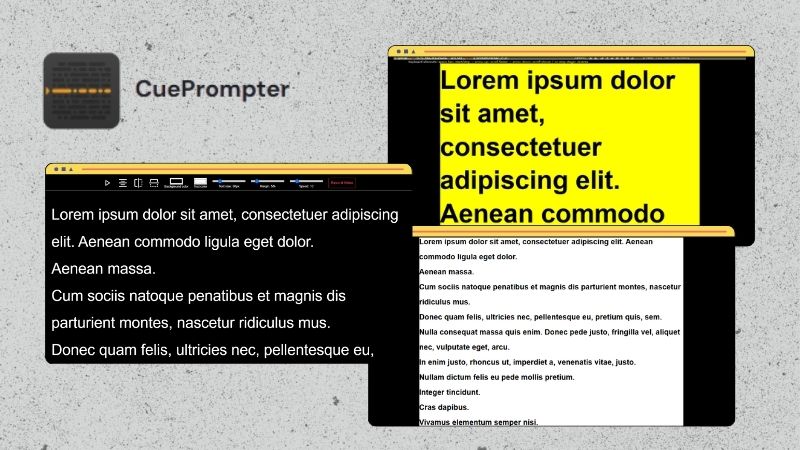
If you’re looking for a free online autocue, CuePrompter is worth considering. Unlike some modern teleprompter tools, it focuses on the basics and doesn't require an account to get started. Simply paste your script, adjust a few settings, and start scrolling. Its simplicity makes it a convenient option for quick recordings, presentations, or practice sessions.
Key Features:
- Offers both a modern and classic interface, allowing you to choose the layout you find most comfortable.
- Supports different text and background color presets for a more comfortable reading experience.
- Includes a mirror mode for use with professional teleprompter hardware.
Platform: Online.
Pricing: Free.
4. BIGVU
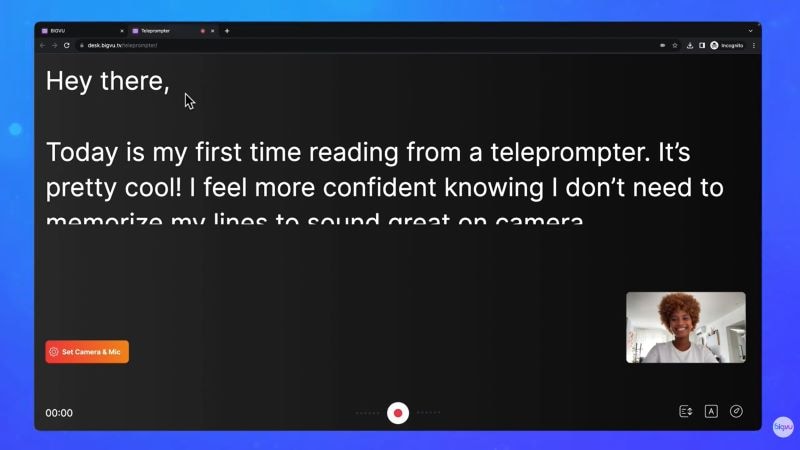
BIGVU is a good option if you're looking for an online teleprompter with a straightforward setup. Just type or paste your script, adjust the scrolling speed, and start reading. You can even record yourself with your webcam while using the teleprompter. If you need additional features, BIGVU also supports livestreaming through its paid plans.
Key Features:
- Edit and update scripts directly within the platform.
- Easily adjust the scrolling speed, font size, and script position using the sliders.
- A floating teleprompter window allows you to read scripts while using other applications.
Platform: Online, iOS, and Android.
Pricing: Free version available. Paid plans start at $25 per month.
5. EasyPrompter
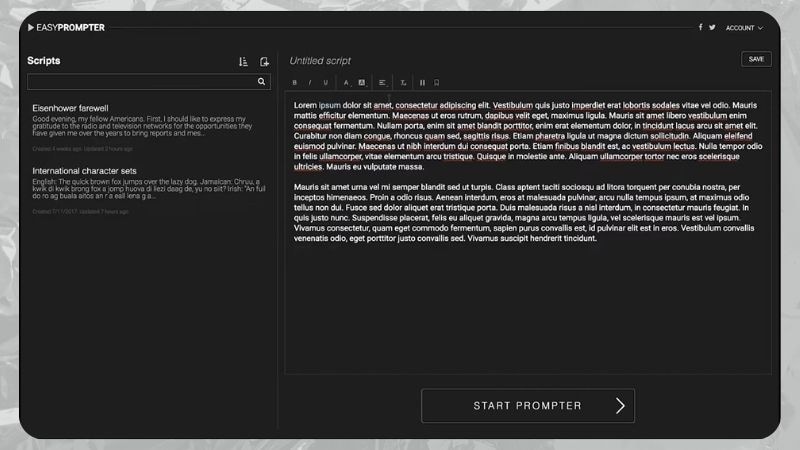
If you're looking for an online teleprompter with more advanced controls, EasyPrompter is worth trying. The platform offers a surprisingly detailed set of customization options, yet it doesn't feel overwhelming to navigate. There are also plenty of video tutorials available, so you can quickly learn what each feature does before using it.
Key Features:
- The script management tools make it easy to organize and find scripts using different sorting options.
- Add markers to quickly jump to specific sections of a script during practice or recording.
- Offers detailed text customization, including capitalization, spacing, line height, sentence breaks, and visual markers.
Platform: Online.
Pricing: Free version available. Paid plans start at $12.99/month or $125/year.
6. Promptr
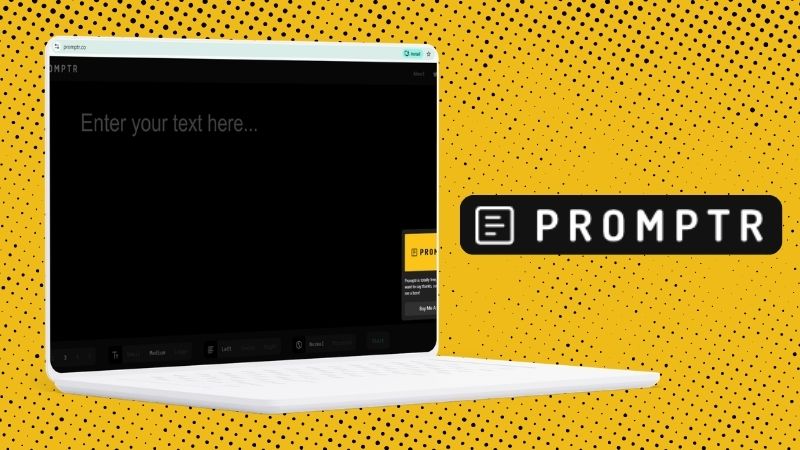
Promptr is a good option if you're looking for an online teleprompter that you can start using immediately. There's no account setup or complicated configuration involved. Simply type or paste your script, adjust a few settings, and start reading. This makes it particularly useful for quick recordings, presentations, or speech practice.
Key Features:
- Customize the script display with different font styles, sizes, colors, and text alignment options.
- Simple speed controls for managing the scrolling pace.
- Includes a mirror mode for use with teleprompter glass and reflector setups.
Platform: Online.
Pricing: Free.
7. VEED Teleprompter
Last but not least, another popular web teleprompter is VEED Teleprompter. Besides helping you read scripts smoothly, it also allows you to record videos in up to 1080p resolution directly from the browser. Once you're done recording, you can make quick edits, add captions, and adjust the video format for different social media platforms without leaving the platform.

Key Features:
- Customize the scrolling speed, font size, and text appearance for a more comfortable reading experience.
- Supports multiple recording modes, including audio-only, camera, screen and camera, or slides and camera.
- Includes a resizable transparent teleprompter window that can be used alongside other applications.
Platform: Online.
Pricing: Free.
Part 3. The Limitations of Online Teleprompter Tools
Online teleprompters can make script reading much easier, especially if you create videos regularly. However, most tools focus primarily on displaying text rather than supporting the entire production process.

Depending on the platform you use, you may still run into a few limitations that affect your recording workflow:
- Relies Heavily on an Internet Connection: Online teleprompters run entirely in a browser. If your internet connection is slow or unstable, the experience may not be as smooth as expected.
- Scrolling Speed May Not Match Your Delivery: Most online teleprompters rely on fixed scrolling speeds. If you suddenly speak faster or slower, the script may no longer match your pace.
- Your Delivery May Still Look Scripted: Even with the script near the camera, viewers may still notice that you're reading.
- No Built-In Video Editor for Final Touches: Most online teleprompters stop at script reading or recording. Afterward, you'll still need video editing software to trim mistakes, add captions, improve audio, and prepare the final video.
Bonus: Skip Browser Limitations With Filmora's Built-In Teleprompter
Some of the limitations above can be addressed with Wondershare Filmora. Unlike most online teleprompters, Filmora combines a teleprompter, screen recorder, and video editor in one platform. This means you don't have to jump between multiple tools just to create a single video.

For content creators, the workflow is much more convenient. You can record your screen while reading from the teleprompter, then immediately edit the footage in the same project. From trimming mistakes and adding captions to enhancing the visuals, everything can be done without switching applications before your video is ready to share.
Why Filmora's Teleprompter Is Worth Considering
Flexible Ways to Add Your Script
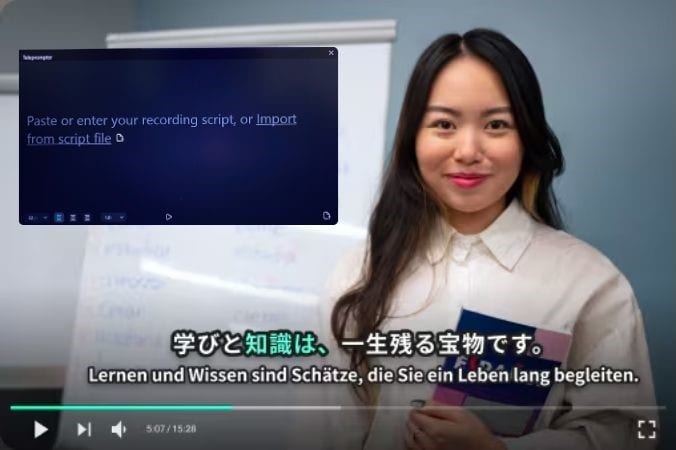
Filmora offers multiple ways to add a script before recording. You can type it directly into the teleprompter, paste existing text, or import a TXT file from your device. This saves time, especially if you've already prepared your script elsewhere and don't want to copy everything manually.
Customize the Teleprompter Window Your Way
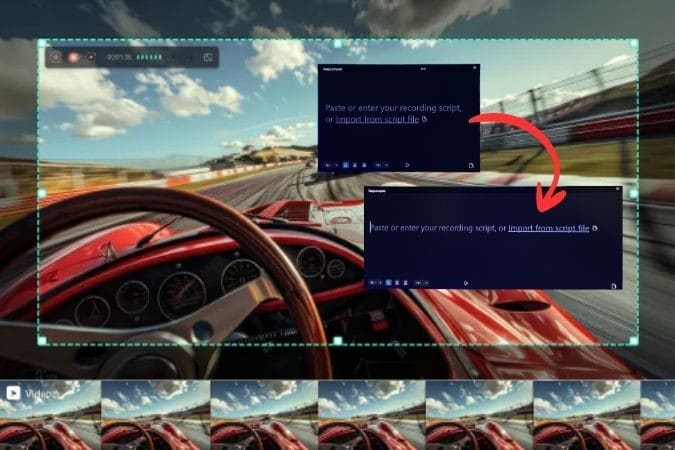
You have full control over how the teleprompter appears on screen. The window can be resized to fit your setup and moved wherever it's most comfortable to read. Since it works as a floating window, you can keep it visible while recording your screen, presentation, or any other content.
Adjust the Reading Experience to Your Preference
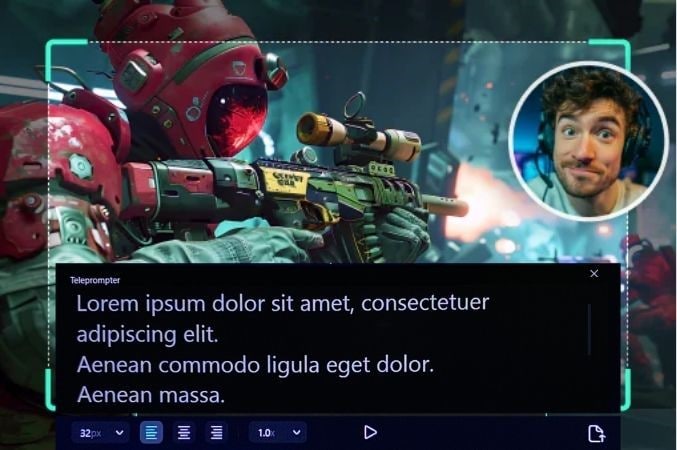
To make reading more comfortable, Filmora allows you to adjust the font size, text alignment, and scrolling speed. This helps you set up the teleprompter in a way that matches your reading style and speaking pace.
AI Eye Contact Helps You Look at the Camera

One common issue with teleprompters is that viewers can often tell when you're reading from a script. Filmora addresses this with AI Eye Contact, which adjusts your eye gaze so it appears more natural on camera. The effect is applied quickly while keeping facial expressions and blinking looking realistic.
Record and Edit in One Place
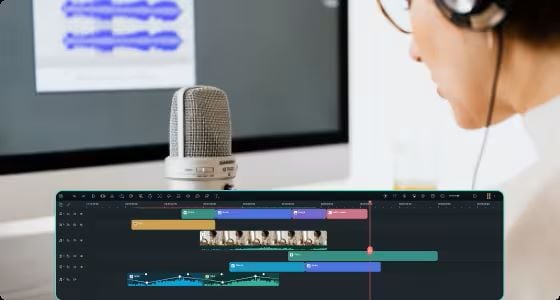
Once you've finished recording, immediately move on to editing without switching to another application. Whether you need to trim mistakes, improve the audio, add captions, or make visual adjustments, Filmora provides the tools to handle those tasks. It also includes a large collection of effects, transitions, stickers, and other creative assets to help your videos look more polished.

 secure download

How To Use Filmora's Teleprompter: Step-by-step Guide
Step 1. Open the Screen Recorder
Launch Filmora and select Screen Record from the main dashboard.
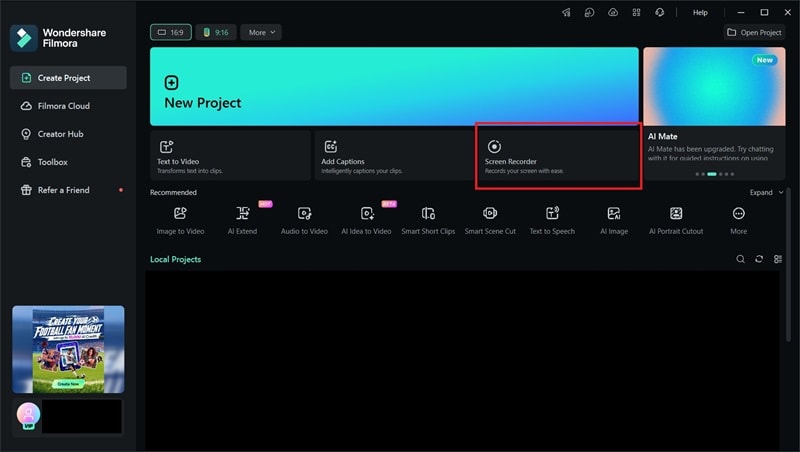
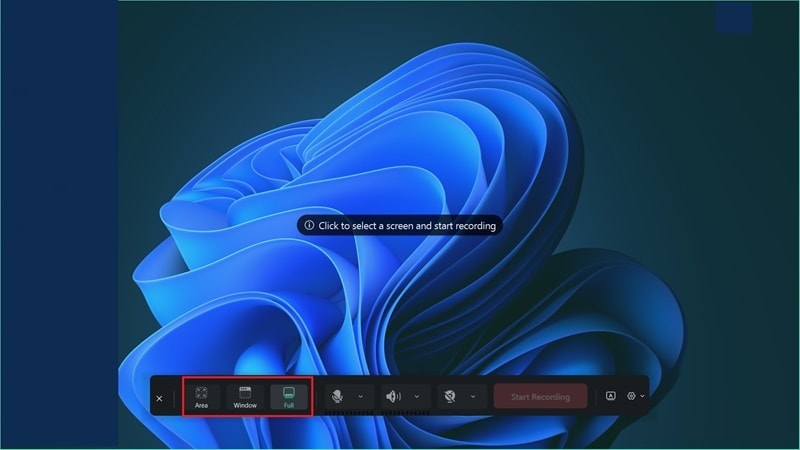
Step 2. Choose the Recording Area
Choose the part of the screen you want to record. You can capture a specific area, a window, or the entire screen.
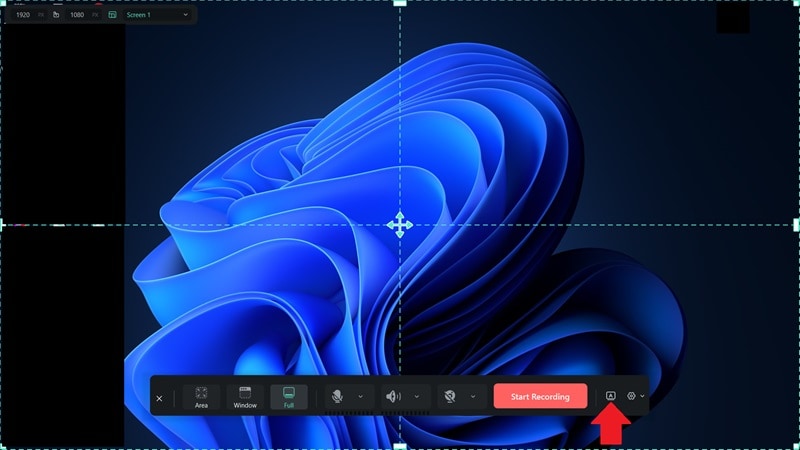
Step 3. Open the Teleprompter
From the screen recording menu, click the A icon on the right side of the screen.
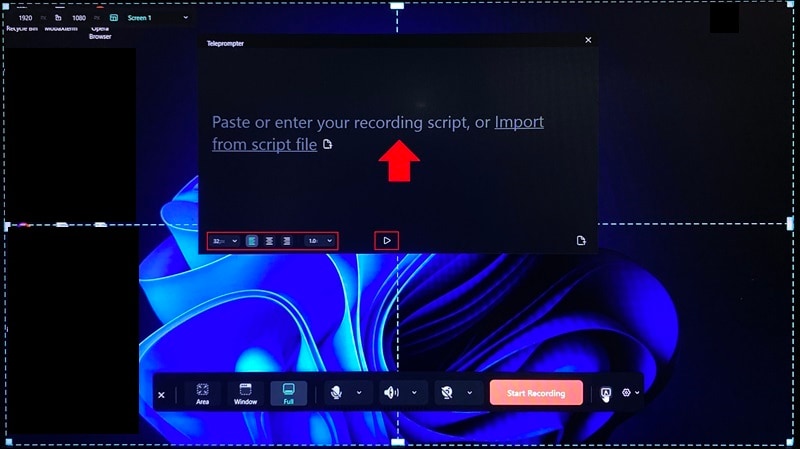
Step 4. Add Your Script
Enter your script manually or import a TXT file. Before recording, you can customize the teleprompter window, font size, alignment, and scrolling speed to match your preference. Click the Play button to start scrolling.
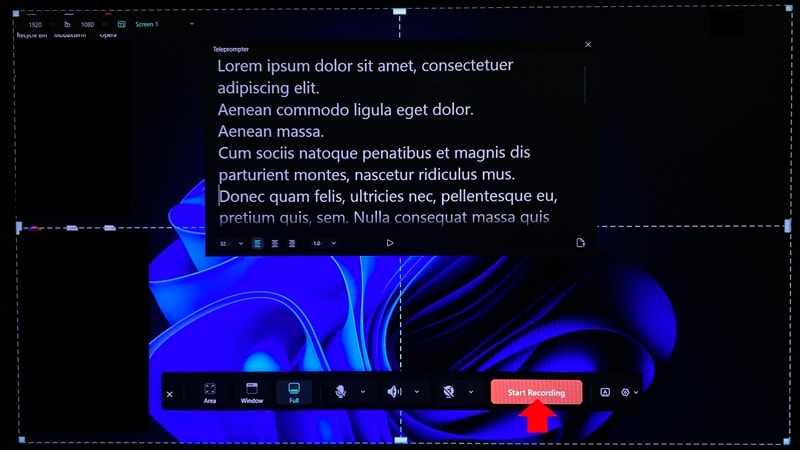
Step 5. Start the Screen Recording
Click Start Recording to capture your screen while following the teleprompter.
Conclusion
The best online teleprompter depends on how you work. If you simply need a tool for reading scripts, CuePrompter, EasyPrompter, and Promptr can get the job done with minimal setup. For users who want extra features such as recording, collaboration, or script management, Teleprompter.com, Speakflow, BIGVU, and VEED Teleprompter offer more flexibility.
If you're looking for something beyond script reading, Wondershare Filmora is worth considering. In addition to its built-in teleprompter, it includes screen recording, AI Eye Contact, and a full video editor. This allows you to record, edit, and finalize your videos within a single workflow instead of juggling multiple tools.
secure download FAQs About Online Teleprompters
-
If I do a screen recording, will the teleprompter window appear in my recording?
No. The floating window is only visible to you. -
How can I look natural on camera while reading from a teleprompter?
Keep the script close to the camera and speak at your normal pace. If needed, tools like Filmora's AI Eye Contact can also help make your gaze look more natural. -
Do I need a dedicated teleprompter device to use an online teleprompter?
No. Most online teleprompters run directly in a web browser. This means you can access them from a desktop, laptop, tablet, or smartphone.
