

 100% Security Verified | No Subscription Required | No Malware


 ChatGPT
 Perplexity
 Gemini
 Claude
 Grok
Grok
Teleprompter apps are getting more popular because creators, educators, speakers, and short-form video makers all want the same thing: fewer awkward pauses and fewer retakes. But to be efficient, you need the right tool, not just any random app that scrolls text on your screen.
And for you Android users, we’ll help compare the best teleprompter apps for Android in 2026 and help you pick the one that actually fits how you record.
In this article
Part 1. What Makes the Best Teleprompter App for Android
There are plenty of teleprompter apps for Android in the Google Play Store, but the best ones stand out for a reason. The right app should make your script easier to read, your delivery smoother, and your recording setup less stressful.
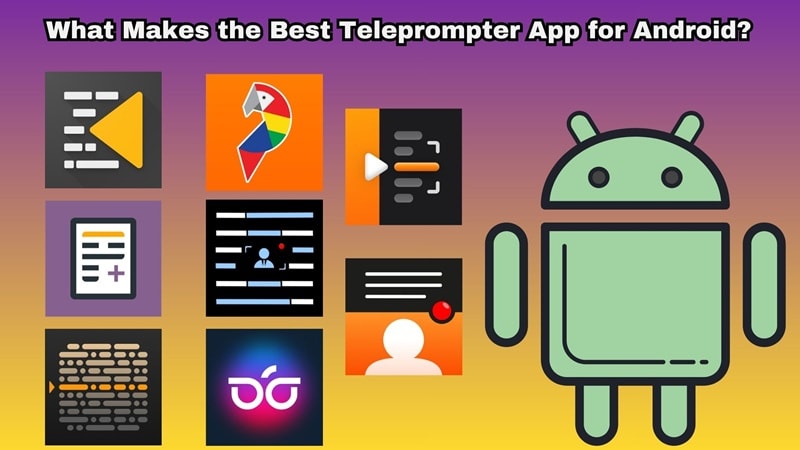
When you're trying to figure out which tool fits your specific workflow, look out for these crucial elements:
- Smart Speed Controls: The ability to adjust scrolling speeds on the fly, or better yet, have the text follow your voice.
- Camera Placement Synergy: Letting you position the text right next to your front lens so it actually looks like you're making direct eye contact with your viewers.
- Overlay Functionality: A floating widget mode that sits on top of other cameras or streaming apps.
- Flexible Text Customization: Easy options to adjust font sizes, contrast colors, and background opacity so you can read comfortably in any lighting.
- Reliable Script Management: Easy importing options for txt files, Word documents, or Google Docs without destroying your formatting.
Part 2. Teleprompter App Comparison Chart
Out of those critical benchmarks, we’ve narrowed down the field to 8 outstanding Android teleprompter tools that genuinely deliver. Let’s have a quick look at how they stack up against each other before we dive deep into the specific features of each option.
| App Name | Compatibility | Price | Best For |
|---|---|---|---|
| Teleprompter.com | Android 9 and up | Free with in-app purchases | Script reading and recording |
| PromptSmart+ | Android 9 and up | Free with in-app purchases | Voice-follow scrolling |
| BIGVU | Android 8 and up | Free with in-app purchases | Social video creation with captions and AI tools |
| Teleprompter for Video | Android 8 and up | Free with in-app purchases | Recording videos with scripts |
| Nano Teleprompter | Android 7 and up | One-time paid app purchase | Floating teleprompter overlay |
| Teleprompter with Video Audio | Android 6 and up | Free with in-app purchases | Simple video and audio recording setup |
| Parrot Teleprompter | Android 5.1 and up | Free | Classic teleprompter rigs |
| Teleprompter: Vlog & Scripts | Android 8 and up | Free with in-app purchases | Creators who want overlay, voice control, and script syncing |
Part 3. Top Teleprompter Apps for Android Reviewed
Now, let’s get into the actual apps. We’ll look at what each app does, what makes it useful, where it falls short, and who should use it. That way, you’re not picking the best Android teleprompter app based on the name alone.
1. Teleprompter.com
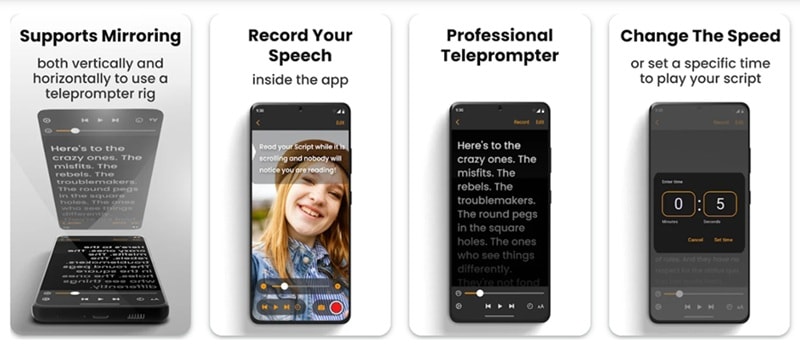
Let's start with Teleprompter.com, which is one of the most complete options if you want a clean, flexible teleprompter app for Android. It works for video recording, speeches, lyrics, scripts, and general presentation practice. It’s the kind of app that works for beginners but still has enough features for people who record often.
Key Features:
- You can write or edit scripts inside the app without jumping to another notes app.
- Supports common formats like TXT, Word, and PDF, so moving scripts into the app feels easier.
- You can record while reading your script on the same device.
Android Compatibility: Android 9 and above.
Pricing: Free to download, with in-app purchases $4.99 - $299.99 per item.
2. PromptSmart+
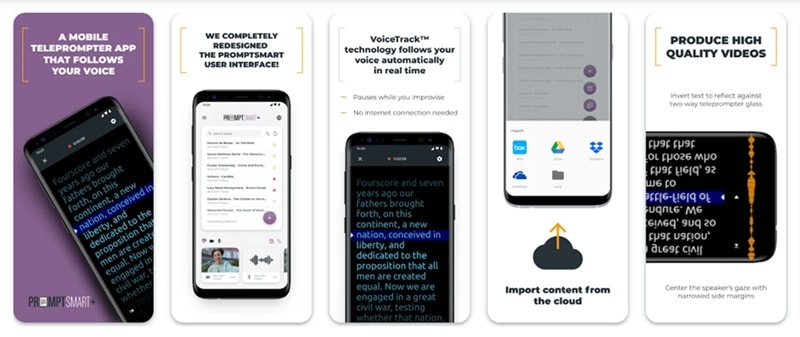
If you hate the feeling of racing against a scrolling screen, PromptSmart+ is your solution. This Android autocue app has voice-follow scrolling as its main selling point. So, instead of forcing you to match the script speed, the app listens as you speak and moves the text along with your voice.
Key Features:
- The script follows your speech instead of moving at one fixed speed.
- Offline speech recognition, which is helpful for privacy and stability.
- Helps place text near the camera so your eye movement looks less obvious.
Android Compatibility: Android 9 and above.
Pricing: Free to download, with in-app purchases $1.99 - $59.99 per item.
3. BIGVU
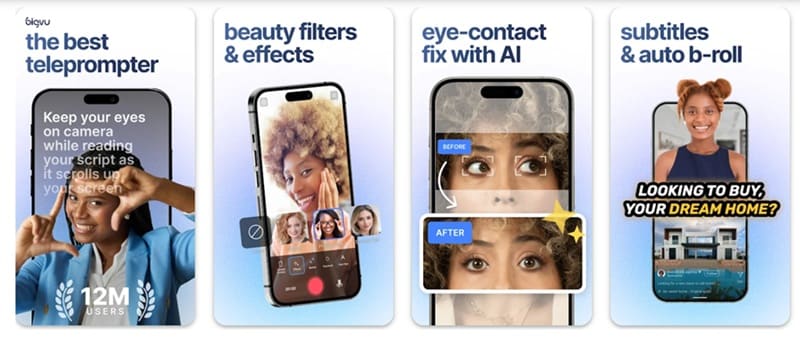
BIGVU is more than a basic Android autocue app. It’s a video creation app with a teleprompter, automatic captions, AI writing tools, branding features, transcript-based editing, music tools, and eye contact correction. Think of this less like a simple text scroller and more like a miniature television production studio in your pocket.
Key Features:
- AI eye contact helps reduce the “reading off-screen” look.
- Automatic subtitles are useful for TikTok, Reels, Shorts, and business videos.
- AI Magic Writer can help draft or improve scripts for videos.
Android Compatibility: Android 8 and above.
Pricing: Free to download, with in-app purchases $0.99 - $139.99 per item.
4. Teleprompter for Video
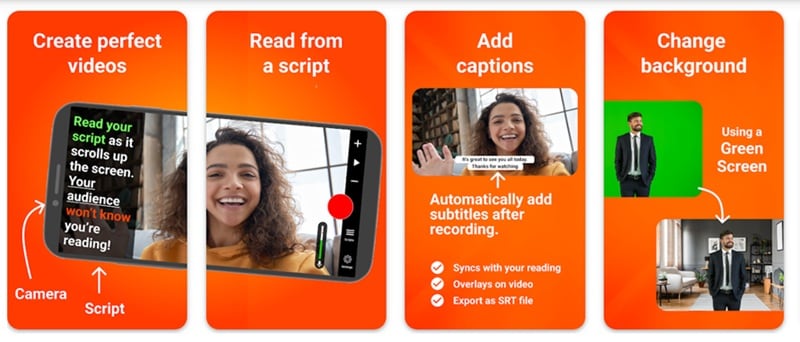
Our next recommendation, Teleprompter for Video, is one of the strongest picks if your main goal is recording polished videos directly from your phone. It keeps the script near the camera, supports front and rear cameras, and lets you adjust recording settings. It’s a very practical teleprompter app for Android if you record vlogs, business updates, lessons, sermons, auditions, or social media videos.
Key Features:
- You can control scrolling with a Bluetooth remote, keyboard, or foot pedal.
- Front and rear camera recording gives you more control over how you film.
- Captions and SRT export helps you create subtitle files for social platforms.
Android Compatibility: Android 8 and above.
Pricing: Free to download, with in-app purchases $5.49 - $21.99 per item.
5. Nano Teleprompter
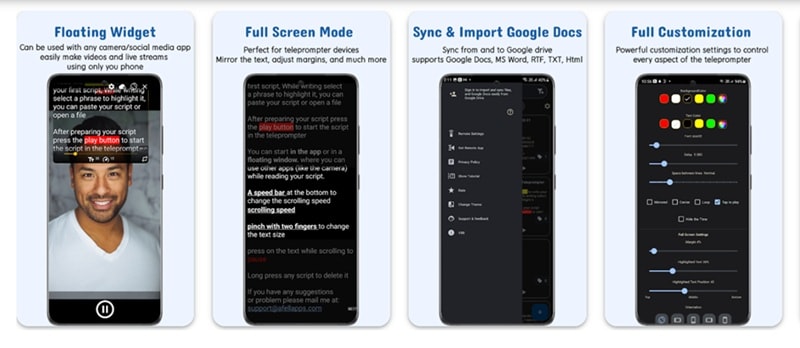
If you need an Android prompter app that works across different recording setups, Nano Teleprompter is worth a try. Its main strength is the floating widget. You can place the script over other apps, resize it, move it, and use it with different cameras, livestreaming, or meeting apps.
Key Features:
- Floating teleprompter widget lets you read scripts over other camera or video apps.
- Highlighting key phrases makes important lines easier to notice while reading.
- Remote control support lets you pause, resume, scroll, and adjust speed hands-free.
Android Compatibility: Android 7 and above.
Pricing: One-time paid app purchase at $4.49.
6. Teleprompter with Video Audio
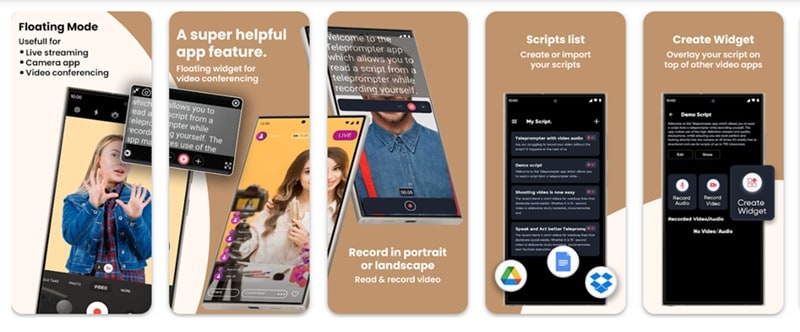
If you want a studio-feel video without expensive physical rigs, this one should be in your consideration. It does not try to be a huge creator suite like BIGVU, but it covers the core things most users need: script scrolling, front and rear camera recording, audio recording, mirror mode, import support, and basic branding.
This makes it a good teleprompter app for Android if you want something straightforward for speeches, talking-head videos, lessons, presentations, or quick social clips.
Key Features:
- Front and rear camera recording lets you record yourself or switch to the rear camera for sharper video.
- Mirror mode and keyboard control are useful for physical teleprompter rigs and hands-free scrolling.
- Lets you record with built-in or external microphones.
Android Compatibility: Android 6 and above.
Pricing: Free to download, with in-app purchases $5.99 per item.
7. Parrot Teleprompter
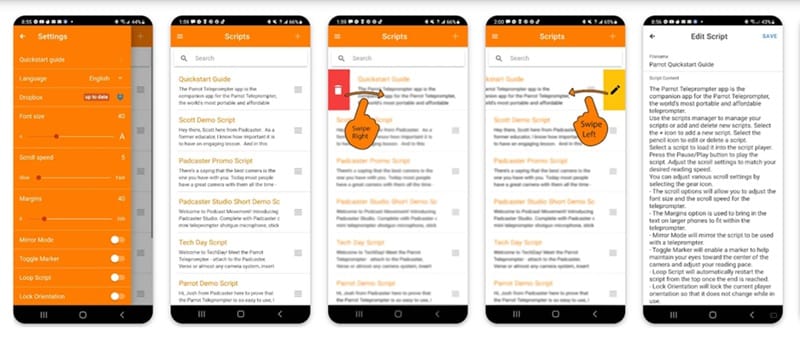
Parrot Teleprompter is best for people who like a classic Android teleprompter setup. It’s simple, focused, and designed to work with the Parrot Pro Teleprompter hardware, though you can also use it as a phone or tablet teleprompter app. It also gives you the core things you need: scrolling, mirror mode, text control, script editing, and remote support.
Key Features:
- Scroll speed control lets you match the text pace to your speaking style.
- Toggle markers help your eyes stay focused on the right line.
- Dropbox TXT support lets you bring in plain text scripts from Dropbox.
Android Compatibility: Android 5.1 and above.
Pricing: Free. Optional Parrot teleprompter hardware and remote accessories are sold separately.
8. Teleprompter: Vlog & Scripts
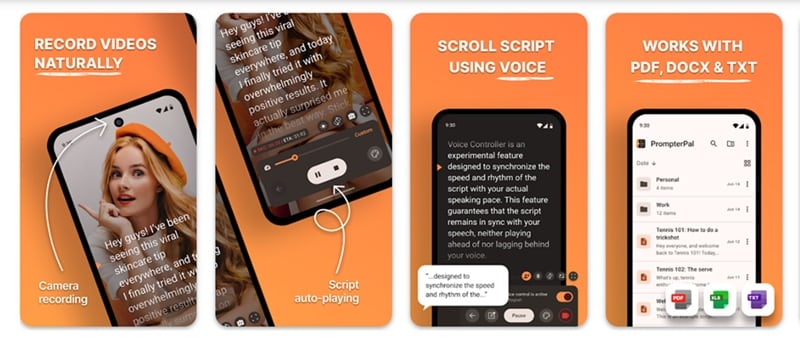
Last but not least, we have a modern Android prompter app that combines hands-free recording with deep stylistic control. This app can float your script over other apps, record in Full HD, import common script files, support mirror mode, and even use voice control so the script can start and stop based on your speech. It also features an on-device voice tracking system that listens to you talk so you never have to scramble for a remote mid-sentence.
Key Features:
- Floating script overlay lets you read your script while using another camera or recording app.
- Mirror mode works with physical teleprompter hardware.
- PDF, TXT, and Word import saves time when moving scripts from your computer or notes app.
Android Compatibility: Android 8 and above.
Pricing: Free to download, with in-app purchases $1.99 - $59.99 per item.
Part 4. The Limitations of Android Teleprompter Apps
All the Android teleprompter apps above are great tools that can genuinely save your video recordings. However, using mobile apps often comes with plenty of setbacks.
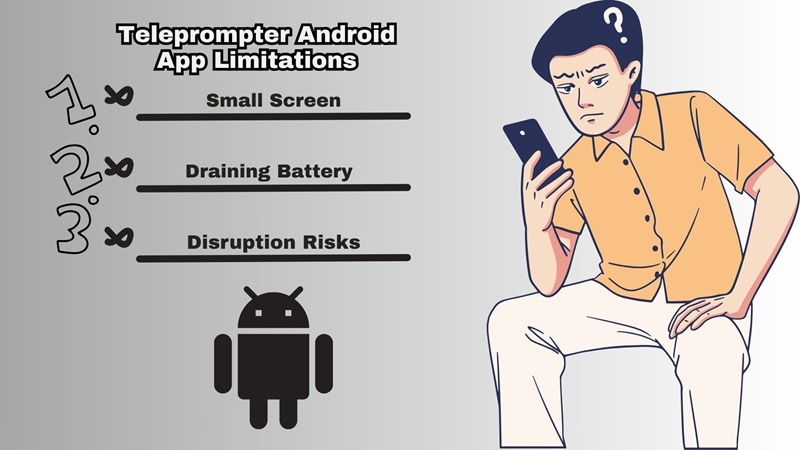
Knowing these limitations beforehand can save you a ton of frustration down the line when you're in the middle of a shoot:
- ❌ Small Screen: Android screens are small, meaning text can feel cramped, causing your eyes to move back and forth rapidly, which looks unnatural on camera.
- ❌ Battery Drain: Running a high-definition video camera, processing a scrolling text overlay, and using speech recognition simultaneously will make your phone incredibly hot and tank your battery life.
- ❌ Audio and Mic Compatibility Quirks: Some apps that record video while scrolling scripts struggle to recognize external USB-C or wireless lavalier microphones, leaving you with subpar audio.
- ❌ System Disruption Risks: Incoming phone calls, text notifications, or system background updates can instantly freeze or crash your floating widget right in the middle of a perfect take.
Bonus: Skip App Switching With Filmora's Built-In Teleprompter
Those limitations can surely slow down your creative momentum. So, instead of constantly switching from one Android prompter app to another, transferring massive video files, and draining your phone's battery, it’s better to just use one tool that provides everything.
That one tool is Wondershare Filmora, an all-in-one video editor that includes a brilliant built-in teleprompter inside its presentation and desktop recording suite. It’s especially useful if your final video needs more than just a clean read.
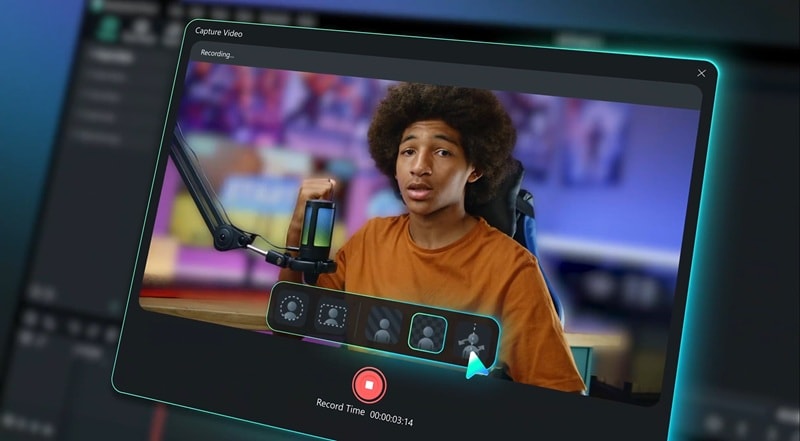
After using it to record your clean, professional delivery, you can jump straight into editing, color grading, clean audio, insert text, add music, resize for social media, and export the final video. Follow these steps to get your script running seamlessly on your desktop setup.

 secure download

How to Access Filmora's Teleprompter: Step-by-step Guide
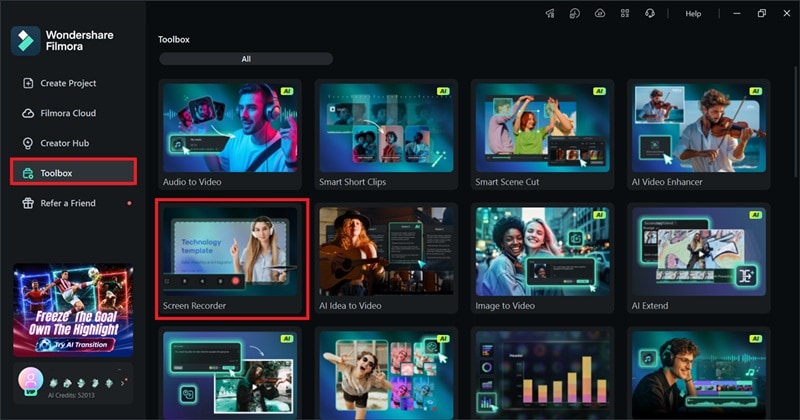
Step 1. Launch Filmora and Open the Recorder
Open Filmora on your Windows PC or Mac. Go to the Toolbox section, then choose Screen Recorder.
Step 2. Open the Teleprompter Panel
In the recording preview layout, click the Teleprompter icon located near the control settings to instantly bring up the dedicated script panel.
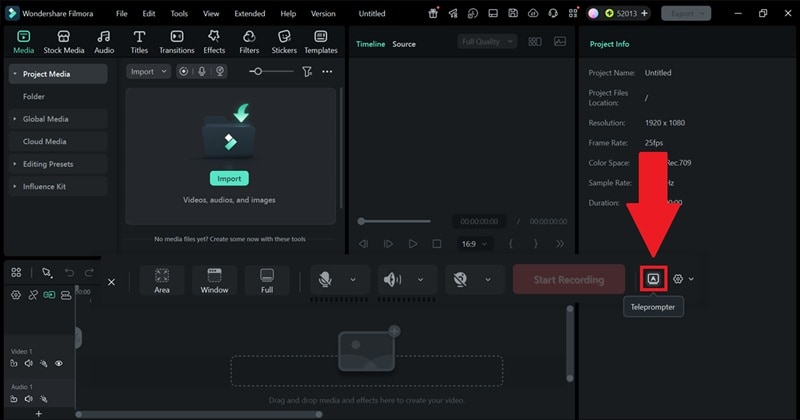
Inside that teleprompter window, you can type your content directly or import your prepared text files. Feel free to adjust the font sizes, change text contrast, and dial in the perfect scrolling speed to match your natural speaking voice. When you're ready, hit the big red record button and speak confidently while looking straight at your desktop webcam.
Conclusion
Finding the perfect Android prompter app depends entirely on how you like to film. If you love using your phone's native pro-camera features, a floating widget tool like Nano Teleprompter or Teleprompter: Vlog & Scripts is incredible. If you struggle with pacing, the voice tracking features change the game entirely.
But if you are tired of juggling files between your phone and your desktop editor, give Filmora's built-in script tool a try. It streamlines your entire video creation process by letting you write, read, record, and edit inside a single ecosystem. So, you can move from script to finished video with fewer tools.
secure download FAQs About Android Teleprompter Apps
-
Can teleprompter apps help me look more natural on camera?
Yes, but setup matters. Keep the script close to the camera lens, use a comfortable font size, slow down the scroll speed, and practice once before recording. The app helps, but your delivery still makes the biggest difference. -
Can I use these Android teleprompter apps with an external Bluetooth remote?
Yes, many of them, such as Teleprompter for Video, Teleprompter with Video Audio, and Teleprompter: Vlog & Scripts, offer native integration with standard Bluetooth presentation clickers, keyboards, or dedicated prompter remotes so you can pause or adjust speeds from a distance. -
Will a floating teleprompter widget show up in my final recorded video?
No, floating widgets only appear on your screen for you to read. The underlying camera app only captures your actual camera feed, keeping the text overlay completely invisible to your audience. -
Do these apps work well if I wear glasses?
They work perfectly, but to prevent your viewers from seeing the reflection of the scrolling text in your lenses, try increasing the font size and moving your phone slightly farther away while positioning the text as close to the camera lens as possible.
