

 100% Security Verified | No Subscription Required | No Malware


 ChatGPT
 Perplexity
 Gemini
 Claude
 Grok
Grok
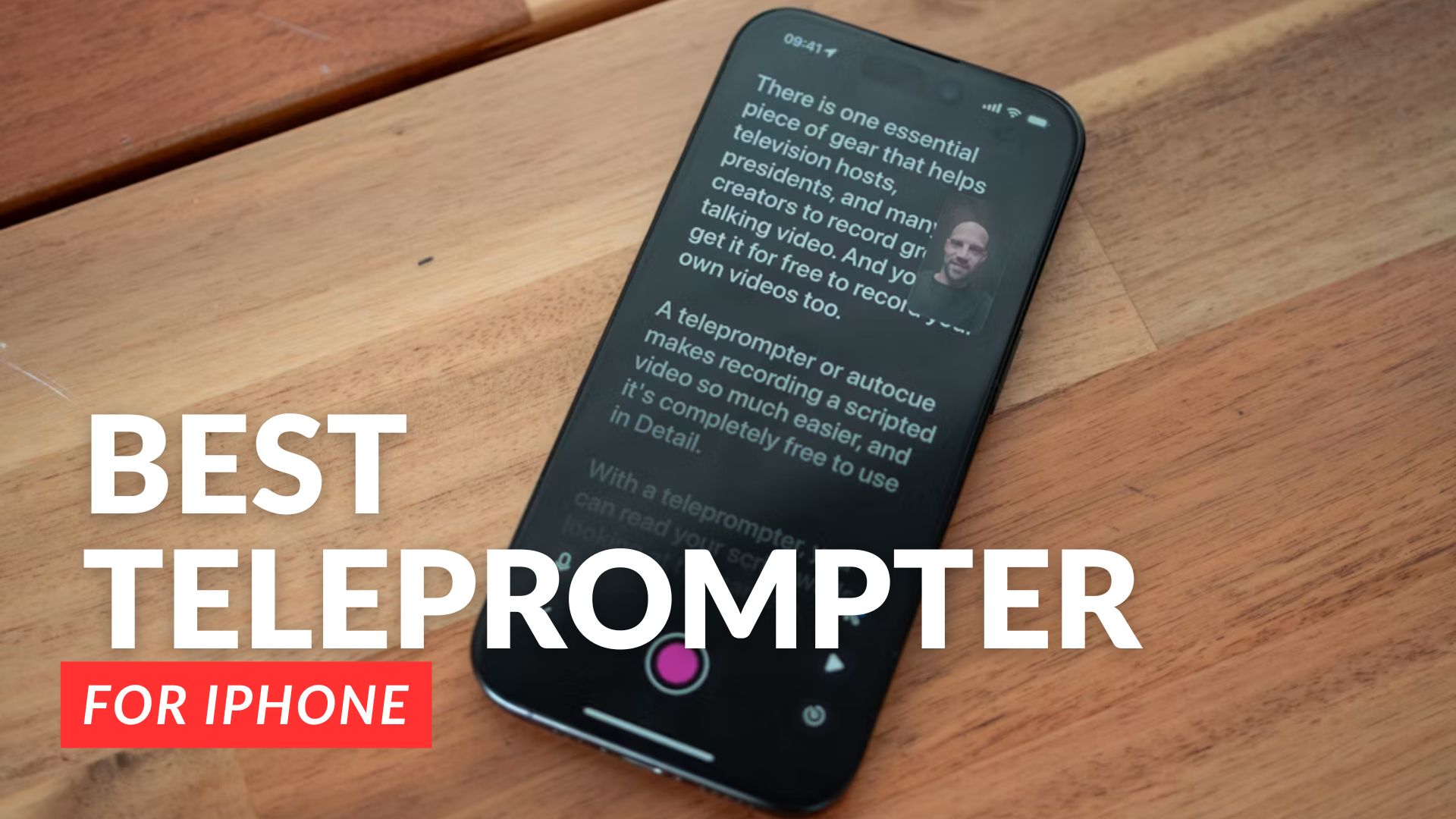
Your iPhone may have a small screen, but it’s more than enough to help you record better videos. With everything moving faster now, you don’t always need a full studio setup to speak clearly on camera. An iPhone teleprompter app can do the same thing, with a size small enough to fit in your pocket and ready whenever you need it.
From all the available options, we have shortlisted some of the best teleprompter apps for iPhone this year. Here are our recommendations, along with each of their key features, best uses, and limitations.
In this article
Part 1. What Makes a Great iPhone Teleprompter App
Not every app you come across is the one you need. But trying each one just to find out isn't realistic either. A good teleprompter app for iPhone, based on the criteria we set, should cover these basics:
- Script control: Adjustable scroll speed is not a feature you can simply ignore. You need to match the pace to how you naturally speak, not the other way around.
- Readability: Font size, text color, and background contrast all matter more than people realize, especially when you're filming under different lighting conditions.
- Mirror mode: If you're using a physical teleprompter beam splitter with your iPhone, the app needs to flip the text horizontally so it reads correctly through the mirror.
- Remote control support: Being able to control the scroll with a Bluetooth remote or a second device means you don't have to reach over and tap your screen mid-take.
- Import options: Copy-paste works, but being able to import a script directly from a document saves time when you're working with longer scripts.
- Clean interface: An app that's cluttered or confusing to set up defeats the purpose. The best ones get you from script to rolling in under a minute.
Part 2. Teleprompter App Comparison Chart
From those criteria, we narrowed the list to only the apps that actually hold up in practice. But before we break down each option in detail, below is a quick comparison chart of the iPhone teleprompter apps we are going to cover later.
| App | Best for | Compatibility | Price |
|---|---|---|---|
| Teleprompter.com | All-in-one recording and team collaboration | iOS, Android, macOS, web | Free; paid plans from $4.99/week or $59.99–$89.99/year |
| PromptSmart Pro | Solo creators who need voice-tracking without an operator | iOS, iPadOS | $29.99 one-time; Extended subscription at $1.99/month or $19.99/year |
| Teleprompter Pro | Production use with a one-time purchase option | iOS, iPadOS, Apple Watch | Free; Pro at $59.99 subscription or $159.99 lifetime |
| BIGVU | Social media creators who want built-in publishing tools | iOS, Android, macOS | Free; paid plans from $24.99/month |
| Teleprompter for Video | Script-to-export workflow in one app | iOS, iPadOS, Apple Watch, Apple Vision | Free; Premium from $8.99/month or $59.99/year |
| Prompt+ | Presentations and Zoom calls | iOS, iPadOS, macOS, Apple Vision | Free; Premium at $19.99 one-time |
| Parrot Teleprompter | Users with Parrot Pro hardware | iOS, iPadOS, macOS | Free |
| Prompster | Hands-free delivery with voice-following scroll | iOS, iPadOS, macOS | Free; Pro at $7.99/month or $49.99/year |
Part 3. Top Teleprompter Apps for iPhone Reviewed
Unlike desktop teleprompter software, iPhone teleprompter apps are designed for quick and flexible recording that you can carry anywhere. Take a closer look at the options below and see which one fits the way you record.
1. Teleprompter.com
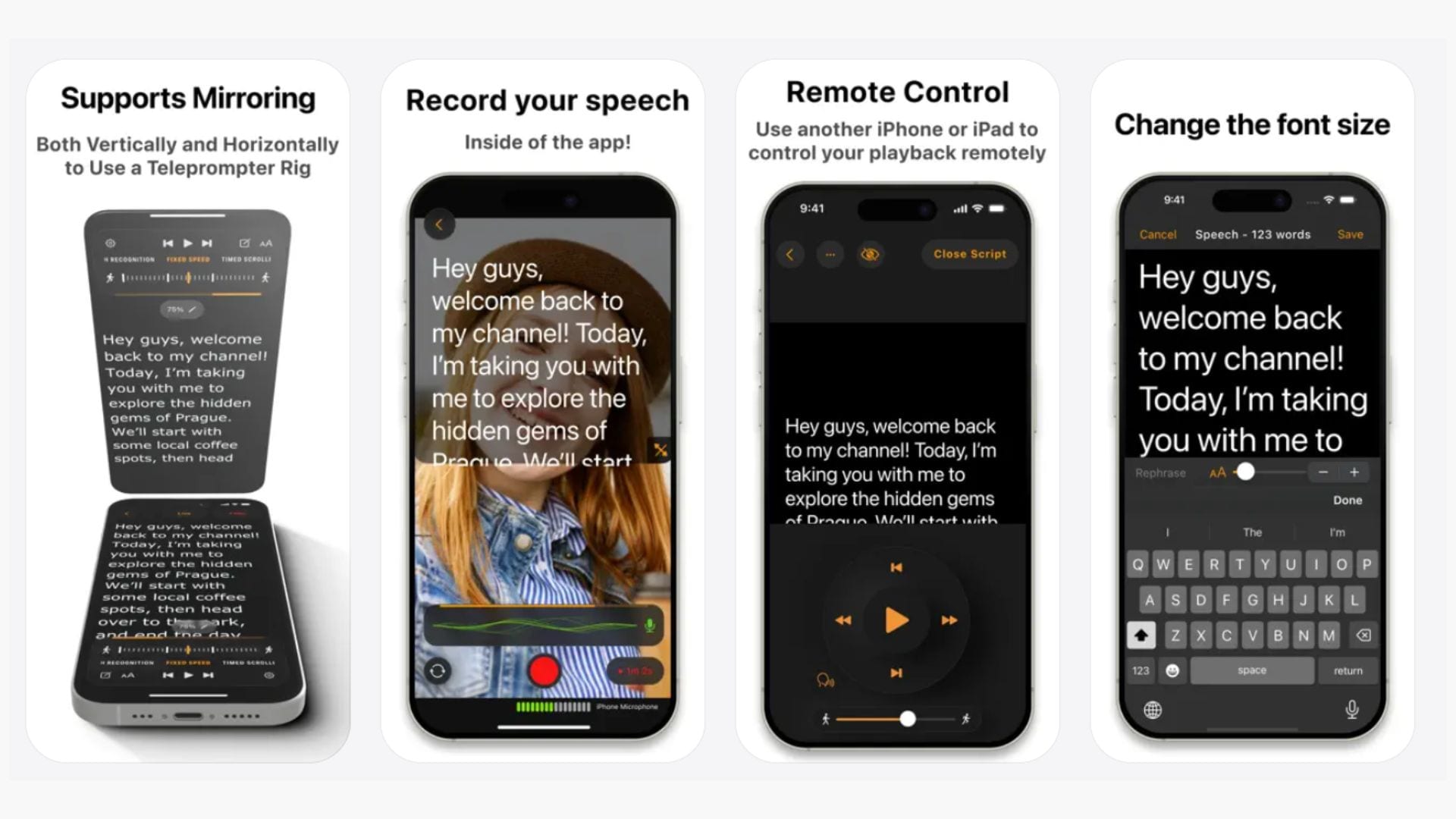
Teleprompter.com is a full-featured iOS teleprompter that covers everything from script import to in-app video recording, cloud sync, and team collaboration. The app is actively maintained, with recent updates including an overhauled voice scroll that now works fully offline.
Key Features:
- Voice-activated scrolling
- Import scripts from TXT, Word, and PDF via cloud services
- In-app video recording with front/rear camera switching, background replacement, and portrait mode blur
- AI-powered line rephrasing
- Remote control support via Apple Watch, Bluetooth keyboards, game controllers, foot pedals, and MIDI controllers
- Team collaboration workspace for shared scripts and recordings
- Supports multiple languages, including Hebrew and Arabic
- Compatible with DockKit gimbals and external USB microphones
Compatibility: iOS 14.0 or later, macOS, Android, web
Price: Offers a 7-day free trial. Paid plans include $4.99/week, $9.99/month, $19.99/month, or $59.99 – $89.99/year.
2. PromptSmart Pro
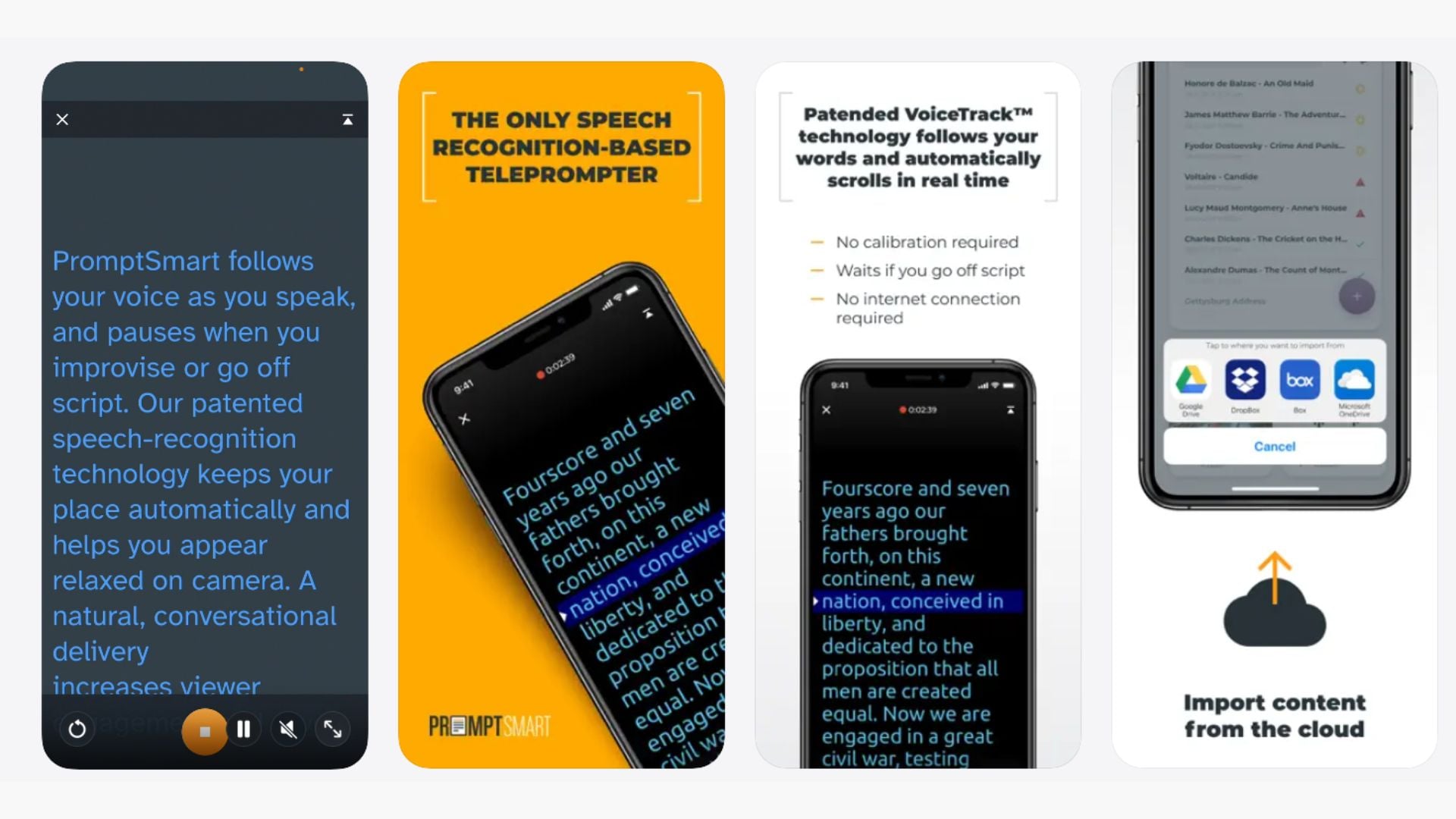
PromptSmart Pro's main selling point is its patented VoiceTrack technology, a speech-recognition-based scrolling system that automatically follows your pace in real time. If you go off-script, it holds your place and waits. It's been a favorite iOS teleprompter app for solo video creators who can't rely on a separate operator to control scroll speed.
Key Features:
- VoiceTrack™ voice-activated scrolling
- Selfie Mode with simultaneous HD video recording
- Text mirroring for use with beam splitter teleprompter rigs
- Script import from Google Drive, OneDrive, Box, Dropbox, and iCloud
- Remote control support via companion app or web-based Remote Control Room
- AI script generation powered by Llama
- Compatible with Bluetooth keyboards and foot pedals
Compatibility: iOS 11 and later, iPadOS
Price: $29.99; Extended subscription is available at $1.99/month or $19.99/year.
3. Teleprompter Pro
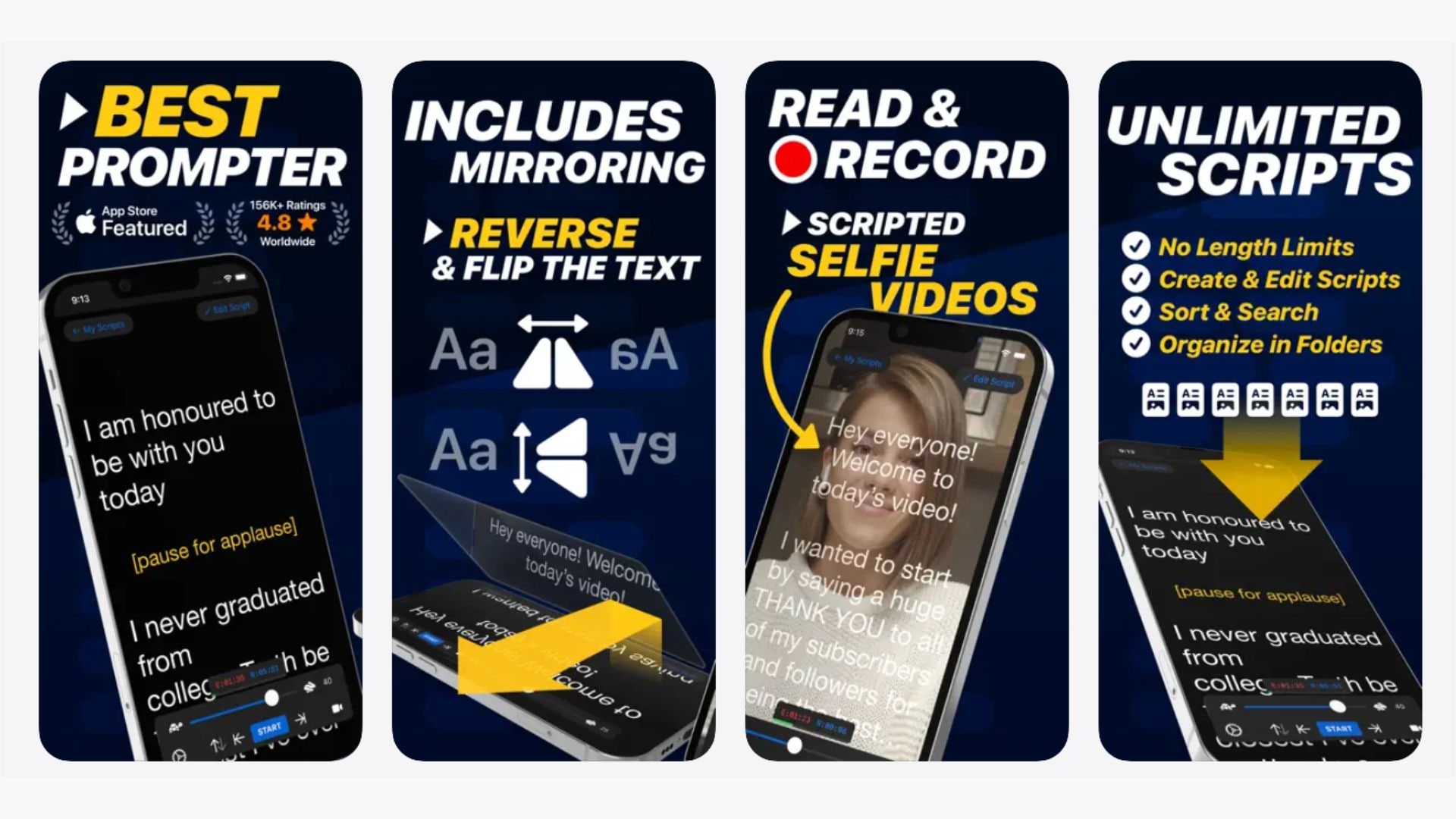
Teleprompter Pro is a teleprompter app for iOS that’s made for production and is already used by Netflix, BBC, ABC, CBS, and other production houses. The app focuses on reliable script scrolling and solid video recording without overcomplicating the interface.
Key Features:
- Unlimited scripts with no character or length limits
- Import Word, PDF, TXT, and RTF from any app
- Smooth scrolling up to 120Hz on ProMotion devices
- Voice-assisted scrolling
- In-app video recording with virtual backgrounds
- Text mirroring for teleprompter rig use
- Remote control via web browser, Bluetooth, keyboard, foot pedal, game controller, and Apple Watch
- Auto-generate SRT captions from recordings
- Supports Siri and Shortcuts via App Intents
- Cloud-based script backups and cross-device sync
Compatibility: iOS 16 and later, iPadOS, Apple Watch
Price: Free version available. Pro upgrade starts at $59.99 subscription or $159.99 lifetime.
4. BIGVU
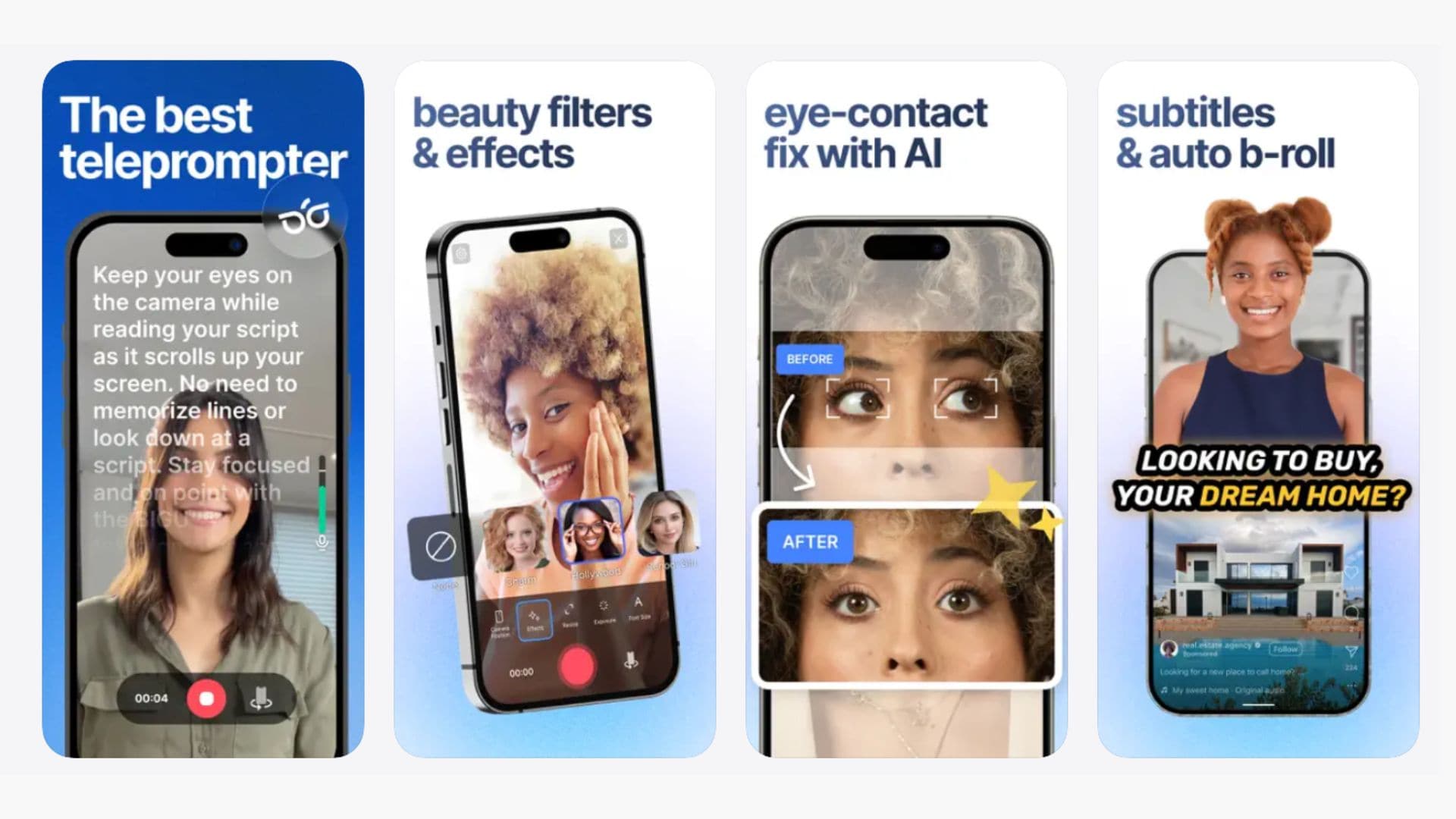
BIGVU positions itself as a mobile video studio rather than just an iPhone teleprompter app. Beyond script scrolling, it offers automatic subtitle generation, green screen replacement, branded video templates, and direct social media publishing.
Key Features:
- Teleprompter with adjustable scroll speed, manual exposure control, and audio monitoring during recording
- AI eye contact fix
- Green screen/chroma key background replacement
- Automatic captions with branded themes, logo overlays, and color customization
- Multiple takes with best-take selection
- Autoshorts Agent for turning long videos into short clips
- Available in 16 languages
Compatibility: iOS 16.6 and later, iPadOS, macOS 13.5 and later, Android
Price: Free version available. Paid subscriptions start at $24.99/month.
5. Teleprompter for Video
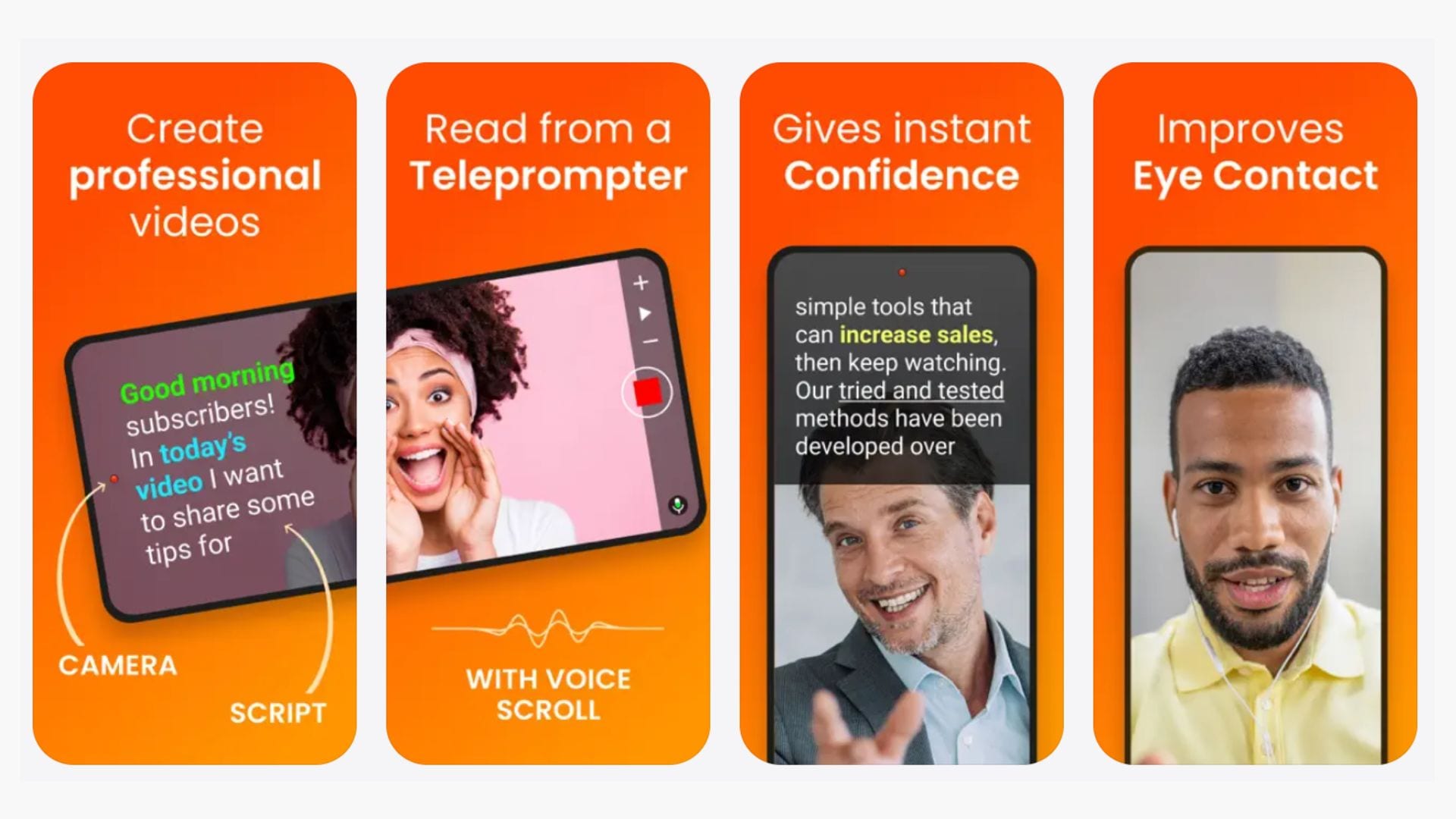
Teleprompter for Video is a focused app that handles the full cycle of a talking-head video production. From writing or importing your script, recording video while the prompter scrolls next to the camera lens, to doing basic edits like captioning, logo overlay, and background replacement before exporting, this app can do it all.
Key Features:
- Simultaneous script scrolling and video recording
- Voice-assisted scrolling
- Import from Dropbox, Google Drive, OneDrive, and iCloud
- Rich text script formatting
- AI eye contact enhancement
- AI script writer and editor
- 4K recording with frame rate options
- Green screen background replacement and virtual backgrounds
- Auto-generated captions with SRT export
- Floating overlay mode for live streaming
- Text mirroring for professional rig setups
Compatibility: iOS 14.0 and later, iPadOS, Apple Watch, Apple Vision
Price: Free version available. Premium starts at $8.99/month or $59.99/year.
6. Prompt+
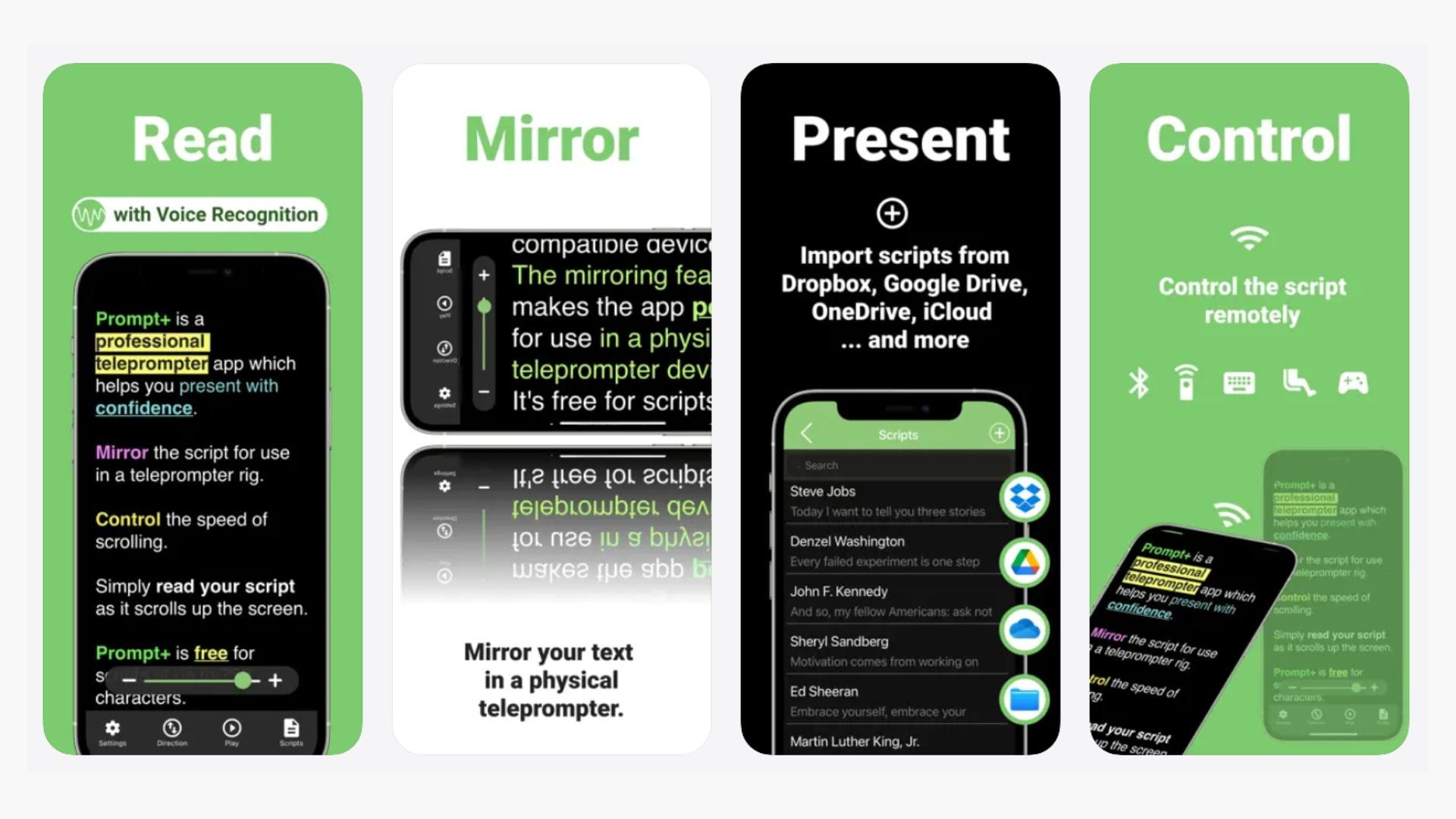
Prompt+ teleprompter app for iPhone is made by the same developer as Teleprompter for Video, but takes a different approach by focusing purely on the prompter side. It’s good for presentations, Zoom prep, and teleprompter rig use and offers a one-time purchase instead of a subscription.
Key Features:
- Text mirroring for teleprompter rig use
- Script import from Dropbox, Google Drive, iCloud, and OneDrive
- Rich text formatting
- Remote control via Bluetooth, foot pedal, game controller, keyboard, or another iOS/Mac device
- Countdown timer before scrolling begins
- Clock display for time management
Compatibility: iOS 14.0 and later, iPadOS, macOS 11.0 and later, Apple Vision
Price: Free version available. The Premium plan costs $19.99 one-time.
7. Parrot Teleprompter
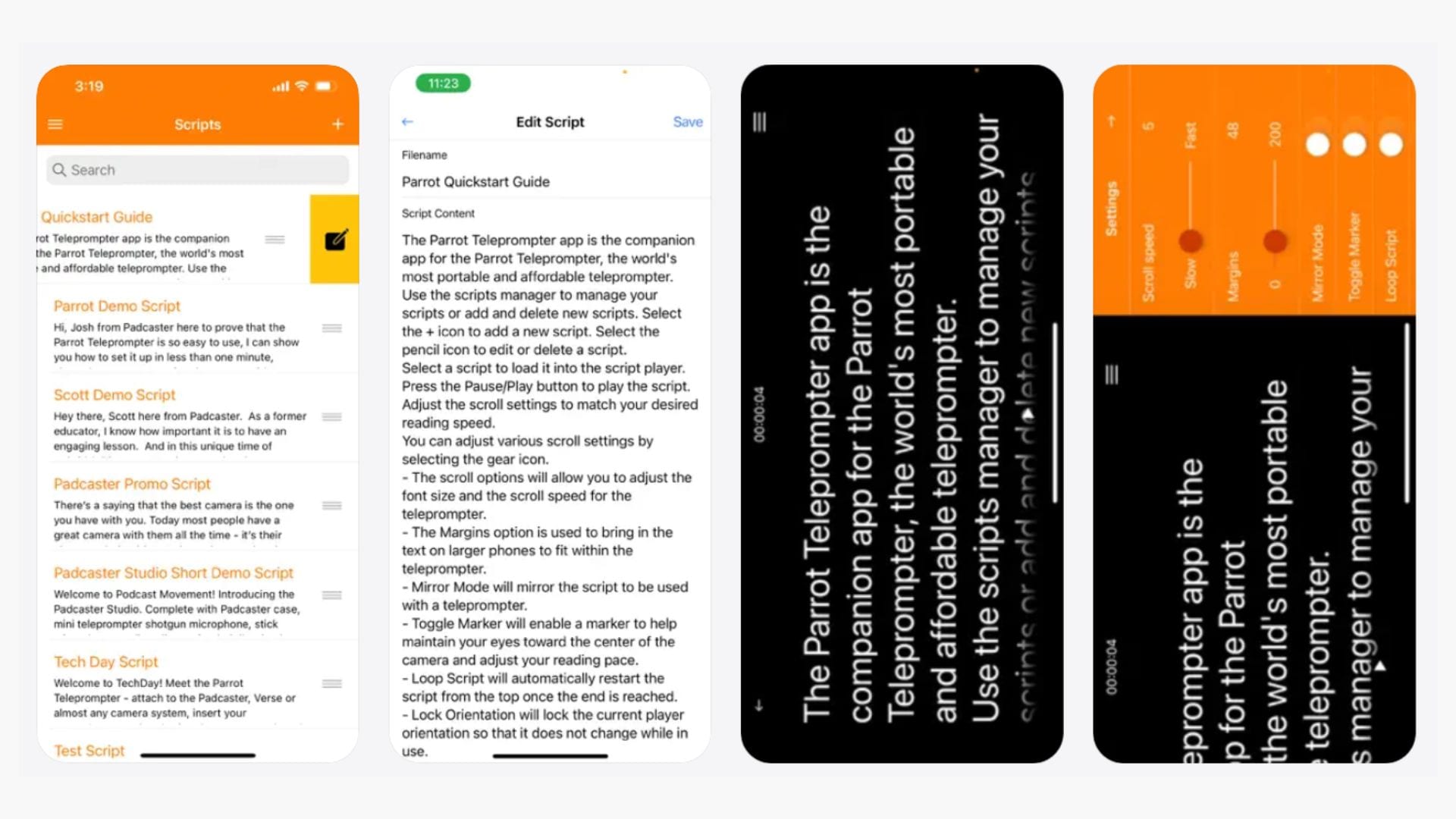
Parrot Teleprompter is the companion iOS teleprompter app for the Parrot Pro Teleprompter hardware, a compact beam-splitter rig designed to mount on a DSLR or camcorder. The app itself is free and handles basic script scrolling with mirror mode, speed control, and Dropbox sync.
Key Features:
- Landscape, portrait, and mirror mode scrolling
- Adjustable scroll speed and text size
- Cue marker to focus on specific lines
- Customizable foreground and background colors
- Script creation and editing within the app
- Dropbox sync
- Remote control support with Parrot Pro Teleprompter remote accessory
- Unlimited number of scripts
- Loop script setting
Compatibility: iOS 12.0, iPadOS, macOS 11.0 and later, Apple Vision
Price: Free
8. Prompster Voice Teleprompter
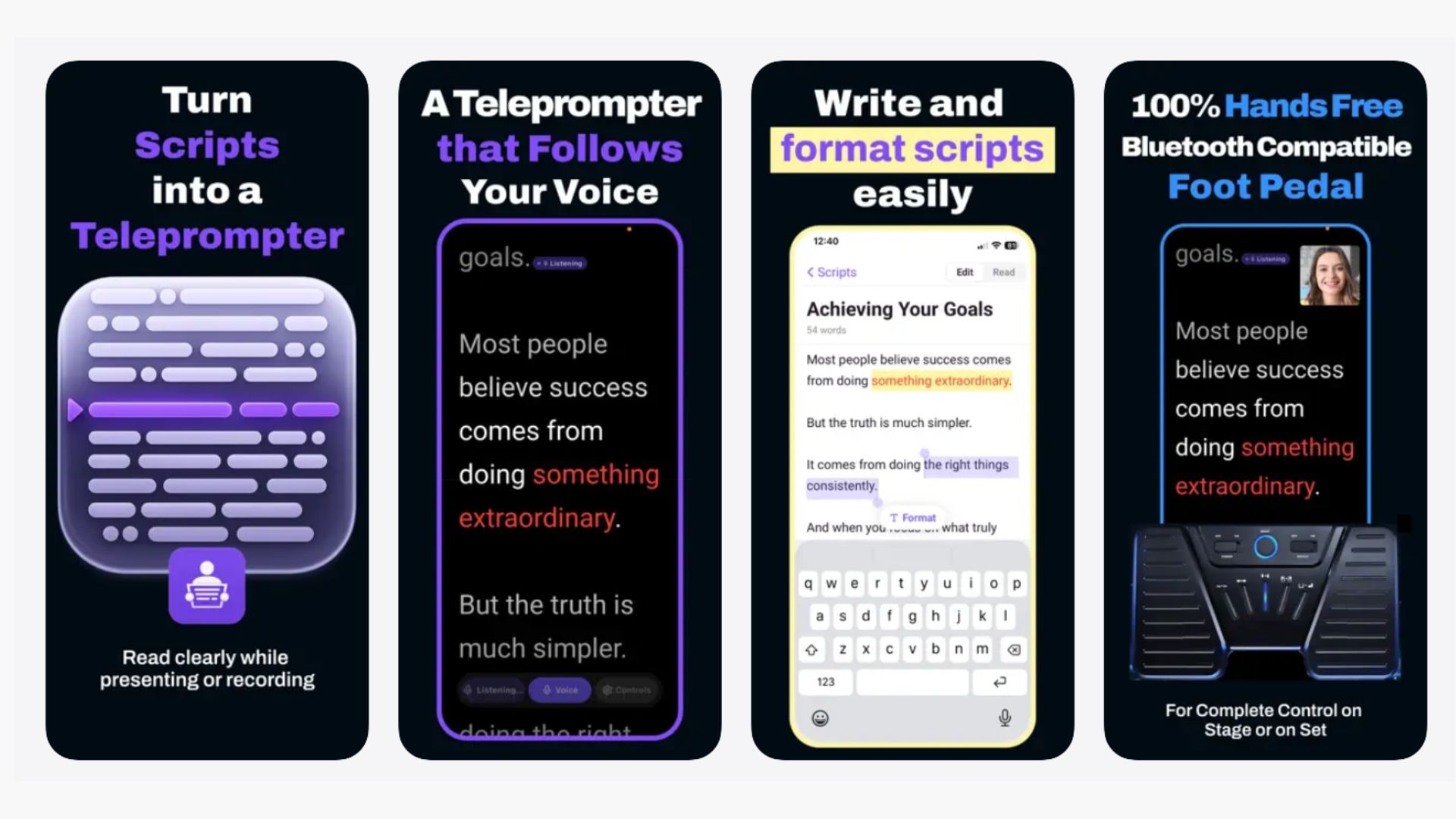
Prompster is a newer entry in this space by Dante Media. It's built around voice-following scroll as the primary feature. This iPhone teleprompter app targets speakers, educators, and on-camera creators who want hands-free delivery without touching the screen.
Key Features:
- Voice Follow: real-time speech-driven scrolling
- In-app video recording with export
- Picture-in-picture camera preview for practice mode
- Script editor with highlighting for key moments
- Bluetooth foot pedal support
Compatibility: iOS 15.0 and later, iPadOS, macOS 12.0 and later
Price: Free plan available with watermarks. The Pro plan costs $7.99/month or $49.99/year.
Part 4. The Limitations of iPhone Teleprompter Apps
So, which one should you pick? Honestly, the best iPhone teleprompter app for you depends less on the app and more on what you're trying to do. If you're just recording quick videos for social media, any of the options above will get the job done.
But if your recordings need to look polished when they're done, an iPhone teleprompter app alone won't usually cut it. Some of the limitations you'll hit include:
- ❌ Limited advanced video editing: Most apps let you record and maybe trim, but nothing beyond that. Color grading, transitions, background music, caption styling, and multi-clip timelines are outside their scope.
- ❌ Audio tools are basic: A few apps support external USB microphones, but in-app audio processing is minimal. You won't find noise reduction, EQ, or voice enhancement built in.
- ❌ No multi-track workflow: If you're recording separate takes and want to combine the best parts, you'll need to do that in a separate app entirely.
- ❌ Not ideal for screen-sharing videos: Teleprompter apps are useful when you speak directly to the camera, but they’re not the best choice for tutorials, product demos, or explainer videos that require you to record your screen and walk through each step.
If you find yourself exporting recordings only to finish them somewhere else every single time, this is a sign you may need something more than an iPhone teleprompter app. A full video editor like Wondershare Filmora can give you more room to polish your footage, adjust the audio, add captions, and finalize everything in one place.
Bonus: Filmora's Built-In Teleprompter for Smoother Video Creation
Beyond what a standalone iOS teleprompter app can do, Filmora's screen recorder comes with a built-in teleprompter you can use while speaking on camera. Just open the screen recorder, load your script, and it scrolls while you record.
That alone removes one of the biggest friction points in solo video creation, which is switching between your notes and your camera. With the teleprompter running inside the same tool you’ll use to edit the footage, you go from recording to a finished video without ever leaving the app.
Watch the Filmora teleprompter tutorial
On top of that, Filmora gives you the full editing suite once you're done recording, including timeline editing, AI-powered audio cleanup, caption generation, transitions, background music, and more. It's the part that iPhone teleprompter apps hand off to someone else, handled in the same place you recorded.

 secure download

How to Use Filmora's Teleprompter
Make sure you have the latest version of Filmora installed, then follow the steps below.
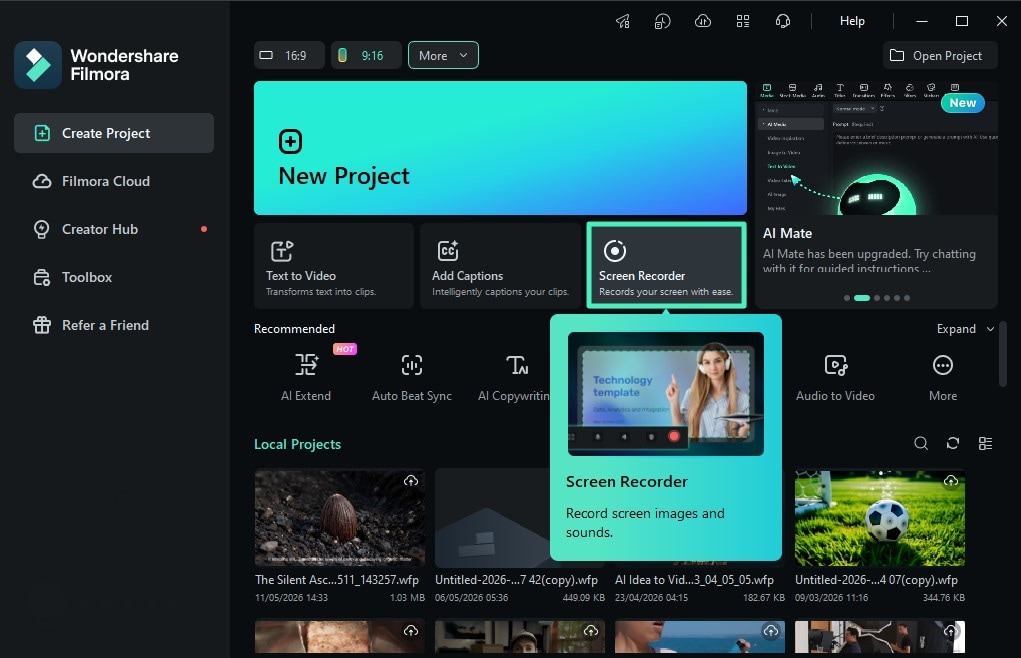
Step 1. Open Filmora Screen Recorder
Open Filmora and click on the Screen Recorder tool from the startup window.
Step 2. Open the Teleprompter Panel
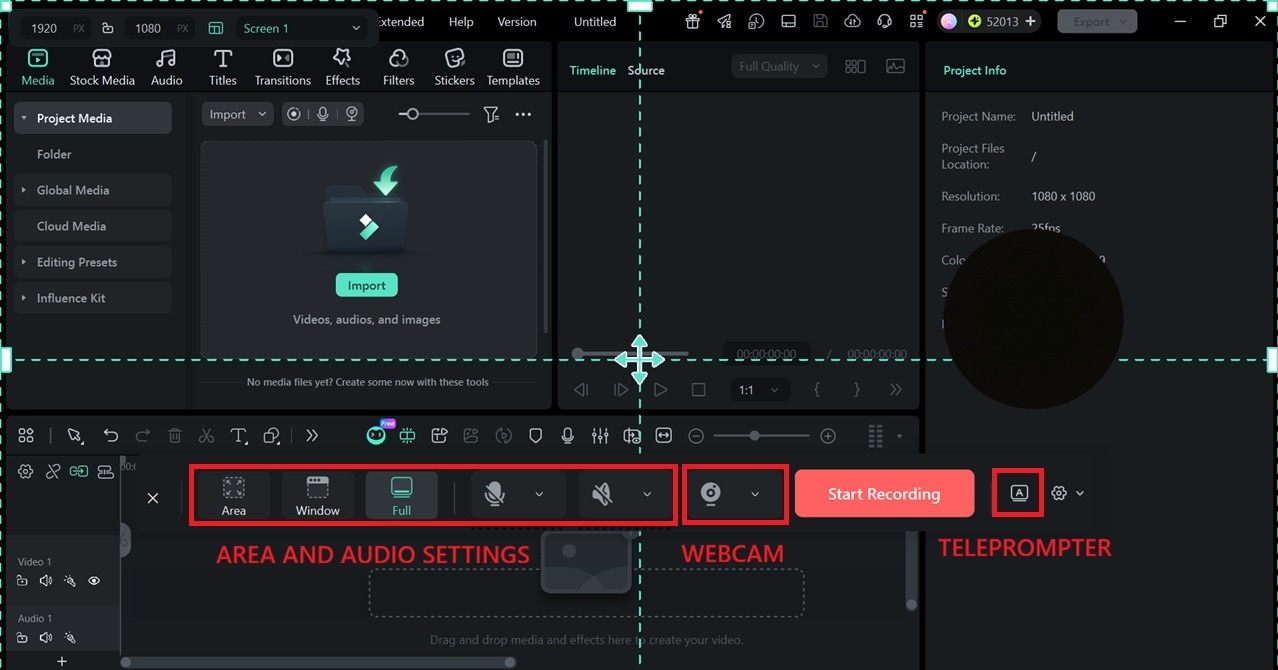
Select the screen area you want to capture and configure your camera and microphone settings as needed. Click the teleprompter button, marked with an "A" icon, to open the teleprompter panel.
Step 3. Type or Upload Your Script
Adjust the placement of the teleprompter overlay on your screen, then type in your script or upload a .txt file to load your content. Once you're ready, press play and start recording.
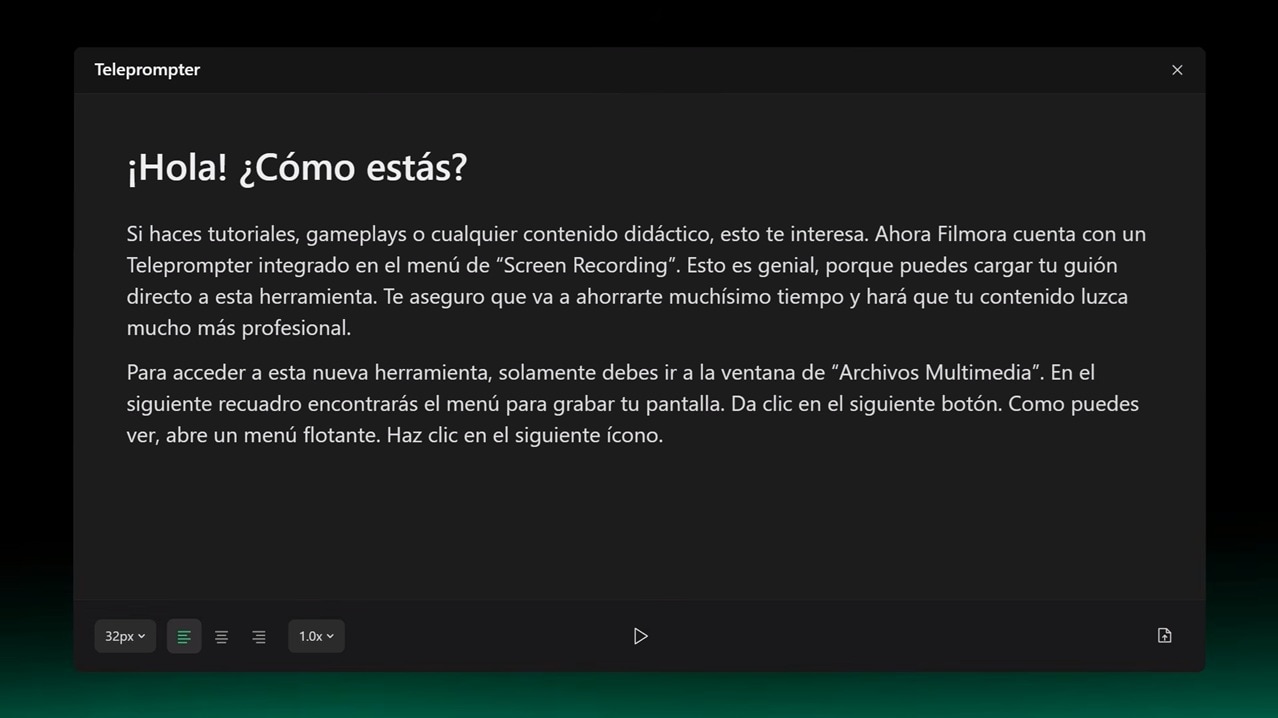
Filmora will scroll the script automatically while you deliver your lines, and the teleprompter overlay won't appear in the final video.
Conclusion
The best iPhone teleprompter app for you comes down to how you record, how much post-production you need, and how much you're willing to pay. For most people, Teleprompter.com and Teleprompter Pro cover the bases well. For live streaming, try Teleprompter for Video's floating mode.
If you find yourself getting tired of finishing videos in a separate editor every single time, Filmora is worth trying as a desktop alternative that covers both ends of the process. Its built-in teleprompter and full editing suite make a strong case for more control when the setup allows for it.
secure download FAQs About iPhone Teleprompter Apps
-
Does an iPhone have a built-in teleprompter app?
No, iPhones don't come with a built-in teleprompter app. You'll need to download one from the App Store. There are plenty of free options to start with, including Teleprompter.com, Teleprompter Pro, and Teleprompter for Video. -
What is the best teleprompter app for free?
From our list of the best teleprompter apps for iPhone, Parrot Teleprompter is the only completely free option with no in-app purchases, subscriptions, or ads. But if you want a free tier that's more practical for everyday recording, Teleprompter Pro and Teleprompter for Video are better starting points. -
How to read a script while recording on an iPhone?
Download any teleprompter app from this list and load your script. Set the font large enough to read comfortably at arm's length, slow the scroll speed down a little from the default, and place your phone as close to the camera lens as you can. -
How does an iPhone teleprompter work?
Most iPhone teleprompter apps work similarly. You only need to paste or import your script, then position your phone so the text appears as close to the camera lens as possible. Most of them let you adjust font size, scroll speed, and text color so it's easy to read without looking away from the camera.
