100% Security Verified | No Subscription Required | No Malware


 ChatGPT
 Perplexity
 Gemini
 Claude
 Grok
Grok
With Christmas approaching, it’s time to prepare fun or silly holiday content again. Do you already have something in mind to post for the festive season? If not, you can try turning yourself into a dancing elf with an elf yourself app.
An elf yourself video is quick to create and can be a cute idea that brings a smile to your followers. You don’t need a costume, props, or a special setup. The right app can turn your photo into an elf look in seconds.
This guide introduces the best elf dancing app options you can try. It’ll also show how to create your own elf clip with simple steps. Let’s get started.

In this article
Part 1. Best Elf Yourself Apps to Try This Christmas
Turn your photo into a dancing elf video for Christmas with the right ‘elf yourself’ app. Explore some of the best apps you can use to create elf-style videos from below:
1. Filmora for Mobile
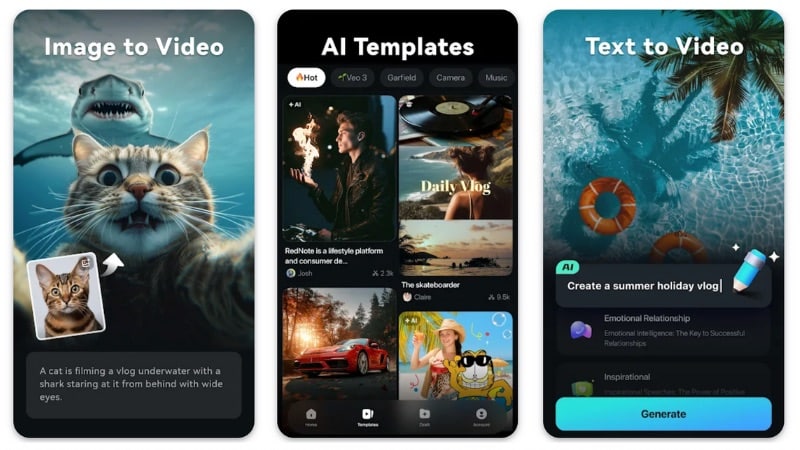
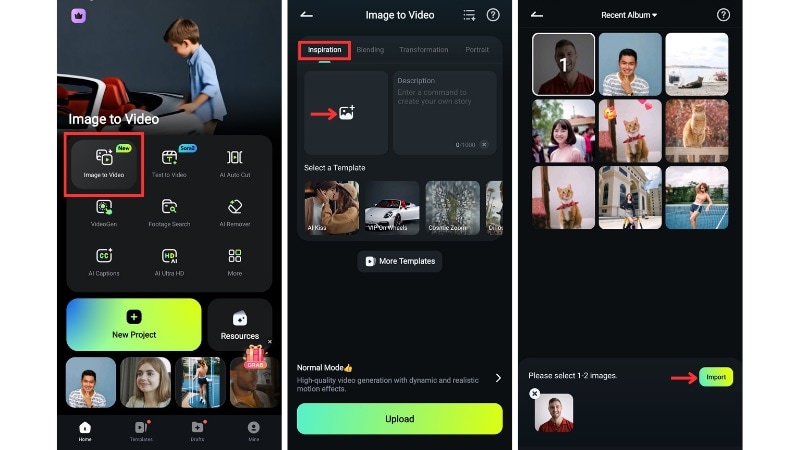
Wondershare Filmora is an all-in-one editor with powerful AI tools for fast and creative video work. Filmora also offers a mobile version that you can use as an elf dancing app. Its AI Image to Video gives you the freedom to turn simple photos into lively animated clips, such as a dancing elf, or any idea you have in mind. So, it’s not limited to one type of effect.
Platform: Android and iOS (also available on Windows and macOS)
Key Features
- AI Image to Video: Turns photos into animated clips with smooth motion, perfect for creating fun elf yourself videos.
- Stickers & Overlays: Adds festive elements such as snow, sparkles, or Christmas icons to support your elf clip.
- Music & Sound Effects: Browse through a range of cheerful tracks and playful sound cues for your edits.
- Text & Captions: It lets you add titles or greetings well for short Christmas messages in your videos.
2. ElfYourself
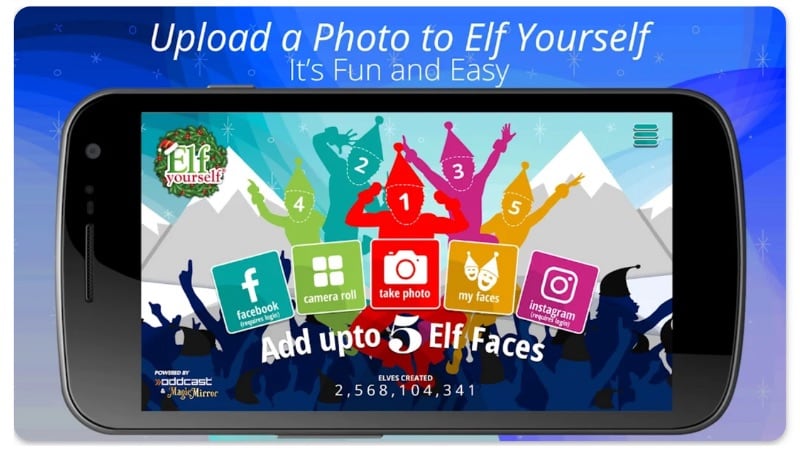
If you want to create an elf yourself video for free, try ElfYourself by Magic Mirror. It lets you upload up to five faces and place them on dancing elf bodies that move to cheerful Christmas music. For more dances, you can purchase them individually or pay for the subscription plan.
Platform: Android and iOS
Key Features
- Upload Multiple Faces: Add up to five faces, great for family or group elf videos.
- Dance Themes: Choose from various Christmas dances, each with its own music and style.
- Easy Sharing: Share your elf clip straight to social apps or chats.
- Quick Setup: Upload photos, select a dance, and generate your elf video within moments.
3. JibJab
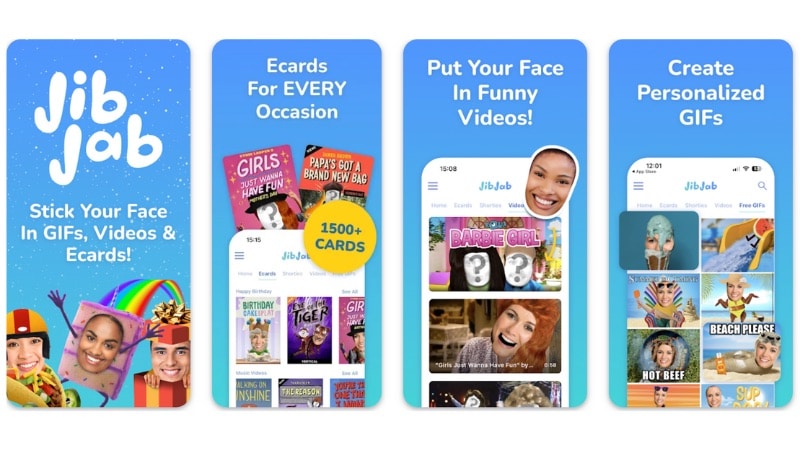
JibJab is a popular app for animated e-cards and funny personalized videos. It also works well for creating an elf yourself video, which lets you upload your portraits and turn them into short dance or greeting videos. The app covers many occasions, from Christmas to birthday content.
Platform: Android and iOS
Key Features
- Face-in-Hole Videos & GIFs: Insert photos into holiday clips, perfect for Christmas fun.
- Wide Holiday Library: Includes Christmas, birthdays, holidays, and many scene options.
- Simple Setup: Upload a photo, pick a scene, and let the app generate your clip.
- Free & Premium Options: Basic scenes remain free; premium content requires a subscription.
- Easy Sharing: Export or share your elf-style videos directly to social media or messages.
4. Dance Yourself
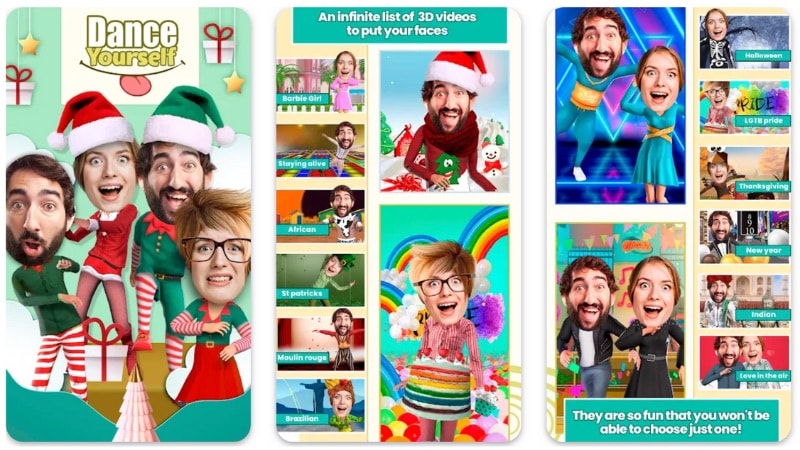
Dance Yourself is a fun Christmas elf dance app that can turn your photo into a dancing elf in a few taps. It includes plenty of seasonal themes, such as Christmas, New Year, birthdays, and Halloween. Basic dances come free, with premium scenes available as optional purchases.
Platform: Android
Key Features
- Face Swap Scenes: Insert your face into animated characters and Christmas dance clips.
- Holiday Themes: Access summer, winter, Christmas, New Year, birthday, Thanksgiving, and other seasonal dance scenarios.
- Fast Creation: Upload a photo, pick a scene, and create your animated dance in seconds.
- GIF & Video Output: Create short GIFs or full video clips for easy sharing.
5. Christmas Dance
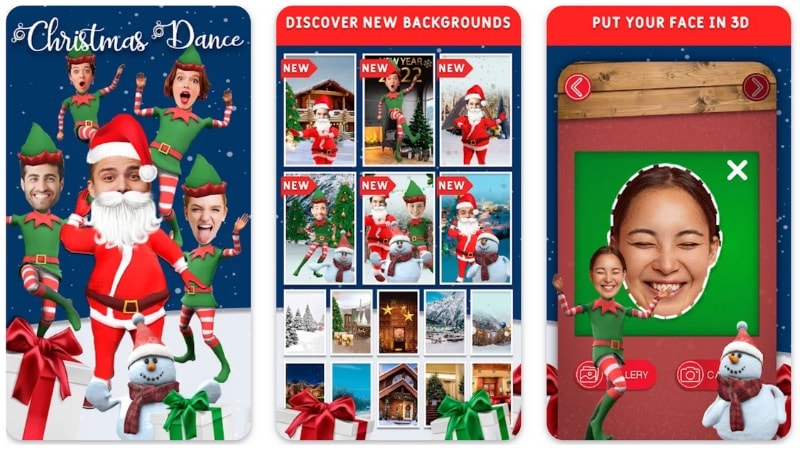
Christmas Dance is a Christmas elf dance app that lets you place up to three faces on dancing elf characters. You can upload photos of yourself, friends, or even pets, then choose the dance to create a short festive clip.
Platform: Android and iOS
Key Features
- Upload Multiple Faces: Add up to three faces and create group elf dancing videos.
- Dance Themes: Pick from different Christmas dance styles with unique movements and costumes.
- Background Scenes: Choose snowy villages, decorated rooms, or tree-filled settings to match your clip.
- Easy Sharing: Save your elf dance videos and share them on social media or messaging apps.
Comparison Table: Which Elf Yourself App Fits Your Needs?
To help you decide faster, the table below gives a quick overview of each elf yourself apps. It compares their main features, including platforms, template choices, and customization options. So you can pick which one fits your needs best.
|
App |
Platforms |
Template Variations |
Customizations |
Export Quality |
Watermark |
|
Filmora |
Android, iOS, Windows, macOS |
Wide and varied. Includes many AI templates across different categories. |
Yes. Add prompts for AI generation and fine-tune results with editing tools. |
Very High (Up to 4K) |
No, but AI credits are needed for generation. |
|
ElfYourself |
Android and iOS |
Focused on elf yourself video templates only. |
No |
High |
Yes |
|
JibJab |
Android and iOS |
Wide. It has many holiday and congratulatory-themed templates. |
No |
Standard |
Yes |
|
Dance Yourself |
Android |
Wide, but the list is random. It’s hard to find something specific. |
No |
Standard |
Yes |
|
Christmas Dance |
Android and iOS |
Limited to Christmas and holiday-themed. |
No |
Standard |
Yes |
Part 2. How to Make Your Own Elf Yourself Video
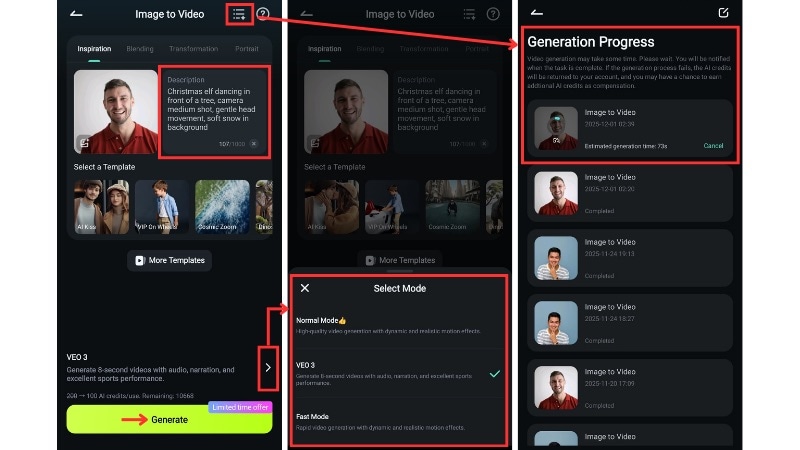
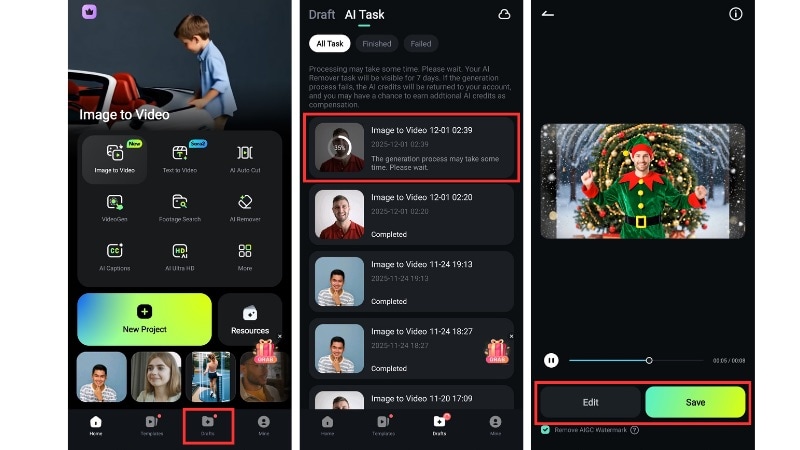
The elf dancing apps mentioned earlier give you fun templates for Christmas videos. But most of them don’t allow you to customize much beyond the face swap and dance choice. If you want more freedom, like adding memes, stickers, effects, or changing the music, Filmora for Mobile is the better choice.
You don’t have to stick to simple presets either, since you can describe every detail and let Filmora make it happen. After that, you can still edit and refine the video result with Christmas-themed effects, transitions, text, music, and any finishing touches you want to add.
How to Turn Your Photo into a Dancing Elf Video
Part 3: More Christmas AI Templates You Can Try in Filmora
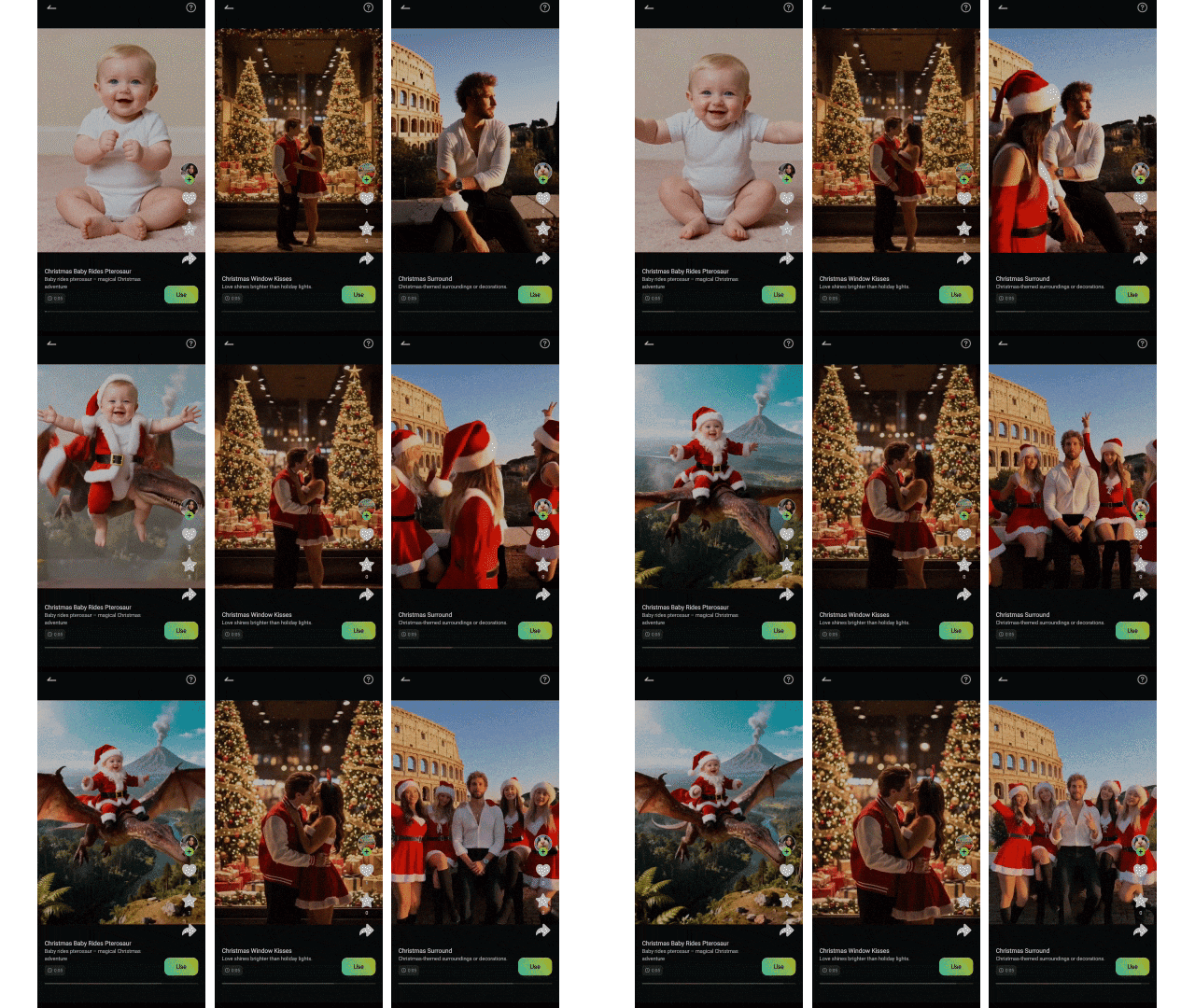
If you want more ideas beyond an elf yourself video, Filmora offers AI templates that match the Christmas holiday theme. You can reimagine yourself in different scenes, such as becoming Santa, changing the background into a sparkling Christmas setting, or adding snow and holiday decorations to the background, without having to write prompts yourself.
How to Find More AI Templates in Filmora Mobile
Conclusion
Creating a short, funny clip with an elf yourself app is an easy way to celebrate Christmas and share a laugh with friends. Each app offers something different; some focus on quick dance templates, while others have extra tools to edit and personalize your video.
If you want more control than a simple elf dancing app, try using Filmora Mobile. You can turn photos into animated videos, add Christmas music, or insert stickers and captions into the video.
Now, start making your own elf yourself video today and spread some cheerful moments this holiday season!