

 100% Security Verified | No Subscription Required | No Malware


 ChatGPT
 Perplexity
 Gemini
 Claude
 Grok
Grok
Christmas just hits differently when there's snow, right? Guess what, even if you don't have real snow where you live, you can still create your own magical Christmas snow videos that look straight out of a holiday movie. All you need is a reliable editor to do the job.
Maybe you're dreaming of a cute, snowing Christmas tree video, or maybe you just want a soft, snowy Christmas video to set the mood. The problem is always the same: you want it to look good without spending half your day editing.
That's why we're here to guide you through easy ways to make a Christmas snow falling video using tools that handle the hard work for you.

In this article
Part 1. A Little Collection of Free Christmas Snow Clips You Can Use
If you ever just need something quick to drop into your edit, there are a bunch of spots online that already have Christmas snow videos that you can grab for free. No sign-ups or complicated steps, just simple places to pick up the footage you need. Below are a few options worth checking out:
1. YouTube Free Footage Library
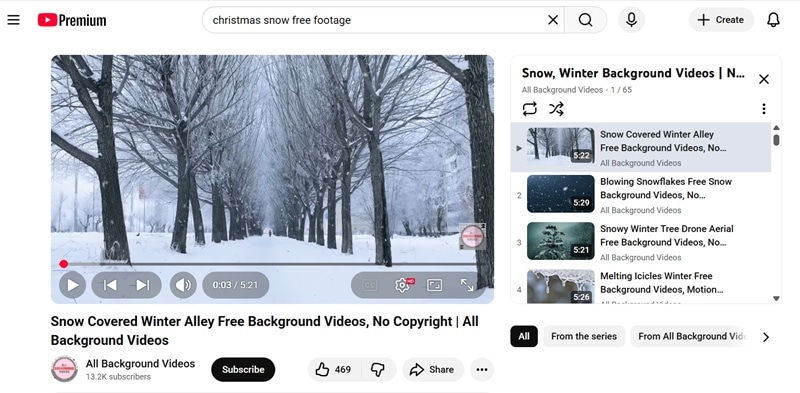
Many people actually uploaded a bunch of stock footage on YouTube, so all you need is simply type “Christmas video free footage” or “Snow background free” in the search bar, and stumble upon more options than you expect. Some even put together full playlists just for holiday edits. But to download it, you'll need to use an online video downloader like YTDown and YT1D.
2. Pexels
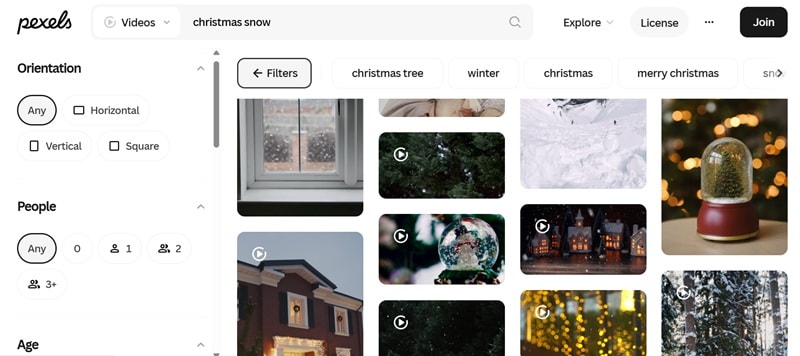
This site is honestly such a chill place to grab free HD snowy clips. You'll find everything from quiet winter streets to Christmas tree close-ups, and the search filters make life a lot easier. You can set the size, frame rate, or even how long the clip is, so finding the Christmas snow scene video you want feels really quick and straightforward.
3. Pixabay
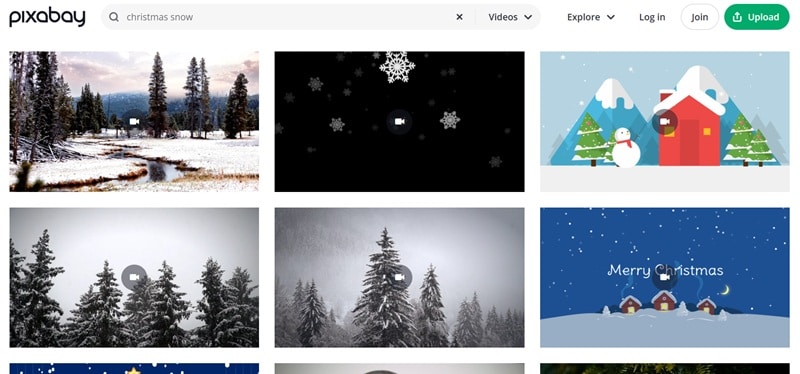
Pixabay is another spot that's packed with Christmas snow videos, from soft falling snow overlays to winter landscapes and looping backgrounds. You'll also see a bunch of cute 2D Christmas animations that work really well for fun edits or reels. The best part is you don't even need an account to download most of the clips, so you can grab what you need and jump straight back into your project.
4. Vecteezy
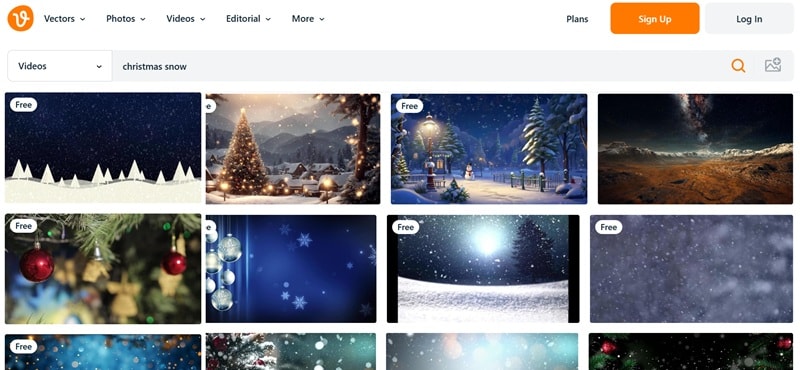
This site is also a good place to pick up Christmas snow scene video clips, including animated background and winter motion graphics. They have free and paid options, but the free ones are easy to spot and you can download them without logging in. The filters help you narrow things down too, even if they're not as detailed as what Pexels offers.
Part 2. Make Your Own Christmas Snow Videos With Filmora's AI Magic
If the free clips still don't hit the mood you have in mind, it's totally worth creating your own. After all, sometimes you want a very specific look for your Christmas snow videos, and the easiest way is to use a tool that can actually bring your idea to life without making things complicated.
Thankfully, you don't need to waste your time searching for the perfect tool because Wondershare Filmora is here! It's simple enough for beginners, but the AI tools are strong enough to make your video look polished in just a few minutes.

 secure download

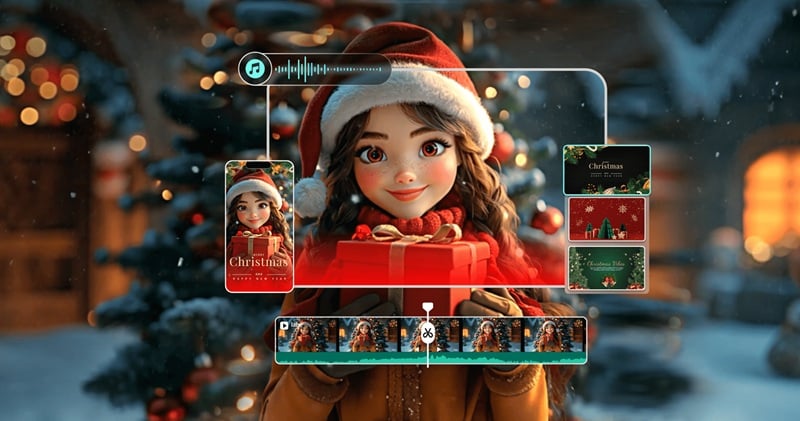
Everything you need is already inside, so you can focus on making your snowy Christmas video instead of fighting with the software. Here's why it works so well:
Video TemplateCreative Video Templates
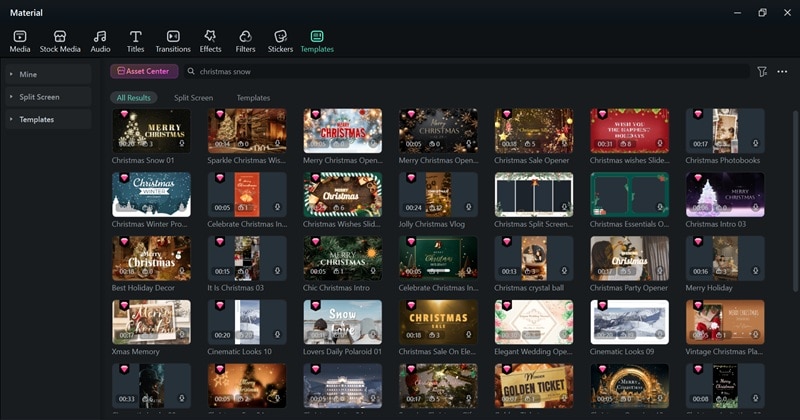
Filmora gives you a bunch of Christmas-themed templates ready to use, from calm winter scenes to cute snowy intros and glowing Christmas tree animations. You just drop your clips in, and the whole thing already looks like a cool snowy Christmas video.
Festive Christmas Stickers & Overlays
The media library is full of little things that make your edit feel festive, like snowflakes, ornaments, lights, sparkles, and Christmas trees. Add a few of these and your clip suddenly feels perfect for any Christmas snow videos you want to make.
Make Christmas Snow Videos From a Prompt
Filmora's AI Text to Video (powered by Veo 3) can turn a written Christmas prompt into a full video. Type something like: "A cozy cabin with a glowing Christmas tree outside and gentle snow falling"… and it generates a clip for you. Perfect for Christmas snow scene video content.
Bring Photos to Life With AI Image to Video
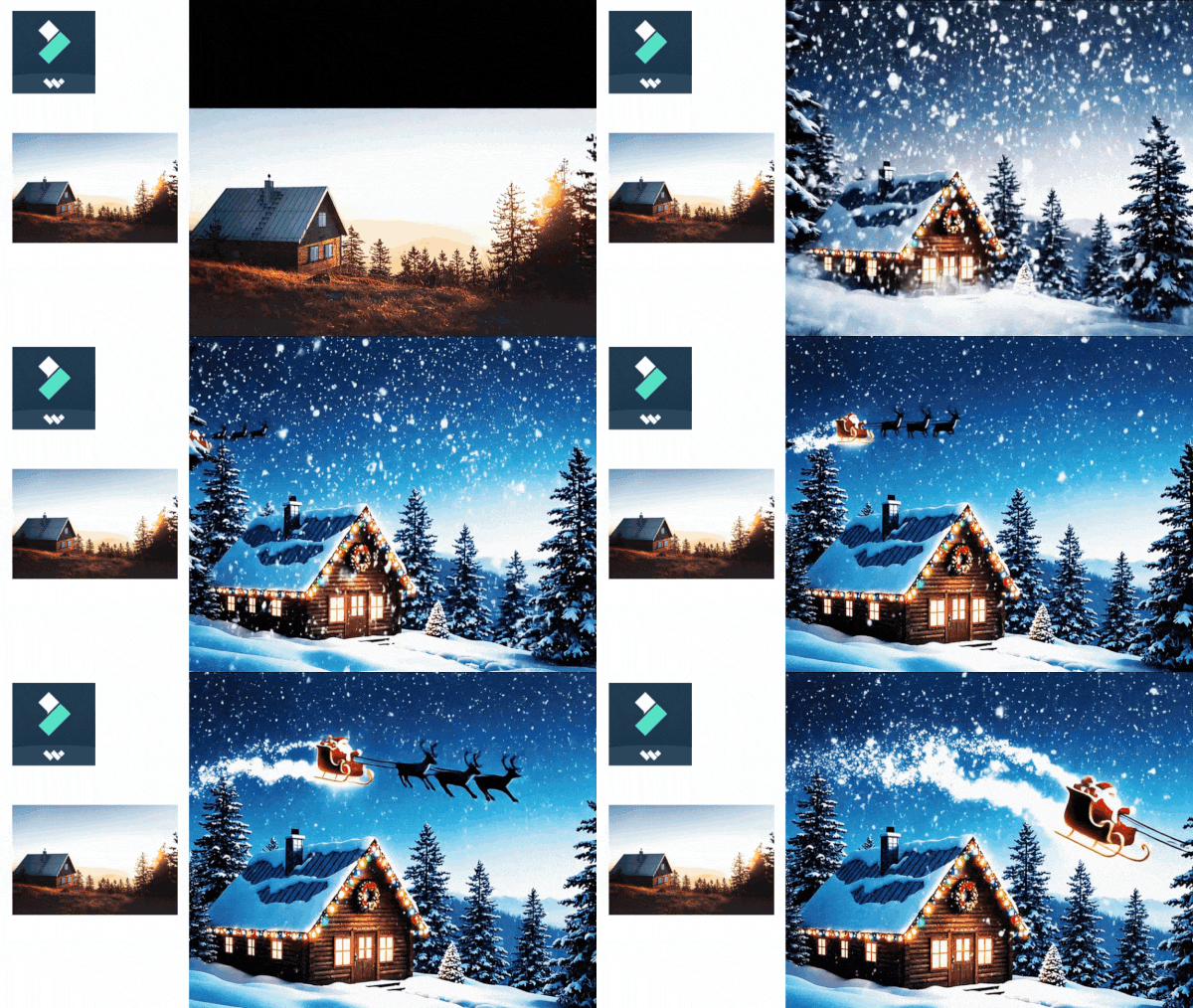
Filmora's AI Image to Video lets you take a still Christmas photo and turn it into a moving snowy Christmas video. Add your prompt and choose from a range of unique templates that animate your image creatively.
Endless Media Resources
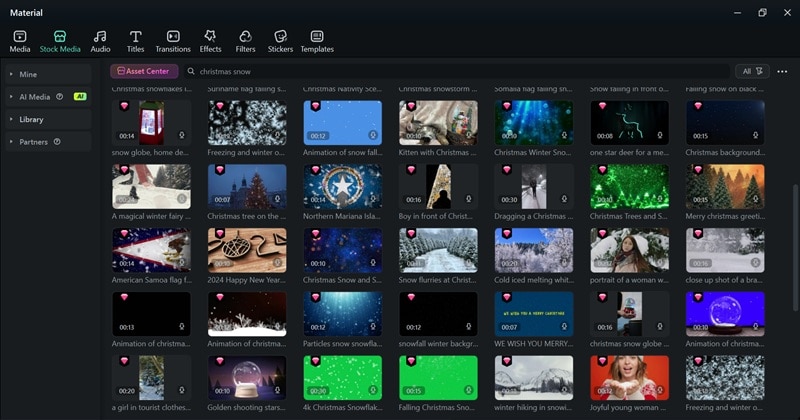
Filmora's built-in library includes tons of free stock footage:
- Snow overlays
- Snow falling backgrounds
- Christmas tree videos
- Winter landscapes
Mixing these together lets you build your Christmas snow falling video fast without hunting around the internet.
Make Your Video Feel More Immersive
You can add Christmas music, soft jingles, winter ambience, warm filters, and sparkly transitions to make your edit feel more alive. These extra touches really shape the mood and make your snowy Christmas video feel complete.
Works Smoothly On Any Device
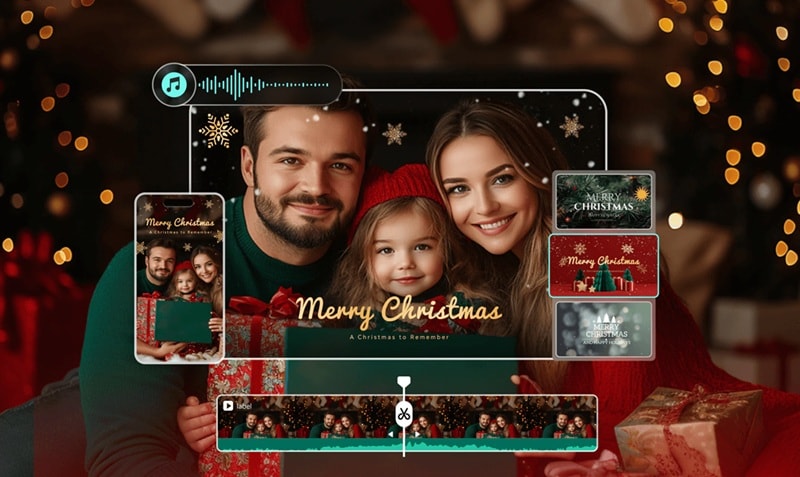
Filmora runs on Windows, macOS, Android, and iPhone, and the mobile version feels just as solid as the desktop one. You can start a snowing Christmas tree video on your laptop and finish it on your phone without missing anything.
Part 3. How to Create a Snowy Christmas Video Using AI (Step by Step)
Alright, now that you have the fun tools in your pocket, let's actually make something out of them. Creating a snowy Christmas video on Filmora feels a lot easier once you let the AI handle the heavy lifting for you.
The easiest way to start is by using AI Text to Video, then adding your own touches with Filmora's media library. Take a look at the steps below to see how it comes together.
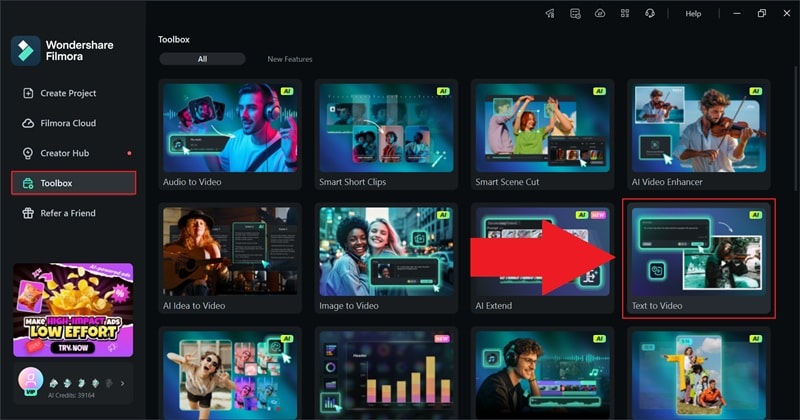
Step 1. Open Filmora and Access the Text to Video feature
Make sure you have the latest version of Filmora installed on your desktop. Once you open the app, go to the “Toolbox” menu, scroll through the options, and select “Text to Video”.
 secure download
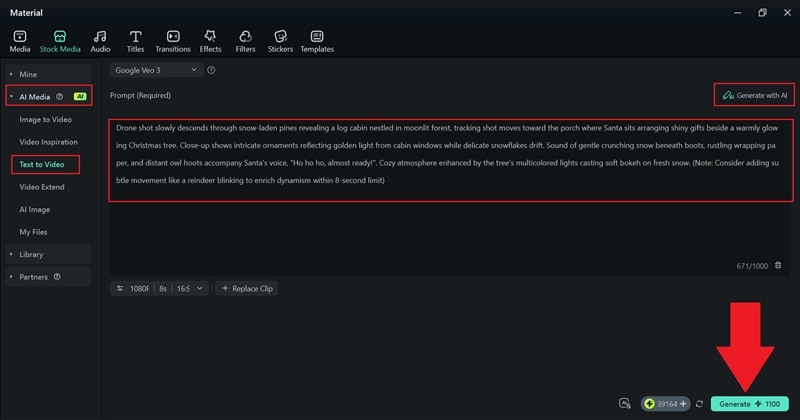
 Step 2. Type Your Prompt and Generate the Video
After the feature page opens, write what you want your video to look like in the description box. You can be as detailed as you want, and you can even use AI to help shape your prompt if you need ideas. Once the description feels right, click “Generate”.
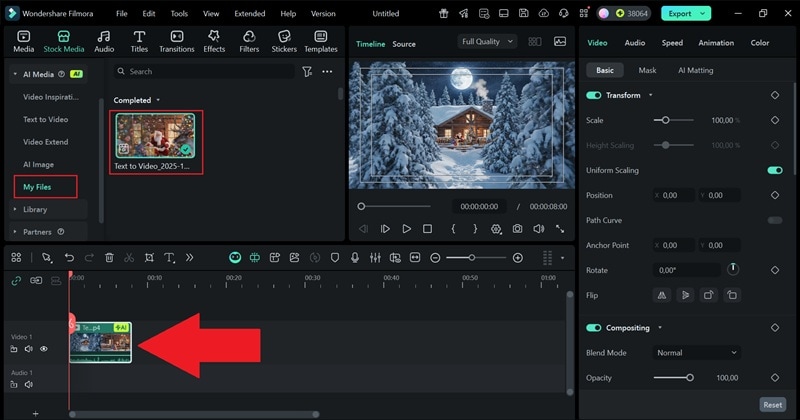
Step 3. Drag Your Clip to the Timeline
When Filmora finishes generating your AI Christmas snow video, it will appear in the “My Files” section. Take a quick look at the preview, then drag the clip down to the timeline to adjust.
Step 4. Edit Your Video If Necessary
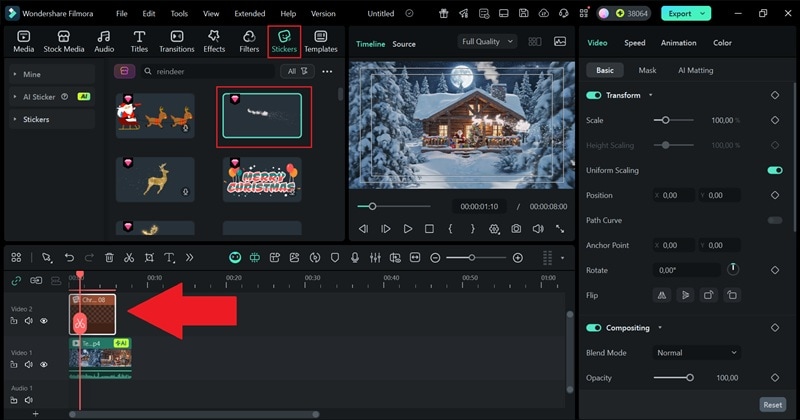
At this point, the Christmas snow scene video that Filmora created is already quite complete with background Christmas sounds and even a little monologue from Santa Claus. Still, you can explore the Filmora media library and add extra touches to make it feel even more festive!
For example, you can drop in a reindeer sticker or any other Christmas element by dragging it straight onto the timeline.
Step 5. Export and Save Your Video
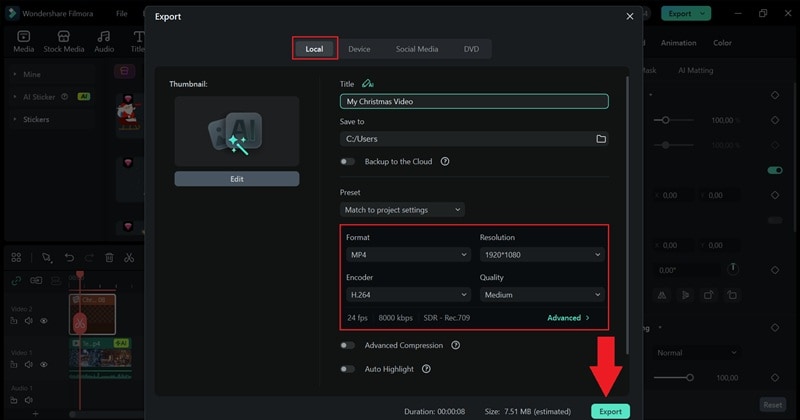
Once you're happy with how everything looks, click “Export” to finish things up. Then, you have a few options to download or share the video:
- Select “Local” to save it on your local computer.
- Select “Social Media” to post it straight to your social platforms right from Filmora.
Add your title, choose the format and resolution you prefer, select where you want the file to go, then press “Export” one more time to complete the process.
And that's all it takes! Just like we said, creating a Christmas snow scene video in Filmora is genuinely simple and it only takes a few steps to get something that looks really nice. The final result turns out great too, so go ahead and check it out.
Create a Snowy Christmas Video for Reels & TikTok
If you'd rather work on your phone and post your edit straight to Reels or TikTok, Filmora Mobile is perfect for that. It has an AI Image to Video feature with a bunch of Christmas-themed templates that turn your photos into cute animated snowy scenes.
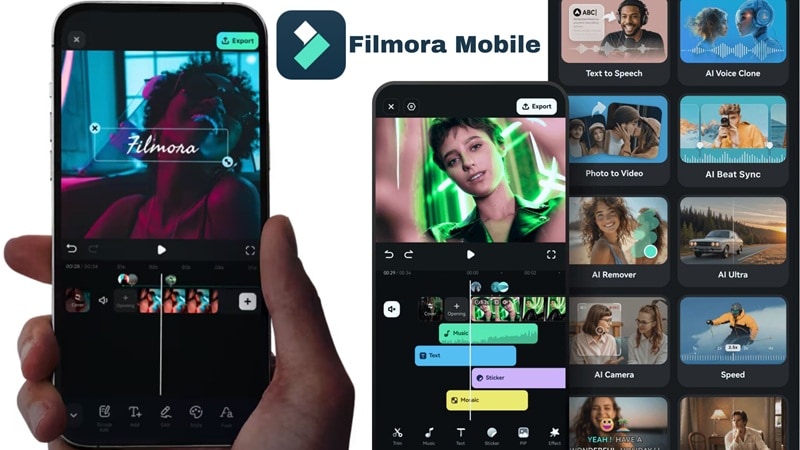
It's quick, simple, and honestly really fun to play with. Follow the steps below to make your own snowy Christmas video.
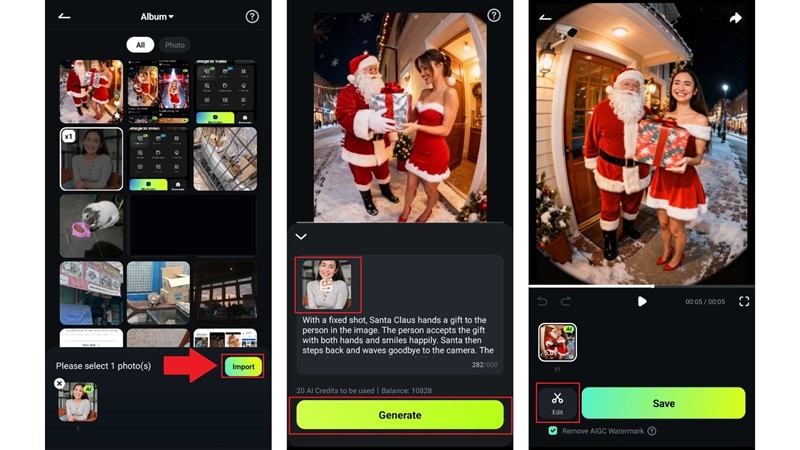
Step 1. Open Filmora Mobile and Choose a Christmas Template
After installing Filmora Mobile:
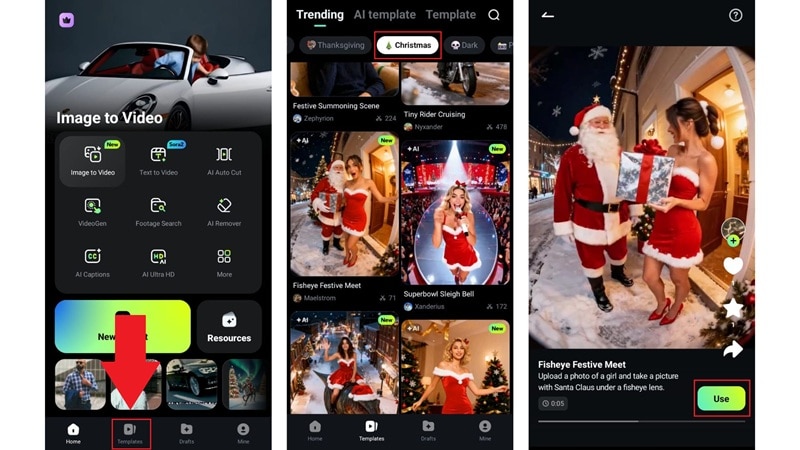
- Open the app and head straight to the “Template” section.
- On the “Trending” page, you'll see different categories
- Tap on “Christmas” and scroll through the options.
- When you find a template you like, tap it and select “Use”.
 secure download
 Step 2. Upload Your Photo and Generate the Video
The app will ask you to pick a photo for the template, so choose the one you want and tap “Import”. After it loads, you'll notice the prompt is already set since the template comes with it.
Tap “Generate” and give it a moment. When Filmora finishes creating the clip, you can save it right away, or if you want to adjust anything, tap “Edit” to keep working on it.
Step 3. Export and Share Your Video
In the Filmora timeline, you can add more personality to your clip with stickers, effects, music, or anything else you like. When you're happy with it:
- Tap “Export” in the top right corner.
- Pick your resolution and fps, then tap “Export” again to save the video to your device.
After that, you can tap the Reels or TikTok icon to send it straight to your chosen platform.
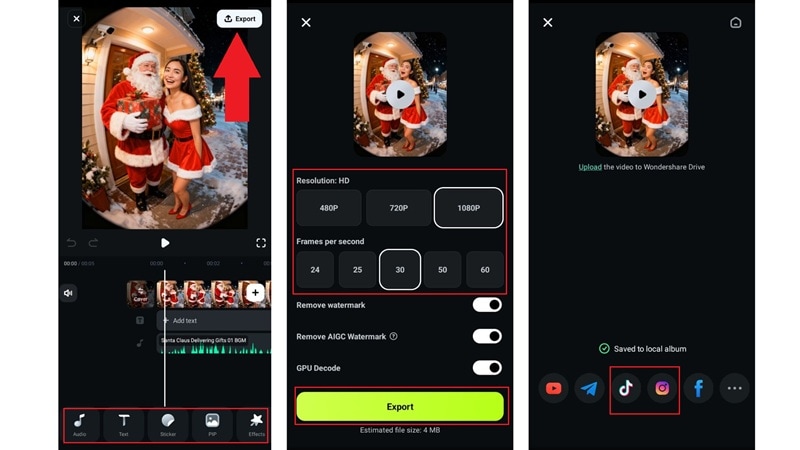
And there you have it! Filmora once again shows how easy it is to create a creative Christmas snow scene video, and using a template makes it even simpler since all you really do is pick a style and upload your photo. Now go ahead and check out the final result.
Recommended Templates + What They Create
You can already see how fun and simple it is to turn your photos into Christmas snow videos with Filmora's templates. That said, the example earlier was just one option, and the app actually gives you a bunch of charming and creative styles to try.
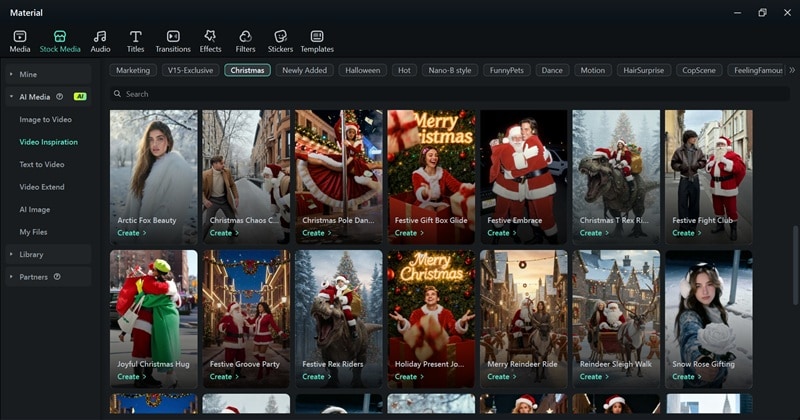
Check out three of our favorites that you might want to play around with, too.
1. Christmas Pet Reindeer Ride
This one is adorable. It lets you turn your pet into a tiny rider sitting on Santa's reindeer, gliding through the snow like they're part of the holiday crew. It's such a cute way to turn your Christmas snow videos into something playful.
2. Runway Ready Spruce
This is a fun twist if you want a snowing Christmas tree video with personality. Instead of a regular standing tree, the template makes the tree walk a runway like it's modeling at a winter fashion week. It's silly in the best way.
3. Christmas Pet Snow Globe
This template feels like one of those little souvenirs you see in stores during the holidays. It puts your pet inside a magical snow globe, surrounded by gentle snowfall. It's perfect if you want a sweet and cozy snowy Christmas video with your pet as the star.
Conclusion
There are so many places online to grab Christmas snow videos, from YouTube to Pexels and Pixabay to Vecteezy. Those free clips are handy, but sometimes they feel a little too simple for the look you want. When that happens, making your own snowy Christmas videos with Wondershare Filmora gives you way more freedom.
With Filmora, you can build a full Christmas snow scene video with AI Text to Video or turn a single picture into a moving moment using AI Image to Video. Filmora also comes packed with stickers, filters, music, and playful holiday effects that help your clip feel warm and alive. It is everything you need in one place to create your own winter magic whenever you want.
secure download 