

 100% Security Verified | No Subscription Required | No Malware


 ChatGPT
 Perplexity
 Gemini
 Claude
 Grok
Grok
These aesthetic fashion video filters are crafted for creators who want dreamy, soft, and on-trend visuals that elevate their outfits, lookbooks, and style edits instantly.
Use this guide to match each filter to your aesthetic, from hazy neutrals and creamy highlights to deep moody tones, so your fashion videos stay cohesive across Reels, TikTok, and YouTube Shorts.
In this article
Soft Daylight Lookbooks and Gentle Outfit Reveals
Hazy Cream Soft Glow
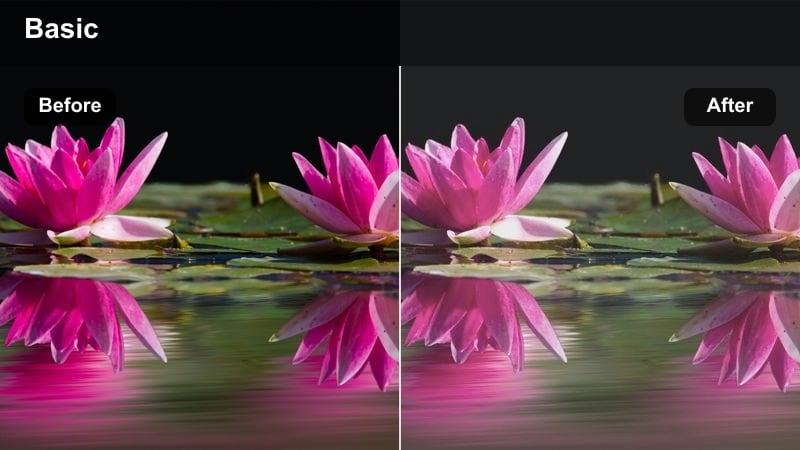
- Effect look: Soft, low-contrast highlights with a creamy, dreamy haze over skin and fabrics.
- Best for: Aesthetic lookbooks filmed in daylight, neutral-toned outfits, and soft fashion content with minimal props.
- Editing tip: Lower the contrast slightly and reduce clarity just a touch to keep fabrics looking velvety instead of crunchy.
Hazy Cream Soft Glow wraps your outfits in a gentle daylight veil, adding a smooth creaminess to skin and fabrics while avoiding harsh contrast. It is ideal for creators who lean into beige, white, and soft neutral palettes, because it subtly lifts highlights and mutes distractions for an elegant, cohesive look.
Inside Filmora, pair this filter with slow pans, push-ins, and simple transitions to underline the ethereal feel of your lookbooks. If skin starts looking washed out, pull back the overall exposure and nudge midtones up instead of blasting the highlights, so your outfits stay dreamy yet dimensional.
Match Filters to Your Wardrobe With Filmora's AI Color Tools
Filmora's AI-driven color tools help you adapt soft, creamy filters like Hazy Cream Soft Glow to your real wardrobe, whether you favor warm beiges, cool grays, or colorful accents. AI color matching keeps tones consistent even when you shoot in different lighting or locations.
Once you find a fashion video aesthetic you love, use AI color matching to harmonize clips from separate sessions so your Reels, TikToks, and Shorts still look like one curated series.
 secure download

Fine-Tune Soft Fashion Colors With HSL and Advanced Controls
After applying an aesthetic filter, you can refine individual colors in Filmora using HSL and advanced color tuning. This is perfect for controlling how denim blues, earthy browns, or pastel accents appear without breaking the overall dreamy mood.
Use HSL to nudge specific garment hues back on-brand, tame distracting background colors, or emphasize signature shades in your wardrobe while the base filter handles contrast and glow.
secure downloadPreview Fashion Filters and LUTs With 1000+ Looks in Filmora
Filmora includes 1000 plus video filters and 3D LUTs you can preview in real time on your outfit clips. That makes it easy to compare dreamy, soft, retro, and editorial aesthetics before you lock in a look for your series.
Drag filters onto your timeline, toggle them on and off, and then save your favorite combinations as reusable presets or LUTs for future fashion edits.
secure downloadPastel Sunlit Wardrobe
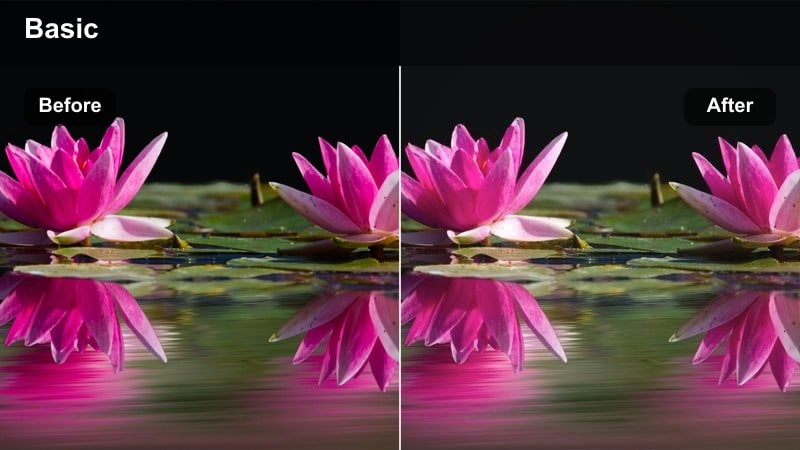
- Effect look: Bright pastel-leaning highlights with a clean, airy finish and subtle warm sunlight tint.
- Best for: Colorful capsule wardrobe tours, pastel outfits, and closet try-on videos near windows.
- Editing tip: Increase saturation in pastel tones only and keep shadows slightly lifted so your wardrobe looks light and curated.
Pastel Sunlit Wardrobe brightens your clips with an airy, editorial vibe that flatters soft pinks, lilacs, mints, and baby blues. The subtle warm sunlight tint makes window-lit closets and clothing racks look intentional and styled, ideal for capsule wardrobe or seasonal rotation content.
In Filmora, combine this filter with gentle camera moves across your rack and overlay minimalist text titles in off-white or blush to echo the palette. Keep backgrounds neutral and slightly desaturated so the pastel pieces become the unmistakable focus of your grid.
Soft Linen Lifestyle
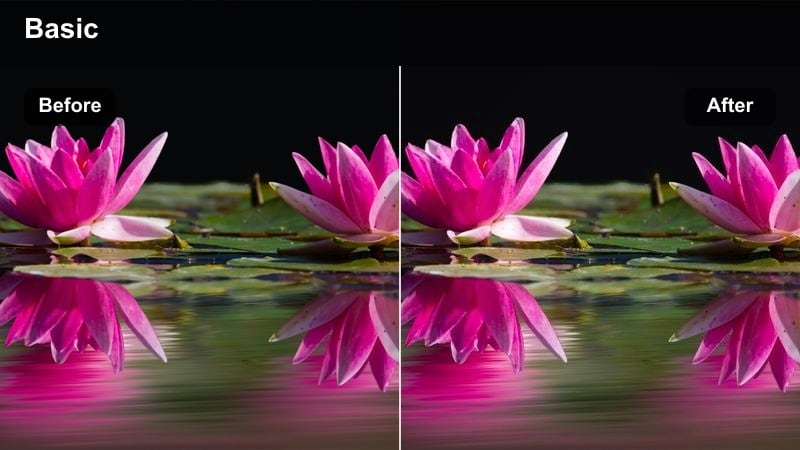
- Effect look: Muted tones with slightly desaturated colors, soft highlights, and a gentle linen-inspired warmth.
- Best for: Slow fashion edits, neutral minimal outfits, and lifestyle fashion clips in calm interiors.
- Editing tip: Pull back saturation on bright primary colors and boost warm midtones to keep the palette cohesive and relaxed.
Soft Linen Lifestyle leans into warm, muted tones that echo natural fibers and slow fashion aesthetics. It slightly desaturates strong colors while keeping highlights smooth, giving neutral outfits in beige, oatmeal, and off-white a calm, elevated feel.
Use Filmora to cut between close-ups of stitching, fabric drape, and layering details while this filter gently unifies the color story. Add soft ambient music and slow crossfades so your video feels like a relaxed fashion journal rather than a fast-paced haul.
Dreamy Bedroom Mirrors and Cozy Outfit Videos
Blush Morning Mirror
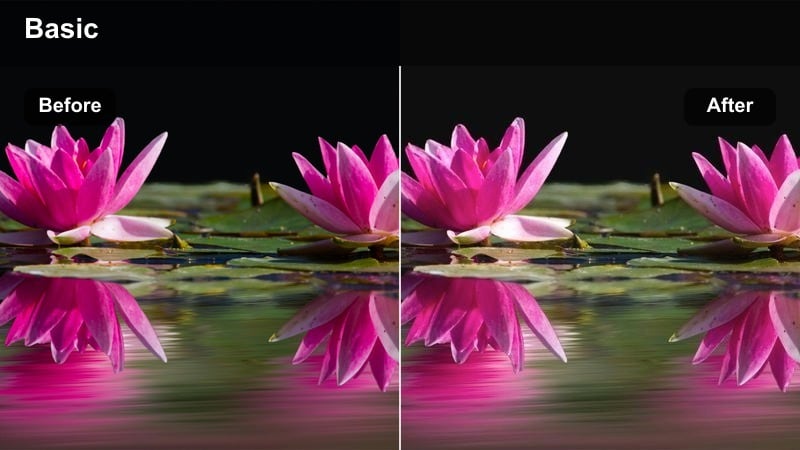
- Effect look: Soft blush tint in midtones with slightly hazy edges and flattering warm skin tones.
- Best for: Mirror outfit checks in bedrooms, morning get-ready-with-me fashion clips, and pajama or loungewear edits.
- Editing tip: Lower sharpness around the edges and leave center focus crisp so the mirror reflection stays flattering and dreamy.
Blush Morning Mirror adds a romantic flush to your room and skin, making mirror outfit checks feel like quiet, cozy snapshots. The midtone blush and gentle haze particularly flatter soft knits, loungewear sets, and morning GRWM outfits filmed near windows.
In Filmora, apply a slight vignette to minimize bedroom clutter and keep the sharpest detail on the mirror reflection. Combine this filter with simple jump cuts between outfit changes and subtle text labels for each look to build a polished but intimate routine-style reel.
Dreamy Canopy Soft Focus
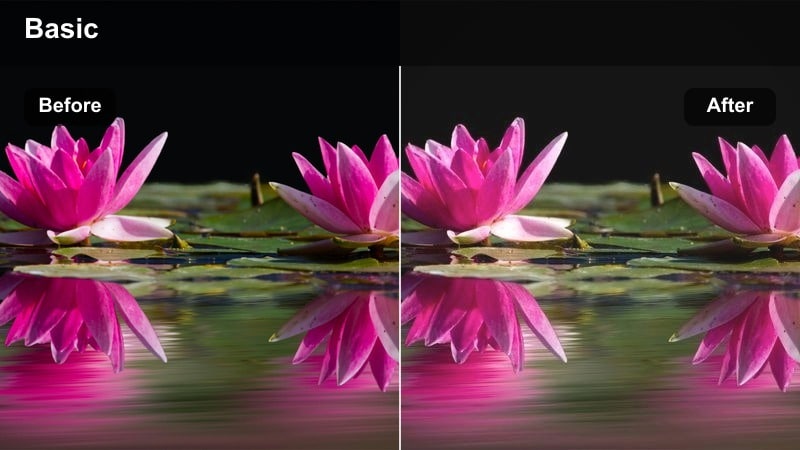
- Effect look: Low-contrast, softly diffused light with lifted blacks and a slightly cool shadow tint.
- Best for: Bedside outfit flatlays, cozy styling tutorials, and dreamy nighttime room fashion aesthetics.
- Editing tip: Lift the blacks and add a hint of fade to remove harsh shadows and keep the overall frame gentle and cinematic.
Dreamy Canopy Soft Focus creates a floated, hazy mood that is perfect for flatlays on your bed, soft layering tutorials, and late-night outfit planning. By lifting blacks and adding a cool shadow tint, it keeps dark areas gentle, so your clips feel calm instead of contrasty.
When editing in Filmora, use slower cuts and hold shots a second longer so the softness has time to register. Add mild noise reduction before grading low-light clips, then sprinkle in slow zoom-ins on accessories and fabrics to emphasize texture within the dreamy atmosphere.
Cozy Fairy Stringlights
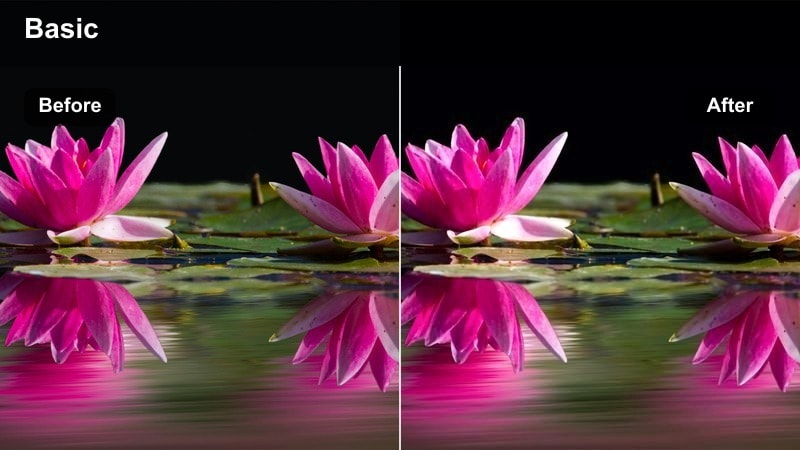
- Effect look: Warm golden highlights with glowing light sources and slightly deeper, soft brown shadows.
- Best for: Nighttime outfit reels with string lights, cozy corner mirror shots, and warm-toned bedroom fashion vlogs.
- Editing tip: Increase highlight glow but keep exposure under control so string lights look luminous, not blown out.
Cozy Fairy Stringlights turns any bedroom corner into a cinematic, golden-lit fashion set. The filter boosts warm highlights around lamps and fairy lights while holding onto soft brown shadows, giving mirror clips and corner try-ons a snug, evening mood.
In Filmora, frame string lights along the edges of your shot so the added glow feels like intentional bokeh around your outfit. Keep exposure slightly under while filming, then let the filter lift the highlights and add gentle warmth so lights stay defined instead of pure white blobs.
Street Style Daytime Fashion and City Walk Edits
Soft City Neutral Tint
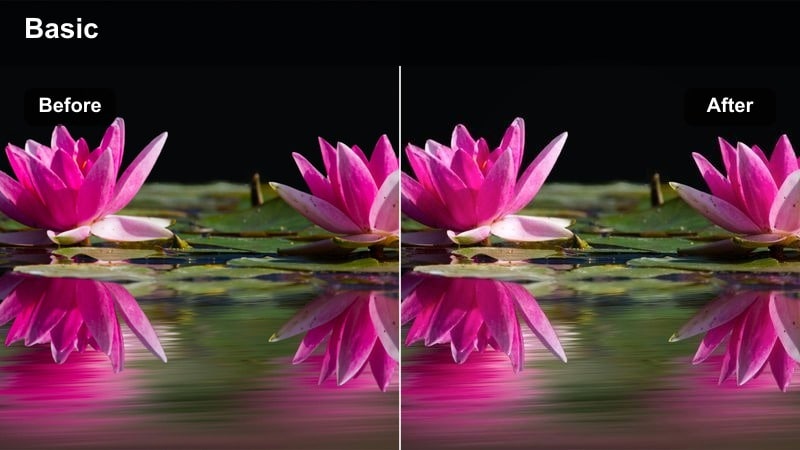
- Effect look: Balanced neutral tones that soften harsh city contrasts while keeping outfits crisp and defined.
- Best for: Daytime city walks, coffee-run outfits, and fashion transitions filmed outdoors.
- Editing tip: Slightly desaturate background colors while keeping outfit hues intact to make your look stand out in busy streets.
Soft City Neutral Tint gently calms down busy urban backgrounds so buildings, cars, and signs do not steal attention from your outfit. It maintains clarity and shape on you while easing harsh contrast and color noise in the environment.
Within Filmora, use color tuning or masking to subtly drop saturation in blues and greens from signs or vehicles while preserving your outfit colors. Combine this filter with forward motion shots, POV walks, and transition cuts to give your city style edits a smooth, cinematic flow.
Creamy Sidewalk Runway
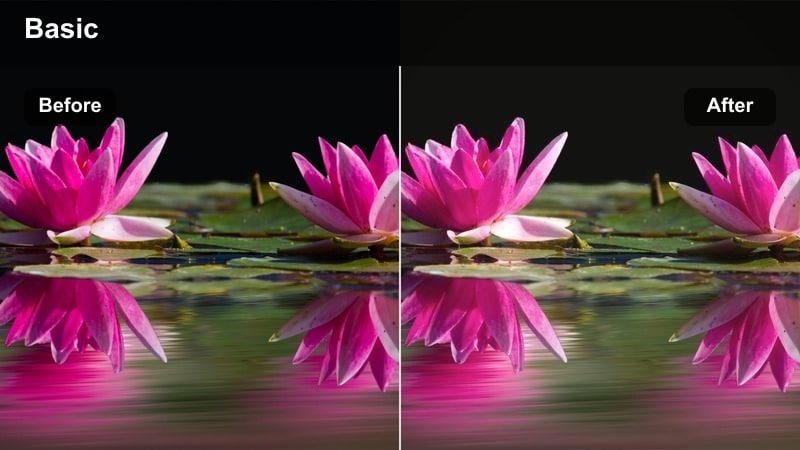
- Effect look: Creamy highlights with a soft warm cast and slightly faded shadows for a sidewalk runway aesthetic.
- Best for: OOTD walks, slow-motion twirls, and outfit transitions shot on sidewalks or plazas.
- Editing tip: Add just a touch of motion blur in Filmora during spins and turns so the creamy tones feel even smoother.
Creamy Sidewalk Runway transforms regular sidewalks into a sunlit, editorial runway. The filter warms highlights and gently fades shadows, flattering flowy fabrics, trench coats, and tailored sets as they move through bright outdoor spaces.
In Filmora, slow down key twirls or turns and layer in subtle motion blur so the creamy tones stretch smoothly across your movement. Cut on musical beats for each spin or step, letting the soft, warm grade reinforce a polished, magazine-style city walk sequence.
Soft Retro City Film
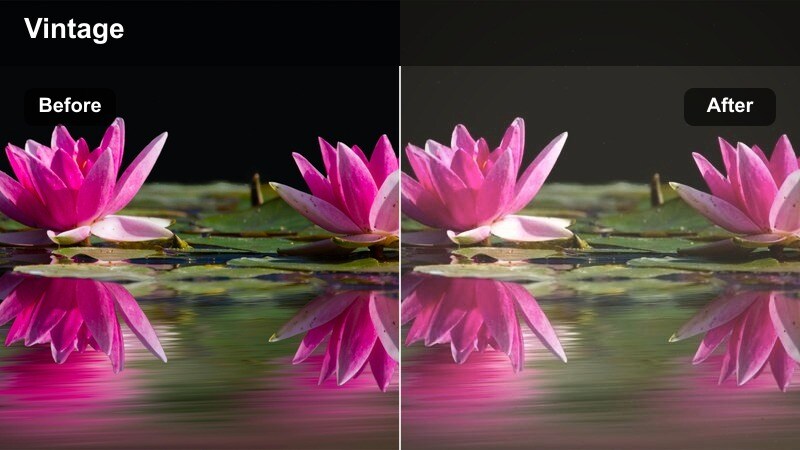
- Effect look: Low-contrast retro tones with a gentle fade, slightly warm highlights, and cool shadows for a film-inspired city look.
- Best for: Vintage-inspired street outfits, thrift haul styling in the city, and nostalgic walking POV shots.
- Editing tip: Add subtle grain and a slight vignette in Filmora so the filter feels like soft 35mm fashion film.
Soft Retro City Film channels a nostalgic, film-like vibe perfect for vintage denim, thrifted blazers, and retro sneakers. The faded contrast and warm highlights against cooler shadows create that soft, memory-like look you see in old photo prints.
In Filmora, layer a touch of film grain and a light vignette over this filter to complete the analog illusion. Favor static framing, center compositions, and slow zooms, then use simple typography in off-white to label your outfits without overpowering the retro texture.
Studio Reels and Editorial Fashion Vibes
Soft Editorial Whitebox
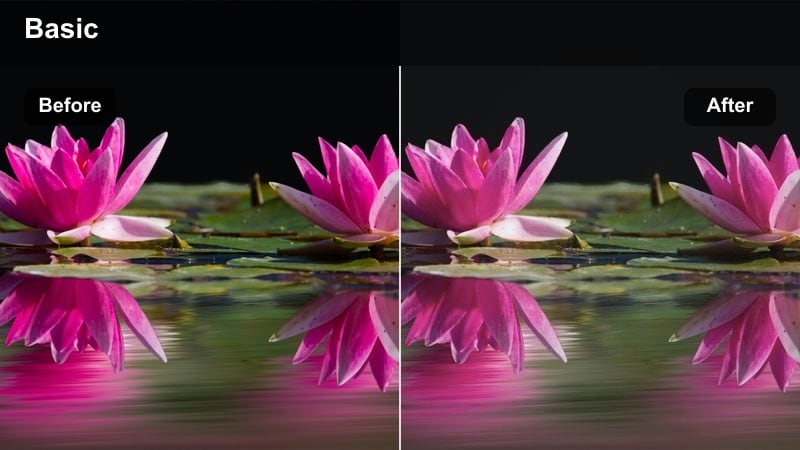
- Effect look: Clean, bright whites with soft edges, controlled contrast, and flattering skin for studio backdrops.
- Best for: Editorial-style reels, studio lookbooks, and brand collab fashion content in front of plain backdrops.
- Editing tip: Keep exposure slightly under while filming and let the filter lift whites to avoid losing detail in your outfit.
Soft Editorial Whitebox is designed for studio setups with seamless paper or blank walls, turning them into high-end, magazine-ready spaces. It brightens whites without clipping details, keeping skin tones and garment textures smooth and editorial.
When editing in Filmora, combine this filter with precise cuts, minimal transitions, and simple title cards listing outfit details. Slightly underexpose your raw footage, then rely on the filter and Filmora's exposure sliders to lift whites so your tailoring and textures remain crisp.
Runway Spotlight Soft
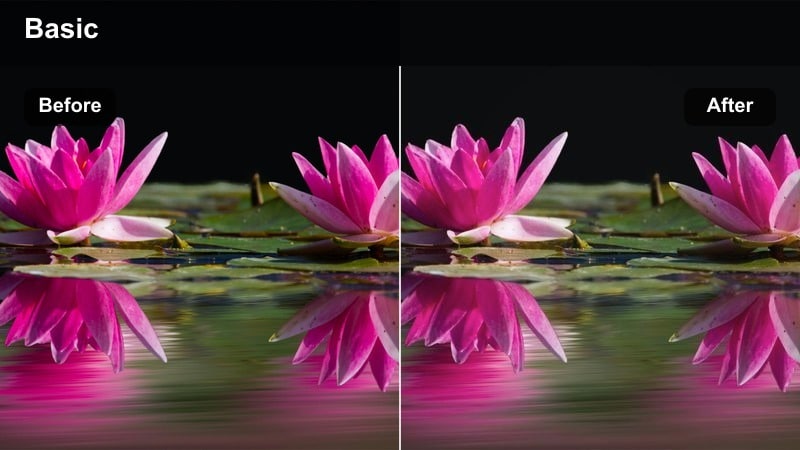
- Effect look: Focused midtone contrast with gentle vignette and softened highlights to mimic runway lighting.
- Best for: Catwalk-style walks, indoor fashion events, and dramatic studio outfit intros.
- Editing tip: Use center framing and tighten the vignette slightly so the outfit looks like it is under a subtle spotlight.
Runway Spotlight Soft recreates the feeling of a catwalk, putting your outfit front and center with a subtle vignette and focused midtone contrast. Highlights stay soft enough to flatter fabrics and skin, while the center of the frame feels like it is lit by a diffused spotlight.
In Filmora, keep your walk cycles centered in frame and experiment with a bit of slow motion on key steps or poses. Cut on beat drops and let this filter handle the drama, so you can focus on strong posing, clean transitions, and simple, performance-style camera moves.
Soft Chic Brand Collab
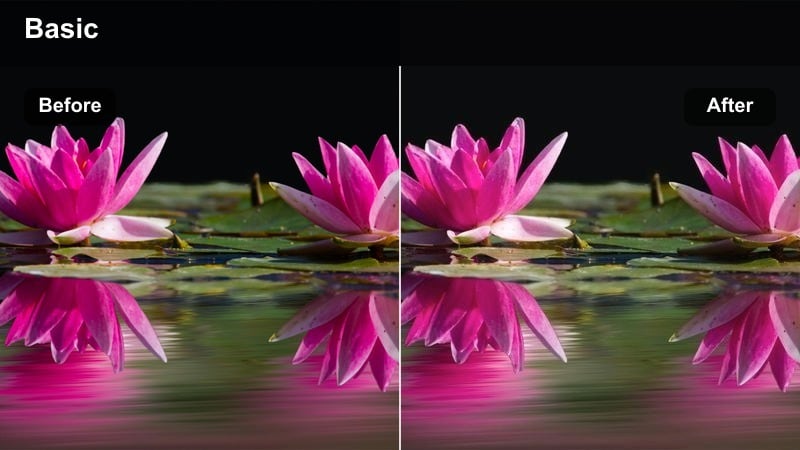
- Effect look: Polished neutral contrast with gentle saturation and ultra-smooth skin-friendly tones.
- Best for: Paid fashion promotions, product-focused outfit shots, and Instagram stylists creating branded reels.
- Editing tip: Keep colors true-to-life by avoiding heavy extra saturation so brands recognize their garments while still loving the aesthetic.
Soft Chic Brand Collab delivers a clean, professional finish that suits sponsored posts and brand collaborations. It smooths skin gently, keeps garments crisp, and adds tasteful contrast without pushing colors too far from their real-life appearance.
In Filmora, adjust hues with the color wheel only if a logo or signature shade shifts noticeably, then save the final combo as a custom preset. Use simple lower-thirds to display discount codes or product names, and keep transitions understated so the focus stays on the clothing and the collaborating brand.
Tips for Using Fashion Video Aesthetic Filters in Filmora
- Plan your outfits and locations around one or two core filters so your fashion series feels intentional rather than random.
- Shoot slightly flatter in-camera and let Filmora's aesthetic filters add contrast and mood afterward.
- Mix wide shots that show the full outfit with close-ups of fabric and details so the soft filters have more texture to work with.
- Keep your background simple when using dreamy, low-contrast filters to avoid a muddy, cluttered look.
- Export a short test reel with different filters and compare on your phone screen, since that is where most viewers will watch.
- Save your favorite combinations of filter, contrast, and saturation as custom presets inside Filmora for faster editing.
- Adjust skin tones first when fine-tuning filters, then balance outfit and background colors around that.
- Add subtle film grain or texture on top of smooth filters to keep your videos from looking overly digital.
With the right aesthetic fashion video filters, every lookbook, mirror check, and city walk can feel cohesive, dreamy, and on-brand for your personal style.
Use Filmora to test, tweak, and save your favorite soft fashion looks so every future reel or short feels like part of one polished, stylish story.
secure downloadNext: Moody Fashion Video Filters: Dark & Dramatic Style Tones
