

 100% Security Verified | No Subscription Required | No Malware


 ChatGPT
 Perplexity
 Gemini
 Claude
 Grok
Grok
Aesthetic portrait video filters are perfect for soft lifestyle edits and lookbook videos where skin tones, outfits, and tiny details all need to look cohesive and dreamy. With the right filter, you can turn simple portrait clips into pastel-toned visuals that feel curated and cinematic.
This guide walks you through a Filmora preset pack called Aesthetic Portrait Video Filters: Soft Dreamy Pastels, showing you how to get a subtle aesthetic face filter vibe, smooth tones, and gentle glow in just a few clicks.
In this article
Soft Pastel Glow Portrait Filters
Cotton Candy Soft Skin
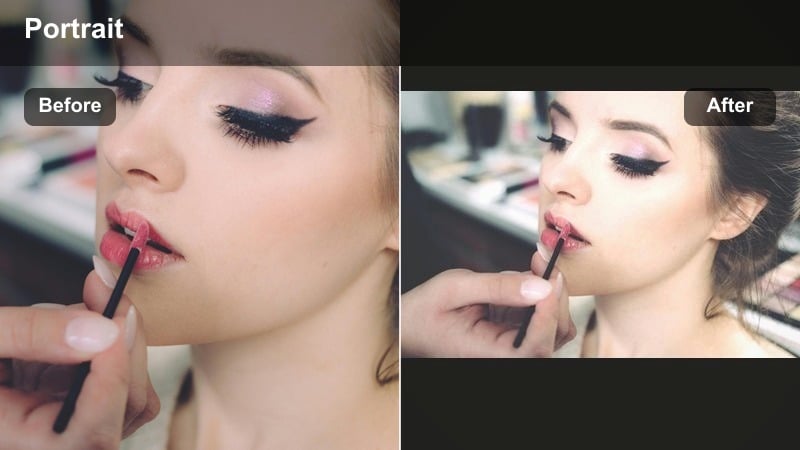
- Effect look: Milky highlights with pale pink and baby blue pastels that soften skin and reduce harsh contrast.
- Best for: Soft lifestyle edits shot near windows, cozy bedroom vlogs, and close-up talking portraits.
- Editing tip: Lower the filter intensity to around 60-70 percent and add a slight vignette so the face stays the focus without losing detail in the background.
Cotton Candy Soft Skin wraps your portraits in pastel pink and blue tones, creating a milky glow that instantly smooths skin and softens edges. It is ideal when you want that gentle aesthetic face filter vibe without fully airbrushing away natural features like freckles and fine textures.
In Filmora, apply this filter to your portrait clips, then fine-tune the intensity slider until the glow feels dreamy but still realistic. Add a subtle vignette and a touch of sharpening to the eyes and lashes so the viewer stays locked on your face while the rest of the frame melts into soft cotton candy color.
Match Your Portrait Aesthetic with AI Color Tools
Filmora s AI-powered color tools can quickly align your portrait clips with the same soft, dreamy palette as any reference video or photo you love. This is perfect when you want a consistent pastel look across multiple outfits, rooms, or filming days.
Import a reference image, let AI analyze the tones, then stack your chosen aesthetic portrait video filter on top to refine skin tones, background colors, and outfit shades in minutes. The result is a cohesive, on-brand look that feels intentional in every frame.
 secure download

Preview Aesthetic Portrait Filters in Real Time
Filmora lets you hover through its filter presets and see instant previews on your portrait footage, so you can compare how each aesthetic portrait video filter affects skin tone, background, and outfit details before you commit.
Use side-by-side or split-screen view to check the original versus the filtered version, then lock in the soft portrait effect that preserves detail where you need it while keeping the dreamy aesthetic intact.
secure downloadSave Your Portrait Look as Reusable Presets
After you find a soft, dreamy mix of filters, color grading, and glow that fits your brand, Filmora lets you save that entire look as a custom preset or export it as a LUT. This keeps your portrait aesthetic consistent across lookbooks, GRWM videos, and everyday vlogs.
On your next project, you can apply the same portrait aesthetic tone in one click, then make small per-clip exposure tweaks instead of rebuilding your style from scratch.
secure downloadPeach Cloud Portraits
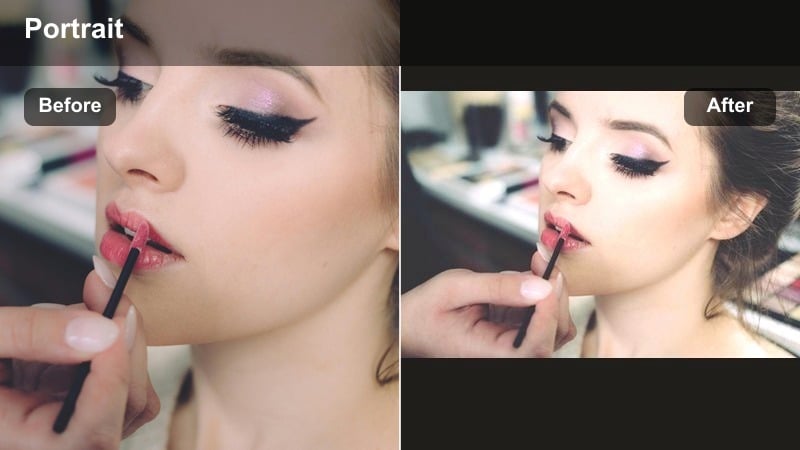
- Effect look: Warm peach pastel wash with soft shadows and creamy midtones for glowy, sun-kissed portraits.
- Best for: Lookbook videos, outfit transitions, and GRWM clips filmed in warm indoor lighting.
- Editing tip: Pair this filter with a gentle skin smoothing effect and slightly lift the blacks for a hazy, peach cloud finish.
Peach Cloud Portraits adds a flattering, sun-kissed wash that makes skin look softly illuminated and outfits feel cozy and warm. The lifted blacks and creamy midtones give your portraits a dreamy haze that is perfect for lookbooks and GRWM edits shot in bedrooms, studios, or closets.
In Filmora, apply the filter to your entire sequence of outfit clips, then use keyframed intensity if you move between brighter and darker rooms. Combine it with subtle skin smoothing and lifted blacks to maintain a peachy glow without crushing detail in your hair, makeup, or accessories.
Lavender Haze Face Filter
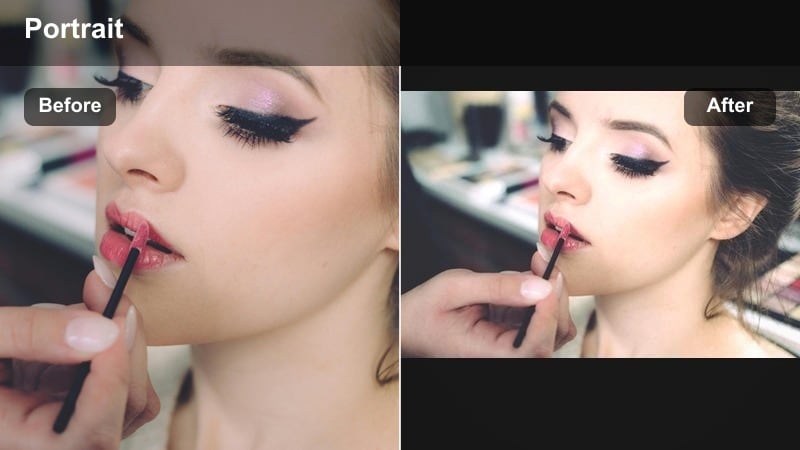
- Effect look: Cool lavender tint across highlights and midtones with gentle skin brightening and soft contrast.
- Best for: Nighttime portraits, dreamy bedroom scenes, and aesthetic B-roll of faces and hands.
- Editing tip: Lower the temperature slightly and add a faint film grain layer to stop the lavender tones from feeling too digital.
Lavender Haze Face Filter casts a cool purple veil over your portraits, ideal for moody nighttime clips and fairy light setups. The soft contrast and mild skin brightening keep your face visible while still embracing the cozy, late-night aesthetic.
Use this filter in Filmora for B-roll close-ups of faces, hands, and details like jewelry or journals. Add a touch of film grain and slightly reduce the temperature to blend digital footage into a more cinematic, pastel nighttime vibe that hides color noise and smooths low-light imperfections.
Creamy Skin Tone Portrait Filters
Vanilla Cream Soft Focus
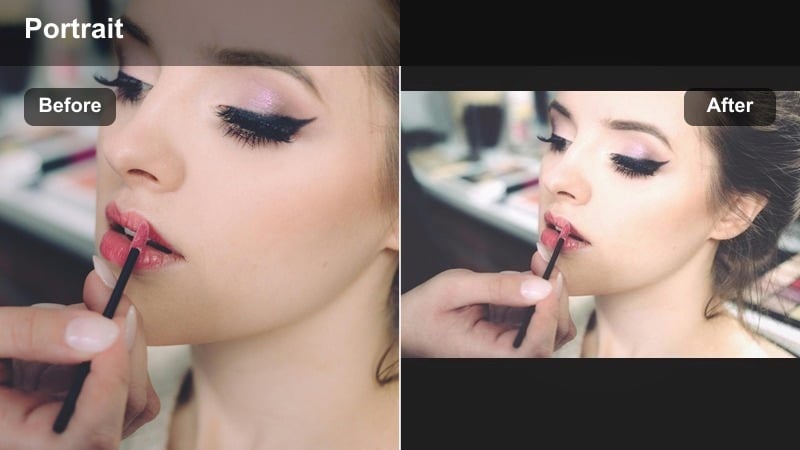
- Effect look: Neutral, creamy highlights with reduced texture for a subtle blur and delicate pastel skin tone.
- Best for: Makeup tutorials, skincare content, and close-up aesthetic reels.
- Editing tip: Add a bit of clarity only around the eyes, brows, and lips so your features stay sharp while the rest of the face remains buttery soft.
Vanilla Cream Soft Focus gives your skin a gentle editorial blur while keeping overall tones neutral and creamy. This makes it a strong choice for beauty content where you want texture minimized but still need product colors and fine details to read clearly on camera.
Inside Filmora, apply the filter to your close-ups, then add a mask to selectively boost clarity on eyes, brows, and lips. This combination produces a buttery soft complexion that looks polished and high-end while retaining enough definition for makeup steps, eyeliner details, and skincare results.
Oat Milk Minimal
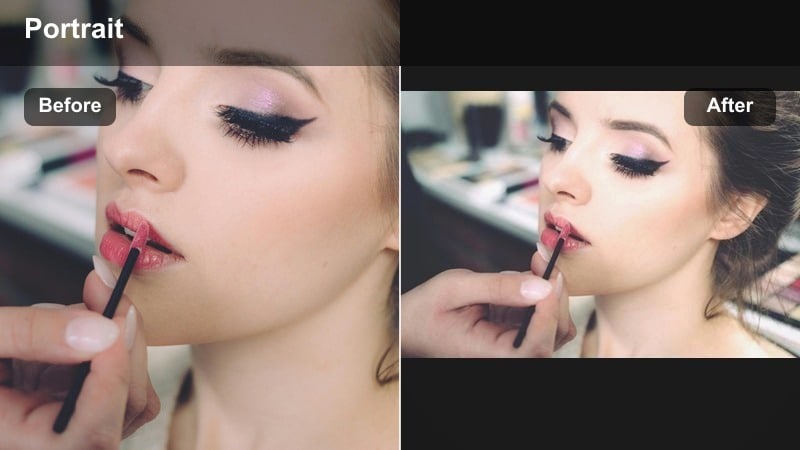
- Effect look: Desaturated, beige-toned filter with gentle contrast and airy whites for a clean minimal aesthetic.
- Best for: Minimalist lifestyle edits, desk setup videos, and neutral outfit portraits.
- Editing tip: Slightly lift shadows and pull highlights down to maintain that soft, matte editorial feel on both skin and background.
Oat Milk Minimal leans into beige, desaturated tones that flatten harsh contrasts for a quiet, gallery-like look. Skin appears softly lit and natural, while neutral outfits and backgrounds blend into a cohesive, minimal color story.
In Filmora, pair this filter with small exposure adjustments and a gentle matte curve to reinforce the soft, editorial vibe. It works especially well for desk tours, neutral capsule wardrobe videos, and minimal daily vlogs where you want the overall scene to feel calm, tidy, and design-focused.
Rose Milk Soft Blush
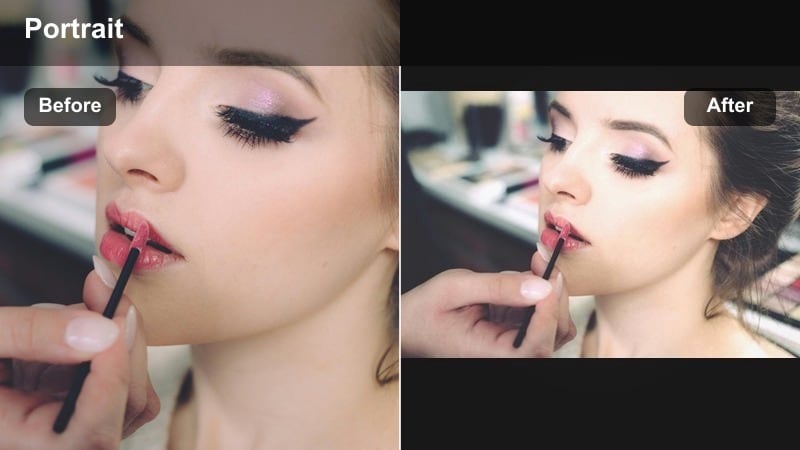
- Effect look: Soft rose tint with lifted midtones and gentle skin blush for romantic and flattering portraits.
- Best for: Romantic lookbooks, couple portraits, and dreamy close-up reels.
- Editing tip: Pull down saturation on reds if lips or blush look too intense, keeping only a subtle rose glow across the cheeks.
Rose Milk Soft Blush adds a delicate pink wash to your portraits, creating a built-in soft blush that flatters most skin tones. The lifted midtones maintain brightness on your face, making it perfect for romantic reels, couple shots, and soft outdoor portraits.
After applying this filter in Filmora, fine-tune the red and magenta saturation to keep lips and cheek color under control. This lets you enjoy a dreamy rose glow across your skin while ensuring makeup shades and wardrobe colors still look true to life.
Dreamy Toned Portrait Filters
Pastel Daydream
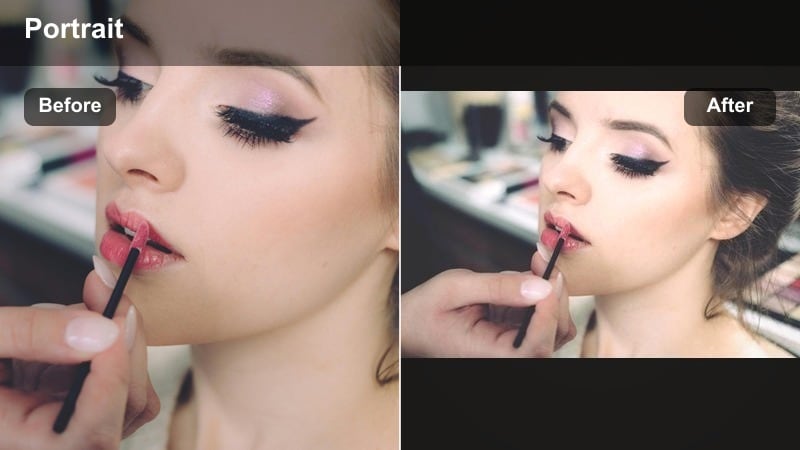
- Effect look: Muted blues and pinks with lifted blacks and dreamy low contrast for airy portrait scenes.
- Best for: Soft lifestyle montages, morning routine videos, and whimsical B-roll portraits.
- Editing tip: Slow down your clips and add a light blur transition between shots to amplify the dreamy, floating feeling.
Pastel Daydream mutes your colors into gentle blues and pinks, raising the blacks so nothing in the frame feels too heavy or sharp. This creates an airy, floating tone that is ideal for morning routines, soft montages, and whimsical, slow-motion portrait shots.
Use it in Filmora across an entire sequence of B-roll, then add slow speed changes and blur transitions to match the relaxed energy of the color palette. The consistent pastel wash helps unify footage shot in different spots while keeping faces soft and flattering.
Soft Focus Bokeh Dream
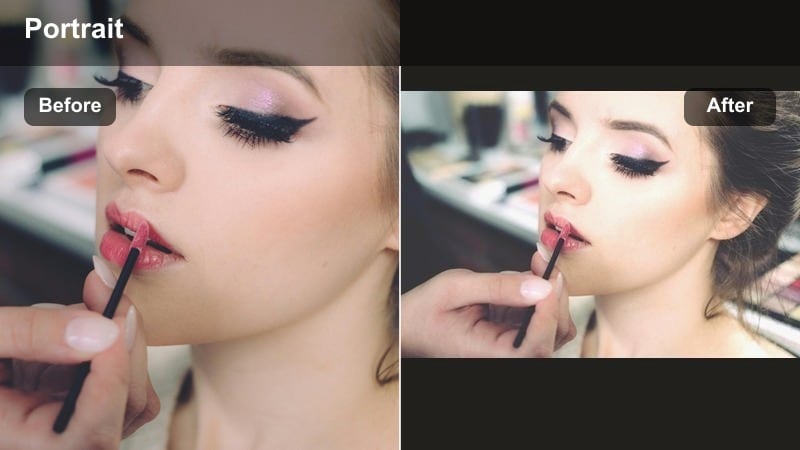
- Effect look: Soft glow around highlights with slightly bloomed bokeh and smoothed skin detail.
- Best for: Golden hour portraits, outdoor lookbooks, and city lights at dusk.
- Editing tip: Increase highlight bloom just enough to glow around light sources while protecting details in eyes and hair using masks.
Soft Focus Bokeh Dream emphasizes light sources, blooming bokeh and highlights into a subtle halo that feels cinematic and romantic. Skin receives a gentle smoothing, while the background melts into glowing circles and soft color gradients.
In Filmora, apply this filter to dusk city shots, fairy light portraits, or golden hour fields. Use masks to preserve sharpness on your eyes, lips, and hairline so your facial structure remains defined even as the lights behind you shimmer and blur into a dreamy backdrop.
Cotton Sky Film Soft
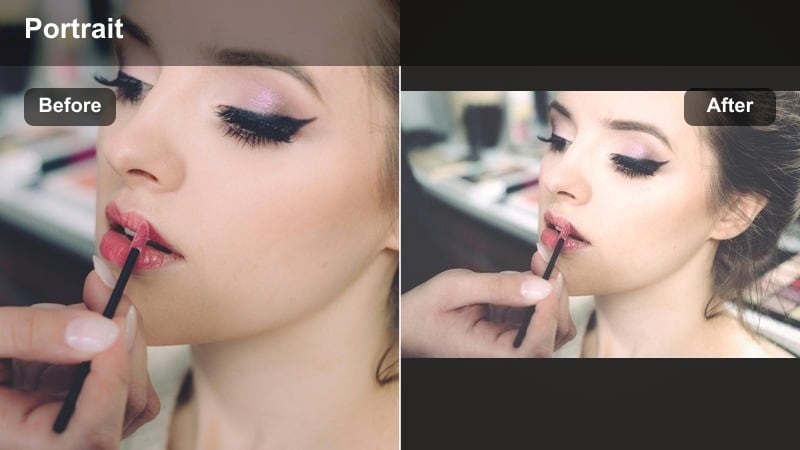
- Effect look: Subtle film-style fade with pastel sky blues and gentle grain, giving portraits a nostalgic softness.
- Best for: Outdoor vlogs, travel portraits, and lifestyle B-roll with sky in the background.
- Editing tip: Reduce grain for face close-ups and keep more texture in wider shots, so skin remains smooth but the scene feels analog.
Cotton Sky Film Soft adds a light film fade and pastel blue tint, especially flattering when there is sky or bright outdoor light behind you. The soft grain and reduced contrast give your portraits a nostalgic, analog-inspired feel without sacrificing clarity.
In Filmora, use this filter for outdoor vlogs, travel portraits, and balcony clips. Lower the grain level for tight face shots and keep it slightly higher on wide frames, balancing smooth skin with textured surroundings that feel authentically cinematic.
Moody but Soft Portrait Filters
Dusty Rose Shadow
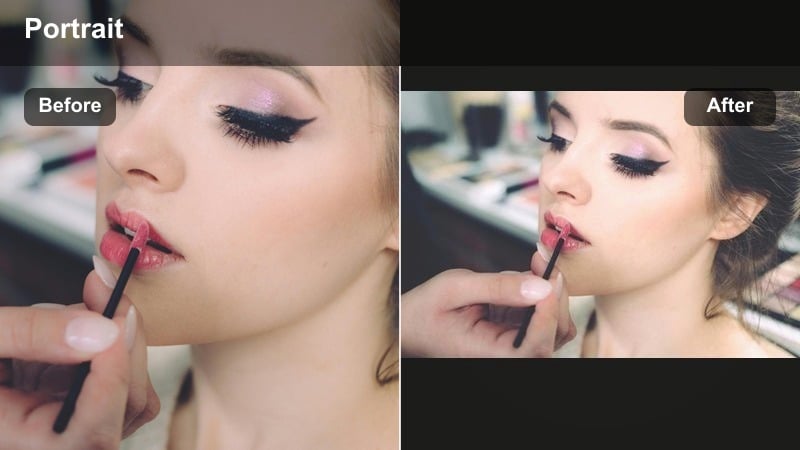
- Effect look: Muted rose tones with deeper shadows and low saturation for soft but moody portraits.
- Best for: Intimate bedroom portraits, quiet vlogs, and storytelling reels with emotional tone.
- Editing tip: Drop saturation slightly while maintaining skin luminance so your face stays visible within darker, moodier scenes.
Dusty Rose Shadow blends soft rose coloring with deeper shadows, creating a gentle but introspective look. Colors stay muted, but your skin retains enough brightness to keep expressions readable in low-light or emotional scenes.
Apply this filter in Filmora for diary-style vlogs, poetry voiceovers, or intimate bedroom portraits. Lower global saturation, then lift skin exposure slightly so the face stays clear against background shadows, guiding attention without using bold colors.
Smoke and Vanilla Soft
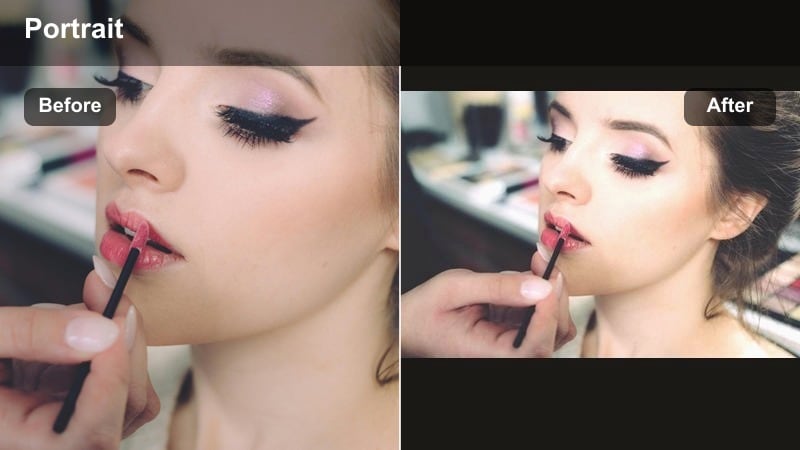
- Effect look: Cool shadows, creamy highlights, and a faint haze, mixing moody undertones with soft vanilla glow.
- Best for: Cafe portraits, late-night workspace shots, and soft cinematic vlogs.
- Editing tip: Add a slight tilt in the tone curve, lifting the blacks and dropping the midtones for a polished cinematic softness.
Smoke and Vanilla Soft mixes cool, smoky shadows with warm, creamy highlights to create a balanced, cinematic portrait look. The faint haze softens hard edges, making cafes, studios, and night workspaces feel stylized but still grounded.
In Filmora, pair this filter with a mild S-curve that lifts blacks and gently dips midtones, enhancing cinematic depth. It works well for talking scenes lit by windows or desk lamps, keeping skin flattering while preserving the moody character of the environment.
Moonlit Pastel Night
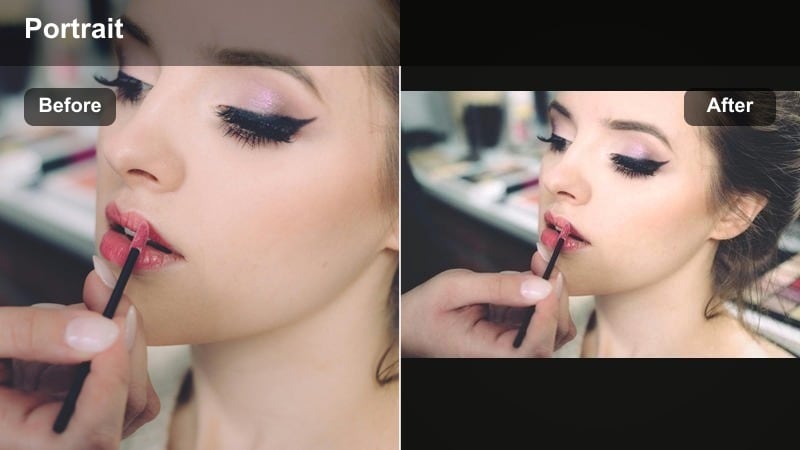
- Effect look: Cool blue pastel wash on midtones with gentle highlight roll-off for nighttime portraits that stay soft, not harsh.
- Best for: Street portraits under neon, balcony shots at night, and moody city B-roll.
- Editing tip: Dial back saturation on strong neon colors so your skin remains the calm, soft focus within the scene.
Moonlit Pastel Night wraps your nighttime footage in a cool blue pastel layer, softening the harshness of city lights and neon signs. Highlights roll off smoothly so your skin does not blow out, even when standing near bright signage or car lights.
Inside Filmora, use this filter on balcony views, city walks, and rooftop portraits after dark. Reduce saturation on the most intense neon hues so your skin tone stays gentle and calm, then use slow camera moves and crossfades to match the relaxed, moonlit feeling of the color grade.
Tips for Using Portrait Aesthetic Tone Filters in Filmora
- Film portrait sequences in soft, diffused light so your aesthetic filters have smooth skin and clean shadows to work with.
- Keep filter intensity under 80 percent for most portrait shots to avoid plastic skin or unnaturally flat faces.
- Use masks to protect facial details like eyes, brows, and lips whenever you push softness or glow higher.
- Batch apply your chosen aesthetic portrait video filter, then adjust exposure clip by clip for a consistent final look.
- Mix a gentle blur transition and slower cuts with dreamy video tones to enhance the soft, aesthetic mood of your edit.
- Combine Filmora s AI color tools with these filters to quickly match your portrait tones to reference photos or brand colors.
- Fine-tune HSL controls after adding a filter to keep outfits and makeup shades accurate while skin stays soft and flattering.
Aesthetic portrait video filters give lifestyle creators and influencers a fast way to turn everyday clips into cohesive, dreamy visuals with soft skin tones and curated color palettes.
Experiment with a few of these presets in Filmora, then save your favorite combination as a custom look so every future portrait, lookbook, and lifestyle edit feels instantly on brand.
secure downloadNext: Explore Moody Portrait Video Filters for Deeper Aesthetic Vibes
