

 100% Security Verified | No Subscription Required | No Malware


 ChatGPT
 Perplexity
 Gemini
 Claude
 Grok
Grok
Aesthetic creators and lifestyle influencers know that the right selfie filter can turn an ordinary front camera moment into a soft, cinematic memory. These aesthetic selfie video filters are designed to flatter skin, smooth tones, and wrap your frame in dreamy pastels without looking overedited.
Use this guide to pick Filmora filters that match your selfie aesthetic tone, from gentle skin softening to airy pastel glows. Every look below includes a simple editing tip so you can quickly style your morning routine clips and soft diary vlogs with consistent, dreamy front camera tones.
In this article
Soft Morning Glow Filters for Gentle Selfie Light
Blush Dawn Soft
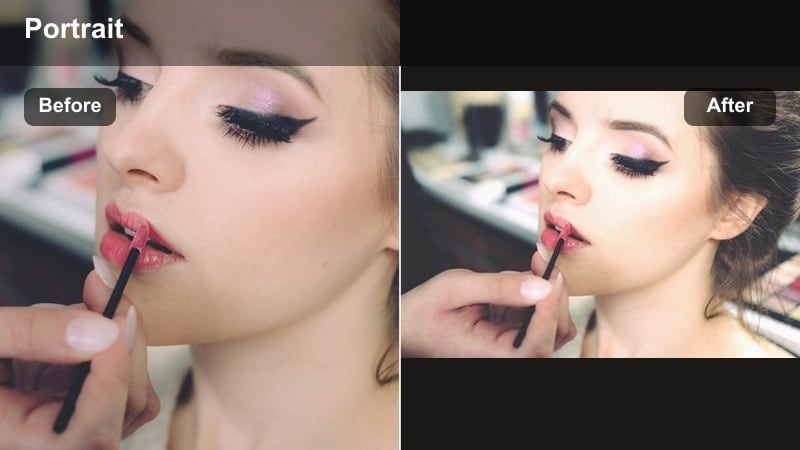
- Effect look: Pale peach highlights, softened contrast, and a subtle warm blush over skin for a freshly awake glow.
- Best for: Morning routine clips by the window, skincare steps, and first-sip-of-coffee front camera moments.
- Editing tip: Lower the filter intensity to around 60 percent and slightly reduce contrast so your natural skin texture still shows through.
Blush Dawn Soft is your go to filter when you want your front camera selfies to feel like a slow, cozy sunrise. The pale peach highlights and gentle warmth flatter sleepy skin, lift under-eye shadows, and create a soft face effect without erasing real texture.
In Filmora, apply Blush Dawn Soft to all your morning routine clips, then fine tune intensity per shot so the blush stays believable. This look is especially flattering when you are filming skincare, coffee, or outfit details near a window, turning simple moments into dreamy, aesthetic B-roll for your vlogs.
Pro tip: Pair Blush Dawn Soft with natural window light
Film facing the window and let the filter handle warmth instead of cranking up exposure. This keeps your skin tone creamy without washing out details. If your background looks too yellow, slightly pull down temperature in the color settings while keeping the filter active for a balanced warm glow.
Use Filmora’s AI tools to keep your selfie aesthetic consistent
Once you find an aesthetic selfie video filter you love, Filmora’s AI driven color tools help you keep that same soft tone across different clips and lighting situations. You can balance pastel hues, maintain flattering skin tones, and avoid harsh shifts between shots.
For morning routine clips or soft diary vlogs filmed over several days, apply your favorite filter, then use AI color matching to sync the mood across your whole timeline so the final video feels like one continuous dreamy moment.
 secure download

Test aesthetic selfie filters in real time before you commit
Filmora lets you preview aesthetic selfie filters directly on your clips, so you can compare soft face effects, dreamy front camera tones, and pastel moods side by side. This makes it easier to choose the exact vibe that matches your aesthetic brand.
Cycle through your favorites from this list while watching how they interact with your lighting, makeup, and background. Focus on how skin tones look and how the background colors shift, then lock in the filter that supports your story the best.
secure downloadSave your aesthetic as a reusable style with LUTs and presets
When you discover a layered look that feels perfect, combine your aesthetic selfie video filter with subtle color tweaks and save the result as a custom preset or LUT. This way, every new selfie clip you import can instantly match your established tone.
Having a saved preset for soft dreamy pastels makes it faster to edit recurring formats like morning check ins or diary vlogs, while keeping your channel or feed visually consistent and recognizable.
secure downloadCloud Milk Pastel
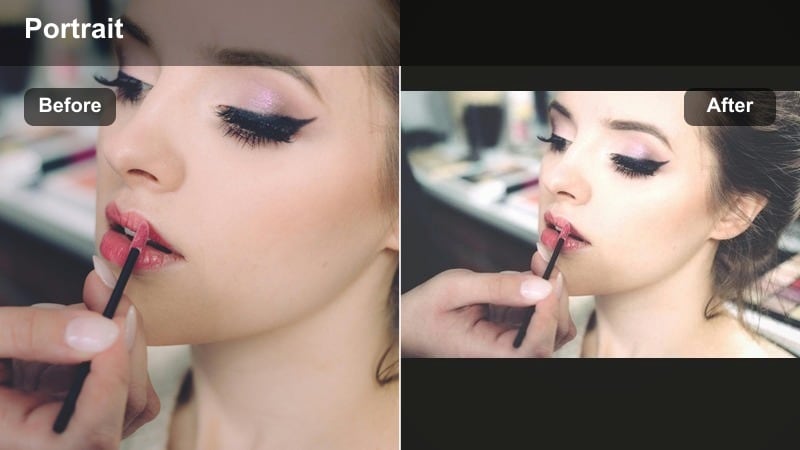
- Effect look: Milky whites, low contrast, and soft lavender shadows for a calm, cloudy morning aesthetic.
- Best for: Soft diary vlogs in bed, sleepy check-in clips, and low-energy cozy mornings.
- Editing tip: Slightly raise shadows and decrease clarity so the background melts softly while your face remains the focus.
Cloud Milk Pastel turns your front camera into a hazy, clouded window, perfect for quiet mornings and slow, reflective clips. The milky whites and lavender shadows dissolve harsh lines in your background so your face becomes the soft center of the frame.
In Filmora, try adding this filter to handheld bed vlogs or low energy check-ins where you want everything to feel gentle and unhurried. Use the color controls to nudge clarity down just a touch more, and let the filter create that dreamy, sleepy diary vibe without extra retouching.
Pro tip: Keep colors minimal around you
Wear neutrals or soft pastels so the filter’s milky tones can stay clean and cohesive across the frame. If your room decor is bold, crop in closer on your face to let the filter’s dreamy softness dominate.
Hazy Sunbeam
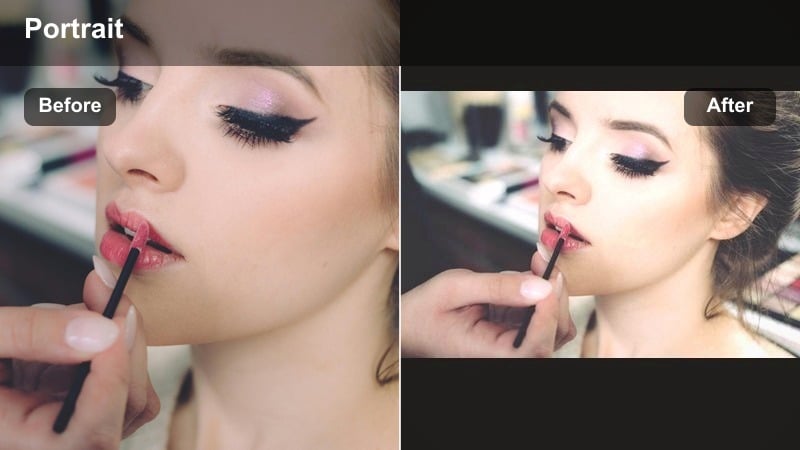
- Effect look: Soft flares, gentle golden tint, and slight bloom on highlights for an ethereal, sunlit selfie.
- Best for: Front camera clips in patchy sunlight, hair styling, and jewelry detail shots.
- Editing tip: Dial back saturation a little and boost highlight bloom only enough to avoid losing detail in your eyes.
Hazy Sunbeam wraps your selfies in glowing, golden light, mimicking sun flares without the harshness that direct sunlight can bring. The subtle bloom on highlights flatters skin and hair, adding a cinematic shine that feels intentional rather than overexposed.
In Filmora, this filter is ideal for clips where light naturally catches your hair, jewelry, or glass objects. Use it on B-roll shots or front camera monologues near a bright window, then gently adjust saturation so your skin stays warm but not overly orange.
Pro tip: Angle your camera toward the brightest window
Let natural backlight create subtle flares, then let the filter soften edges for a dreamy halo effect. If your face turns too orange, slightly reduce warmth and increase tint toward magenta to keep skin tones balanced.
Creamy Skin Softeners with Subtle Face Effects
Velvet Skin Pastel
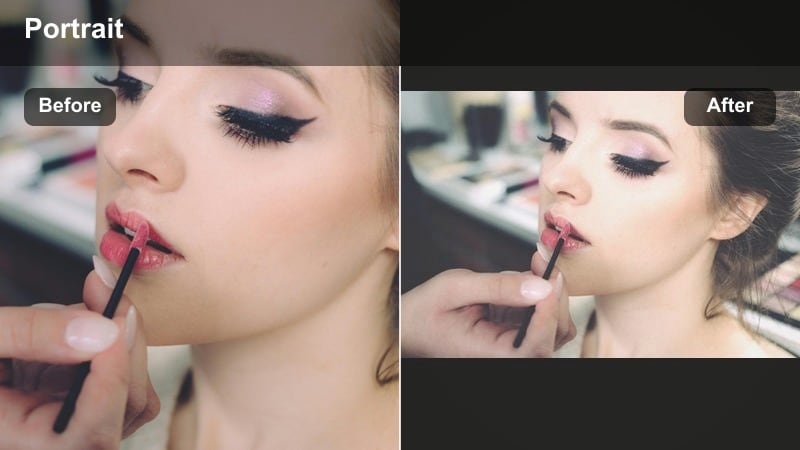
- Effect look: Softened skin texture, pastel-toned midtones, and gentle matte finish for a velvet complexion.
- Best for: Get-ready-with-me sequences, makeup try-ons, and close-up talking selfies.
- Editing tip: Use the filter at medium intensity and add a tiny bit of sharpness around the eyes to keep your gaze crisp.
Velvet Skin Pastel gives your complexion a polished, camera ready finish while keeping the overall mood soft and pastel. It reduces minor texture and shine, leaving your skin looking velvety and matte without flattening your features.
In Filmora, layer this filter over detailed shots like eyeliner close ups or lipstick tests to keep the focus on your artistry. Add a small boost of sharpness around the eyes and brows so your expressions stay defined on mobile screens while the rest of the frame stays creamy.
Pro tip: Balance soft skin with defined features
After applying the filter, lightly increase local sharpness on lashes and brows so your expression still reads clearly on small screens. Avoid stacking heavy beauty effects on top; let the single filter handle smoothing so your face still looks like you.
Cotton Rose Glow
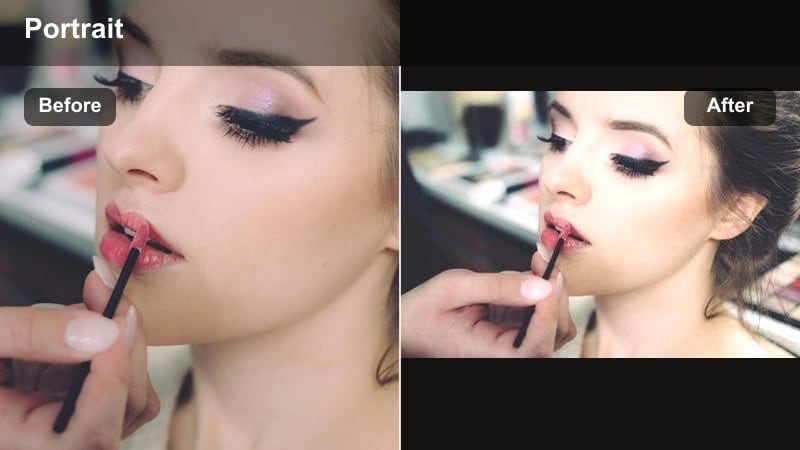
- Effect look: Soft face effect with rosy highlights, slightly lifted whites, and delicate blush tones in cheeks.
- Best for: Romantic selfie check-ins, outfit-of-the-day intros, and gentle confession-style diary vlogs.
- Editing tip: Lower vignette and keep midtones bright to avoid making the frame look too filtered or heavy.
Cotton Rose Glow adds a gentle, romantic flush across your frame, as if you are standing in front of a soft pink curtain. The rosy highlights brighten eyes and cheeks, giving your front camera clips a tender, emotionally warm atmosphere.
Inside Filmora, use this filter for OOTD intros, soft talking clips, or gentle confession style vlogs where you want vulnerability to feel visually supported. Keep the vignette light and maintain bright midtones so the frame looks luminous instead of overly stylized.
Pro tip: Match your blush to the filter
Apply real blush slightly softer than usual so the filter’s built-in rose tones do the rest of the work. If your skin runs warm, pull back saturation in reds under color tuning to keep the flush looking natural.
Porcelain Soft Focus
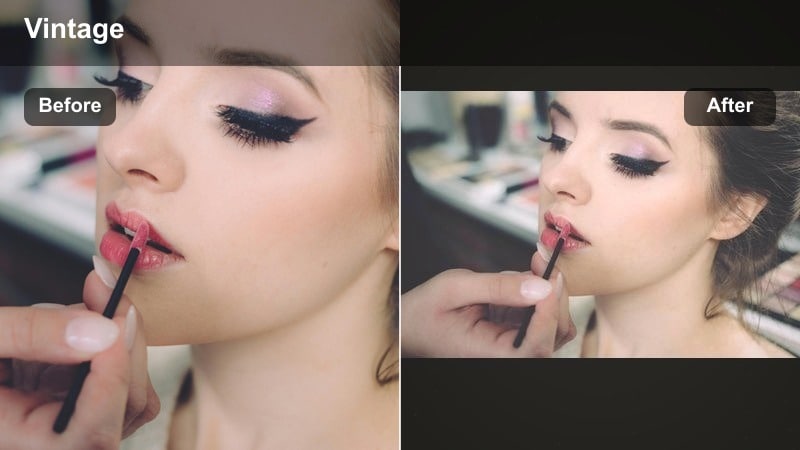
- Effect look: Soft focus on skin, cool-neutral whites, and gentle smoothing that mimics a vintage portrait lens.
- Best for: Chill desk vlogs, journaling check-ins, and longer talking videos filmed on front camera.
- Editing tip: Add a bit of grain to avoid a plastic finish and keep exposure one step below clipping in highlights.
Porcelain Soft Focus gives your selfie videos an old school portrait feel, with cool neutral whites and slightly blurred edges that flatter most skin types. It gently minimizes small imperfections while preserving enough detail so you still look like yourself.
In Filmora, it works especially well for long talking sections, desk diaries, or journaling content filmed on your front camera. Pair it with subtle grain and careful exposure control so your highlights stay smooth and your background feels softly cinematic.
Pro tip: Let this filter handle smoothing, not brightness
Keep your base exposure slightly darker than usual and let the filter’s soft focus open up the frame. If your background loses detail, lower the filter intensity and bring clarity back only on the environment.
Dreamy Pastel Tones for Aesthetic Diary Vlogs
Misty Lilac Frame
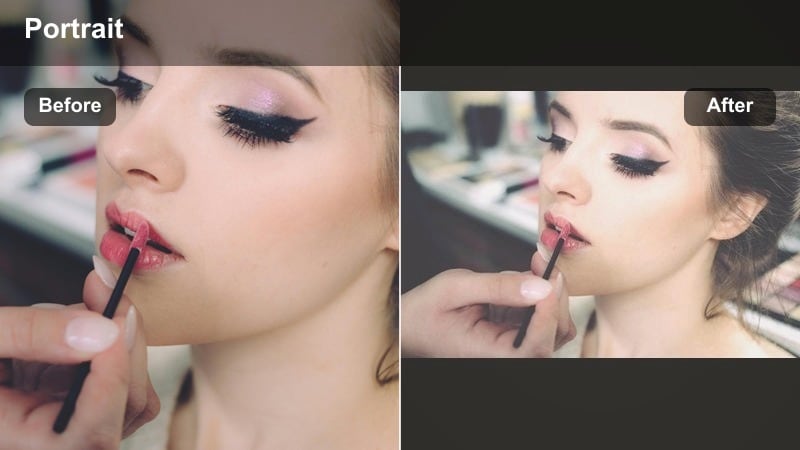
- Effect look: Soft lilac shadows, faded contrast, and slightly desaturated colors for an introspective, dreamy mood.
- Best for: Late morning reflections, voiceover diary vlogs, and moody but gentle self-talk clips.
- Editing tip: Lower saturation in greens and yellows to let the lilac shadows dominate without clashing.
Misty Lilac Frame tints your shadows with a soft purple hue, creating a calm, reflective mood that is perfect for introspective content. The faded contrast and desaturated palette make your clips feel like they belong in a handwritten journal.
In Filmora, apply this filter to talking clips or B-roll you plan to use under voiceovers, especially on days when your vlog leans more emotional or thoughtful. Tone down saturated greens and yellows in the color panel so the lilac mood stays consistent across each scene.
Pro tip: Use slower movements for the best vibe
This filter shines when your gestures are gentle and unhurried, matching the soft lilac atmosphere. If the footage feels too flat, add a slight S-curve to contrast while keeping shadows lifted.
Pearl Mint Haze
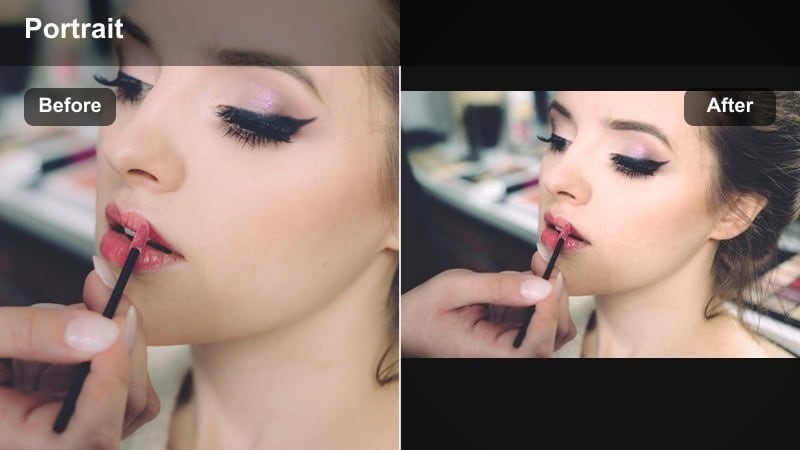
- Effect look: Cool mint highlights, pearly whites, and faint cyan tint in bright areas for a fresh, airy feel.
- Best for: Morning matcha shots, workspace tours, and reset-day front camera clips.
- Editing tip: Add a subtle vignette and slightly darken exposure so the mint tones stay soft instead of harsh.
Pearl Mint Haze is the filter to reach for when you want your selfie to feel clean, crisp, and lightly caffeinated. The cool mint highlights and pearly whites create a refreshing, spa like aesthetic that fits matcha mornings, reset days, and tidy workspace tours.
In Filmora, layer this filter on clips where white surfaces, glass, or light wood are already present so the cyan tint looks natural. Slightly darken exposure and add a minimal vignette to keep the mint tones soft rather than stark.
Pro tip: Keep props in the same color family
Use mugs, notebooks, and blankets in soft greens, whites, and beiges so the filter palette looks intentional. If your skin turns too cool, nudge the tint slider slightly warmer without touching overall saturation.
Cream Blue Daydream
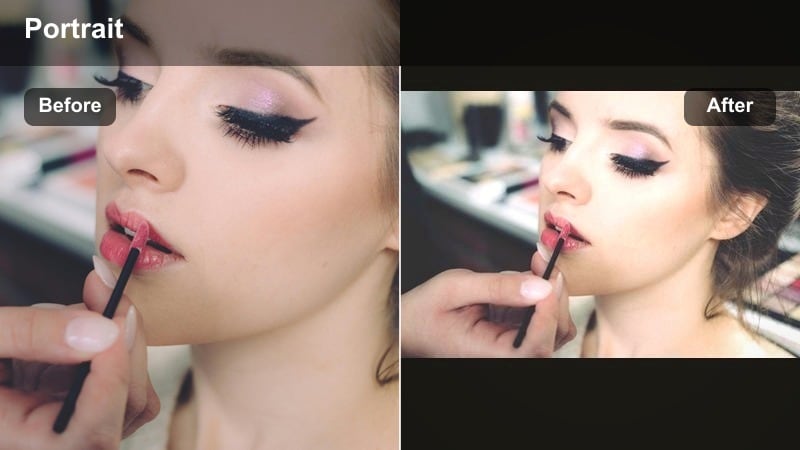
- Effect look: Warm cream midtones with powder blue shadows, giving a nostalgic, airy daydream aesthetic.
- Best for: Lighthearted chatty vlogs, outfit selfies near a window, and sky-peek shots from bed.
- Editing tip: Slightly reduce highlights and protect whites from clipping so the blue shadows do not overpower your skin.
Cream Blue Daydream blends warm creams with powder blue shadows to make your footage feel nostalgic, like a memory caught between morning and afternoon. It softens edges and adds a daydream quality that works beautifully with natural light.
In Filmora, this filter is great for breezy chats, playful OOTD clips, or quick sky peeks from your bed. Carefully manage highlights so whites do not blow out; this lets the blue shadows sit gently behind your skin tone instead of competing with it.
Pro tip: Shoot against light, neutral backgrounds
White bedding, sheer curtains, or pale walls let the blue shadows and cream midtones sit gently over the scene. If the frame feels too cool overall, warm up the temperature slightly instead of increasing saturation.
Cozy Evening Soft Tones for Low-Light Selfies
Candle Cream Soft
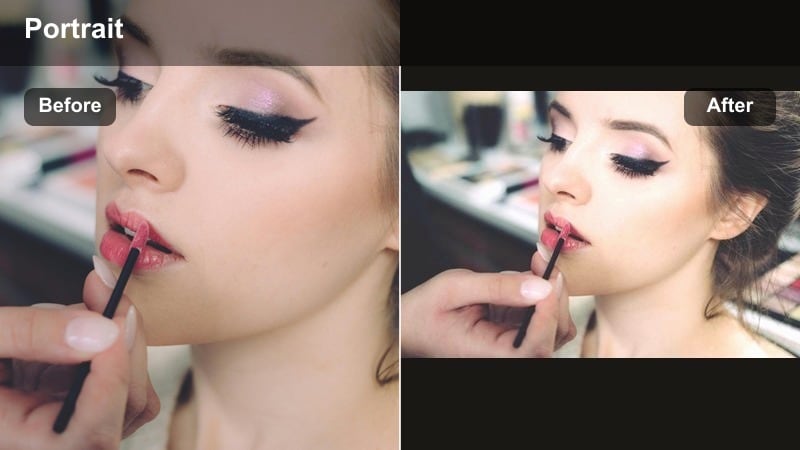
- Effect look: Warm candle-like glow, lifted blacks, and gentle softening that makes low-light selfies feel cozy.
- Best for: Nighttime diary vlogs, cozy reading clips, and end-of-day reflections in bed.
- Editing tip: Raise shadows lightly and add a bit of noise reduction to keep grain from clashing with the soft glow.
Candle Cream Soft is built for nighttime vlogs when you want your footage to feel intimate, not noisy. The lifted blacks and warm glow disguise some of the roughness that low light creates, wrapping your face in a gentle, candlelit halo.
In Filmora, pair this filter with softly lit bedroom or reading scenes, and apply a touch of noise reduction so grain does not fight the creamy blur. It is perfect for recap clips, end of day reflections, and cozy reading updates filmed on your front camera.
Pro tip: Use a single warm light source
Place a warm lamp or candle style light slightly off to the side and let the filter amplify the glow. If orange tones become too strong, reduce saturation in the orange channel under color tuning.
Mocha Soft Mist
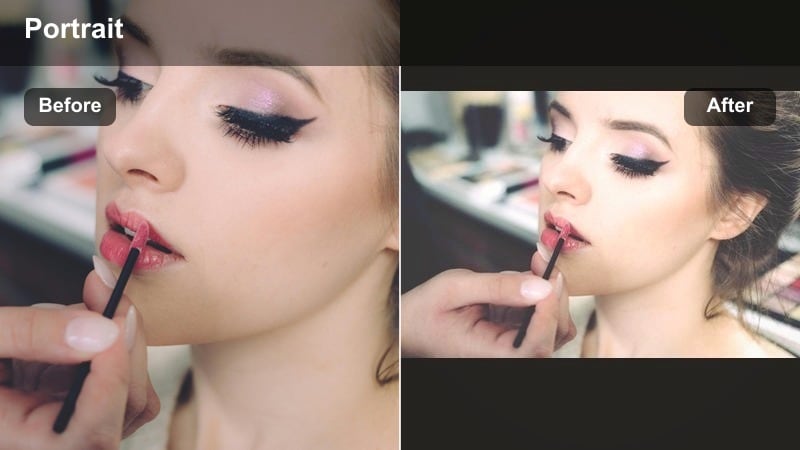
- Effect look: Soft brown tint, gentle fade in blacks, and a misty overlay that smooths harsh indoor lighting.
- Best for: Cozy couch vlogs, late-night snack clips, and casual end-of-day chats.
- Editing tip: Drop contrast and add a light vignette so your face becomes the deepest point in the frame without harsh edges.
Mocha Soft Mist leans into rich browns and gentle fades to turn bright, sometimes ugly indoor lighting into something cinematic and soothing. The mist effect reduces glare from screens and lamps, giving your selfies a coffee toned, late evening aesthetic.
In Filmora, use this filter on couch vlogs, kitchen snacks, or any clip where mixed indoor lights are distracting. Lower contrast, add a soft vignette, and let your face sit as the visual anchor of the frame while the background falls into a warm blur.
Pro tip: Simplify overhead lighting
Turn off extra bright ceiling lights and leave just one lamp on so the filter can smooth a single light source. If your hair blends too much into the background, subtly increase midtone contrast to bring back separation.
Night Veil Pastel
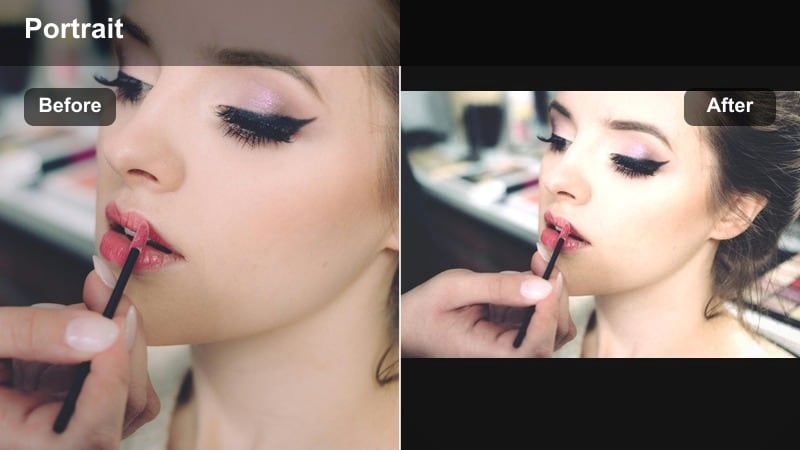
- Effect look: Muted blues and purples in shadows, soft face effect, and slight grain for a dreamy night diary mood.
- Best for: Late-night voice notes to camera, emotional check-ins, and slow, quiet selfie clips.
- Editing tip: Protect skin tones by raising warmth a little while leaving shadows cool and pastel.
Night Veil Pastel brings muted blues and purples into your shadows to create a cinematic, almost nocturnal dreamscape. The slight grain and soft face effect make late night diary clips feel intimate and intentional, even when filmed on your front camera.
In Filmora, reach for this filter when you are filming emotional check ins or soft-spoken voice notes before bed. Keep your shadows cool and pastel while gently warming skin tones so you look alive yet still wrapped in that dreamy, twilight palette.
Pro tip: Lean into slow storytelling
Use this filter on clips where you speak softly or hold longer pauses so the dreamy colors have time to sink in. Trim away harsh movement or sudden exposure shifts that could break the gentle night veil effect.
Tips for Using Selfie Aesthetic Tone Filters in Filmora
- Film facing a window with indirect light so your aesthetic selfie filters enhance, not rescue, your footage.
- Keep filter intensity below 80 percent to avoid over smoothing your face and losing natural texture.
- Batch apply your chosen filter to all clips in a sequence, then fine tune exposure and color per clip.
- Use similar color palettes in your outfits and background so pastel filters look cohesive rather than chaotic.
- Record a few seconds of test footage in each new lighting setup to quickly audition different filters.
- Combine a single softening filter with light color tweaks instead of stacking many beauty effects at once.
- Export a short test edit to your phone to see how the aesthetic looks on the same screen your audience uses.
The right aesthetic selfie video filters can turn simple front camera clips into soft, dreamy stories that match your personal mood and branding. By choosing looks that flatter skin, calm harsh light, and introduce gentle pastel tones, your morning routine clips and diary vlogs will instantly feel more cinematic.
Save your favorite combinations as presets in Filmora so every new selfie clip starts with your signature soft face effect and dreamy tone. Next time you pick up the camera, all you will need to focus on is your story and your feelings, not your settings.
secure downloadNext: Explore Moody Selfie Video Filters for Deeper, Cinematic Vibes
