

 100% Security Verified | No Subscription Required | No Malware


 ChatGPT
 Perplexity
 Gemini
 Claude
 Grok
Grok
Beige green sits between warm neutrals and soft nature tones, mixing the calm of green with the comfort of beige. It feels grounded, minimal, and quietly optimistic, which makes it perfect for lifestyle channels, wellness brands, travel stories, and any creator who wants a calm but modern aesthetic. In video, this combo flatters skin tones while keeping backgrounds subtle, so your subject stays the focus.
Used well, a beige green color palette can tie together everything from vlog intros and lower thirds to channel banners, thumbnails, and UI overlays. Below are 15 curated beige green color palettes with HEX codes you can apply in Filmora or your design tool of choice, so your visuals feel consistent across main videos, Shorts, reels, and branding assets.
In this article
Soft & Airy Beige Green Color Palettes
Morning Matcha Glow
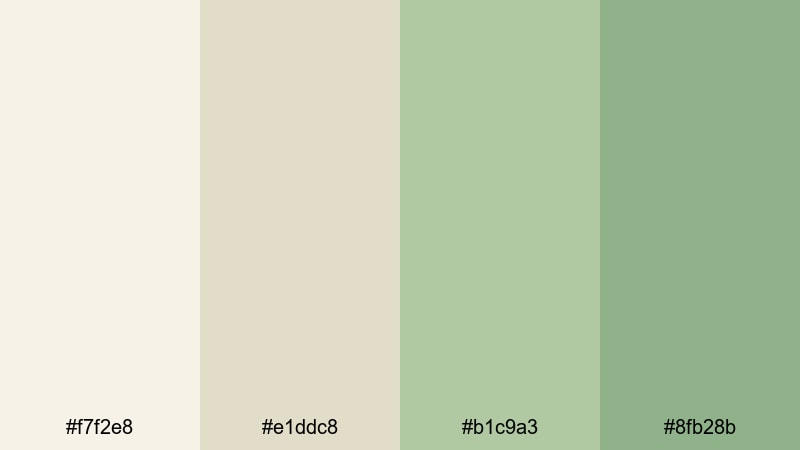
- HEX Codes: #f7f2e8, #e1ddc8, #b1c9a3, #8fb28b
- Mood: fresh, optimistic, and lightly caffeinated, like a calm morning routine
- Use for: Ideal for vlog intros, lifestyle b-roll, and wellness channel thumbnails that need a gentle, uplifting look.
Morning Matcha Glow blends creamy off-white beiges with soft matcha greens, like daylight spilling over a tidy breakfast table. It feels light, breathable, and positive, so it will never fight for attention with your subject or your text.
Use this palette for morning routine vlogs, wellness intros, journaling or productivity content, and thumbnails that hint at calm energy rather than high drama. In Filmora, these HEX values work beautifully for lower thirds, animated titles, subscribe buttons, and simple graphic frames that surround your footage without overwhelming it.
Pro Tip: Enhance Your Beige Green Visuals With Filmora
If you love the soft, caffeinated calm of Morning Matcha Glow, keep it consistent across your entire edit. In Filmora, you can set one beige as your default background for titles, then reuse the lighter greens for icons, progress bars, and callout shapes. This gives your channel a recognizable beige green identity from intro to end screen.
For vlogs, create a simple preset of text styles in Filmora that match these HEX codes. Then every time you add a chapter title, timer, or quote overlay, you can apply your beige green styling in one click instead of eyeballing the color each time.
AI Color Palette
You can turn a single beige green reference image into a complete look for your footage using Filmora's AI tools. Filmora's AI Color Palette feature lets you sample tones from a still frame, thumbnail mockup, or photo of your desk setup, then match that mood across the rest of your clips.
Import a shot that already has your ideal Morning Matcha Glow colors, run AI Color Palette, and apply it to other scenes like b-roll, talking-head segments, and cutaway shots. This keeps your beige greens consistent even if you filmed on different days or cameras.
 secure download

HSL, Color Wheels & Curves
To fine-tune beige green tones, Filmora's HSL sliders, color wheels, and curves give you precise control. You can push the greens slightly warmer and softer for lifestyle content, or add a tiny bit of contrast in the curves panel to make matcha tones pop without crushing shadows. For more guidance on shaping color, check out Filmora's color correction tips in Filmora and then apply those ideas to your beige green palette.
Try lifting the highlights curve gently to keep bright beiges airy, while using the midtone wheel to tuck greens into a natural, non-neon range. This will keep your Morning Matcha Glow look cinematic rather than flat.
secure download1000+ Video Filters & 3D LUTs
If you want a quick beige green vibe without manual grading, Filmora's video filters and 3D LUTs make it easy to stylize your footage. Start with a subtle film or pastel LUT, then nudge the hues with the color tools until they match your Morning Matcha Glow HEX codes.
This is perfect for creators who batch-edit content: apply a LUT-based preset to all clips from a series, then adjust your titles and overlays to the same beige green set. Your channel will feel cohesive and on-brand with minimal extra work.
secure downloadCozy Linen Studio
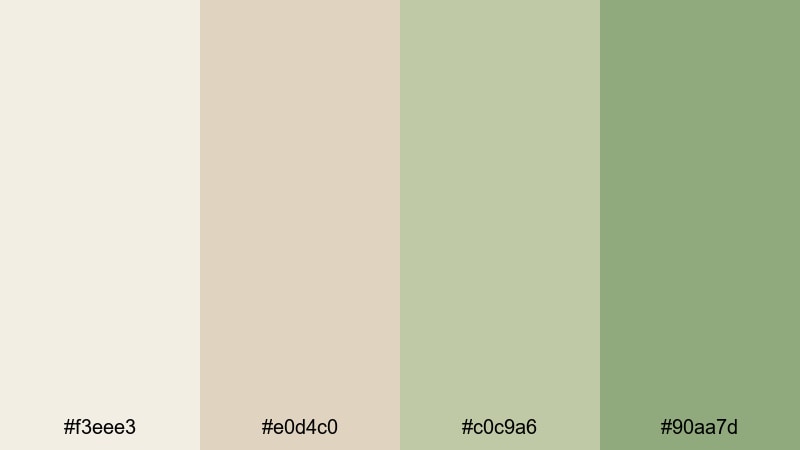
- HEX Codes: #f3eee3, #e0d4c0, #c0c9a6, #90aa7d
- Mood: warm, intimate, and softly textured, like natural linen in window light
- Use for: Perfect for talking-head setups, studio backdrops, and tutorial lower thirds that should feel warm but uncluttered.
Cozy Linen Studio wraps your visuals in gentle beige tones and muted soft greens, like filming inside a sunlit studio with fabric backdrops. It feels human and approachable while still looking tidy and professional.
Use these colors for tutorial lower thirds, subtle borders around your talking-head shots, and thumbnail text backgrounds. In Filmora, pair the warmest beige as your canvas color, then use the mid greens for accent elements like arrows, highlights, and callouts in design-heavy videos.
Foggy Garden Light
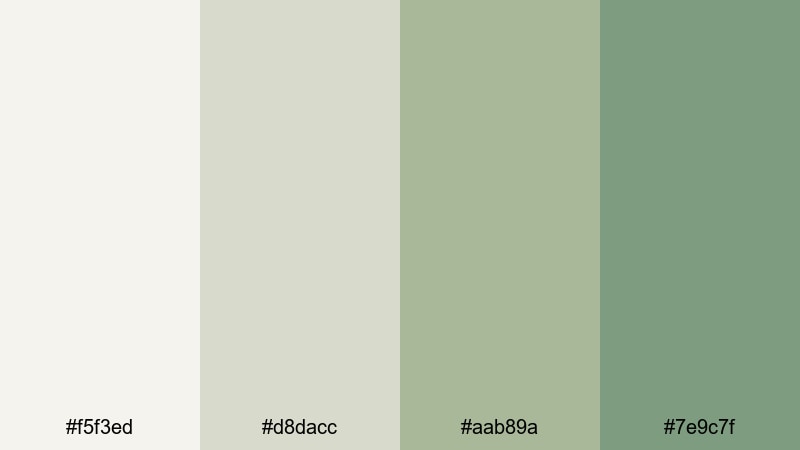
- HEX Codes: #f5f3ed, #d8dacc, #aab89a, #7e9c7f
- Mood: hazy, tranquil, and softly cinematic, like an early-morning garden
- Use for: Great for travel vlogs, nature reels, and dreamy overlays where you want softness without losing clarity.
Foggy Garden Light layers misty neutrals over desaturated greens, giving your footage a soft-focus, early-morning feeling. It is calm but not dull, ideal for reflective storytelling and slower-paced edits.
Apply these HEX codes to gradient overlays, text boxes, or simple shapes that sit on top of your nature b-roll. In thumbnails, use the deeper green for titles and the paler beige as a backdrop, so your text remains readable while the overall vibe stays gentle and dreamy.
Vintage Tea Filter
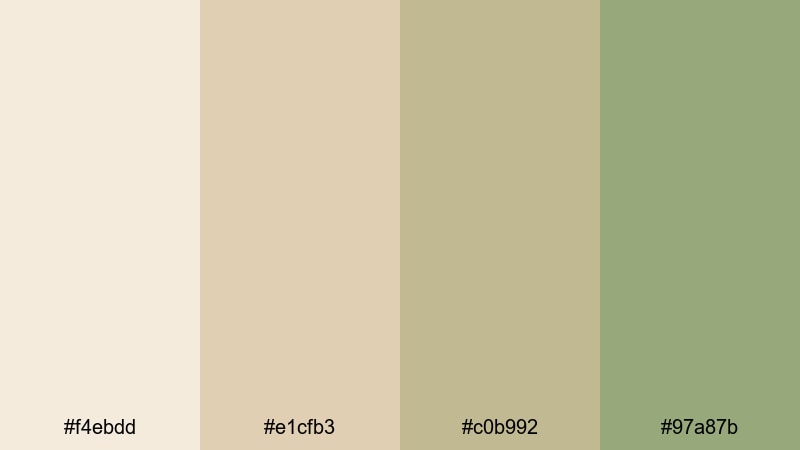
- HEX Codes: #f4ebdd, #e1cfb3, #c0b992, #97a87b
- Mood: nostalgic, gentle, and slightly faded, like an old film print
- Use for: Use for retro-style vlogs, cozy sit-down chats, and title cards that mimic warm film filters.
Vintage Tea Filter combines creamy beige with herbal greens to mimic a soft, tea-stained film look. It adds nostalgia without pushing your footage into heavy sepia or orange tones.
This palette works well for storytime videos, retro-inspired edits, and channel branding that leans cozy and timeless. In Filmora, you can build title cards using the mid beige as a background and the green for decorative lines or frame borders to capture that warm, analog feeling.
Earthy & Organic Beige Green Color Palettes
Sage Dune Horizon
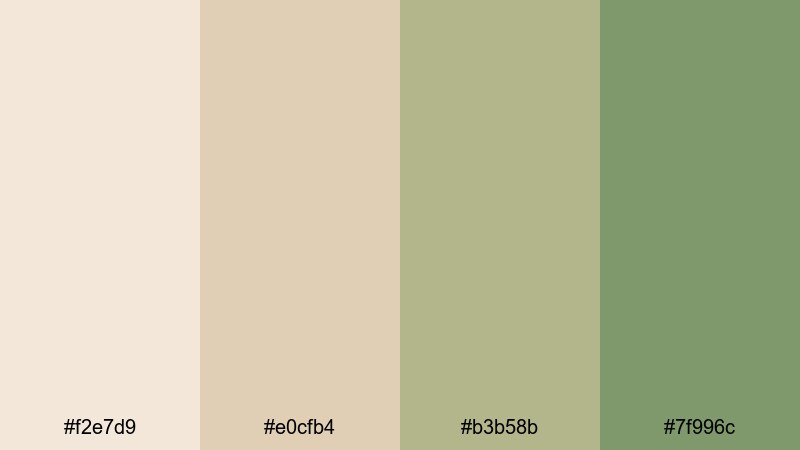
- HEX Codes: #f2e7d9, #e0cfb4, #b3b58b, #7f996c
- Mood: grounded, spacious, and organic, like sagebrush over warm sand
- Use for: Ideal for travel documentaries, outdoor brand films, and eco product promos needing a natural, cinematic base.
Sage Dune Horizon sits between warm sand and soft sage, giving your visuals a wide, cinematic atmosphere. It instantly signals nature, space, and quiet confidence, which works perfectly for brands that care about sustainability or slow living.
Try this palette for long-form travel vlogs, cinematic openers, and product shots in natural environments. Use the lighter beiges for text or UI panels, and the richer greens for logo accents and CTAs inside your Filmora graphics.
Olive Clay Canvas
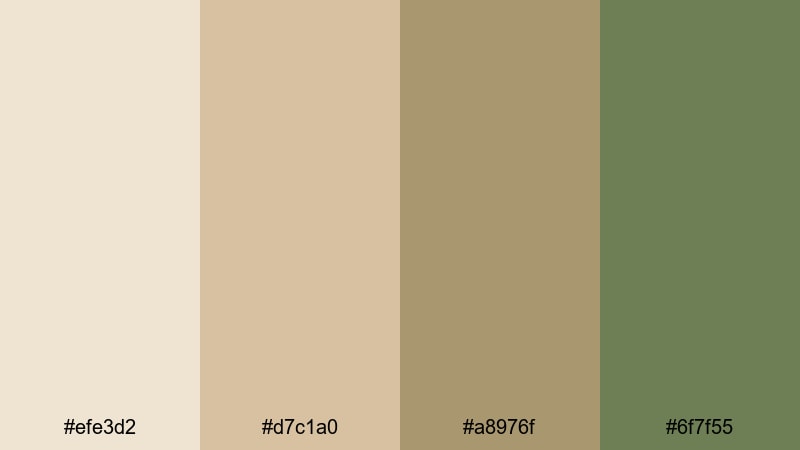
- HEX Codes: #efe3d2, #d7c1a0, #a8976f, #6f7f55
- Mood: artisanal, rustic, and tactile, like hand-thrown clay and olive groves
- Use for: Perfect for product close-ups, food content, and craft or DIY videos where texture matters.
Olive Clay Canvas feels handcrafted and earthy, mixing clay-like beiges with rich olive greens. It brings out the texture in wood, ceramics, textiles, and food, making your close-ups feel more tangible.
Use this palette for recipe videos, pottery or craft tutorials, and Etsy-style product showcases. In Filmora, color your text overlays and simple icons with the mid olives while keeping backgrounds in the softer beiges for a clean but artisanal look.
Mossy Courtyard Walk
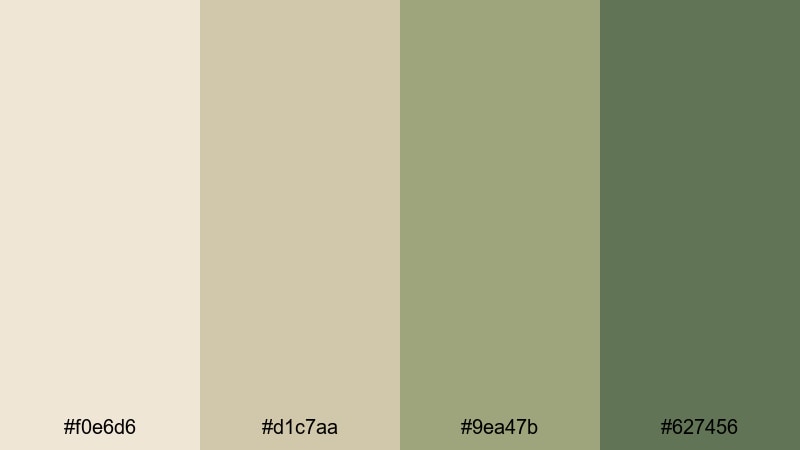
- HEX Codes: #f0e6d6, #d1c7aa, #9ea47b, #627456
- Mood: quiet, contemplative, and slightly old-world, like a hidden stone courtyard
- Use for: Great for cinematic b-roll, travel montages, or narrative shorts set in historic or urban-nature spaces.
Mossy Courtyard Walk balances stone-like beiges with mossy greens, creating a timeless old-town atmosphere. It feels a bit mysterious but still soft enough for personal vlogs and narrative pieces.
Use it to grade travel montages through historic streets, garden courtyards, or older architecture. In your thumbnail and title designs, let the deeper green carry the text while the lighter stone tones frame your subject.
Wild Grass Meadow
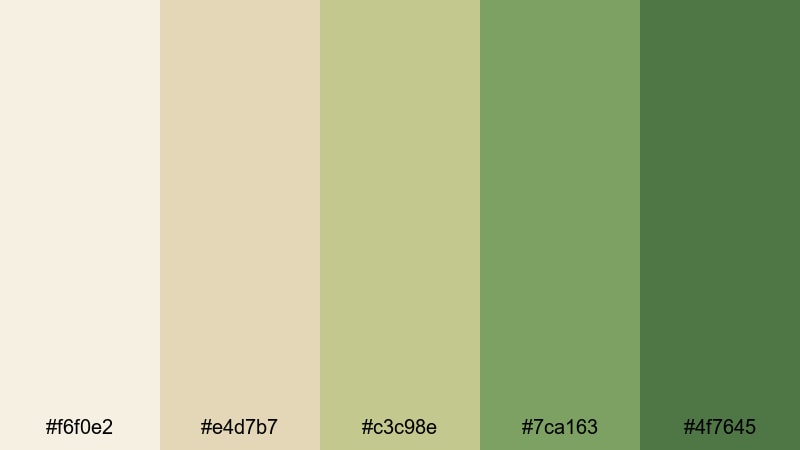
- HEX Codes: #f6f0e2, #e4d7b7, #c3c98e, #7ca163, #4f7645
- Mood: free, energetic, and sunlit, like running through tall grass at golden hour
- Use for: Use in outdoor sport clips, family vlogs, and upbeat nature reels with lots of movement.
Wild Grass Meadow adds more energy with a range of greens from light field tones to deeper foliage, grounded by pale, sunny beiges. It feels bright and full of movement, like a handheld camera dash through tall grass.
This palette suits family outings, hiking adventures, and outdoor sports edits. In Filmora, try using the darker greens for bold headline text and the mid tones for accent shapes or animated transitions that echo the sense of motion in your footage.
Modern Minimal Beige Green Color Palettes
Minimal Loft Calm
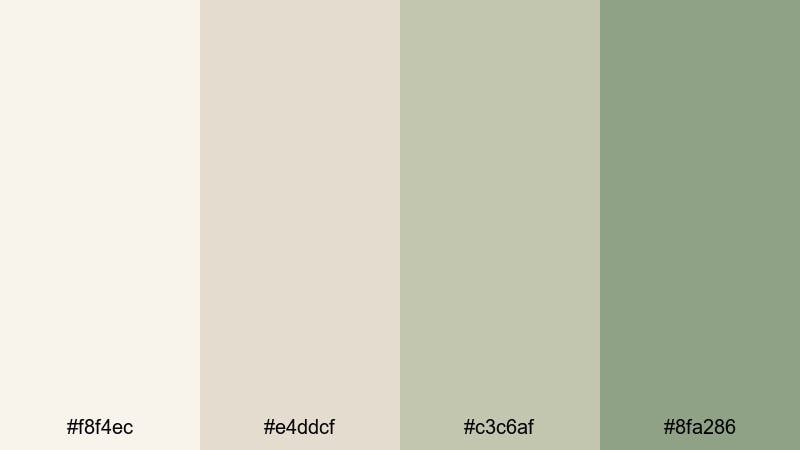
- HEX Codes: #f8f4ec, #e4ddcf, #c3c6af, #8fa286
- Mood: clean, balanced, and uncluttered, like a sunlit loft studio
- Use for: Perfect for tech explainers, productivity channels, and clean UI overlays on screen recordings.
Minimal Loft Calm mixes soft off-whites with balanced, low-saturation greens, creating a modern, distraction-free environment. It feels like a carefully styled loft or workspace where every object has a purpose.
Use it for explainers, Notion or productivity walkthroughs, and any video where on-screen text needs to stay readable over screen recordings. In Filmora, apply the pale beige for background panels behind your screen capture, and use the cooler greens for icons, checklists, and clean lower thirds.
Nordic Desk Setup
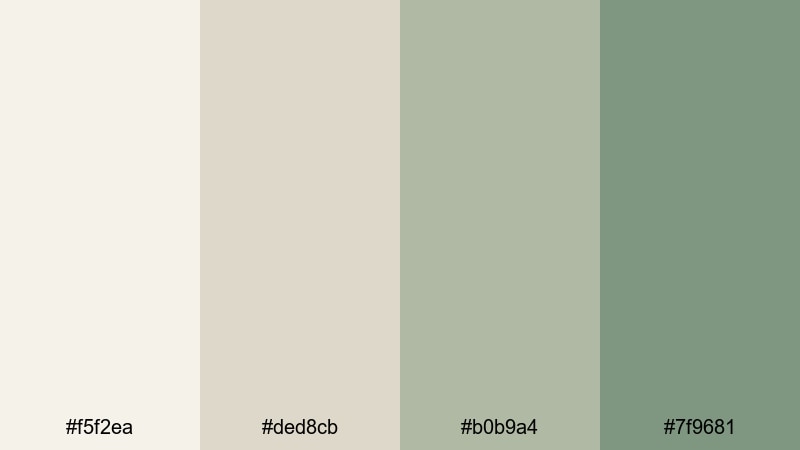
- HEX Codes: #f5f2ea, #ded8cb, #b0b9a4, #7f9681
- Mood: focused, modern, and slightly cool, like a curated workspace
- Use for: Use for desk setup tours, study-with-me videos, and productivity thumbnails that need a sleek but soft aesthetic.
Nordic Desk Setup leans a little cooler and more structured, echoing Scandinavian minimalism. The beiges mimic soft natural light, while the greens feel slightly slate-like and professional.
This palette works perfectly for workspace tours, study-with-me sessions, and productivity or coding content. In Filmora, design thumbnail templates with a beige background, your photo cutout, and cool green shapes or text bars to keep everything aligned with your minimalist theme.
Clean App Interface
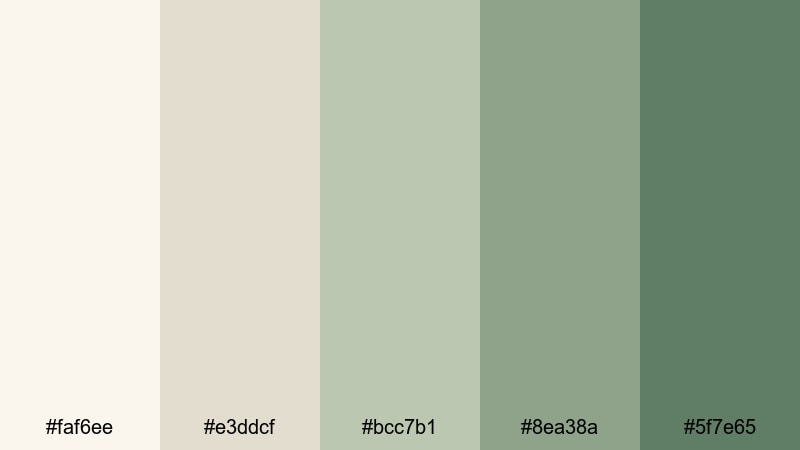
- HEX Codes: #faf6ee, #e3ddcf, #bcc7b1, #8ea38a, #5f7e65
- Mood: crisp, trustworthy, and user-friendly, like a polished app UI
- Use for: Ideal for app demos, SaaS promos, explainer animations, and lower thirds on screen recordings.
Clean App Interface is structured from light to dark beige green tones, echoing a modern UI style. It feels organized and reliable, great for anything tech or product-focused.
Use the lightest shades for background cards or overlays on top of your screen captures, and the deeper greens for buttons, emphasis text, and animated elements. In Filmora, this palette helps you present product tutorials and SaaS walkthroughs in a polished, brand-ready way.
Soft Brand Intro
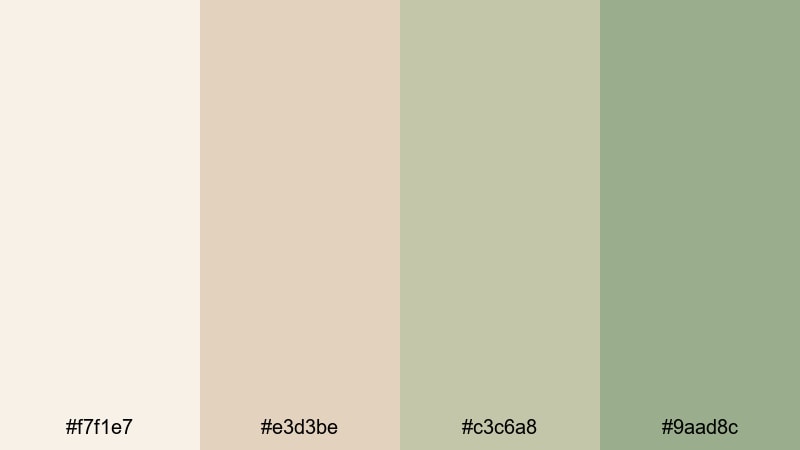
- HEX Codes: #f7f1e7, #e3d3be, #c3c6a8, #9aad8c
- Mood: refined, approachable, and brand-friendly, ideal for modern intros
- Use for: Great for logo reveals, title screens, and channel branding that should feel premium yet warm.
Soft Brand Intro blends refined beige with smooth, medium greens, giving your channel a premium yet friendly feel. It is understated enough for long-term branding but stylish enough to stand out on crowded feeds.
Use this palette to build your full branding system in Filmora: logo intros, animated lower thirds, subscribe reminders, and end screens. Keep the lighter beige for backgrounds and frames, and reserve the richest green for logos and essential CTAs.
Bold Cinematic Beige Green Color Palettes
Neon Sand Noir
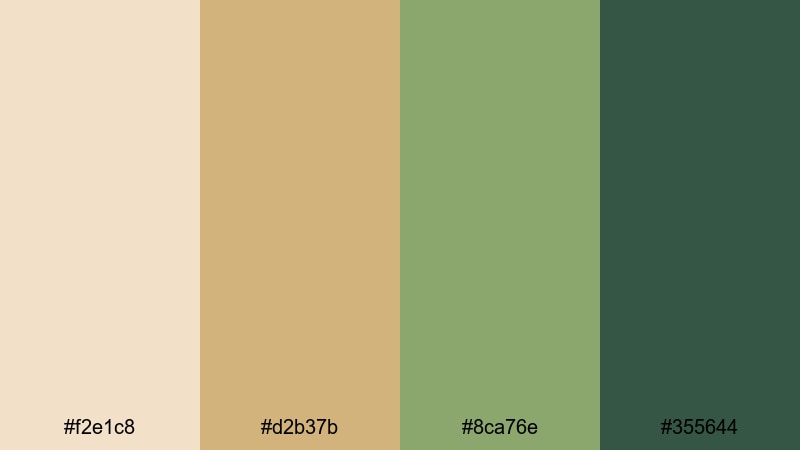
- HEX Codes: #f2e1c8, #d2b37b, #8ca76e, #355644
- Mood: edgy, moody, and stylized, like a night scene lit by warm signage
- Use for: Perfect for music videos, fashion edits, and stylized trailers where you want contrast without neon primaries.
Neon Sand Noir pairs hot sand beiges with darker, cinematic greens to create strong contrast without resorting to pure neon colors. It feels urban and stylish, ideal for nightlife and fashion content.
Apply this palette to title cards, strong text overlays, and split-screen designs in Filmora. Use the palest beige as a glow or border around text set in the deepest green to get that dramatic thumbnail pop.
Midnight Forest Drama
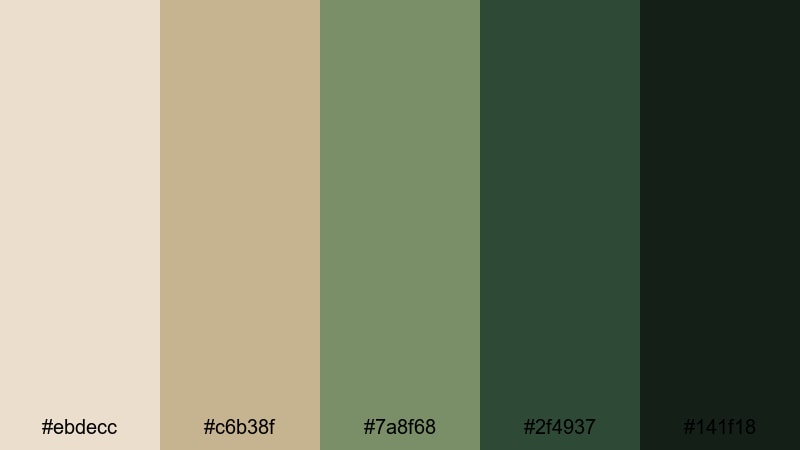
- HEX Codes: #ebdecc, #c6b38f, #7a8f68, #2f4937, #141f18
- Mood: intense, mysterious, and cinematic, like a thriller set in the woods
- Use for: Use in short films, story-driven vlogs, and cinematic trailers that call for moody depth.
Midnight Forest Drama moves from soft warm beiges into deep forest greens and near-black shadows. It instantly makes footage feel more narrative and dramatic, like a scene from an indie film.
Use this palette for short films, moody B-roll sequences, or dramatic storytelling vlogs. In Filmora, try using the darkest shades for letterbox bars and text, with the lighter beige tones in your titles or overlays to keep the look cinematic but legible.
Cyber Cafe Contrast
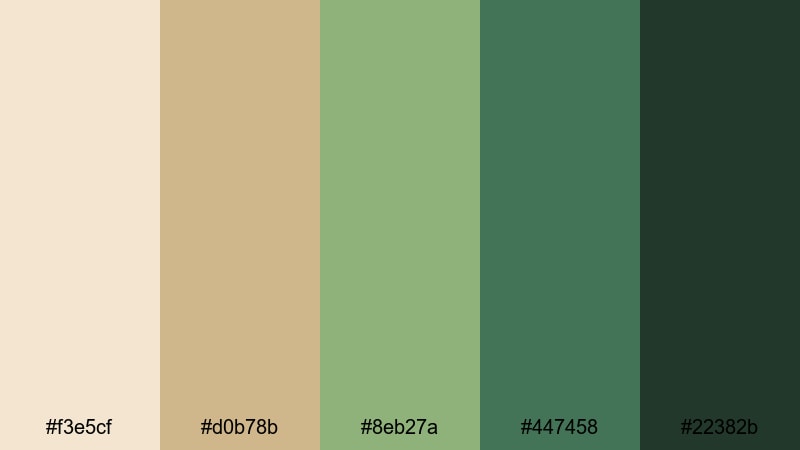
- HEX Codes: #f3e5cf, #d0b78b, #8eb27a, #447458, #22382b
- Mood: urban, energetic, and modern, like late-night edits in a city cafe
- Use for: Ideal for creator-focused promos, channel trailers, and montage sequences with quick cuts and bold text.
Cyber Cafe Contrast mixes warm, coffee-toned beiges with punchy greens and deep accents, giving your visuals an energetic, creator-at-work feel. It is bold but still grounded, avoiding overly saturated primary colors.
Use it for channel trailers, quick-cut montages, and creator promos. In Filmora, set the darkest green as your main title color, use mid greens for animated shapes or bars, and let the latte beiges serve as background gradients or panels behind your footage.
Tips for Creating Beige Green Color Palettes
When you design your own beige green palette for video and design, the key is balancing warmth, contrast, and readability so your visuals feel cohesive on every platform.
- Pick a base beige that matches your typical lighting (warm indoor vs. cooler daylight) so your graphics blend naturally into your footage.
- Use the green tones mainly for accents, CTAs, and key text so they stand out from the softer beige backgrounds.
- Check contrast for readability: darken your greens or desaturate your beiges slightly if titles or subtitles look washed out.
- Limit yourself to 3–5 core colors per project: a light background, a main text color, one accent green, and one deeper shadow or outline tone.
- Test your palette across devices by exporting a short clip from Filmora and checking it on phone, tablet, and desktop screens.
- Align beige green choices with your niche: softer, lighter sets for wellness, study, and lifestyle; deeper, higher-contrast sets for trailers and cinematic content.
- Reuse the same HEX codes in thumbnails, lower thirds, and end screens so viewers instantly recognize your brand.
- Save custom color presets in Filmora so you can apply your beige green palette quickly to new projects and batches of content.
Conclusion
Beige green palettes give you a flexible visual language that can feel soft and airy, earthy and organic, minimal and techy, or bold and cinematic. With clear HEX codes and mood guidance, you can pick the palette that best matches your story, then apply it consistently across intros, b-roll, overlays, and thumbnails.
Filmora makes it easy to turn these beige green combinations into a repeatable style using AI Color Palette, manual color tools, and built-in filters and LUTs. Try a few of these palettes in your next edit, tweak them to match your footage, and build a visual identity that feels calm, intentional, and on-brand.
Once you have a look you love, save it as a preset in Filmora so every future video starts with your signature beige green aesthetic.
secure download