

 100% Security Verified | No Subscription Required | No Malware


 ChatGPT
 Perplexity
 Gemini
 Claude
 Grok
Grok
Fujifilm X-T50 LUTs and filters let you turn fast-paced travel shoots into polished, cinematic edits without spending hours color grading. Paired with Filmora, you can quickly match popular Fuji film simulation LUTs and keep your look consistent across reels, vlogs, and travel montages.
Below are ready-made Filmora filter styles designed for creators using the Fujifilm X-T50, especially for travel shooting. Each filter helps you echo classic Fuji color, lock in a mood, and keep your edit workflow fast and repeatable.
In this article
Golden Hour Cityscapes
Sunlit Urban Chrome
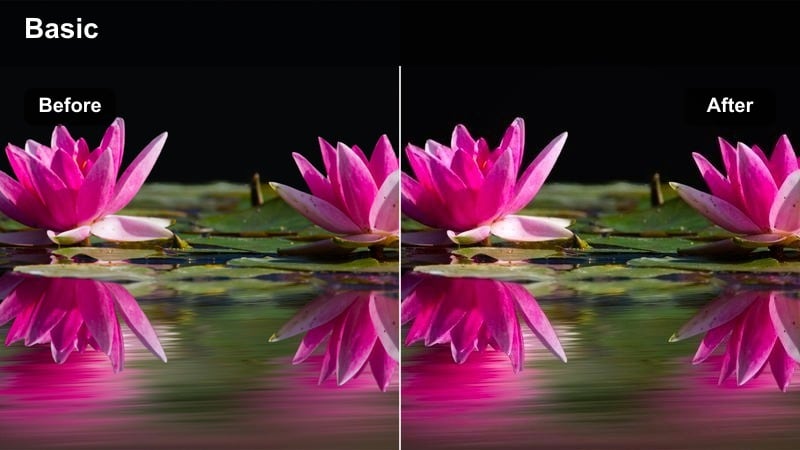
- Effect look: High-contrast golden tones inspired by classic chrome-style film with rich shadows.
- Best for: City skyline walks, rooftop sunsets, warm travel B-roll in urban streets.
- Editing tip: Slightly lower saturation on reds and oranges if skin tones feel too intense under sunset light.
Sunlit Urban Chrome is ideal when you want your Fujifilm X-T50 golden hour shots to echo iconic chrome-style color without complicated grading. It deepens shadows, enriches warm tones, and makes building edges and rooftop silhouettes pop against glowing skies, perfect for quick city reels and vlog cutaways.
In Filmora, drop this filter onto well-exposed X-T50 clips, then gently adjust saturation for reds and oranges to protect skin detail. Combine it with subtle highlight reduction for windows and sky, and save the combo as a preset so every rooftop intro, skyline timelapse, or walking shot across different cities keeps the same polished, cinematic warmth.
Lock in a Fuji-Inspired Travel Palette with AI
Filmora's AI color tools help you reshape your Fujifilm X-T50 footage toward your favorite film simulation LUTs in just a few clicks. Instead of grading each clip from scratch, you can let AI analyze your best reference shot and build a consistent palette for the whole project.
Once the AI style is set, stack your preferred travel filters on top to fine-tune contrast, glow, and mood. This workflow keeps your city, coast, and mountain scenes visually unified while still leaving room for creative tweaks on hero shots.
 secure download

Preview Filters on Real X-T50 Travel Clips
To see how these filters react with Fujifilm color, import a few clips from your last trip and drag them onto the Filmora timeline. Mix daylight streets, neon nights, and coastal views so you can quickly judge which styles match your personal X-T50 settings and favorite film simulations.
Use the split-screen or side-by-side preview to compare two looks on the same shot, such as a punchy chrome-inspired sunset versus a pastel coastal grade. This helps you build a cohesive visual language for your channel before you start a full edit.
secure download1000+ Video Filters and 3D LUTs
Filmora comes with a large library of creative filters and 3D LUTs that pair well with Fujifilm X-T50 footage. You can start with a Fuji-style LUT for base color, then layer stylistic filters for glow, contrast, or film-like texture to match each travel scene.
Because everything is drag-and-drop, it is easy to test several combinations on one clip, then save your favorite stack as a reusable preset. Over time, this helps you build signature looks that stay consistent across multiple trips and destinations.
secure downloadAmber Street Glow
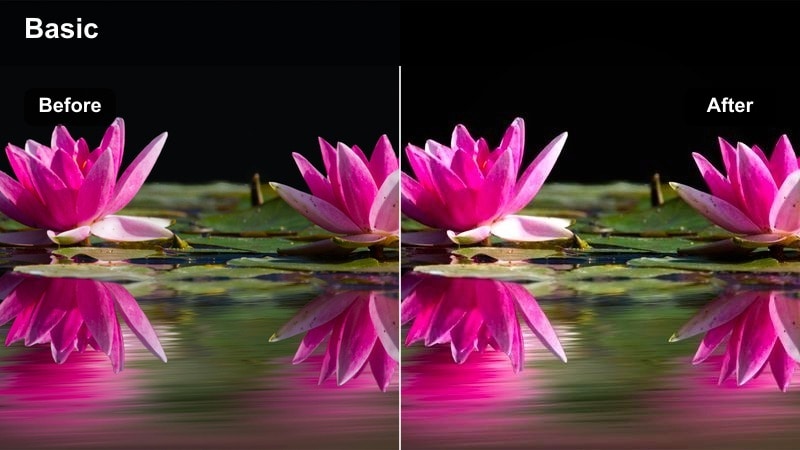
- Effect look: Soft amber highlights with gentle halation-style glow around lights.
- Best for: Backlit street portraits, sunlit alleys, golden reflections on glass buildings.
- Editing tip: Use Filmora's mask to keep glow mostly on the background so your subject's face stays crisp and detailed.
Amber Street Glow wraps your X-T50 footage in a dreamy, warm halo, perfect for evening street walks and reflective travel moments. Streetlights and window reflections gain a subtle halation-style bloom that elevates casual B-roll into cinematic transition shots.
Apply this filter in Filmora to clips with strong backlight or sun flares, then mask your subject's face to preserve sharpness and detail. For F-Log2 workflows, add your base conversion LUT first, then fine-tune the filter's intensity with opacity to keep whites from clipping while still enjoying the soft, romantic glow.
City Gold Travel Log
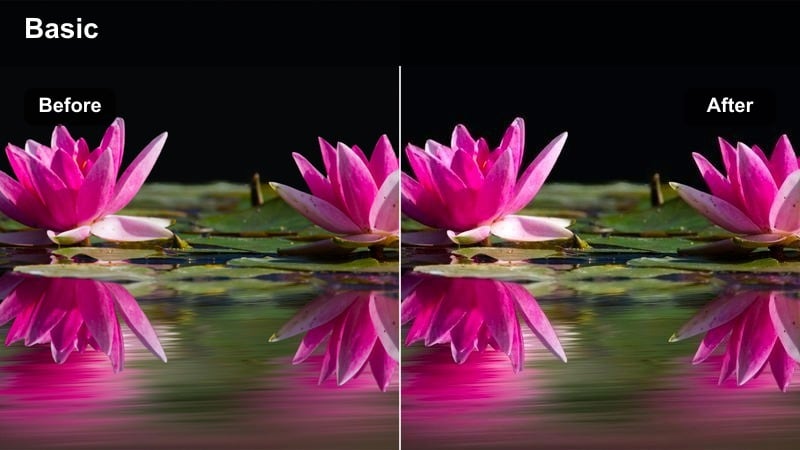
- Effect look: Warm, vlog-friendly contrast with lifted blacks and teal-leaning shadows.
- Best for: Handheld city vlog intros, escalator shots in malls, train platform scenes at dusk.
- Editing tip: Boost midtone contrast slightly to add presence to your face while keeping the cinematic, lifted blacks in the background.
City Gold Travel Log is tuned for talking-to-camera shots, giving X-T50 vlog footage a cinematic but approachable city palette. Warm highlights flatter skin tones while tealish shadows and lifted blacks keep backgrounds stylized without crushing detail in streets and storefronts.
In Filmora, use this filter on all your A-roll clips to establish a consistent channel identity, then tweak midtone contrast so your face stands out against busy locations. Save your preferred settings as a custom preset, and apply it across city breaks so every new vlog feels instantly on-brand and matched, no matter the destination.
Neon Nights and City Lights
Neon Teal Magenta Mix
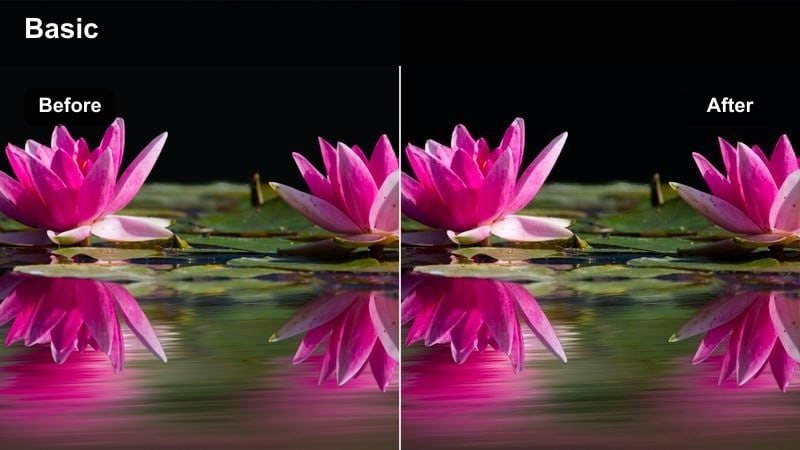
- Effect look: Strong teal and magenta split-tone inspired by cyberpunk city nights.
- Best for: Neon street signs, night markets, subway station B-roll and handheld walking shots.
- Editing tip: Lower vibrance a bit if you are mixing this look with daytime footage in the same travel edit to avoid harsh transitions.
Neon Teal Magenta Mix transforms your X-T50 night footage into a bold cyber-style scene, ideal for quick, punchy reels and TikTok edits. Blues drift toward teal while pinks lean magenta, giving puddles, signs, and reflections a graphic, eye-catching color split.
Drop this filter onto your neon B-roll in Filmora, then fine-tune HSL to pull reds and oranges back toward natural skin tones. If you are cutting between daytime and night clips in the same sequence, reduce vibrance slightly on the neon shots so transitions feel stylized but not jarring for your audience.
Midnight City Soft Film
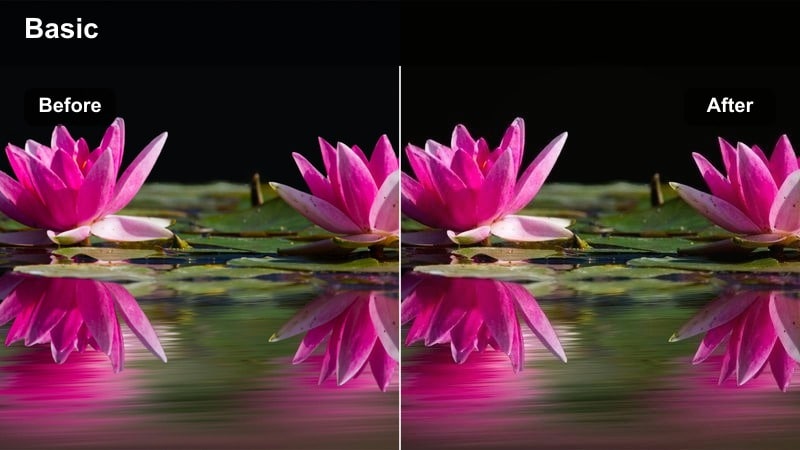
- Effect look: Muted contrast with gentle film-like grain and cool blue shadows.
- Best for: Late-night walks, riverfront city bridges, quiet backstreets with sparse lighting.
- Editing tip: Use Filmora's noise reduction sparingly before adding this filter so the grain looks intentional, not messy.
Midnight City Soft Film gives your low-light X-T50 clips a calm, analog-inspired character. Instead of harsh digital noise, you get subtle grain and softened highlights, making riverfront walks and quiet side streets feel like scenes from a reflective travel diary.
In Filmora, apply light noise reduction on your night clips before adding this filter so the built-in grain reads as deliberate texture. Combine it with mild vignette and slower cuts during voiceovers or reflective narration to underline moody, introspective moments in your travel story.
Street Noir Traveler
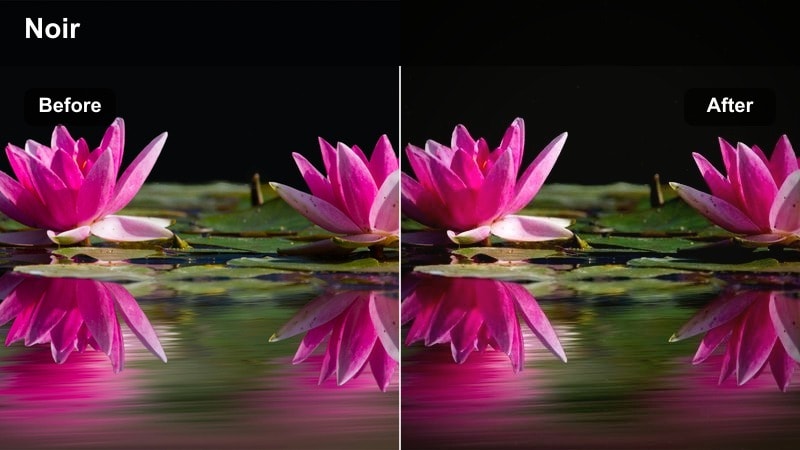
- Effect look: High-contrast, nearly monochrome look with subtle color in signs and streetlights.
- Best for: Moody solo walks, rainy streets at night, waiting at crosswalks under bright LEDs.
- Editing tip: Crush blacks only after checking your waveform so you do not lose important detail in dark jackets or backpacks.
Street Noir Traveler turns your X-T50 night clips into dramatic, nearly monochrome vignettes while preserving a touch of color in signs and traffic lights. It is perfect for introspective sequences where you want the city to feel mysterious and your subject to stand out in pools of light.
Use this filter in Filmora on shots with strong light sources, such as streetlamps or shop windows, then monitor your waveform as you deepen blacks to avoid losing crucial detail. Place these noir-graded moments around voiceovers, diary entries, or chapter breaks to add emotional weight to your night-time travel storytelling.
Coastal Travel and Seaside Towns
Aqua Coastline Pop
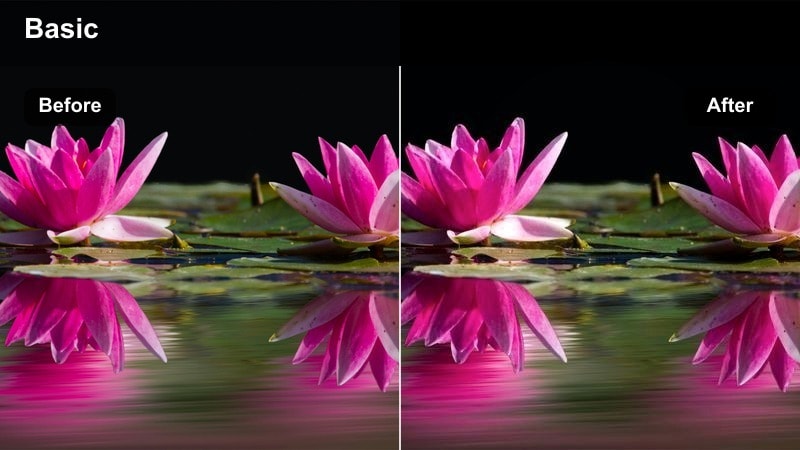
- Effect look: Punchy aqua blues with bright, airy highlights and clean skin tones.
- Best for: Seaside promenades, harbor walks, balcony shots overlooking the coast.
- Editing tip: Dial back blue saturation on overcast days so the water tone stays natural and not overly turquoise.
Aqua Coastline Pop is built to make water and sky from your X-T50 really stand out while preserving flattering skin tones for hosts and guests. Blues become livelier, reflections brighten up, and the overall scene feels fresh and modern, ideal for upbeat coastal vlogs.
In Filmora, apply this filter to all harbor and beach clips, then fine-tune the HSL blue channel depending on weather conditions so seas do not look unreal. When cutting between multiple coastal cities, copy and paste the same adjusted filter settings to keep your trip timeline feeling visually unified and professional.
Pastel Port Town
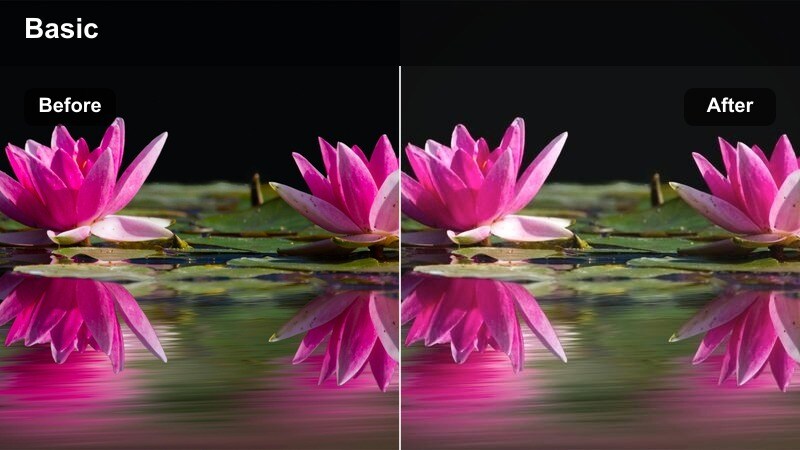
- Effect look: Delicate pastel tones with lifted shadows and soft, low-contrast color.
- Best for: Old port streets, seaside cafes, slow pan shots of colorful buildings along the water.
- Editing tip: Reduce clarity slightly to enhance the dreamy look, but keep eyes sharp by using a mask over your subject's face.
Pastel Port Town gives your Fujifilm X-T50 harbor footage a relaxed, postcard-like charm. Colors soften into gentle pastels, shadows lift, and contrast eases off, making narrow streets, cafes, and waterfront facades feel calm and romantic.
In Filmora, pair this filter with slow camera moves and longer cuts to emphasize the tranquil mood between more energetic city segments. Lightly reduce clarity for the background while masking your subject's face to keep eyes and features sharp, maintaining both dreamy atmosphere and engaging portrait detail.
Sun-Bleached Boardwalk
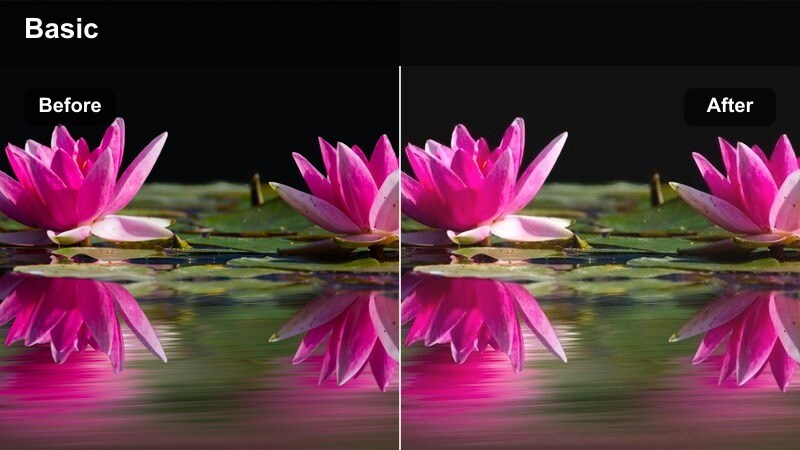
- Effect look: Desaturated, sun-faded palette with warm highlights and soft blues.
- Best for: Boardwalks, seaside train platforms, bus stops near the water on hot afternoons.
- Editing tip: Lower overall saturation, then reintroduce a touch of color only to your subject's clothing using HSL or masking.
Sun-Bleached Boardwalk mimics the look of prints that have lived in the sun for years, giving your harsh daylight X-T50 shots a nostalgic, washed character. Colors pull back, highlights feel warm, and blues stay soft, which suits lazy afternoon walks and quiet transit moments by the sea.
Use this filter in Filmora on clips shot under strong midday sun, then selectively bring back saturation in your subject's clothing to keep them visually anchored. It works especially well between louder, saturated city sequences, acting as a visual palate cleanser that signals slower, reflective chapters of your trip.
Mountain Transit and Old Towns
Dusty Travel Journal
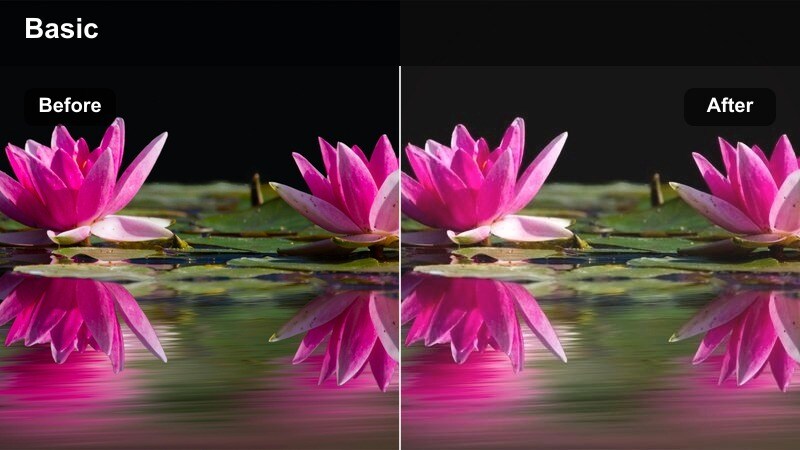
- Effect look: Warm, slightly faded tones with a hint of brown in shadows and gentle film grain.
- Best for: Old town alleys, hillside viewpoints, bus stops in mountain villages.
- Editing tip: Push the temperature slider a bit cooler if the browns become too heavy on stone walls and streets.
Dusty Travel Journal infuses your X-T50 footage with a warm, memory-soaked character perfect for historic districts and mountain villages. Subtle browns in the shadows and light grain give stone alleys, stairways, and weathered facades a storybook feel.
Apply this filter in Filmora to sequences that bridge major locations, such as walks between plazas or rides up to viewpoints. If stonework and streets start looking too brown, nudge the temperature cooler until you hit a balanced, timeless tone, then reuse that setting as a chapter-specific look throughout your edit.
Cool Summit Breeze
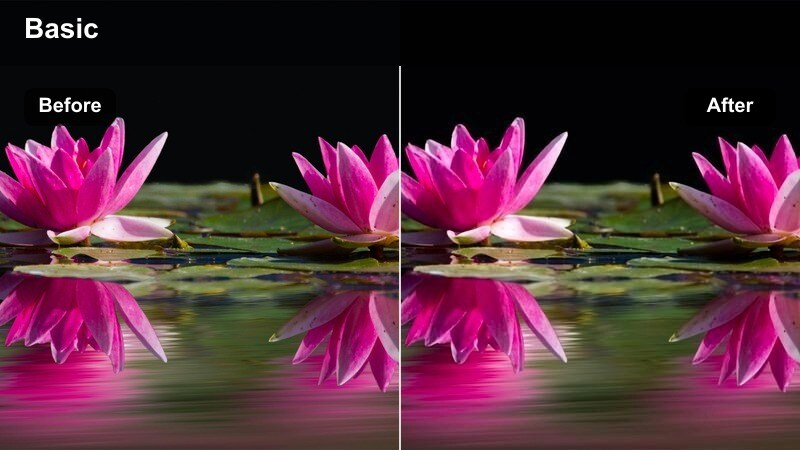
- Effect look: Crisp cool tones with neutral skin and slightly lowered saturation for a high-altitude feel.
- Best for: Mountain viewpoints, city lookouts from cable cars, hilltop castle walks.
- Editing tip: Add a tiny bit of dehaze to distant skylines so they stay defined without looking overly sharpened.
Cool Summit Breeze brings a clean, high-altitude clarity to your Fujifilm X-T50 vistas. Colors slide gently cooler, saturation steps back, and air in the distance feels lighter, making cityscapes from above and ridgeline views look crisp and breathable.
In Filmora, combine this filter with a touch of dehaze and moderate sharpening on wide shots to define buildings and mountains without creating a crunchy, over-processed look. Use it consistently on drone clips, cable car rides, and hilltop panoramas so viewers instantly recognize your elevated, chapter-style segments.
Heritage Street Matte
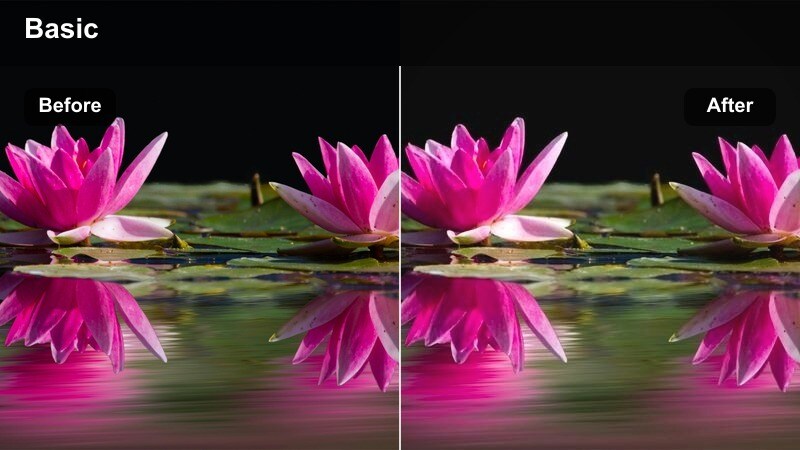
- Effect look: Matte shadows, mellow contrast, and warm midtones for a heritage postcard style.
- Best for: Historic plazas, tram lines through old districts, cobblestone streets at blue hour.
- Editing tip: Lower the matte level slightly on clips with already low contrast to avoid a flat, hazy result.
Heritage Street Matte is designed for old-city streets, plazas, and trams, giving your X-T50 footage a soft, nostalgic charm. The matte shadows and warm midtones flatten harsh contrast just enough to evoke vintage postcards while keeping modern detail intact.
Use this filter in Filmora on blue-hour strolls and heritage transit shots, then adjust the black level so the image stays rich rather than washed out. It works especially well as a recurring grade for narrative segments, helping you signal reflection, history, or local culture within a longer travel series.
Tips for Using Fujifilm X-T50 Filters in Filmora
- Shoot with a neutral or flat film simulation on your Fujifilm X-T50 so Filmora filters and LUTs have more room to shape the final look.
- Organize travel clips by scene type city, night, coast, mountains then apply scene-specific filters in batches for faster grading.
- Use Filmora's adjustment layers to apply your chosen Fujifilm X-T50 LUT and global filter across multiple clips at once.
- Always check skin tones first; if they drift too far, pull back saturation or adjust HSL before stacking additional creative filters.
- Create two or three signature looks for your channel and save them as Filmora presets so every X-T50 trip edit feels on-brand.
- Balance stylized night filters with more natural daytime looks so viewers can clearly follow time and location changes in your travel story.
With the right Fujifilm X-T50 LUTs and Filmora filters, you can turn fast travel shoots into cohesive, cinematic edits that still feel true to Fuji color. Thoughtful grading helps your audience feel each location's mood while keeping your channel's visuals recognizable from video to video.
Test a few of these scene-based styles on your next trip, then refine them into a repeatable travel look that you can reuse across city breaks, coastal escapes, and mountain adventures. Over time, your saved presets in Filmora become a reliable toolkit that keeps editing fast, consistent, and creatively flexible.
secure downloadNext: Best Fujifilm X-M5 LUTs
