

 100% Security Verified | No Subscription Required | No Malware


 ChatGPT
 Perplexity
 Gemini
 Claude
 Grok
Grok
If you film a lot of coffee shop and cafe lifestyle content, the right filters can make your reels feel instantly cozy, cinematic, and on-brand. Instead of flat, dull footage, you can turn every latte pour and table shot into a scroll-stopping moment.
Below are 12 Instagram coffee shop LUT-style filter ideas tailored for cafes, coffee shops, and lifestyle reels so you can keep your feed consistent whether you are shooting at golden hour, under warm tungsten lights, or in a minimalist white cafe.
In this article
Warm Morning Cafes and Latte Rituals
Golden Espresso Glow
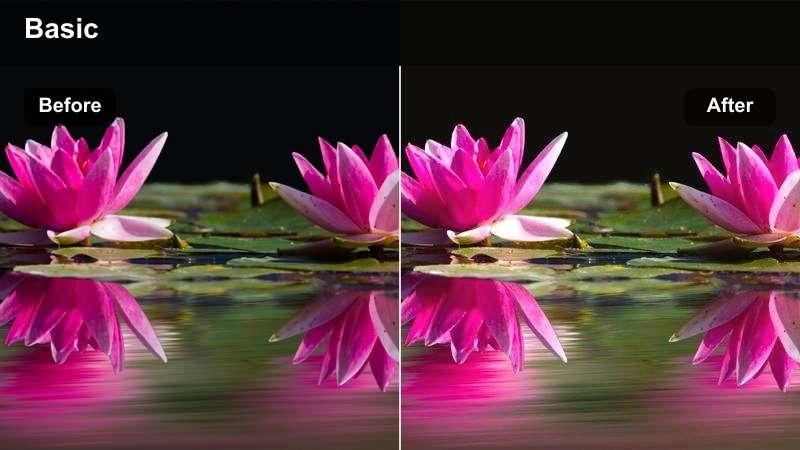
- Effect look: Soft golden warmth with lifted shadows for a sunlit morning vibe
- Best for: Early-morning cafe reels with window light and latte art close-ups
- Editing tip: Slightly lower highlights to avoid blowing out white cups and foam details.
Golden Espresso Glow adds a gentle sunrise warmth that makes crema, pastries, and wooden tables feel naturally sun-kissed instead of artificially orange. In Filmora, you can pair this LUT-style look with subtle highlight control so your whites stay clean while the rest of the frame picks up that cozy glow.
Use this filter on clips where natural window light is already present, then fine-tune with Filmoras color tools by slightly lifting shadows and dialing down highlights. This keeps details in latte art and foam while giving your reels a relaxed, bright energy that fits morning routines, coffee reviews, and day-in-the-life vlogs.
Lock in a Signature Cafe Aesthetic with AI Color Tools
Use AI-driven color tools in Filmora to quickly match your Instagram coffee shop LUT-style filters across multiple clips and reels. Instead of grading each shot from scratch, AI Color Match helps you copy a look from one latte clip to your entire cafe sequence.
Once you find a look you love, save it as a preset and reuse it for coffee pours, cafe interiors, and lifestyle desk shots so your entire grid feels cohesive from reel to reel.
 secure download

Preview Filters on Real Cafe Clips Before Posting
Drop your raw coffee shop footage into Filmora and cycle through filters in real time to see how they handle tricky lighting like tungsten bulbs, mixed daylight, or backlit windows. Split-screen previews let you instantly spot which filters keep latte art crisp while still flattering your skin tones.
Compare a few favorites side by side, then lock in one or two signature looks you can reuse for every brunch visit, barista POV, or cafe tour reel.
secure download1000+ Video Filters, HSL, and 3D LUTs for Coffee Reels
Filmora includes a large library of filters, 3D LUTs, and detailed HSL controls so you can fine-tune every coffee tone from deep espresso browns to soft milk foam whites. Start with a preset, then use HSL to selectively adjust wood, cup, or wall colors without breaking skin tones.
Once you like the grade, export it as a reusable LUT-style preset so your cafe aesthetic stays steady across Instagram Reels, Shorts, and TikTok edits.
secure downloadHoney Oat Latte
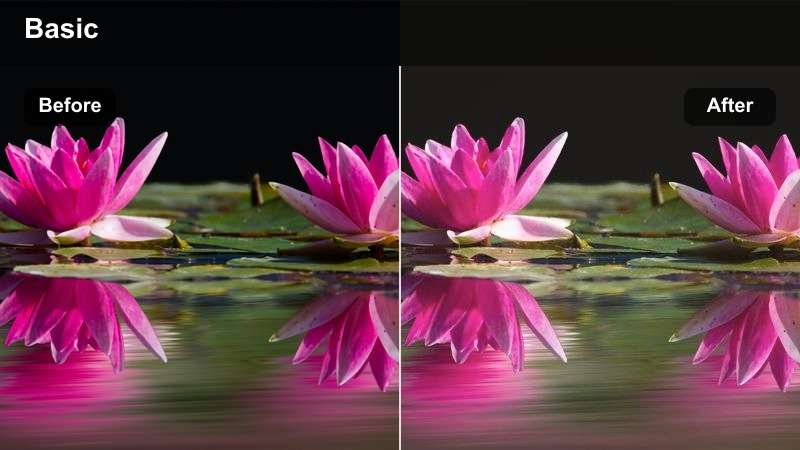
- Effect look: Creamy beige tones with gentle contrast and a subtle matte finish
- Best for: Neutral, minimalist cafes with light wood tables and oat milk drinks
- Editing tip: Reduce saturation on yellow if the tabletops look too intense, keeping skin tones soft.
Honey Oat Latte wraps your reels in soft, creamy tones that flatter both coffee and skin, making it ideal for lifestyle-focused content. The subtle matte finish removes harshness from highlights so white ceramics, foam, and tabletops look smooth and editorial.
In Filmora, combine this look with slight saturation tweaks in the yellow and orange channels so wood and oat milk hues stay balanced. This gives your grid a consistent neutral palette, especially when you are filming flat-lay shots, solo cafe dates, and cozy workspace reels on pale wood tables.
Sunny Brunch Brew
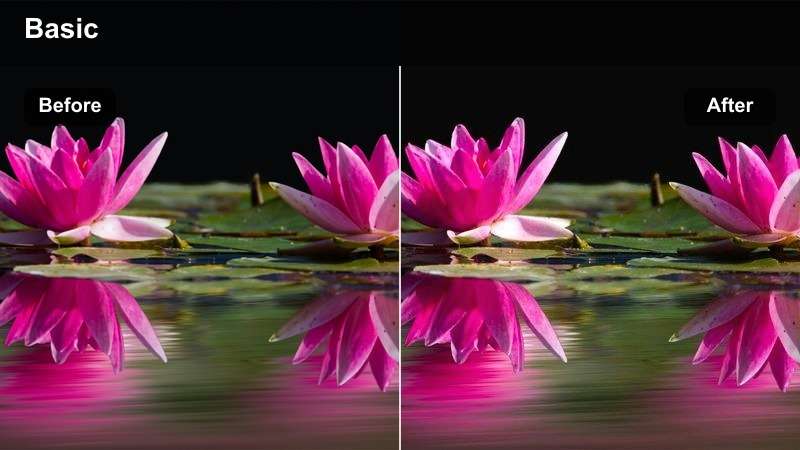
- Effect look: Vibrant but soft color boost with warm highlights and slightly cooler shadows
- Best for: Brunch cafe reels with movement, clinking cups, and table scenes
- Editing tip: Increase vibrance instead of saturation to keep mugs and interiors looking rich but not cartoonish.
Sunny Brunch Brew adds a playful pop to your cafe reels, boosting color in a gentle way that keeps interiors feeling real and inviting. Warm highlights bring out pastry glazes and latte foam while slightly cooler shadows stop the frame from becoming too yellow.
When editing in Filmora, apply this style to clips with people, cheers shots, and overhead brunch spreads, then lightly increase vibrance for extra life without shifting hues too far. The result is a set of reels that feel social, energetic, and perfect for weekend recap content on Instagram.
Cozy Evening Cafes and Ambient Lights
Tungsten Slow Brew
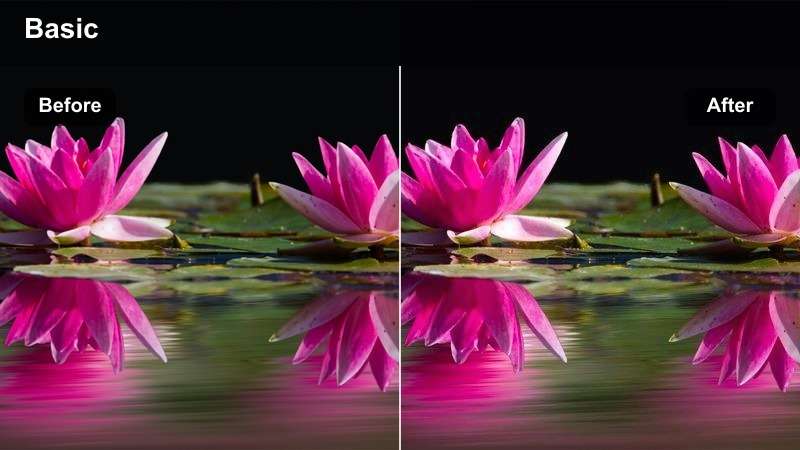
- Effect look: Balances orange tungsten light with slightly cooler shadows and soft contrast
- Best for: Evening cafe reels shot under warm hanging lamps or bar lights
- Editing tip: Pull the white balance slightly cooler before applying the filter if your footage is very orange.
Tungsten Slow Brew is designed for dim, lamp-lit cafes where standard camera profiles often push everything into heavy orange. This look pulls back the warmth just enough to restore neutral skin tones while keeping a cozy glow on cups, counters, and bar tools.
Inside Filmora, you can first nudge your white balance a bit cooler and then apply this LUT-style grade for a balanced, cinematic mood. The soft contrast makes noise and grain less distracting in low light, giving your evening barista reels and quiet cafe walkthroughs a professional finish.
Candlelit Cappuccino
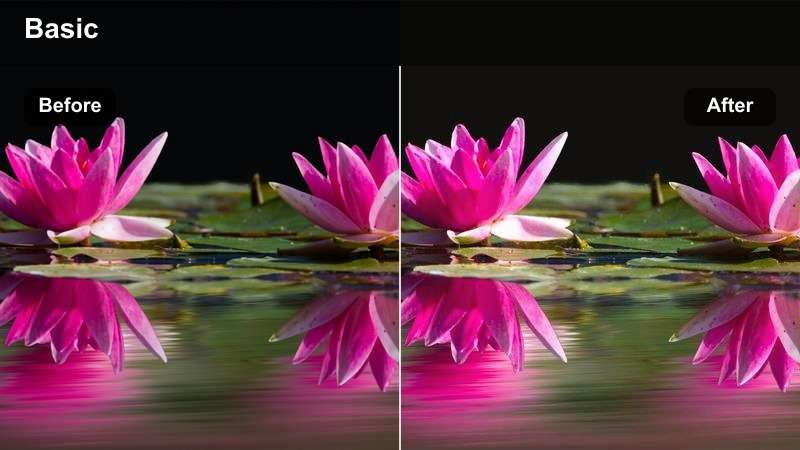
- Effect look: Warm, low-contrast glow with softened highlights and gentle skin tones
- Best for: Date-night cafe reels and intimate corner shots with candles or fairy lights
- Editing tip: Raise shadows just enough to see detail, but keep some darkness for mood.
Candlelit Cappuccino leans into the romantic side of cafe content, softening edges and highlights so candles, fairy lights, and reflections feel dreamy. The low-contrast glow helps smooth skin and fabric textures while keeping the warmth focused around key light sources.
In Filmora, apply this look to clips of conversations, close-ups of hands around cups, or slow pans across candlelit tables. Gently raise shadows to reveal faces and latte art without flattening the scene, and combine with a subtle vignette if you want to pull extra focus toward the center of the frame.
Neon Night Roast
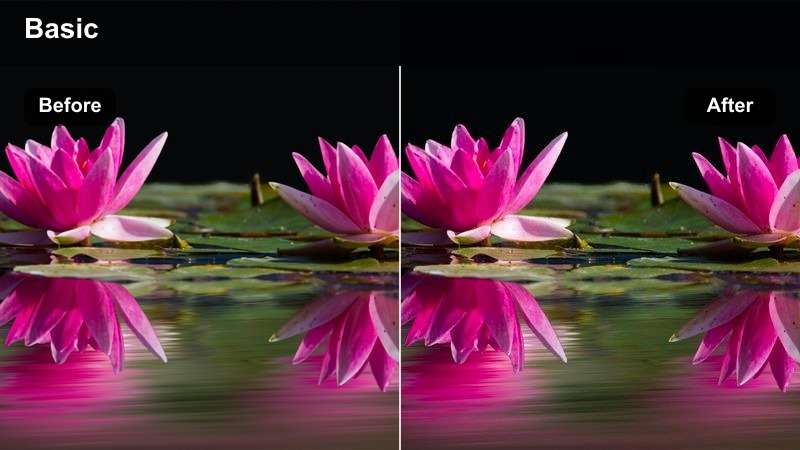
- Effect look: Punchy contrast with rich blacks and a slight teal-magenta split for neon details
- Best for: Urban night cafes with neon signs, street reflections, and window seating
- Editing tip: Increase contrast carefully and use a vignette to keep eyes on the coffee and faces.
Neon Night Roast gives your late-night cafe reels a moody, cinematic city vibe, ideal for locations with colorful signs, reflections, and street lights. Strong blacks and a subtle teal-magenta split make neon highlights pop while still preserving detail around your subject.
Use this style in Filmora on clips shot through windows, along busy streets, or at bar seats facing the city. Adjust contrast and add a gentle vignette to keep attention on your coffee cup or subject, turning simple moments like sipping an espresso by the window into eye-catching urban vignettes.
Minimalist Daylight Cafes and Clean Aesthetic
White Tile Flat White
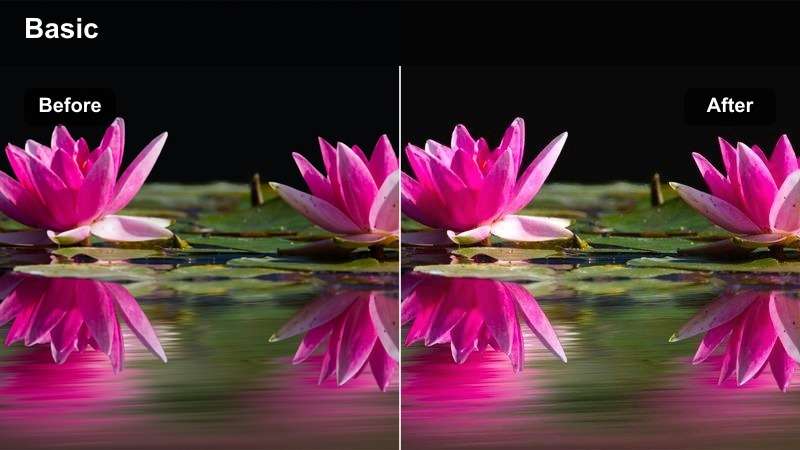
- Effect look: Clean whites, soft contrast, and desaturated backgrounds with warm coffee tones
- Best for: Modern white-tile cafes, latte pours at the bar, and overhead bar shots
- Editing tip: Use a gentle sharpen to define tiles and cups without making the image crunchy.
White Tile Flat White is built for bright, clean interiors where you want whites to stay crisp, not muddy. It gently desaturates backgrounds so tiles, counters, and walls read as neutral, letting warm coffee tones and barista movements stand out in your reel.
Inside Filmora, use this look on clips with lots of negative space and straight lines, such as overhead bar shots or top-down latte pours. Add a slight sharpening effect to bring out tile grout and cup edges while keeping contrast soft, giving your feed a modern editorial coffee-bar aesthetic.
Scandi Filtered Brew
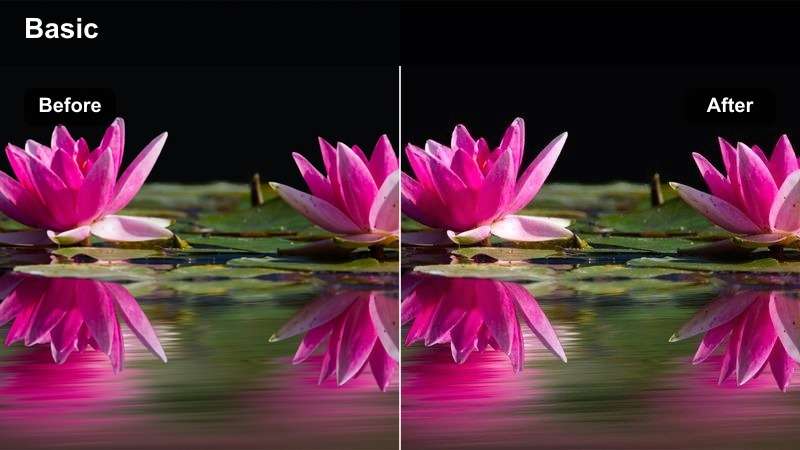
- Effect look: Cool-neutral whites, soft shadows, and natural wood tones with mild contrast
- Best for: Scandinavian-inspired cafes with pale woods, plants, and big windows
- Editing tip: Pull saturation down slightly and rely on contrast to keep the image crisp.
Scandi Filtered Brew gives your reels a clean, airy feel that suits minimalist, plant-filled cafes and filter coffee setups. Whites lean slightly cool-neutral while wood stays natural, producing a photo-book style aesthetic that looks polished but not over-edited.
In Filmora, pair this LUT-style look with slight saturation reduction and controlled contrast to keep edges defined without aggressive color. It works especially well on slow pans of interiors, shots of pour-over stations, and calm solo coffee moments by large windows.
Cream Edit Desk
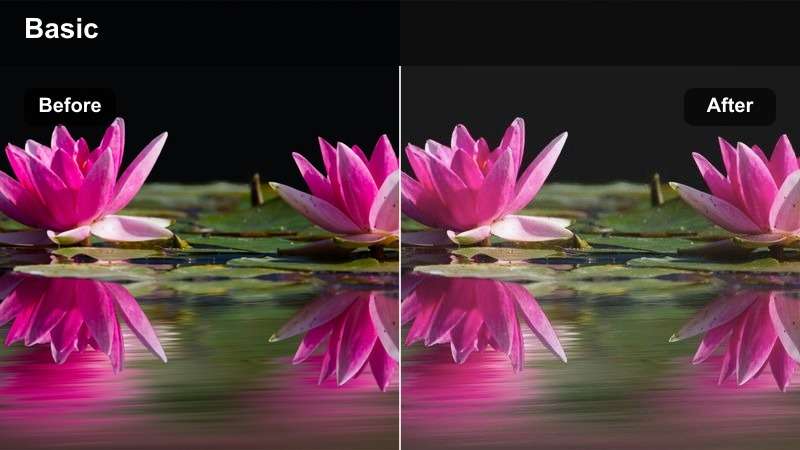
- Effect look: Soft cream hues with slightly faded blacks for an editorial workspace vibe
- Best for: Laptop and coffee workspace reels shot in cafes or co-working corners
- Editing tip: Keep exposure slightly under while shooting, then lift midtones in editing for a polished look.
Cream Edit Desk is tailored for productivity content, blending cafe lifestyle with a curated workspace mood. Soft cream tones and gently faded blacks make screens, notebooks, and cups look cohesive without harsh shadows or stark contrast.
When editing in Filmora, apply this filter to your B-roll of typing, planning, or reading, then lift midtones to keep your desk layout bright and legible. It is a great choice for combining talking-head segments with B-roll of your laptop and coffee, giving your entire reel one recognizable visual identity.
Moody Artisan Roasteries and Bar Details
Dark Roast Contrast
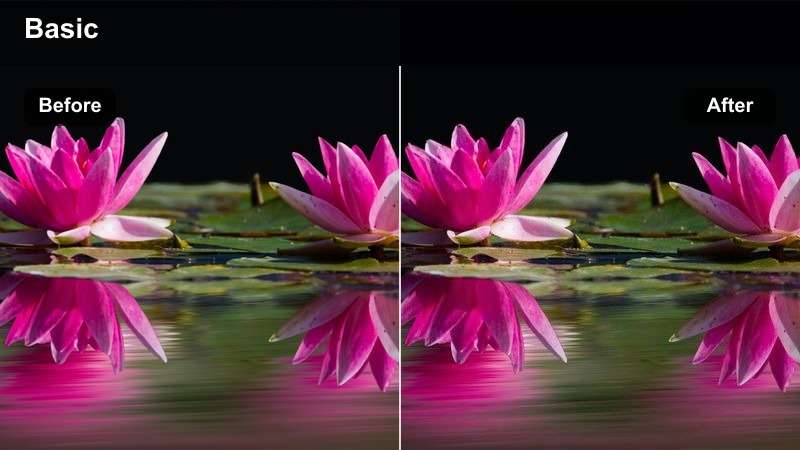
- Effect look: Deep contrast with rich browns, strong blacks, and subtle film-style grain
- Best for: Roastery reels, espresso shots at the bar, and close-ups of brewing gear
- Editing tip: Expose for the highlights in steam and cups to keep texture in the dark areas.
Dark Roast Contrast brings an artisan, specialty coffee feel to your reels by emphasizing strong blacks, deep browns, and fine details. Subtle grain adds a filmic texture that fits close-ups of espresso extraction, portafilters, and brewing equipment.
In Filmora, apply this look to shots captured in darker interiors or roasteries, exposing for the brightest parts of steam and crema. The LUT-style grade will preserve mood in the shadows while maintaining enough detail for viewers to appreciate the craft in every shot of your workflow.
Industrial Cafe Matte
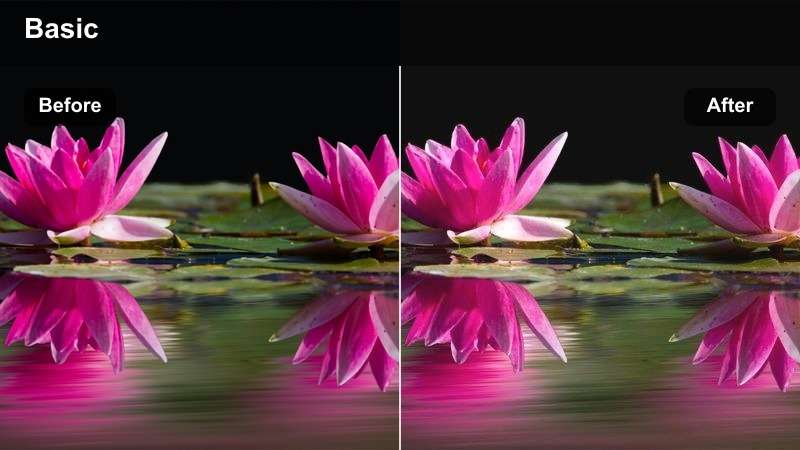
- Effect look: Muted colors with a soft matte curve and cooler shadows for an industrial feel
- Best for: Warehouse-style cafes with concrete walls, metal stools, and exposed ceilings
- Editing tip: Add a subtle vignette to emphasize your subject against textured backgrounds.
Industrial Cafe Matte suits large, raw spaces with concrete, metal, and exposed fixtures by muting colors and softening highlights. Cooler shadows bring out the structure of walls and ceilings, giving your reels a cinematic, slightly gritty coffee film style.
Inside Filmora, combine this look with slow slider moves or handheld tracking shots that show off the architecture of your cafe. A light vignette will help separate your subject from busy industrial backgrounds, making both wide environment shots and tight bar details feel intentionally stylized.
Journal Coffee Notes
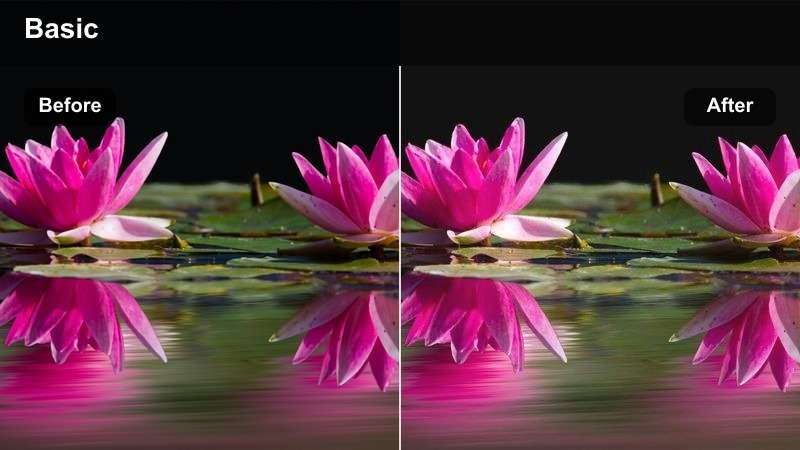
- Effect look: Soft film-inspired fade with warm midtones and slightly desaturated colors
- Best for: Cafe journaling, sketchbook reels, and storytelling clips of your daily coffee routine
- Editing tip: Use slower cuts and longer shots so the gentle film look has time to sink in.
Journal Coffee Notes turns your everyday cafe rituals into warm, diary-like visuals with a gentle fade and softened colors. Warm midtones flatter wood, paper, and skin, while slightly reduced saturation keeps the mood calm and reflective rather than punchy.
In Filmora, use this style on sequences that tell a story, such as writing, reading, or planning sessions with your favorite brew. Keep cuts slower and shots a bit longer so viewers can feel the nostalgia of the film look, and consider adding handwritten fonts or timestamps to reinforce the journal theme of your coffee reels.
Tips for Using Instagram Coffee Content Filters in Filmora
- Shoot near windows or doorways to give your coffee filters more natural light to work with, especially for warm morning or minimalist looks.
- Keep your color palette simple in frame so your chosen LUT-style filter, not random objects, defines the overall mood.
- Film a few test shots in each cafe and try different Filmora presets to see how your go-to look handles tungsten, neon, or mixed lighting.
- Use slow, intentional camera movements to highlight latte art, steam, and interior textures without introducing motion blur or shakiness.
- Batch grade similar clips together in Filmora so each reel has a consistent tone from the first shot to the last.
- Save your favorite combinations of exposure, contrast, and color as custom LUT-style presets for fast editing on future cafe visits.
- Experiment with subtle vignettes and grain to add a cinematic feel while keeping coffee cups and faces as the main focus.
- Preview reels in vertical aspect ratios inside Filmora to ensure key details stay centered when you post to Instagram.
With the right Instagram coffee shop LUT-style filters, every cafe visit can become a polished lifestyle reel that matches your personal brand. From bright brunch scenes to moody night cafes, a consistent color story makes your content more recognizable in the feed.
Experiment with these warm, minimalist, cozy, and moody looks, then save your favorites as Filmora presets so editing your next coffee, cafe, or lifestyle reel becomes fast and repeatable. Over time, your followers will start to recognize your signature coffee aesthetic at a glance.
secure download