

 100% Security Verified | No Subscription Required | No Malware


 ChatGPT
 Perplexity
 Gemini
 Claude
 Grok
Grok
The Nikon Z8 delivers exceptional dynamic range and detail, but to get repeatable cinematic results you need well-tuned LUT-style filters that suit your shooting scenarios and workflow.
Below is a curated set of Filmora filter presets designed to emulate professional Nikon Z8 LUT looks, so you can move from flat N-Log or neutral profiles to polished, client-ready footage in a few clicks.
In this article
Crisp Daylight and Urban Exterior Scenes
Z8 Street Neutral Pop
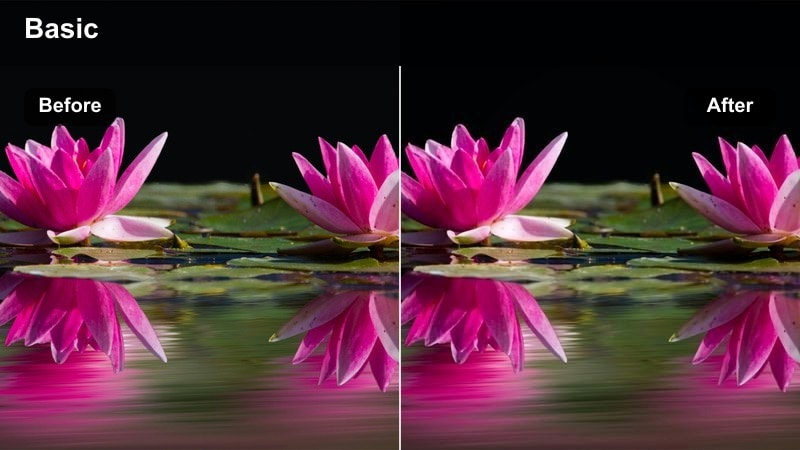
- Effect look: Balanced contrast with subtle saturation and clean highlights for modern street coverage.
- Best for: Run-and-gun city documentaries, urban B-roll, and corporate exteriors shot on the Nikon Z8.
- Editing tip: Expose slightly to the right in N-Log, then pull down highlights before applying this filter for maximum latitude.
This filter is tuned to complement the Nikon Z8s sharp 4K and 8K output, giving you a neutral, broadcast-safe base with just enough pop to make streets, signage, and architecture feel alive. It keeps skin tones believable while adding a gentle lift to colors so mixed urban elements do not overpower interviews or walk-and-talk shots.
In Filmora, apply this filter after you normalize exposure and white balance, then fine-tune whites and highlights to protect specular reflections from glass, cars, and metal. When you find a version that works for your city conditions, save it as a preset labeled for Nikon Z8 daylight so you can quickly batch-apply it across entire sequences.
Leverage AI Color Tools with Nikon Z8 Footage
Filmora AI color tools help you quickly lock in a unified palette across multiple Nikon Z8 clips, even when lighting, angles, or locations shift during a shoot. This is especially useful for hybrid creators who bounce between handheld street B-roll and more stable talking heads.
Start by using AI Palette or AI Match on a well-exposed reference shot, then apply the suggested look to your timeline before stacking the creative filters from this guide. This workflow gives you a solid, consistent base so your filters behave predictably across different scenes.
 secure download

Preview Nikon Z8 Filters in Real Time
Filmora lets you hover over filter presets to preview them directly on your Nikon Z8 clips, so you can judge how each look treats skin tones, sky detail, and city textures before committing. This speeds up experimentation when you are building a visual language for a new series or client.
Load a short scene with a mix of motion and faces, then scrub through filters to shortlist two or three base looks. From there, dial in exposure and color and save the best combinations as reusable presets for your Nikon workflows.
secure download1000+ Video Filters and 3D LUTs
Beyond these Nikon Z8-focused looks, Filmora includes a large library of filters and 3D LUTs so you can quickly mimic popular film stocks, social styles, and streaming-ready grades. You can stack and blend them with opacity and masking to create nuanced, layered results.
Once you dial in a combination that works with your Z8 footage, save it as a custom preset so you can apply it to future shoots in just a few clicks and maintain a cohesive visual identity across your channel or brand.
secure downloadZ8 High-Key Commercial
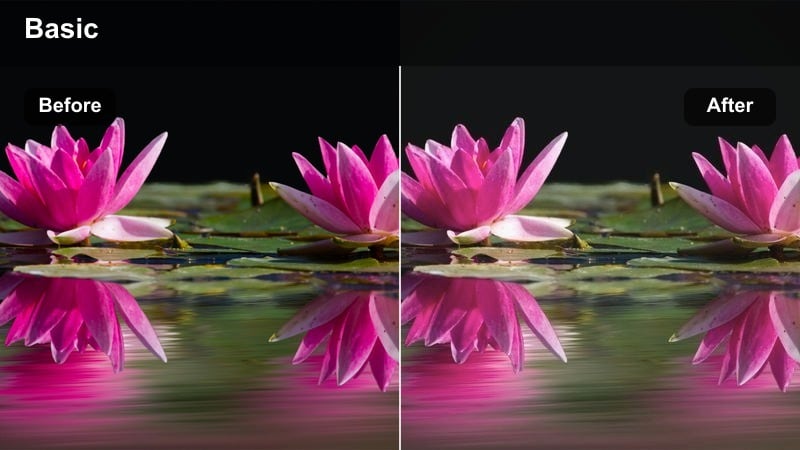
- Effect look: Bright, high-key commercial look with soft contrast and polished skin tones.
- Best for: Lifestyle ads, product walkthroughs, and branded content shot outdoors with the Nikon Z8.
- Editing tip: Lift shadows gently and reduce clarity around faces to keep the high-key aesthetic flattering rather than harsh.
This filter turns clean daylight into an advertising-friendly look, ideal for campaigns where products, talent, and brand colors must all appear fresh and approachable. It softens micro-contrast from the Z8 sensor while holding enough detail in clothes, hair, and props to keep footage sharp on social feeds.
In Filmora, use this filter on clips where you have controlled exposure and minimal mixed lighting, then add a subtle blur or decreased clarity around facial features. If the frame contains a hero product, apply local contrast and saturation boosts to the product only while preserving the overall airy feel.
Z8 City Log Match
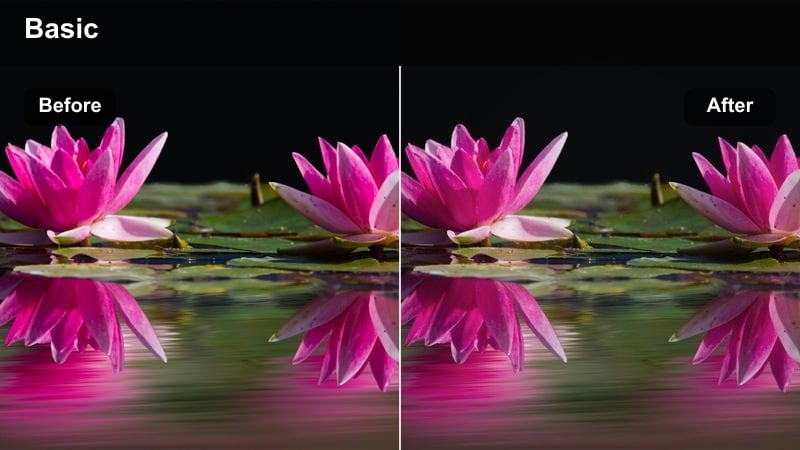
- Effect look: Technical, filmic contrast curve designed to normalize Nikon Z8 N-Log into a neutral Rec.709 base.
- Best for: Mixed-light city exteriors, ENG, and documentary work where accurate color is critical.
- Editing tip: Apply this filter first on flat Nikon footage, then stack creative filters or color tweaks on top for more stylized looks.
Z8 City Log Match is built as a technical first step for anyone shooting N-Log or a flat profile on the Nikon Z8. It lifts your footage into a clean Rec.709-style base with balanced contrast and color, so you do not have to wrangle curves and saturation levels from scratch on every project.
In Filmora, drop this filter onto all your log clips at the start of the grade and save that combination as a preset for future city or documentary shoots. Once normalized, layer creative filters, HSL tweaks, and sharpening on top to craft anything from neutral news reports to stylized urban montages while maintaining consistent color science.
Golden Hour Portraits and Romantic Scenes
Z8 Golden Skin Glow
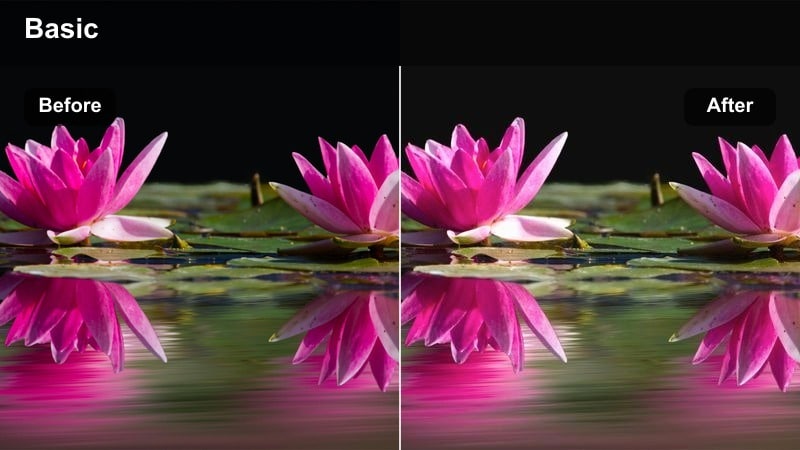
- Effect look: Warm, amber-toned glow with subtle halation around highlights and rich midtones.
- Best for: Engagement sessions, wedding portraits, and intimate lifestyle clips at sunset shot on the Nikon Z8.
- Editing tip: Reduce orange saturation slightly if your subject has already warm skin to avoid an overly sunburned appearance.
This filter intensifies golden-hour sunlight, wrapping subjects in a warm, flattering glow without sacrificing detail in skin texture or hair. It is particularly effective with the Nikon Z8s high-resolution sensor, adding a touch of softness to highlight transitions while preserving the romantic feel of sunset backlight.
In Filmora, apply Z8 Golden Skin Glow to clips captured during late afternoon or early evening, then refine warmth with the temperature and HSL sliders to suit different skin tones. Add subtle vignettes and gradient masks to guide the viewer toward the sunlit side of the face, and save a custom version for weddings or lifestyle branding work.
Z8 Soft Cinematic Portrait
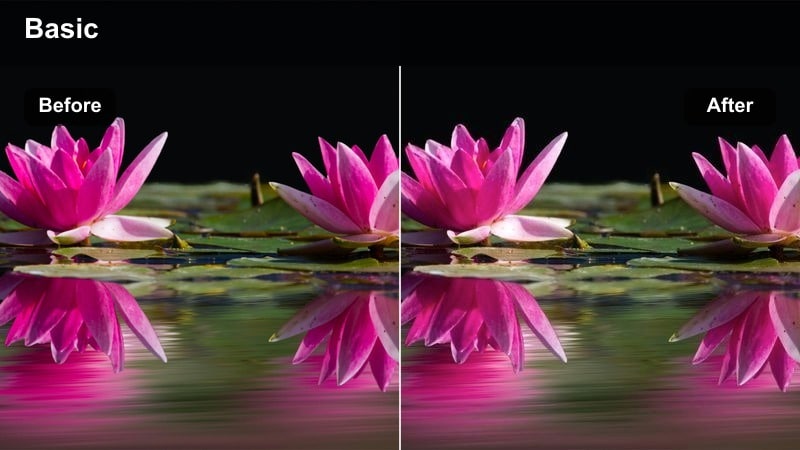
- Effect look: Muted contrast with gentle color separation and a soft roll-off in highlights for cinematic faces.
- Best for: Narrative close-ups, interview cutaways, and emotional storytelling at dusk or early evening.
- Editing tip: Dial down clarity and slightly raise blacks to keep any background buildings from drawing attention away from the subject.
Z8 Soft Cinematic Portrait gives your close-ups a painterly, film-inspired character by slightly muting contrast and separating colors in a subtle, controlled way. It takes the clinical edge off the Z8s sharpness while keeping eyes and key facial details crisp enough for large screens.
Use this filter in Filmora on dialogue scenes, interviews, or introspective B-roll where emotion is the focus. After applying it, reduce clarity on skin and gently lift black levels to prevent busy backgrounds from stealing attention, then mask eyes and hair to maintain sharpness where it matters most.
Z8 Warm Teal Romance
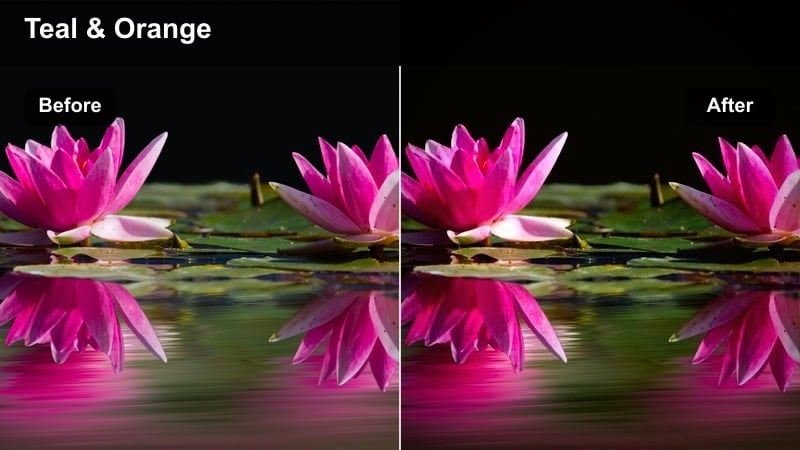
- Effect look: Classic teal shadows with warm, peachy skin tones and slightly lifted blacks for a cinematic romance look.
- Best for: Short films, music videos, and stylized wedding highlight reels during late afternoon and blue hour.
- Editing tip: Control teal intensity in the shadows to keep suits, dresses, and darker hair from turning unnaturally green.
This filter channels a popular teal-and-warm palette, pushing shadows toward teal while preserving soft, inviting skin tones. The lifted blacks add a modern cinematic feel that works especially well with Nikon Z8 footage shot around city lights or coastlines at blue hour.
In Filmora, apply Z8 Warm Teal Romance to sequences where you want a cohesive, stylized look across multiple locations. Fine-tune teal saturation in the shadow range with HSL controls to keep clothing and hair natural, and use AI Match or manual color tools to align secondary cameras to this signature Nikon Z8 look.
Low-Light, Neon, and Night City Sequences
Z8 Neon Noir
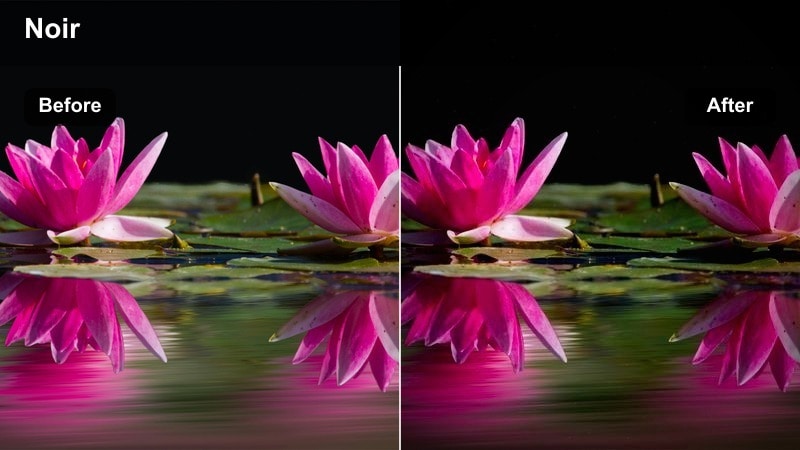
- Effect look: High-contrast, deep blacks with saturated neon accents and cool midtones for a gritty night aesthetic.
- Best for: Neon-lit streets, cyberpunk-style sequences, and nightlife montages with the Nikon Z8.
- Editing tip: Use selective color to keep skin tones neutral while pushing blues, magentas, and cyans for signage and LED lights.
Z8 Neon Noir leans into stylized night cinematography by deepening blacks and amplifying neon colors, creating a moody, high-energy atmosphere. It complements the Nikon Z8s strong low-light capabilities, shaping LED signs and reflections into bold, graphic elements without overwhelming the subject.
In Filmora, use this filter on sequences shot in dense nightlife districts, wet streets, or urban alleys, then selectively pull back saturation on skin tones for realism. If noise appears in deep shadows, slightly brighten your footage before grading and lower exposure afterward, combining the filter with targeted noise reduction to preserve texture.
Z8 Clean Night Documentary
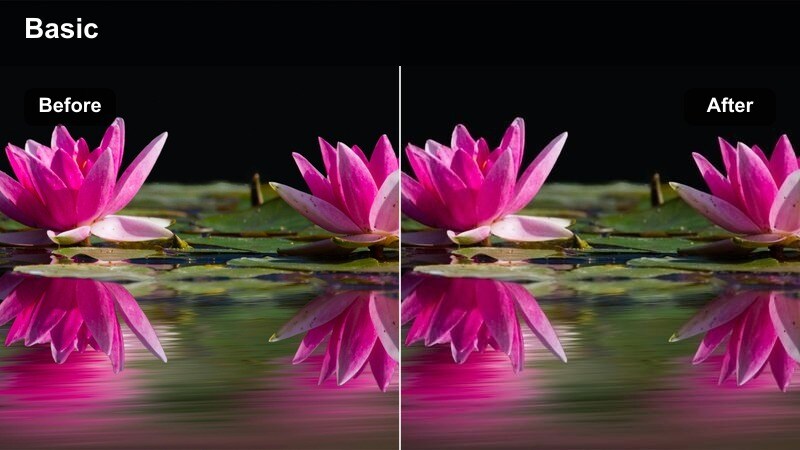
- Effect look: Neutral, low-contrast night profile with restrained saturation to keep city lights controlled and realistic.
- Best for: News, documentary, and corporate night coverage where accuracy matters more than stylization.
- Editing tip: Pull back saturation on red and orange channels if traffic lights and brake lights start to clip too aggressively.
This filter is designed for factual storytelling, where you want believable color and clear detail rather than a dramatic stylized grade. It gently compresses contrast and saturation so point light sources like headlights, signage, and windows stay within comfortable viewing levels on TVs and laptops.
Inside Filmora, apply Z8 Clean Night Documentary as a base on all night coverage clips, then use scopes to keep highlights within safe limits. Fine-tune individual color channels only where necessary, such as taming reds in brake lights, and save the result as a preset for recurring corporate or news clients.
Z8 Moody Street Rain
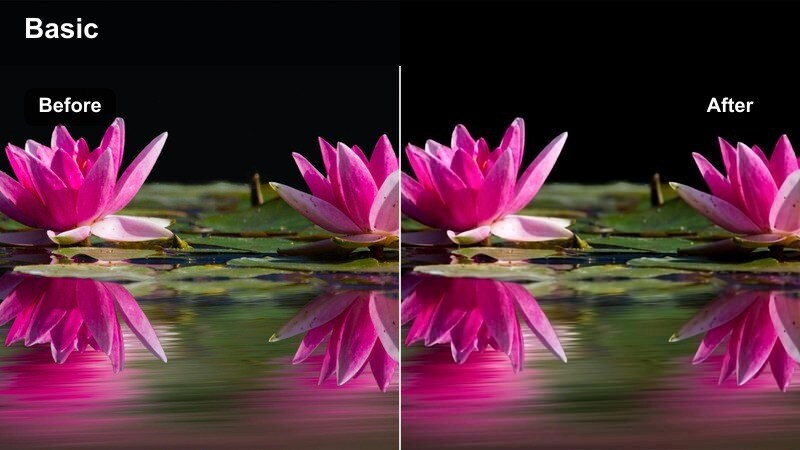
- Effect look: Cool, desaturated palette with soft highlights and emphasized reflections in wet streets.
- Best for: Rainy night sequences, reflective pavements, and introspective B-roll with city lights.
- Editing tip: Increase local contrast in the midtones to bring out texture in puddles and asphalt without crushing blacks.
Z8 Moody Street Rain transforms wet streets into cinematic canvases by lowering saturation, cooling overall color, and gently softening highlights. The filter accentuates reflections and glints in puddles and asphalt, making even simple walk-by shots feel like atmospheric establishing scenes.
In Filmora, combine this filter with low-angle compositions and subtle vignettes to pull attention toward the brightest reflection paths. Adjust midtone contrast and clarity to reveal texture in surfaces while keeping blacks slightly lifted, preserving detail that might otherwise disappear in heavy rain or mist.
Controlled Interior, Corporate, and Studio Work
Z8 Clean Corporate Neutral
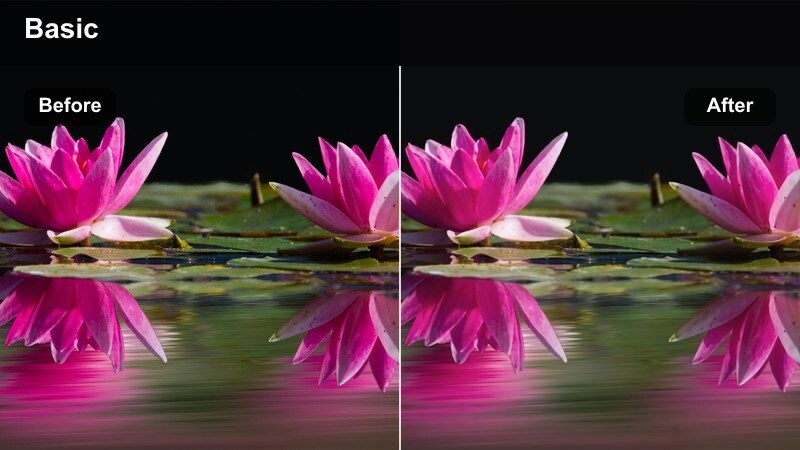
- Effect look: Low-contrast, color-accurate profile with gentle saturation and crisp detail for presentations and interviews.
- Best for: Office interviews, talking-head explainers, and training videos shot on the Nikon Z8.
- Editing tip: Lock white balance in-camera and fine-tune tint after applying the filter to avoid shifting brand colors on logos and graphics.
This filter gives corporate and educational content a clean, trustworthy appearance with minimal color cast, ensuring logos, slide decks, and brand elements stay true to life. It retains just enough contrast and saturation for modern displays without drifting into a heavy cinematic style that might distract from messaging.
Within Filmora, apply Z8 Clean Corporate Neutral early in your workflow, then match all interview angles and B-roll shots to that baseline. Use targeted HSL adjustments only for specific brand colors or office decor, and create client-specific presets so recurring projects maintain identical color from shoot to shoot.
Z8 Subtle Studio Film
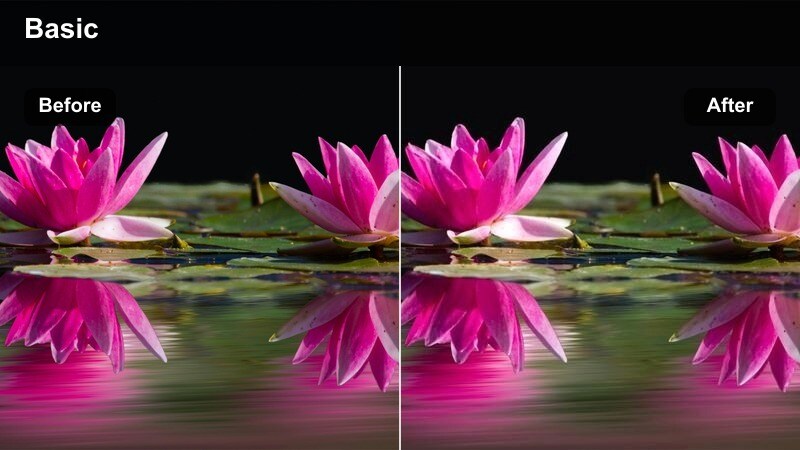
- Effect look: Soft filmic contrast with slightly warm mids, controlled highlights, and a gentle roll-off on bright backdrops.
- Best for: Studio interviews, content creator sets, and branded podcasts with controlled lighting.
- Editing tip: Use a small vignette to focus attention on the speaker and prevent neutral backdrops from appearing flat.
Z8 Subtle Studio Film brings a premium, studio-grade feel to talking-head content by adding warm midtones and film-style contrast while avoiding heavy color shifts. It helps your Nikon Z8 sets look intentional and polished, whether you are shooting a podcast, tutorial, or branded series.
In Filmora, use this filter on properly lit sets, then refine exposure to keep skin tones within a flattering range and highlights on backdrops under control. Add a light vignette and selective sharpening to the subject to separate them from the background, and save the final look as a preset for all future episodes in the same studio.
Z8 Screen and Slide Balance
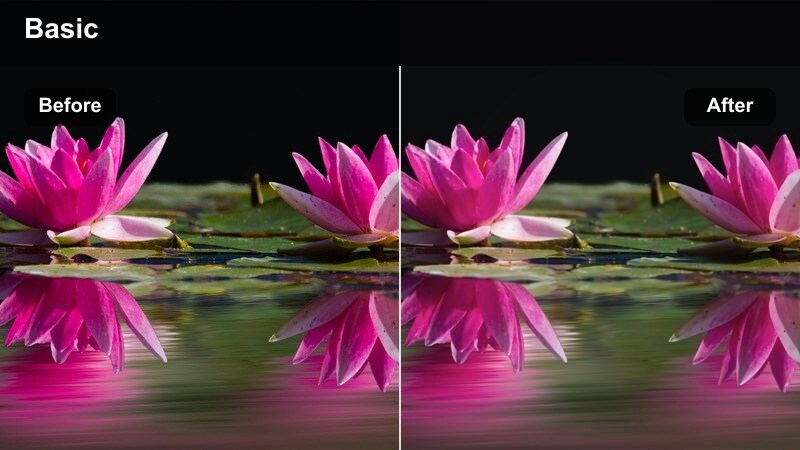
- Effect look: Balanced profile that keeps projected screens and slide decks readable while maintaining natural skin tones.
- Best for: Conference talks, classroom lectures, and webinars captured with the Nikon Z8.
- Editing tip: Lower highlights slightly after applying the filter so bright slides retain text clarity when viewed on smaller devices.
This filter is optimized for presenter-plus-screen setups, where you must capture both clear facial detail and legible slide content. It restrains highlight intensity from projectors or LED walls while keeping skin tones neutral, so presentations remain readable on laptops, phones, and projectors.
In Filmora, apply Z8 Screen and Slide Balance to all conference and lecture angles, then adjust highlights and whites until slide text is easily readable at typical YouTube or LMS viewing sizes. If the room lighting changes, use keyframed exposure and white balance tweaks over time while keeping the same filter as your consistent base.
Tips for Using Nikon Z8 Filters in Filmora
- Shoot in N-Log or a flat picture profile on the Nikon Z8 to preserve dynamic range before applying creative filters.
- Use zebras and the histogram to protect highlights in bright scenes so Filmora filters have more data to work with.
- Organize Nikon Z8 clips into bins by lighting condition and scene type so you can batch-apply the most appropriate filters.
- Always correct white balance first, then apply filters, and only afterward add local adjustments for faces and key objects.
- Save graded still frames as visual references and use them to keep color consistent across multi-day Nikon Z8 shoots.
- Create different Filmora presets for daylight, golden hour, night, and studio setups so you can switch looks quickly while editing.
- Use Filmora scopes to monitor exposure and color when stacking multiple filters, avoiding crushed shadows or clipped highlights.
- Test filters on a short sample sequence from each shoot before committing to a full-timeline grade.
With the right filter combinations, your Nikon Z8 footage can move from technically sharp to emotionally cinematic while remaining efficient to grade. Filmora makes it easy to build those looks once and then reapply them across different projects and deliverables.
Build a small, purpose-driven library of Nikon Z8 filter presets in Filmora and reuse them across projects to deliver consistent, professional results every time.
secure downloadNext: Best Nikon Zf LUTs
