

 100% Security Verified | No Subscription Required | No Malware


 ChatGPT
 Perplexity
 Gemini
 Claude
 Grok
Grok
If you shoot with the Sony ZV-E1, the right LUT-style filters can instantly turn flat vlog footage into rich, cinematic content that stands out on YouTube, TikTok, and Instagram.
Below are 12 curated Filmora filters designed to mimic popular Sony ZV-E1 LUT aesthetics, so creators can get cinematic color, contrast, and mood in just a few clicks without deep color-grading knowledge.
In this article
Golden Hour City Streets and Sunset Walks
Warm City Glow
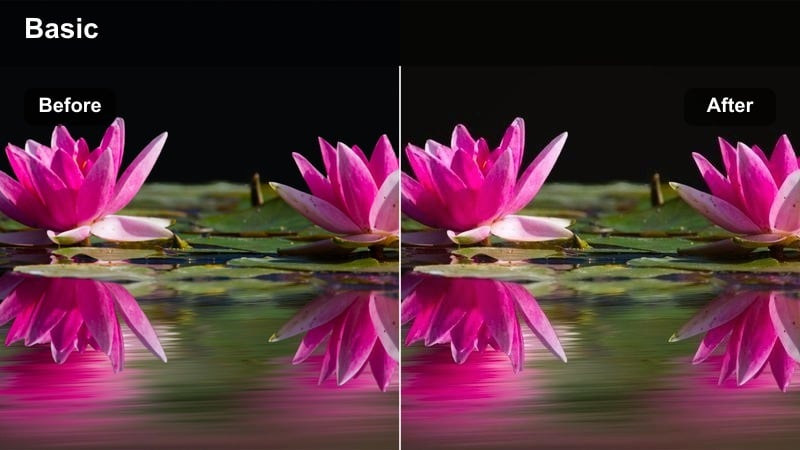
- Effect look: Soft golden warmth with lifted shadows and gentle bloom for evening city strolls.
- Best for: Golden hour street vlogs, relaxed B-roll, and lifestyle talking-heads outdoors.
- Editing tip: Lower the filter intensity to around 60 percent on the Sony ZV-E1 S-Log3 footage to keep skin tones natural while maintaining the warm atmosphere.
Warm City Glow adds a cinematic amber cast to your Sony ZV-E1 footage, brightening midtones and softening highlights so streets, storefronts, and sky feel like true golden hour. Lifted shadows keep detail in darker areas, which is ideal when you are moving between shaded alleys and bright sidewalks during a walk-and-talk vlog.
In Filmora, apply Warm City Glow to a color-corrected base, then fine-tune intensity until faces look flattering but not orange. For S-Log3 or PP11 clips, you can slightly reduce orange saturation and cool the shadows a touch to keep skin clean while leaving buildings and sky rich and warm.
Match Sony ZV-E1 Footage with AI Color Palette
Filmora's AI Color tools analyze your Sony ZV-E1 clips and automatically suggest palettes that align with popular cinematic references, so your filters never feel random. This makes it easy to match the mood of inspiration videos while still preserving natural skin tones and detail.
Once you lock in an AI-generated base look, you can stack these Sony ZV-E1 LUT-style filters on top to refine highlights, shadows, and color separation for different scenes without starting from scratch each time.
 secure download

Preview Filters Live on Your Sony ZV-E1 Clips
Filmora lets you preview each filter directly on your Sony ZV-E1 footage in real time, so you can instantly see how different looks affect the same sequence. This makes it simple to compare multiple cinematic styles without exporting or switching apps.
Toggle individual filters on and off, adjust strength, and use split-screen views to judge before-and-after results, ensuring the final grade supports your vlog story instead of distracting from it.
secure download1000+ Video Filters and 3D LUTs
Beyond these 12 options, Filmora includes a large library of cinematic filters and 3D LUTs you can combine with your Sony ZV-E1 footage for unique looks. From film emulations to stylized color themes, you can build your own presets and apply them in a single click.
Use filters as creative accents on top of corrective LUTs, then refine hues further with Filmora's HSL and color wheels to dial in a signature style that viewers instantly recognize as your channel.
secure downloadSunset Soft Matte
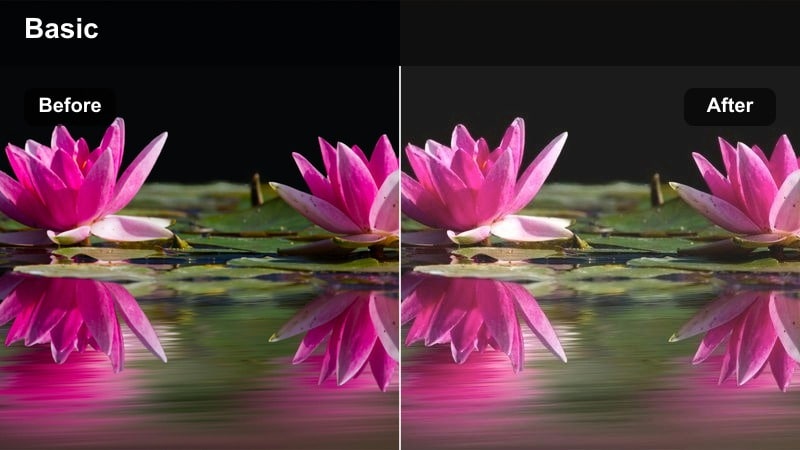
- Effect look: Matte, low-contrast sunset look with gentle faded blacks and pastel highlights.
- Best for: Slow-motion city B-roll, rooftop scenes, and cinematic intros during late afternoon.
- Editing tip: Decrease contrast slightly in Filmora and add a subtle vignette so your Sony ZV-E1 subject stays the focus against the hazy skyline.
Sunset Soft Matte creates a dreamy pastel finish by lowering overall contrast and gently fading blacks, which works perfectly for soft rooftop vistas and slow city movements. It turns harsh skyline edges into a smoother gradient while preserving enough midtone detail for faces and clothing.
In Filmora, start with slightly underexposed Sony ZV-E1 clips to protect the sky, then apply this filter and fine-tune exposure until the horizon glows but is not blown out. Add a light vignette and a bit of motion blur or slow motion to reinforce the cinematic, nostalgic feel in establishing shots and intros.
Amber Street Vlog
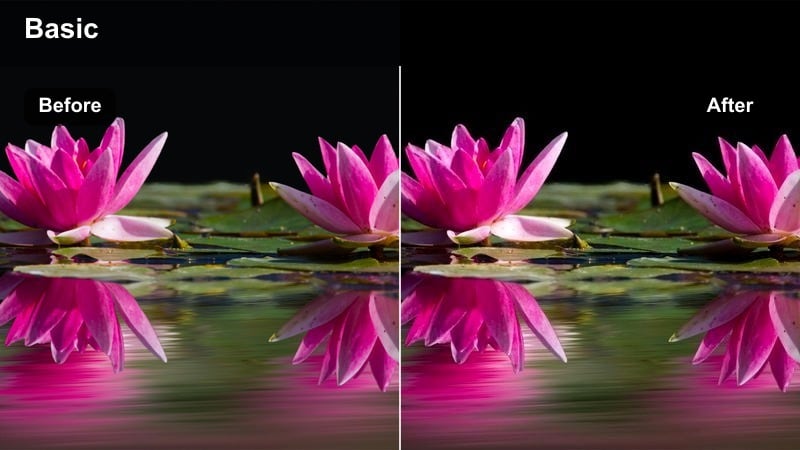
- Effect look: Rich amber and orange highlights with crisp contrast and punchy midtones.
- Best for: Energetic walking vlogs, travel diaries, and handheld Sony ZV-E1 shots in busy streets.
- Editing tip: Stabilize your clips in Filmora first, then add the filter and slightly reduce clarity if your street lights or signs feel too harsh.
Amber Street Vlog boosts oranges and ambers while increasing midtone contrast, giving fast-paced city walks a bold, energetic personality. Sidewalks, storefronts, and street signs pop on screen, which helps your vlog stand out even when you are surrounded by visual clutter.
After stabilizing Sony ZV-E1 handheld shots in Filmora, apply this filter, then dial down clarity or sharpness if specular highlights from signs and cars appear too crunchy. Save your tuned version as a custom preset so you can quickly apply the same punchy street look across whole series or playlists.
Neon Nights and Low-Light City Scenes
Neon Noir
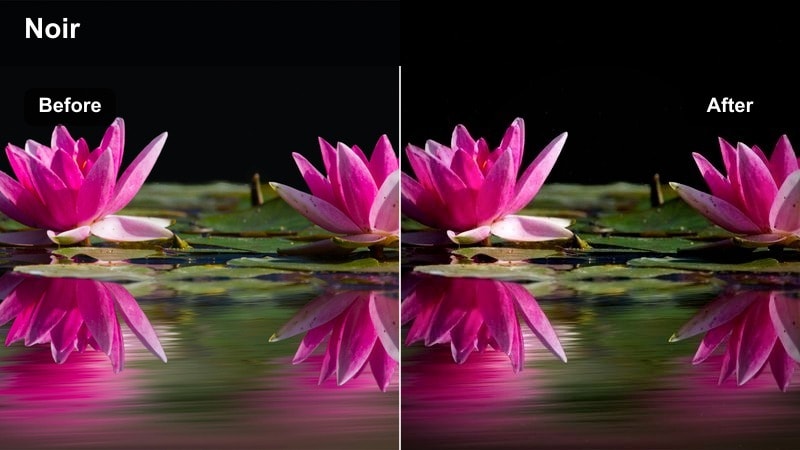
- Effect look: High-contrast neon look with deep shadows and saturated blues and magentas.
- Best for: Night street vlogs, cyberpunk-style B-roll, and rainy city reflections shot on the Sony ZV-E1.
- Editing tip: Expose your Sony ZV-E1 footage slightly brighter than usual at night, then use Neon Noir to deepen the blacks while keeping neon signs vivid.
Neon Noir leans into saturated blues and magentas and drops shadows for a moody, cyberpunk-inspired feel. It is ideal for city nights where signs, billboards, and reflections provide most of the light, turning ordinary streets into stylized, graphic compositions.
To keep noise under control, shoot with the Sony ZV-E1 slightly overexposed, run Filmora's noise reduction first, and then apply Neon Noir to crush blacks back down. Adjust the filter intensity until neon signs stay punchy but skin tones and midtones are still visible enough for storytelling.
Urban Night Soft
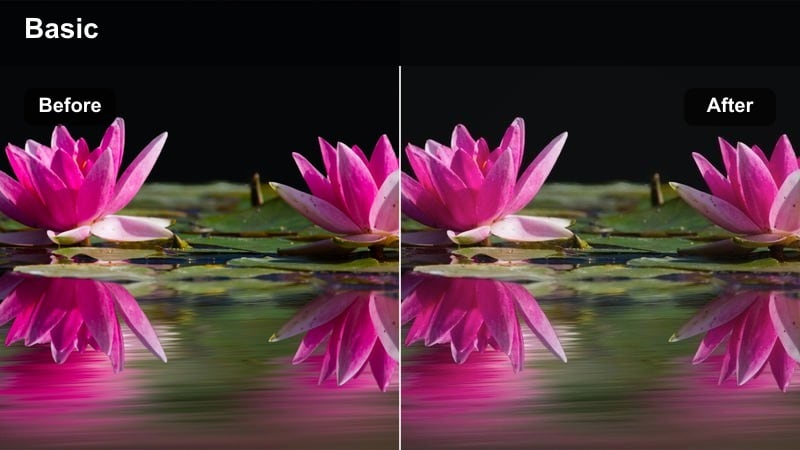
- Effect look: Soft, low-contrast night look with gentle halation around city lights.
- Best for: Nighttime talking-heads, date-night vlogs, and handheld walking scenes under street lamps.
- Editing tip: Reduce sharpness slightly for faces and add a subtle glow in Filmora to enhance the romantic, soft city atmosphere.
Urban Night Soft lowers contrast and adds a gentle glow around light sources so background bokeh looks dreamy instead of harsh. It works well when you are shooting date nights, casual conversations, or reflective monologues under street lamps or cafe lights with the Sony ZV-E1.
In Filmora, pair this filter with a small sharpness reduction on the face and a light glow effect to keep skin flattering during close-ups. Position practical lights like signs and windows behind you on location, then let the filter soften those highlights while ensuring your subject remains clean and easy to read.
Electric Rain
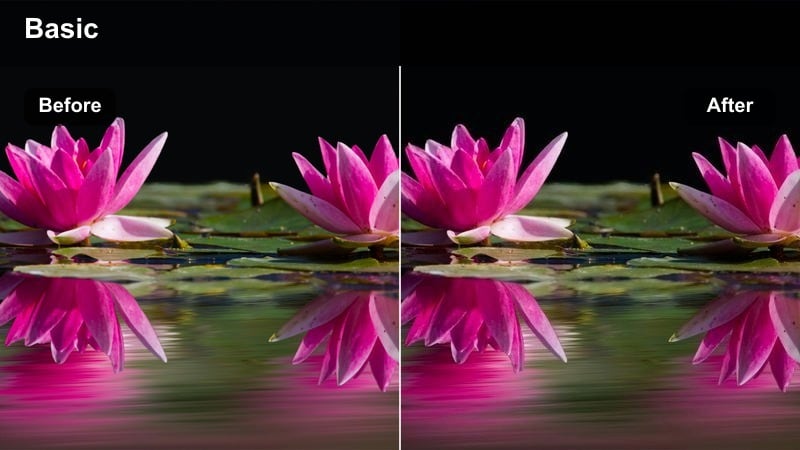
- Effect look: Cool-toned night look with boosted saturation in blues and teals, ideal for rainy streets.
- Best for: Rainy night B-roll, umbrella shots, and reflective puddle close-ups in urban areas.
- Editing tip: Add a slight slow-down to your Sony ZV-E1 clips and sync raindrop impacts to music beats for a stylized, music-video vibe.
Electric Rain pushes blues and teals while keeping highlights punchy, making wet streets, puddles, and umbrellas feel dynamic and stylized. Reflections on asphalt and windows gain extra depth and color separation, which pairs naturally with slow-motion or music-driven edits.
Underexpose slightly in-camera to protect bright reflections, then in Filmora, apply Electric Rain and bring midtones back up until you see detail in the environment without losing that moody night energy. Add a touch of time remapping or slow motion and cut key raindrop impacts to the beat to enhance the music video aesthetic.
Indoor Studio, Desk, and Talking-Head Setups
Clean Desk Creator
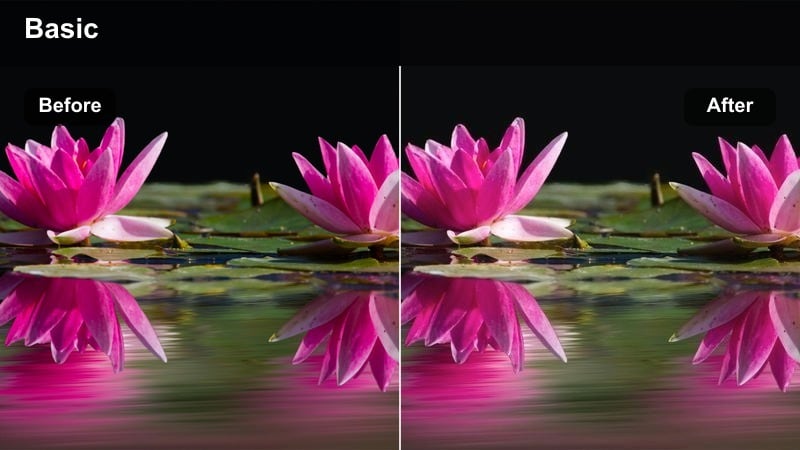
- Effect look: Neutral, bright look with crisp whites and accurate skin tones for desk setups.
- Best for: Tutorials, tech reviews, productivity vlogs, and any Sony ZV-E1 desk or studio shot.
- Editing tip: White balance your footage first using a neutral object, then apply the filter so colors in your background gear stay true.
Clean Desk Creator focuses on even exposure, clear whites, and realistic skin tones to give your studio or desk vlogs a polished, professional appearance. It keeps backgrounds tidy and neutral, which is perfect when you want overlays, text, or screen captures to be the star of the video.
Before applying the filter in Filmora, use a gray card or a neutral surface in your Sony ZV-E1 frame to set correct white balance. Once the filter is on, you can make minor tweaks to exposure and saturation so your background decor and tech gear appear accurate without overshadowing your face.
Soft Skin Studio
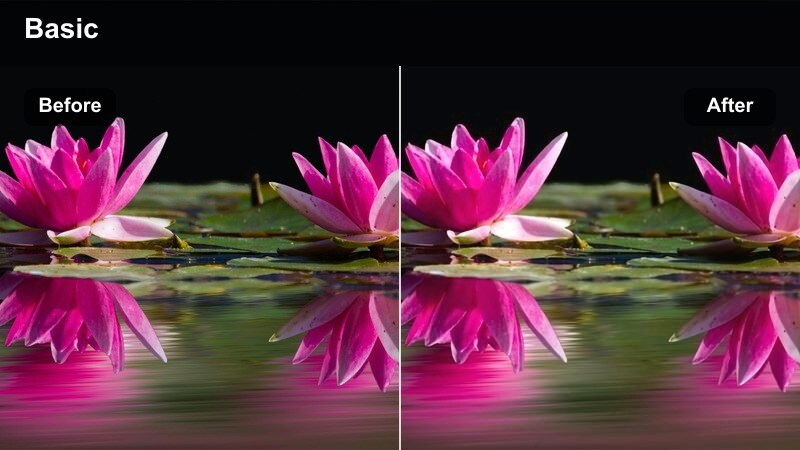
- Effect look: Gentle contrast with softened skin texture and slightly warm midtones.
- Best for: Beauty, lifestyle, education, and longer talking-head content shot on the Sony ZV-E1.
- Editing tip: Use a subtle Filmora skin smoothing effect before this filter and avoid over-sharpening to keep faces natural but flattering.
Soft Skin Studio slightly warms midtones and reduces micro-contrast, giving faces a smoother, more forgiving appearance. It is ideal for long talking-head segments where viewers focus on your expressions and eye contact, such as tutorials, coaching, or lifestyle storytelling.
In Filmora, lightly apply skin smoothing to your Sony ZV-E1 clips first, then add Soft Skin Studio and adjust intensity until texture looks gentle but not plastic. If the background becomes too warm, selectively reduce yellow and orange saturation in the HSL controls while keeping skin tones inside a natural range.
Pro Reviewer Look
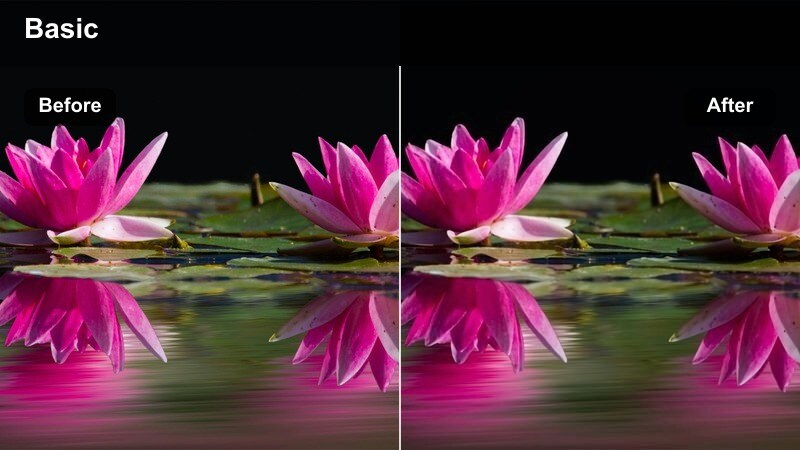
- Effect look: High-clarity, slightly cool look with boosted micro-contrast for products and gear.
- Best for: Tech and gear reviews, unboxings, and tabletop Sony ZV-E1 shots.
- Editing tip: Use a higher shutter speed on close-ups for crisp detail, then let this filter enhance edges and text on product boxes.
Pro Reviewer Look emphasizes clarity and edge contrast, giving product textures, logos, and small print a sharper, more premium appearance. The slightly cool color bias helps plastics, metals, and screens look modern and clean in your Sony ZV-E1 review videos.
Use Product Showcase mode on the ZV-E1 for quick focus transitions, then in Filmora, apply this filter and fine-tune sharpness so spec labels and fine details are readable without making skin appear too crunchy. If hands become overly textured, lower clarity on the skin using masking or selective adjustments while keeping the product area at full strength.
Travel Days, Cafes, and On-the-Go Vlog Moments
Cinematic Travel Journal
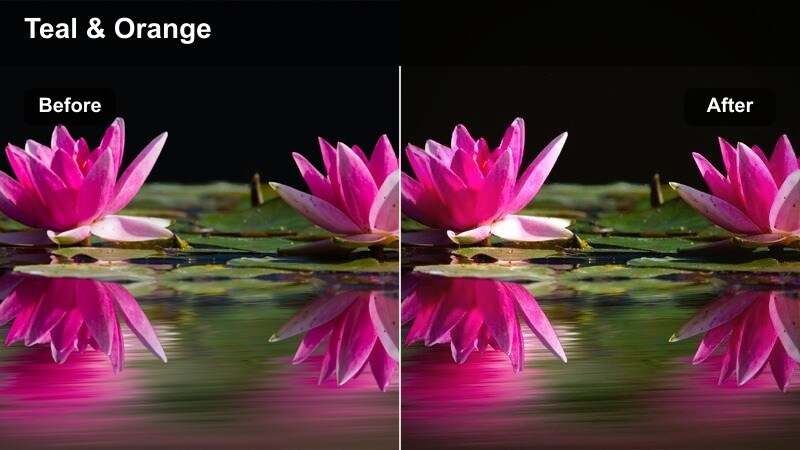
- Effect look: Balanced cinematic look with gentle teal shadows and warm highlights for travel storytelling.
- Best for: Travel day montages, airport sequences, and handheld city exploration with the Sony ZV-E1.
- Editing tip: Cut your clips to the beat first, then apply the filter uniformly to keep a consistent cinematic mood across multiple locations.
Cinematic Travel Journal gives you the classic teal-and-warm-highlights look, but in a softer, vlog-friendly way. Shadows lean slightly teal while sunlight and skin stay warmly inviting, which ties together travel footage shot across very different locations and lighting conditions.
In Filmora, assemble your Sony ZV-E1 travel timeline and sync clips to your music track before grading. Once the story flows, apply this filter to an adjustment layer covering the whole sequence, then tweak intensity so midday shots do not look too contrasty compared to softer dawn or dusk scenes.
Street Cafe Vibes
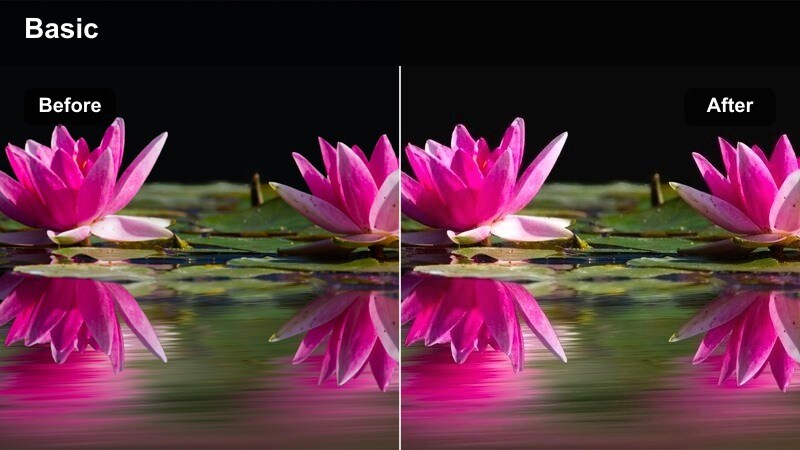
- Effect look: Warm, cozy tones with slightly lifted blacks and gentle contrast for casual city cafe scenes.
- Best for: Cafe check-ins, remote work vlogs, and casual storytelling moments at city corners.
- Editing tip: Use slower camera movements with your Sony ZV-E1 and keep ISO low so this filter can emphasize a relaxed, intimate mood.
Street Cafe Vibes raises blacks a little and warms the entire palette, turning window light and wooden interiors into a comfortable, inviting environment. It suits coffee chats, journaling clips, and quieter storytelling segments where you want viewers to feel like they are sitting across from you.
Shoot facing or side-lit by a window with the Sony ZV-E1, then in Filmora, apply this filter and gently lower highlight levels if the street outside looks too bright. Add a small vignette or depth-of-field style blur using masks to further separate your face from the busier background and keep the mood relaxed.
Commuter Rush
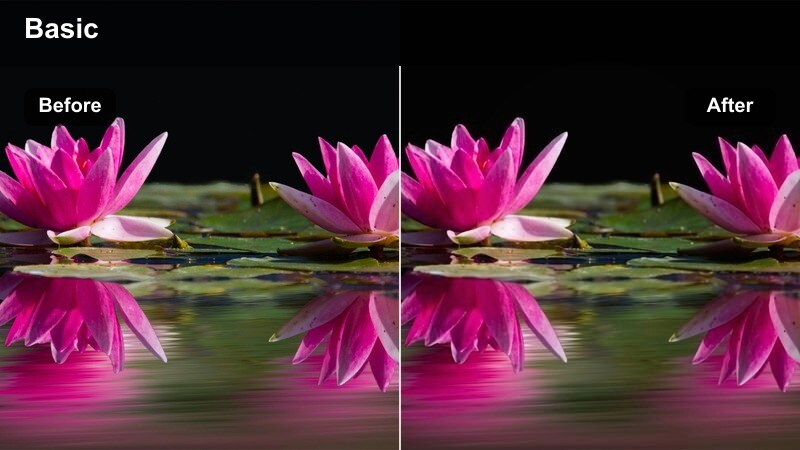
- Effect look: Cool, slightly desaturated look with clear contrast for trains, buses, and station scenes.
- Best for: Metro rides, airport shuttles, and on-the-move Sony ZV-E1 vlogs during busy commutes.
- Editing tip: Increase shutter speed slightly to freeze motion in crowds, then use this filter to keep colors calm and cinematic instead of chaotic.
Commuter Rush cools down the color temperature and pulls back saturation, helping crowded stations and transit hubs feel organized and cinematic rather than overwhelming. It adds enough contrast to define shapes clearly without pushing colors into a noisy or chaotic space.
Use the Sony ZV-E1's active stabilization while walking, then stabilize once more in Filmora before applying this filter to maintain smooth movement. If fluorescent lights introduce green or magenta tints, correct white balance first, then let Commuter Rush even out the palette so your transit B-roll forms a cohesive visual chapter in your vlog.
Tips for Using Sony Zv-E1 Filters in Filmora
- Film in a flatter picture profile on the Sony ZV-E1 so filters have more room to shape contrast and color without breaking the image.
- Save custom presets in Filmora that combine your favorite filter, vignette, and sharpening settings so every new vlog has a consistent visual identity.
- Keep an eye on skin tones when stacking filters on top of Sony ZV-E1 LUTs and reduce saturation slightly if faces start to look unnatural.
- Use Filmora's adjustment layers to apply one filter across all Sony ZV-E1 clips in a scene so your color stays consistent from shot to shot.
- Stabilize handheld Sony ZV-E1 footage in Filmora before adding stylized filters to avoid amplifying camera shake or motion blur.
- Experiment with different filter intensities instead of leaving every preset at 100 percent to fine-tune each scene's mood and brightness.
- Apply noise reduction to high-ISO Sony ZV-E1 clips first so cinematic filters enhance your image rather than highlighting sensor grain.
- Combine Filmora filters with subtle local adjustments like vignettes or masks to guide viewer attention toward your face or key details.
With the right combination of Sony ZV-E1 LUT-style filters, you can turn everyday vlogs into cinematic stories that match your personality and brand.
Experiment with these 12 filters in Filmora, then save the looks that feel most like you so color grading becomes a fast, repeatable part of your content creation workflow.
secure downloadNext: Best Sony FX9 LUTs
