

 100% Security Verified | No Subscription Required | No Malware


 ChatGPT
 Perplexity
 Gemini
 Claude
 Grok
Grok
Black Green sits at the intersection of mystery and energy. The black side of the palette brings depth, drama, and focus, while the green introduces a sense of life, technology, and subtle optimism. Together, they create a powerful contrast that feels cinematic and modern, perfect for stories that move between tension and calm, nature and neon, or realism and sci-fi.
In video editing, branding, thumbnails, overlays, and intros, a well-chosen Black Green color palette can instantly define your channel identity and make your visuals feel polished. Below you will find 15 Black Green color palettes with precise HEX codes, tailored for creators and Filmora users who want consistent color across intros, titles, B-roll, and social edits.
In this article
Cinematic Black Green Color Palettes
Neon Noir Alley
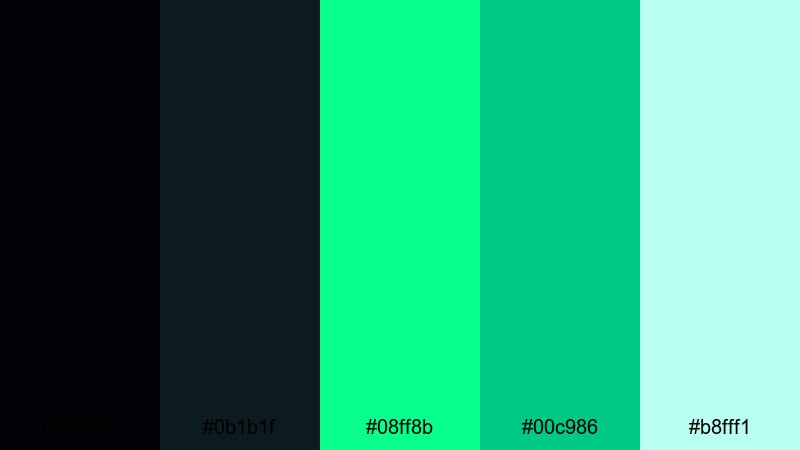
- HEX Codes: #020306, #0b1b1f, #08ff8b, #00c986, #b8fff1
- Mood: Moody and electric, like a cyberpunk city at midnight.
- Use for: Great for edgy gaming intros, tech review thumbnails, and glitchy transition overlays.
This palette throws toxic neon greens against inky blue-black shadows, giving your frame the feel of a wet, flickering alley in a cyberpunk movie. The bright accents (#08ff8b, #00c986) slice through the darkness and pull the eye to key elements like titles, buttons, or subject outlines.
Use Neon Noir Alley for YouTube gaming intros, motion graphic backgrounds, sci-fi title cards, and high-contrast thumbnails that need to stand out in a crowded feed. It works especially well when you combine glitch effects, light streaks, and animated HUD elements in Filmora to support the edgy Black Green atmosphere.
Pro Tip: Build A Cinematic Black Green Look In Filmora
For a consistent Neon Noir Alley vibe, start by choosing one dark tone as your base background for intros, lower thirds, and end screens. Then reserve the brightest greens only for what matters most: your logo, Subscribe callouts, or key phrases in kinetic typography. This keeps the look cohesive and makes important information pop.
Inside Filmora, you can save this palette as a recurring style: use the same HEX values for text color, shapes, and overlays across all your projects. When you cut short-form versions for Reels or TikTok, simply reuse these presets so your Black Green identity feels unified on every platform.
AI Color Palette
If you already have a screenshot, thumbnail, or style frame that nails this Black Green aesthetic, you can turn it into a reference image and apply it to the rest of your edit. Filmora's AI Color Palette feature analyzes that look and transfers the color style to other clips with a few clicks.
This is perfect when you mix camera footage, screen recordings, and stock video. Instead of grading each clip by hand, you let AI push them all toward the same neon noir mood. Tweak the intensity slider to decide how strongly the palette should influence your shots, from subtle to fully stylized.
 secure download

HSL, Color Wheels & Curves
To perfect a cinematic Black Green grade, go into Filmora's color tools and gently adjust the greens with HSL. You can desaturate background greens to keep them moody while boosting only the neon accents. Then use color wheels to cool down shadows toward teal and keep highlights neutral or slightly warm for skin tones.
If you need more control, the curves panel lets you deepen contrast in the blacks while protecting details in midtones. Combined with guidance from Filmora's color correction tools, you can dial in a noir look that still feels clean and readable for UI overlays and text.
secure download1000+ Video Filters & 3D LUTs
To move even faster, you can stack your Black Green palette on top of ready-made grades. Filmora's video filters and 3D LUTs make it easy to add cinematic contrast, glow, or grain with a single click. From dark sci-fi looks to clean tech tones, you can pick a base style and then align your HEX colors to it.
Apply a LUT to unify your footage, then use text and shapes with the Neon Noir Alley HEX codes for consistent branding in your intros, outros, and lower thirds. This combination of presets plus custom Black Green accents keeps your videos stylish without slowing down your edit.
secure downloadEmerald Shadow Frame
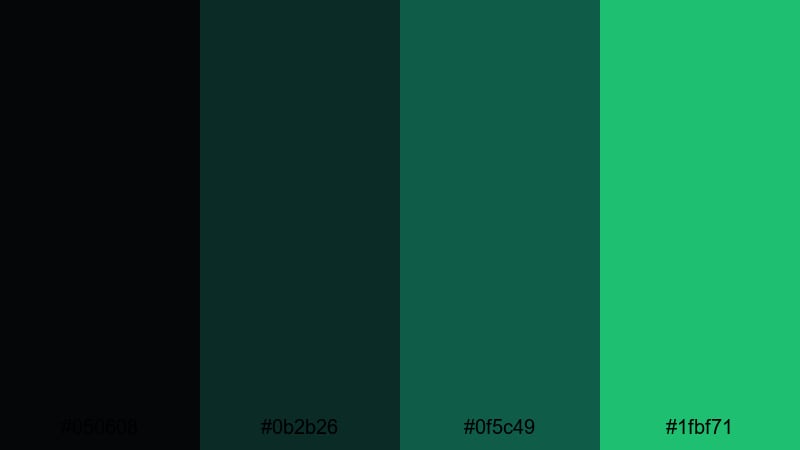
- HEX Codes: #050608, #0b2b26, #0f5c49, #1fbf71
- Mood: Refined and suspenseful, with a subtle thriller vibe.
- Use for: Perfect for film-style title cards, mystery trailers, and dramatic lower thirds.
Emerald Shadow Frame blends velvety blacks with tasteful emerald tones, creating tension without going full neon. The deeper greens sit comfortably in the shadows, while the brighter accent (#1fbf71) is ideal for highlighting key text or logo elements.
Use this palette when you want a cinematic thriller or premium documentary feel in your titles, branded openers, and lower thirds. It works beautifully for dark drama recaps, story-driven podcasts with video, or stylish product reveals where you want Black Green richness without overwhelming brightness.
Toxic Night Pulse
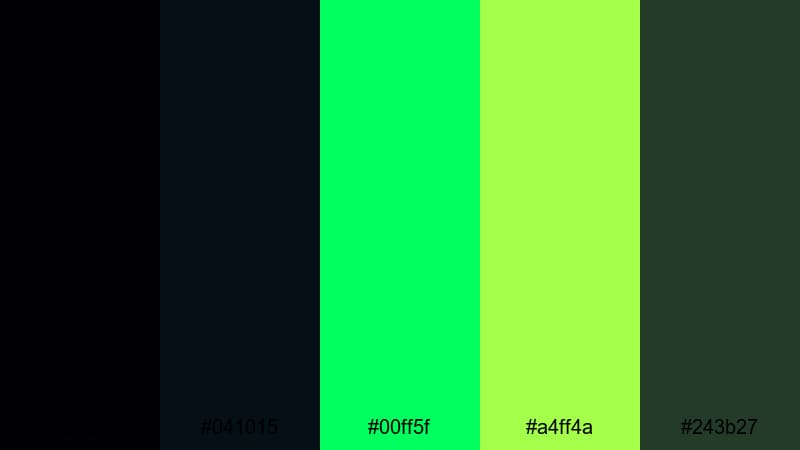
- HEX Codes: #020204, #041015, #00ff5f, #a4ff4a, #243b27
- Mood: Intense and radioactive, full of adrenaline and edge.
- Use for: Use for EDM lyric videos, esports highlight reels, and glitch transitions that need maximum impact.
Toxic Night Pulse pushes contrast to the limit with glowing greens that feel almost radioactive against deep blacks. The bright tones (#00ff5f, #a4ff4a) scream energy and speed, especially when animated with flashes, strobes, or beat-synced text.
Apply this palette to high-energy lyric videos, esports montages, and fast-paced trailers. Use the darkest shades as your background for legibility, then layer animated shapes, waveform visualizers, and bold typography in the electric greens for an unmistakably aggressive Black Green identity.
Midnight Hacker Grid
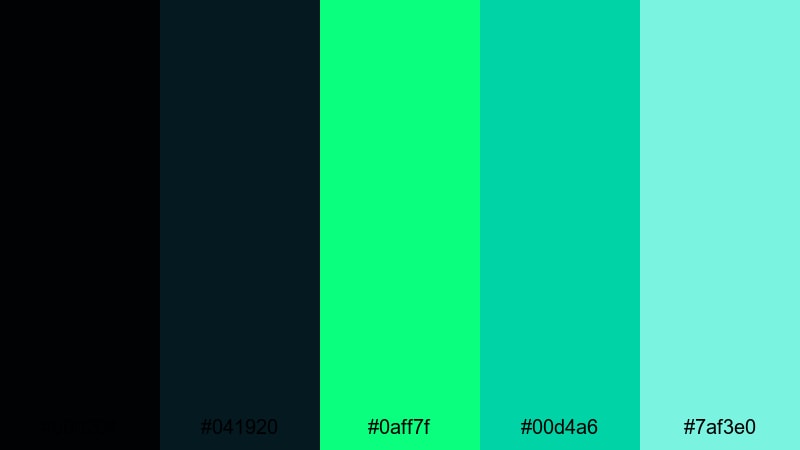
- HEX Codes: #000204, #041920, #0aff7f, #00d4a6, #7af3e0
- Mood: Secretive and techy, like lines of code in a dark command center.
- Use for: Great for cybersecurity explainers, coding tutorials, and sci-fi motion graphics backgrounds.
Midnight Hacker Grid combines deep, almost pure black with teal and mint highlights that feel like glowing code on a terminal. The greens and cyans cut through the darkness without looking overly aggressive, making them great for clean, tech-driven visuals.
Use this palette for coding tutorials, cybersecurity explainers, or UI-style motion graphics overlays. It works well in YouTube thumbnails where you want clear text over a dark tech backgrounds, with small neon accents hinting at data streams, grids, and futuristic dashboards.
Minimalist Black Green Color Palettes
Monochrome Forest UI
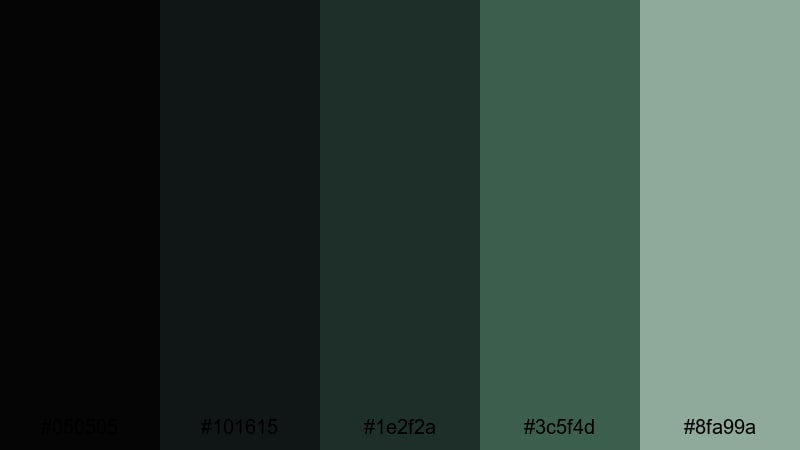
- HEX Codes: #050505, #101615, #1e2f2a, #3c5f4d, #8fa99a
- Mood: Calm, grounded, and understated with a natural edge.
- Use for: Ideal for clean app mockups, channel branding, and minimalist typography overlays.
Monochrome Forest UI softens the usual neon approach to Black Green and leans into charcoal and muted forest tones. The palette feels calm and focused, like a sleek dashboard or productivity app with a subtle nature influence.
Use it for minimalist YouTube channel branding, overlay text on tutorial videos, or UI mockup animations. The desaturated greens keep information easy to read while still giving your graphics a distinct, mature Black Green character that works especially well for tech, productivity, and lifestyle creators.
Deep Space Terminal
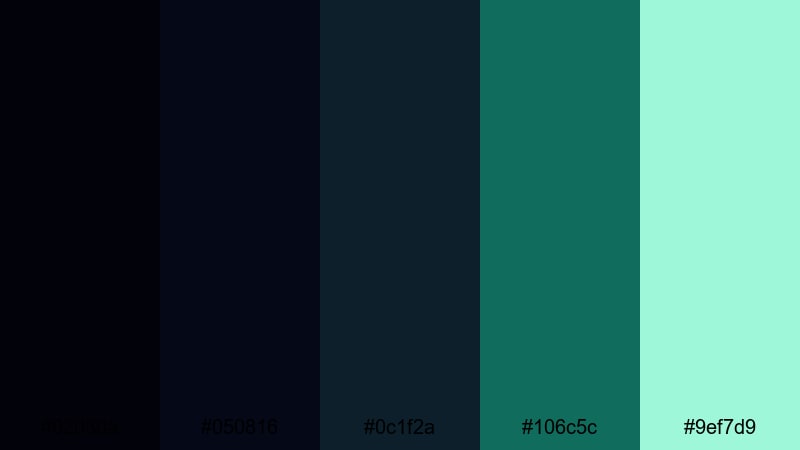
- HEX Codes: #02030a, #050816, #0c1f2a, #106c5c, #9ef7d9
- Mood: Cool and spacious, with a futuristic control-room atmosphere.
- Use for: Great for tech channel lower thirds, dashboard visualizations, and subtle HUD elements in edits.
Deep Space Terminal mixes deep navy-blacks with teal greens and a soft mint highlight. It feels like looking at a quiet control room, full of data but not chaos. The overall mood is futuristic but restrained.
Use this palette in lower thirds, infographics, and on-screen metrics for tech or finance video. The darker tones make perfect backgrounds for clean white or light text, while the greens and mint are ideal for charts, icons, and subtle HUD effects over your footage.
Ink And Ivy Minimal
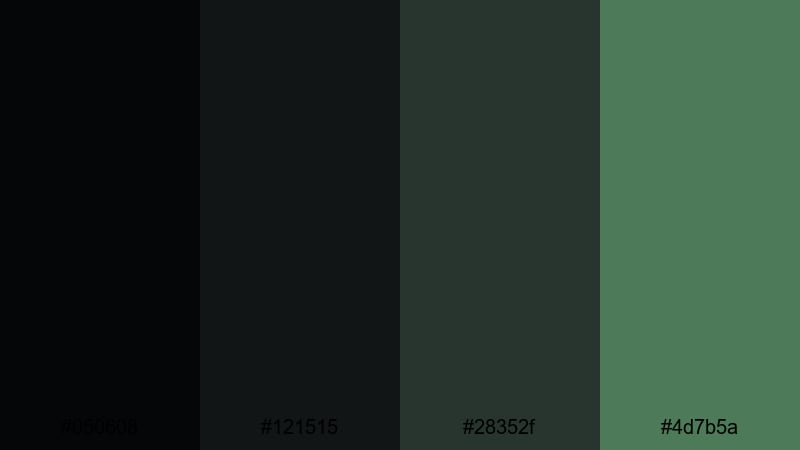
- HEX Codes: #050608, #121515, #28352f, #4d7b5a
- Mood: Quietly confident, modern, and slightly organic.
- Use for: Use for simple logo stings, studio tour content, and lifestyle vlogs that need a subtle brand accent.
Ink And Ivy Minimal stays close to black but brings in muted ivy greens for an understated, modern look. It feels more like a design studio brand or interior aesthetic than a bright tech palette.
Use it when you want your logo stings, channel intros, and vlog titles to look premium without shouting. These HEX codes are great for solid color backgrounds, simple line icons, and text overlays on studio tour or workspace content, especially if you love a calm Black Green aesthetic.
Charcoal Circuit Clean
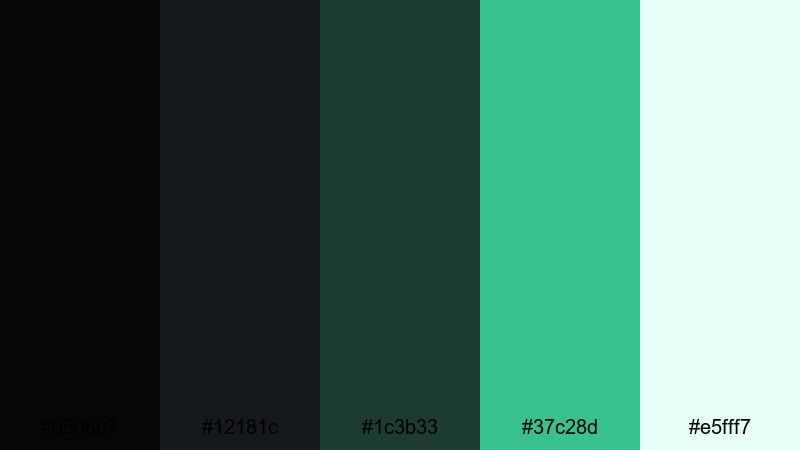
- HEX Codes: #050607, #12181c, #1c3b33, #37c28d, #e5fff7
- Mood: Fresh and efficient, like a streamlined product UI.
- Use for: Perfect for SaaS promos, startup landing page videos, and explainer graphics.
Charcoal Circuit Clean pairs dark, reliable base tones with bright mint and circuit green accents. It feels like a modern dashboard or startup interface: clean, readable, and slightly playful.
Use the dark shades for your backgrounds in explainers and product demos, and let the brighter greens highlight call-to-action buttons, feature labels, and key statistics. For thumbnails and intro screens, this palette makes it easy to combine Black Green style with strong readability and a polished tech feel.
Futuristic Black Green Color Palettes
Cyber Matrix Glow
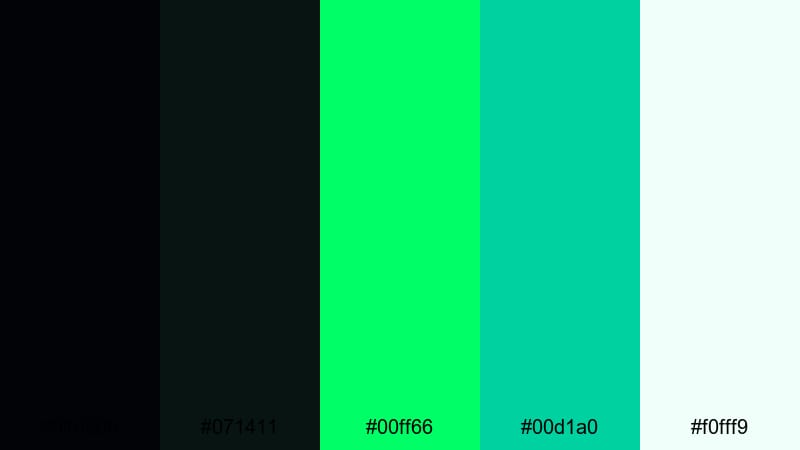
- HEX Codes: #010306, #071411, #00ff66, #00d1a0, #f0fff9
- Mood: High-tech and immersive, like stepping inside a digital grid.
- Use for: Great for intro sequences, kinetic typography, and sci-fi interface overlays in trailers.
Cyber Matrix Glow brings classic matrix-style neon into a modern Black Green scheme. The deep blacks and greens create a strong base, while the vivid accents and off-white highlight (#f0fff9) give you options for bright text and icons.
Use this palette in motion graphics sequences, sci-fi intros, or text animations that need a digital grid feel. It works perfectly for tech channels, AI explainers, and futuristic product launches, especially when you combine it with lines, grids, and cascading code effects in Filmora.
Quantum Radar Sweep
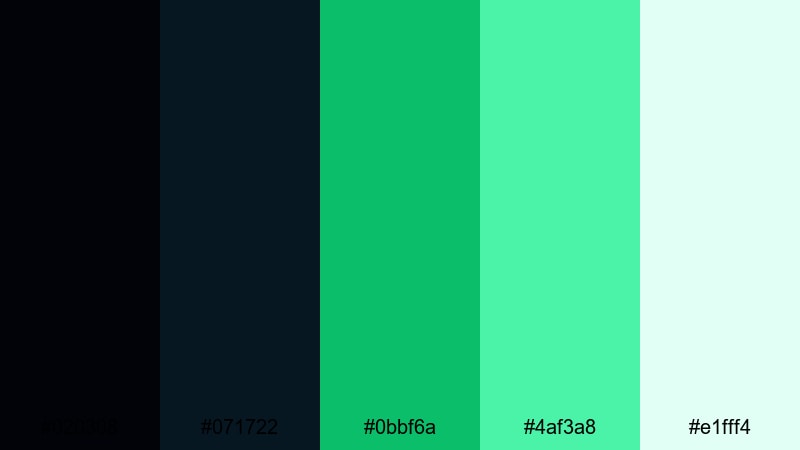
- HEX Codes: #020308, #071722, #0bbf6a, #4af3a8, #e1fff4
- Mood: Alert and precise, with a tactical, sci-fi scanner feel.
- Use for: Use for motion graphics maps, HUD callouts, and animated infographics in tech or security videos.
Quantum Radar Sweep feels like a tactical display: dark navy-blacks frame precise, radar-like greens and soft highlights. It gives a sense of scanning, tracking, and precision without being overly aggressive.
Apply this palette to animated maps, HUD overlays, and infographic elements inside your videos. It is great for security, navigation, or analytics content where you want a visual language that says data-driven and high-tech while staying clean and easy to read.
Glitched Bio Signal
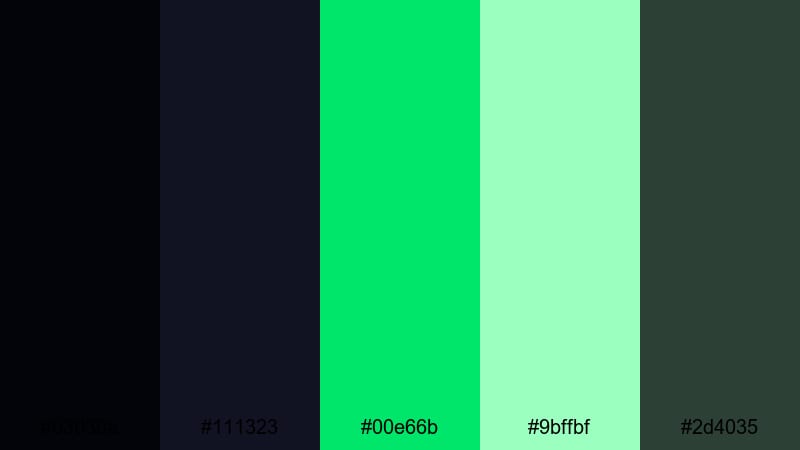
- HEX Codes: #03030a, #111323, #00e66b, #9bffbf, #2d4035
- Mood: Experimental and edgy, blending biotech and glitch aesthetics.
- Use for: Ideal for experimental music videos, sci-fi shorts, and stylized data-visual edits.
Glitched Bio Signal blends dark blue-blacks with bio-neon greens and a grounded forest tone. The contrast suggests lab monitors, medical scans, and corrupted data feeds all at once.
Use it for experimental edits, glitch sequences, or sci-fi shorts where you want a mix of organic and digital. Try layering waveform graphics, DNA-style lines, and data bars in the bright greens over moody footage, keeping the darker tones for backgrounds and frame edges.
Organic Black Green Color Palettes
Rainforest Canopy Mist
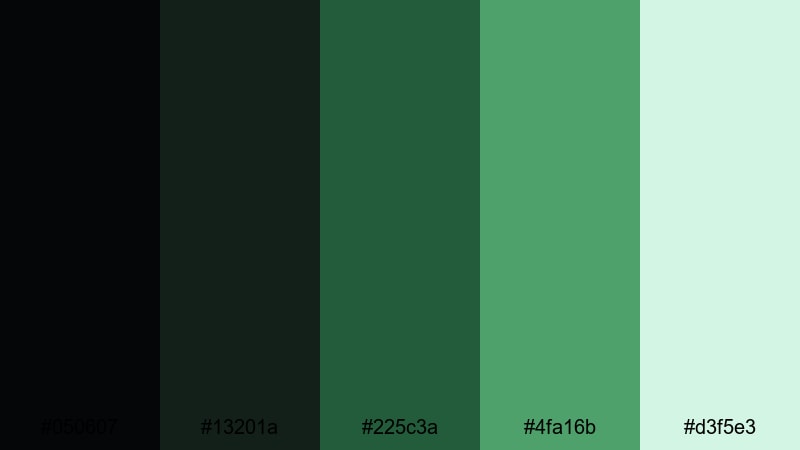
- HEX Codes: #050607, #13201a, #225c3a, #4fa16b, #d3f5e3
- Mood: Lush and tranquil, like a shaded jungle after rain.
- Use for: Perfect for travel vlogs, nature documentaries, and eco brand stories.
Rainforest Canopy Mist layers soft blacks with deep, leafy greens and a pale mist highlight. It feels humid, calm, and expansive, like standing under a dense canopy after a storm.
Use this palette for travel vlogs, nature B-roll, and eco-focused brand intros. The deeper greens work well as overlay tints or gradient backgrounds, while the lighter tones support legible titles, captions, and logo elements that still feel rooted in nature.
Urban Moss Concrete
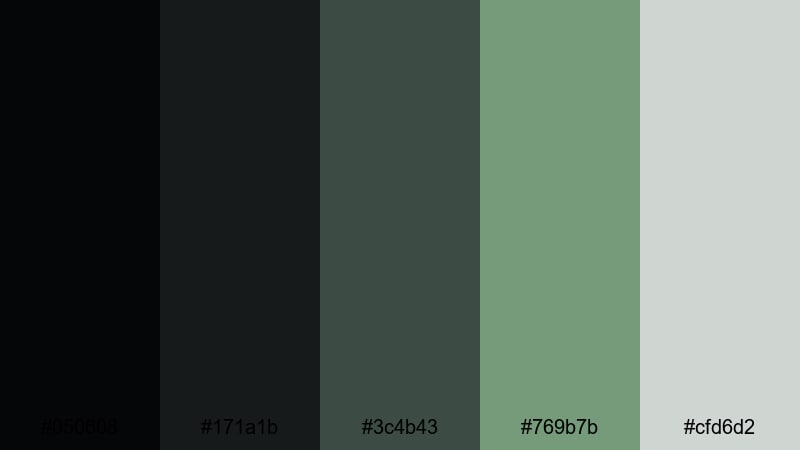
- HEX Codes: #050608, #171a1b, #3c4b43, #769b7b, #cfd6d2
- Mood: Balanced and urban-organic, mixing city grit with greenery.
- Use for: Great for architecture reels, cityscape vlogs, and minimalist lifestyle channels.
Urban Moss Concrete combines charcoal blacks and concrete grays with soft moss greens. It captures the feeling of plants growing through city structures, balancing hardness and calm.
Use it in architecture reels, city timelapses, and lifestyle content that highlights both urban life and nature. The grays make excellent neutral backgrounds, while the greens can highlight key text, map markers, or product shots in thumbnails and title sequences.
Obsidian Leaf Veil
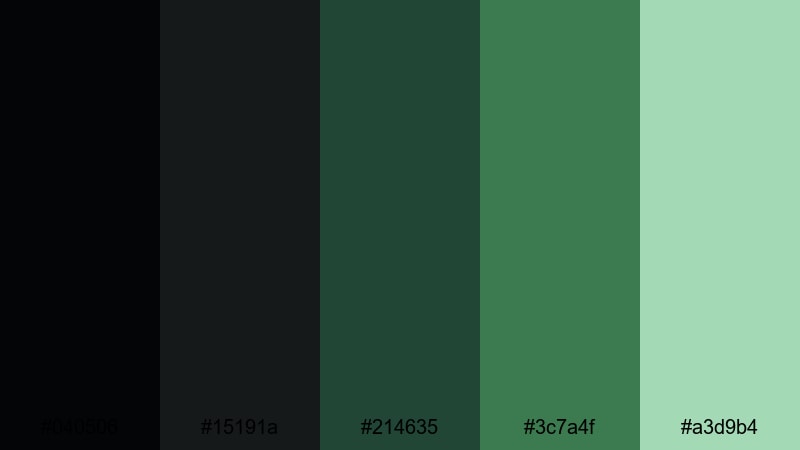
- HEX Codes: #040506, #15191a, #214635, #3c7a4f, #a3d9b4
- Mood: Elegant and serene, with a hint of hidden depth.
- Use for: Use for brand films, product close-ups, and calm storytelling with a premium feel.
Obsidian Leaf Veil uses velvety blacks and layered greens, softened by pale mint. It feels luxurious yet organic, like a high-end spa or design brand inspired by nature.
Use this palette for product close-ups, slow-motion shots, and brand stories where you want calm, premium Black Green visuals. It is great for wellness, skincare, interior design, or any video where gentle motion graphics and soft light pair well with refined color.
Shadow Garden Stream
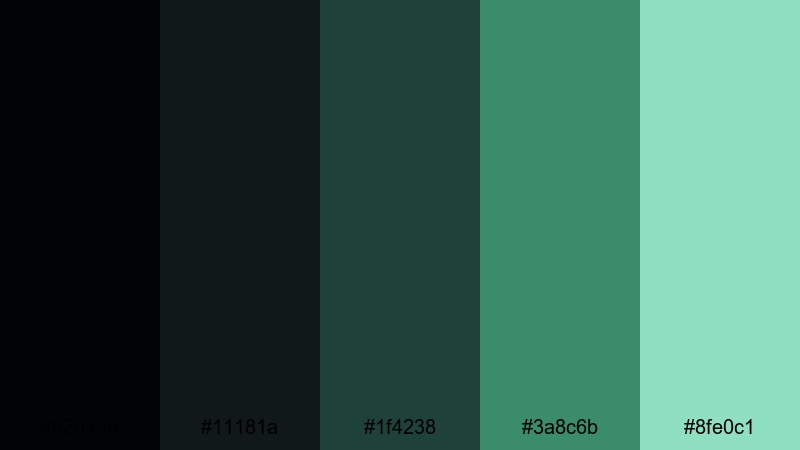
- HEX Codes: #020305, #11181a, #1f4238, #3a8c6b, #8fe0c1
- Mood: Peaceful and flowing, like a shaded creek at dusk.
- Use for: Perfect for meditation videos, slow travel vlogs, and calm tutorial backdrops.
Shadow Garden Stream shifts Black Green toward water and foliage in low light. The deeper tones feel like shaded rocks and leaves, while the aqua highlights (#8fe0c1) suggest reflections on a slow-moving stream.
Use this palette as a base for meditation loops, slow travel videos, or gentle tutorial backgrounds. Apply the darker greens as tints on your footage and reserve the lighter aqua for simple lower thirds, timers, or subtle animated accents that never distract from the relaxing mood.
Tips for Creating Black Green Color Palettes
Black Green color schemes are powerful but can easily become too dark or too loud. These tips will help you balance contrast, readability, and style when designing visuals for video, thumbnails, intros, and branding.
- Always assign roles to your colors: one or two HEX values for backgrounds, one for main accents, and one for text or highlights so the palette stays organized.
- Check readability by placing your greens over black in your editor preview; if text feels hard to read, lighten the green or add a subtle outer glow or drop shadow.
- Use saturation carefully: keep background greens muted and reserve intense neon tones for call-to-action buttons, key words, or HUD elements.
- Match your palette to your footage: apply a slight green or teal tint to shadows so B-roll, overlays, and titles all share the same Black Green atmosphere.
- Balance cold tech and warm human elements by letting Black Green handle UI, grids, and shapes while skin tones remain natural or slightly warm.
- Test thumbnails at small sizes to ensure your Black Green background does not swallow your text; adjust brightness and contrast until titles stay readable on mobile.
- Stay consistent across platforms by using the same HEX codes in your video editor, channel art, social posts, and website so your Black Green identity is instantly recognizable.
- Consider mood: choose neon Black Green palettes for gaming and tech hype, and organic or muted versions for travel, wellness, and storytelling content.
Black Green palettes are incredibly flexible, from neon cyberpunk intros to tranquil nature overlays. The right mix of deep blacks and carefully chosen greens can shape your channel mood, define your brand identity, and make every thumbnail, title, and transition feel intentional.
Try dropping these HEX codes directly into Filmora for your text, shapes, and filters, then build presets so your Black Green look stays consistent across series, playlists, and platforms. With the right grading and effects, you can move smoothly between cinematic drama, clean tech, and organic calm while still feeling on-brand.
Experiment with different palettes from this list on the same footage to see how strongly color alone changes the story. Once you find your favorite Black Green combination, lock it in as your signature style and let Filmora handle the heavy lifting on color matching and effects.
secure downloadNext: Blue Gray Color Palette
