

 100% Security Verified | No Subscription Required | No Malware


 ChatGPT
 Perplexity
 Gemini
 Claude
 Grok
Grok
Black, red, and orange together create a bold visual language: black adds depth and authority, red signals energy and urgency, while orange brings warmth and excitement. In video and digital design, this trio feels fiery and cinematic, making it perfect for gaming intros, action trailers, dramatic vlogs, and eye catching YouTube thumbnails.
For creators and Filmora users, the right black red orange color palette can tie together titles, overlays, filters, and color grading so your brand always looks intentional. Below are ready to use black red orange color palettes with HEX codes you can copy directly into your thumbnails, intros, lower thirds, and full video grades.
In this article
Bold & Cinematic Black Red Orange Color Palettes
Midnight Ember Clash
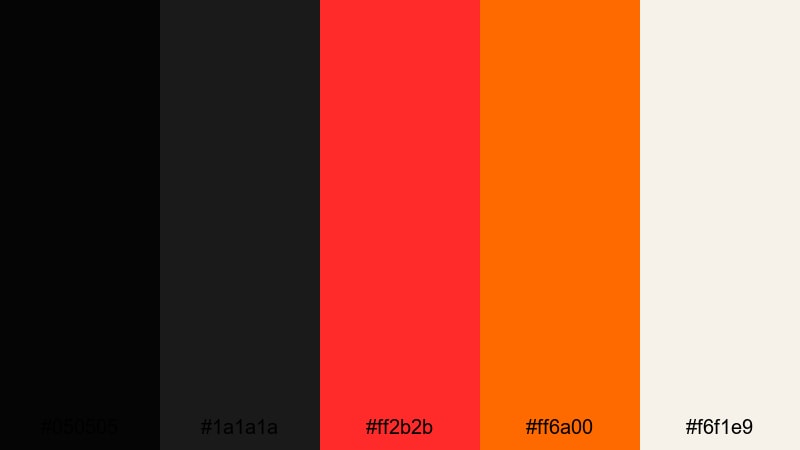
- HEX Codes: #050505, #1a1a1a, #ff2b2b, #ff6a00, #f6f1e9
- Mood: Intense and dramatic with a fiery center against deep shadows.
- Use for: Great for action trailers, gaming intros, and bold YouTube thumbnails that need maximum contrast.
Midnight Ember Clash is all about tension between darkness and heat. The near black tones (#050505, #1a1a1a) create a cinematic backdrop, while the searing red and orange (#ff2b2b, #ff6a00) feel like sparks flying out of the shadows. The soft light tone (#f6f1e9) keeps key text and UI elements readable without diluting the drama.
Use this palette for high impact openings, glitchy gaming intros, or thumbnails where you want characters or logos to burst out of a dark frame. In Filmora, it works especially well for contrasty color grades, bold titles, and overlay graphics for action, sports, or intense storytelling.
Pro Tip: Build a Cinematic Black Red Orange Look in Filmora
To keep a palette like Midnight Ember Clash consistent, treat black as your canvas and red or orange as your spotlight. In Filmora, design your opening title with a dark matte background, then reuse the same HEX codes for text, shapes, and lower thirds across the whole edit. This makes your intro, b roll, and end screen feel like one unified visual world.
You can also add a subtle vignette over your clips to deepen the blacks around the frame, then use red and orange accents for callouts, subscribe buttons, and key on screen moments. The stronger the contrast, the more your viewers will focus on what matters.
AI Color Palette
Have a reference frame, poster, or thumbnail that already nails this black red orange balance? Filmora's AI Color Palette feature lets you sample those colors and apply the same mood to your entire video. Import the reference, pick it as your source, and Filmora will intelligently match tones across your clips.
This is perfect when you want trailers, shorts, and channel assets to all share the same fiery cinematic look without manually grading each shot. You can still fine tune afterwards, but the heavy lifting is handled automatically.
 secure download

HSL, Color Wheels & Curves
Once the base look is in place, use Filmora's HSL, color wheels, and curves to fine tune the black red orange balance. Slightly deepen the blacks with the curves tool, then push reds toward a pure ember tone so skin and backgrounds do not turn oversaturated. You can learn how to control these tools step by step in Filmora's color correction guide.
On the color wheels, cool the shadows just a touch to keep blacks rich, then warm up midtones and highlights so red and orange elements glow without clipping. This gives your footage a polished, cinematic finish that still feels bold and punchy.
secure download1000+ Video Filters & 3D LUTs
If you want to build on your black red orange palette even faster, Filmora’s video filters and 3D LUTs make it easy to stylize footage in one click. Start with a cinematic or gaming LUT that suits your content, then tweak saturation and contrast so the blacks stay deep and reds and oranges stay punchy.
You can mix these filters with subtle film grain, glow effects, or light leaks to give your fiery palette extra atmosphere. This is especially effective for trailers, highlight reels, and social cutdowns where you want a dramatic color story without complex manual grading.
secure downloadInferno Spotlight

- HEX Codes: #000000, #2b000f, #d7263d, #ff6f3c, #ffd166
- Mood: Fiery and theatrical, like a stage light cutting through darkness.
- Use for: Ideal for dramatic title cards, creator logos, and stream overlays that need a blazing focal point.
Inferno Spotlight feels like a beam of heat in a dark theater. True black (#000000) and wine toned shadow (#2b000f) keep the background heavy, while the red and orange (#d7263d, #ff6f3c) draw the eye straight to your subject. The warm highlight (#ffd166) is perfect for logos, subtitles, or buttons that need to stand out.
Use this palette for creator idents, animated lower thirds, or stream overlays that frame your face cam with glowing accents. In thumbnails, put your main element against pure black and surround it with red and orange strokes or strokes to make it impossible to scroll past.
Crimson Flame Horizon
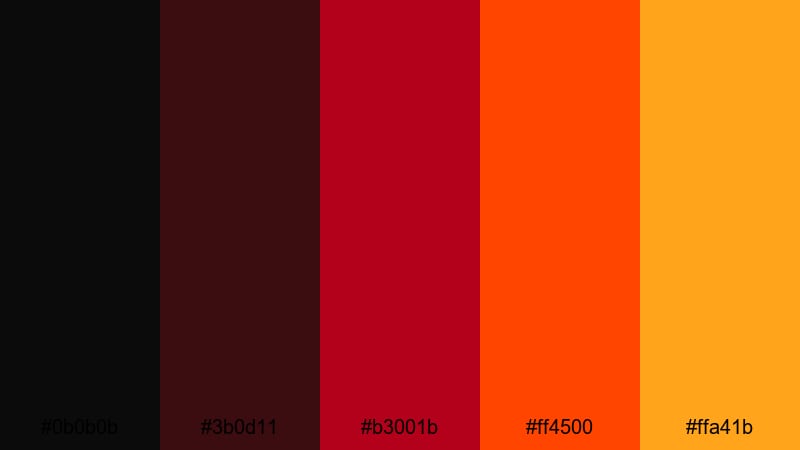
- HEX Codes: #0b0b0b, #3b0d11, #b3001b, #ff4500, #ffa41b
- Mood: Smoldering and cinematic, like an endless fiery skyline.
- Use for: Perfect for cinematic b roll, travel vlogs at golden hour, and title sequences with a dramatic arc.
Crimson Flame Horizon moves gradually from deep shadow (#0b0b0b, #3b0d11) to glowing reds and oranges (#b3001b, #ff4500, #ffa41b). It feels like a time lapse of the sky going from dusk to fire, which makes it ideal for gradients and soft color transitions.
Apply it in Filmora as a background gradient behind titles, or use light leak overlays tinted with these HEX codes to warm up landscapes and city b roll. For golden hour travel vlogs, this palette helps you enhance natural sunsets while keeping a strong cinematic contrast.
Lava Neon Studio
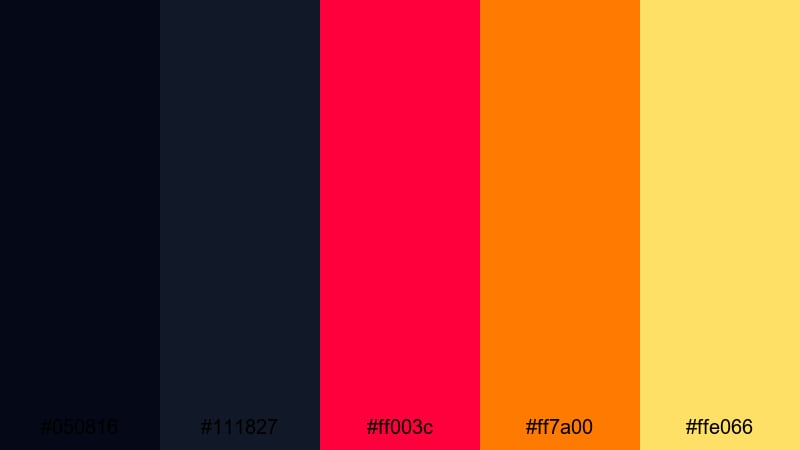
- HEX Codes: #050816, #111827, #ff003c, #ff7a00, #ffe066
- Mood: Electric and explosive, mixing lava heat with neon studio vibes.
- Use for: Use in music videos, esports edits, and energetic promo reels where you want a modern, glowing edge.
Lava Neon Studio combines cool inky blues (#050816, #111827) with screaming hot accents (#ff003c, #ff7a00, #ffe066). The result is a high energy clash that feels both digital and volcanic, perfect for modern content with a tech or music edge.
Use dark blues as your background or shadow grade, then let red and orange drive HUD elements, equalizer bars, glitch text, or neon outlines around your subject. This palette looks great with Filmora effects like glow, flicker, and animated titles in esports highlight reels or club style music videos.
Urban & Grunge Black Red Orange Color Palettes
Subway Graffiti Heat
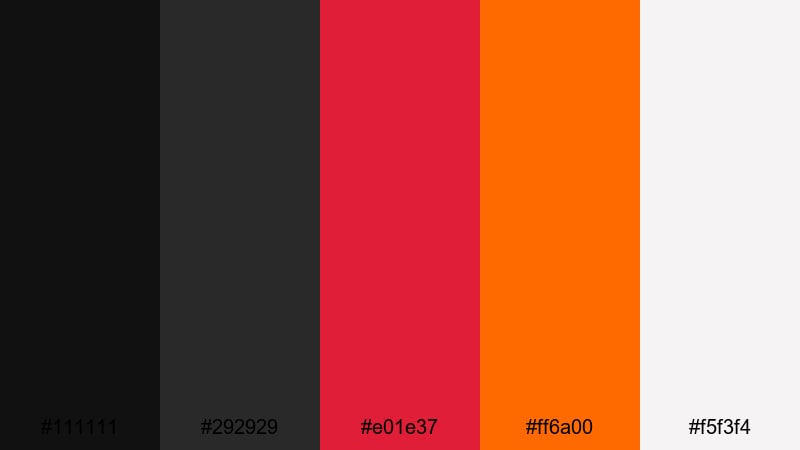
- HEX Codes: #111111, #292929, #e01e37, #ff6a00, #f5f3f4
- Mood: Raw and urban with a splash of street art energy.
- Use for: Great for lifestyle vlogs, streetwear lookbooks, and gritty city montages.
Subway Graffiti Heat leans into asphalt and concrete tones (#111111, #292929) with graffiti style splashes of red and orange (#e01e37, #ff6a00). The light neutral (#f5f3f4) keeps captions and UI elements clean so they are still readable over busy footage.
Use it for city walk vlogs, fashion lookbooks, or skate edits. In Filmora, you can pair desaturated footage with pops of these reds and oranges in text, arrows, and stickers to create a consistent streetwear inspired brand identity.
Industrial Ember Alley
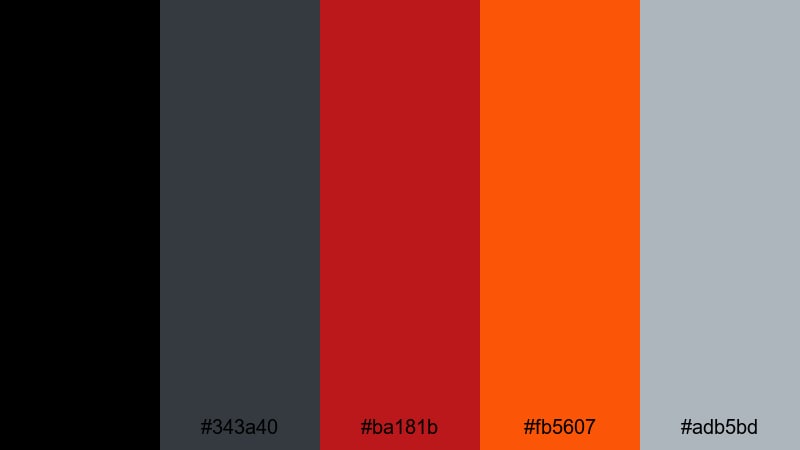
- HEX Codes: #000000, #343a40, #ba181b, #fb5607, #adb5bd
- Mood: Gritty and industrial with glowing embers in the dark.
- Use for: Ideal for tech reviews, automotive edits, and cinematic b roll in warehouse or alley settings.
Industrial Ember Alley balances rough steel greys (#343a40, #adb5bd) and deep black (#000000) with ember like red and orange (#ba181b, #fb5607). It feels like sparks from welding or tail lights in a dark industrial space.
This palette is strong for product shots, tech reviews, and car content. Use the neutrals as your base grade, then highlight details like logos, speed lines, or UI overlays with the ember tones. It turns any dark garage or warehouse into a cinematic stage.
Street Racer Burnout
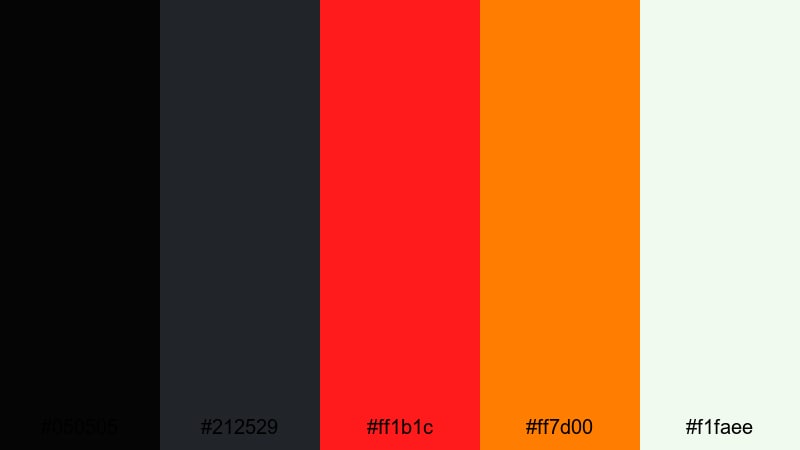
- HEX Codes: #050505, #212529, #ff1b1c, #ff7d00, #f1faee
- Mood: Fast, loud, and rebellious like a late night street race.
- Use for: Perfect for car edits, extreme sports highlights, and high tempo shorts that need speed and attitude.
Street Racer Burnout throws hot brake light red (#ff1b1c) and flame orange (#ff7d00) against deep roadlike blacks and greys (#050505, #212529). The pale highlight (#f1faee) is ideal for timing graphics and data readouts, so information stays crisp amid motion.
Use this palette in Filmora for kinetic typography, speed lines, and motion tracked graphics following cars, bikes, or boards. It is also strong for TikTok and Shorts edits where bold colors have only a second to grab attention.
Cyberpunk Overdrive
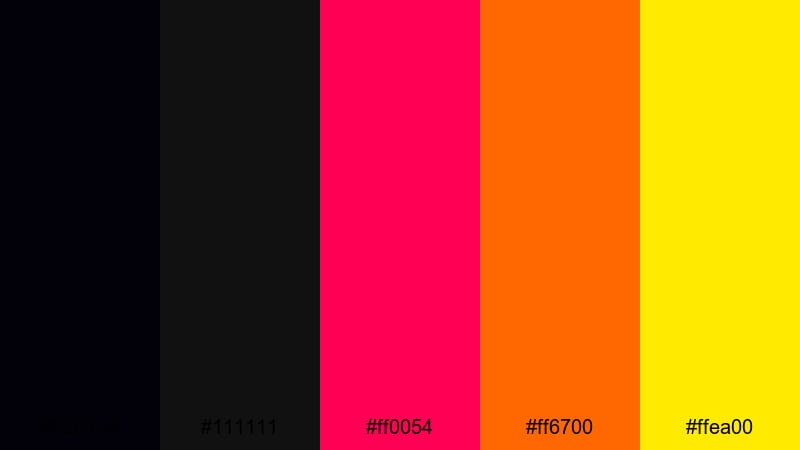
- HEX Codes: #02010a, #111111, #ff0054, #ff6700, #ffea00
- Mood: Futuristic and chaotic with a neon dystopian edge.
- Use for: Use for techy lower thirds, glitch transitions, and gaming overlays that feel straight out of a cyberpunk city.
Cyberpunk Overdrive mixes inky midnight tones (#02010a, #111111) with neon magenta red (#ff0054), searing orange (#ff6700), and a piercing yellow spark (#ffea00). It feels like stacked neon signs and holograms in rain soaked streets.
Use this palette for glitch transitions, HUD overlays, and streamer branding. In Filmora, pair it with distortion effects, scan lines, and animated shapes to create high tech overlays for gaming, coding, or futuristic storytelling.
Retro & Vintage Black Red Orange Color Palettes
Vintage Cinema Marquee
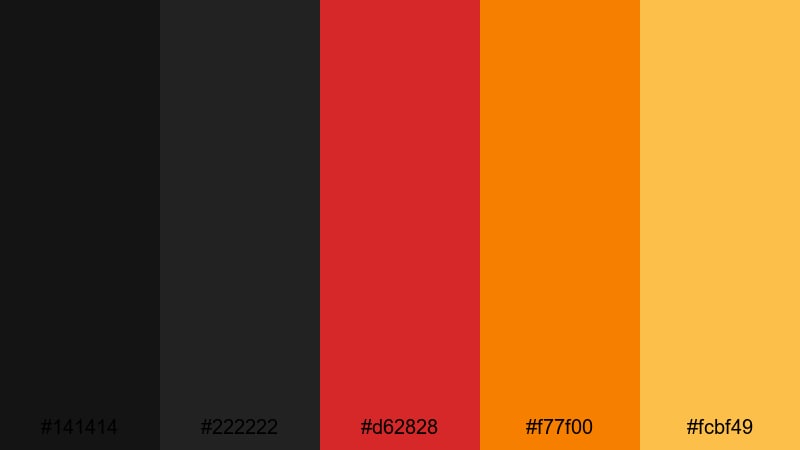
- HEX Codes: #141414, #222222, #d62828, #f77f00, #fcbf49
- Mood: Nostalgic and theatrical, inspired by old cinema lights.
- Use for: Perfect for film inspired intros, classic movie review channels, and retro themed title cards.
Vintage Cinema Marquee pairs soft blacks (#141414, #222222) with warm, bulb like reds and oranges (#d62828, #f77f00, #fcbf49). It echoes old theater signs and ticket stubs, giving your content a nostalgic movie night feel.
Use it for film review channels, watchlist videos, and any intro that mimics classic cinema aesthetics. In Filmora, combine this palette with marquee style titles, frame borders, and subtle grain to sell the retro mood.
Retro Arcade Inferno
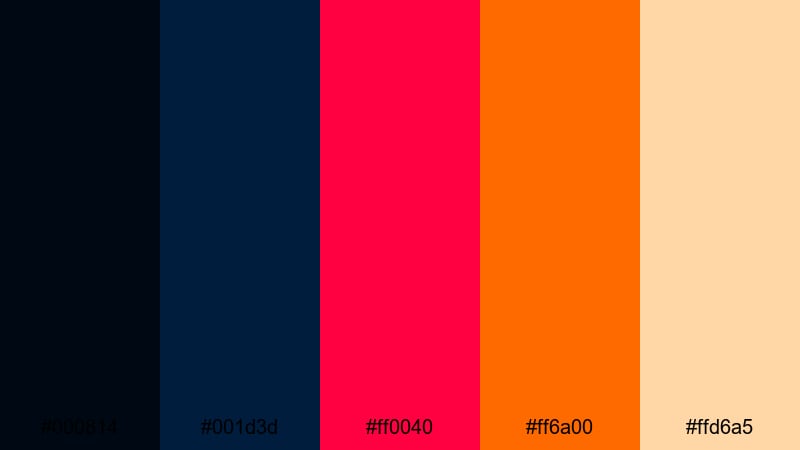
- HEX Codes: #000814, #001d3d, #ff0040, #ff6a00, #ffd6a5
- Mood: Playful and nostalgic like an 80s arcade at night.
- Use for: Great for gaming retrospectives, nostalgic tech content, and playful motion graphics.
Retro Arcade Inferno layers deep navy blacks (#000814, #001d3d) with neon red (#ff0040) and orange (#ff6a00), softened by a creamy highlight (#ffd6a5). It feels like an arcade cabinet glow on a dark game room floor.
Use it in Filmora for pixel art style intros, retro gaming reviews, and playful lower thirds. Try pairing these colors with 8 bit fonts, scanline overlays, and simple transitions like wipes and slides to enhance the nostalgic atmosphere.
Old Film Ember Fade
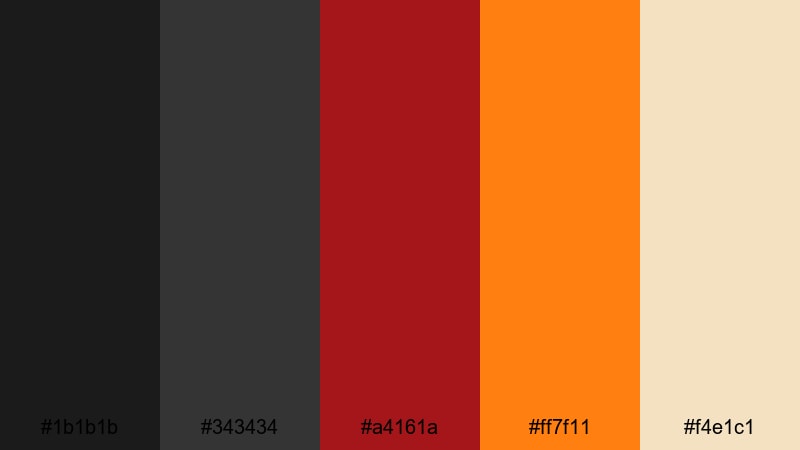
- HEX Codes: #1b1b1b, #343434, #a4161a, #ff7f11, #f4e1c1
- Mood: Softly dramatic with a worn, analog warmth.
- Use for: Ideal for travel diaries, storytelling vlogs, and any sequence with film grain or vintage overlays.
Old Film Ember Fade uses smoky blacks and greys (#1b1b1b, #343434) with muted red and orange (#a4161a, #ff7f11) plus a faded cream (#f4e1c1). It feels like an old slide projector or slightly aged photo album.
Apply this palette when you want warmth and emotion without intense saturation. In Filmora, combine it with film burn overlays, soft fades, and gentle camera moves to give personal stories, travel diaries, or memory themed videos a timeless look.
Drive In Sunset Glow
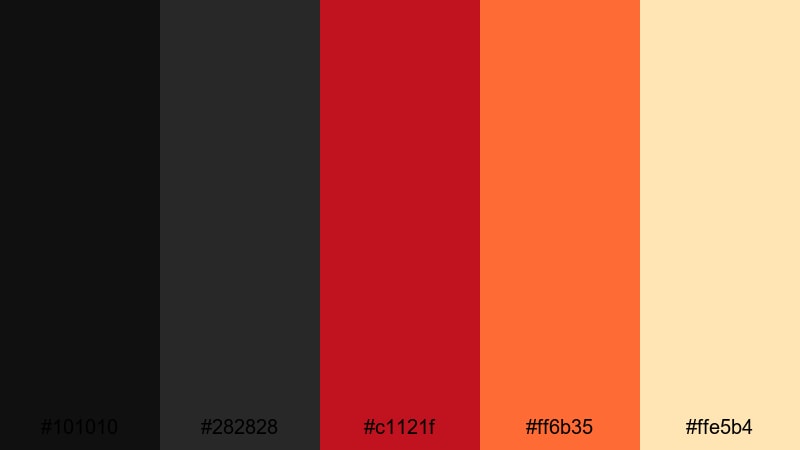
- HEX Codes: #101010, #282828, #c1121f, #ff6b35, #ffe5b4
- Mood: Cozy and cinematic, like sunset at a drive in screen.
- Use for: Use for romantic or nostalgic scenes, lifestyle edits, and channel branding with a warm throwback feel.
Drive In Sunset Glow rests on charcoal blacks (#101010, #282828) with a rich red and orange duo (#c1121f, #ff6b35) and a soft cream highlight (#ffe5b4). It mirrors the warmth of car headlights and sunset reflections on a cinema screen.
Use it for couples vlogs, cozy lifestyle edits, and branding that feels romantic yet cinematic. In Filmora, try overlaying subtle bokeh, adding rounded frames, and keeping motion gentle so the colors and emotion lead the story.
Minimal & Modern Black Red Orange Color Palettes
Monochrome Ember Accent

- HEX Codes: #000000, #222222, #ff3b3f, #ff9f1c, #f8f9fa
- Mood: Clean and minimal with sharp ember accents.
- Use for: Perfect for sleek logo animations, minimalist intros, and professional brand kits.
Monochrome Ember Accent keeps most of the frame in controlled blacks and whites (#000000, #222222, #f8f9fa), then injects crisp red and orange (#ff3b3f, #ff9f1c) as accents. It is bold but not messy, ideal for professional channels that still want a bit of heat.
Use this palette for modern intros, tech explainers, or UI inspired animations. In Filmora, keep backgrounds neutral, then use the two accent colors for key icons, chapter markers, and CTAs so viewers instantly notice what to click or read.
Clean Noir Heatwave
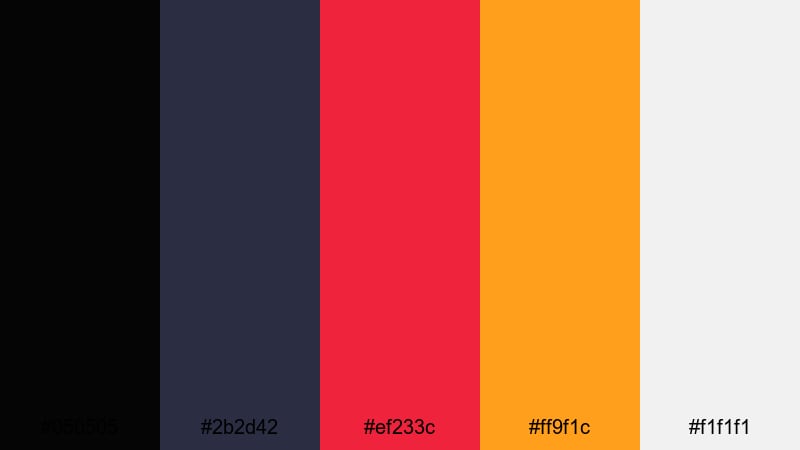
- HEX Codes: #050505, #2b2d42, #ef233c, #ff9f1c, #f1f1f1
- Mood: Sophisticated yet energetic with subtle noir undertones.
- Use for: Great for tech channels, productivity content, and polished corporate videos that still need a pop of color.
Clean Noir Heatwave combines almost black and deep blue grey (#050505, #2b2d42) with controlled red and orange highlights (#ef233c, #ff9f1c). The off white (#f1f1f1) keeps layouts airy and easy to read while the darker tones add a refined, noir feel.
Use it for webinars, productivity channels, or corporate explainers in Filmora. Keep most graphics simple and flat, then let red and orange indicate important stats, buttons, or progress bars so your audience always knows where to look.
Luxury Ember Branding
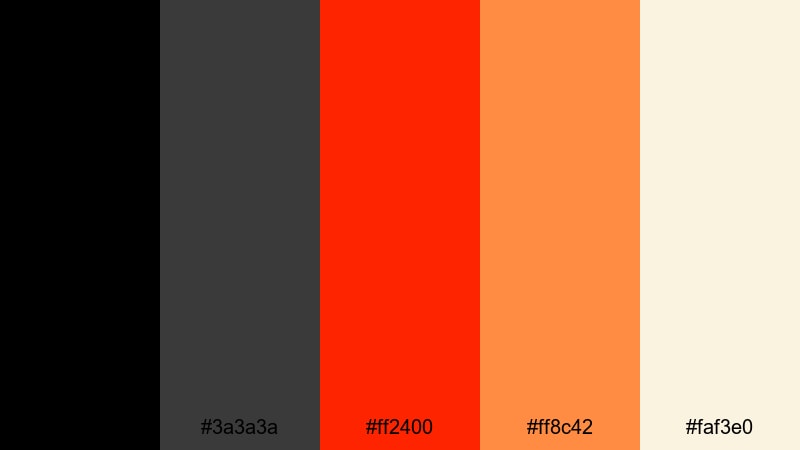
- HEX Codes: #000000, #3a3a3a, #ff2400, #ff8c42, #faf3e0
- Mood: Premium and confident with a warm designer edge.
- Use for: Ideal for brand intros, product promos, and channel identities that need to feel luxurious and bold.
Luxury Ember Branding blends deep, polished blacks (#000000, #3a3a3a) with assertive ember red and orange (#ff2400, #ff8c42) and a soft ivory base (#faf3e0). It feels like a luxury brand that is not afraid of bold color.
Use this palette for product promos, personal brand intros, and channel kits where you want a premium tone with high impact highlights. In Filmora, combine smooth motion graphics, clean typography, and these colors to build a strong, memorable identity across all your videos.
Tips for Creating Black Red Orange Color Palettes
Black red orange palettes are powerful, but they work best when contrast, readability, and consistency are handled carefully across your thumbnails, intros, and edits.
- Use black as a base and treat red and orange as accents so your frames do not become overwhelming or muddy.
- Keep text on high contrast pairings: light or white text on black, black text on pale orange or cream, and avoid pure red text on dark backgrounds for long sentences.
- Reserve the brightest color (often orange or yellow orange) for CTAs, subscribe buttons, or key metrics so they always stand out.
- Match your palette to your footage: if your scene already has lots of warm tones, slightly desaturate overlays so everything feels cohesive.
- Build a simple hierarchy: one color for main titles, one for highlights or key numbers, and one for subtle supporting elements.
- Check your thumbnails at small size to make sure outlines, text, and icons in red or orange are still visible on black backgrounds.
- Use Filmora’s color tools to create presets, then reuse the same look across intros, lower thirds, and end screens to keep branding consistent.
- When in doubt, lower saturation slightly and increase contrast; black red orange palettes often look more cinematic when they are rich, not neon bright.
Black red orange color palettes can make your videos feel cinematic, fast, romantic, or premium depending on how you balance the tones. By picking a palette with clear HEX codes and reusing it across text, overlays, and color grading, you shape a visual identity that viewers instantly recognize.
Try these palettes in Filmora for your next trailer, vlog, or stream overlay. Start by matching titles and graphics, then refine the look with AI Color Palette, HSL, and LUTs until your entire edit carries the same fiery personality.
Once you lock in a combination that fits your content, save it as a repeatable style so every new upload feels like part of the same strong, black red orange themed brand.
secure download