

 100% Security Verified | No Subscription Required | No Malware


 ChatGPT
 Perplexity
 Gemini
 Claude
 Grok
Grok
Blue Ash is a cool, slightly muted blue that feels calm, intelligent, and modern. It sits between classic navy and soft gray, which makes it perfect when you want a composed, trustworthy mood without looking too cold or corporate. In video and design, Blue Ash palettes work beautifully for tech explainers, cinematic edits, productivity content, and any branding that aims for clarity and quiet confidence.
For creators and Filmora users, Blue Ash is also incredibly flexible. It can be pushed into moody, cinematic grades for intros and trailers, softened for romantic vlogs, or kept minimal for clean thumbnails and overlays. Below are 15 curated Blue Ash color palettes with ready to use HEX codes, so you can color grade your footage, design YouTube thumbnails, build channel branding, and keep a consistent look across all your projects.
In this article
Calm And Minimal Blue Ash Color Palettes
Foggy Harbor Minimal

- HEX Codes: #5a6f87, #c4ccd7, #edf1f7, #2f3b4a, #8b9aae
- Mood: Calm, introspective, and clean.
- Use for: Use for minimalist tech explainer videos, clean UI overlays, and understated YouTube channel branding.
Foggy Harbor Minimal wraps your visuals in a soft haze of Blue Ash and gentle grays. The deeper tones (#5a6f87, #2f3b4a) act like quiet anchors, while the pale misty shades (#c4ccd7, #edf1f7) keep everything light, breathable, and uncluttered.
This palette is ideal for clean video layouts, lower thirds with lots of negative space, and thumbnails where you want the subject or text to pop without aggressive contrast. Use the darkest shade for typography or border accents, the mid Blue Ash for buttons and icons, and the lightest tones as background plates in Filmora for intros, outros, and UI style overlays.
Pro Tip: Enhance Your Blue Ash Visuals With Filmora
Foggy Harbor Minimal is all about subtle gradients and calm contrast. In Filmora, you can keep this look consistent by reusing the same color codes for titles, shapes, and background elements across your entire edit. Save a few custom title presets using the mid Blue Ash for headlines and the lightest gray as your title background, then apply them to intros, b roll callouts, and end cards.
When you are building a full series, duplicate a master sequence that already uses this palette. Replace the footage and text, but keep the same Blue Ash overlays and graphics so every video on your channel feels like part of one unified brand.
AI Color Palette
If you have a reference still or a style frame based on Foggy Harbor Minimal, you can push that exact Blue Ash mood onto the rest of your footage with Filmora. Filmora's AI Color Palette feature analyzes your reference colors and automatically matches other clips, so your A roll, B roll, and thumbnail grabs all share the same cool, misty tones.
Import your reference image, choose a target clip in the timeline, and let AI Color Palette transfer the look. This is especially useful for multi camera shoots or mixed lighting, where you want one cohesive Blue Ash grade without manually tuning every single shot.
 secure download

HSL, Color Wheels & Curves
To refine this Blue Ash look inside Filmora, use HSL, Color Wheels, and Curves to control how cool or neutral the palette feels. Slightly desaturate blues in HSL for a more minimal, editorial style, then use the Color Wheels to keep shadows closer to charcoal and highlights softly tinted with your lightest Blue Ash rather than pure white.
For more dynamic contrast, use the curves panel to lift the shadows just a touch, preserving that foggy softness while still defining edges and faces. You can see how color tools shape mood in Filmora in this detailed color grading tutorial and then apply the same techniques to your Blue Ash palettes.
secure download1000+ Video Filters & 3D LUTs
Once your Blue Ash base is in place, Filmora makes it easy to stylize it further with curated filters and LUTs. Filmora's video filters and 3D LUTs can add a subtle matte finish, a gentle film grain, or a cooler cinematic shift that still respects your original palette.
Apply a low intensity filter on an adjustment layer above your clips, then dial the opacity down so your Foggy Harbor Minimal colors stay visible. This approach gives your videos a professional, unified finish while still keeping the calm, minimal Blue Ash look at the core of your branding.
secure downloadSubtle Skyline Edit
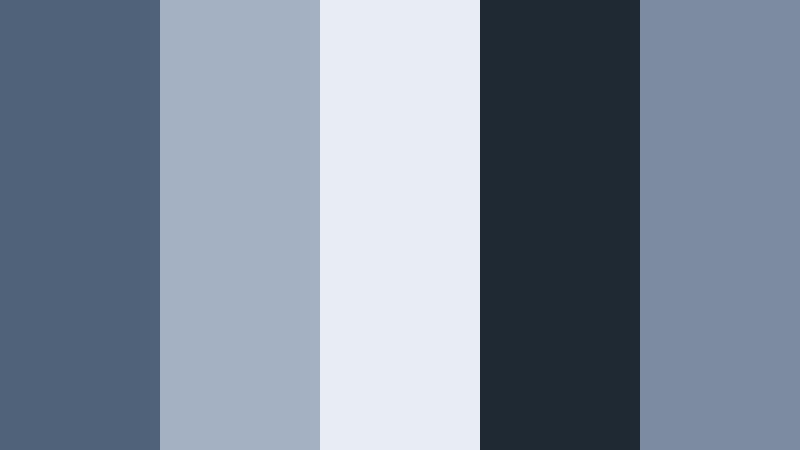
- HEX Codes: #4f627a, #a3b1c2, #e8edf3, #1f2933, #7c8ba0
- Mood: Urban, serene, and balanced.
- Use for: Works well for city b-roll sequences, lifestyle vlogs, and lower thirds that need a soft metropolitan feel.
Subtle Skyline Edit blends muted city blues with cloud like highlights, giving your footage an easygoing urban feel. The dark anchor (#1f2933) and main Blue Ash (#4f627a) echo concrete and twilight, while the pale tones keep the palette from feeling heavy.
Use the soft midtones for backgrounds behind text in YouTube thumbnails or chapter markers. The lightest shade is excellent for clean, legible captions in Filmora, while the darkest color can outline key elements in intros, end screens, or map graphics in travel vlogs.
Quiet Studio Desk
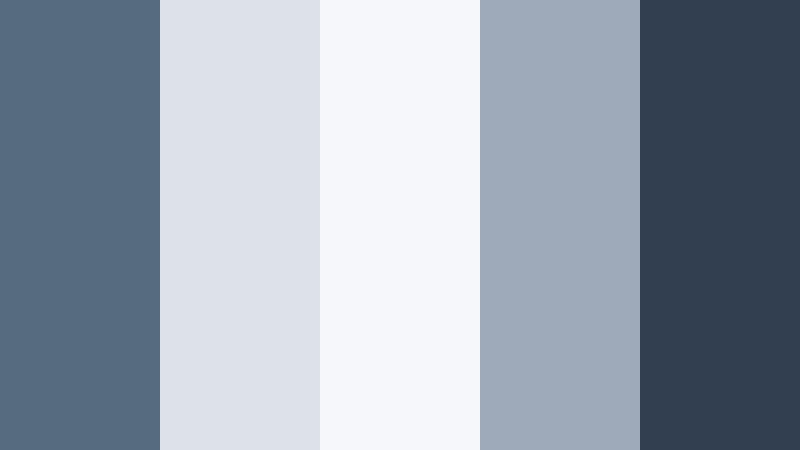
- HEX Codes: #566a80, #dde2ea, #f6f7fa, #9ea9ba, #323f50
- Mood: Productive, focused, and gentle.
- Use for: Perfect for productivity tutorials, workflow screen recordings, and minimalist channel art.
Quiet Studio Desk feels like a tidy workspace by a window. The main Blue Ash (#566a80) and deep accent (#323f50) give structure, while the pale neutrals suggest white paper, soft light, and calm focus.
For screen recordings and tutorial overlays, use the lighter tones as background shapes behind keyboard shortcuts or step by step tips. The deeper Blue Ash tones help your timeline markers, icons, and thumbnail titles stand out without shouting, which fits perfectly with study, planning, and productivity content.
Overcast Window Light
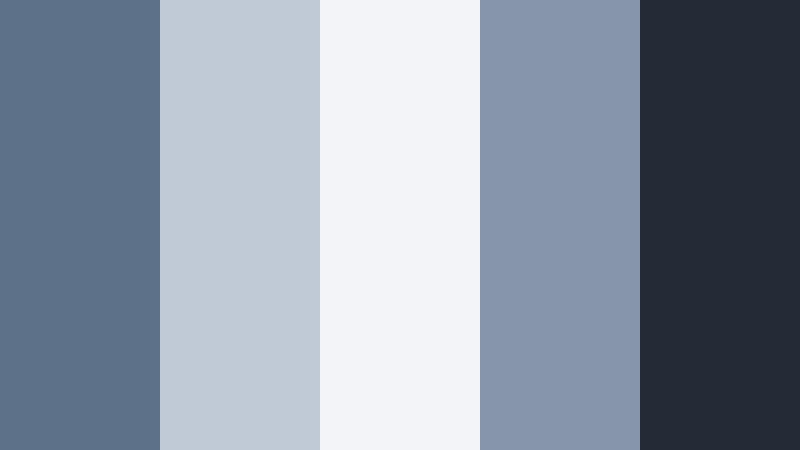
- HEX Codes: #5d7188, #c0cad6, #f2f4f8, #8695a9, #222b36
- Mood: Softly dramatic and cinematic.
- Use for: Use for moody talking head shots, cinematic titles, and subtle filmic LUT concepts.
Overcast Window Light takes Blue Ash into a more cinematic direction. The deep navy charcoal (#222b36) and mid Ash tones create a gentle but noticeable contrast, similar to diffused daylight coming through a cloudy sky.
Apply this palette to talking head videos where you want a thoughtful mood: use the darker shades for background frames and letterbox bars, and the softer Blue Ash tints for titles and overlays in Filmora. It works especially well for commentary videos, tutorials with a cinematic twist, and podcast style content on YouTube.
Monochrome Storyboard Wash

- HEX Codes: #4a5d73, #60748c, #7f92aa, #a9b5c6, #dfe4ec
- Mood: Orderly, conceptual, and restrained.
- Use for: Best for storyboards, wireframes, UI mockups, and infographic driven videos.
Monochrome Storyboard Wash is a full gradient of Blue Ash, flowing from inkier shadows to airy highlights. Because everything stays within one hue family, it creates a highly organized, low distraction space for information.
Use the darkest tones for key text and icons, midtones for charts or shapes, and the lightest tone as your background. This is a strong option for explainer videos, UI previews, and infographic shorts where you want the data and motion design to shine more than the color itself.
Cinematic And Moody Blue Ash Color Palettes
Midnight Ash Sequence

- HEX Codes: #1c2430, #334154, #5c7089, #9ca7b6, #0f151d
- Mood: Dark, cinematic, and intense.
- Use for: Use for trailers, gaming intros, and dramatic title cards with a premium feel.
Midnight Ash Sequence dials Blue Ash down into deep night. Rich blacks (#0f151d) and dark Blue Ash bases give your footage a premium, cinematic edge, while the mid and highlight tones keep details readable.
Use this palette for bold opening sequences, logo stings, and gaming overlays in Filmora. Combine the darkest tones with glows or strokes in the lighter blue for your channel name in thumbnails and animated titles to create a high contrast, high drama look.
Rainy Alley Noir

- HEX Codes: #232c38, #3c4a5e, #697890, #aeb6c3, #11151b
- Mood: Noir, mysterious, and atmospheric.
- Use for: Perfect for narrative shorts, detective style edits, and moody b-roll transitions.
Rainy Alley Noir leans into shadow and cool reflections, evoking wet city streets at night. The darkest color (#11151b) and Blue Ash shadows create strong silhouettes, while the desaturated highlights add a faint, misty glow.
Use these tones to grade narrative projects, mystery shorts, or dramatic B roll. In Filmora, pair this palette with slow motion, light leaks, and smooth crossfades for moody transitions, or apply it to title cards and chapter breaks to keep your storytelling cohesive.
Stormfront Overture

- HEX Codes: #202a35, #445568, #6f8097, #9ca9ba, #dde2ea
- Mood: Brooding, powerful, and expansive.
- Use for: Great for cinematic travel vlogs, drone shots, and epic music intros.
Stormfront Overture captures the feeling of a storm building on the horizon. Dark Blue Ash shadows and stormy midtones give your footage a sense of scale and gravity, while the lightest shade (#dde2ea) keeps skies and highlights from collapsing into gray.
Try this palette on drone landscapes, mountain travel videos, or time lapses in Filmora. Use the darkest colors in letterbox bars and titles, and bring the mid blues into graphic overlays to tie your UI, text, and footage together with one cohesive mood.
Twilight Codec Grade

- HEX Codes: #181f29, #2e3a4a, #55667c, #8d9aab, #cfd5df
- Mood: Techy, futuristic, and cool.
- Use for: Best for tech reviews, sci fi motion graphics, and HUD overlays in edit sequences.
Twilight Codec Grade modernizes Blue Ash into a digital, futuristic palette. The deep bases and mid Blue Ash tones feel like code screens and dark UI, while the lighter grays hint at metallic surfaces and clean interfaces.
Use this palette for tech reviews, software demos, and sci fi styled intros. In Filmora, match your lower thirds, subscription buttons, and animated HUD elements to these HEX codes so every frame feels like part of the same sleek system.
Cinderwave Title Card

- HEX Codes: #151b24, #303b4a, #5a6b82, #8793a4, #f1f3f7
- Mood: Refined, suspenseful, and polished.
- Use for: Use for opening title cards, logo reveals, and sleek cinematic lower thirds.
Cinderwave Title Card mixes smoky Blue Ash with soft white to frame key information. The near black base and strong midtones give titles weight, while the pale accent (#f1f3f7) highlights your brand name or logo.
In Filmora, use the darkest shades as backgrounds for title cards and the lighter Blue Ash tones for text containers or subtle glows. This palette is excellent when you want your intro, logo reveal, and lower thirds to look like a unified cinematic package.
Soft And Romantic Blue Ash Color Palettes
Dusty Blue Keepsake
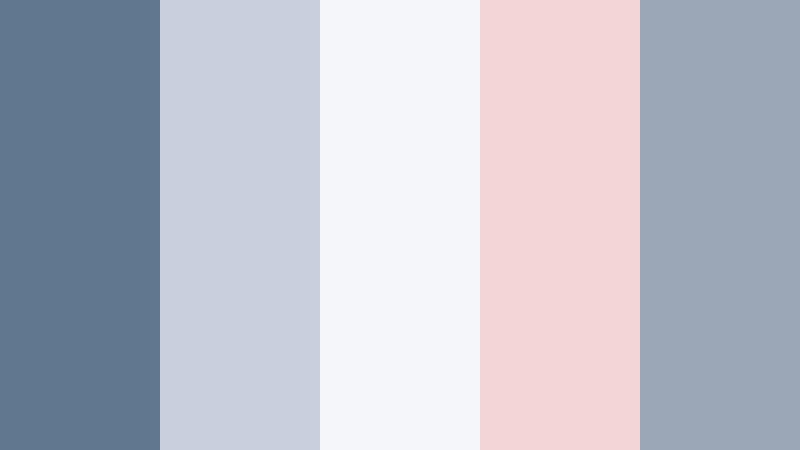
- HEX Codes: #617790, #c7d0dc, #f5f6fa, #f3d5d6, #9ba7b7
- Mood: Nostalgic, tender, and airy.
- Use for: Perfect for wedding highlight films, memory montages, and gentle lifestyle reels.
Dusty Blue Keepsake softens Blue Ash with blush and ivory, creating a dreamy, nostalgic palette. The main Blue Ash (#617790) keeps things grounded, while the warm pastel (#f3d5d6) adds emotion and romance.
Use the cooler tones for backgrounds and frames, and reserve the blush accent for names, dates, or important details in wedding titles and memory montages. In Filmora, this palette looks beautiful on slow motion clips, overlayed cursive text, and minimal thumbnail designs for lifestyle and family vlogs.
Morning Letterbox Glow
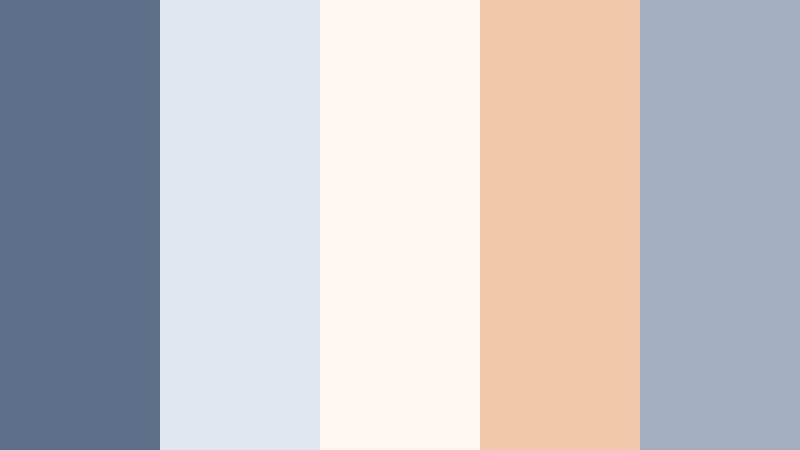
- HEX Codes: #5c7189, #e1e6ef, #fdf7f2, #f0c9aa, #a2afc0
- Mood: Warm, hopeful, and cinematic.
- Use for: Use for sunrise vlogs, cozy journal shots, and soft text overlays on reels.
Morning Letterbox Glow pairs gentle Blue Ash shadows with warm sand and cream, echoing early morning light. The combination of cool and warm tones gives your footage a cinematic, letterboxed feel without looking heavy.
Try this palette on cozy routines, coffee shots, and sunrise city or nature b roll. In Filmora, add letterbox bars in the darker Blue Ash and use the warm peach and cream for title backgrounds, quote screens, and lower thirds to highlight key moments.
Seaside Promise Frame
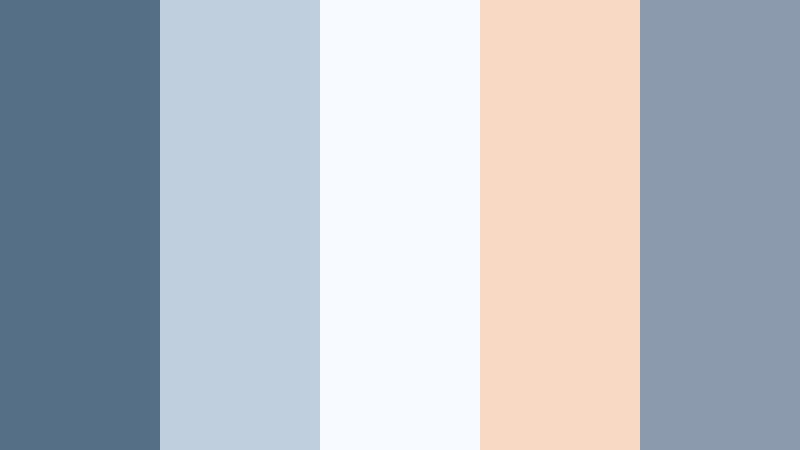
- HEX Codes: #557086, #bfcfdd, #f7fbff, #f7d9c4, #8b9aad
- Mood: Coastal, sincere, and light.
- Use for: Ideal for engagement films, travel couples vlogs, and storytelling thumbnails.
Seaside Promise Frame turns Blue Ash into a soft coastal moment, with pastel sand and shell pink accents. The main blues feel like calm sea and distant sky, while the warm tone (#f7d9c4) suggests sun on skin or beach reflections.
Use this palette for couples shoots, seaside travel vlogs, or heartfelt story based content. In Filmora, apply the lighter blues as airy backgrounds for text, and weave in the soft peach accent on call to action buttons or key words in thumbnails to draw the eye gently.
Porcelain Journal Spread
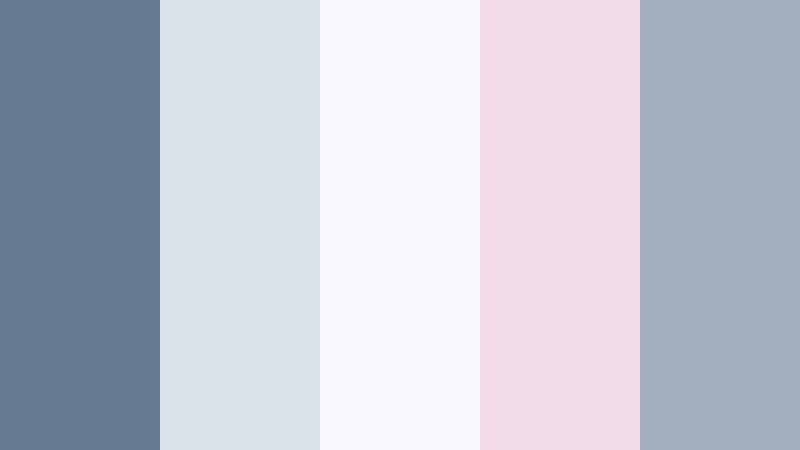
- HEX Codes: #647a92, #dde3ec, #fafafe, #f2dbe6, #a4afbf
- Mood: Delicate, thoughtful, and bright.
- Use for: Best for journaling videos, study with me edits, and flat lay thumbnail designs.
Porcelain Journal Spread balances cool Blue Ash with porcelain whites and a touch of lilac pink. The result is a crisp yet soft palette, perfect for tidy desks, notebooks, and planners on camera.
Use the lightest tones as your main background color in thumbnails or title slides, then accent your headlines and icons with the mid Blue Ash. The pink tone can highlight chapter titles or on screen prompts in Filmora, supporting a gentle, organized visual identity.
Modern And Professional Blue Ash Color Palettes
Corporate Slate Overlay
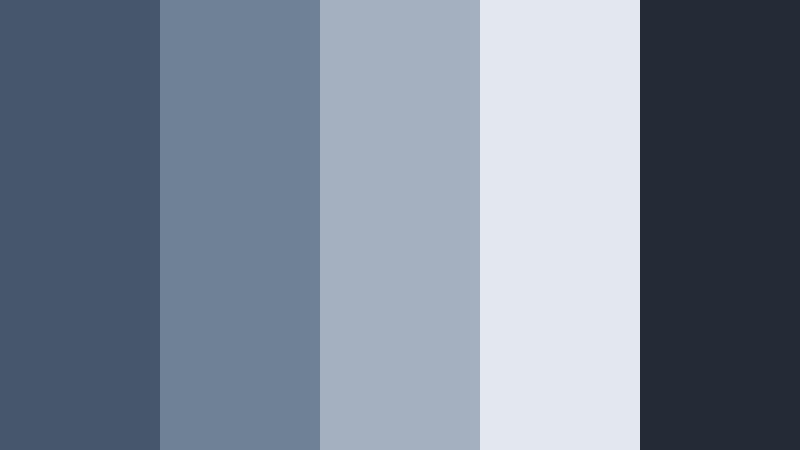
- HEX Codes: #46576c, #6f8197, #a4b0c0, #e3e7ee, #222b36
- Mood: Professional, trustworthy, and clear.
- Use for: Use for corporate explainers, SaaS product videos, and LinkedIn style graphics.
Corporate Slate Overlay leans into the reliable, professional side of Blue Ash. The strong slate tones (#46576c, #6f8197) project stability, while the lighter grays and off whites keep presentations bright and readable.
Use the darkest color for logos, navigation bars, and key text, while the lighter tones support slides, infographics, and callouts in corporate videos. In Filmora, this palette is ideal for product demos, onboarding videos, and LinkedIn content where you need polished visuals that still feel friendly and modern.
Tips for Creating Blue Ash Color Palettes
Blue Ash is versatile enough to feel calm, cinematic, or corporate depending on what you pair it with. When you build your own Blue Ash color combinations for video and design, a few practical guidelines help keep your visuals consistent and readable.
- Use one main Blue Ash shade as your base, then choose one darker and one lighter tone from the same family for shadows and highlights.
- Always test text contrast: pair dark Blue Ash with very light backgrounds (or vice versa) so titles, captions, and UI labels are easy to read on thumbnails and phones.
- Add one warm accent color (peach, blush, or sand) if you want a more emotional or romantic mood, especially for lifestyle and wedding content.
- Keep corporate and tech designs mostly monochrome, using Blue Ash plus neutrals, to look more professional and data focused.
- Match your grade to your footage: cooler Blue Ash palettes work well with city nights and interiors, while softer, lighter versions pair better with daylight and natural scenes.
- Reuse the same HEX codes across your logo, lower thirds, and end screens so your channel branding stays instantly recognizable.
- When color grading in Filmora, apply your Blue Ash look to an adjustment layer above multiple clips so the palette stays consistent from intro to outro.
- For cinematic edits, push Blue Ash into shadows and keep skin tones neutral so your subjects remain natural while the environment takes on the stylized color.
Used thoughtfully, Blue Ash color palettes can shape how your audience feels about your channel or brand. From calm productivity setups to moody cinematic sequences or polished corporate explainers, the right combination of Blue Ash shades, highlights, and accents will give your videos a clear identity.
Try a few of these palettes directly inside Filmora: bring the HEX codes into your titles and shapes, then tune your footage with color tools so everything matches. Over time, your intros, thumbnails, and edits will start to share one consistent visual language that feels uniquely yours.
As you experiment, save your favorite grades and graphics as presets so you can apply your Blue Ash look in just a few clicks on future videos, shorts, and social edits.
secure downloadNext: Muted Aqua Color Palette
