

 100% Security Verified | No Subscription Required | No Malware


 ChatGPT
 Perplexity
 Gemini
 Claude
 Grok
Grok
Blue Neon Green is a high-energy combination that blends the calm trust of blue with the electric punch of neon green. Together, they signal innovation, speed, and futuristic confidence, which is why this combo shows up so often in tech branding, gaming overlays, cyberpunk visuals, and digital product launches. It feels cool and analytical, yet still vibrant enough to catch the eye in a crowded feed.
For video creators, YouTubers, and designers using Filmora, Blue Neon Green is perfect for thumbnails, intros, transitions, and UI-style overlays that look both modern and bold. Below you will find ready-made Blue Neon Green color palettes with HEX codes, so you can match your titles, filters, graphics, and LUTs across your entire edit with precise, on-brand color.
In this article
Futuristic Blue Neon Green Color Palettes
Quantum Circuit Glow
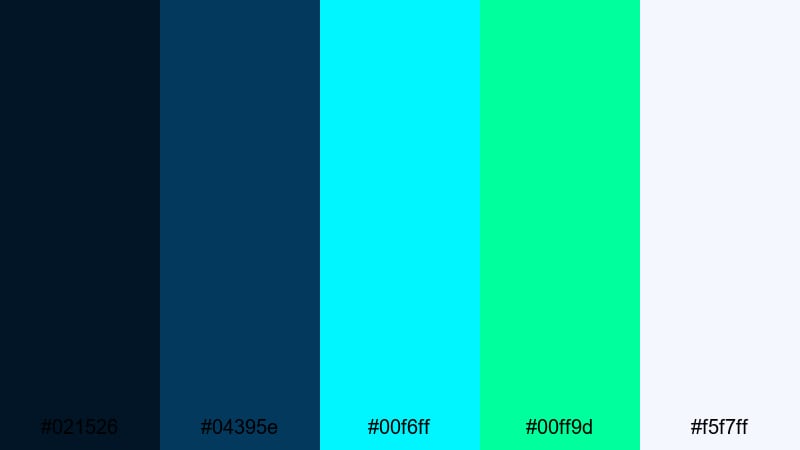
- HEX Codes: #021526, #04395e, #00f6ff, #00ff9d, #f5f7ff
- Mood: Electric, precise, and high-tech, like a glowing circuit board in deep space.
- Use for: Use for tech explainer videos, sci-fi logo reveals, and HUD-style lower thirds.
Quantum Circuit Glow combines deep navy bases with sharp cyan and neon green accents, finished with a soft off-white highlight. It feels like data lines running across a dark screen, perfect when you want your visuals to communicate precision, innovation, and advanced technology.
Use this palette for YouTube tech reviews, SaaS walkthroughs, and sci-fi intros where graphics, icons, and text need to pop against a dark background. In Filmora, apply the deep blues to your backgrounds or overlays, keep your main titles in bright cyan, and reserve the neon green for key buttons, CTAs, and HUD-style details so your thumbnails and sequences feel consistently futuristic.
Pro Tip: Build a Cinematic Blue Neon Green Tech Look in Filmora
To keep a Quantum Circuit Glow style consistent across your edit, build a simple color system inside Filmora. Use dark navy or blue solid colors as your base layers, then add shape elements and titles in cyan and neon green for emphasis. Reuse these settings in presets so your intro, main content, and end screen all share the same futuristic Blue Neon Green identity.
You can also combine this palette with subtle glow effects and blur transitions. For example, let cyan and neon green text glow slightly over navy gradients, and keep your b-roll color-graded cooler so everything matches the same high-tech atmosphere.
AI Color Palette
If you already designed a Quantum Circuit Glow thumbnail, you can turn that still image into a reference for your entire video. Filmora's AI Color Palette feature analyzes the colors in your reference frame and transfers that Blue Neon Green balance to the rest of your clips.
Import your reference image, pick it inside AI Color Palette, and apply it as a global look. This keeps skin tones natural while pushing the blues cooler and the greens more neon, so your A-roll, B-roll, overlays, and end cards all feel like they belong to one coherent tech brand.
 secure download

HSL, Color Wheels & Curves
Once your base Blue Neon Green look is in place, refine it using Filmora's HSL, color wheels, and curves tools. Slightly desaturate secondary blues while keeping cyan and neon green highly saturated so your HUD details stand out. Lift the shadows just a touch to keep navy areas from crushing to pure black, and add a gentle S-curve for contrast to give your footage a more cinematic, tech-commercial feel.
You can use the midtone color wheel to push the overall scene toward cool teal while leaving highlights closer to neutral white, following the same logic shown in Filmora's color correction tools in Filmora. This keeps text readable and prevents neon greens from clipping or glowing too harshly on screens.
secure download1000+ Video Filters & 3D LUTs
To speed up your Blue Neon Green workflow, combine this palette with Filmora's ready-made filters and LUTs. Start with a cool-toned LUT to shift your footage toward blue, then layer neon-friendly filters that enhance highlights and edge glows. This creates instant sci-fi or cyber HUD looks that match Quantum Circuit Glow without needing to color-grade from scratch.
Filmora's video filters and 3D LUTs make it easy to build one-click presets for your channel. Once you dial in a Blue Neon Green style you like, save it and reuse it on new edits so every thumbnail, intro, and b-roll sequence feels on-brand and recognizable at a glance.
secure downloadNeon Aurora Skyline
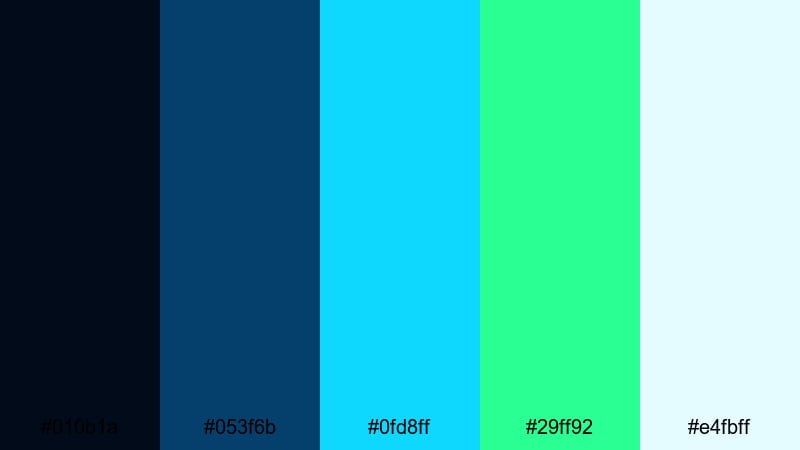
- HEX Codes: #010b1a, #053f6b, #0fd8ff, #29ff92, #e4fbff
- Mood: Dreamy yet energetic, like a neon aurora over a night cityscape.
- Use for: Perfect for cinematic openers, skyline time-lapses, and travel vlogs with a futuristic twist.
Neon Aurora Skyline blends deep midnight blues with icy cyan, vivid neon green, and a very light sky-tinted white. It feels like city lights dissolving into a digital aurora, both atmospheric and energetic at the same time.
Use this palette for drone shots of cities at night, timelapses, or travel vlog intros where you want the sky and skyline to glow in Blue Neon Green. In Filmora, color-grade your footage cooler, then use cyan and neon green for animated lines, map paths, lower thirds, and title cards. The pale blue-white is perfect for legible text on top of dark footage.
Hologram Data Stream
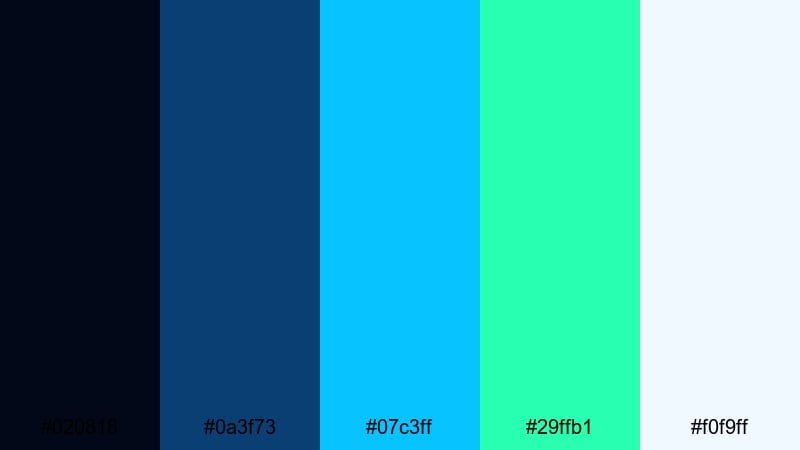
- HEX Codes: #020818, #0a3f73, #07c3ff, #29ffb1, #f0f9ff
- Mood: Analytical and futuristic, evoking holographic dashboards and data flows.
- Use for: Use in infographic videos, SaaS product demos, and analytics dashboards in motion.
Hologram Data Stream leans into cool, controlled blues with crisp cyan and minty neon greens that feel like floating UI elements in a holographic interface. The very light blue-white helps your numbers and labels stay clear against dark overlays.
This palette is ideal for analytics explainers, startup pitch videos, and B2B SaaS content where you want data visualizations to look sharp and futuristic. In Filmora, apply navy backgrounds for charts, use cyan for lines and grids, and highlight key metrics or growth arrows in neon green so viewers instantly notice what matters.
Ion Drift Horizon
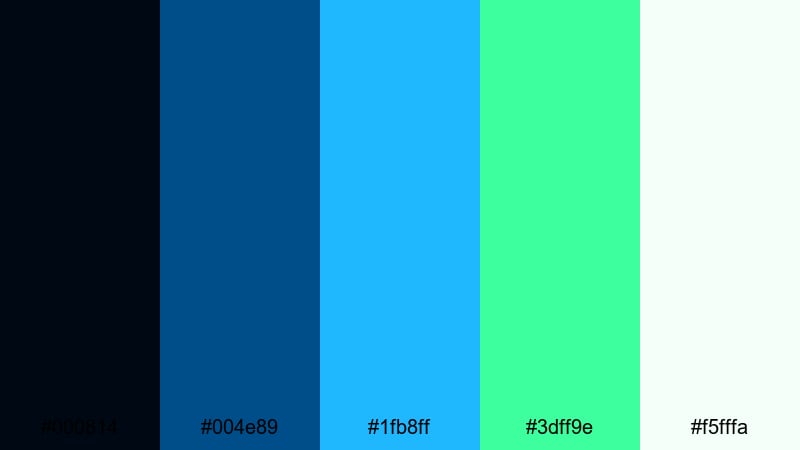
- HEX Codes: #000814, #004e89, #1fb8ff, #3dff9e, #f5fffa
- Mood: Sleek and kinetic, suggesting motion, speed, and aerodynamic design.
- Use for: Great for automotive edits, tech product hero shots, and kinetic typography sequences.
Ion Drift Horizon starts with a near-black navy and ramps into strong royal blue, electric cyan, and a bright neon green, balanced by a clean, almost white mint. The result feels fast, aerodynamic, and built for motion.
Use it for car edits, speed ramps, product hero shots, and kinetic typography where you want to convey acceleration and high performance. In Filmora, set your backgrounds in deep navy, treat motion trails and streaks with cyan, and use neon green as a bold accent on speedometers, performance stats, sliders, and key words in your trailers or ads.
Midnight Reactor Core
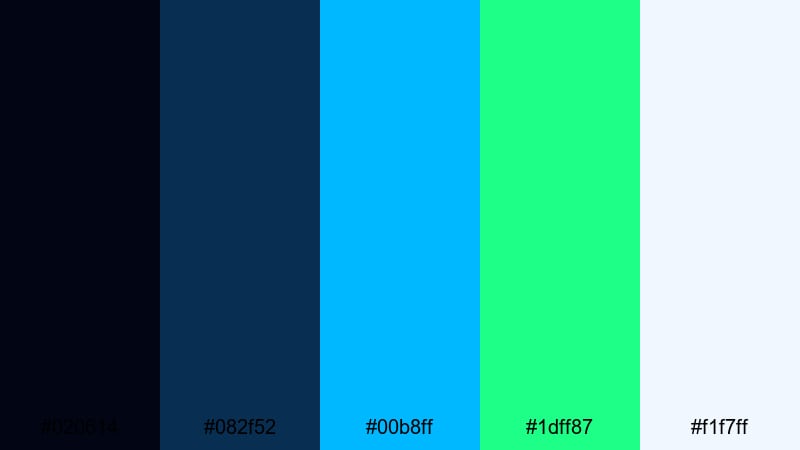
- HEX Codes: #020614, #082f52, #00b8ff, #1dff87, #f1f7ff
- Mood: Intense and powerful, like a glowing energy core in a sci-fi reactor.
- Use for: Ideal for logo stingers, sci-fi trailers, and intense game intros.
Midnight Reactor Core layers dark blues with saturated cyan and neon green, capturing the feeling of compressed, glowing energy at the center of a reactor. The off-white highlight gives you a clean option for logos and text without breaking the mood.
Use this palette for bold intro stings, cinematic title reveals, and sci-fi trailers where energy pulses, shockwaves, or glowing rings are part of the animation. In Filmora, animate neon green flares around your logo, use cyan for particle bursts, and keep the background in inky blue gradients to focus the viewer on the "core" of the screen.
Cyberpunk & Gaming Blue Neon Green Color Palettes
Arcade HUD Fury
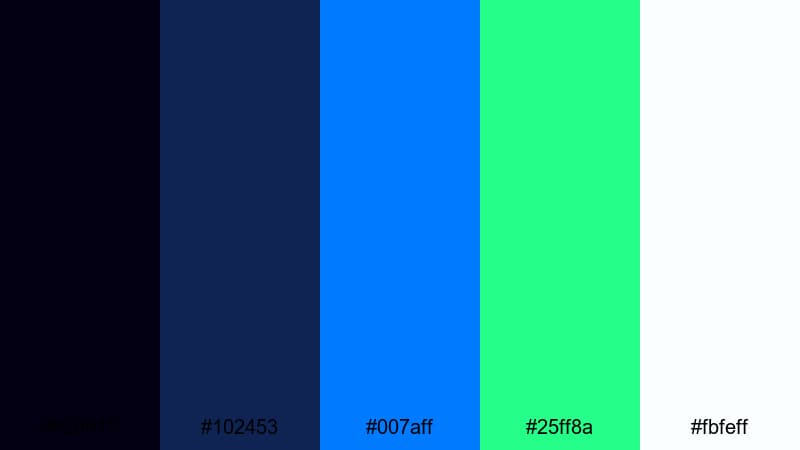
- HEX Codes: #020012, #102453, #007aff, #25ff8a, #fbfeff
- Mood: Hyperactive and competitive, like an esports arena full of RGB lights.
- Use for: Use for gaming overlays, streaming layouts, and bold YouTube thumbnails.
Arcade HUD Fury combines deep inky blues with bright electric blue, neon green, and a clean near-white. It feels like a stacked HUD interface in a fast-paced shooter, with plenty of contrast and intensity.
Choose this palette for esports intros, kill-montage edits, and channel overlays where your K/D stats, chat boxes, and alerts all share the same Blue Neon Green vibe. In Filmora, color your borders and frames in dark blue, use electric blue for main labels, and reserve neon green for score pops, streak badges, and "Victory" or "Defeat" banners on your thumbnails.
VR Grid Runner
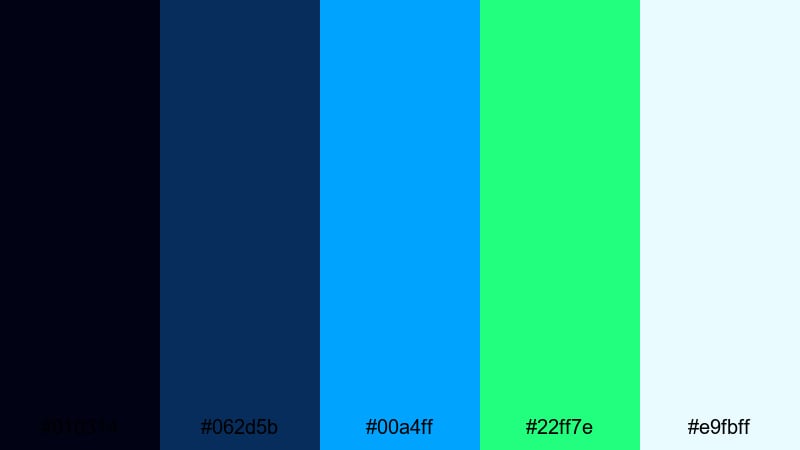
- HEX Codes: #010314, #062d5b, #00a4ff, #22ff7e, #e9fbff
- Mood: Immersive and playful, like racing through a virtual neon grid.
- Use for: Great for VR content, tech reviews, and glitch transitions in cyberpunk edits.
VR Grid Runner is all about immersion: dark blue and royal tones set the scene for glowing cyan and lively neon green grid lines. The light blue-white tone helps any UI text stay visible against busy backgrounds.
Use this palette in VR gameplay showcases, AR or headset reviews, and cyberpunk edits involving glitch transitions and virtual environments. In Filmora, build grid-style overlays and panels in cyan, drop neon green on interactive elements or key stats, and keep the darkest blue as your background or vignette to simulate depth inside the "virtual" space.
Glitchwave Overdrive
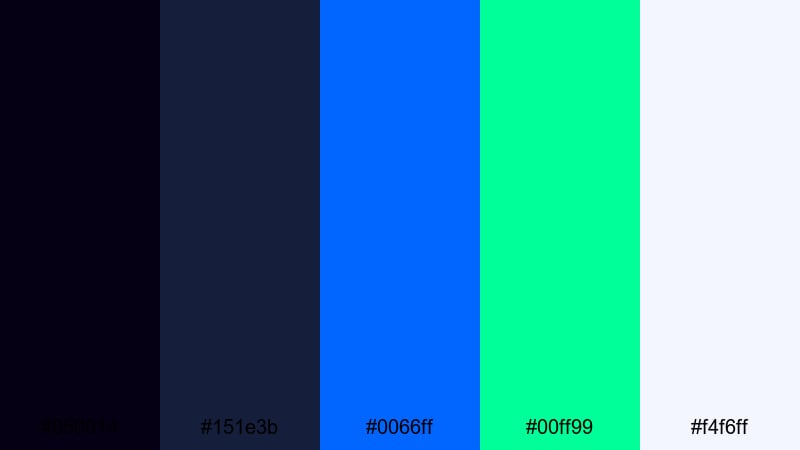
- HEX Codes: #050014, #151e3b, #0066ff, #00ff99, #f4f6ff
- Mood: Edgy and rebellious, inspired by glitch art and synthwave aesthetics.
- Use for: Use for music videos, motion posters, and social teasers with a cyberpunk vibe.
Glitchwave Overdrive pairs dark, moody blues with punchy neon cyan and green, ideal for glitch, noise, and distortion-heavy visuals. The light blue-white gives you just enough neutral space for credits or taglines.
This palette works especially well for music videos, cyberpunk fan edits, and TikTok or Reels teasers where you layer glitch transitions over performance shots. In Filmora, add RGB split and shake effects over the deep blues, then highlight beats or lyrics with cyan and neon green text, line art, and waveform animations.
Pixel Neon Nexus
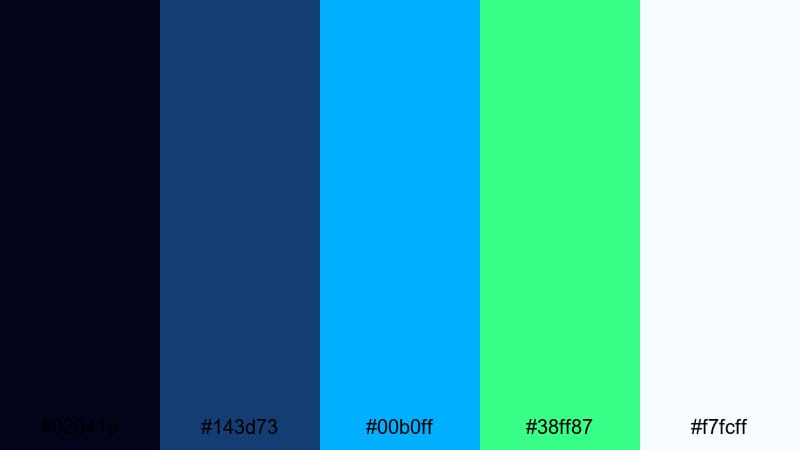
- HEX Codes: #02041a, #143d73, #00b0ff, #38ff87, #f7fcff
- Mood: Energetic and techy, like a glowing nexus in an 8-bit city.
- Use for: Perfect for pixel art animations, retro game intros, and channel banners.
Pixel Neon Nexus merges a digital blue base with sharp cyan and playful neon green accents, creating a modern-retro look that feels both nostalgic and current. The bright off-white completes the palette for UI elements and text.
Use it for Minecraft-style intros, pixel art motion graphics, or retro-inspired channel branding. In Filmora, combine blocky fonts with neon outlines, color-code power-ups in bright green, and keep main UI panels in deep blue to make your Blue Neon Green pixel world feel cohesive from thumbnail to end screen.
Co-Op Energy Burst
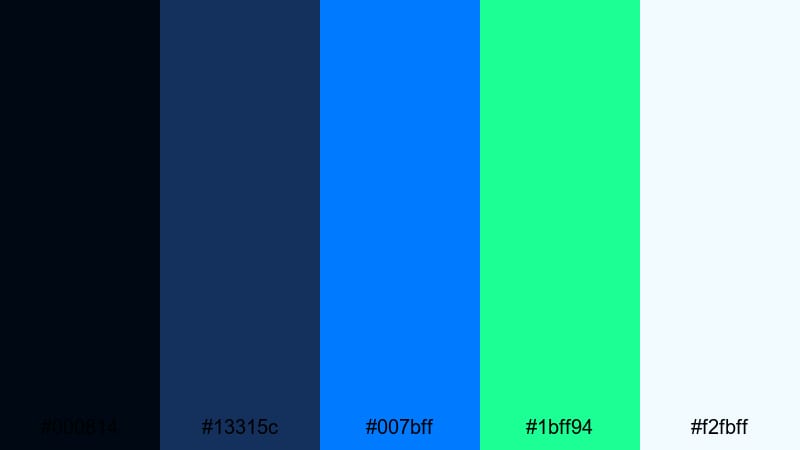
- HEX Codes: #000814, #13315c, #007bff, #1bff94, #f2fbff
- Mood: Fun and collaborative, inspired by co-op game lobbies and team lights.
- Use for: Use in team montages, esports branding, and energetic community intros.
Co-Op Energy Burst balances deep navy and royal blue with bright, friendly neon green accents that feel competitive but not too aggressive. The vivid blue and soft off-white help keep everything clean and readable for team-focused visuals.
It is a great choice for clan intros, team montages, and community highlight reels. In Filmora, color each player card or nameplate with this palette, use neon green to mark MVPs or clutch plays, and keep menu-style transitions in dark blue so your whole video feels like a polished, unified lobby experience.
Clean & Modern Blue Neon Green Color Palettes
Fresh UI Dashboard
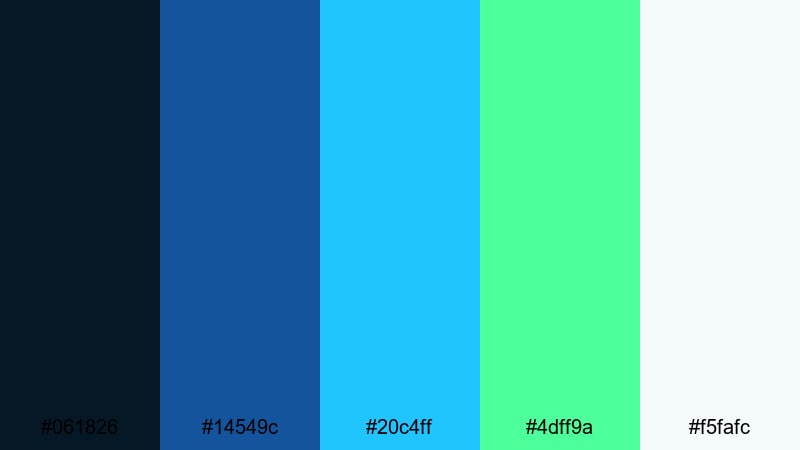
- HEX Codes: #061826, #14549c, #20c4ff, #4dff9a, #f5fafc
- Mood: Clean, confident, and professional with a hint of playful neon.
- Use for: Ideal for app demos, SaaS walkthroughs, and modern UI showcase videos.
Fresh UI Dashboard mixes corporate-friendly blues with a crisp cyan and a gentle neon green accent. The soft off-white background keeps everything bright and modern, making it perfect for app or web UI mockups in motion.
Use this palette for product tours, dashboard breakdowns, and onboarding videos where clarity and professionalism come first, but you still want a hint of Blue Neon Green energy. In Filmora, design lower thirds and callout boxes in pale backgrounds with blue borders, use cyan for active states or hover effects, and highlight key success metrics in neon green.
Eco Tech Startup
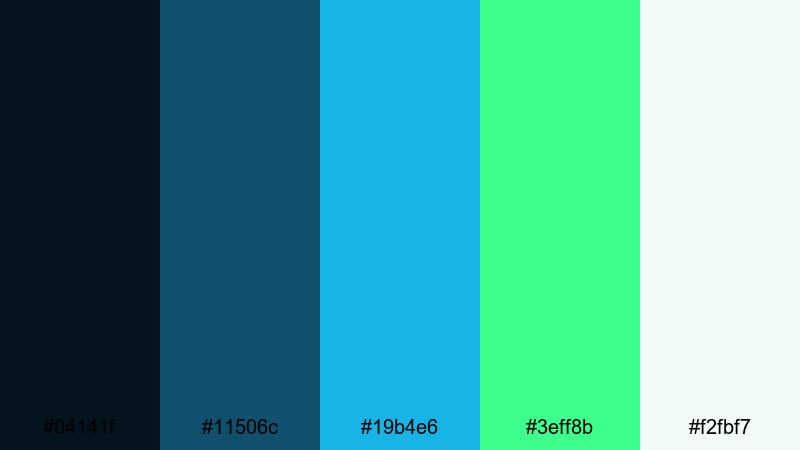
- HEX Codes: #04141f, #11506c, #19b4e6, #3eff8b, #f2fbf7
- Mood: Optimistic and eco-forward, blending tech precision with sustainability.
- Use for: Use for green tech brands, sustainability pitch decks, and corporate reels.
Eco Tech Startup fuses cool tech blues with fresh neon green and a gentle, almost minty white. It feels like a bridge between innovation and environmental responsibility, ideal for sustainability stories and climate-focused products.
Use it in pitch videos, annual reports, and brand explainers centered on clean energy, smart cities, or eco-friendly tech. In Filmora, grade your b-roll slightly cooler, overlay subtle Blue Neon Green line art on maps or diagrams, and use neon green for impact metrics like CO2 saved, trees planted, or energy reduced.
Minimal Neon Wireframe
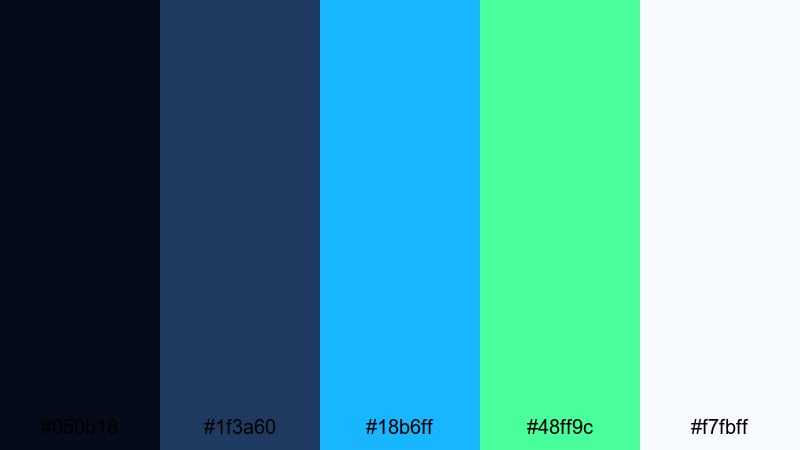
- HEX Codes: #050b18, #1f3a60, #18b6ff, #48ff9c, #f7fbff
- Mood: Sleek and minimal, with neon reserved as a sharp, modern accent.
- Use for: Perfect for minimalist title cards, UI mockups, and portfolio reels.
Minimal Neon Wireframe uses dark, desaturated blues as a calm backdrop, while cyan and neon green act as surgical accents. The overall look is very clean and modern, especially when paired with simple typography and lots of negative space.
This palette suits portfolio reels, UI concept videos, and case-study content where the design should feel premium and understated. In Filmora, keep most of your frames dark and clean, add thin wireframe outlines in cyan, and drop neon green only on key icons, cursors, and call-to-action buttons so the accent color truly stands out.
Product Launch Pulse
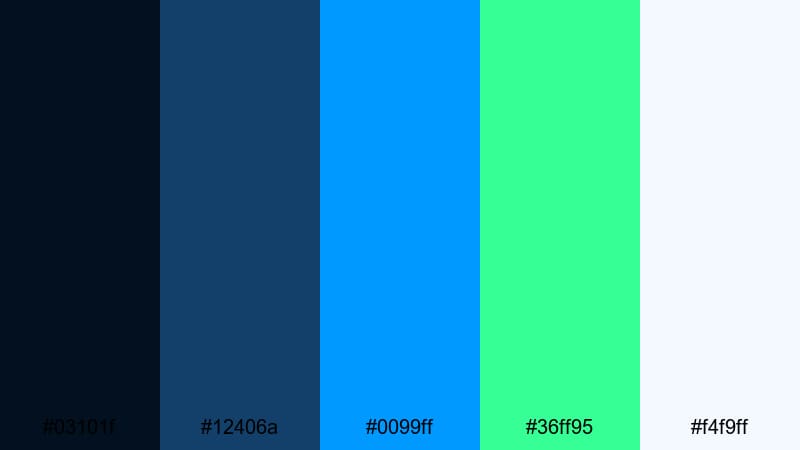
- HEX Codes: #03101f, #12406a, #0099ff, #36ff95, #f4f9ff
- Mood: Energetic yet polished, echoing the excitement of a new product drop.
- Use for: Use for launch teasers, promo landing page visuals, and animated keynotes.
Product Launch Pulse offers a strong brand-friendly blue base, an attention-grabbing cyan, and a bright neon green that feels like a heartbeat of excitement. The light background tone makes the palette suitable for presentations and landing-page style videos.
Use it for launch teasers, announcement trailers, and animated slides where your new feature or product needs a clear focal point. In Filmora, keep slides or hero sections in pale tones, use blue for structure and typography, and hit key words, badges, or price tags with neon green so your calls-to-action jump off the screen.
Tech Conference Glow
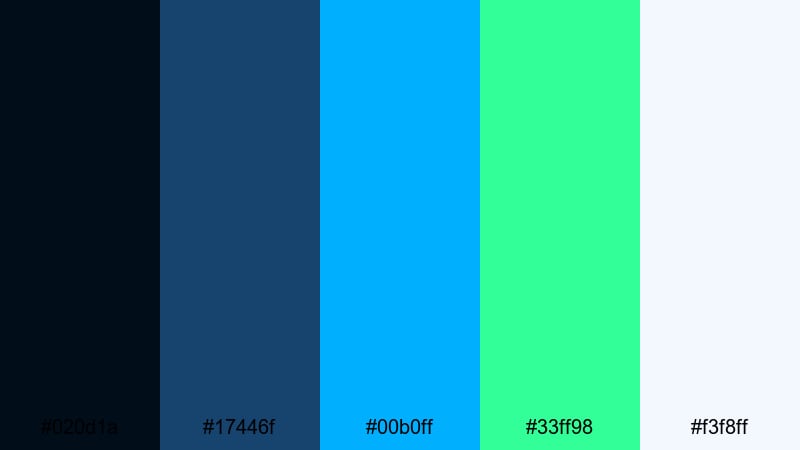
- HEX Codes: #020d1a, #17446f, #00b0ff, #33ff98, #f3f8ff
- Mood: Professional and inspiring, like a well-lit stage at a tech summit.
- Use for: Ideal for event highlight videos, keynote templates, and sponsor bumpers.
Tech Conference Glow captures the feeling of a dark stage lit by bright LED panels: deep blues, crisp cyan, and neon green that feels optimistic and forward-looking. The soft white lends itself perfectly to logos, names, and speaker titles.
Use this palette for conference highlight reels, webinar intros, virtual event openers, and sponsor segments. In Filmora, match your lower thirds and title slides to these HEX codes, then color-grade stage footage a bit cooler so the Blue Neon Green overlays feel integrated instead of pasted on.
Tips for Creating Blue Neon Green Color Palettes
Blue Neon Green can quickly look either stunning or chaotic, depending on how you balance contrast, brightness, and supporting colors. These tips will help you build palettes that work well for thumbnails, intros, overlays, and branding across your Filmora projects.
- Use dark blues as your base so neon green and cyan accents have room to glow without straining the eyes.
- Limit true neon elements to highlights like buttons, keywords, icons, and key UI lines; keep most text in white or soft blue for readability.
- Check contrast on small screens by previewing your thumbnails at reduced size; if text disappears, lighten the background or darken the text.
- Pick one main accent (cyan or neon green) and let the other support it, instead of using both at full power everywhere.
- Keep skin tones natural by applying Blue Neon Green mainly to backgrounds, graphics, and lights, not to faces and hands.
- Match your color grading and your graphics: if your footage is warm, push it slightly cooler before adding Blue Neon Green overlays to avoid clashing tones.
- Create a simple style guide with 2–3 text colors, 1 background color, and 1 accent color, then reuse it across intros, lower thirds, and end screens.
- Use Filmora adjustment layers to apply the same blue-and-green grading across multiple clips so your entire video feels cohesive.
Blue Neon Green color palettes can define your channel identity, signal high-tech themes, and instantly separate your videos from more muted content. From cyberpunk gaming overlays to clean startup explainers, the right combination of blue bases and neon green accents shapes how viewers feel about your brand.
Experiment with these 15 palettes, drop the HEX codes into your titles, shapes, and overlays, and refine the look with Filmora's color tools. Once you find a Blue Neon Green style that fits, save it as presets so every thumbnail, intro, and reel feels unmistakably yours.
Open a new project in Filmora, import a few clips, and start testing these color combinations on your next vlog, tech review, or gaming montage. A consistent Blue Neon Green aesthetic can turn casual viewers into subscribers who recognize your work at a glance.
secure downloadNext: Pink Gold Color Palette
