

 100% Security Verified | No Subscription Required | No Malware


 ChatGPT
 Perplexity
 Gemini
 Claude
 Grok
Grok
These BMPCC 6K film LUT-style filters are designed for videographers and creators who want fast, cinematic color without leaving Filmora. Each look is tuned to work well with Blackmagic Pocket 6K footage so you can get closer to a filmed-on-celluloid aesthetic in just a few clicks.
Whether you are shooting narrative shorts, weddings, or documentary work, this BMPCC 6K Film LUTS collection gives you filmic contrast, gentle halation-style glow, and rich colors that still protect your dynamic range.
In this article
Golden Hour Street and Outdoor Scenes
Warm Analog Glow
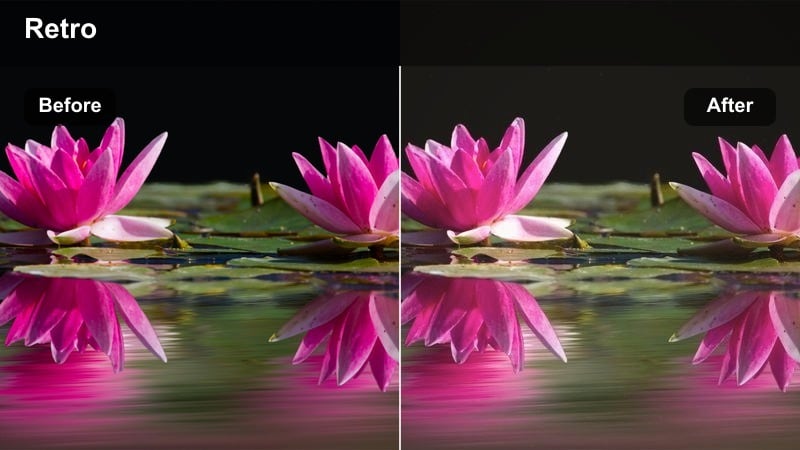
- Effect look: Soft golden film warmth with lifted blacks and gentle bloom in highlights.
- Best for: Golden hour city streets, handheld walk-and-talks, outdoor lifestyle b-roll.
- Editing tip: Slightly lower contrast for high dynamic-range BMPCC 6K shots to keep skin tones smooth and cinematic.
Warm Analog Glow gives your BMPCC 6K street footage that nostalgic, shot-on-film feeling with glowing highlights and softly raised blacks. It is especially effective on scenes with backlit subjects, long shadows, and practical sun flares, where the filter wraps the warm light around faces without crushing detail.
In Filmora, apply this look on an adjustment layer over your golden hour sequence, then nudge the contrast and highlight sliders until the roll-off feels smooth and filmic. Combine it with a subtle curve tweak to tame the brightest areas, and your handheld city walks will gain a rich, analog-inspired character in just a few moves.
Match BMPCC 6K Film LUTs with AI Color Tools
Filmora s AI-driven color tools help you adapt these BMPCC 6K film LUT-style filters to different lighting conditions without losing the intended mood. You can quickly fix mixed color temperatures or mild exposure shifts while keeping the filmic contrast and glow you dialed in.
Use AI Color Match to bring B-cam or smartphone clips closer to your BMPCC 6K base grade after you apply a filter like Warm Analog Glow, so every angle in the scene feels cohesive and cinematic.
 secure download

Preview BMPCC 6K Film Filters in Real Time
Filmora lets you preview these BMPCC 6K film LUT-style filters in real time directly on your timeline, so you can quickly compare golden-hour looks, neutral grades, or stylized palettes while your clip plays back. This makes it easy to pick a direction before you start fine-tuning exposure and color.
Drop different film filters on an adjustment layer and toggle their visibility to A/B test variations without duplicating clips or rebuilding your grade from scratch.
secure download1000+ Video Filters and 3D LUTs
Beyond these BMPCC 6K-specific film looks, Filmora includes a large library of video filters and 3D LUTs that cover everything from subtle cinematic curves to bold genre stylization. You can stack them with your BMPCC base grade to refine color, contrast, and mood for each scene.
Combine creative LUTs with Filmora s HSL and color wheels to fine-tune key tones like skin, skies, or foliage, building a consistent visual identity across entire projects.
secure downloadSoft Amber Streets
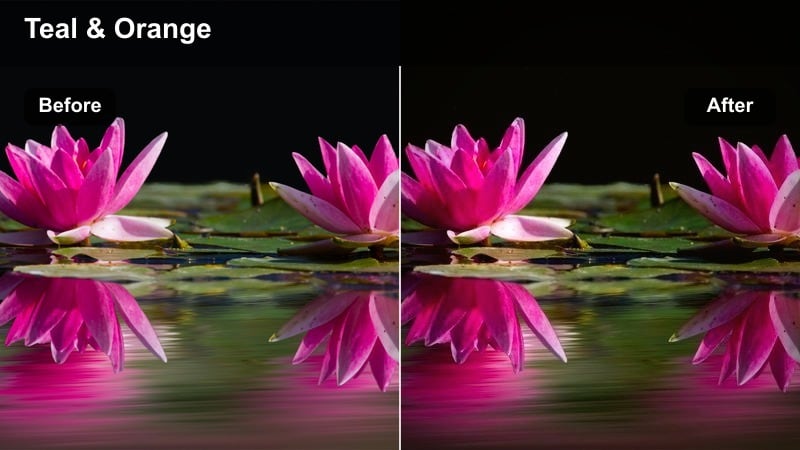
- Effect look: Muted contrast with amber midtones and subtle teal shadows for a filmic color contrast.
- Best for: Street portraits, commuter b-roll, moody sunset exteriors shot on BMPCC 6K.
- Editing tip: Add a light vignette after this filter to guide the eye to faces and create a vintage street photography vibe.
Soft Amber Streets applies a tasteful teal-and-amber split that keeps skin flattering while giving your BMPCC 6K urban footage a cinematic edge. The muted contrast reins in harsh digital sharpness, helping busy backgrounds feel more painterly and less distracting.
Inside Filmora, use this look on portrait-focused clips and combine it with a slight vignette and reduced sharpness for faces. Fine-tune the HSL controls to keep oranges natural if skin shifts too saturated, and push greens slightly toward yellow to warm up traffic lights and signage for a cohesive street palette.
Crisp Cinema Daylight
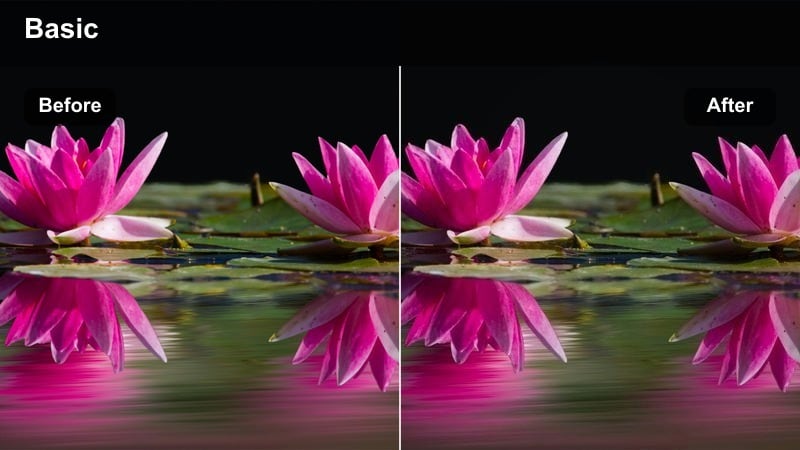
- Effect look: Clean, neutral film contrast with slightly cool highlights and crisp detail.
- Best for: Daytime urban montages, establishing shots, and documentary-style exteriors.
- Editing tip: Dial back sharpening in-camera on the BMPCC and let this filter add perceived sharpness with micro-contrast instead.
Crisp Cinema Daylight is designed to keep your BMPCC 6K daylight footage looking sharp and professional without sliding into harsh, video-like contrast. Slightly cool highlights and refined midtones make building edges, clouds, and textures pop while still preserving a cinematic roll-off.
Apply this filter early in your Filmora workflow, then adjust exposure using curves to control skies and white surfaces. Use subtle micro-contrast adjustments instead of heavy sharpening, and you will get clean, broadcast-ready establishing shots that cut seamlessly with more stylized interior or night scenes.
Indoor Dialogue and Narrative Scenes
Subtle Film Neutral
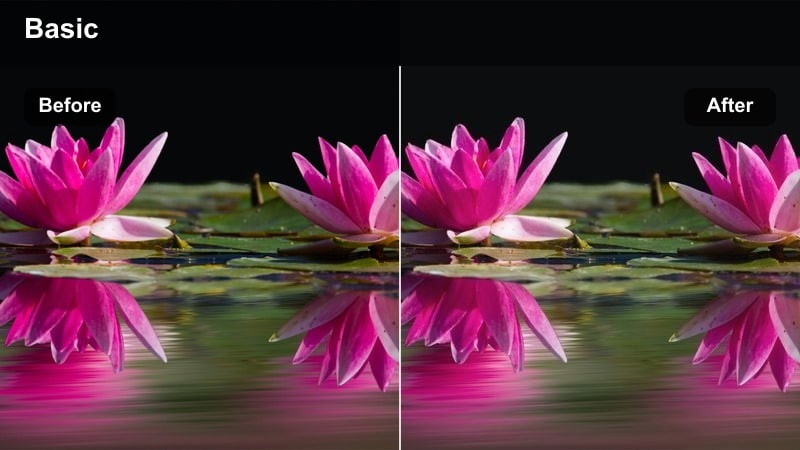
- Effect look: Gentle S-curve contrast, slightly desaturated colors, and natural skin tones.
- Best for: Dialogue scenes, interviews, and talking-head content shot on BMPCC 6K indoors.
- Editing tip: Keep saturation modest to avoid video-like color; instead, boost luminance on skin tones for a polished film interview look.
Subtle Film Neutral gives you a restrained, broadcast-friendly film look that works across a wide range of interiors. It slightly rolls off highlights, softens saturation, and prioritizes natural skin tones, making it ideal for interviews, talking-head content, and dialogue-driven scenes.
In Filmora, apply this look across your entire dialogue sequence using an adjustment layer, then refine shot-to-shot consistency with AI Color Match. Lift skin luminance slightly in the HSL panel rather than cranking global saturation, so faces stay clean and flattering while backgrounds remain tastefully understated.
Muted Art House
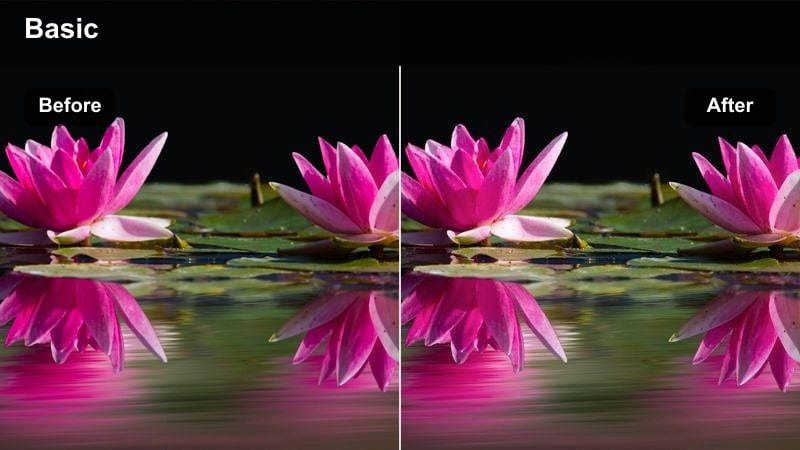
- Effect look: Low saturation, softer contrast, and a faint green-cyan tint in shadows for an indie film mood.
- Best for: Intimate narrative scenes, slow-paced dramas, and art-house style YouTube films.
- Editing tip: Lower saturation more than you think, then reintroduce a touch of warmth in midtones to keep faces engaging.
Muted Art House pushes your BMPCC 6K interiors toward an indie, festival-ready aesthetic by gently draining saturation and adding a subtle cyan cast to the shadows. The softer contrast helps emphasize emotion and body language over glossy color, perfect for introspective or dramatic storytelling.
Use this filter in Filmora on key narrative scenes where mood matters more than vibrancy. After applying it, reduce global saturation another notch, then warm only the midtones in the color wheels to maintain inviting skin tones while leaving backgrounds cool and restrained for a carefully crafted art-house feel.
Soft Tungsten Film
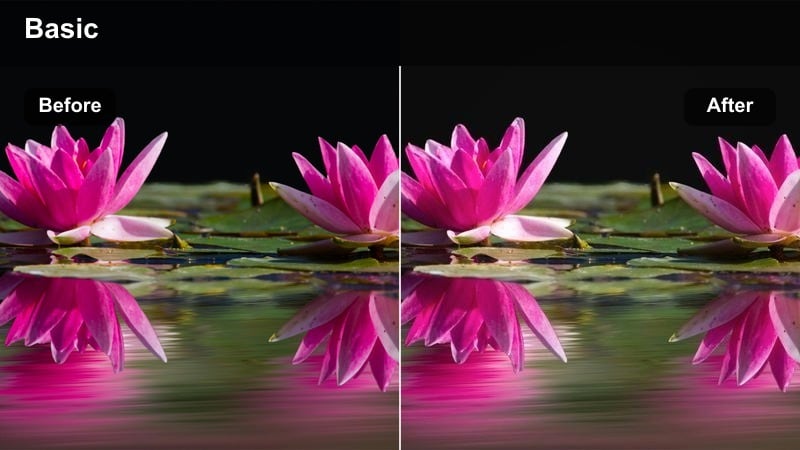
- Effect look: Warm tungsten cast with softened highlights and gentle halation-style glow.
- Best for: Living room scenes, practical lamp-lit interiors, and cozy dialogue moments.
- Editing tip: Let practical lights slightly overexpose; this filter's glow will turn them into filmic, blooming points of interest.
Soft Tungsten Film is tailored for lamp-lit interiors and cozy nighttime dialogue, adding a nostalgic orange warmth and subtle glow around practicals. It tames harsh LED edges and pushes your BMPCC 6K footage closer to classic tungsten film stock without losing detail in faces.
In Filmora, apply this look to scenes with visible lamps, sconces, or candles and allow those practicals to sit a bit hot in the waveform. If skin drifts too orange, slightly cool the white balance before the filter stage, so the lamps retain their golden glow while complexions remain natural and pleasing.
Night City and Neon Sequences
Neon Noir
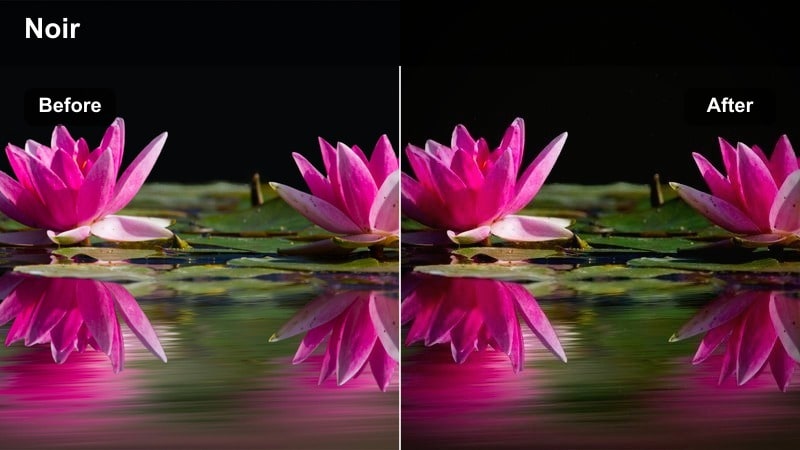
- Effect look: Deep contrast, rich neon colors, and cool shadows with punchy highlights.
- Best for: Neon-lit alleys, city nightlife, and cyberpunk-inspired BMPCC 6K sequences.
- Editing tip: Underexpose by about half a stop in-camera, then let this filter bring back contrast for a dense, noir mood.
Neon Noir transforms your BMPCC 6K night footage into bold, contrasty frames where neon signage and street lights become graphic design elements. Cool shadows and saturated colors heighten the cyberpunk feel, while carefully shaped highlights keep the scene readable.
When grading in Filmora, apply Neon Noir to underexposed clips, then adjust the blacks and highlights to keep detail in faces while allowing deep pockets of shadow. If noise starts to show, run a gentle noise reduction pass before sharpening, preserving a gritty atmosphere without distracting digital artifacts.
Teal Magenta Skyline
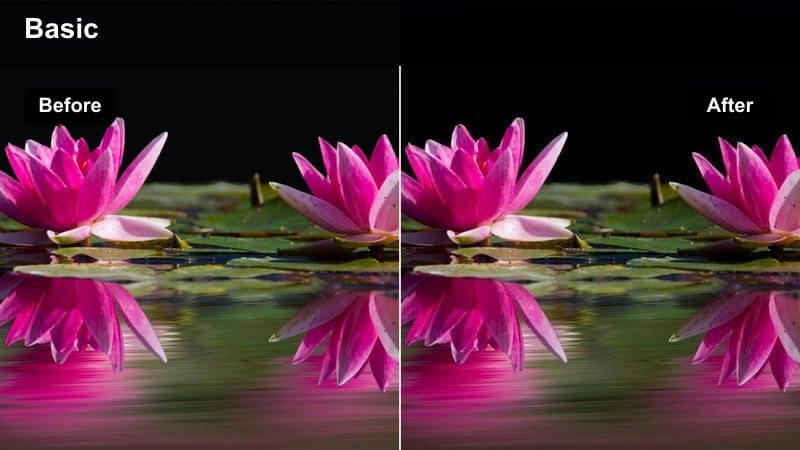
- Effect look: Stylized teal shadows with magenta highlights and balanced midtones.
- Best for: Rooftop cityscapes, aerial skyline shots, and futuristic travel b-roll.
- Editing tip: Use this filter on stabilized tripod or drone shots for sleek, polished skyline visuals, then add gentle motion blur for extra smoothness.
Teal Magenta Skyline pushes your BMPCC 6K city vistas into a sleek, futuristic palette where windows glow magenta and structures fall into cool teal. The midtones are kept controlled so the grade feels intentional rather than cartoonish, ideal for modern travel reels and skyline montages.
In Filmora, pair this filter with locked-off or stabilized footage to emphasize clean lines and light patterns. Avoid crushing blacks so gradients in the sky stay smooth; if you notice banding, introduce a touch of film grain or noise to dither the image and maintain a premium, cinematic finish.
Urban Vapor
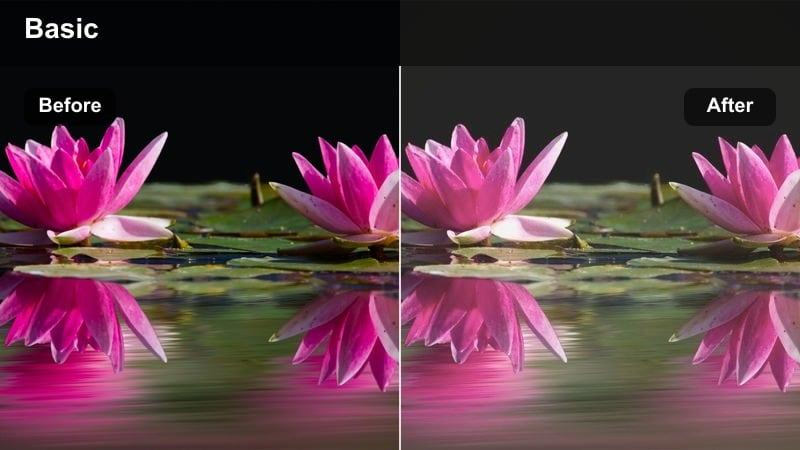
- Effect look: Soft contrast with hazy highlights and pastel neon colors for a dreamy city look.
- Best for: Handheld night walks, rainy streets, and reflective window shots.
- Editing tip: Add a subtle blur or glow layer and reduce clarity slightly to enhance the dreamy vaporwave-style atmosphere.
Urban Vapor softens your BMPCC 6K night scenes, turning hard neon into pastel washes and letting reflections stretch across wet streets and glass. The lowered contrast and hazy highlights contribute to a dreamy, vaporwave-inspired aesthetic that suits music videos and mood pieces.
In Filmora, combine this filter with slight reductions in clarity and a gentle glow effect to amplify the soft-focus vibe. Frame puddles, windows, or shiny cars so the pastel colors have surfaces to spill across, and keep global contrast on the low side while selectively boosting local contrast if the image starts to look too flat.
Wedding, Documentary, and Travel Stories
Soft Wedding Film
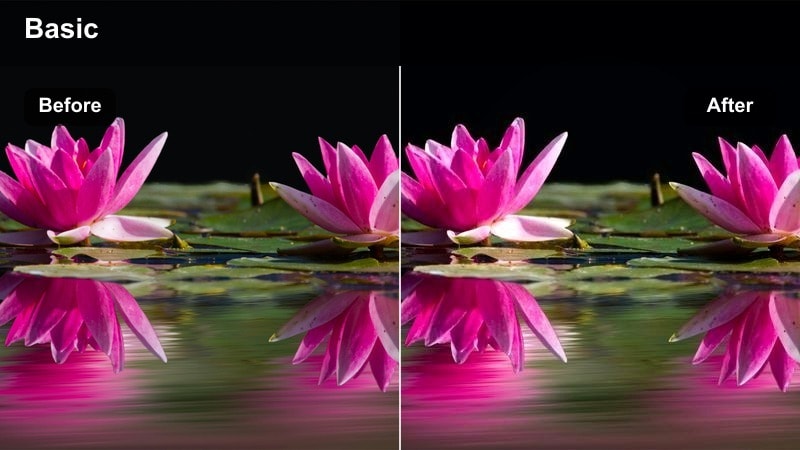
- Effect look: Delicate contrast, soft highlights, and slightly warm skin tones for romantic visuals.
- Best for: Weddings, elopements, and emotional documentary moments filmed on BMPCC 6K.
- Editing tip: Keep exposure gentle and apply this filter before any sharpening so skin remains flattering and cinematic.
Soft Wedding Film wraps your BMPCC 6K wedding and documentary footage in gentle warmth, smoothing highlight roll-off and adding a subtle glow to dress details and faces. The contrast is kept delicate so white gowns, veils, and skies do not clip harshly, preserving emotional nuance in each frame.
Use this look in Filmora as a base grade across ceremony and portrait sequences, then fine-tune individual shots for consistency. Prioritize skin tone adjustments first in the HSL controls, and apply sharpening sparingly after the filter so complexions stay soft and flattering while still looking crisp enough for modern delivery formats.
Heritage Documentary
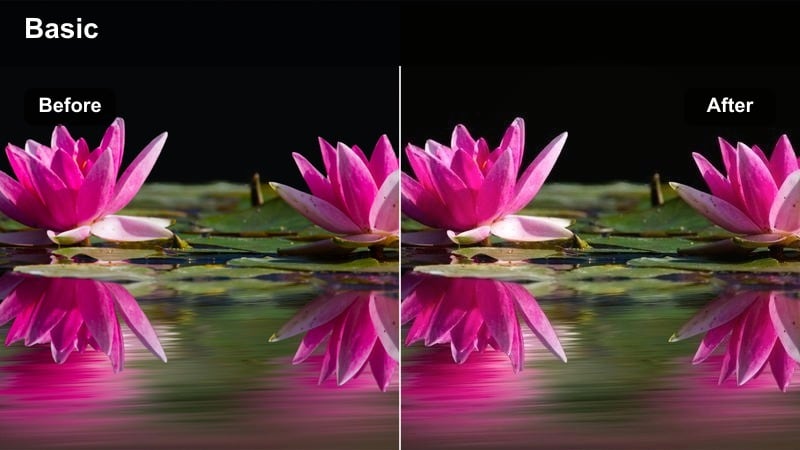
- Effect look: Earthy tones with gentle fade in blacks and slightly cooler highlights for a classic doc aesthetic.
- Best for: Historical locations, cultural stories, and travel documentaries.
- Editing tip: Lightly fade the blacks after this filter to add a subtle archival feeling without losing detail.
Heritage Documentary leans into earthy browns, muted greens, and softly faded blacks to give your BMPCC 6K footage a timeless, documentary flavor. Slightly cooler highlights balance the warmth in stone, wood, and skin, making the image feel both grounded and refined.
Apply this filter in Filmora to sequences that showcase architecture, landscapes, and cultural details, then gently lift the black point to introduce a restrained archival vibe. Increase midtone contrast just enough to keep textures tactile while allowing faces to remain soft and approachable for long-form storytelling.
Travel Postcard Film
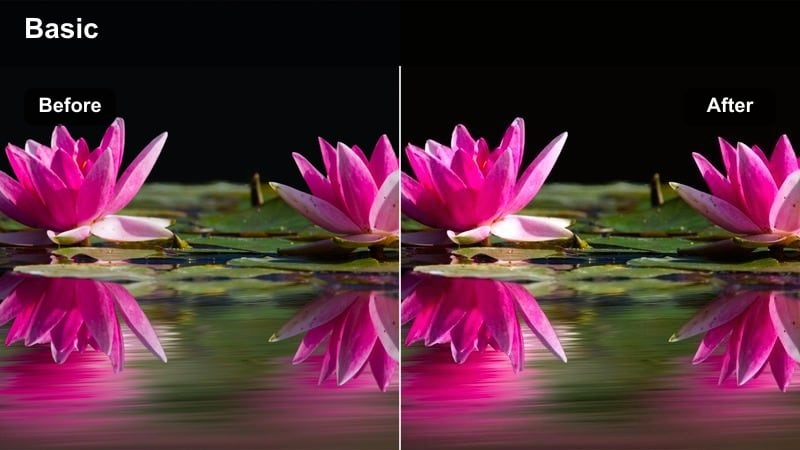
- Effect look: Vibrant yet controlled color with a gentle film curve and slightly cool shadows.
- Best for: Travel vlogs, city tourism reels, and scenic 6K B-roll.
- Editing tip: Use this filter sparingly on key hero shots, then keep secondary clips more neutral so your timeline still feels cohesive.
Travel Postcard Film is built to make your BMPCC 6K travel footage pop with rich but controlled color and a pleasing film-style curve. Skies, water, and city rooftops gain extra vibrancy, while the slightly cool shadows keep the scene feeling polished rather than oversaturated.
In Filmora, apply this look to your strongest hero shots, such as wide vistas and iconic landmarks, and use more neutral filters on supporting clips. Boost one or two key colors with the HSL tools, like turquoise water or terracotta roofs, while gently muting competing hues so the overall travel sequence feels intentional and visually cohesive.
Tips for Using Bmpcc 6k Film Luts Filters in Filmora
- Shoot in a log or film profile on the BMPCC 6K and keep exposure consistent so each film-style filter in Filmora responds predictably.
- Use adjustment layers to apply one BMPCC 6K film look across multiple clips, then tweak only the shots that need targeted corrections.
- Always double-check skin tones on a calibrated monitor before export to ensure stylized grades still look natural and flattering.
- Dial back filter intensity slightly for social media exports, where compression can exaggerate contrast, saturation, and halos.
- Leverage Filmora s AI Color Match to align B-cam or phone footage with your BMPCC 6K base grade after choosing a primary film filter.
- Save customized versions of your favorite filters as presets once you have tuned them to your usual lighting environments and lenses.
- Keep an eye on highlight roll-off when stacking LUTs and filters, adjusting curves to avoid clipped skies and blown practicals.
- Introduce subtle grain on flatter looks to add texture and a more organic, film-like finish to your BMPCC 6K footage.
With these BMPCC 6K Film LUTS style filters, you can turn flat Blackmagic footage into cinematic images without leaving Filmora or diving deep into complex grading tools.
Experiment with a few favorite looks, refine them for your camera and lighting, then save your own presets so every new project starts with a polished, film-ready base grade.
secure download