

 100% Security Verified | No Subscription Required | No Malware


 ChatGPT
 Perplexity
 Gemini
 Claude
 Grok
Grok
The Brunch Table Lifestyle Video Filter collection is designed for content creators who want their brunch footage to look as curated as their feed. These Filmora presets bring out warm tones, soft highlights, and gentle contrast so every coffee pour, toast stack, and candid laugh feels cinematic and intentional.
Whether you shoot cozy home brunches, cafe table vlogs, or stylized lifestyle reels, this pack gives you ready-made looks that quickly match trending aesthetics while keeping skin tones natural and the table details crisp.
In this article
Soft Morning Glow Around the Brunch Table
Sunlit Porcelain
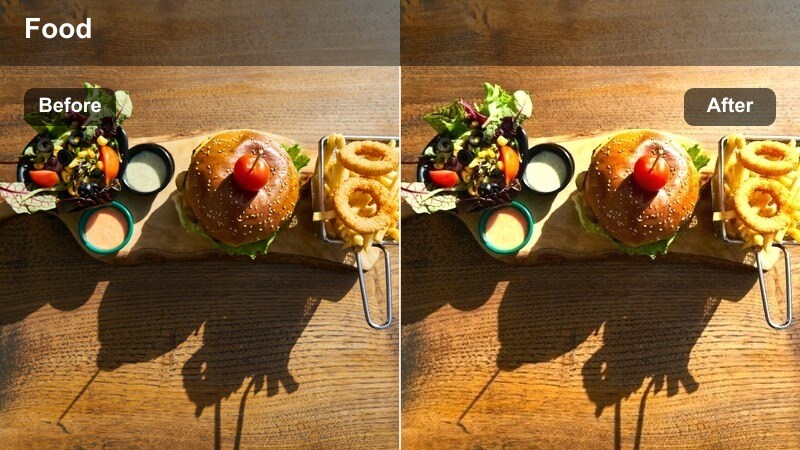
- Effect look: Soft, bright, and creamy whites that make tableware and linens feel clean and airy.
- Best for: Minimal brunch table setups with white plates, pale linens, and natural window light.
- Editing tip: Dial back highlights slightly if you are shooting on a very sunny morning to keep plates from clipping.
Sunlit Porcelain is ideal when you want your brunch table to look like a styled magazine spread, with whites that glow but still hold detail. In Filmora, this filter lifts exposure and softens contrast so ceramic plates, cups, and pale linens appear luminous rather than flat, keeping the overall palette light and lifestyle focused.
For best results, apply Sunlit Porcelain at moderate strength and slightly adjust the highlights slider to protect detail on bright plates and mugs. Combine it with a gentle vignette and subtle sharpening in Filmora so the central elements of your brunch scene stay crisp while the edges fall away into a soft, airy glow.
Match Your Brunch Aesthetic with AI-Powered Color Tools
Filmora AI color tools help you keep every brunch sequence on-brand, even if you filmed across different mornings, rooms, or cafes. With AI-driven color matching, you can quickly align warmth, skin tones, and table whites before you layer on your favorite brunch filter.
Once your clips share a similar base look, applying the Brunch Table Lifestyle Video Filter pack becomes faster and more predictable, giving you consistent results for vlogs, reels, and longer brunch stories.
 secure download

Preview Brunch Filters in Real Time
With Filmora, you can scroll through brunch-inspired filters and see your look change in real time as your clip plays. This makes it easy to compare soft morning, cafe, and social-first aesthetics without manually rebuilding your grade from scratch.
Use side-by-side previews to test how each preset handles your highlights, latte art, and faces in the frame before committing to one signature brunch style for your edit.
secure downloadCombine Filters and LUTs for Cinematic Brunch Stories
Filmora includes 1000 plus video filters and 3D LUTs you can stack with the Brunch Table Lifestyle Video Filter pack for more cinematic control. Filters quickly establish mood, while LUTs help refine color depth, contrast, and dynamic range.
Apply your chosen brunch filter at medium intensity, then test a subtle cinematic LUT to push your highlights and shadows into a polished film look that works across vlogs, reels, and YouTube brunch series.
secure downloadButter Light
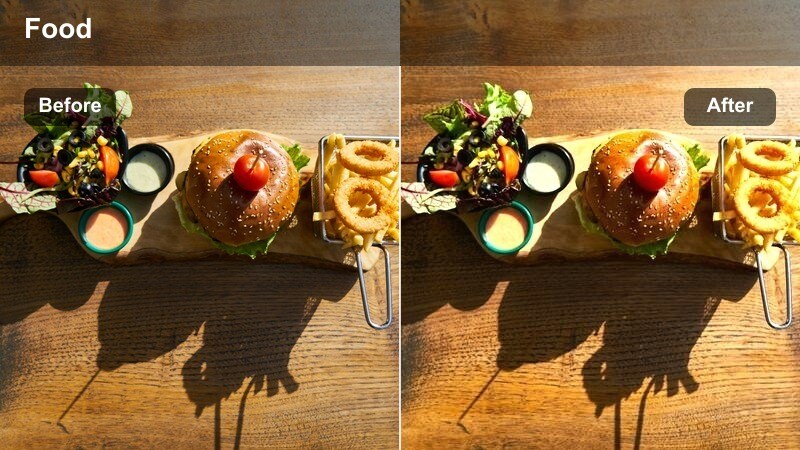
- Effect look: Gentle warm cast with buttery highlights and soft contrast for cozy, inviting frames.
- Best for: Home brunch scenes with wooden tables, beige tones, and warm kitchen light.
- Editing tip: Add a slight blur or soften skin in close-ups to match the creamy ambience this filter creates.
Butter Light wraps your home brunch footage in a subtle golden glow that flatters both wood textures and skin tones. It is perfect for kitchen nooks, small dining tables, and any scene where you want the viewer to feel the warmth of a slow weekend morning.
Inside Filmora, pair Butter Light with light skin smoothing and slower cuts to reinforce its relaxed, creamy mood. If colors begin to skew too orange, gently reduce saturation in the yellow channel while leaving overall warmth intact, so you keep the inviting tone without oversaturating your subjects.
Linen Mist
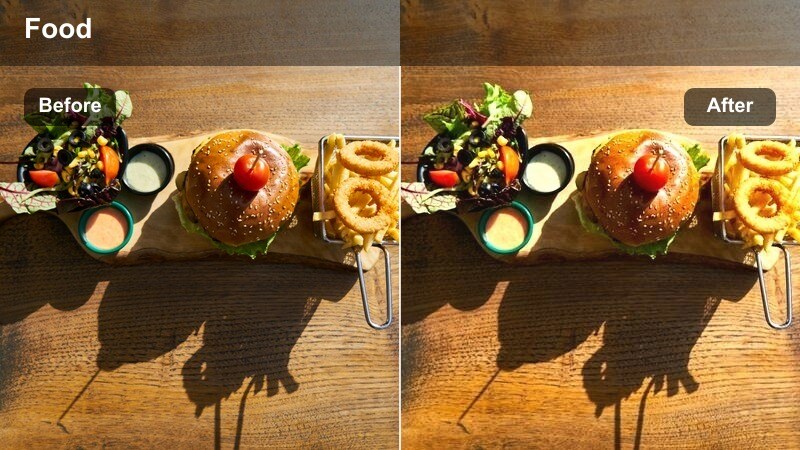
- Effect look: Matte, low-contrast tones with slightly lifted blacks for a soft lifestyle editorial feel.
- Best for: Muted color palettes with beige, taupe, and pastel elements on the brunch table.
- Editing tip: Reduce sharpness a touch to keep the matte finish delicate, especially on textured tablecloths.
Linen Mist turns neutral brunch scenes into calm, editorial visuals with a gentle matte finish that is easy on the eyes. By lifting blacks and taming contrast, it minimizes harsh shadows on plates, textiles, and hands while emphasizing a tranquil lifestyle mood.
In Filmora, combine Linen Mist with slightly lowered sharpness and a hint of film grain to add character without losing softness. This makes it a strong choice for minimal, design-led brunch content where you want the focus on composition and texture rather than bold, saturated color.
Cafeside Brunch Vibes and Street-Facing Tables
Window Seat Gold
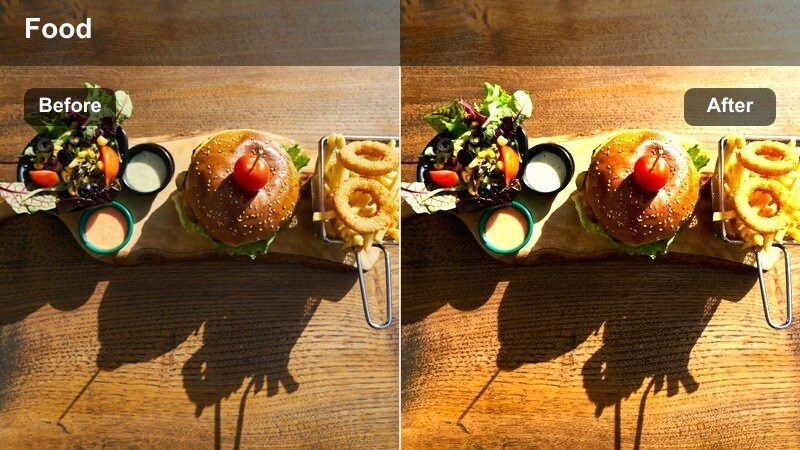
- Effect look: Rich golden midtones and lifted shadows that balance indoor cafe light with outdoor glow.
- Best for: Brunch tables by cafe windows with mixed natural and artificial lighting.
- Editing tip: Use Filmora color wheels to pull shadows slightly cooler if the cafe bulbs are very orange.
Window Seat Gold is built for those classic cafe brunch shots where daylight streams in beside warmer interior bulbs. The filter lifts shadows and enriches midtones so your table feels cozy and bright while keeping details in both the street and interior areas of the frame.
Inside Filmora, fine-tune this preset using the color wheels to cool off shadows if your cafe uses very warm lighting. Slightly desaturate blues from the street view to prevent them from competing with the brunch table, keeping your viewers attention on plates, cups, and faces near the window.
City Brunch Fade
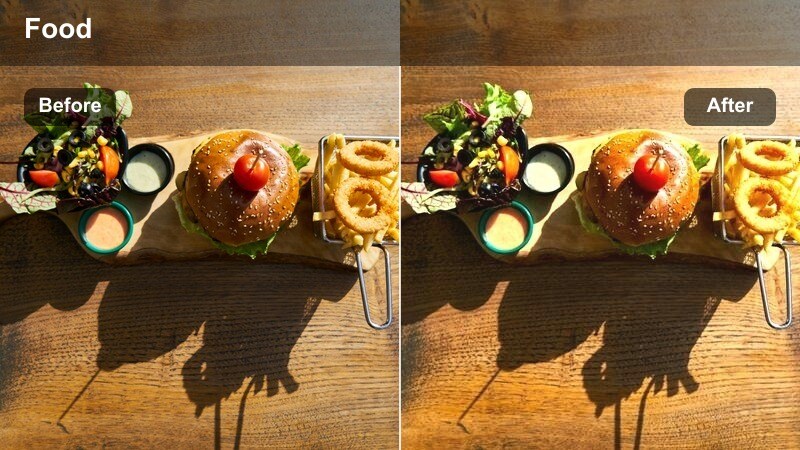
- Effect look: Soft urban color grade with faded blacks and gentle teal shadows to hint at the street outside.
- Best for: Lifestyle brunch shots in city cafes where the street or sidewalk appears behind the table.
- Editing tip: Lower the filter intensity for close-ups of food to keep colors accurate while retaining the urban mood.
City Brunch Fade gives your brunch footage a subtle city-film treatment, adding teal-inflected shadows and softened blacks that suggest an urban backdrop without overpowering the table. It works especially well when you can see storefronts, crosswalks, or passing traffic behind your brunch setup.
When editing in Filmora, you can apply this filter more strongly to wide shots and then reduce its intensity on food close-ups to preserve natural color. Use masks to keep skin tones neutral while allowing the background to carry more of the teal fade, tying together A-roll and B-roll from your cafe sessions.
Espresso Film
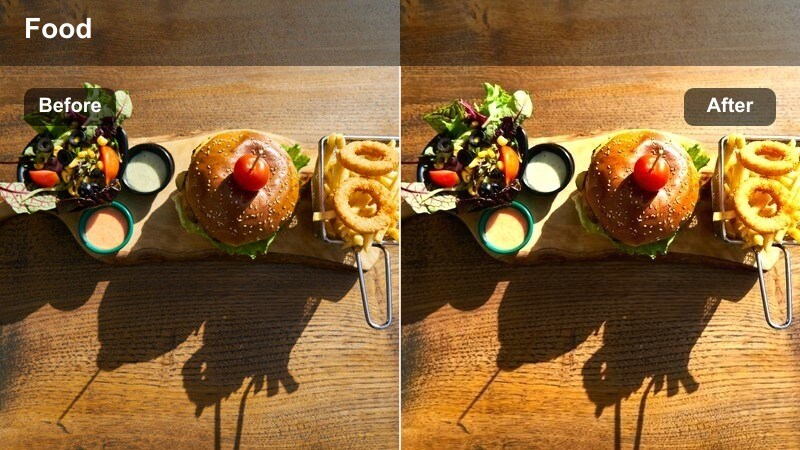
- Effect look: Deeper contrast with warm browns and subtle film-like grain for cinematic cafe tables.
- Best for: Moody brunch scenes with dark tables, espresso shots, and low ambient light.
- Editing tip: Lower shadows a bit more to emphasize coffee cups and table details in close frames.
Espresso Film is all about turning your darker cafe corners into cinematic set pieces, emphasizing deep browns, rich contrast, and subtle grain. It makes espresso shots, chocolate pastries, and dark tabletops look dramatic and intentional, perfect for storytelling-heavy brunch vlogs.
In Filmora, stack Espresso Film with a touch of extra contrast and a slower-paced edit to enhance its moody feel. Lower shadows slightly on key clips to draw attention to coffee pours and hand movements, and consider using smoother transitions to match the luxurious, film-like atmosphere created by this preset.
Home Kitchen Brunch and Cooking Moments
Pan Sizzle Soft
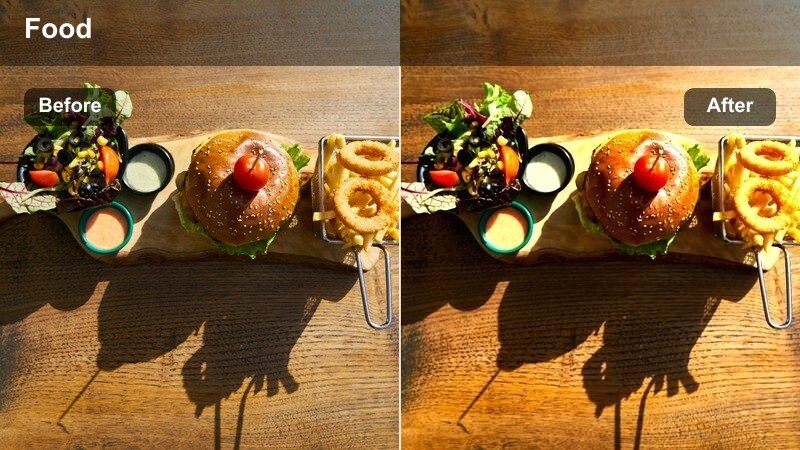
- Effect look: Softened highlights and neutral tones that smooth transitions between stove and table shots.
- Best for: Clips that move from cooking in the kitchen to plating on the brunch table.
- Editing tip: Use this filter across your entire sequence to keep your kitchen counter and table shots color-consistent.
Pan Sizzle Soft is designed to unify your cooking and serving moments, smoothing over the color differences between stovetop light and dining area windows. It softens highlights so steam, sizzling pans, and reflective plates stay controlled rather than harsh.
Apply this preset consistently across your kitchen-to-table sequence in Filmora to maintain a cohesive look from start to finish. Lock white balance in camera, then drop Pan Sizzle Soft on your clips and adjust global exposure slightly, ensuring your counter, stove, and table all feel like part of one story.
Counter Casual
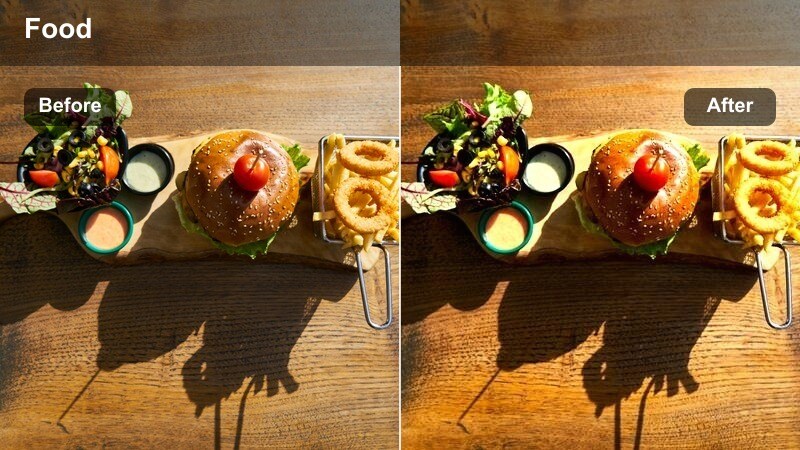
- Effect look: Balanced, true-to-life colors with a slight lift in brightness for everyday kitchen brunch footage.
- Best for: Realistic, vlog-style shots on kitchen counters and casual brunch setups.
- Editing tip: Increase saturation only in the midtones to keep countertops and cabinets from looking too intense.
Counter Casual keeps your brunch videos honest and approachable, brightening the scene slightly without pushing colors into an overly stylized look. It works well for modest kitchen spaces, rental apartments, and everyday brunch routines you want to share with your audience.
In Filmora, pair Counter Casual with gentle midtone saturation boosts so food and mugs feel lively while cabinets and appliances stay under control. Add a subtle vignette or selective focus effect to keep viewers eyes on the main area of the counter, where you are plating or pouring drinks.
Skillet Sun
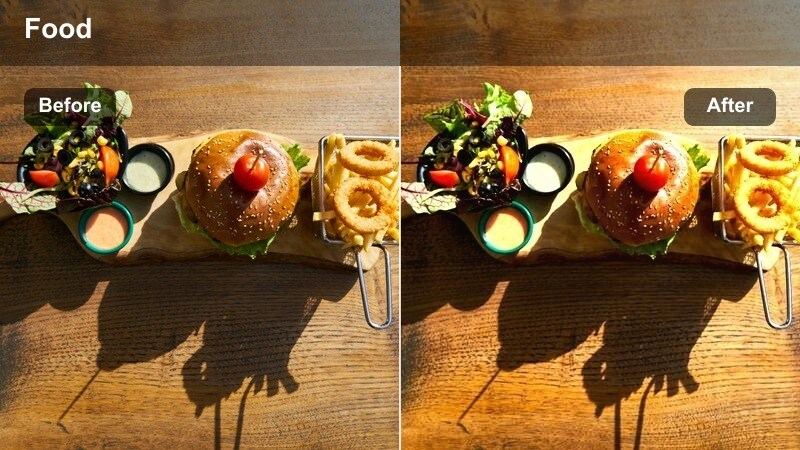
- Effect look: Warm highlights with a subtle golden sun flare feel, great for overhead stovetop and table shots.
- Best for: Overhead cooking shots that transition into top-down brunch table views.
- Editing tip: Add a gentle glow effect around the brightest parts of the pan or plates to mimic sunlight hitting the surface.
Skillet Sun is tailored for overhead compositions, from pans on the stove to flat lay brunch spreads. It emphasizes warm highlights and a sunlit glow so your top-down shots feel like they are captured under a perfect morning beam.
When editing in Filmora, underexpose slightly in-camera and let this preset bring back warmth and brightness, preserving texture in eggs, pancakes, and skillet surfaces. Enhance the look with a subtle glow or light leak effect on the brightest areas, then animate your shots using crop and zoom to add movement that complements the radiant style.
Social-Ready Brunch Table Aesthetics for Reels and Shorts
Flatlay Feather
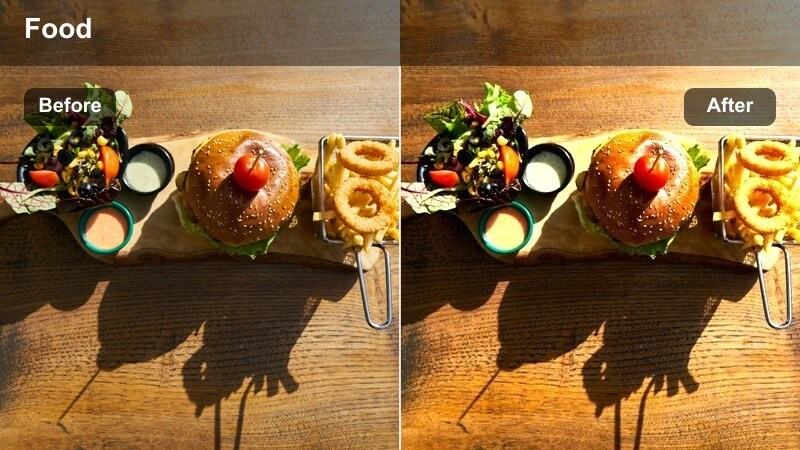
- Effect look: Airy, high-key look with softened shadows tailored for overhead table flatlays.
- Best for: Top-down brunch flatlays designed for Instagram Reels and TikTok loops.
- Editing tip: Increase clarity only a little so the table still feels soft and curated instead of harsh and clinical.
Flatlay Feather pushes your brunch table into a bright, high-key space that is perfect for vertical platforms and thumbnail-first content. It softens shadows, smooths minor imperfections on the table surface, and keeps the overall scene feeling curated and light.
In Filmora, use this preset on overhead clips where plates, cutlery, and decor are carefully arranged. Combine it with only a small clarity boost and slightly faster playback to keep the table looking soft yet detailed, ideal for snappy flatlay transitions in Reels and Shorts.
Pastel Brunch Reel
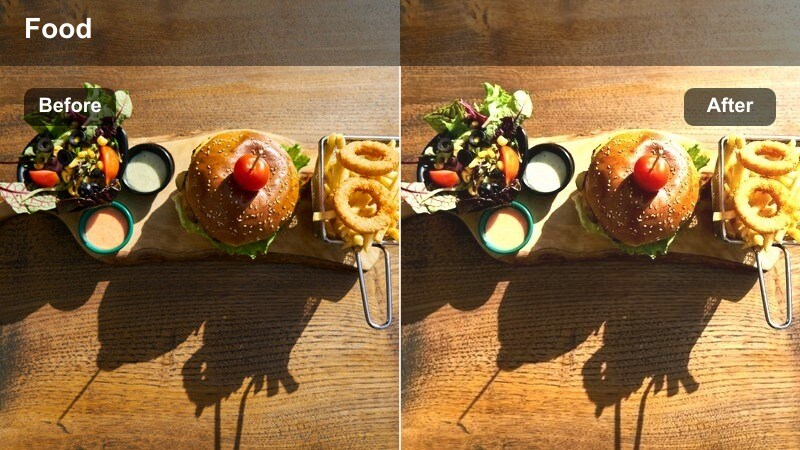
- Effect look: Soft pastel shift with reduced saturation in strong primaries for a dreamy, curated aesthetic.
- Best for: Brunch tables featuring pastel props, colored glassware, or themed lifestyle styling.
- Editing tip: Use Filmora speed ramping with this preset to highlight quick table styling changes and transitions.
Pastel Brunch Reel turns your styled setups into dreamy, on-trend visuals by muting strong primaries and nudging colors toward soft pastels. It is ideal for seasonal brunch shoots, themed decor, and brand collaborations that lean into delicate, feminine palettes.
Apply this filter in Filmora when you have pastel plates, napkins, and glassware, and keep backgrounds neutral so the soft hues can stand out. If skin tones start to look washed, restore warmth in the orange channel rather than raising overall saturation, ensuring faces stay flattering within the pastel scene.
Creator Cut Brunch
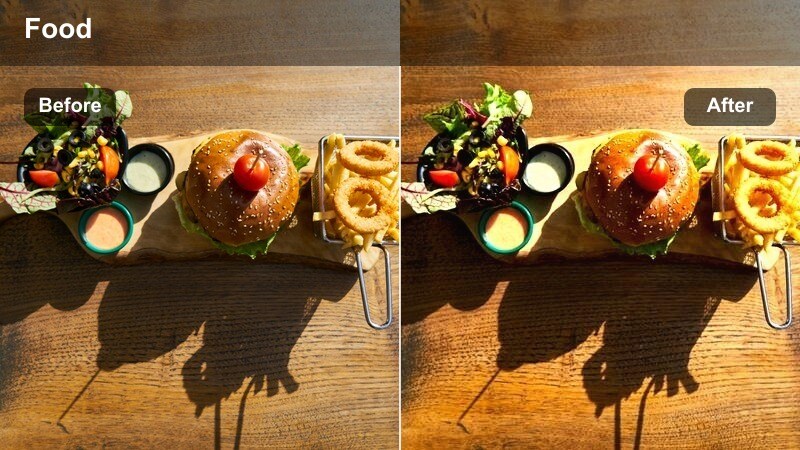
- Effect look: Punchy midtones, clean whites, and just enough contrast to pop on mobile screens.
- Best for: Short-form lifestyle brunch content where plates, cups, and hands-in-frame need to stand out.
- Editing tip: Add a subtle sharpen and a touch of extra contrast for exported vertical videos viewed in bright environments.
Creator Cut Brunch is optimized for how people actually watch brunch content: fast, vertical, and on small screens. It adds punch to midtones and cleans up whites so food details, latte art, and hands-in-frame read clearly even in bright outdoor viewing.
In Filmora, pair this preset with a bit of extra contrast and sharpening on your final vertical export, then test the result on your phone. Add bold text overlays and hooks above the brightest part of the table so your message stays legible against the vivid, content-forward brunch scene.
Tips for Using Brunch Table Lifestyle Video Filter Filters in Filmora
- Shoot brunch table clips slightly underexposed so Filmora filters have more highlight detail to recover and protect bright plates and mugs.
- Lock your white balance in camera when moving between kitchen, dining area, and cafe windows to avoid jarring color shifts in your edit.
- Frame a clear hero area on the table so titles, captions, and stickers in Filmora can sit over clean space without covering key food details.
- Capture a mix of wide, medium, and tight brunch shots so you can cut dynamic sequences that match each filters mood and intensity.
- When creating vertical content, keep main plates and hands aligned with the center of frame to stay safe in Reels and Shorts crops.
- Export your social videos a bit brighter and slightly more contrasty than your timeline preview so they still pop on phone screens outdoors.
The Brunch Table Lifestyle Video Filter pack is built for creators who want their brunch content to look intentional, warm, and on-brand without spending hours in color grading panels. Whether you film at home or in cafes, each preset is tuned to keep food, table decor, and skin tones looking flattering.
Apply these presets in Filmora, adjust intensity to match your lighting, and you will be able to transform everyday kitchen and cafe moments into polished lifestyle stories ready for any platform, from Instagram and TikTok to YouTube vlogs and brand partnerships.
secure download