

 100% Security Verified | No Subscription Required | No Malware


 ChatGPT
 Perplexity
 Gemini
 Claude
 Grok
Grok
This cafe casual vlog video LUT inspired filter collection is designed for content creators who want their footage to feel warm, relaxed, and effortlessly cinematic, just like hanging out at a cozy coffee shop with friends.
Use these presets to bring out soft browns, gentle highlights, and subtle contrast so your cafe vlogs, sit-down chats, and everyday lifestyle videos feel consistent, polished, and true to your aesthetic.
In this article
Soft Morning Light by the Cafe Window
Latte Soft Glow
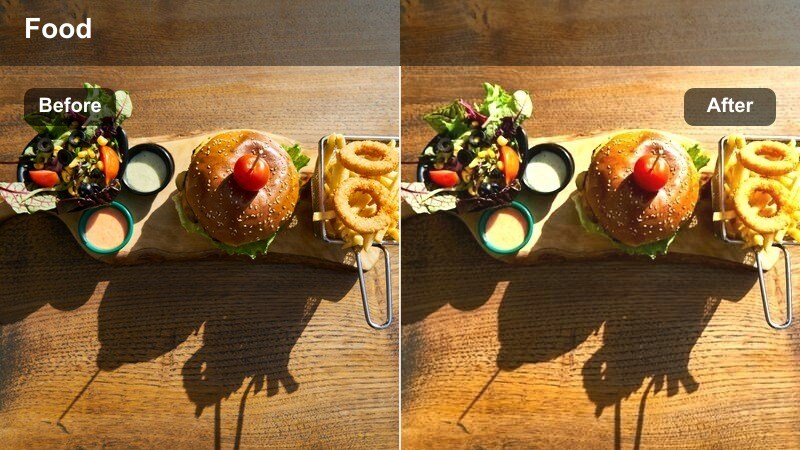
- Effect look: Creamy warmth with lifted shadows and a gentle matte finish.
- Best for: Cafe table chats, journaling shots, and slow coffee pour b-roll near windows.
- Editing tip: Lower contrast slightly and nudge saturation down for skin tones if your footage was shot under harsh sunlight.
Latte Soft Glow is ideal for softening the edges of your morning cafe vlogs, wrapping your scene in warm, creamy tones that feel calm and welcoming. In Filmora, this filter helps lift shadows so faces stay clear and flattering, even when you are backlit by a bright window.
Apply Latte Soft Glow to your talking head clips, close-up latte pours, and journaling b-roll to keep everything tied together with the same matte, cinematic finish. Start with a neutral white balance, then fine-tune exposure and midtones only so the warm look stays consistent from clip to clip.
Lock In Your Cafe Color Story with Filmora’s AI Tools
Filmora’s AI-powered color tools make it easy to keep the same cafe casual LUT style running across your entire vlog, even when you shoot in different corners of a cafe. Use AI color match to quickly align tones between bright window shots and darker interior clips so Latte Soft Glow and similar filters always behave predictably.
Once your base color is balanced, you can stack this cafe-inspired filter with light adjustments to contrast and saturation to maintain cohesive visuals from the first sip shot to your final outro.
 secure download

Preview Cafe Filters in Real Time
Filmora lets you preview each cafe casual vlog filter live just by hovering over it in the Effects panel, so you can instantly see how Latte Soft Glow compares to other warm presets. This makes it simple to test several cozy looks on the same clip until you find the one that fits your cafe aesthetic.
After choosing your favorite filter, save it as part of a custom preset stack with your preferred exposure and vignette settings so future cafe vlogs can be graded in just a few clicks.
secure downloadCombine Filters with LUTs for Signature Cafe Looks
Filmora supports stacking these cafe filters with custom 3D LUTs so you can build a unique, signature cafe casual vlog style. Start with a base LUT to set overall color direction, then apply your chosen cafe filter at lower intensity to fine-tune warmth, contrast, and skin tones.
This workflow keeps your grading flexible: you can swap LUTs for different series on your channel while keeping the same cozy cafe finishing layer to tie everything together.
secure downloadWindow Seat Wash
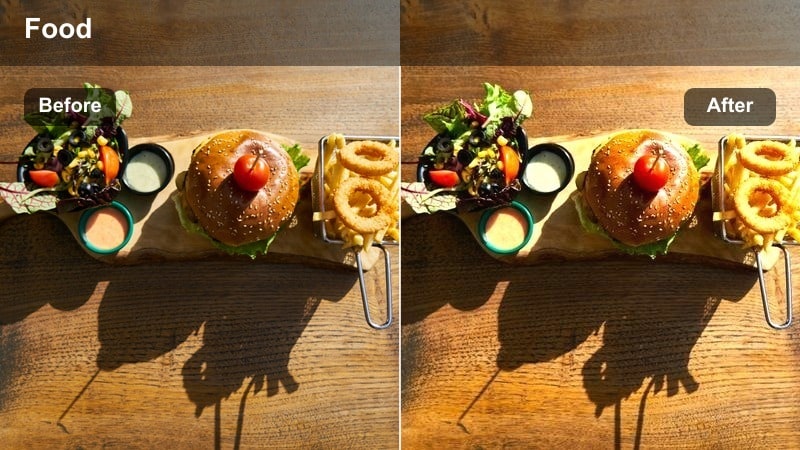
- Effect look: Airy desaturated tones with soft highlights and gentle bloom.
- Best for: Overhead coffee shots, laptop work sessions, and relaxed window-side monologues.
- Editing tip: Increase exposure just a touch and drop saturation on greens to keep the focus on your face and cup.
Window Seat Wash brightens your cafe scenes with a light, airy feel that mimics soft daylight drifting through glass. It slightly desaturates colors so your skin and coffee stand out gently against a calm, minimal background, perfect for productivity or study-with-me cafe vlogs.
In Filmora, reduce highlight clipping around windows before adding this filter, then make small exposure tweaks per clip. A subtle vignette can help keep eyes on your face and mug while still preserving that open, breezy atmosphere in the frame.
Slow Morning Matte
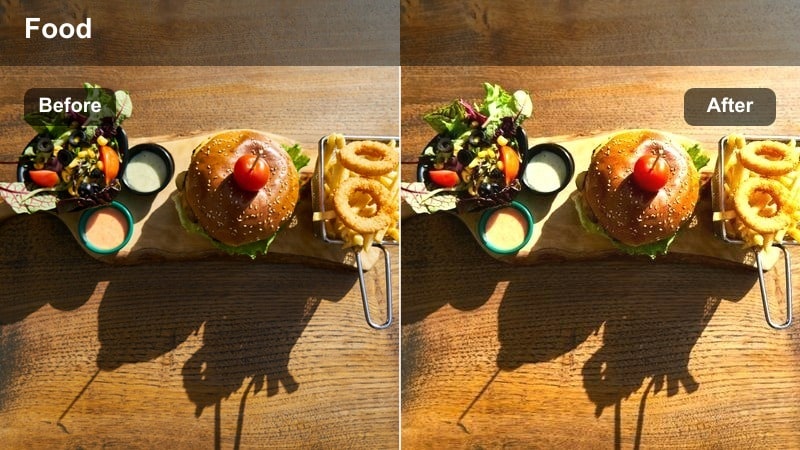
- Effect look: Muted contrast with a light matte curve and warm, cozy midtones.
- Best for: Slow pan shots of the cafe interior, reading scenes, and handheld walking-in clips.
- Editing tip: Apply a subtle grain overlay at low opacity to enhance the relaxed, analog feel.
Slow Morning Matte adds a gentle, filmic softness to your casual cafe footage by lowering contrast and lifting the darkest areas. The warm midtones keep wooden tables, latte foam, and skin tones looking inviting, making it great for storytelling sequences and establishing shots.
When editing in Filmora, try to keep your clips recorded at similar brightness so the matte curve looks even across the whole vlog. If some footage is noticeably darker, raise shadows slightly before applying the filter to avoid muddy blacks and preserve enough detail in the background.
Golden Afternoon Cafe Hangouts
Caramel Hour Glow
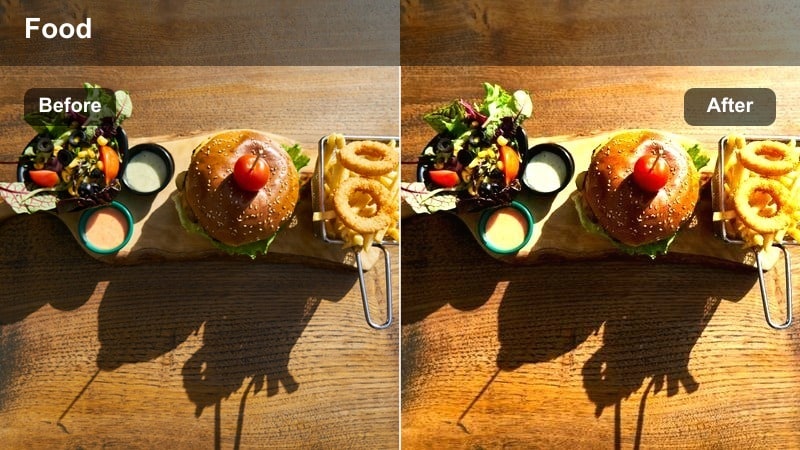
- Effect look: Rich golden mids with subtle orange highlights and softened contrast.
- Best for: Afternoon catch-ups with friends, candid laughs, and clinking glasses.
- Editing tip: Dial back warmth a little for subjects with naturally reddish skin to keep tones flattering.
Caramel Hour Glow wraps your afternoon cafe vlogs in a rich, golden warmth inspired by late-day sunlight. It gently softens contrast so smiles, drinks, and tabletop details feel glowing rather than harsh, which is perfect for social, friendship-focused content.
In Filmora, match color temperature between different cameras first, then apply Caramel Hour Glow to your main talking and reaction clips. If skin starts to look too orange, slightly pull down warmth or adjust orange saturation while watching faces, and then copy the refined settings to the rest of the sequence.
Table Talk Neutral
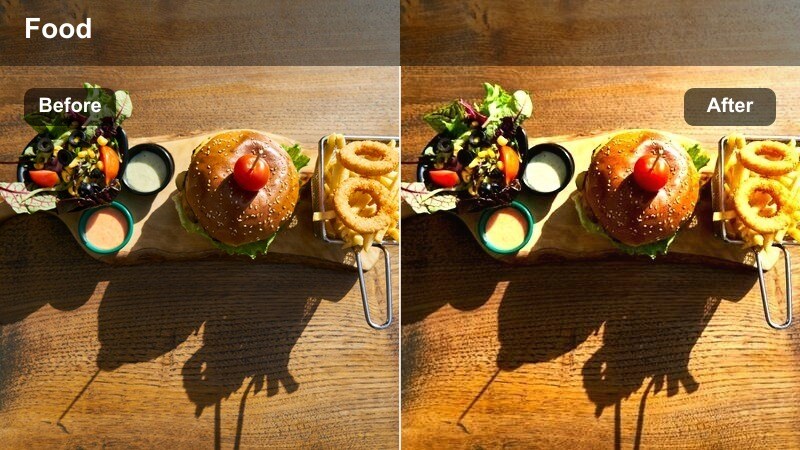
- Effect look: Balanced color with a hint of warmth and slightly boosted clarity on faces.
- Best for: Talking-head cafe segments, Q&A videos, or podcast-style vlogs shot indoors.
- Editing tip: Use Filmora’s skin smoothing very lightly after this filter to avoid an over-processed look.
Table Talk Neutral is built for clean, conversational shots where you want the cafe setting but do not want heavy color styling. It keeps colors natural with a small warmth boost and extra clarity on faces, making it ideal for Q and A clips, advice segments, or podcast-style vlogs filmed at a table.
Inside Filmora, apply this filter to all primary A-roll clips, adjust exposure to keep your skin properly lit, and only then add minimal skin smoothing if needed. Always prioritize skin tones first; once your face looks accurate, you can gently correct any distracting color shifts in the background using HSL controls.
Sunlit Corner Soft
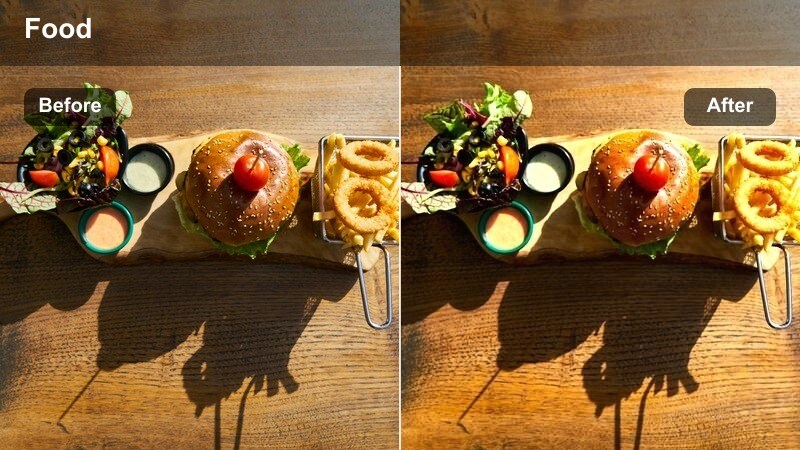
- Effect look: Soft focus feel with gentle halation and lowered texture in highlights.
- Best for: B-roll of hands, notebooks, and casual shots of friends in bright corners of the cafe.
- Editing tip: Keep sharpening low and avoid extra blur effects so the softness feels natural, not hazy.
Sunlit Corner Soft gives your brightest cafe locations a dreamy, glowing character by reducing harsh texture and adding a subtle halo to highlights. It is especially effective on close-ups of hands writing, drinks on sunlit tables, or friends chatting in bright corners.
When editing in Filmora, resist stacking additional blur or soft focus effects on top of this filter so the result stays clean and cinematic. Keep sharpening low and make sure highlights are not overexposed before applying the filter, so the glow enhances existing detail instead of turning white areas flat.
Cozy Evening Cafe and Indoor Scenes
Amber Lamp Cozy
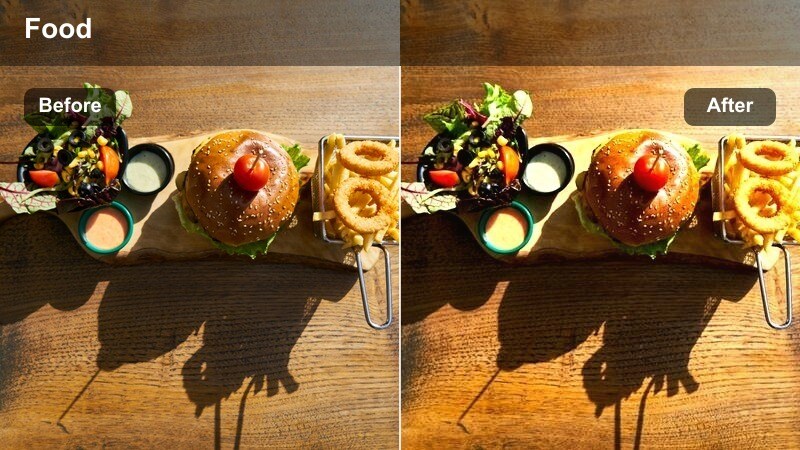
- Effect look: Warm amber highlights with deeper, rich shadows and subtle contrast.
- Best for: Dim cafe interiors, moody storytelling shots, and evening sit-down chats.
- Editing tip: Lift shadows just slightly if your camera struggles in low light to avoid noisy, crushed blacks.
Amber Lamp Cozy leans into the glow of warm bulbs and candlelight, enriching highlights with amber tones while keeping shadows deep and intimate. It immediately makes your evening cafe vlogs feel cinematic and moody, great for reflective storytelling or quiet conversations.
In Filmora, tame noise using the built-in denoise tools before applying this filter, especially if you shoot on a phone in low light. After the filter is on, lift shadows just enough to reveal detail without flattening the scene, letting the dark corners stay dramatic and cozy.
Indoor Chat Soft
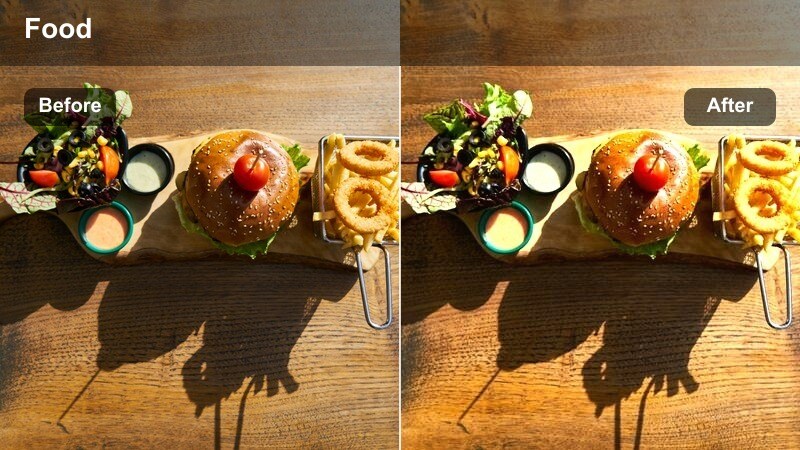
- Effect look: Neutral warmth with decreased texture and softened contrast on faces.
- Best for: Storytime vlogs filmed at a cafe or at home with warm indoor lighting.
- Editing tip: Use subtle highlight recovery to bring back detail on foreheads and cheeks when lights are close.
Indoor Chat Soft is designed to flatter your face under warm indoor lighting by reducing texture and contrast just enough to smooth without hiding detail. It works well for storytime vlogs, updates, or any sit-down videos recorded in a cafe nook or home corner.
When working in Filmora, position your key light slightly off to the side and above eye level, then apply the filter to your A-roll. If hotspots appear on your forehead or cheeks, use highlight recovery or slightly reduce exposure to keep skin looking soft and natural rather than shiny.
Night Street Cafe
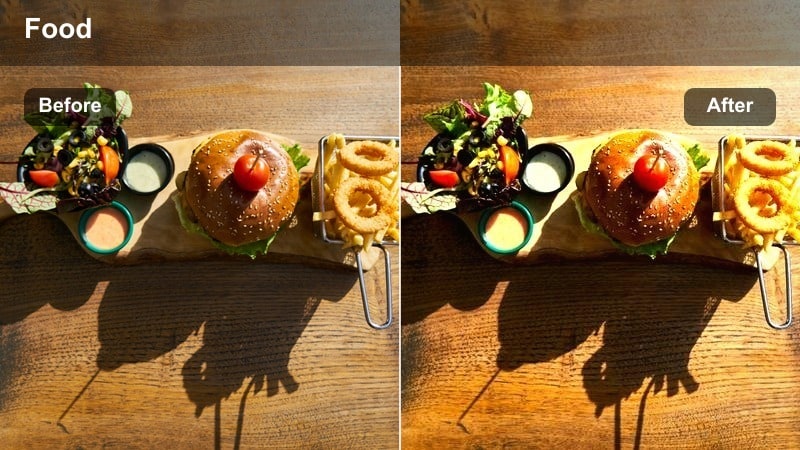
- Effect look: Cooler shadows with warm highlights and slightly boosted saturation on street lights.
- Best for: Cafe exteriors at night, walking shots past windows, and casual city strolls after coffee.
- Editing tip: Drop saturation of strong blues if neon signs become distracting in the background.
Night Street Cafe balances the cool tones of city pavements and skies with the warmth of glowing cafe windows, giving your night b-roll a cinematic, dual-tone mood. It subtly boosts the saturation of street lights and signs while keeping your subject readable against the darker environment.
In Filmora, expose for bright windows and signs when shooting, then apply the filter and raise shadows only a little to keep the night atmosphere. If neon blues overpower the frame, selectively lower blue saturation using HSL to maintain focus on your face and the cozy cafe behind you.
At-Home Cafe-Style Vlog Setups
Home Brew Warmth
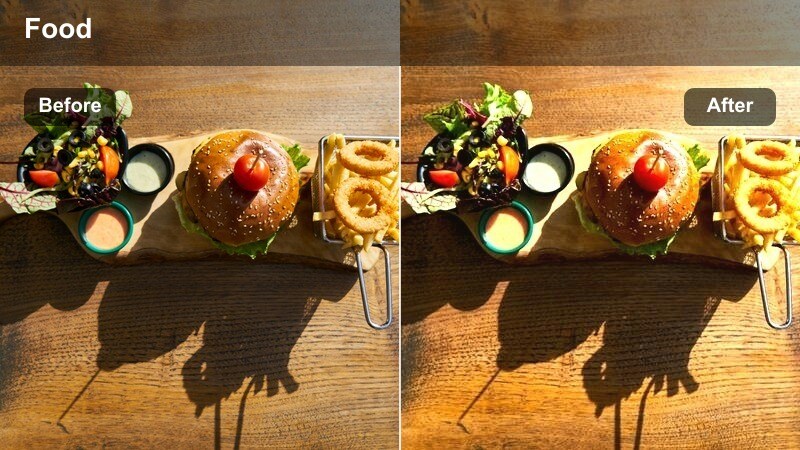
- Effect look: Soft, even warmth with gentle contrast and slightly subdued highlights.
- Best for: At-home desk vlogs, faux cafe setups, and casual day-in-the-life filming.
- Editing tip: Reduce saturation in yellows if your indoor bulbs make the footage too orange.
Home Brew Warmth helps your regular living space mimic the feel of a cozy cafe corner by adding even warmth and smoothing down harsh highlights. It is perfect for at-home coffee routines, desk diaries, or day-in-the-life vlogs where you want viewers to feel like they are hanging out at your personal coffee spot.
In Filmora, turn on this filter for all clips shot in your home cafe setup, then check yellow and orange saturation if your bulbs run very warm. Subtle vignette and a slightly darker background will keep attention on your face and mug, reinforcing the intimate, homey vibe.
Study Cafe Vibes
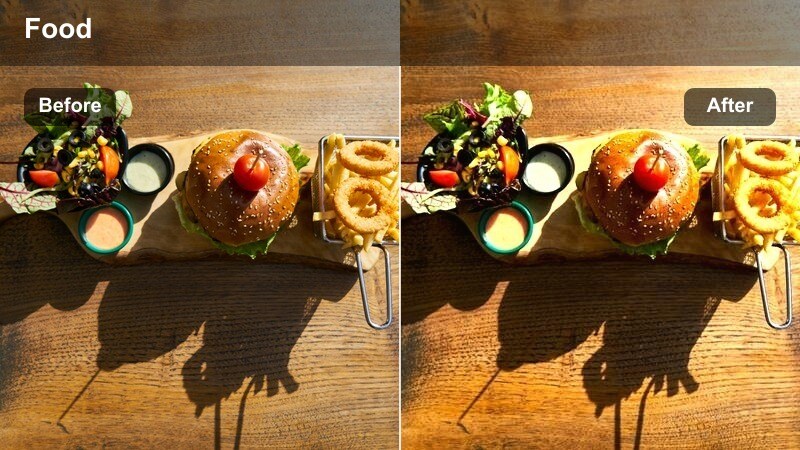
- Effect look: Slightly cooler neutrals with warm skin tones and boosted midtone clarity.
- Best for: Study-with-me sessions, productivity vlogs, and stationary desk shots.
- Editing tip: Apply a touch of vignette to keep the viewer’s focus centered on your workspace.
Study Cafe Vibes gives your workspace a clean, focused tone by keeping backgrounds slightly cooler while preserving warmth in your skin. The boosted midtone clarity helps text on notebooks, keyboards, and screens stay readable, which is ideal for productivity and study-with-me vlog formats.
Inside Filmora, simplify your color palette on set, then use this filter to tie your shots together into a calm, cohesive study session. Add a gentle vignette and minor exposure tweaks so your face and desk sit at the visual center, while any colorful decor is lightly muted to avoid distraction.
Rainy Day Desk
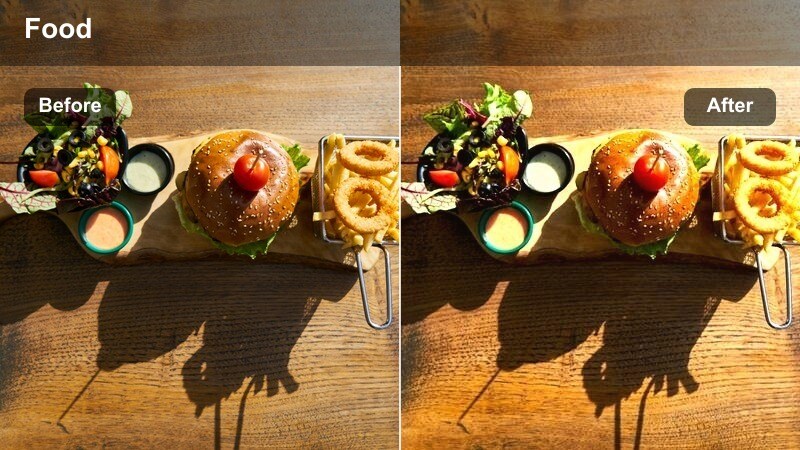
- Effect look: Cooler overall tone with subtle teal shadows and soft, warm highlights.
- Best for: Overcast-day vlogs, window-side desk shots, and reflective voiceover footage.
- Editing tip: Lower overall saturation a little if the mix of cool and warm tones feels too intense.
Rainy Day Desk captures the mood of gray, overcast days with cool, teal-leaning shadows contrasted by gentle warm highlights on your face and workspace. It is a strong choice for reflective voiceovers, journaling sessions, or moody productivity vlogs filmed beside a cloudy window.
When editing in Filmora, keep curtains open to maximize soft natural light, then apply this filter to emphasize the cozy contrast between outside gloom and indoor warmth. If the cool-warm split starts to look too strong, ease back overall saturation or slightly soften teal intensity to maintain a natural, watchable look.
Tips for Using Cafe Casual Vlog Video Lut Filters in Filmora
- Shoot near large windows or soft light sources so cafe-style filters can enhance your footage instead of fighting harsh shadows.
- Keep your wardrobe neutral or earthy for cafe vlogs to avoid clashing with the warm color grading from these filters.
- Record in a flat or neutral profile if possible, giving Filmora and your filters more room to shape color and contrast.
- Use the same filter across an entire cafe vlog episode, only adjusting intensity per clip to keep a unified look.
- Save your favorite filter plus exposure and vignette settings as a custom preset in Filmora to speed up future edits.
- Always correct white balance before applying a cafe casual filter so warmth comes from the grade, not from color casts.
- Test your chosen filter on clips from different locations in the vlog to be sure it works for bright, dim, and mixed lighting.
- Export a short test sequence and watch it on your phone to see how the cafe vibe feels on the screen your audience uses most.
With the right cafe casual vlog video LUT style filters, everyday coffee runs and study sessions can feel like thoughtfully crafted lifestyle films without complex color grading.
Use Filmora to test, tweak, and save your favorite cafe looks so every new vlog feels cozy, cohesive, and unmistakably yours from the first frame.
secure downloadNext: Try a Kitchen Rustic Cooking Filter for Your Next Cozy Home Vlog
