

 100% Security Verified | No Subscription Required | No Malware


 ChatGPT
 Perplexity
 Gemini
 Claude
 Grok
Grok
These Canon R8 vlog LUT-style filters are designed for videographers and creators who want fast, consistent color straight out of camera footage without heavy grading work.
Use these looks as a starting point for your Canon R8 vlogs, then fine-tune exposure, contrast, and saturation to match your channel's visual brand.
In this article
Golden Hour City Streets and Evening Walks
Sunset Soft Glow
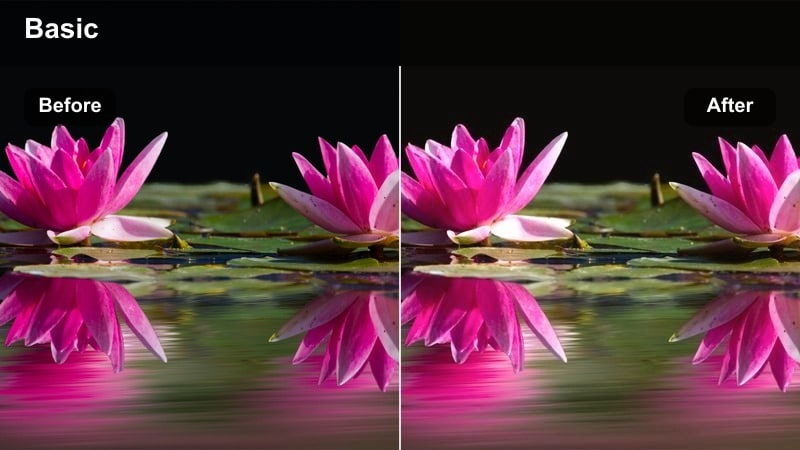
- Effect look: Warm, soft contrast with gentle highlights and flattering skin tones for sunset walking vlogs.
- Best for: Golden hour city walks, daily vlogs, sit-and-talk intros filmed near windows at dusk.
- Editing tip: Lower overall saturation slightly and add a subtle vignette to keep the focus on faces in backlit scenes.
Use Sunset Soft Glow when your Canon R8 footage already has rich sunset color but needs a smoother, more cinematic roll-off. In Filmora, this style works especially well on clips where the sun is behind you, helping to tame bright edges while keeping skin warm and inviting for YouTube or TikTok viewing.
After applying a similar glow-style filter in Filmora, gently pull down global saturation, then add a light vignette so eyes lock onto your face even in busy city streets. If highlights near the sky look too strong, slightly reduce exposure and raise shadows instead of crushing blacks, which preserves detail for a polished, creator-brand look.
Match Canon R8 Vlog LUTs to Your Channel Branding
Filmora's AI color tools can read a single Canon R8 clip graded with your favorite vlog LUT-style filter and build a matching palette around it. This makes it easy to give every vlog on your channel the same core colors, whether it is a talking-head video or a handheld city walk.
Once you are happy with a hero look, save it as a preset in Filmora and reuse it across intros, B-roll, and Shorts. Your Canon R8 footage will feel consistent from upload to upload, improving recognition and professionalism without extra grading time.
 secure download

Preview Filters on Canon R8 Footage in Real Time
In Filmora, you can hover over filters to instantly preview how each one affects your Canon R8 clips in the viewer. This lets you compare warm sunset looks against cooler city tones without committing, saving time while you search for the best direction for a vlog.
Scrub your timeline as you preview so you can see how a filter behaves on both talking-head shots and fast motion B-roll. If skin tones hold up and highlights stay controlled across the sequence, you have likely found a reliable base look for that series or playlist.
secure downloadBlend Filters with Dedicated Canon R8 LUTs
Filmora lets you combine fast creative filters with dedicated Canon R8 LUTs or log-to-Rec.709 conversions. Apply your technical LUT first to correct the footage, then stack a filter above it and use the opacity slider to balance style with natural color.
For consistent results across a whole vlog, copy this layered look to every clip, then fine-tune intensity per scene. Talking-head segments often work better with a softer grade, while B-roll can handle stronger contrast and saturation without distracting viewers.
secure downloadAmber City Glow
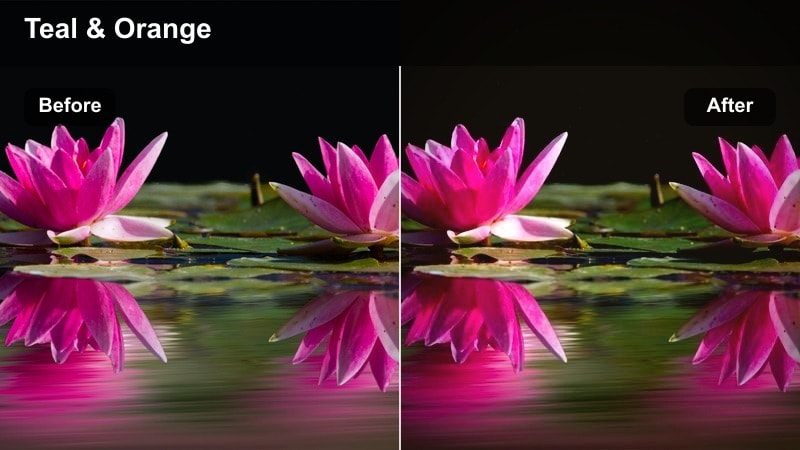
- Effect look: Rich amber tones in mids and highlights with a subtle teal push in the shadows for a modern city vlog style.
- Best for: Street vlogs, urban B-roll, handheld walk-and-talks with mixed daylight and storefront lighting.
- Editing tip: Boost local contrast or clarity on buildings and keep skin tones neutral by slightly desaturating orange hues.
Amber City Glow gives your Canon R8 footage a cinematic amber-and-teal treatment while keeping skin from going too orange. In Filmora, it is ideal when your frame mixes blue sky or glass with warm storefronts, because the filter naturally separates background and subject for a stylized city look.
After applying a similar filter in Filmora, gently increase local contrast or clarity on buildings to emphasize lines and reflections. Then, use HSL controls to reduce orange saturation just a little so your skin tones sit naturally while street lights keep that rich amber punch audiences love.
Copper Haze Walk
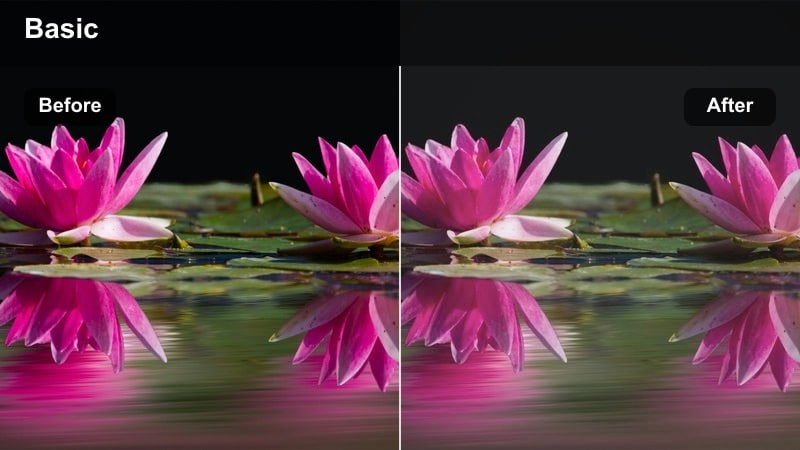
- Effect look: Soft copper highlights with slightly lifted blacks and a hazy, low-contrast finish for dreamy vlog sequences.
- Best for: Slow-motion B-roll, cinematic walking shots through alleyways, moodier lifestyle vlogs.
- Editing tip: Add just a bit of grain and keep your white balance slightly warm to avoid a washed-out look.
Copper Haze Walk is perfect when your Canon R8 captures backlit alleys, slow walks, or reflective lifestyle moments. In Filmora, its lifted blacks and soft contrast help remove harsh edges, giving your B-roll a dreamy, almost filmic layer that pairs well with calm music or voiceover.
To keep this look intentional rather than flat, nudge your white balance a little warm and add a small amount of film grain. If the image starts to feel too milky, bring down blacks slightly with the curves tool while avoiding heavy contrast that would break the hazy, copper-toned atmosphere.
Clean Indoor Talking-Head and Workspace Vlogs
Studio Neutral Clean
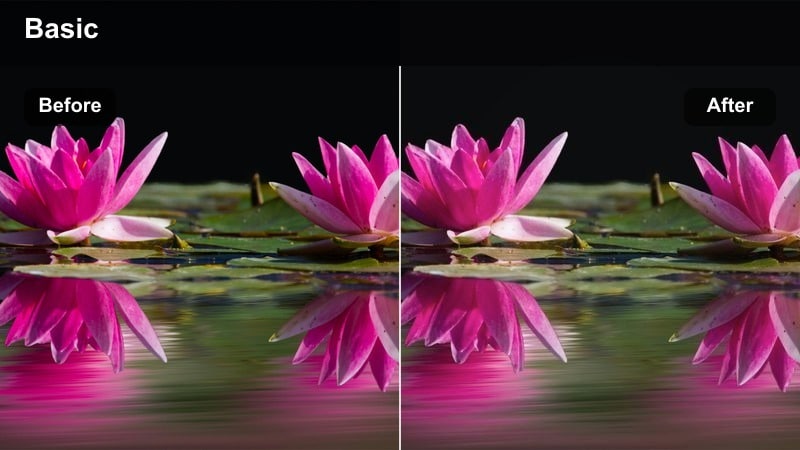
- Effect look: Balanced contrast with neutral color, clean whites, and smooth skin tones for professional talking-head videos.
- Best for: YouTube tutorials, gear reviews, desk setups, and channel updates filmed indoors.
- Editing tip: Dial in white balance in-camera on the Canon R8, then apply this look and make only small global color tweaks.
Studio Neutral Clean is a reliable base for any Canon R8 talking-head content where clarity and color accuracy matter. In Filmora, this type of filter keeps whites true and skin tones natural, making it perfect for educational videos, sponsor reads, or product close-ups that need to look trustworthy.
After applying a neutral studio filter, limit yourself to light adjustments in exposure and contrast so your whole series maintains a consistent look. Save your graded timeline as a template inside Filmora, then reuse it for future desk videos to speed up your process and keep your brand visuals locked in.
Soft Skin Highlight
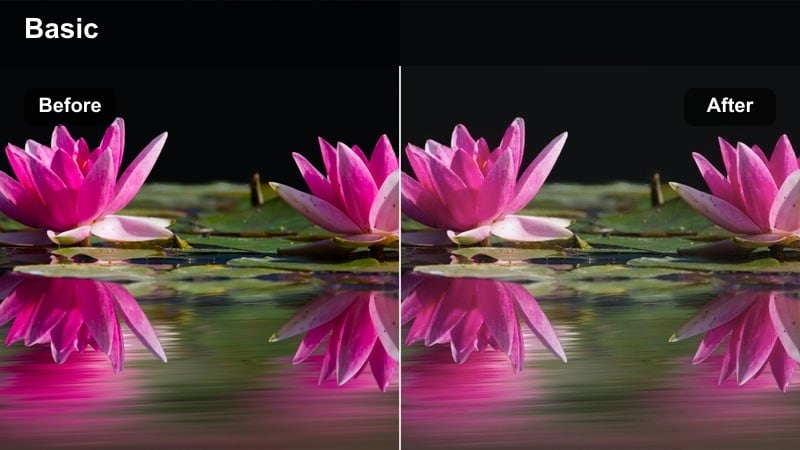
- Effect look: Gentle contrast with slightly lowered texture in highlights to smooth skin while keeping eyes sharp.
- Best for: Beauty vlogs, lifestyle sit-downs, product talk-throughs filmed in bedrooms or studios.
- Editing tip: Use a touch of sharpening on the eyes and brows only, and leave the rest of the frame slightly softer.
Soft Skin Highlight is tailored to Canon R8 creators who film beauty, skincare, or lifestyle content and want flattering close-ups. In Filmora, the look softens highlight texture just enough to smooth skin without turning the image plastic or blurry, which is crucial for high-resolution YouTube viewing.
Once you have this kind of filter applied, use Filmora's masking or detail tools to increase sharpness around the eyes and brows only. Keeping the rest of the frame slightly softer helps draw attention to your expression and product demonstrations while maintaining an elegant, premium feel.
Cozy Room Vlog
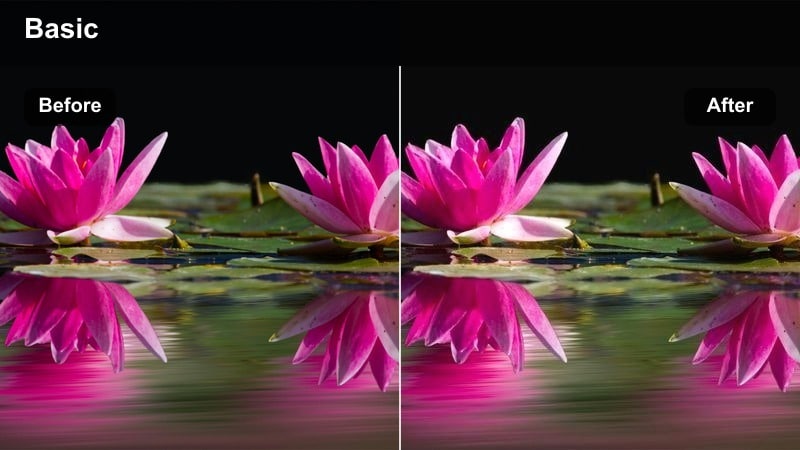
- Effect look: Warm midtones with gentle contrast and a slight lift in blacks for a cozy, inviting room atmosphere.
- Best for: Bedroom vlogs, day-in-the-life edits, casual storytelling sessions from a couch or bed.
- Editing tip: Lower saturation in yellows if lamps look too intense and let the warm mids do most of the mood setting.
Cozy Room Vlog transforms Canon R8 indoor clips into welcoming, story-driven scenes that feel intimate and relaxed. In Filmora, it adds warmth primarily to the midtones so skin looks soft and inviting while preserving enough detail in blankets, furniture, and decor.
If your lamps or LED strips look overly strong, slightly reduce yellow saturation and keep overall contrast moderate. This lets the warm mids carry the mood without overpowering your skin tone, giving bedroom vlogs and casual chats the calm, cinematic glow viewers enjoy watching late at night.
Outdoor Travel, City Hopping, and Day-in-the-Life
Travel Punch
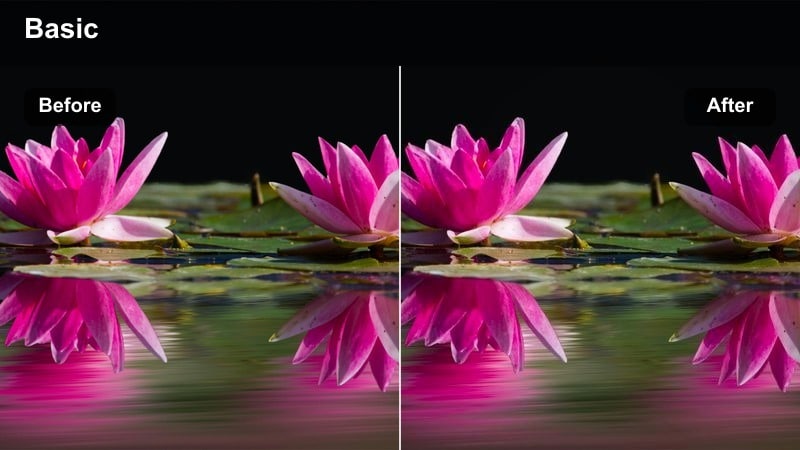
- Effect look: Vibrant but controlled colors with crisp contrast and clean skies, ideal for energetic travel edits.
- Best for: City tours, travel montages, handheld street B-roll during the day.
- Editing tip: Raise saturation in blues and cyans slightly to make skies and glass buildings pop without oversaturating skin.
Travel Punch is built for bright Canon R8 travel days where you want energy and color without cartoonish saturation. In Filmora, it enhances skies, buildings, and clothing while preserving enough neutrality in skin tones so your face still looks believable in every shot.
After you apply a punchy look, selectively boost blues and cyans to bring out skies, water, or modern architecture. If skin tones start to drift, counterbalance with a small reduction in orange or red saturation so your vlog feels vivid but still natural and bingeable.
Urban Documentary
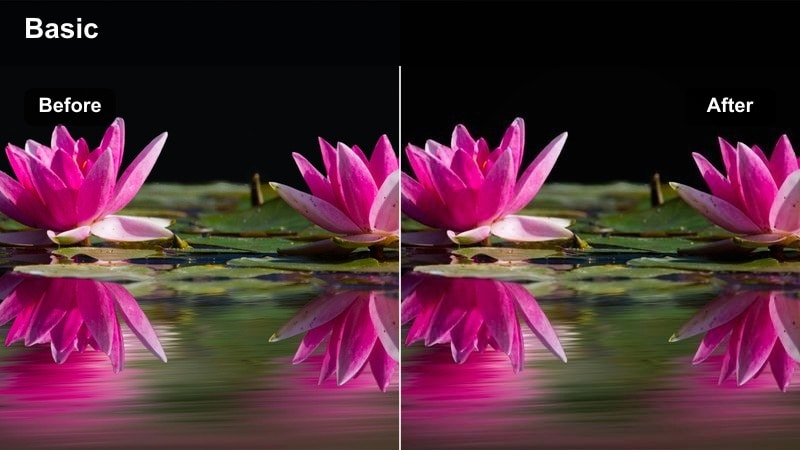
- Effect look: Muted saturation with stronger contrast and cool shadows for a more grounded, documentary-style vlog look.
- Best for: Street documentaries, reportage-style city exploration, serious storytelling pieces.
- Editing tip: Keep exposure slightly under for moodier scenes and avoid heavy sharpening to maintain an organic street feel.
Urban Documentary suits Canon R8 projects that lean more toward storytelling and reportage than glossy influencer content. In Filmora, muting saturation and cooling shadows helps emphasize texture, architecture, and real-life details, making your city walks and interviews feel more authentic.
When grading, keep exposure a touch under to protect highlights in windows and signs, then let contrast define structure. Avoid aggressive sharpening or noise reduction so the natural grain and motion from your street footage remain, reinforcing that grounded documentary character.
City Morning Fresh
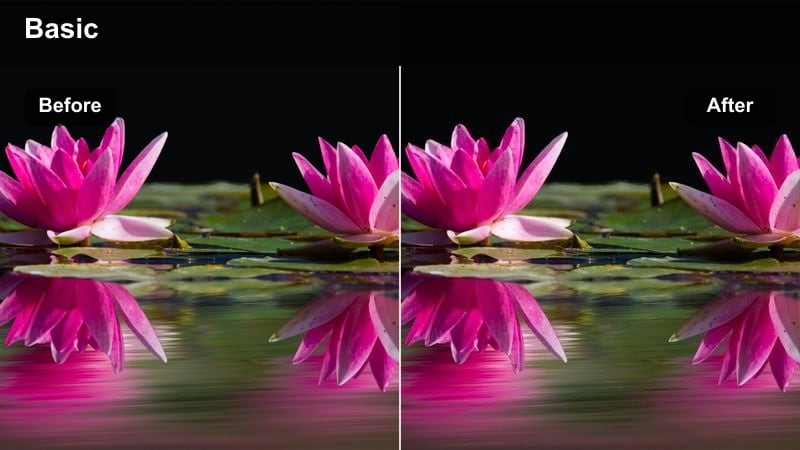
- Effect look: Cool, bright highlights with clean whites and gentle saturation for crisp early-morning vlogs.
- Best for: Morning coffee walks, commute vlogs, day-one-of-the-trip intros filmed in soft daylight.
- Editing tip: Lift exposure slightly and keep contrast moderate to maintain that soft, fresh morning feel.
City Morning Fresh is ideal for Canon R8 footage shot in soft daylight before the sun gets harsh. In Filmora, this kind of filter brightens whites and keeps saturation gentle, giving your morning routines, travel intros, and productivity vlogs a clean, optimistic energy.
To keep that early-day vibe, raise exposure a bit and resist the urge to crush blacks too far. If colors look subdued, add just a small global saturation boost rather than heavy tweaks, so your footage remains airy, legible, and pleasant to watch on both phones and laptops.
Night City Vibes and Neon Street Vlogs
Neon Street Pop
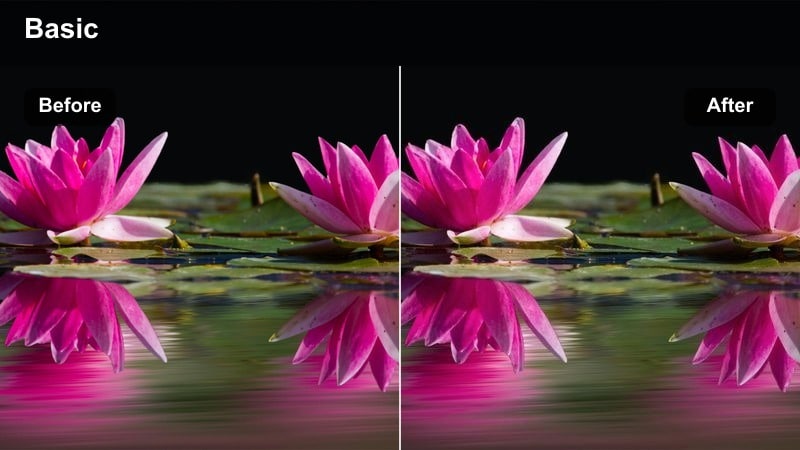
- Effect look: Deep contrast with saturated neon colors and slightly lifted midtones to keep faces visible at night.
- Best for: Neon-lit streets, nightlife B-roll, walking vlogs under billboards and signs.
- Editing tip: Reduce saturation in reds if signage clips too fast, and use noise reduction sparingly to keep detail.
Neon Street Pop brings out the boldest colors in your Canon R8 night clips while preserving enough brightness in midtones for your face to stay readable. In Filmora, it works best where you have heavy neon or LED signage, giving your street vlogs a punchy cyberpunk flair without losing your subject.
If bright reds or magentas start to clip, pull back their saturation or luminance in the HSL panel while leaving other colors strong. Apply only light noise reduction so you do not smear fine detail in signs and reflections, keeping that sharp, energetic night-time aesthetic intact for your viewers.
Moody Night Walk
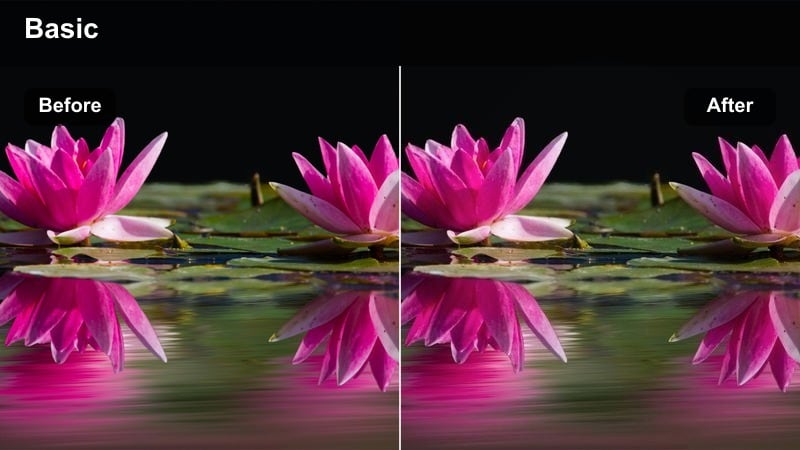
- Effect look: Crushed blacks with cool shadows and gentle highlight roll-off for moody night walks and storytelling.
- Best for: Story-driven night vlogs, reflective monologues, late-night city walks in quieter streets.
- Editing tip: Lift shadows slightly if noise becomes distracting and avoid over-brightening to preserve the mood.
Moody Night Walk fits Canon R8 content where you want a reflective, cinematic tone rather than bright nightlife energy. In Filmora, deep blacks and cool shadows help shape your silhouette against street lamps or storefronts, making late-night monologues feel more intimate and dramatic.
When grading, keep overall exposure low and only lift shadows enough to manage noise. Avoid pushing mids too bright, or you will lose the sense of night; instead, let a few controlled highlights on faces and key backgrounds carry the emotional focus of each shot.
Urban Noir
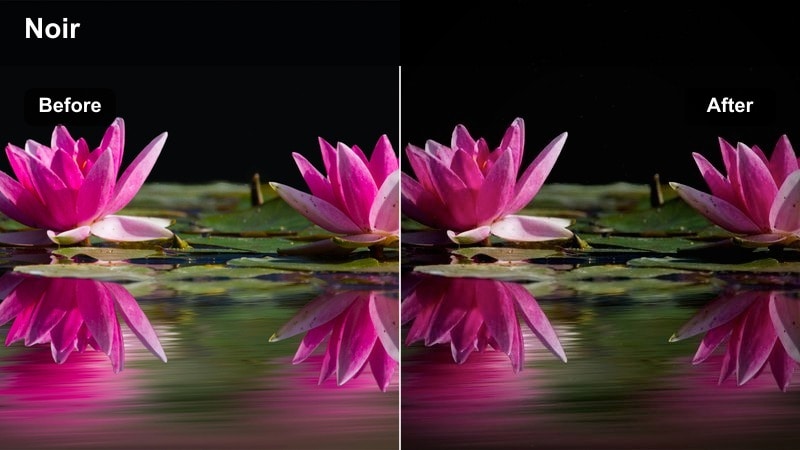
- Effect look: High-contrast, desaturated tones with a subtle blue tint in shadows for a stylized noir-inspired vlog look.
- Best for: Cinematic B-roll sequences, narrative intros, stylized urban short films shot with the Canon R8.
- Editing tip: Lower saturation in all hues, then reintroduce just a touch of color in skin tones for visual focus.
Urban Noir is designed for Canon R8 creators who want a stylized, film-inspired night look with minimal color. In Filmora, the strong contrast and cool shadows add drama to alleyways, wet streets, and single-light setups, making your scenes feel like story frames rather than casual vlogs.
Start by dialing saturation down across the board, then selectively boost skin tones back just enough to guide the viewer's eye. Pay attention to reflections on pavement and glass; with this grade, they become powerful compositional tools that add depth and cinematic polish to every shot.
Tips for Using Canon R8 Vlog Luts Filters in Filmora
- Set a consistent white balance on your Canon R8 before shooting so each vlog filter or LUT in Filmora reacts predictably across clips.
- Expose to protect highlights in bright city streets or neon scenes, then gently recover shadows with your chosen Filmora look instead of over-brightening.
- Create a reusable Filmora project template that includes your favorite Canon R8 vlog LUT-style filter, intro graphics, and music to speed up editing.
- Use related filters on talking-head segments and B-roll so the color style feels cohesive from start to finish in every vlog.
- Adjust filter intensity on a clip-by-clip basis; lower strength for faces and higher strength for travel or cinematic B-roll.
- Combine a technical Canon R8 LUT for color accuracy with a creative Filmora filter on top, then fine-tune the overall mood with curves and HSL.
- Check your grades on both a phone and a larger monitor from Filmora's export previews to ensure contrast and saturation work on all screens.
- Save your best-performing color setups as Filmora presets so you can apply them to new Canon R8 projects with a single click.
With the right Canon R8 vlog LUT-style filters, you can turn everyday footage into a consistent, cinematic brand without becoming a full-time colorist. Filmora's filter previews, AI color tools, and LUT support make it simple to test variations and lock in a hero look for your channel.
Test a few of these looks on your next project, build a small library of favorites, and then apply them across every Canon vlog you create. Over time, your viewers will recognize your color style instantly, helping your content stand out in crowded feeds and playlists.
secure download