

 100% Security Verified | No Subscription Required | No Malware


 ChatGPT
 Perplexity
 Gemini
 Claude
 Grok
Grok
If your food videos look flat or dull in CapCut, vibrant LUT-style filters can instantly boost color, contrast, and appetite appeal with just a few taps.
Below are curated CapCut-style vibrant food filters inspired by LUT looks, organized by real shooting scenarios so content creators can quickly pick a preset that matches their dish, mood, and platform.
In this article
Sunny Brunch and Café Counter Scenes
Citrus Brunch Pop
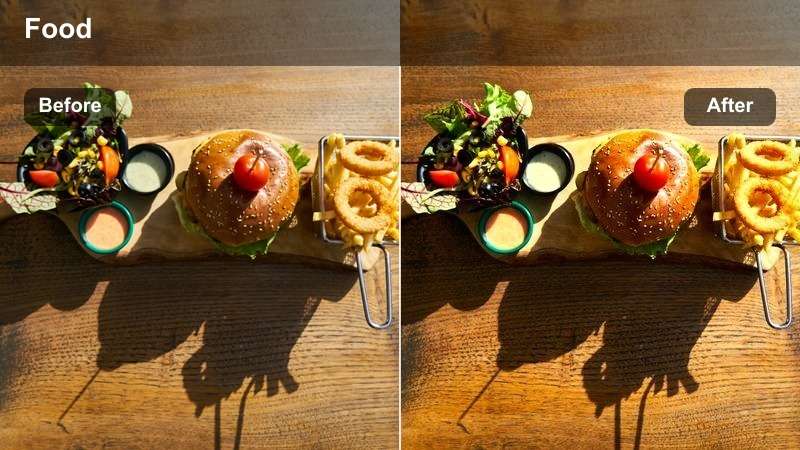
- Effect look: Punchy, high-saturation color that makes citrus tones and fresh greens burst with brightness.
- Best for: Daytime brunch plates, smoothie bowls, café flatlays, and sunny coffee shop reels.
- Editing tip: Lower overall saturation by 5–10 percent if skin tones appear too orange while keeping the plate at full vibrancy.
Use Citrus Brunch Pop in Filmora when you want your brunch clips to feel zesty and energetic without losing detail in toppings, glazes, and garnishes. After importing your CapCut footage, apply a vivid color filter or LUT, then boost saturation and vibrance slightly while protecting highlights so whites on plates and napkins do not blow out.
To keep the look appetizing, combine this vibrant style with Filmoras Color tools: gently lower saturation on orange and red ranges while lifting greens and yellows to make fruit, herbs, and leafy toppings sing. Finish by adding a soft vignette and subtle sharpen so pancakes, smoothie bowls, and avocado toast stay the clear focus of your shot.
Match Your Food Mood with Smart Color Choices
Different dishes call for different color moods, and pairing the right vibrant filter with your food type can completely change how appetizing it looks. In Filmora, you can quickly test warm, cool, or zesty palettes on the same CapCut clip until the plate matches the mood you want.
Think in terms of emotion first: bright and zesty for brunch, warm and golden for comfort food, or bold neon for street eats, then use Filmoras color tools and LUTs to reinforce that story consistently across your content.
 secure download

See Before-and-After Food Filter Transformations
To refine your vibrant CapCut food looks in Filmora, duplicate a clip on the timeline and apply a different preset or LUT to each copy. Then play them back side by side to judge which version keeps skin tones natural, plate whites clean, and ingredient detail sharp.
This kind of A or B testing makes it easy to lock in a house style for your brand while still experimenting with new color directions for special dishes, seasonal menus, or campaigns.
secure download1000 plus Video Filters and 3D LUTs
Filmora includes a large library of filters, cinematic LUTs, and stylized looks that you can stack on top of your CapCut food edits for even more impact. With one click, you can try filmic, vintage, neon, and high-contrast styles until you find the perfect match for your dish and platform.
Once you dial in a favorite combination, save it as a custom preset to build your own LUT-style pack and apply the same vibrant food look across all your shorts, Reels, and YouTube videos in seconds.
To create a portable LUT file, Filmora can also export compatible color adjustments from a selected clip as a standard .cube LUT for reuse across Shorts, Reels, YouTube videos, or projects edited in DaVinci Resolve, Adobe Premiere Pro, and Final Cut Pro.
secure downloadLatte Art Glow
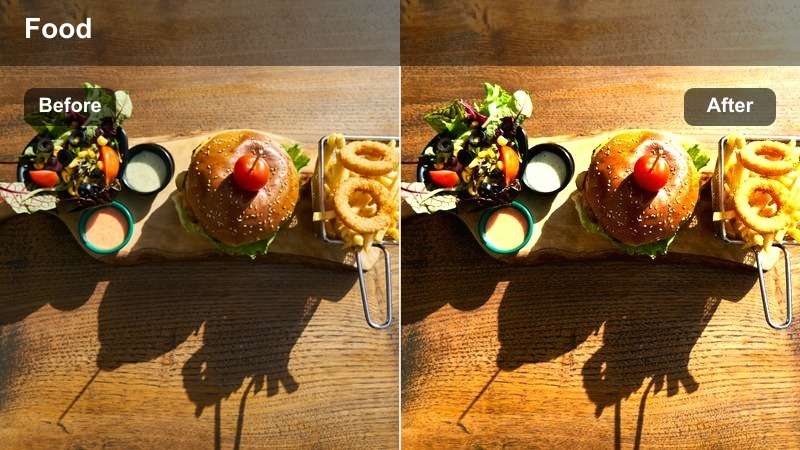
- Effect look: Warm, creamy glow that enriches browns and softens shadows around cups and mugs.
- Best for: Coffee pours, latte art close-ups, cozy café reels, and barista POV shots.
- Editing tip: Add a slight sharpening boost around the cup rim and foam to emphasize latte art patterns.
Latte Art Glow works well in Filmora when you want your coffee clips to feel cozy and cinematic, especially for tight shots of foam patterns and slow pours. Start with a warm-toned LUT or filter, then increase warmth and tint slightly toward orange while keeping exposure balanced so the foam remains soft and clean.
Use Filmoras masking and sharpening tools to subtly sharpen just the latte surface and cup rim while leaving the background a bit softer. Combine with a gentle vignette and slow zoom-in to create intimate coffee moments that fit perfectly into Reels, TikToks, or YouTube Shorts.
Café Counter Crisp
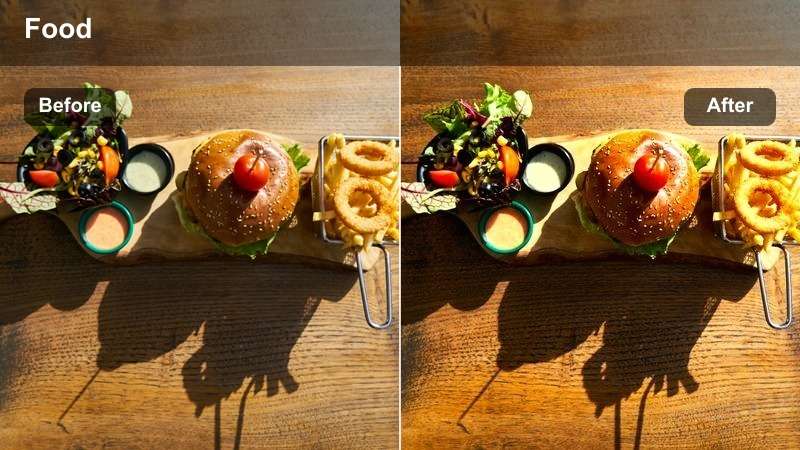
- Effect look: Clean, contrasty filter that sharpens edges and brightens whites on plates and cups.
- Best for: Minimal café counters, pastries in display, and clean overhead product shots.
- Editing tip: Lift the shadows slightly to avoid harsh black areas under plates while keeping edges defined.
Café Counter Crisp is ideal in Filmora for polished, menu-ready visuals where bakery items and drinks need to look clean and premium. Apply a bright, neutral LUT, increase contrast moderately, and raise whites to make dishes and cups stand out against counters or backdrops.
To avoid crunchy shadows, gently lift blacks and shadows in the Color panel while using moderate sharpening so crumbs, flaky pastry layers, and glass edges look defined. Add simple, minimal text overlays using sans serif fonts inside Filmora to create modern menu cards, price tags, or reel titles that complement this crisp aesthetic.
Street Food, Food Trucks, and Night Market Energy
Neon Street Spice
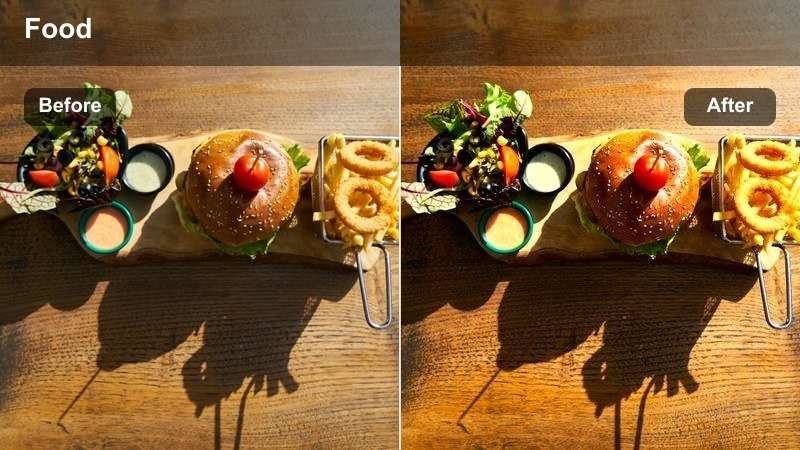
- Effect look: High-contrast, saturated filter that pushes reds and yellows for bold, spicy street food shots.
- Best for: Night markets, food trucks, grilling clips, skewers, and sizzling pans.
- Editing tip: Reduce highlight intensity on reflective oil or sauces to prevent harsh glare under neon lights.
Neon Street Spice in Filmora brings out the fire and intensity of street food by emphasizing reds, oranges, and deep shadows. Start by choosing a high-contrast LUT, then push saturation in warm tones while protecting highlights so reflections on oil and metal still show texture.
Combine this look with Filmoras speed ramping and beat-synced cuts to match chaotic market energy. Use color wheels to cool down background blues and greens slightly so the glowing skewers, grills, and sauces stay center stage in your TikTok and Reel edits.
Truck Window Vivid
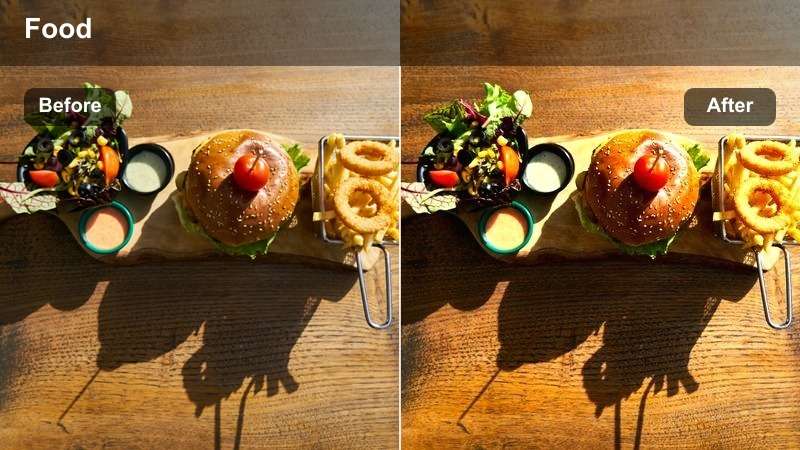
- Effect look: Vibrant but slightly cool-toned filter that keeps food bright while taming mixed street lighting.
- Best for: Food truck serving windows, plated portions handed to customers, and quick hand-off shots.
- Editing tip: Use CapCut's skin smoothing lightly on hands if needed, but avoid blurring texture on the food itself.
Truck Window Vivid works best when your CapCut clips include both faces and food under mixed street lights. In Filmora, neutralize white balance first, then apply a vibrant but cool-leaning LUT so the dish stays colorful while background lighting feels more controlled.
Use Filmoras HSL controls to reduce saturation in magentas and blues that often pollute skin tones at night, while boosting oranges, yellows, and greens for the food. Add a slight blur or depth-of-field effect to background elements so the moment of serving through the truck window becomes the main visual hook.
Market Sizzle Boost
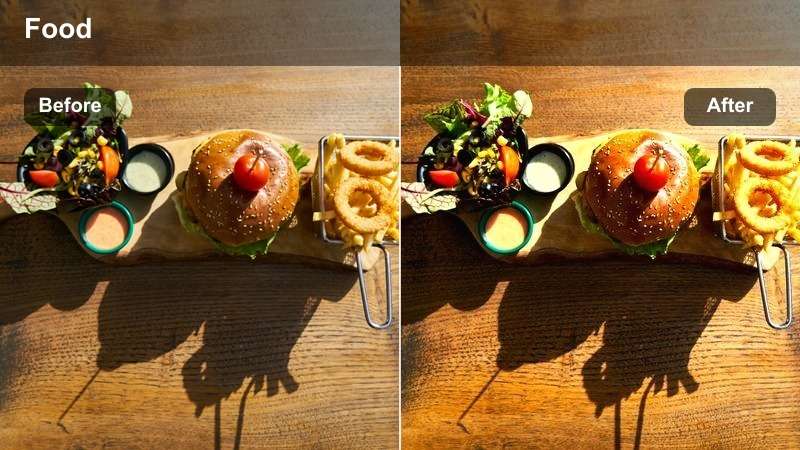
- Effect look: Contrast-heavy filter that enhances steam, smoke, and sizzling highlights for action shots.
- Best for: Wok tosses, deep-frying, grill flips, and up-close action at food stalls.
- Editing tip: Use slight slow-motion and this filter together to highlight oil bubbles, steam, and flame bursts.
Market Sizzle Boost is perfect in Filmora for turning quick cooking moments into dramatic, high-impact clips. Choose a strong contrast LUT, deepen blacks, and increase clarity so steam, smoke, and sparks stand out crisply against darker backgrounds.
Record at a higher frame rate when possible, then slow the clip down on Filmoras timeline to show oil bubbles, flips, and flame bursts in satisfying detail. Add sound design inside Filmora with layered sizzle and clank effects to make the visual intensity of this filter feel even more immersive.
Home Kitchen, Meal Prep, and Recipe Walkthroughs
Countertop Color Lift
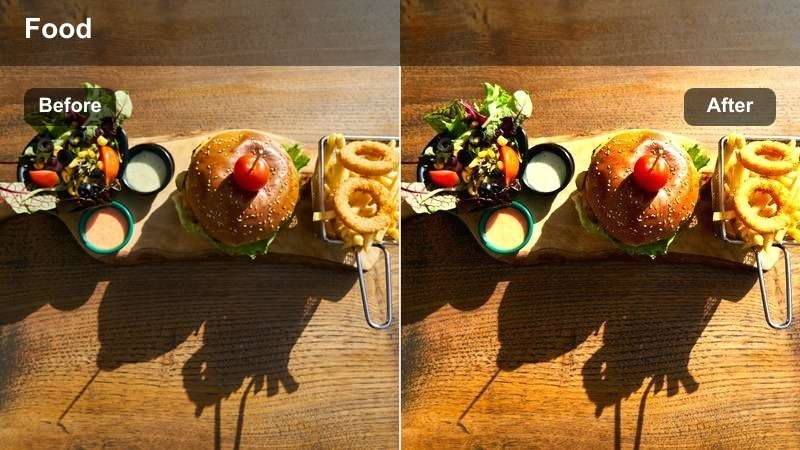
- Effect look: Soft yet vibrant enhancement that brightens ingredients on neutral kitchen countertops.
- Best for: Chopping sequences, ingredient lineups, and recipe intros in home kitchens.
- Editing tip: Add subtle motion blur to transitions between ingredients to keep the focus on color and freshness.
Countertop Color Lift in Filmora helps everyday kitchens look brighter and more professional while keeping a natural, homely feel. Apply a soft, vibrant LUT, increase exposure slightly, and raise saturation just enough to make vegetables, fruits, and spices pop against neutral counters.
Use Filmoras smooth transitions and motion blur effects between clips of different ingredients to create a flowing, colorful sequence. Slightly de-saturate background tones like gray countertops while boosting greens, reds, and yellows so the ingredients stay the unmistakable hero of each shot.
Stovetop Warm Vibe
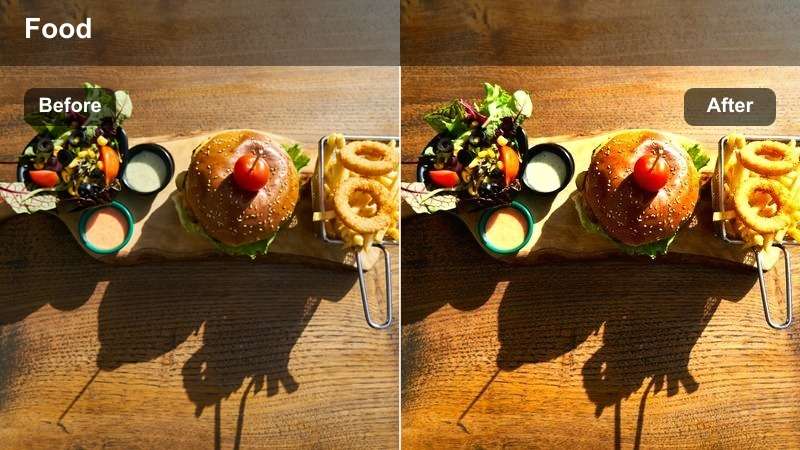
- Effect look: Warm, cozy filter that enriches browns and golds for simmering and slow-cook shots.
- Best for: Stews, sauces, simmering pots, and slow-motion stirs in home kitchens.
- Editing tip: Use gentle zoom-ins while stirring to pair with this warm look for comforting, ASMR-style clips.
Stovetop Warm Vibe is made for comfort food and slow-cook scenes where you want viewers to feel cozy and relaxed. In Filmora, select a warm LUT or manually push temperature and tint toward amber, then deepen midtones so sauces, gravies, and braises look rich and hearty.
Add slow zooms and smooth panning keyframes to your CapCut clips so stirs, bubbles, and steam move gently across the frame. Layer soft kitchen sounds and reduce background noise using Filmoras audio tools, creating ASMR-friendly edits that match the warmth of the visuals.
Recipe Card Bright
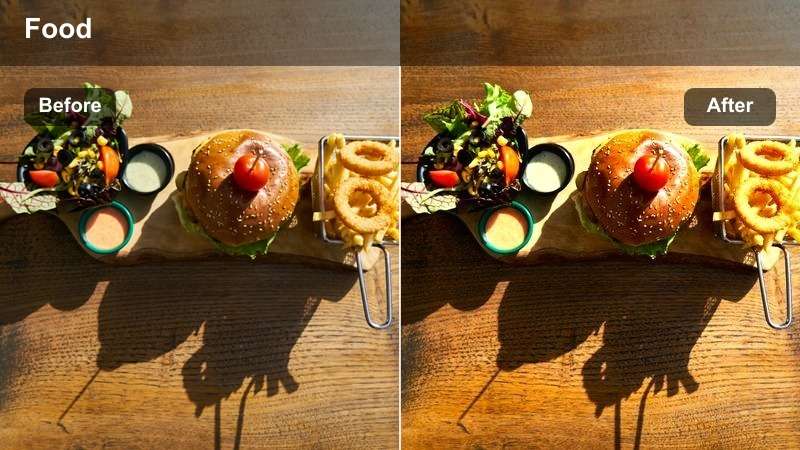
- Effect look: Clean, high-key brightness that makes overlays and on-screen text easy to read.
- Best for: Step-by-step tutorials, overhead recipe walkthroughs, and text-heavy reels or shorts.
- Editing tip: Drop contrast slightly when adding white text so words stay clear without crushing shadows.
Recipe Card Bright in Filmora is perfect for tutorial-style content where viewers need to read text while still enjoying vibrant food visuals. Raise exposure and whites to create a high-key base, then add a gentle LUT that preserves color in ingredients without muddying shadows.
Use Filmoras text presets and motion graphics to overlay clear step numbers, ingredient lists, and timings in open areas of the frame. By slightly lowering contrast and controlling shadows, you keep both food and typography crisp and legible on small phone screens.
Plating, Close-Ups, and Social-First Hero Shots
Plate Pop Highlight
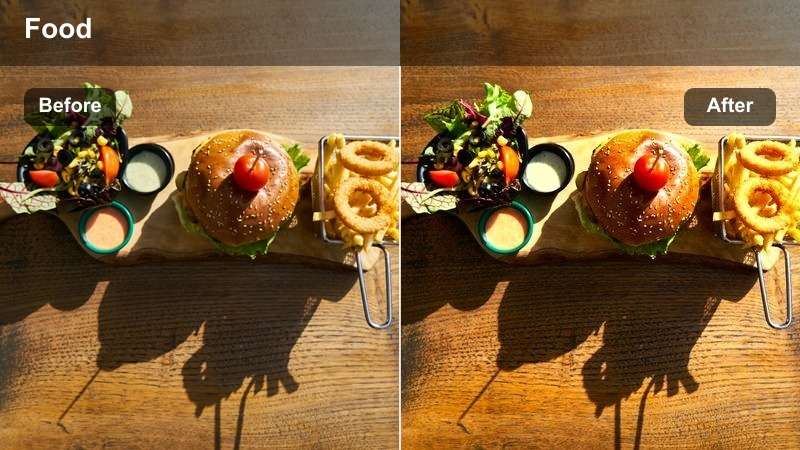
- Effect look: Strong pop on midtones with crisp highlights to make plated dishes stand out for thumbnails.
- Best for: Final plate reveals, hero shots, and looping bite moments on TikTok and Reels.
- Editing tip: Crop tighter than usual and center the main element so this bold look reads clearly on small screens.
Plate Pop Highlight is your go-to in Filmora when you want one hero dish to dominate the frame and act as a scroll-stopping thumbnail. Apply a punchy LUT, increase midtone contrast, and brighten highlights so glazes, garnishes, and sauces catch the light just enough.
Reframe your CapCut clips in a vertical 9:16 project and crop tightly around the main dish, leaving a bit of negative space for any text overlays. Use Filmoras sharpening and clarity tools sparingly to keep edges crisp without making the food look artificial or over-processed.
Macro Bite Vibrant
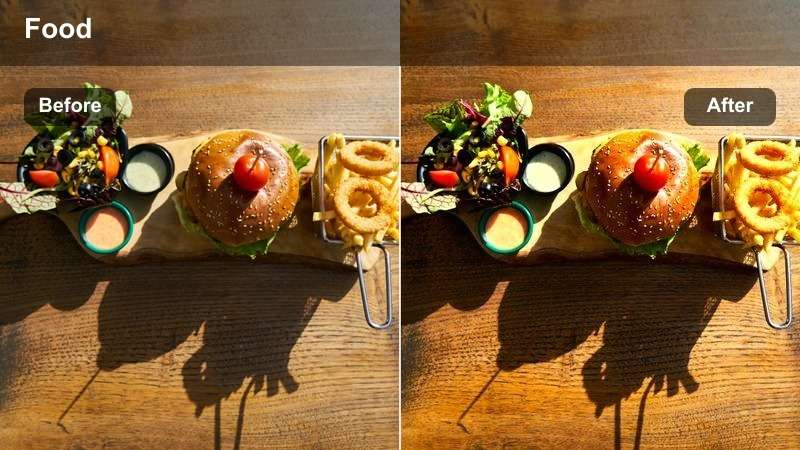
- Effect look: Macro-focused, high-saturation filter that amplifies textures like crumbs, sauces, and fillings.
- Best for: Extreme close-ups of bites, cheese pulls, sauce drizzles, and fork lifts.
- Editing tip: Slightly reduce sharpness if tiny crumbs start to look too harsh or distracting on mobile screens.
Macro Bite Vibrant in Filmora emphasizes texture and color for ultra-close food shots, making every crumb and drizzle feel larger than life. Start with a vivid LUT, boost saturation, and raise clarity just enough to define edges of fillings, crusts, and melted cheese.
Record at higher frame rates in CapCut, then slow down key bite or pull moments on Filmoras timeline so viewers can savor the detail. If the image starts to look too crunchy on mobile, gently pull back sharpness and add a touch of blur to the background while keeping the focal bite tack sharp.
Social Feed Saturated
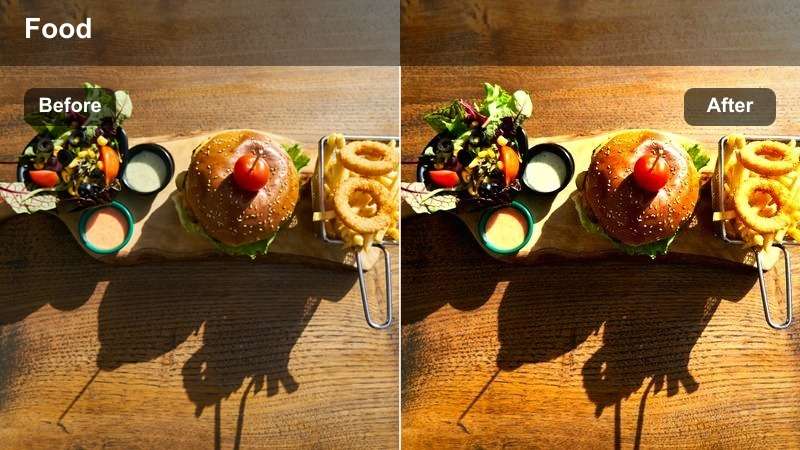
- Effect look: Strong global saturation with controlled contrast to stand out against busy feeds.
- Best for: Instagram Reels covers, TikTok loops, and carousel-style bite compilations.
- Editing tip: Keep clip lengths short and snappy when pairing this punchy filter with fast-paced music trends.
Social Feed Saturated is designed in Filmora to cut through cluttered timelines with bold, colorful food visuals that still look appetizing. Apply a high-saturation LUT or filter, then fine-tune vibrance and HSL so each color family remains rich but not neon or cartoonish.
Use Filmoras beat detection and auto montage features to sync quick cuts of bites, pours, and reveals to trending sounds. Keep transitions energetic but simple so the strong color treatment remains the star and your dishes are instantly recognizable as viewers scroll.
Tips for Using Capcut Food Video Luts Vibrant Filters in Filmora
- Shoot with plenty of soft, even light so vibrant filters in Filmora enhance your food instead of exaggerating noise and grain.
- After applying a strong LUT, always check skin tones and plate whites, then adjust temperature and tint until they look natural.
- Use tighter framing and slower, smoother camera moves on your CapCut clips when emphasizing textures like crumbs, grill marks, and glazes.
- Save your favorite color settings as Filmora presets labeled by scenario, such as brunch, street, or home kitchen, for faster editing.
- Combine CapCut's in-app effects with Filmoras advanced color tools to fine-tune saturation and contrast for each platform.
- Export short test clips from Filmora and preview them on your phone in vertical orientation to be sure colors and contrast read well in social feeds.
Vibrant CapCut food video LUT-style filters can turn simple clips into scroll-stopping content as long as you balance saturation, contrast, and texture carefully. With Filmoras filters, LUTs, and color tools, it is easy to refine each look so dishes stay both eye-catching and realistic.
Experiment with a few go-to presets for different scenarios, then refine them into a consistent visual style that makes every dish on your channel instantly recognizable and appetizing. Over time, your combined CapCut and Filmora workflow can become a repeatable system for producing polished, mouthwatering food content at scale.
secure download