

 100% Security Verified | No Subscription Required | No Malware


 ChatGPT
 Perplexity
 Gemini
 Claude
 Grok
Grok
Cinematic selfie video filters can turn a simple front camera shot into a frame that feels pulled from a feature film. With the right tones, contrast, and subtle texture, your face becomes the canvas for storytelling rather than just a talking head.
For filmmakers and cinematic creators shooting storytelling vlogs or dramatic monologues, these Filmora filter ideas focus on filmic depth, sculpted skin tones, and mood-driven color so your performance feels polished and intentional straight from your selfie setup.
In this article
Moody Portrait Tones for Dramatic Selfie Close-Ups
Deep Cinema Contrast
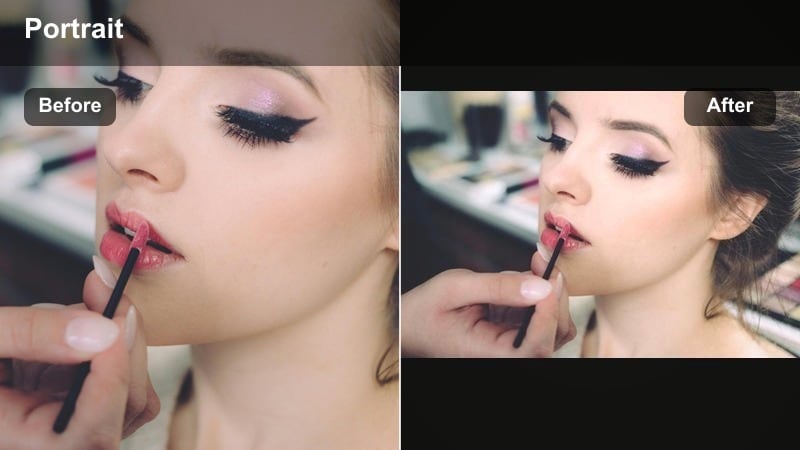
- Effect look: Rich shadows, slightly muted colors, and crisp facial contrast for a dark, filmic portrait
- Best for: Dramatic monologues, confession-style vlogs, and intense narrative beats
- Editing tip: Lower overall exposure slightly and add a soft vignette to keep the focus tightly on your eyes and mid-face.
Deep Cinema Contrast gives your selfie a weighty, drama-forward presence. By leaning into rich shadows and subtle desaturation, it sculpts cheekbones and jawlines so your face reads more like a film still than a casual video call. In Filmora, combine this look with a small exposure pull-down and a vignette to add instant focus and intensity to your performance.
Use this filter when you want your front-camera delivery to feel like a key scene in a narrative film. Confessions, emotional reveals, or tense storytelling beats all benefit from its crisp midtone contrast around the eyes and mouth. A single side key light plus reduced sharpness in Filmora will keep the image cinematic instead of looking overprocessed.
Use Smart Color Tools for Consistent Selfie Cinematics
Filmora s AI-driven color tools help you lock in a consistent cinematic selfie look even if your lighting changes between takes. Once you dial in a filmic tone that suits your face and background, you can reuse that color style across your entire vlog series.
Analyze one hero selfie clip, build your preferred cinematic selfie video filter settings, then save and apply that palette so your face always feels like the same on-screen character, no matter where you shoot. Open a recent selfie clip in Filmora and experiment with AI-assisted color matching to build your signature look.
 secure download

Preview Cinematic Selfie Filters in Real Time
Instead of guessing how a filter will affect your skin tone and mood, audition different cinematic selfie filters live on your front camera footage. Filmora s preview tools let you scroll through tones and contrast styles while watching your own expression.
Switch quickly between moody, neutral, and stylized options to see which filter best supports the story in your vlog or monologue without needing a full color-grade pass each time. Load a short 10-second selfie clip and cycle through filters to choose the mood that best fits your current scene.
secure downloadSave and Share Your Cinematic Selfie Presets
Once you have built a cinematic selfie filter that matches your filmic brand, export those settings as a reusable preset so every new video can start from the same base look. This is especially useful for recurring series, character diaries, or multi-episode storytelling vlogs.
You can even share your preset settings with collaborators so their selfie angles match your film s overall palette, keeping your project visually cohesive across multiple creators and locations. Create a custom preset named Cinematic Selfie Video Filters: Filmic Tones and Depth and apply it as your starting point on future projects.
secure downloadSoft Film Noir Selfie
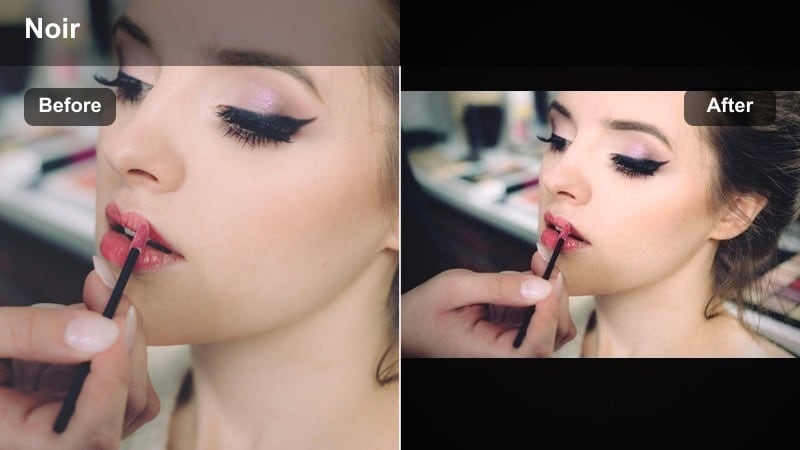
- Effect look: Low-key black and white with gentle grain and soft midtones on the face
- Best for: Voiceover selfie shots, classic movie homage pieces, and mystery storytelling vlogs
- Editing tip: Reduce color saturation to zero, then raise clarity only slightly so eyes stay sharp but skin never looks harsh.
Soft Film Noir Selfie converts your front camera shot into a monochrome frame inspired by classic cinema. By stripping color and adding gentle grain, Filmora helps your facial structure and expression take center stage while the rest of the frame recedes into tasteful shadow.
This look is perfect when you want your vlog or monologue to feel like a homage to old Hollywood or a moody detective story. Use practical lights like a table lamp or a window to create split lighting, then add a light vignette and minimal film grain in Filmora so the effect is cinematic and controlled rather than noisy.
Dusky Storyteller Glow
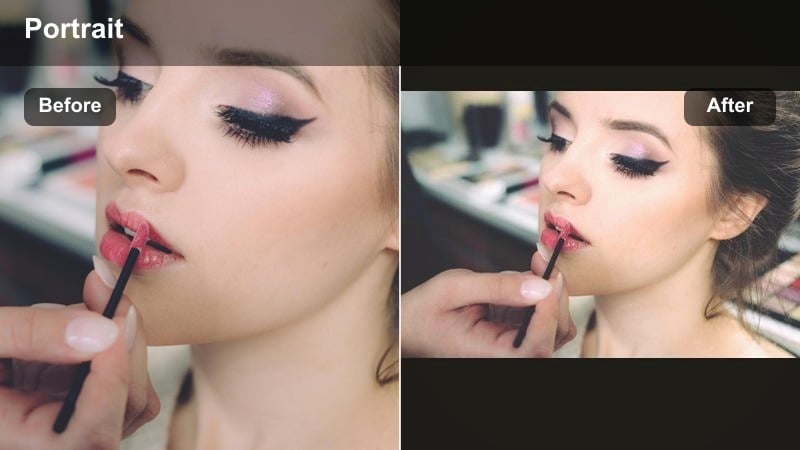
- Effect look: Warm low-sun tones, subtle fade in the blacks, and a soft highlight roll-off around the face
- Best for: Evening storytelling vlogs, reflective pieces, and poetic spoken-word selfie videos
- Editing tip: Raise temperature slightly, lower contrast just a bit, and use a tiny blur or skin-smoothing to create a gentle halo around facial highlights.
Dusky Storyteller Glow mimics the look of golden hour even when you are indoors. By warming midtones and gently fading the darkest parts of the frame, Filmora turns your selfie into a soft, reflective portrait that flatters skin while keeping emotional nuance visible.
Use this filter for diary-style vlogs, poetry reads, or quiet reflections at the end of the day. A warm practical light bounced off a wall can stand in for the setting sun, while subtle saturation boosts to orange and red channels in Filmora keep lips and cheeks healthy-looking against the lifted blacks.
Natural Cinematic Skin Tones for Honest Selfie Narratives
True Skin Neutral Cinema
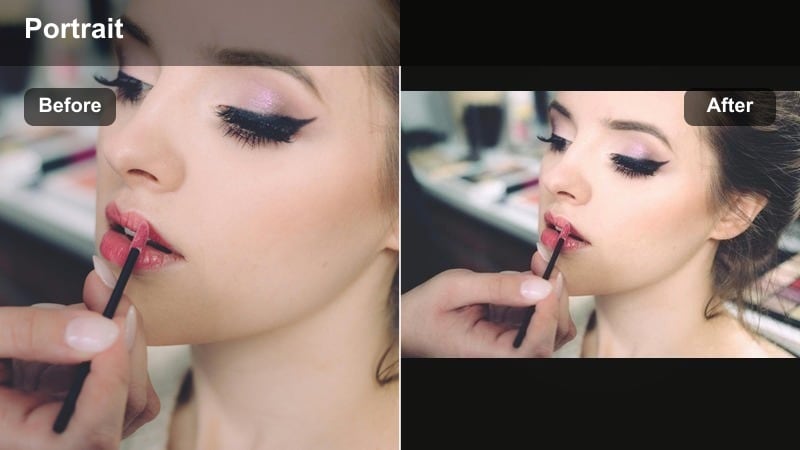
- Effect look: Balanced, neutral color with gentle contrast and natural skin priority
- Best for: Honest storytelling vlogs, behind-the-scenes pieces, and documentary-style selfie moments
- Editing tip: Use white balance eyedropper on a neutral object in frame, then slightly lift shadows so skin feels bright but not washed out.
True Skin Neutral Cinema is designed to keep your complexion believable while still delivering a hint of filmic polish. By starting with careful white balance and moderate contrast, Filmora prioritizes accurate skin color so viewers feel they are seeing the real you, not a heavily filtered version.
This look works well for educational pieces, candid updates, or any time authenticity is central to the story. Turn off colored LEDs, rely on a single clean light source, and then gently control saturation in Filmora so busy background colors do not compete with your face in the frame.
Subtle Filmmaker Matte
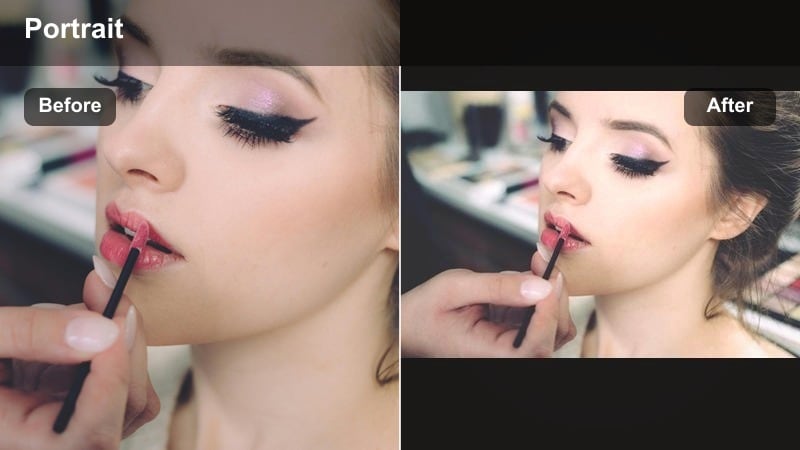
- Effect look: Soft matte finish with lowered highlights and slightly lifted blacks for a filmic curve
- Best for: Director commentary selfie shots, calm monologues, and story recaps between scenes
- Editing tip: Use curves to flatten the brightest highlights on your forehead and cheeks but avoid crushing micro-contrast around the eyes.
Subtle Filmmaker Matte adds a quiet, professional finish to your selfie by taming shine and flattening overly bright hotspots. A gentle S-curve in Filmora s color tools lowers highlights and raises the darkest areas, creating a soft editorial feel that suits calm, thoughtful pieces.
Use this filter when delivering director commentary, breakdowns, or mid-episode reflections. By controlling sheen on your forehead and cheeks before recording, the matte curve works more naturally, and if you wear glasses, slightly reducing highlight intensity will keep reflections from distracting from your expression.
Documentary Warmth Selfie
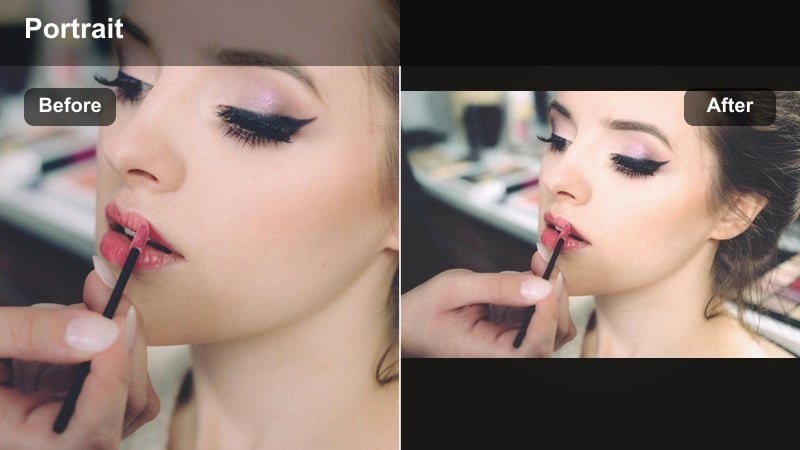
- Effect look: Gentle warmth in midtones, precise skin hue, and subtle contrast for authentic yet cinematic presence
- Best for: Travel vlogs, heartfelt updates, and creator-to-audience talk segments
- Editing tip: Add a slight warm tint to midtones only, then gently desaturate yellows to avoid overly orange skin in indoor lighting.
Documentary Warmth Selfie threads the needle between realistic color and inviting warmth. In Filmora, this look adds a small amount of golden tint to midtones while keeping saturation controlled, making your skin appear friendly and alive without crossing into artificial orange.
Choose this style when speaking directly to your audience, especially in travel or lifestyle contexts. Cooler backgrounds in grey or blue will make the warm skin tones stand out, and selective desaturation of background colors in Filmora helps guide the viewer s eye straight to your face.
Stylized Cinematic Moods for Aesthetic Selfie Shots
Teal and Rust Portrait
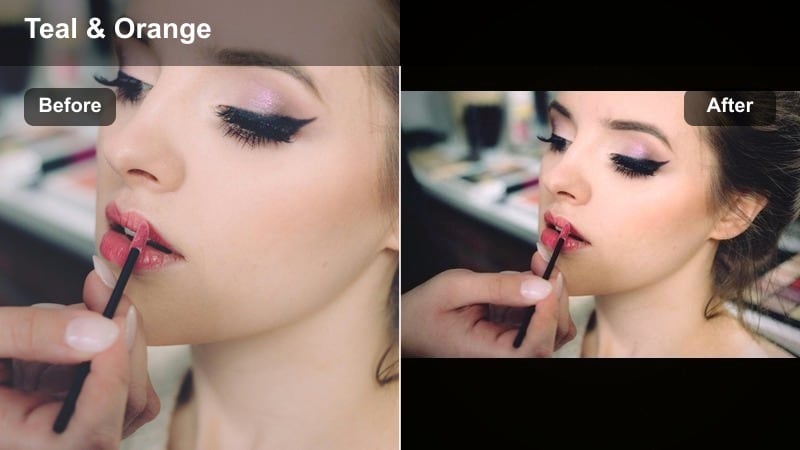
- Effect look: Classic teal shadows with warm rust tones in skin and lips, plus filmic contrast
- Best for: Cinematic storytelling vlogs, stylized scene intros, and aesthetic selfie reels
- Editing tip: Cool down shadows toward teal while keeping midtones neutral, then warm highlights slightly so your skin does not look cyan.
Teal and Rust Portrait recreates the blockbuster-style split between cool shadows and warm skin. In Filmora, you can push shadow hues toward teal while nudging highlights into a rust or amber range, leaving midtones relatively neutral so skin remains natural even within a strong grade.
This filter shines in intros, trailers, or stylized narrative moments where you want your selfie to look like a movie poster. Dress in neutral or earth tones and, if your background is already warm, cool it slightly in Filmora so the teal-versus-rust palette appears intentional and cinematic.
Neon Night Selfie
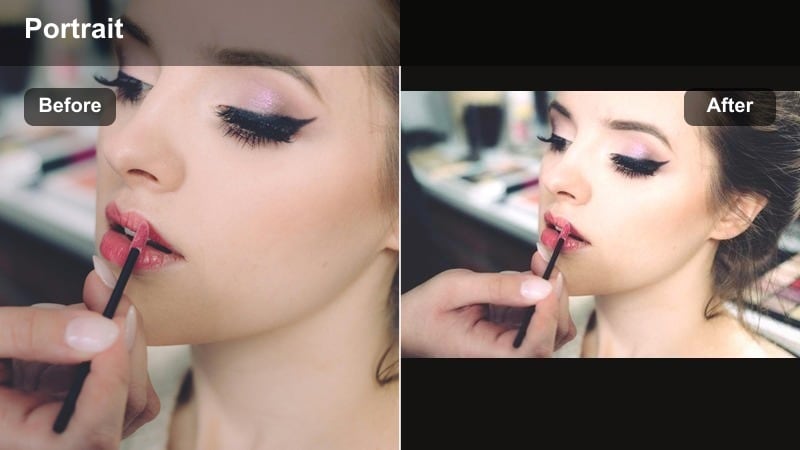
- Effect look: Punchy magenta and cyan hues with lifted blacks and subtle glow around edges
- Best for: Urban night vlogs, music-driven monologues, and cyberpunk-inspired storytelling
- Editing tip: Increase saturation of cool hues, then reduce luminance in blues to keep detail in neon signage behind your face.
Neon Night Selfie transforms your front camera into a futuristic, city-lit portrait. By emphasizing cyan and magenta while lifting the blacks, Filmora helps you create a soft neon haze that still holds detail in your facial features.
Set up inexpensive RGB lights or use real street signage, then fine-tune the hues in Filmora to avoid banding or oversaturation. Lower clarity or sharpness in the background only, via masks or depth effects, so your face stays crisp within the colorful urban glow.
Pastel Dream Portrait
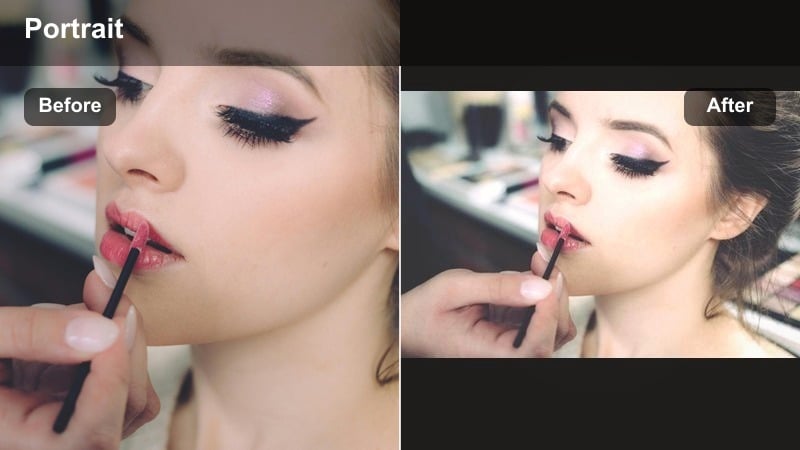
- Effect look: Low-contrast pastel palette with gentle bloom on highlights and softened edges
- Best for: Intimate diary vlogs, dreamy storytelling, and romantic aesthetic selfie videos
- Editing tip: Pull down contrast and clarity slightly, then use a glow or blur effect only on brighter areas to keep eyes in focus.
Pastel Dream Portrait wraps your selfie in soft, airy colors with a delicate glow. Filmora achieves this by reducing contrast, dialing back clarity, and adding bloom around the brightest parts of the frame so the overall image feels dreamy without losing subject recognition.
This style fits romantic, introspective, or nostalgia-driven content. Be careful not to over-soften; keep texture in brows, lashes, and freckles, and if the image begins to feel too hazy, boost micro-contrast around the eyes using Filmora s masking tools to restore emotional sharpness.
Story-Driven Selfie Filters for Vlogs and Monologues
Intimate Close-Up Grade
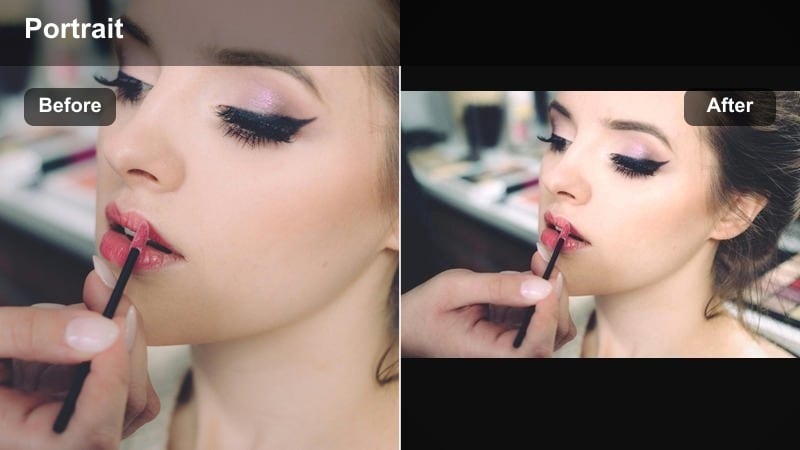
- Effect look: Softly desaturated colors, shallow-appearing depth, and focus on midtones around the eyes
- Best for: Emotional monologues, spoken word performances, and character diaries
- Editing tip: Gently desaturate the whole frame, then add a subtle radial focus effect centered on your eyes to simulate lens depth.
Intimate Close-Up Grade uses lowered saturation and gentle depth simulation to pull viewers into your emotional world. In Filmora, a radial focus or slight blur outside the eye area creates the illusion of shallow depth of field even on a standard front camera.
This filter is ideal when delivering highly personal lines, confessions, or character diary entries. By toning down color distractions and emphasizing midtones around your eyes, you give audiences a clear path to your emotional performance.
Vlog Cinema Neutral
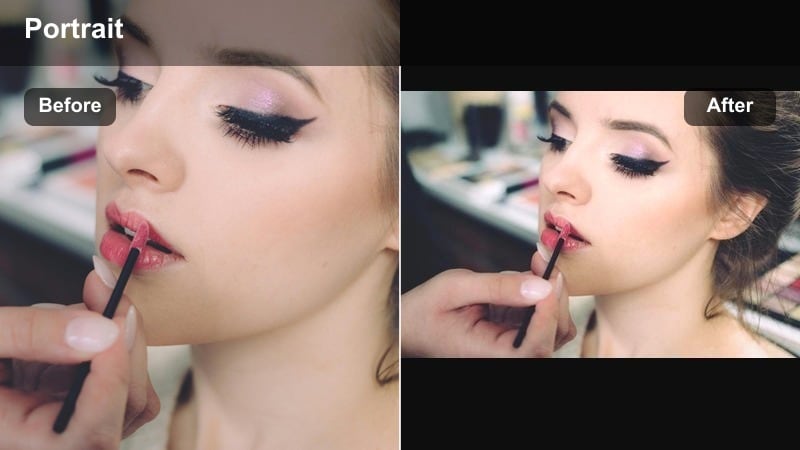
- Effect look: Clean, slightly contrasty image with true colors and mild vignette for focus
- Best for: Daily storytelling vlogs, educational pieces, and director s notes to camera
- Editing tip: Add a soft vignette around the frame edges and keep midtone contrast moderate to protect dynamic range on phone footage.
Vlog Cinema Neutral is a dependable baseline grade for almost any selfie scenario. It enhances clarity and contrast just enough to feel cinematic while maintaining accurate color and a subtle vignette that gently guides attention toward your face.
Use this look as your go-to preset for recurring series or daily uploads. In Filmora, save it as a custom preset and apply it to new clips so your channel maintains a cohesive visual identity without needing a full color pass for each episode.
Story Flashback Tone
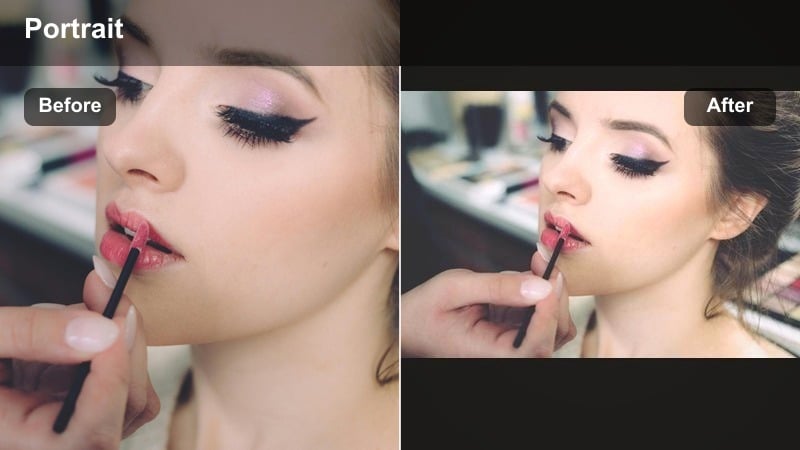
- Effect look: Slightly faded contrast with a warm tint and subtle film grain for memory-like texture
- Best for: Flashback sequences, reminiscence monologues, and chapter transitions in narrative vlogs
- Editing tip: Lower contrast and add mild grain, then reduce saturation a bit so the look feels like a remembered moment, not live reality.
Story Flashback Tone makes your selfie feel like a memory rather than a live moment. Filmora achieves this effect with slightly reduced contrast, a warm wash, and a fine layer of grain that recalls archival or film footage.
Use this grade to indicate time jumps, past chapters, or reflective voiceovers. Pair it with a slightly different angle or distance from your usual selfie framing, and consider adding a blur vignette or slower pacing in your edit to reinforce the sense of looking back.
Tips for Using Selfie Cinematic Tone Filters in Filmora
- Record a short lighting test selfie before each shoot and adjust exposure so your filter has room to preserve highlight detail on skin.
- Keep your background simple and slightly darker than your face so cinematic filters draw attention to expression, not clutter.
- Shoot at the highest resolution and bitrate your device allows; better capture quality gives Filmora s filters more nuance to work with.
- Use a small tripod or stand for your phone to maintain consistent framing, which makes subtle cinematic grading look more intentional.
- Match your filter choice to story tone; use warm documentary looks for friendly updates and cooler, contrasty tones for tension or introspection.
- Save your favorite selfie grades as Filmora presets so you can apply consistent cinematic tones across entire vlog series.
- Experiment with AI-assisted color matching in Filmora to keep skin tones consistent when shooting selfie footage in different locations.
Cinematic selfie video filters turn everyday front camera clips into deliberate, story-driven portraits that feel at home in your larger film or vlog. By choosing tones, contrast, and texture that support mood rather than distract from it, your face becomes an expressive cinematic frame, not just a casual snapshot.
Experiment with a few core presets, refine them in Filmora, and save your favorites so you can move quickly from idea to finished scene. With consistent filters, controlled lighting, and intentional framing, your storytelling vlogs and dramatic monologues will carry the same filmic impact as your main camera shots.
secure downloadNext: Aesthetic Selfie Video Filters for Stylized Storytelling
