

 100% Security Verified | No Subscription Required | No Malware


 ChatGPT
 Perplexity
 Gemini
 Claude
 Grok
Grok
The City Bridge Sunset Video Filter collection is designed for content creators who want their urban skylines, bridges, and waterfronts to glow with cinematic golden-hour color. These Filmora-ready looks gently enhance warm tones, deepen silhouettes, and preserve detail in the sky and city lights.
Whether you are filming travel vlogs, B-roll for client projects, or moody reels from your evening commute, these filters help you turn flat bridge footage into dramatic sunset scenes with a consistent, branded aesthetic.
In this article
Golden Bridges Over Warm Skies
Amber Glow Bridge
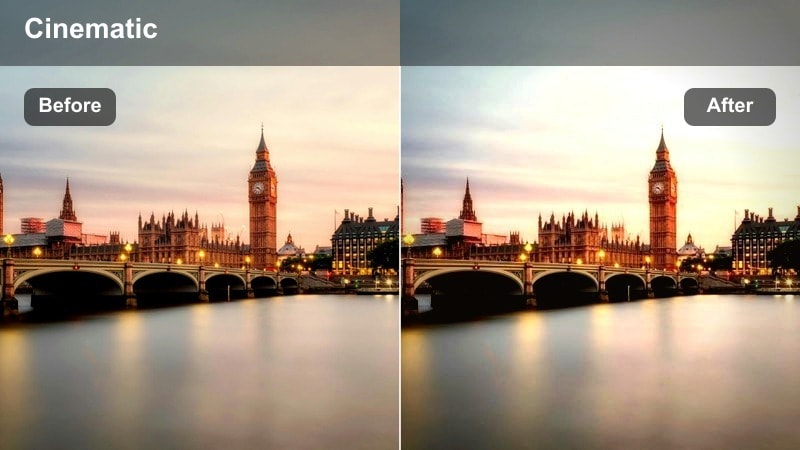
- Effect look: Soft warm contrast that wraps the bridge in amber light and gently lifts midtones.
- Best for: Handheld sunset walk-throughs across busy bridges where the sun is still slightly above the horizon.
- Editing tip: Reduce overall saturation by 5-10 percent if your sky is already very orange to avoid oversaturation while keeping the amber glow on structures.
Amber Glow Bridge is ideal when you want your bridge structures, railings, and skyline to feel drenched in warm light without crushing detail. In Filmora, apply this filter to footage shot during the last 30-45 minutes of daylight and you will see midtones lift slightly while highlights take on a soft amber tint that flatters both architecture and skin tones.
To refine the look, follow the built-in advice and gently pull global saturation down a bit if your camera already captured a vivid sunset. For even more control, you can cool the shadows slightly with Filmora color wheels so concrete and asphalt stay neutral while steel beams and clouds keep that sunlit glow. This gives your bridge-walk sequences a polished, cinematic finish that stays consistent across multiple clips.
Match Your Bridge Sunset Shots With AI-Powered Color
Filmora AI Color tools help you keep the Amber Glow Bridge style consistent, even when clouds move or your camera angle changes mid-shoot. Instead of manually tweaking exposure and color for every clip, you can let AI balance the scene so the amber tone remains stable.
Apply the City Bridge Sunset Video Filter first, then use AI Color Match to align contrast, warmth, and saturation across your entire timeline. This keeps your bridge-walk sequence feeling like one continuous, cinematic moment from start to finish.
 secure download

See City Bridge Sunset Filters In Action
Set up a short Filmora timeline with a mix of wide bridge skylines, medium shots of pedestrians, and detail shots of railings or traffic. Then cycle through different City Bridge Sunset Video Filters to compare how each one handles contrast, color, and mood on the exact same clips.
This simple A/B test helps you quickly decide when to reach for a soft romantic sunset look versus a punchier, high-contrast style. You can favorite the filters that complement your camera and city best so they are always within easy reach for future projects.
secure download1000+ Video Filters and 3D LUTs
Beyond the City Bridge Sunset collection, Filmora includes a large library of filters and 3D LUTs you can stack for custom urban looks. Start with a bridge sunset filter for your base grade, then layer a subtle LUT to fine-tune color separation, add teal shadows, or push highlights into a richer golden tone.
Once you discover a combination that suits your city, save it as a preset so you can apply the same cinematic style to every new skyline, waterfront, or street-level bridge sequence in a single click.
secure downloadSunset Halo Deck
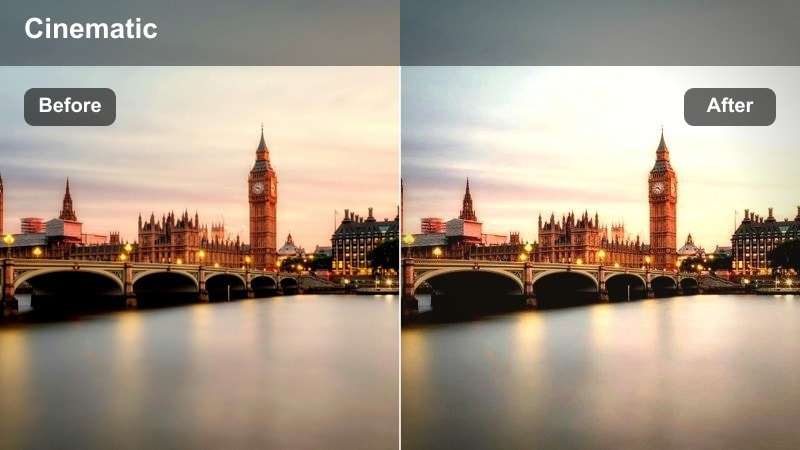
- Effect look: Dreamy halo around bright areas with subtle bloom and lifted highlights over the bridge deck.
- Best for: Slow-motion B-roll of cars, bikes, or pedestrians crossing a bridge with the sun in frame.
- Editing tip: Lower clarity or sharpness slightly on close-up shots to enhance the halo effect without losing important details on faces.
Sunset Halo Deck is tailored for backlit shots where the sun or strong highlights sit within the frame, creating a gentle bloom around the brightest areas. In Filmora, this filter softens the transition between bright sky and darker bridge surfaces, giving your footage a romantic, cinematic haze.
For best results, pair it with slow-motion clips of traffic or pedestrians moving across the bridge so the glowing light streaks have time to breathe. Slightly reducing clarity on close-ups will intensify the soft-focus feel, while Filmora vignettes can subtly guide attention toward your subject standing in front of the haloed sunset.
Golden Rush Traffic
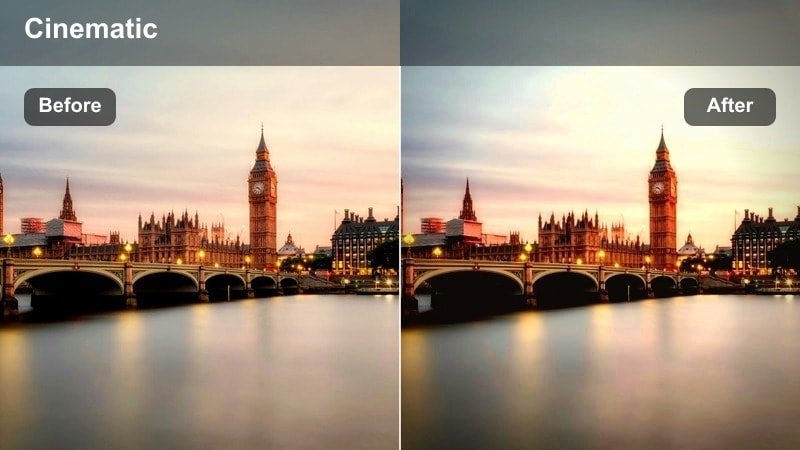
- Effect look: Rich golden highlights with crisp contrast and enhanced reflections on cars and railings.
- Best for: Time-lapses or hyperlapses of rush-hour traffic flowing over city bridges at golden hour.
- Editing tip: Increase contrast slightly when your footage is shot through glass, but keep blacks lifted to avoid losing bridge details.
Golden Rush Traffic gives movement-heavy bridge shots a bold, energetic finish by intensifying golden highlights and sharpening reflections on metal, glass, and wet roads. It is especially effective on time-lapse or hyperlapse sequences where headlight trails and sunset light interact across the bridge surface.
Inside Filmora, consider pairing this filter with motion blur, speed ramps, or built-in stabilization to accentuate the flow of traffic. If you shot through a car or train window, a gentle contrast boost plus lifted blacks will help preserve detail in the bridge structure while still delivering punchy, golden-hour drama.
Moody Silhouettes and City Outlines
Bridge Noir Sunset
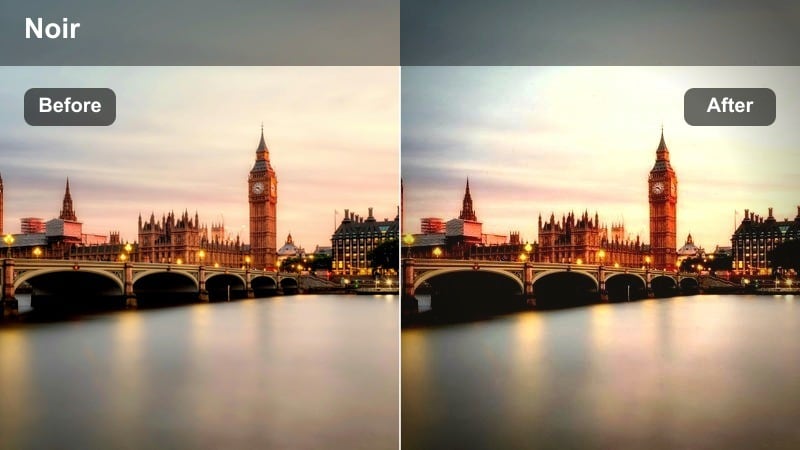
- Effect look: High-contrast, slightly desaturated look that turns bridges and people into strong silhouettes.
- Best for: Dramatic storytelling shots where the sun sets behind steel beams or suspension cables.
- Editing tip: Pull down blacks cautiously so cables and railings hold detail while the sky remains bright and dramatic.
Bridge Noir Sunset is designed to transform your bridge and subject into bold graphic shapes against a glowing sky. It leans into high contrast and reduced saturation to create a noir-inspired, moody city atmosphere that works well for intros, outros, or narrative cutaways.
In Filmora, apply this filter to slightly underexposed clips so you can deepen the silhouette without blowing out sunset colors. Use curves or the color wheels to fine-tune blacks and shadows, making sure key structural details like cables and railings remain crisp while the sky stays luminous and textured.
Copper Shadow Skyline
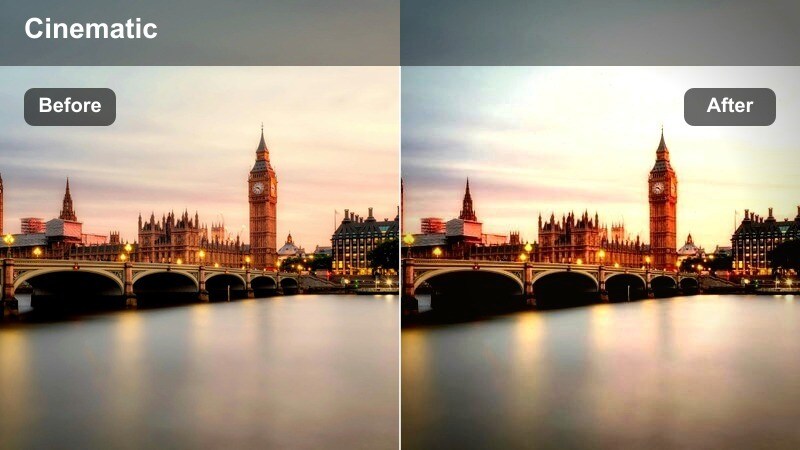
- Effect look: Warm copper midtones with cool shadows that separate the skyline from the bridge.
- Best for: Wide shots where the bridge leads into a distant city skyline glowing at sunset.
- Editing tip: Dial back the temperature slider if your camera profile is already warm, keeping copper tones controlled.
Copper Shadow Skyline creates a cinematic split-tone feel by pushing midtones toward warm copper while letting shadows stay slightly cool. This separation naturally emphasizes depth between the foreground bridge and background skyline, making leading lines more pronounced.
Use this filter in Filmora on wide establishing shots where the bridge guides the eye into the city center. If your footage is already very warm, gently reduce overall temperature or tweak midtone hue so the copper effect remains stylish, not overpowering, and your skyline maintains a refined, professional finish.
Shadowed Commute Lane
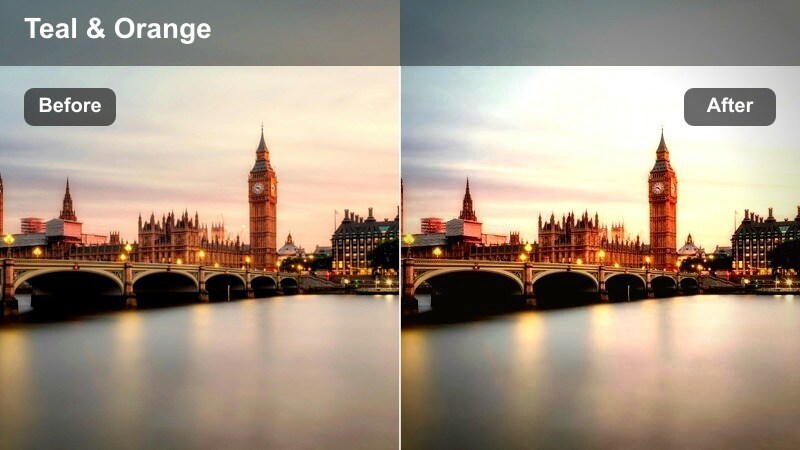
- Effect look: Muted colors with deepened shadows and subtle teal tint in darker areas.
- Best for: Evening commute clips with buses, trains, or cyclists moving under or across bridges at sunset.
- Editing tip: Increase brightness slightly on faces or key subjects using masks to keep them visible within the darker mood.
Shadowed Commute Lane pushes your bridge footage toward a moody, cinematic palette with restrained color and deeper shadows. A hint of teal in the darker regions contrasts nicely with remaining sunset warmth, making headlights, taillights, and city lamps feel more dramatic.
In Filmora, this filter works well for documentaries or vlogs capturing the feel of an after-work commute. Use masking tools to lift exposure on faces or important elements while keeping the rest of the frame in a low-key, atmospheric tone, and add mild noise reduction if you shot at higher ISO in low light.
Reflections On Riverfront And Waterfront Bridges
River Glass Sunset
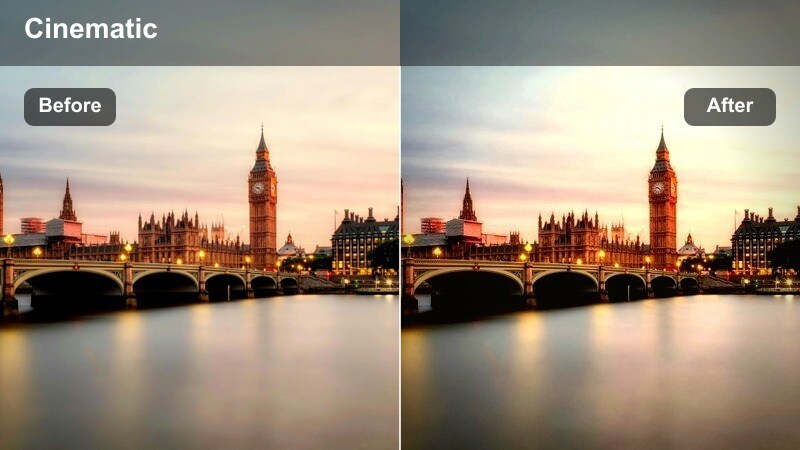
- Effect look: Clean, high-clarity look with enhanced reflections and slightly cooled highlights.
- Best for: Shots where the bridge and skyline are mirrored in calm river or harbor water at dusk.
- Editing tip: Boost local contrast or structure around the reflection area to emphasize the glassy look of the water.
River Glass Sunset is tailored for evening shots where bridges and skylines mirror across still water. It subtly cools highlights while adding clarity so reflections pop, giving your riverfront or harbor scenes a polished, almost glass-like surface.
In Filmora, apply this filter to tripod or stabilized shots for best effect, then use local contrast or sharpening on the lower half of the frame to bring out reflection details. Gentle pans or tilts, combined with this filter, create serene yet cinematic bridge sequences perfect for intros, outros, or travel montages.
Harbor Ember Bridge
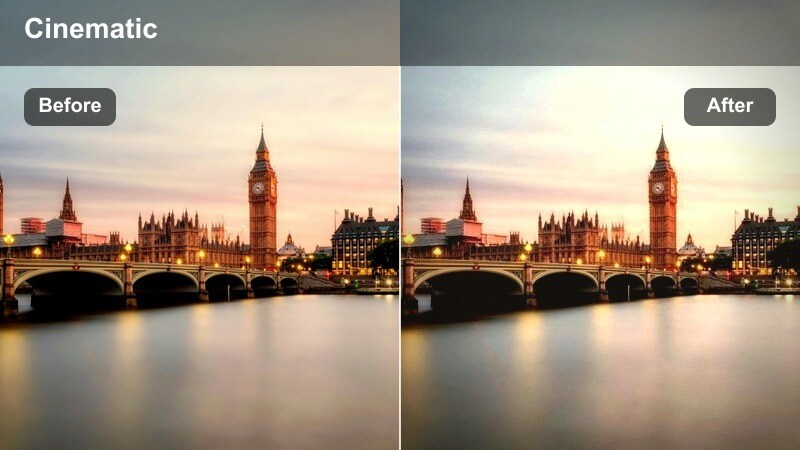
- Effect look: Deep warm embers in the highlights with soft fade in blacks for a filmic waterfront feel.
- Best for: Dockside or harbor shots where the bridge glows in the background and water catches warm light.
- Editing tip: If orange becomes too strong on skin or boats, pull back orange saturation while leaving red tones intact.
Harbor Ember Bridge wraps your waterfront and harbor scenes in a nostalgic, ember-like glow while keeping blacks softly lifted for a filmic look. It is especially appealing when bridge lights and sunset tones reflect across rippling water or polished decks.
Inside Filmora, consider adding a touch of film grain to reinforce the vintage mood, keeping intensity low so small structural details stay clear. Use HSL or color adjustment tools to reduce orange saturation if needed, maintaining pleasant skin tones and natural-looking boats while preserving the warm ember highlights that define the style.
Neon Ripple Overpass
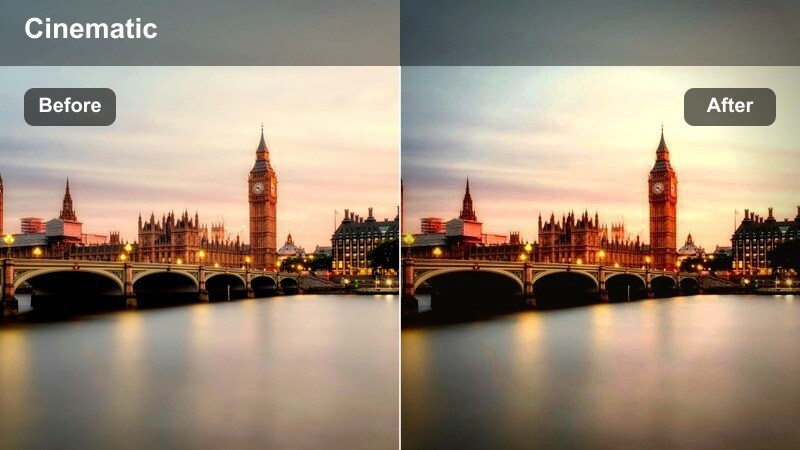
- Effect look: Cool magenta-blue evening tones with emphasized neon reflections in rippling water.
- Best for: Nightfall transitions where city lights flicker on and reflect under elevated overpasses and bridges.
- Editing tip: Slightly reduce exposure on blown-out light sources so neon signs and street lights keep their shape.
Neon Ripple Overpass focuses on blue-hour and nightfall clips where neon lights and street lamps reflect in rivers or canals beneath bridges. It shifts the palette toward cool magenta-blue tones, making colorful reflections and city signage feel more stylized and modern.
In Filmora, this filter is excellent for transition sequences moving from golden hour into full night. Use exposure and highlight controls to tame blown-out lamps or signs, then stabilize your shots to keep reflections smooth and readable, letting the neon-inspired color grade carry the urban nightlife mood.
Street-Level Vibes Under City Bridges
Underpass Gold Drift
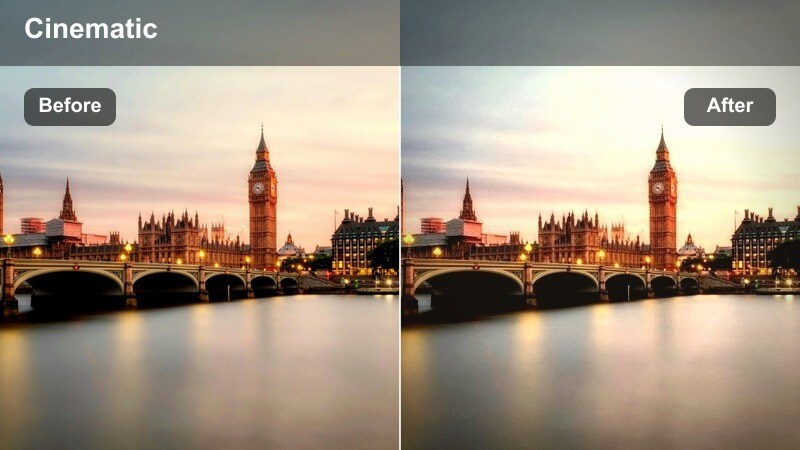
- Effect look: Warm highlights with gentle fade and softened contrast under the bridge ceiling.
- Best for: Street vlogs, skate clips, or portrait walk-and-talks in underpass areas at the edge of sunset.
- Editing tip: Lift shadows enough to keep eyes visible, then add a vignette to maintain focus in the center of the frame.
Underpass Gold Drift is tuned for shaded areas beneath bridges where natural light spills in from the sides. It warms highlights and softens contrast, helping faces and outfits look flattering even when the background is made of harsh concrete or metal.
In Filmora, use this filter on handheld vlog clips, skate lines, or portrait walk-and-talks, nudging the shadow slider up until eyes and facial features are clear. A subtle vignette around the edges of the frame keeps attention drawn to your subject while the golden edges hint at the nearby sunset outside the underpass.
Steel Beam Streetline
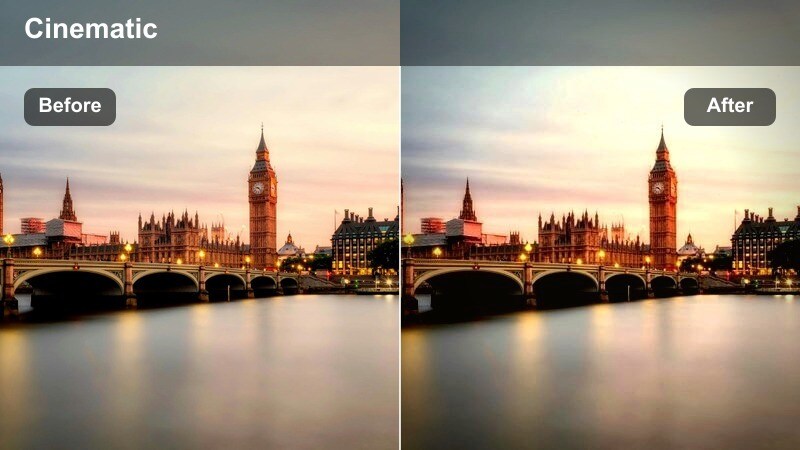
- Effect look: Cool, punchy look that brings out steel textures and straight lines in bridge supports.
- Best for: Edgy B-roll of bikes, skaters, or cars passing between concrete pillars and steel beams.
- Editing tip: Add a light sharpening pass only on midtones to highlight textures without emphasizing noise in shadows.
Steel Beam Streetline emphasizes the hard edges, repeating lines, and industrial textures found under steel bridges. Its cooler, punchy palette works perfectly for edgy B-roll, urban montages, or music-driven edits where structure and rhythm matter as much as the subject.
Inside Filmora, apply this filter to locked-off tripod shots or slow dolly moves where beams and pillars create strong perspective lines. Use selective sharpening on midtones only so steel textures and graffiti stand out, while deep shadows remain smooth and noise stays under control.
Sunset Commuter Path
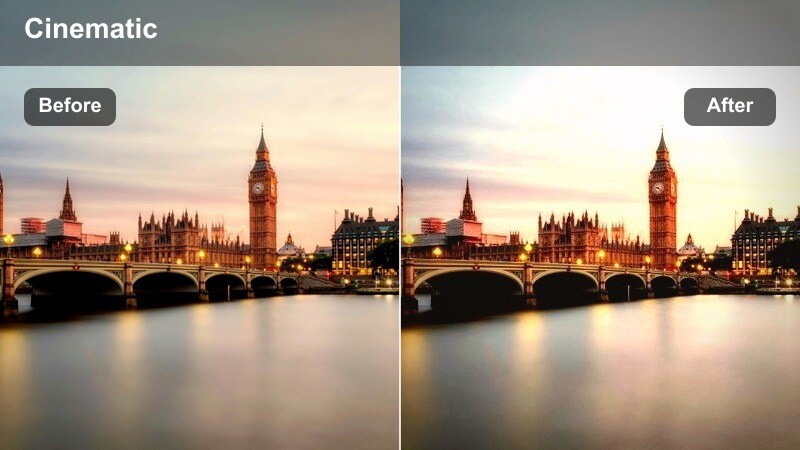
- Effect look: Balanced warm and cool tones with moderate contrast and gentle skin smoothing.
- Best for: Daily vlogs or POV shots walking or cycling along paths beside or under bridges at sunset.
- Editing tip: Keep stabilization on for handheld POV and slightly reduce saturation to maintain a natural, documentary feel.
Sunset Commuter Path is a versatile, vlog-friendly filter that adds subtle warmth and contrast while preserving natural skin tones and ambient city color. It is made for POV walks, bike rides, or casual sequences filmed on paths that trace along or beneath bridges.
In Filmora, combine this filter with built-in stabilization on handheld footage to smooth out camera shake. If you want a more documentary mood, lower saturation a touch and keep contrast moderate, then save the adjusted filter as a preset so every commute episode on your channel shares the same recognizable look.
Tips for Using City Bridge Sunset Video Filter Filters in Filmora
- Shoot bridges during late golden hour or early blue hour to capture rich natural color before layering on stronger City Bridge Sunset Video Filters.
- Lock white balance in-camera so color stays consistent when you cut between multiple bridge angles and apply the same filter in Filmora.
- Expose slightly darker than normal to preserve detail in bright sunset skies, then let Filmora filters and color tools lift the shadows.
- Capture a mix of wide skylines, mid-shots, and close-up details so you can see how each bridge sunset filter behaves at different scales.
- Use Filmora keyframing to gradually increase filter intensity as your scene moves from daytime to sunset within a single shot.
- Combine City Bridge Sunset Video Filters with vignettes, grain, and subtle LUTs in Filmora to build a unique, branded urban aesthetic.
- Test filters on a short bridge sequence first, then save your favorite settings as custom presets for faster editing on future projects.
With the City Bridge Sunset Video Filter collection, you can turn everyday commutes and skyline cutaways into cohesive, cinematic urban sequences. Each style is tuned to handle different bridge angles, lighting conditions, and moods so you can move from soft, romantic sunsets to gritty, high-contrast silhouettes in a few clicks.
Test a few looks on your next bridge shoot, save your favorites as presets in Filmora, and build a recognizable sunset style that audiences instantly associate with your content. Over time, these filters become the foundation for a consistent, professional city brand across vlogs, client work, and social clips.
secure download