

 100% Security Verified | No Subscription Required | No Malware


 ChatGPT
 Perplexity
 Gemini
 Claude
 Grok
Grok
The City Night Taxi Lights LUT filter pack is built for content creators who love fast-moving urban streets, glowing taxi signs, and wet asphalt reflecting neon lights. These filters instantly give your nighttime city footage a polished, cinematic look without heavy manual color work.
From moody blue-hour rides to high-energy downtown taxi chases, each filter in this collection is tuned for real-world city lighting, mixed color temperatures, and fast-changing exposure so your vlogs, short films, and reels stay sharp, stylish, and consistent.
In this article
Wet Street Neon Glow Taxi Rides
Neon Rain Taxi
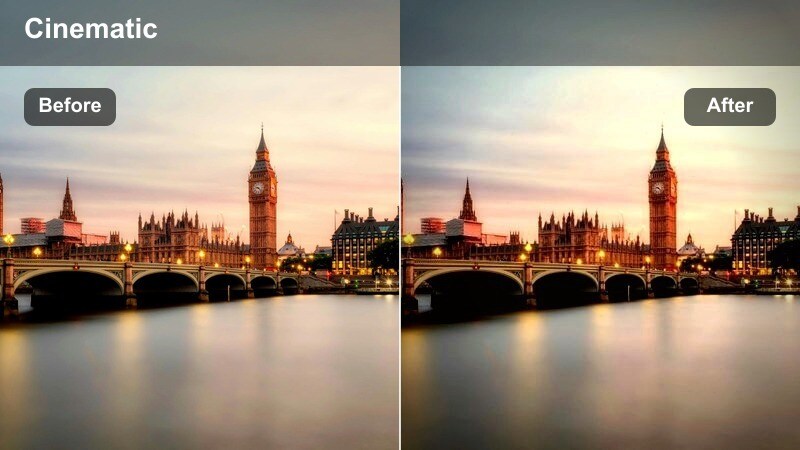
- Effect look: Deep contrast with saturated magenta and teal highlights that make taxi lights and wet asphalt reflections pop.
- Best for: Night rides through downtown streets after rain, with lots of storefront signs and headlight streaks.
- Editing tip: Lower highlights slightly to avoid blown-out store signs and add a bit of clarity to emphasize water reflections on the road.
Neon Rain Taxi is designed to turn drizzly city streets into high-impact, neon-drenched sequences where every puddle and paint line glows. In Filmora, this look works especially well on clips with a strong mix of magentas, teals, and yellows, giving you that polished, cinematic nightlife aesthetic without spending time on manual color curves or HSL tweaks.
Apply this filter early in your grade, then fine-tune exposure and highlight recovery to protect bright signs and taxi roof lights. If your scene features a host or subject, balance the neon by slightly warming the white balance and reducing magenta saturation so skin tones stay believable while the streets keep their stylized glow.
Filmoras AI-powered color tools pair perfectly with City Night Taxi Lights filters when you are dealing with intense, mixed lighting. Use AI-assisted color balance to neutralize heavy color casts from neon signs, sodium lamps, or LED billboards before you apply your favorite taxi LUT look.
Once your base exposure and white balance feel under control, stacking a City Night Taxi Lights filter on top lets you keep rich, intentional color contrast across every shot in your sequence.
 secure download

With Filmoras real-time preview, you can quickly test different City Night Taxi Lights filters on your footage while you scrub the timeline. This makes it easy to see how each look reacts to moving taxi lights, busy sidewalks, and reflective asphalt without committing to a long grading process.
Use comparison view or split-screen to pit two or more taxi LUT styles against each other, then lock in the one that best matches your story beat, whether it is a quiet ride or a high-speed downtown run.
secure downloadFilmora includes 1000 plus video filters and 3D LUTs, so you can layer City Night Taxi Lights looks with cinematic color presets, glow, film grain, and more. Start with a taxi-focused filter as your base correction, then experiment with creative LUTs to push your grade toward moody, futuristic, or vintage film styles.
Once you find a combination that fits your channel or series, save it as a custom preset so every new night-city or taxi vlog can match your established visual identity in one click.
secure downloadChrome Reflection Cruise
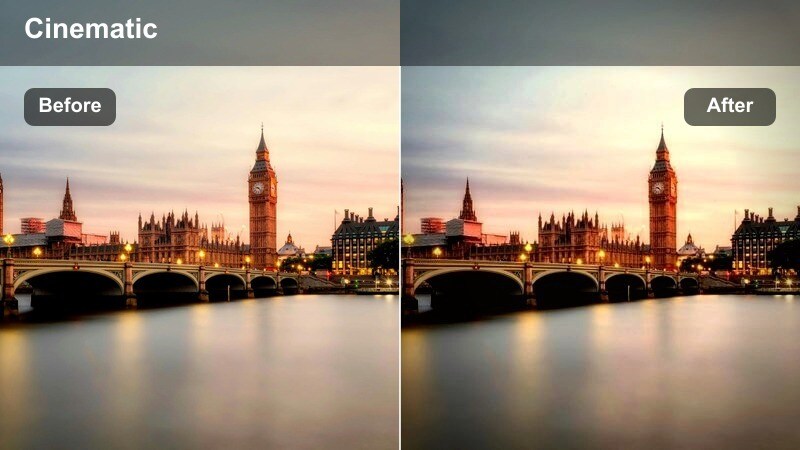
- Effect look: Cool-toned cinematic contrast that emphasizes metal surfaces, reflections, and streaking lights.
- Best for: Low-angle shots of taxis from the sidewalk, hood-mounted cameras, and close-ups of side mirrors at night.
- Editing tip: Push the saturation of blues and cyans for extra city glow, and slightly drop blacks for a more dramatic filmic roll-off.
Chrome Reflection Cruise is built to make every piece of chrome and glass on a taxi feel sharp, glossy, and cinematic. The cool bias in this look helps separate metal and reflections from the warmer background lights, perfect for stylized b-roll, title sequences, or transitions between story beats in your edit.
In Filmora, combine this filter with gentle motion blur or slower shutter footage so streaks of color move fluidly across side mirrors and hoods. Stabilize your clips first to keep reflections crisp, then adjust blue and cyan saturation until city signage and tunnel lights have the exact intensity you want.
Puddle Neon Trails
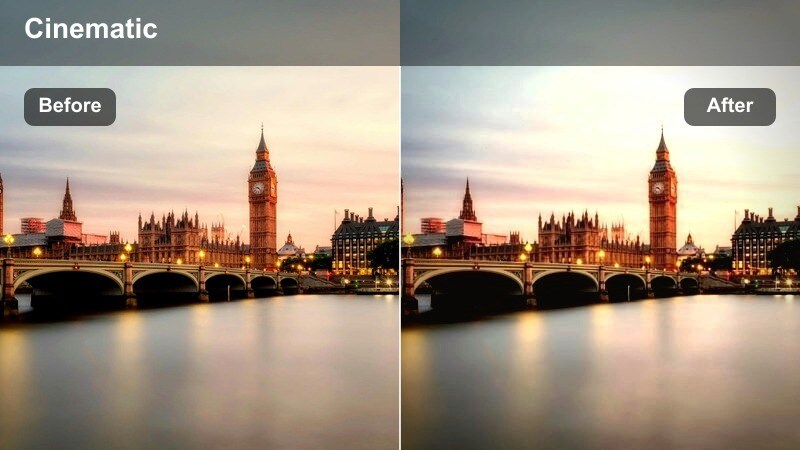
- Effect look: Soft contrast with lifted shadows and vibrant neon colors that glow in puddles and roadside reflections.
- Best for: Handheld street-level shots of taxis passing by puddles, alleyways, and crosswalks on rainy nights.
- Editing tip: Increase saturation selectively on reds and yellows to make taxi signs stand out while keeping the background cooler.
Puddle Neon Trails leans into the softer side of night-city visuals, keeping shadows gentle while letting neon signage and taxi accents shine through reflections. It is especially effective on low-angle compositions where puddles, glass, or shiny asphalt fill a big portion of the frame.
In Filmora, use this look for atmospheric cutaways, transitions, or intro shots that set the tone before your main narrative begins. Dial in selective color on reds and yellows so taxi bodies and roof lights stay dominant, while cooler tones in the distance fall back to create a layered, cinematic depth.
Busy Downtown Intersections and Crosswalks
Crosswalk Cinema
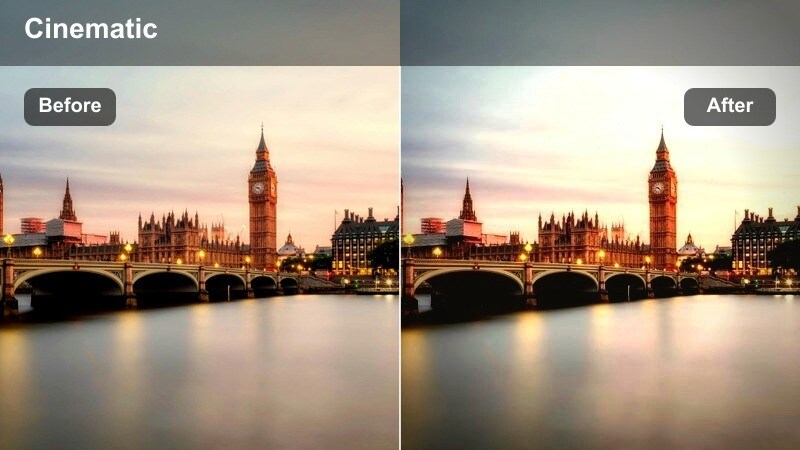
- Effect look: Balanced cinematic look with natural skin tones, slightly warm highlights, and crisp taxi yellows.
- Best for: Street interviews near crosswalks, vlog intros beside traffic lights, and handheld night walking shots.
- Editing tip: Keep exposure just below clipping on streetlights, then add a subtle glow effect to make traffic signals and taxi roofs feel more atmospheric.
Crosswalk Cinema is tuned for situations where you need both flattering faces and vibrant city lights in the same frame. It keeps skin tones realistic while giving taxi yellows and illuminated signage a subtle, cinematic lift, which is ideal for talking-to-camera segments shot near busy intersections.
In Filmora, use this filter on your primary A-roll at crosswalks, then add a mild glow or bloom effect to highlights to make traffic lights and taxi roofs feel more filmic. Because it is balanced, you can match it easily with other City Night Taxi Lights filters used on b-roll or cutaways in the same sequence.
Signal Light Hustle
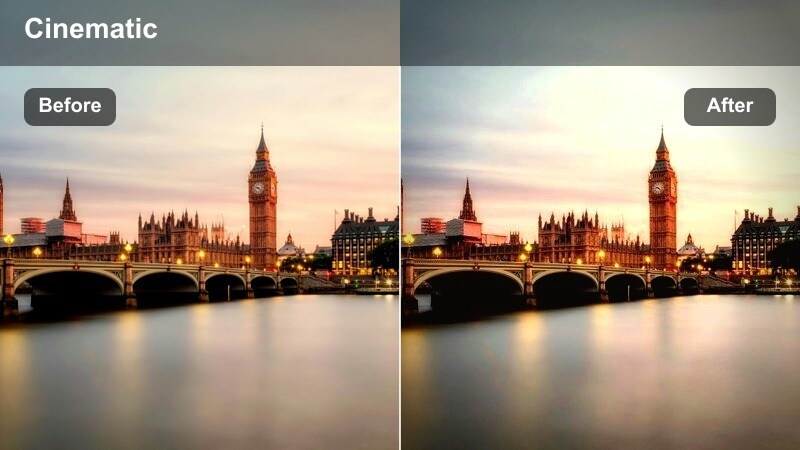
- Effect look: Punchy contrast with vivid reds, greens, and ambers that emphasize traffic signals and brake lights.
- Best for: Overhead intersection shots, long-lens compression of traffic, and time-lapses of taxis stopping and starting.
- Editing tip: Add a subtle crop to a wider aspect ratio and a soft vignette to guide the eye toward the brightest traffic signals and taxi clusters.
Signal Light Hustle is built to amplify the color drama of stoplights, brake clusters, and indicator flashes across packed intersections. It deepens contrast and saturation around red, green, and amber tones so the orchestrated chaos of city traffic feels dynamic and energetic.
Apply this look to time-lapses, hyperlapses, and long-lens shots in Filmora to emphasize movement and rhythm in your edit. Pair it with a cinematic aspect ratio crop and a soft vignette so viewers focus on the brightest light clusters, turning everyday rush-hour scenes into stylized visual set pieces.
Cross-City Cab Stream
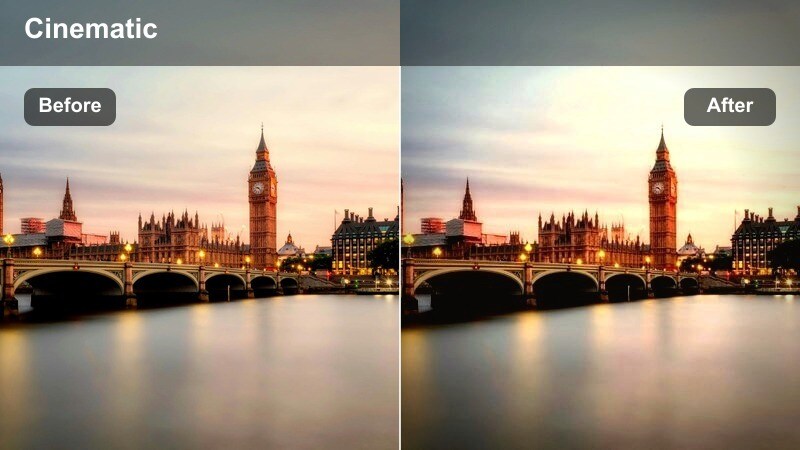
- Effect look: Smooth, slightly desaturated background with highlighted taxi yellows and warm window glows.
- Best for: Wide establishing shots of city avenues filled with taxis and pedestrians during blue hour and early night.
- Editing tip: Use a gentle sharpening pass only on midtones so buildings stay defined while keeping noise under control in dark areas.
Cross-City Cab Stream is ideal for wide, story-setting shots where streams of taxis move through glowing avenues and office towers. By gently muting background colors while preserving taxi yellows and window warmth, it guides attention to the flow of traffic without losing the overall city ambiance.
In Filmora, use this filter on your establishing shots at the beginning and end of segments or episodes. Add light midtone sharpening and subtle camera moves like push-ins or drone descents to create smooth transitions that make viewers feel like they are entering or leaving the same cohesive urban world.
Inside Taxi Vlogs and Ride-Along Stories
Backseat Confessional
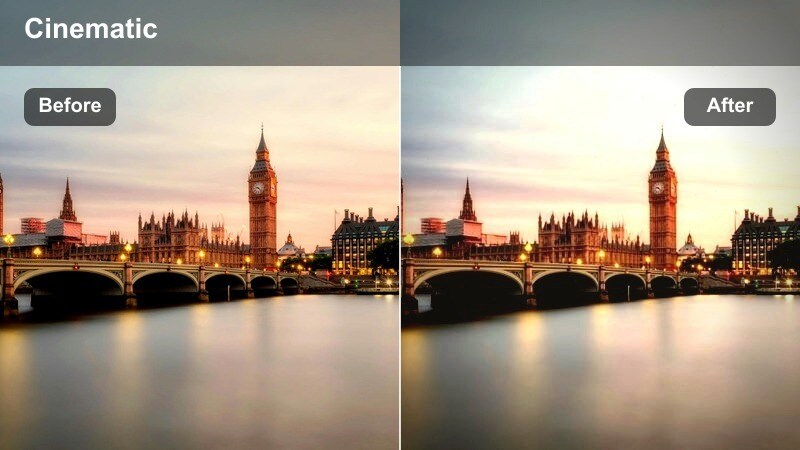
- Effect look: Soft, low-contrast tones with gentle warm highlights for intimate, face-focused storytelling in the backseat.
- Best for: Talking-head vlog segments filmed in the rear seat of a taxi with streetlights drifting by outside the windows.
- Editing tip: Reduce noise first on shadow areas, then apply this filter so skin tones stay smooth and the city outside the window remains softly blurred.
Backseat Confessional prioritizes your face and expression, softening contrast and adding warm highlights so the interior of the cab feels cozy and cinematic. It keeps outside lights dreamy and slightly blurred, which helps draw attention to your story rather than distractions beyond the glass.
In Filmora, run noise reduction on high-ISO clips before you apply this look, especially if you are lit only by passing streetlights or phone screens. Then, adjust exposure so your face remains the brightest point in the frame, allowing window highlights to glow gently without stealing focus from your narrative.
Meter Glow Mood
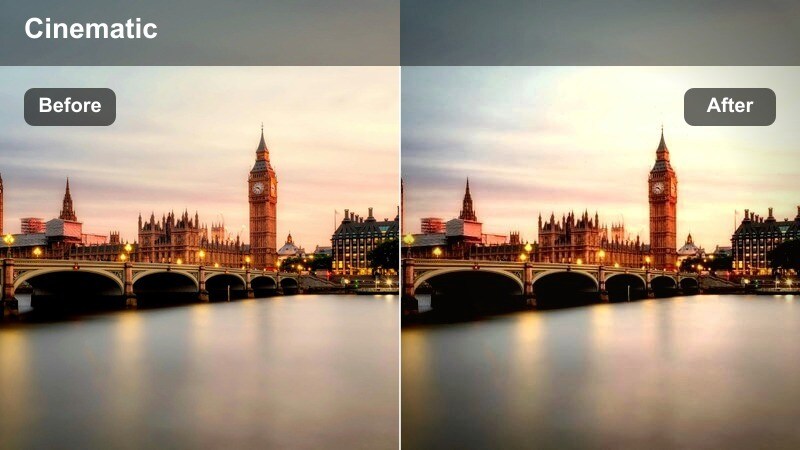
- Effect look: Moody, cool-leaning tones with subtle emphasis on screen glow from taxi meters and dashboard lights.
- Best for: Close-ups of taxi meters, navigation screens, and driver POV shots through the windshield at night.
- Editing tip: Increase micro-contrast on midtones so digital displays and LED details stay crisp without stretching overall contrast too far.
Meter Glow Mood is perfect for capturing the small technical details that define a taxi ride, from the glowing fare meter to navigation screens and indicator icons. The cool-leaning tonality adds a documentary edge while preserving enough contrast to make digits and icons read clearly on-screen.
When editing in Filmora, apply this filter to your insert shots and POV angles from the front seat. Boost midtone clarity or micro-contrast so readouts stay sharp, then let the surrounding street fade into soft streaks of light, helping these cutaways feel purposeful and atmospheric within your sequence.
Window Bokeh Ride
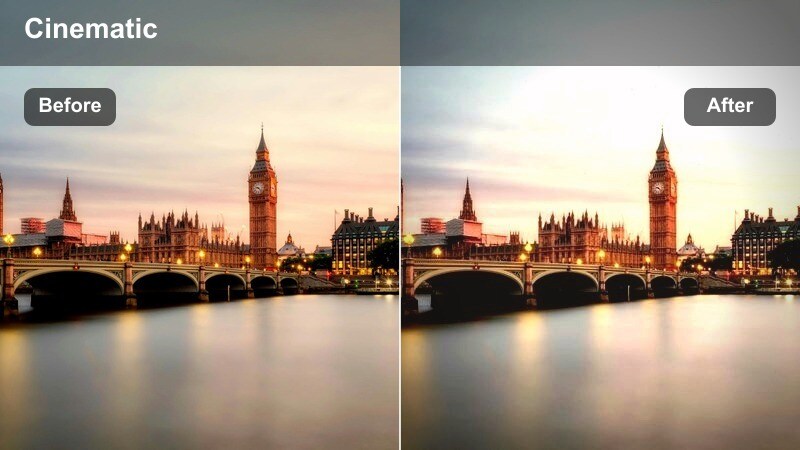
- Effect look: Dreamy, slightly lifted blacks with glowing bokeh from streetlights and soft color separation between warm and cool tones.
- Best for: Side-profile shots of riders looking out the window, cinematic b-roll of raindrops, and reflective emotional scenes.
- Editing tip: Add a touch of blur or depth-of-field simulation to background highlights so light orbs appear larger and more cinematic.
Window Bokeh Ride transforms everyday night traffic into a soft sea of color and light, perfect for reflective or emotional beats in your vlog or short film. Lifted blacks and gentle color separation help faces stay soft while bokeh orbs outside the window glow in warm and cool tones.
Use this filter in Filmora on close-ups and profile shots where your subject stares out of the cab, pairing it with shallow depth-of-field footage or blur effects to enhance the bokeh. It works especially well as a visual bridge between high-energy segments, signaling a calmer, more introspective moment in your story.
High-Energy Taxi Chases and Street Runs
Neon Chase Rush
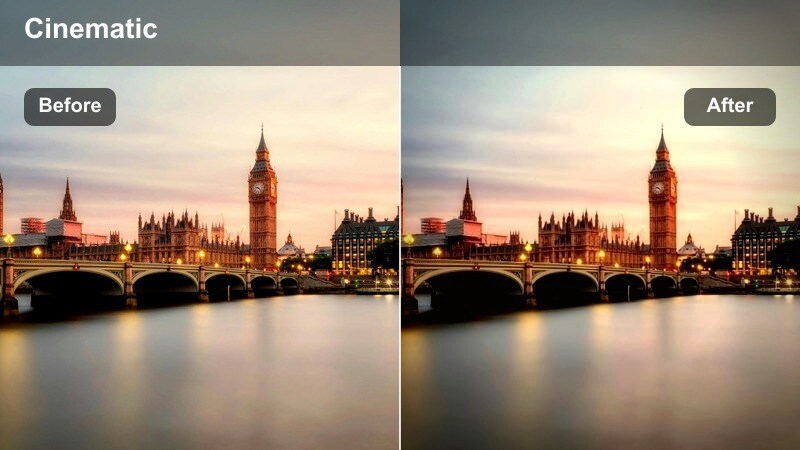
- Effect look: High contrast with sharp edges, boosted saturation, and intense neon colors for fast-paced sequences.
- Best for: Action-style taxi chases, fast car-to-car shots, and dynamic street runs following cabs through the city.
- Editing tip: Pair with speed ramping and punchy sound design, then slightly desaturate shadows to avoid clipping in mixed street lighting.
Neon Chase Rush is tailored for sequences where speed and adrenaline are the focus. It pushes contrast and saturation to make neon signage, headlights, and reflections scream with color, giving your taxi chases or street runs a bold, music-video-style punch.
In Filmora, combine this look with speed ramps, dynamic cuts, and energetic sound design to sell the rush of movement. If your footage includes strong mixed lighting, slightly desaturate shadows or use Filmoras color tools to protect detail in dark areas while keeping neon elements bright and aggressive.
Tunnel Light Streak
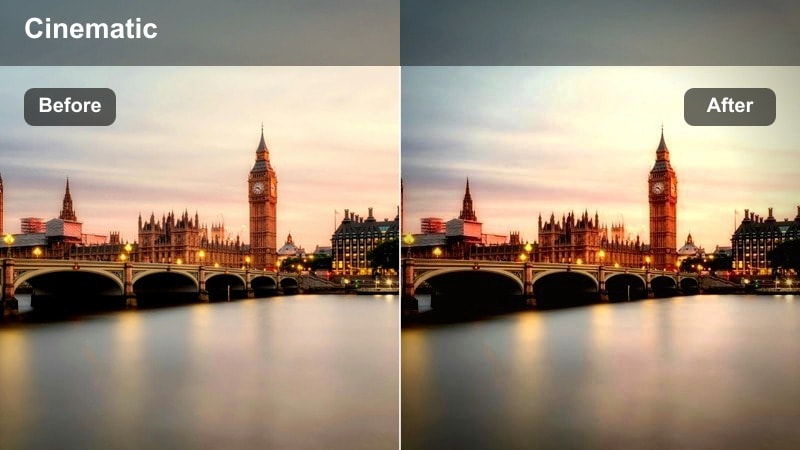
- Effect look: Cool cinematic tones with pronounced highlights and long light streaks in tunnels and underpasses.
- Best for: Taxi rides through tunnels, underpasses, and bridges where overhead lights repeat rhythmically.
- Editing tip: Lower shutter speed slightly or add a motion blur effect so the repeating tunnel lights stretch into dramatic lines.
Tunnel Light Streak focuses on the repetitive patterns of overhead lights and reflective tunnel surfaces, turning simple drives into futuristic runs. The cool palette and bright highlights help those repeating fixtures stretch into bold streaks that underline speed and direction.
Apply this filter in Filmora to forward-facing or dashboard-mounted shots for transitions between districts or chapters in your story. Add motion blur or use footage captured at slower shutter speeds to emphasize light trails, then cut these moments to the beat of your soundtrack for a rhythmic, hypnotic flow.
Midnight Strip Hype
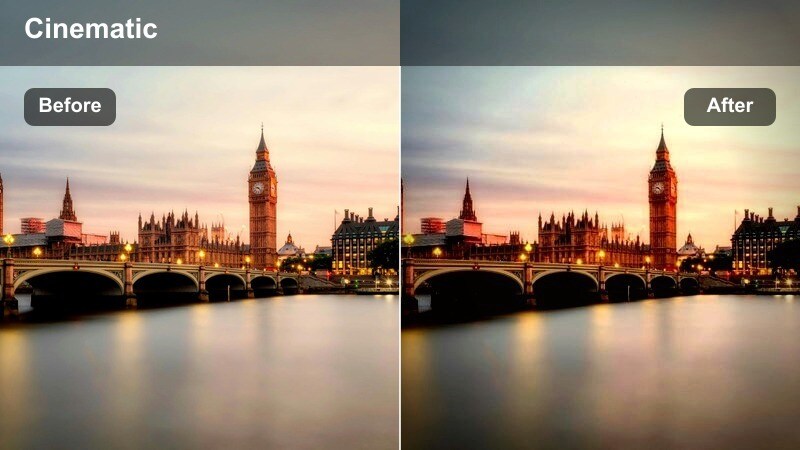
- Effect look: Vibrant, nightlife-style colors with pronounced yellows, reds, and blues for club-district taxi scenes.
- Best for: Nightlife vlogs, pickups and drop-offs outside clubs, and street runs down the busiest party streets.
- Editing tip: Push saturation for neon signs but keep luminance in check so faces and taxi doors do not lose detail in bright highlights.
Midnight Strip Hype is tuned for the loudest parts of the city, where clubs, bars, and crowds fill every corner of the frame. It leans into rich yellows, reds, and blues to give your taxi arrivals, departures, and street passes a glossy, nightlife-music-video vibe.
Use this look in Filmora on sequences backed by upbeat tracks or performance moments in your vlog. Increase saturation on neon signage but carefully manage highlights and luminance around faces and taxi panels so details remain sharp, then contrast this bold grade with softer looks in quieter scenes to create clear mood shifts.
Tips for Using City Night Taxi Lights Lut Filters in Filmora
- Shoot your night taxi footage slightly brighter than you think is necessary so Filmora has more detail to work with when you add high-contrast City Night Taxi Lights filters.
- Lock in a consistent white balance setting across a full sequence so colors do not shift when you cut between exteriors, tunnels, and taxi interiors.
- Apply a touch of noise reduction to high-ISO shots before sharpening or adding strong contrast to keep your final images clean and cinematic.
- Stabilize handheld city and taxi footage in Filmora before layering intense filters to keep motion feeling smooth and controlled.
- Group similar taxi scenes on your timeline and apply the same LUT filter to all of them to maintain a cohesive look throughout your vlog or episode.
- Use Filmoras split-screen or comparison view to test multiple City Night Taxi Lights filters on the same clip and quickly select the most cinematic option.
- Save your favorite filter plus adjustment combinations as custom presets so every new night-city project can match your signature style in one click.
City Night Taxi Lights filters are designed for content creators who want fast, reliable, and cinematic results out of unpredictable night city lighting. They turn tricky combinations of neon, traffic lights, and reflective streets into polished visuals with minimal manual grading.
Once you dial in a few favorite looks in Filmora and save them as presets, transforming any late-night taxi ride into a story-ready, cinematic sequence becomes a one-click step in your editing workflow.
secure download