

 100% Security Verified | No Subscription Required | No Malware


 ChatGPT
 Perplexity
 Gemini
 Claude
 Grok
Grok
Cool daily vlog filters help your footage feel clean, fresh, and intentional without heavy color grading. With the right combinations of cool tones and soft contrast, you can turn everyday clips into polished urban stories that match your minimalist style.
Below are curated Filmora filter ideas tailored for urban vloggers and minimalist creators. Use them as starting points to build a consistent blue-toned, fresh aesthetic for clean daily vlogs, city walks, desk setups, and lifestyle content.
In this article
Subtle Cool Base Filters for Everyday Vlogs
Soft Cool Clean
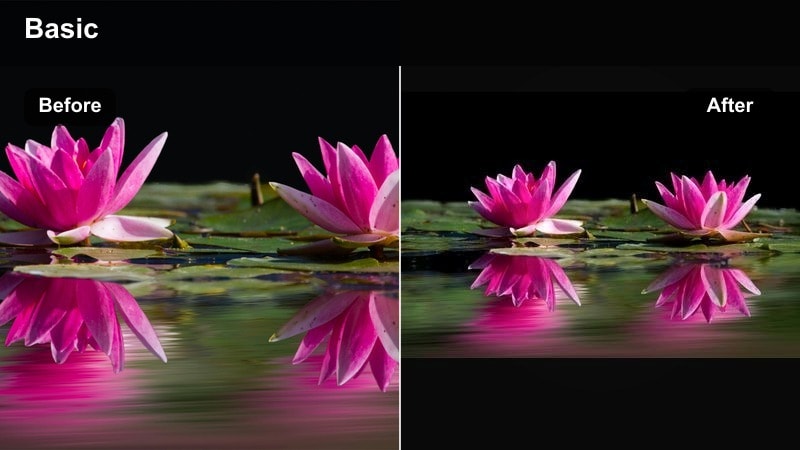
- Effect look: Gentle cool cast with soft contrast and slightly lifted shadows for a naturally fresh vlog base.
- Best for: Clean aesthetic vlogs in neutral rooms, study vlogs, and morning routines with soft window light.
- Editing tip: Reduce saturation a bit and add a tiny amount of film grain to keep the cool look from feeling too digital or harsh.
This low-contrast cool filter is ideal when you want your daily vlogs to feel calm, bright, and minimal without obvious color grading. By gently lifting the shadows and cooling the overall temperature, Soft Cool Clean keeps skin tones soft while giving whites and neutrals a crisper edge.
In Filmora, start by lowering saturation slightly, then use the Color panel to nudge temperature cooler and soften contrast. Add a touch of film grain so the image stays organic, especially in bedroom or study vlogs. If faces look too pale, warm up the midtones and use HSL to desaturate yellows and greens around your subject for a more polished minimalist frame.
Pro tip - Balance cool tones with soft highlights
If faces start to look too pale, slightly warm up the midtones while keeping highlights cool for that clean, bright look.
Use Filmora's HSL panel to gently desaturate yellows and greens so backgrounds stay calm and minimalist around your subject.
Lock in a Consistent Cool Palette with Filmora AI
Filmora's AI tools can help you quickly match cool daily vlog filters across multiple clips from different days or cameras. By scanning your footage, the AI suggests color and exposure changes that align with your chosen blue-toned, fresh aesthetic.
Once you find a look you love, save it as a custom preset, then use AI-driven color matching to make new clips blend seamlessly. This keeps your channel's cool, minimalist vibe stable even as lighting and locations change.
 secure download

See Cool Daily Vlog Filters in Action
Before finalizing your look, drop a few of these cool filters onto one short test sequence that includes indoor, outdoor, and close-up shots. Watching them back-to-back makes it easier to spot which style really fits your daily vlog story.
Use split screen previews in Filmora to compare multiple cool-tone variations at once. You will quickly see which combination of contrast, saturation, and blue tones feels clean rather than cold.
secure downloadCombine Filters and LUTs for Deeper Cool Tones
If you like stronger, stylized cool tones, stack Filmora's cool daily vlog filters with subtle fresh video LUTs. Start with a gentle LUT as the base, then refine it using exposure, HSL, and curves to keep the final image polished.
Always apply LUTs lightly by lowering their intensity, especially for daily vlogs where viewers expect a natural look. Then use your chosen filter to fine-tune blues, skin tones, and overall freshness.
secure downloadMinimal City Fade
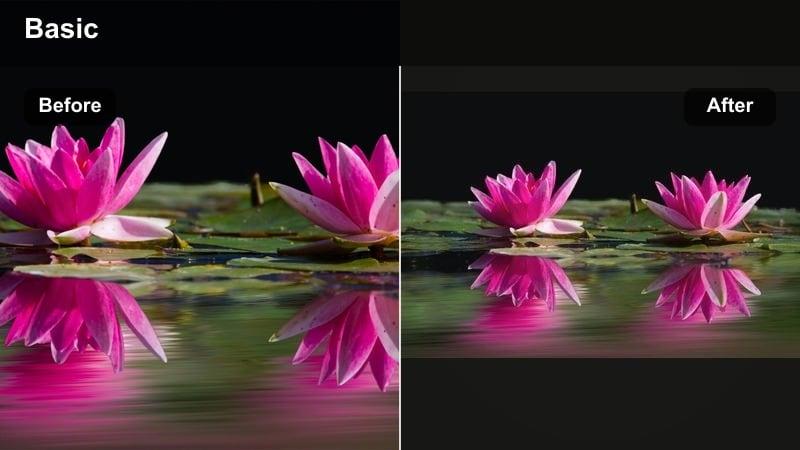
- Effect look: Cooler whites and light blues with a soft fade in blacks for a relaxed, documentary-style urban vibe.
- Best for: Urban daily content, coffee runs, metro rides, and street B-roll with lots of concrete and glass.
- Editing tip: Lift the blacks slightly and drop clarity a touch to get that smooth, film-like softness across city textures.
Minimal City Fade is perfect for slow-living city vlogs where you want the environment to feel dreamy and gentle instead of crunchy and high-contrast. The lifted blacks reduce harsh shadow lines on buildings and sidewalks, while cooler whites keep the city looking fresh and modern.
In Filmora, use the Curves tool to slightly raise the black point, then cool down the temperature and add a small decrease in clarity or sharpness. This softens hard surfaces like concrete and glass while keeping your subject readable. If midday sun creates harsh spots, add a subtle vignette and reduce highlights to hide rough lighting transitions.
Pro tip - Use fade to hide rough lighting
If you shoot in harsh midday light, a slight fade in shadows can smooth out ugly contrast on sidewalks and buildings.
Combine this filter with gentle vignette to keep attention centered on movement, like walking shots or bike rides.
Cool Desk Setup
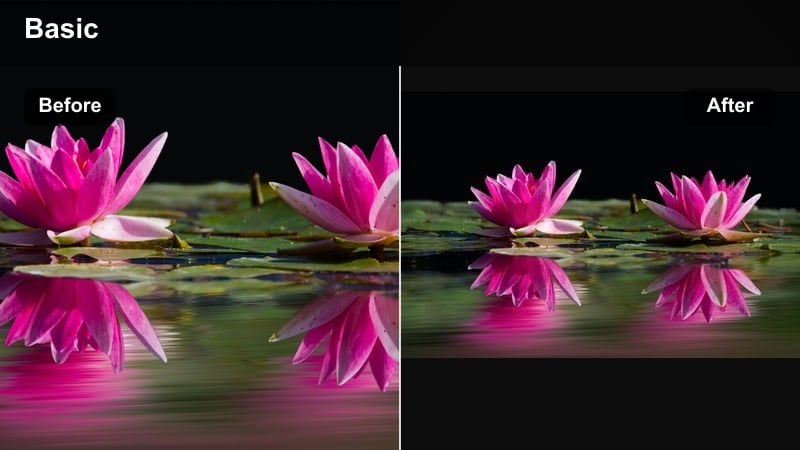
- Effect look: Clean, blue-tinted whites with crisp edges that make screens, keyboards, and tech details pop.
- Best for: Desk makeovers, edit-with-me vlogs, and workspace tours with LED or daylight lighting.
- Editing tip: Keep exposure slightly on the brighter side and lower orange saturation so wooden desks stay minimal and not too warm.
Cool Desk Setup is designed to highlight your tech gear and workspace details without clutter. By pushing whites a little toward blue and keeping lines sharp, this filter makes monitors, laptops, and peripherals look sleek and intentional in your daily vlogs.
Inside Filmora, raise exposure slightly, increase sharpness just a bit, and cool the temperature. Use HSL to pull down orange saturation so wood tones do not dominate the frame, letting your screens and devices stay the focus. If your LED lights look too purple, shift tint toward green and save everything as a custom preset for consistent desk content.
Pro tip - Match LED lights to your filter
If your LED lights are too purple, shift magenta slightly toward green for a more natural, cool-neutral workspace look.
Save this filter plus your color tweaks as a custom preset so every desk clip in your daily vlogs matches perfectly.
Blue-Toned Filters for Calm, Fresh Vlogs
Skyline Blue Walk
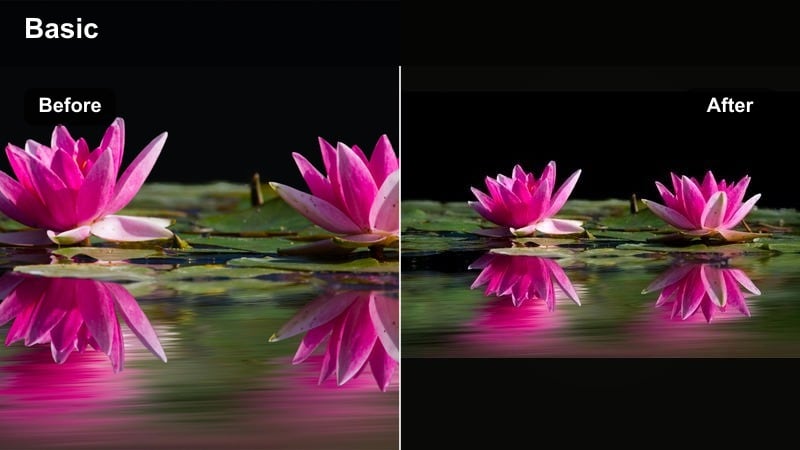
- Effect look: Defined blues in skies and buildings with cooler midtones and slightly muted warm colors.
- Best for: City walk vlogs, rooftop shots, and B-roll of skyline views during daytime golden-to-blue transitions.
- Editing tip: Push blue luminance slightly up to keep skies bright, and lower saturation on reds so signs and cars do not distract.
Skyline Blue Walk emphasizes urban blues, making sky and glass surfaces feel crisp without pushing your footage into oversaturated territory. By muting some of the warmer colors, it keeps busy streets visually calm and lets the cityscape itself become the hero of your daily vlog.
In Filmora, increase blue saturation and luminance just a bit, cool the midtones, and use HSL to lower reds and oranges from signs and cars. This helps your walking B-roll feel more cohesive. Keep an eye on skin tones and use the orange hue slider to keep faces slightly warm so they do not blend into the cooler background.
Pro tip - Keep skin tones alive in blue-heavy frames
Use the skin-tone slider or orange hue control to nudge faces slightly warmer while the rest of the frame stays cool.
When filming against strong blue skies, slightly reduce contrast so facial features do not get lost in deep shadows.
Subway Cool Film
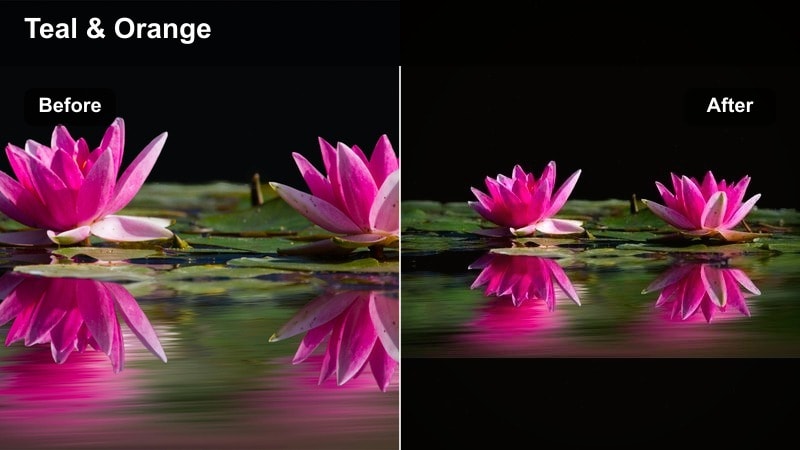
- Effect look: Soft teal and blue-green tones in shadows with gentle noise for an underground, cinematic atmosphere.
- Best for: Metro rides, alleyways, underground parking, and evening errands filmed under mixed lighting.
- Editing tip: Use the color wheels to cool only shadows and midtones, keeping highlights neutral so signs and faces remain readable.
Subway Cool Film turns everyday commutes into atmospheric sequences with teal-tinted shadows and a subtle filmic grain. It is great for adding mood without sacrificing legibility of signs, faces, and important details in low-light spaces.
Within Filmora, apply a cool shift primarily to shadows and midtones using the Color Wheels, then add a small amount of noise to make digital footage feel more cinematic. Keep highlights close to neutral so bright elements like station lights or store signs stay clean and readable. If clips are noisy, run Denoise first so the final grain looks intentional.
Pro tip - Control color noise in low light
In noisy subway or night clips, add denoise before applying heavy cool tones so grain looks intentional, not muddy.
Finish with a subtle vignette to hide messy corners of the frame and guide the eye toward your subject.
Blue Morning Routine
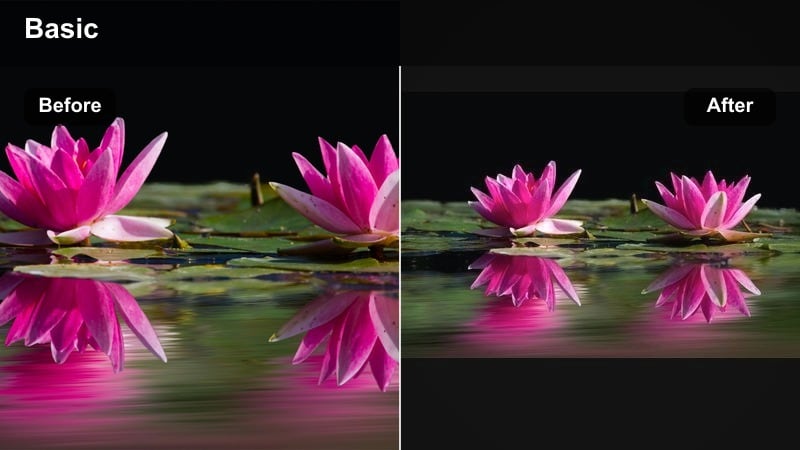
- Effect look: Fresh, pale blues in highlights with slightly lifted exposure and soft contrast for airy mornings.
- Best for: Shower routines, skincare, bed-making, and breakfast B-roll near windows on cloudy or early days.
- Editing tip: Gently increase highlight softness and lower saturation of yellows so morning light looks clean instead of yellow.
Blue Morning Routine is built for soft, airy mornings where you want your space to feel like a spa. Pale blue highlights and lifted exposure create a calm, almost misty feeling that works perfectly for skincare, showers, and cozy kitchen scenes.
In Filmora, nudge exposure up, lower contrast slightly, and shift highlights toward cool tones. Use HSL to reduce yellow saturation so window light and bathroom tiles appear clean and gentle rather than warm and harsh. If white walls start clipping, pull back highlights and whites, then add local contrast to key objects like mugs or plants to keep the frame dimensional.
Pro tip - Avoid washed-out white walls
If your walls start clipping to pure white, slightly bring down highlights and whites so details stay visible.
Add a tiny bit of local contrast to objects like mugs, plants, or towels so the frame still feels three-dimensional.
Fresh Video LUT-Inspired Filter Combos
Cool Fresh Street
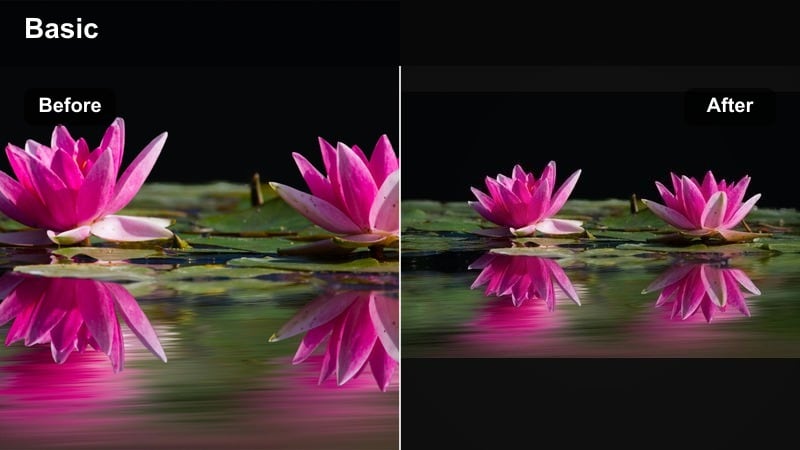
- Effect look: LUT-inspired cool neutrals with crisp micro-contrast and slightly desaturated primaries for a polished street look.
- Best for: Daily street diaries, solo talking walks, and handheld B-roll around cafes and crosswalks.
- Editing tip: Lower overall saturation slightly, then add a touch of vibrance so small color accents like traffic lights still pop.
Cool Fresh Street gives your vlogs a subtle cinematic polish similar to using a light LUT, but with enough restraint to stay natural for everyday uploads. Desaturated primaries and clean contrast keep urban scenes tidy while cool neutrals add a professional finish.
In Filmora, begin with a gentle LUT or preset if you like, then fine-tune by reducing saturation and boosting vibrance a little so accent colors stand out. Use the Tone Curve for crisp midtones and slightly lifted shadows, making handheld street clips feel stable and intentional. Stabilize your footage before applying this contrasty look so motion feels smooth.
Pro tip - Stabilize first, then stylize
Apply stabilization to handheld street clips before adding this look so the crisp contrast does not exaggerate camera shake.
If your footage comes from different cameras or phones, adjust white balance individually before copying this filter preset.
Fresh Blue Neutral
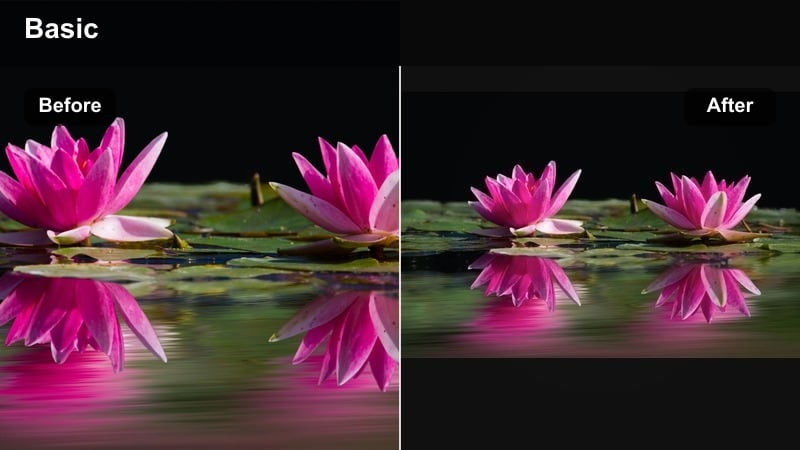
- Effect look: Neutral base with a gentle shift toward cool in shadows and clean, white highlights preserving skin tones.
- Best for: Voiceover montages, productivity vlogs, and A-roll intros where you need a safe, versatile cool look.
- Editing tip: Keep contrast moderate and use Filmora's tone curve to slightly lift shadows while anchoring midtones for clarity.
Fresh Blue Neutral is a dependable base look you can apply to almost any scene without worrying about weird skin tones. It leans cool in the shadows to reinforce your aesthetic while leaving highlights clean and neutral for a professional, flexible appearance.
Inside Filmora, keep contrast in the mid range and use the Tone Curve to gently lift shadows so details remain visible in darker areas. Cool the overall image slightly, but correct skin tones with the orange channel in HSL if they drift too cold. Save this as your default channel preset so every new project starts from a consistent cool foundation.
Pro tip - Use as your channel base look
Save this look as your default preset in Filmora so every new project starts with the same cool, neutral foundation.
If you shoot in mixed lighting, tweak white balance per clip but keep this filter consistent to hold your brand identity.
Mint Fresh Lifestyle
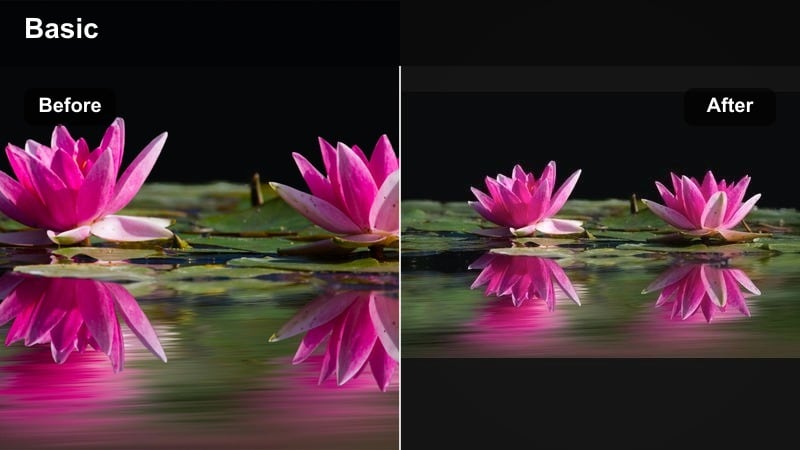
- Effect look: Slight minty tint in shadows with clean whites and soft pastel treatment of greens and blues.
- Best for: Plant corners, balcony vlogs, grocery hauls, and lifestyle B-roll with subtle greenery.
- Editing tip: Reduce green saturation and shift green hue slightly toward teal to keep the overall frame from feeling too earthy.
Mint Fresh Lifestyle is ideal for airy lifestyle vlogs that feature plants, fabrics, and light decor. The mint-tinted shadows create a fresh vibe, while pastellike greens and blues prevent the image from feeling too heavy or earthy.
In Filmora, use the HSL controls to push greens slightly toward teal and reduce their saturation, then keep whites bright and neutral. Apply a minor cool shift to shadows to introduce the mint feeling without pushing midtones too far. Pair this look with gentle music and slower cuts to let your audience soak in the relaxing, clean atmosphere.
Pro tip - Pair with soft sound design
This calm mint filter works best with gentle background audio, like light lo-fi or ambient city sounds.
Keep your cuts slightly slower than usual to let viewers sit in the fresh, airy mood you create with this look.
Cool Filters for Night and Indoor Daily Vlogs
Cozy Cool Apartment
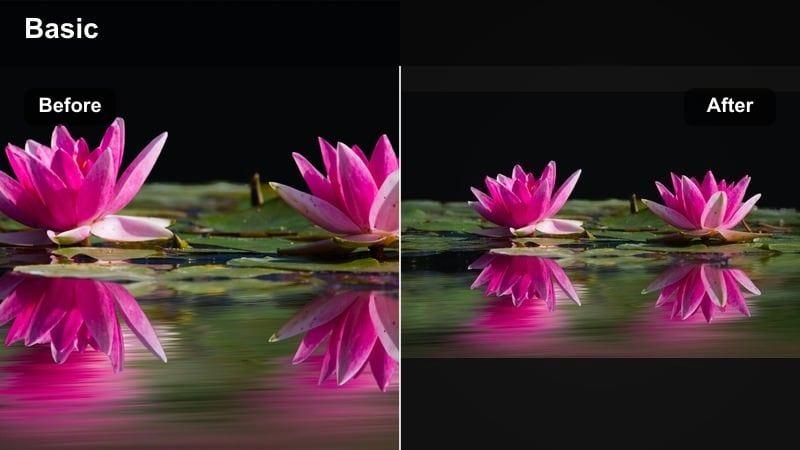
- Effect look: Tames warm indoor bulbs by adding a gentle cool balance while keeping a cozy, soft atmosphere.
- Best for: Evening room resets, cleaning vlogs, and couch check-ins under warm lamps or fairy lights.
- Editing tip: Lower orange saturation and use temperature to pull slightly cool, but keep tint neutral to protect skin tones.
Cozy Cool Apartment is designed to rescue indoor footage that looks too orange or yellow from warm bulbs. It cools the overall frame just enough to feel clean while holding onto the cozy glow from lamps and string lights.
In Filmora, pull the temperature slider slightly toward blue, reduce orange saturation in HSL, and keep the tint close to neutral. If you have both daylight and warm bulbs in one shot, set the global white balance slightly cool, then use local adjustments or masks to keep your face naturally warm. This way, your evening vlogs feel balanced and professional without losing homey charm.
Pro tip - Fix mixed bulbs in one glance
If you have both daylight and warm bulbs, lean the overall white balance slightly cool, then selectively warm your face.
Use subtle local exposure adjustments on lamp areas so they glow without clipping or turning too neon.
Blue Hour City Drive
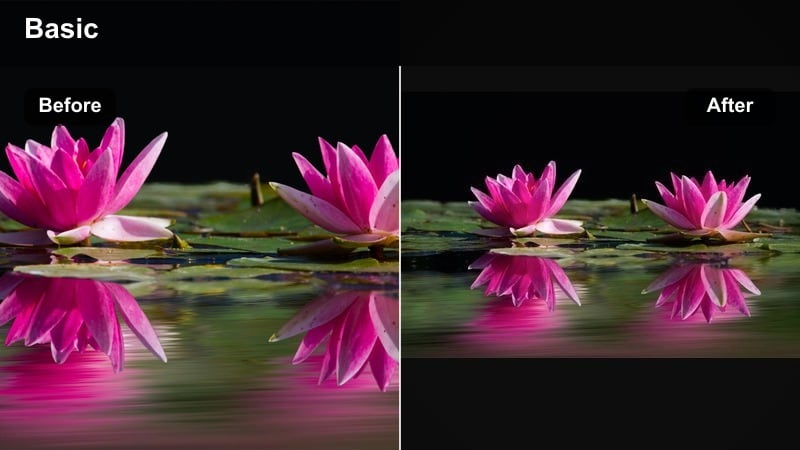
- Effect look: Emphasizes deep blues and cyans outside windows while gently cooling interior car tones.
- Best for: Car vlogs, drive-through runs, and window-view storytelling during blue hour or early night.
- Editing tip: Lower highlights slightly so streetlights do not blow out, and add subtle bloom if you like a dreamy glare effect.
Blue Hour City Drive leans into the natural blues just after sunset, making skies and reflections outside the car rich and cinematic. Inside the car, tones are cooled slightly so the entire scene feels cohesive without losing detail on your face.
In Filmora, reduce highlights so headlights and streetlights stay controlled, then deepen blues and cyans with HSL. Expose your footage for the outside view when filming, then lift interior shadows in post using the Shadows slider. A small touch of glow or bloom around bright lights can add a dreamy, transition-friendly look between daytime and night segments of your vlog.
Pro tip - Expose for outside, lift the inside
Expose your clips so outside the car is not overbright, then lift shadows inside using Filmora's shadow control.
Add a tiny bit of noise reduction so ISO grain at blue hour looks smooth under this cool, contrasty look.
Night Neo Cool
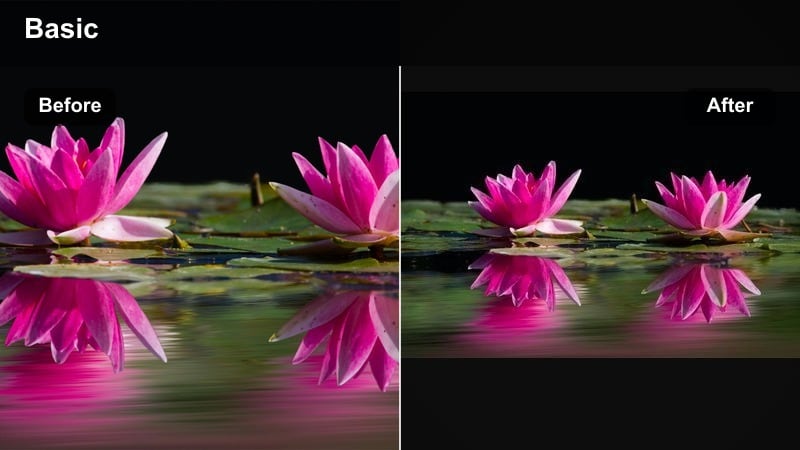
- Effect look: Cool neon-style treatment with saturated cyans and magentas, deeper blacks, and punchy light sources.
- Best for: Night walks, convenience store vlogs, and B-roll around signs, billboards, and LED storefronts.
- Editing tip: Increase contrast and clarity moderately, but keep saturation controlled so neon colors do not clip or glow unnaturally.
Night Neo Cool is your go-to for bold, neon-driven sequences that still feel clean and modern. Deep blacks and strong cyan-magenta highlights create a stylized night city look that works well for short B-roll or transitions in your daily vlogs.
In Filmora, push contrast and clarity moderately, enrich cyans and magentas through HSL, and cool the overall tone. Keep saturation in check to avoid neon clipping, and consider masking faces to slightly lower saturation so skin does not turn fluorescent. Use this look for highlight segments rather than entire vlogs to keep your content watchable and not overly intense.
Pro tip - Use sparingly for highlight sequences
Reserve this bold look for short B-roll segments so your full daily vlog still feels watchable and not overly intense.
If faces enter the frame, slightly mask them and reduce saturation locally to avoid unnatural neon skin.
Tips for Using Daily Vlog Cool Filters in Filmora
- Shoot slightly brighter than usual when planning a cool tone vlog filter so Filmora has room to preserve detail in shadows.
- Keep one or two neutral reference clips in every vlog so you can quickly match color between cool and non-cool scenes.
- Adjust white balance per clip before applying your cool preset to prevent strange color shifts from mixed lighting.
- Save separate versions of your cool daily vlog filters for daylight, indoor, and night so you can swap quickly while editing.
- Use Filmora's scopes to make sure your cool blue tones do not crush shadows or clip highlights on white walls and windows.
Cool daily vlog filters help urban vloggers and minimalist creators turn simple routines into clean, fresh visual stories. By tuning blues, contrast, and saturation carefully, you can keep your vlogs calm and modern without losing natural skin tones.
Test a few of these looks inside Filmora, refine them for your own lighting and locations, then save a custom preset you can drop onto every new project. Over time, your audience will recognize your signature cool daily vlog style the moment your video starts.
secure downloadNext: Best Daily Vlog Filters and LUTs for a Consistent Aesthetic
