

 100% Security Verified | No Subscription Required | No Malware


 ChatGPT
 Perplexity
 Gemini
 Claude
 Grok
Grok
If your influencer videos need a cooler, cleaner look to match fashion drops, tech reviews, or urban lifestyle edits, a smart set of cool-toned filters can completely refresh your brand. In Filmora, you can combine subtle blues, crisp contrast, and soft highlights to build a polished creator style that feels premium without looking over-edited.
Below are curated cool influencer video filters designed for modern influencer content, clean brand videos, and fashion shoots. Each style includes the effect look, best use cases, and a quick editing tip so you can dial in a consistent visual identity fast.
In this article
Clean Cool Base Filters for Everyday Influencer Content
Frosted Daylight
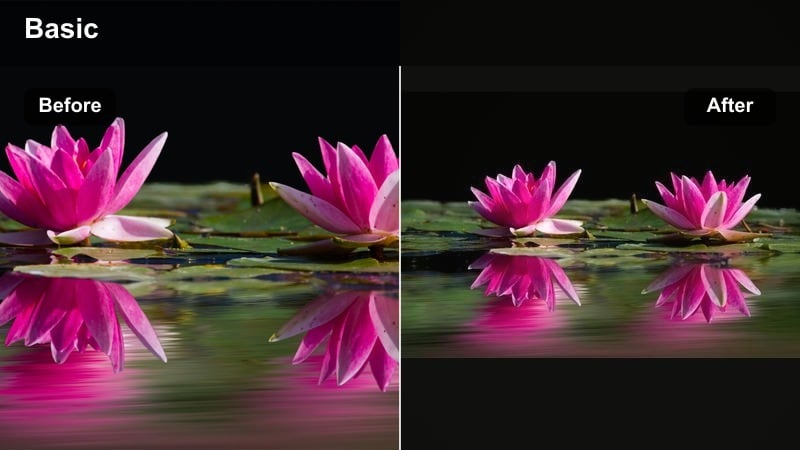
- Effect look: Soft cool whites with gentle blue highlights and slightly lifted shadows for a clean daylight feel.
- Best for: Tech desk setups, airy fashion hauls, minimalist product showcases in natural light.
- Editing tip: Lower the filter intensity to around 60 to keep skin tones natural while retaining a fresh cool atmosphere.
Frosted Daylight is a subtle cool base filter that keeps your influencer videos looking bright and modern while nudging whites and highlights toward stylish blue tones. In Filmora, it works especially well when your scene already has a lot of natural window light or white surfaces that can carry the cool shift without making skin look flat.
Apply this filter to your tech desks, light-filled fashion hauls, and clean product shots, then fine-tune the intensity slider until faces stay believable but backgrounds feel freshly chilled. Use Filmora color tools to slightly warm midtones while leaving highlights cool, so the frame keeps that modern, frosted atmosphere without sacrificing skin vibrancy.
Use AI Color Tools in Filmora to Lock in Your Cool Influencer Palette
Once you find a cool influencer video filter you love, Filmora AI-driven color tools help you match that look across every clip, even when lighting conditions change. This lets your tech setups, fashion scenes, and brand interviews stay visually aligned without constant manual grading.
Save your favorite cool tones as custom presets, then apply them in batches to new projects. With AI-assisted correction riding on top, your short reels and long-form episodes carry the same clean, cool identity from first frame to last.
 secure download

See Cool Filters in Action on Real Influencer Footage
Test these cool influencer filters on raw clips from fashion shoots, tech reviews, and clean brand videos to see how they react to different skin tones and ambient light. You will quickly spot which presets suit casual vlogs versus high-impact campaigns.
Then refine with Filmora adjustments like clarity, vignette, or HSL tweaks so your chosen cool tone becomes a signature style that is still easy to repeat across future edits.
secure downloadTurn Cool Filters into Reusable LUT-Style Looks
If you edit on multiple devices or collaborate with other creators, turn your favorite Filmora cool grades into LUT-style looks or shared presets. This makes it simple for everyone on the team to apply the same blue-toned, modern aesthetic on every platform.
Once your cool workflow is locked, your audience can recognize your clips instantly in busy feeds, whether you are posting quick verticals or fully produced brand campaigns.
secure downloadStudio Cool Neutral
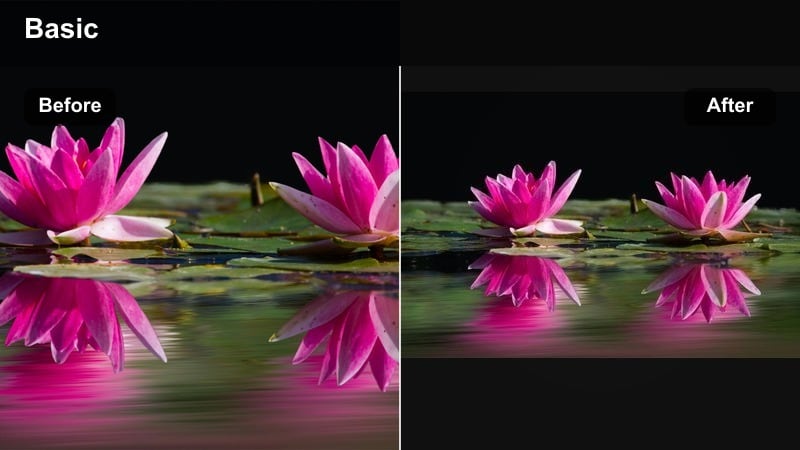
- Effect look: Balanced cool-neutral tones with softened contrast and clean grays for a studio-ready finish.
- Best for: Sponsored product reads, brand announcements, and talking-head influencer updates.
- Editing tip: Keep exposure slightly under and raise midtones instead of overall brightness to preserve detail in backgrounds and clothing.
Studio Cool Neutral gives you a polished, studio-style base that feels professional without looking too intense or cinematic. It leans into cool grays and gentle contrast, which makes it ideal for sponsored segments, intros, and any video where brands expect a clean, reliable look.
In Filmora, use this filter as your default grade for talking-head content, then save it as a preset so every sponsored clip shares the same tone. Apply it before adding graphics or lower-thirds so your titles naturally inherit the same cool-neutral feel, making the whole frame look cohesive and on-brand.
City Glass Wash
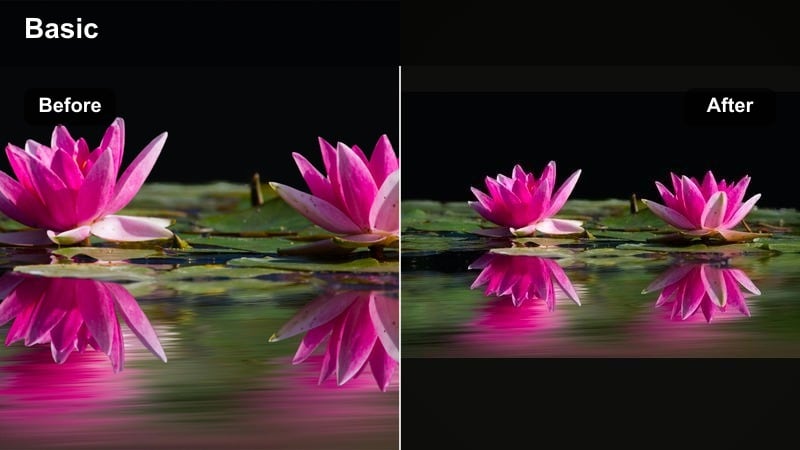
- Effect look: Sleek blue-gray wash with reduced warmth and reflective highlights that mimic glass and metal surfaces.
- Best for: Urban lifestyle b-roll, city walks, storefront shots, and night-time neon reflections.
- Editing tip: Add a slight vignette and increase clarity on edges to enhance the reflective, glass-like feeling in city footage.
City Glass Wash wraps your urban clips in a blue-gray layer that makes glass, steel, and concrete feel sleek and premium. This filter is perfect for creators who shoot city walks, lifestyle b-roll, and storefront cutaways and want those shots to look more like campaign visuals than everyday vlog footage.
Apply it in Filmora to your establishing shots, then boost clarity and add a light vignette to draw attention toward the center of the frame. If you are mixing day and night footage, keep City Glass Wash consistent across both so your whole edit feels like one unified city story, regardless of lighting changes.
Cool Filters for Fashion-Forward Influencer Looks
Runway Ice
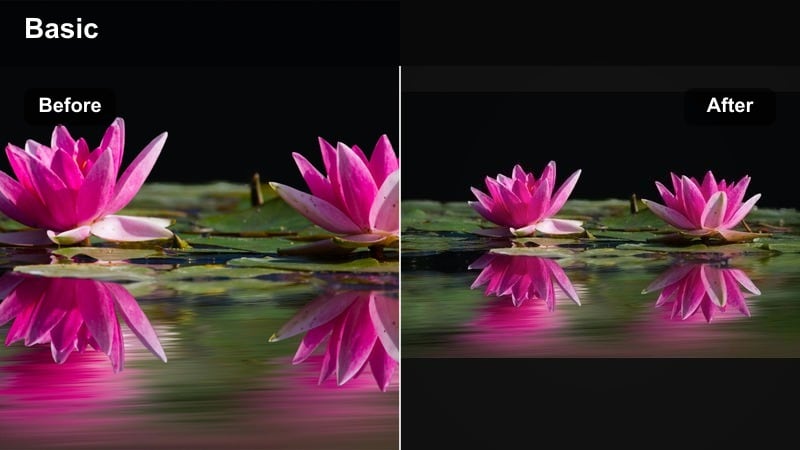
- Effect look: High-contrast cool tones with crisp whites and slightly desaturated colors for a runway-inspired style.
- Best for: Fashion shoots, lookbooks, outfit-of-the-day reels, and detail shots of accessories.
- Editing tip: Reduce saturation in reds and oranges slightly to stop bold clothing from overpowering the cool runway aesthetic.
Runway Ice is built for fashion creators who want their outfits to land with a high-end editorial punch. It raises contrast, cleans up whites, and cools the overall frame so fabrics and silhouettes feel like they stepped out of a runway recap or magazine spread.
In Filmora, pair Runway Ice with smooth camera moves and confident posing. Use the color controls to nudge reds and oranges down so statement pieces do not overpower the frame, and keep backgrounds simple so the cool grade and clothing details stay front and center.
Denim Chill
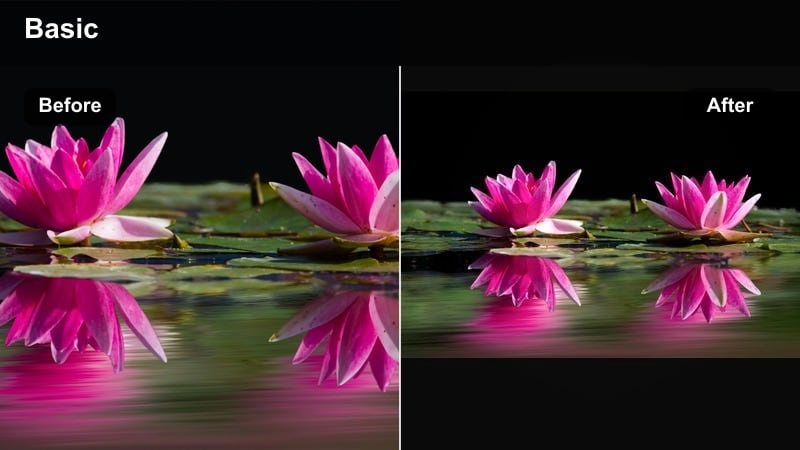
- Effect look: Soft cool blues with gentle contrast and preserved warmth in skin for a casual yet polished style.
- Best for: Streetwear try-ons, denim-focused outfits, casual daily style vlogs, and mirror clips.
- Editing tip: Use slightly slower transitions and keep camera movement smooth to match the relaxed cool mood of the filter.
Denim Chill enhances blue tones and denim textures while keeping skin tones believable and warm enough for everyday content. It is ideal for streetwear creators who want a cohesive blue-forward feed that still feels relaxed and approachable.
Apply this filter in Filmora to walking shots, mirror clips, and quick outfit transitions, then keep transitions simple and fluid so the mellow cool mood stays intact. If skin drifts too cold, gently warm the midtones and add a small vibrance boost for lips and cheeks while leaving denim-rich areas nice and cool.
Editorial Blue Print
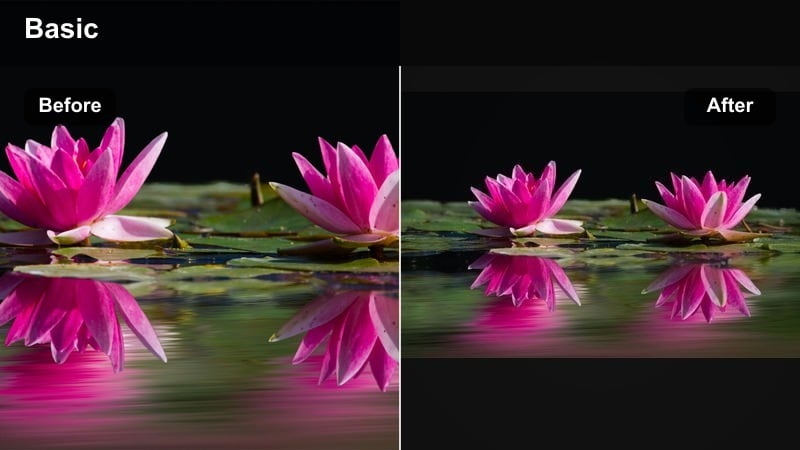
- Effect look: Refined blue shadows with neutral mids and bright highlights that mimic magazine editorial spreads.
- Best for: High-fashion campaigns, brand shoots with models, and dramatic posing sequences.
- Editing tip: Shoot against simple backgrounds and use slower cuts so the editorial cool grade becomes the hero of the visual story.
Editorial Blue Print is a dramatic, magazine-style cool grade that pushes shadows into sophisticated blues while keeping mids and highlights clean. It is a natural fit for high-fashion campaigns, lookbooks, and any creator content that edges into full editorial territory.
In Filmora, use this filter with minimalistic backdrops and slower edits so the cool shadow work has room to breathe. Add negative space around your subject and layer in simple text or logos, keeping typography thin and minimal to match the premium editorial tone.
Cool Filters for Tech Creators and Product Videos
Neon Byte
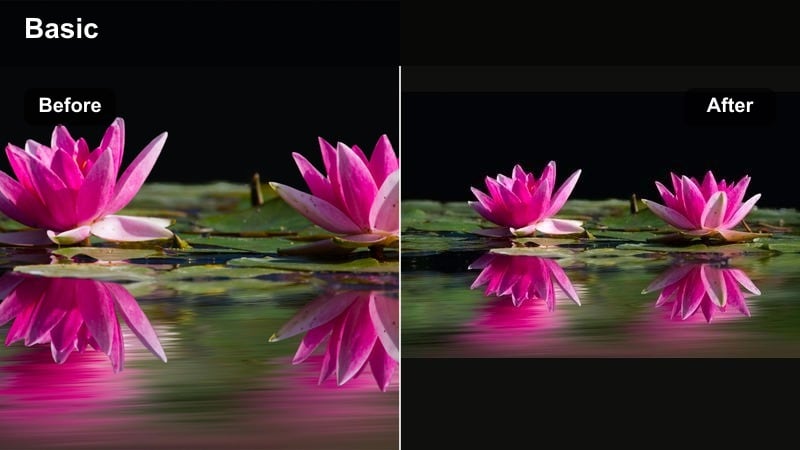
- Effect look: Punchy cool tones with boosted blues and cyans, subtle glow around lights, and crisp blacks.
- Best for: RGB desk setups, gaming gear b-roll, and night-time gadget shots with LEDs.
- Editing tip: Drop overall saturation slightly while increasing vibrance so neon elements stay bold but the frame does not feel oversaturated.
Neon Byte is engineered for RGB-heavy setups and neon-lit gadget shots, amplifying cyans and blues while keeping blacks deep and defined. It adds subtle glow around key light sources so your gaming rigs and LED accents look futuristic instead of flat.
In Filmora, apply Neon Byte to darker scenes that feature keyboards, PC cases, and accent strips, then gently lower global saturation and bump vibrance so neon tones pop without the whole frame turning cartoonish. Slight underexposure in-camera plus shadow lifting in Filmora will help you protect neon detail while maintaining a crisp, high-tech look.
Chrome Lab
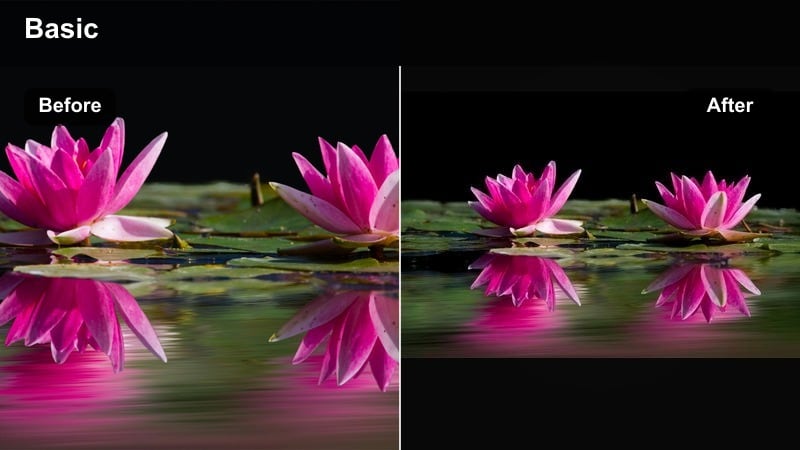
- Effect look: Cool metallic tones with polished highlights and a clean, lab-like white balance.
- Best for: Close-up product shots of phones, laptops, headphones, and sleek tech accessories.
- Editing tip: Increase sharpness slightly only on edges and logos to keep attention on the product while backgrounds stay soft.
Chrome Lab gives your product close-ups a clinical, showcase-ready finish with cool highlights and neutral shadows that flatter metal, glass, and polished plastics. It is ideal for review channels and brand partners who want their devices to look like they are on a launch-stage pedestal.
Use this filter in Filmora on macro shots, slow pan reveals, and hero angles of your gear. Add a touch of edge sharpening and keep backgrounds soft and uncluttered so all focus goes to logos and surfaces, turning simple desk reviews into premium-feeling feature segments.
Interface Cool Matte
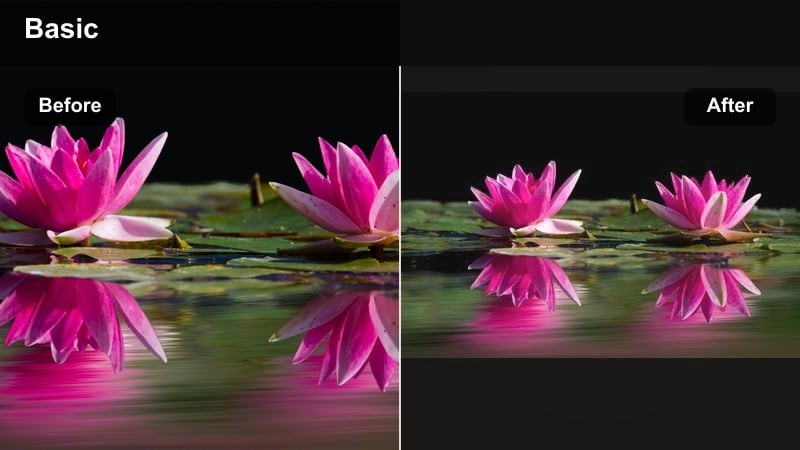
- Effect look: Low-contrast cool matte look with desaturated colors and soft blacks for a UI-focused style.
- Best for: Screen recordings, app demos, software walkthroughs, and UI overlays on footage.
- Editing tip: Avoid heavy motion blur effects and keep on-screen text bold so it stays readable against the matte cool background.
Interface Cool Matte is designed to keep UI elements readable while still giving your tutorials or demos a modern, cool finish. It softens contrast and pulls saturation down slightly so colorful icons do not distract from the information on screen.
In Filmora, combine this filter with clear typography, simple overlays, and minimal motion blur to maintain sharp legibility. If you include a face cam, apply a separate warm adjustment to that clip so you stand out against the cooler main screen, creating a clean, instructive layout your viewers can follow easily.
Blue-Toned Brand Video Filters for Clean Campaigns
Brand Ice Rinse
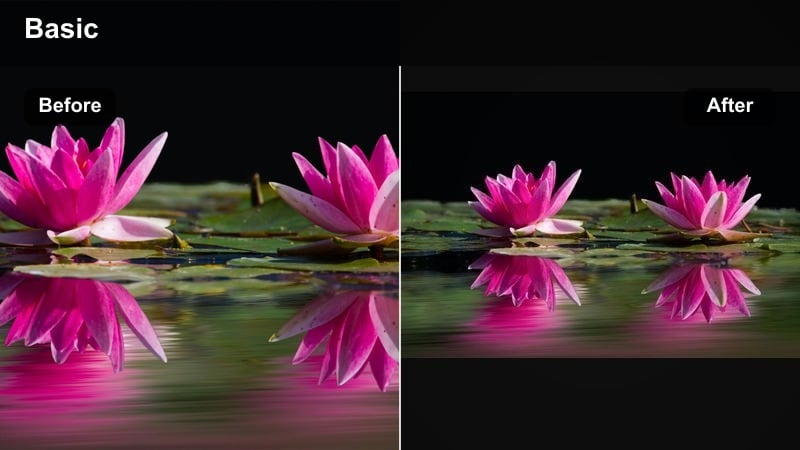
- Effect look: Light blue rinse across midtones with clean whites and minimal color shift for a subtle brand-cool look.
- Best for: Brand overview videos, startup story pieces, and homepage hero clips.
- Editing tip: Dial the intensity down for shots with lots of brand colors so logos and packaging still appear accurate on-screen.
Brand Ice Rinse adds a gentle blue cast to midtones while protecting whites and overall color accuracy, making it ideal for brand work where trust and clarity matter. It gives founders, offices, and product shots a fresh, modern sheen without feeling heavily stylized.
In Filmora, apply this filter to your hero banners, about-page videos, and pitch clips, then adjust intensity per shot based on how much brand color is in frame. Use Filmora HSL controls to correct any single hue that drifts too far, keeping your logo and packaging true-to-life while maintaining the cool, unified brand vibe.
Blueprint Branding
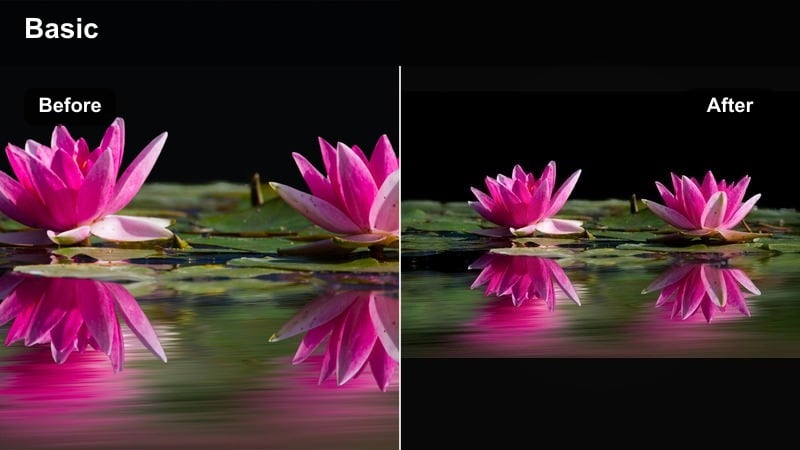
- Effect look: Structured cool tones with slightly darkened blues and stronger contrast for corporate-style branding.
- Best for: Corporate explainers, SaaS product tours, and polished LinkedIn or website content.
- Editing tip: Avoid extreme camera movement and stick to stable tripod or slider shots so the clean, structured look feels intentional.
Blueprint Branding leans into confident blues and defined contrast to give your corporate or SaaS content a solid, trustworthy presence. It is well-suited to boardroom scenes, product walkthroughs, and talking-head segments aimed at professional audiences.
Within Filmora, pair this filter with locked-off shots, clean compositions, and minimal transitions so the structured grade feels purposeful. Design lower-thirds and slides around white text with a single, strong blue accent to keep your whole visual system consistent with the blueprint-inspired look.
Ocean Signature
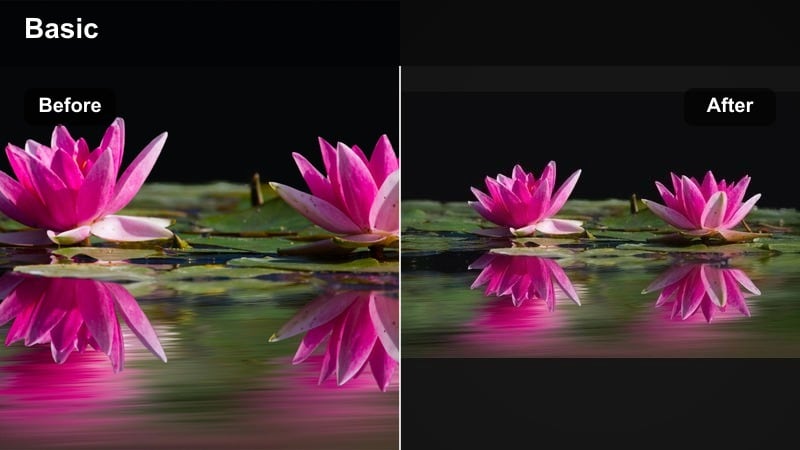
- Effect look: Cool teal-blues in shadows with clean midtones and a subtle fade in highlights for a calm, premium mood.
- Best for: Lifestyle brand stories, wellness campaigns, eco-focused brands, and calm influencer storytelling.
- Editing tip: Use longer shots and slower music to let the soft blue tones breathe and support a relaxed, reflective energy.
Ocean Signature shifts shadows into teal-blues and gently fades highlights, creating a soothing, premium atmosphere that pairs perfectly with wellness, eco, and calm lifestyle narratives. It makes water, sky, and soft fabrics feel cinematic while keeping midtones natural.
In Filmora, apply Ocean Signature to shoreline walks, yoga sessions, morning routines, and eco-focused b-roll. Favor longer takes, slower pacing, and understated music so the tranquil cool palette can support your storytelling, not compete with it. If skies become too cyan, selectively pull back blue saturation and warm the highlights slightly to maintain realism.
Tips for Using Influencer Video Cool Filters in Filmora
- Shoot slightly cooler in-camera or under neutral lighting so Filmora filters have clean data to work with.
- Keep a consistent backdrop or location for recurring series so your cool tone filters feel intentional, not random.
- Adjust filter intensity per clip instead of leaving everything at 100 to avoid overprocessed skin or logos.
- Use separate audio mixing to keep voices warm and present even when visuals are strongly cool-toned.
- Batch-apply your chosen cool preset to all clips first, then fine-tune exposure and white balance shot by shot.
- Create one hero cool look for everyday content and one more stylized version just for campaigns or big drops.
Cool influencer video filters can instantly give your content a modern, premium edge that fits fashion, tech, and urban lifestyle storytelling. By choosing a few signature looks and turning them into Filmora presets, you build a recognizable visual identity that your audience connects with right away.
Experiment with these cool tones on your next modern influencer content, clean brand videos, or fashion shoots, then refine the strengths and color mix until you land on a filter set that feels uniquely yours.
secure download