

 100% Security Verified | No Subscription Required | No Malware


 ChatGPT
 Perplexity
 Gemini
 Claude
 Grok
Grok
Cool Ocean Gray sits between blue and neutral gray, bringing a calm, collected mood that still feels modern and cinematic. It suggests clarity, focus, and quiet confidence, which is why you see similar tones in tech branding, minimalist interiors, and high end UI design. On screen, it rarely distracts from the story, yet it adds a subtle coastal depth that pure grayscale cannot.
For video creators, this makes Cool Ocean Gray a powerful base color for intros, lower thirds, YouTube thumbnails, channel branding, and even color grading. Below are 15 Cool Ocean Gray color palettes with HEX codes you can plug straight into your designs or into Filmora when building titles, overlays, and custom LUT like looks.
In this article
Calm And Minimal Cool Ocean Gray Color Palettes
Harbor Mist Minimal
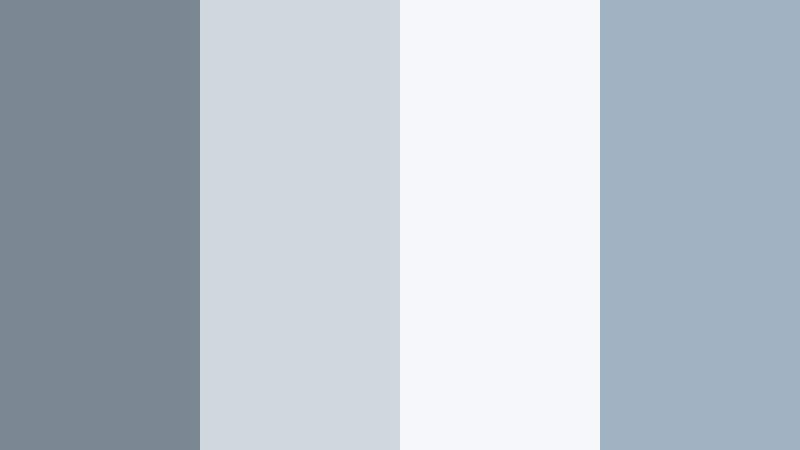
- HEX Codes: #7a8790, #cfd6dc, #f4f6f8, #9fb3c2
- Mood: Quiet, balanced, and understated with a coastal breeze feel.
- Use for: Ideal for minimalist channel branding, clean lower thirds, and calm tutorial intros.
Harbor Mist Minimal blends medium Cool Ocean Gray with soft whites and blue gray highlights, creating a peaceful, breathable layout. It feels like a foggy morning harbor where everything is soft, clear, and distraction free.
Use this palette when you want your video content to feel calm and professional: tutorial intros, quiet B roll sequences, or minimalist YouTube thumbnails that put the focus on text and subject. In Filmora, it works beautifully for title cards, chapter markers, and subtle overlays that support your story instead of shouting over it.
Pro Tip: Build a Cinematic Cool Ocean Gray Look in Filmora
When you design with Harbor Mist Minimal, keep your whole edit consistent by carrying these grays and soft blues across intros, lower thirds, and end screens. In Filmora, you can set one title template with your Cool Ocean Gray values and reuse it across the timeline, so your tutorials and vlogs always feel like part of the same brand.
Try using the darker gray (#7a8790) for text or logo elements, the lightest shade (#f4f6f8) as a background plate, and the blue gray accents (#9fb3c2) for subtle lines, icons, or button shapes in your videos. This keeps your visuals calm but still layered and cinematic.
AI Color Palette
If you already have a reference image that captures your Cool Ocean Gray mood, you can let Filmora do the heavy lifting. Filmora's AI Color Palette feature reads the color style from a single clip, thumbnail, or still frame, then applies that same palette across the rest of your footage.
Import a frame using Harbor Mist Minimal as your reference, use AI Color Palette on your remaining clips, and your whole project will automatically match the same soft, coastal gray aesthetic. Perfect for keeping A roll, B roll, and cutaways visually cohesive with almost no manual tweaking.
 secure download

HSL, Color Wheels & Curves
Even with a strong base palette, small adjustments to hues and contrast can push your Cool Ocean Gray look toward softer lifestyle vibes or more dramatic cinematic tones. Inside Filmora, the HSL sliders let you gently desaturate blues and cyans, while Color Wheels and Curves help you cool down highlights and deepen shadows without crushing detail.
You can follow along with Filmora's advanced color tools tutorial on YouTube to see how to balance midtones and highlights so your Cool Ocean Gray stays clean, not muddy. Once you dial in a look you like, save it as a preset to reuse on future videos for instant consistency.
secure download1000+ Video Filters & 3D LUTs
If you want to move fast, Filmora's video filters and 3D LUTs make it easy to enhance your Cool Ocean Gray palettes with one click. Start with a neutral, well balanced clip, then add a teal and gray LUT, a soft film filter, or a pastel look to instantly stylize your Harbor Mist Minimal scheme.
You can stack filters, lower their intensity, or combine them with manual color tools to fine tune the result. This is a quick way to keep your channel aesthetic coherent across intros, vlogs, talking head videos, and shorts without rebuilding a custom grade every time.
secure downloadTidal Fog Neutrals
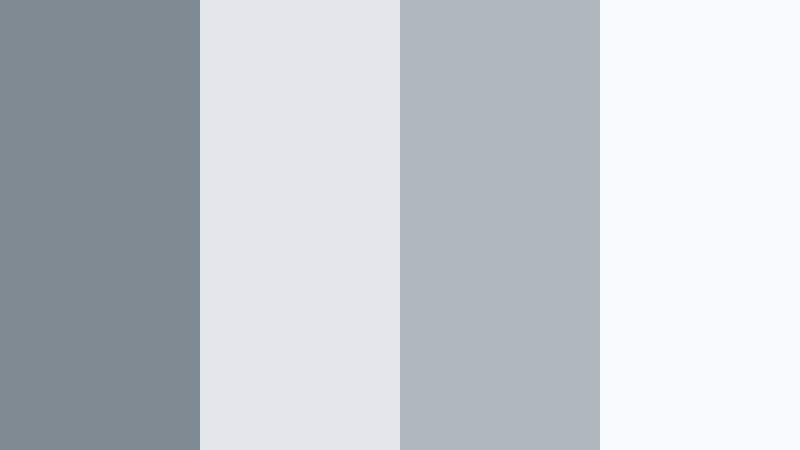
- HEX Codes: #808a92, #e3e6ea, #b1b7bf, #f8fafb
- Mood: Soft, hazy, and neutral with a refined tech feel.
- Use for: Works well for app walkthroughs, UI mockups, and product explainer videos that need a clean interface look.
Tidal Fog Neutrals leans into misty light grays and off whites, anchored by a soft Cool Ocean Gray. It feels like a refined software dashboard or a polished landing page brought into motion.
Use this palette to style UI overlays, on screen callouts, and product demo lower thirds in Filmora. The darker gray (#808a92) works well for icons and labels, while the very light tones (#f8fafb, #e3e6ea) make clean backgrounds for titles, captions, and thumbnail text.
Driftwood Shoreline
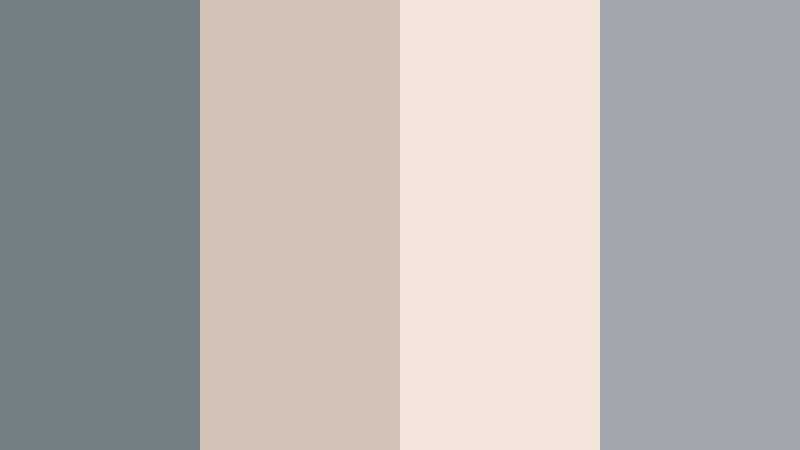
- HEX Codes: #747f86, #d0c3b5, #f1e6d9, #a0a6ac
- Mood: Natural, grounded, and slightly nostalgic.
- Use for: Great for lifestyle vlogs, slow living content, and subtle logo animations with an organic feel.
Driftwood Shoreline mixes Cool Ocean Gray with warm driftwood beige and sand tones, evoking a weathered boardwalk or cozy beach cottage. The combination feels organic and grounded, not sterile.
Apply this palette to lifestyle vlog title cards, chapter labels, and intro frames that need warmth without bright color. In thumbnails, use the beige (#d0c3b5) as a soft backdrop and the darker gray (#747f86) for text to keep things legible and relaxed.
Overcast Marina
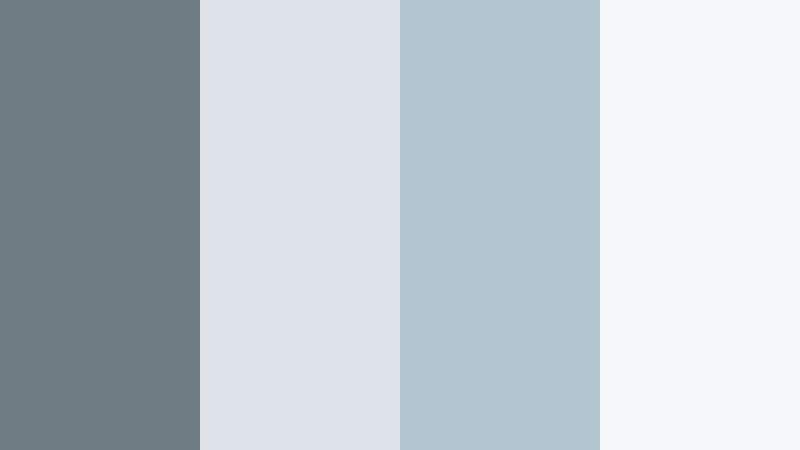
- HEX Codes: #6f7b83, #dde3e8, #b3c5d1, #f5f7f9
- Mood: Airy, contemplative, and cinematic.
- Use for: Use for cinematic b roll, title cards, and moody documentary intros that still feel accessible.
Overcast Marina captures the look of a cloudy harbor day: cool blues, layered grays, and soft whites. It sets a reflective, cinematic mood without going fully dark or heavy.
This palette is ideal for documentary openers, travel essays, or city harbor B roll. In Filmora, grade your footage slightly cooler, then add titles using the deeper gray (#6f7b83) over the light misty tones (#dde3e8, #f5f7f9) for gentle contrast in thumbnails and end screens.
Glass Harbor Interface
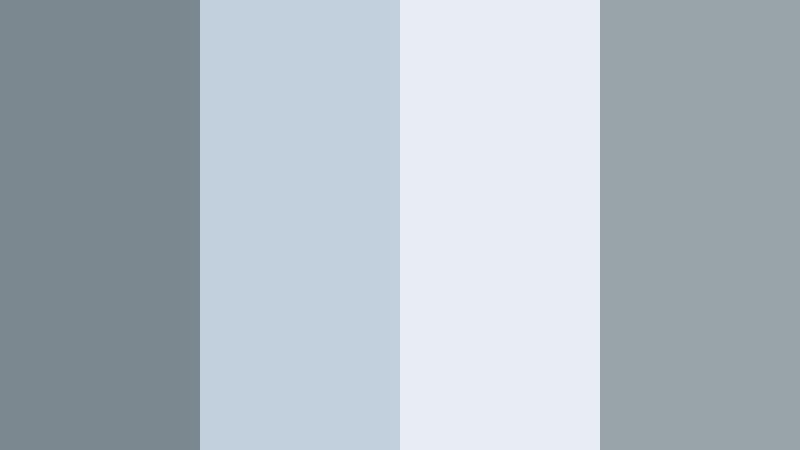
- HEX Codes: #7c8890, #c2d0dd, #e7edf3, #99a3aa
- Mood: Futuristic, clean, and slightly techy yet approachable.
- Use for: Perfect for SaaS promos, dashboard visualizations, and modern UI themed openers.
Glass Harbor Interface blends Cool Ocean Gray with translucent blue tints that feel like frosted glass or a modern OS interface. It looks high tech but not cold.
Use this palette when building motion graphics that mimic app windows, notifications, and HUD elements in Filmora. The mid grays (#7c8890, #99a3aa) are excellent for icon outlines and text, while the pale tones (#c2d0dd, #e7edf3) become panels behind data, charts, or feature lists in product explainer videos.
Moody And Cinematic Cool Ocean Gray Color Palettes
Stormwake Cinema
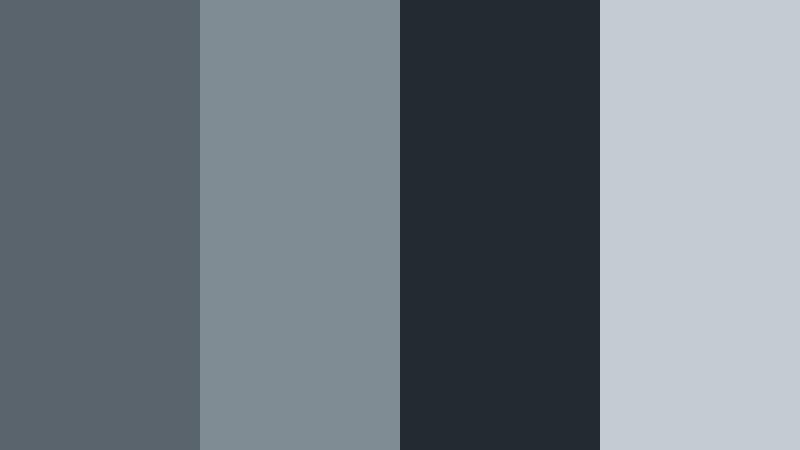
- HEX Codes: #59646c, #7f8c94, #232a31, #c4ccd3
- Mood: Dramatic, tense, and cinematic like a storm rolling in.
- Use for: Use in trailers, gaming intros, and suspenseful sequences where you want intensity without harsh saturation.
Stormwake Cinema combines deep steel tones with inky charcoal and softened Cool Ocean Gray highlights. It feels like the sky just before heavy rain, charged and dramatic.
In Filmora, this palette is perfect for game montages, suspenseful trailers, and cinematic B roll edits. Use the near black (#232a31) for letterboxing bars or background plates, the mid grays (#59646c, #7f8c94) for text and overlays, and the light tone (#c4ccd3) sparingly to highlight key titles or CTA buttons in thumbnails.
Midnight Breakwater
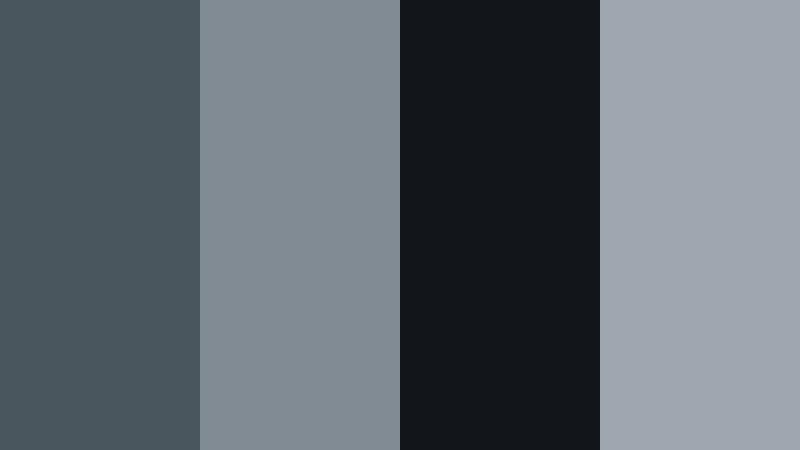
- HEX Codes: #4a565e, #808b93, #12161b, #9ea7af
- Mood: Dark, mysterious, and immersive like a night harbor.
- Use for: Ideal for intros, credits, and music videos that lean into nocturnal and cyber noir vibes.
Midnight Breakwater dives into dark Cool Ocean Gray, nearly black navy, and subtle metallic highlights. It hints at neon reflections on water, but keeps the palette restrained and stylish.
Use it for music videos, night city B roll, or cyber noir intros. In thumbnails, a deep background (#12161b) with lighter gray text (#9ea7af) and accent elements in #808b93 can create a sleek, high contrast look that still feels cohesive on your channel page.
Submerged Echo
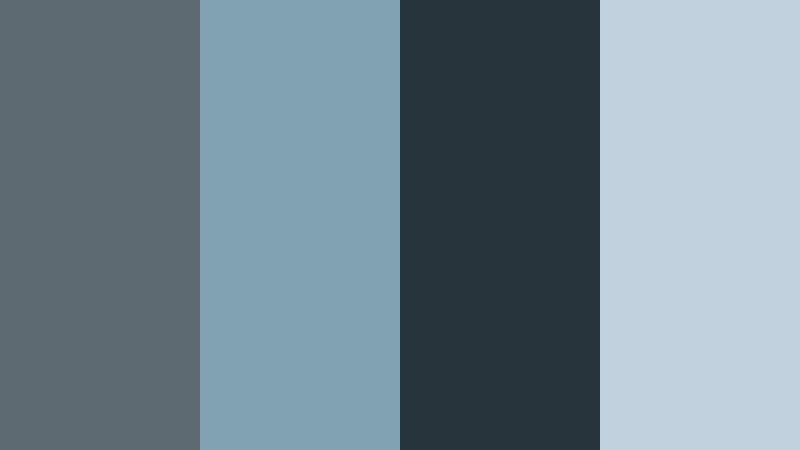
- HEX Codes: #5d6a72, #7fa1b2, #27333a, #c1d2de
- Mood: Immersive, introspective, and aquatic.
- Use for: Great for underwater themes, ambient music visuals, or reflective travel vlogs.
Submerged Echo mixes Cool Ocean Gray with teal blues and deep seawater shadows, creating the feeling of being underwater and wrapped in sound. It is introspective and slightly surreal.
Apply this palette to underwater footage, slow travel sequences, or ambient music loops in Filmora. The dark teal gray (#27333a) is ideal for gradient overlays, while #7fa1b2 and #c1d2de can color titles, waveform graphics, and subtle glow elements in your visuals.
Fogbound Skyline
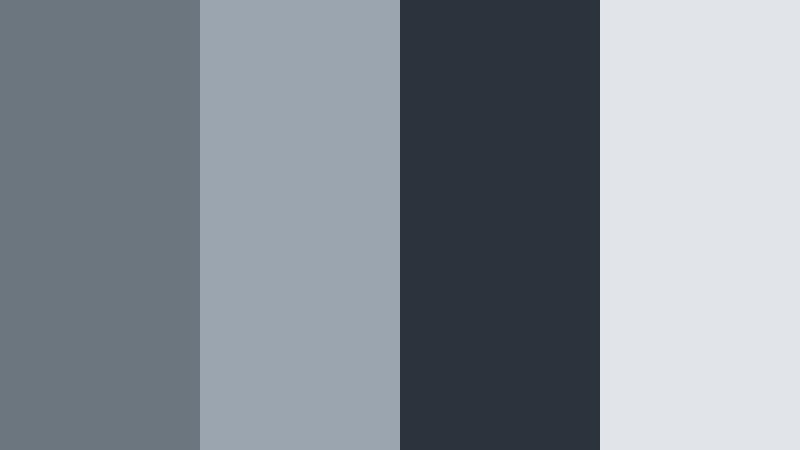
- HEX Codes: #6c767e, #9aa5af, #2b343c, #e1e4e8
- Mood: Urban, cinematic, and slightly dystopian yet polished.
- Use for: Use in city b roll, tech reviews, and drone footage that needs a filmic urban tone.
Fogbound Skyline brings together asphalt charcoals, soft smog whites, and urban Cool Ocean Gray tones. It feels like a city at dawn or after rain, with a hint of sci fi edge.
This palette works well for tech reviews, drone shots over skyscrapers, and day in the life city vlogs. In Filmora, grade your footage to emphasize cool midtones, then design titles with #2b343c text on #e1e4e8 or #9aa5af backgrounds for sharp yet cinematic thumbnails and overlays.
Pier Lantern Nights
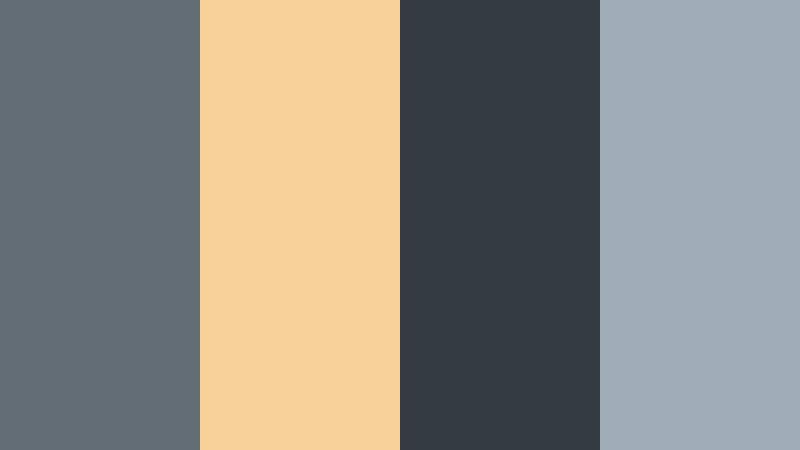
- HEX Codes: #626d75, #f7d098, #353b43, #a0adb7
- Mood: Moody yet warm, like lanterns glowing over cold water.
- Use for: Perfect for travel vlogs, evening event recaps, and title frames mixing warmth with cool shadows.
Pier Lantern Nights sets Cool Ocean Gray and harbor blues against soft, golden lantern light. The combination of cool shadows and warm highlights creates a cinematic, cozy atmosphere.
Use this palette for sunset travel vlogs, night markets, or evening event recaps. In Filmora, you can grade shadows toward #353b43 and midtones toward #626d75, then reserve #f7d098 for accent text, call to action buttons, or small icons in your thumbnails and lower thirds so the warm color really pops.
Fresh And Aquatic Cool Ocean Gray Color Palettes
Seafoam Horizon
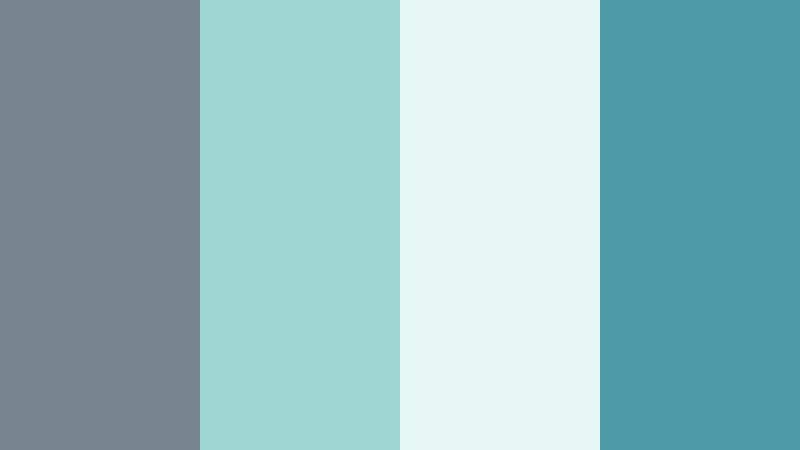
- HEX Codes: #77858e, #9fd6d4, #e6f7f6, #4f9aa8
- Mood: Fresh, breezy, and rejuvenating like a clear shoreline.
- Use for: Use for wellness content, travel vlogs, or brand intros needing a clean coastal pop.
Seafoam Horizon pairs Cool Ocean Gray with bright seafoam and turquoise accents for a clear, invigorating feel. It captures the energy of a bright day by the water without becoming neon or overwhelming.
This palette is great for wellness channels, fitness intros, or optimistic travel content. In Filmora, use the lighter aqua tones (#9fd6d4, #e6f7f6) as backgrounds for text, while #4f9aa8 and #77858e handle headlines, icons, and logo marks in intros and thumbnails.
Coral Jetty Splash
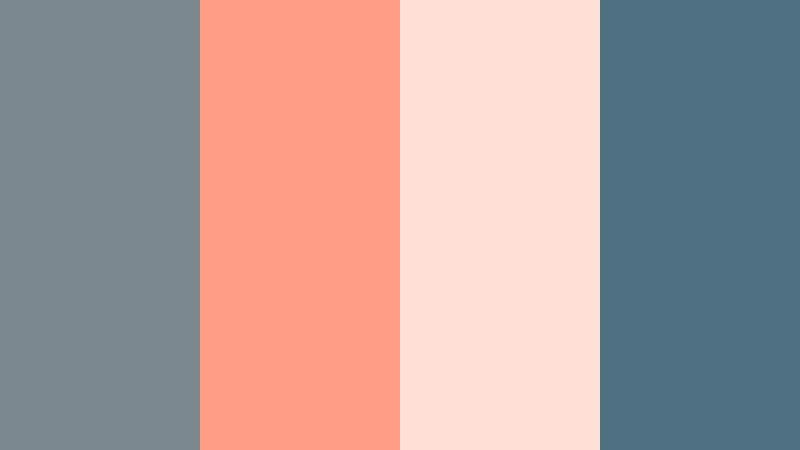
- HEX Codes: #7b878f, #ff9c86, #ffe0d5, #4f6f82
- Mood: Playful, modern, and beachy with a soft coral kick.
- Use for: Ideal for channel art, thumbnails, and lifestyle edits that want energy without overwhelming color.
Coral Jetty Splash balances Cool Ocean Gray with soft coral and peach tones, evoking umbrellas and beach cafes by the sea. The gray tones keep everything grounded while the coral adds a friendly pop.
Use this for lifestyle, beauty, or everyday vlog channels that want a cheerful but still polished aesthetic. In Filmora, build thumbnails with a Cool Ocean Gray base (#7b878f or #4f6f82) and use #ff9c86 for key words, badges, or subscribe arrows to draw the viewer's eye.
Sea Glass Drift
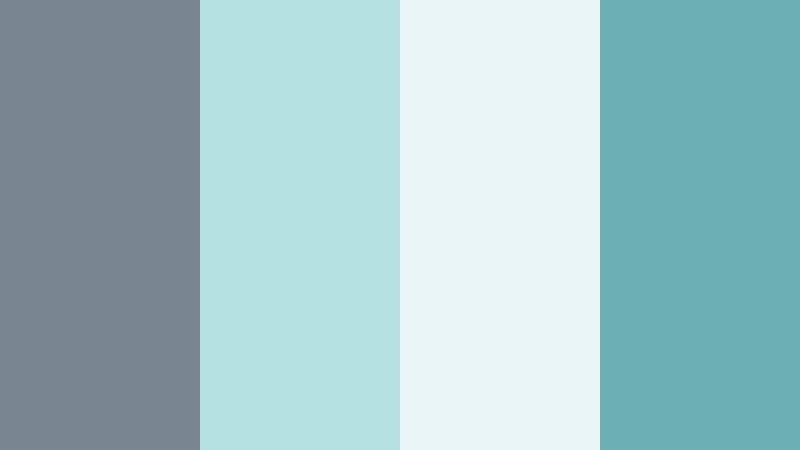
- HEX Codes: #76848d, #b3e2e0, #eaf6f4, #6ab0b3
- Mood: Light, crisp, and organic like scattered sea glass.
- Use for: Works well for eco brands, nature shorts, and calming montage sequences.
Sea Glass Drift layers translucent teals and pale aqua over a Cool Ocean Gray base, mirroring the look of sea glass washed ashore. It is clean, organic, and quietly refreshing.
Perfect for eco storytelling, ocean conservation content, or meditative montage videos. In Filmora, combine footage of nature with overlays tinted to #b3e2e0 and #6ab0b3, then keep text and UI elements in #76848d for clarity and contrast on thumbnails and titles.
Gull Wing Pastels
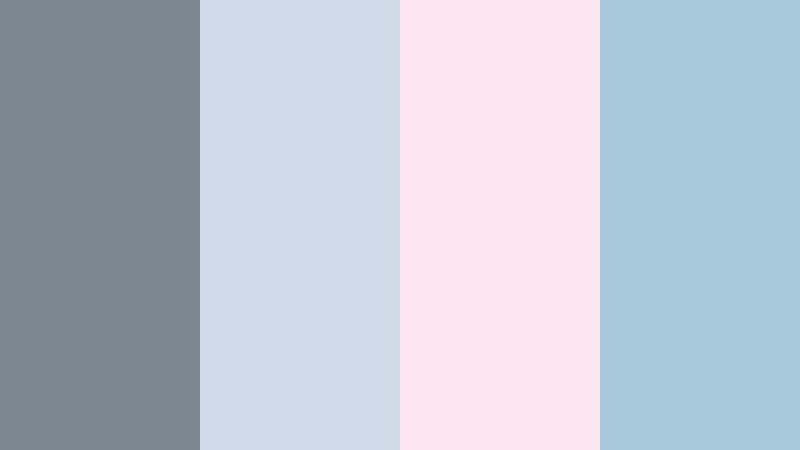
- HEX Codes: #7c8790, #d0d9e8, #fbe6f0, #a8c9da
- Mood: Soft, airy, and slightly whimsical.
- Use for: Use for dreamy vlogs, intro slates, and creator branding targeting a gentle pastel aesthetic.
Gull Wing Pastels floats Cool Ocean Gray among pastel blues and a delicate blush tint. It feels like sky, clouds, and soft light reflecting off the sea.
This palette is ideal for romantic travel diaries, dreamy daily vlogs, or gentle creator branding. In Filmora, use the blush (#fbe6f0) and light blues (#d0d9e8, #a8c9da) for backgrounds and shapes, while #7c8790 keeps logos, titles, and buttons readable against the soft pastels.
Elegant And Professional Cool Ocean Gray Color Palettes
Executive Marina
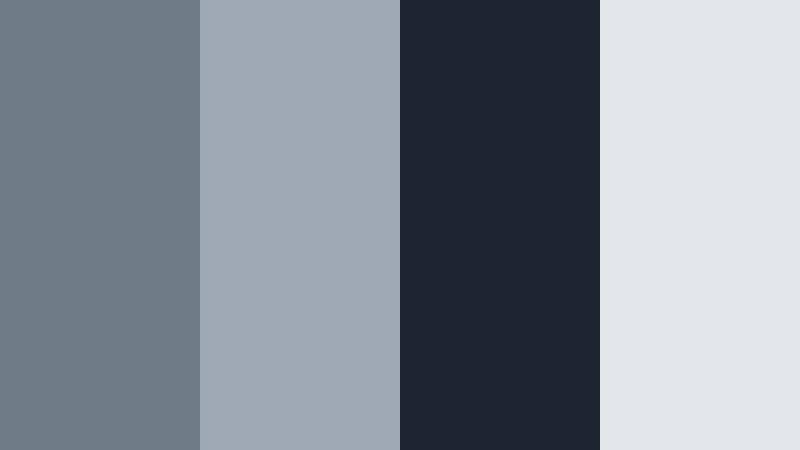
- HEX Codes: #6f7c85, #9ea9b3, #1f2530, #e3e7ec
- Mood: Professional, confident, and polished.
- Use for: Perfect for corporate explainers, portfolio reels, and LinkedIn ready video branding.
Executive Marina marries Cool Ocean Gray with deep navy and crisp, business like whites. The result is a maritime inspired palette that still reads as corporate and trustworthy.
Use it for business intros, pitch decks converted to video, and portfolio reels in Filmora. The dark navy (#1f2530) is strong enough for backgrounds and bars, while the grays (#6f7c85, #9ea9b3) keep titles, data callouts, and lower thirds looking premium on your thumbnails and slides.
Slate Compass Brand
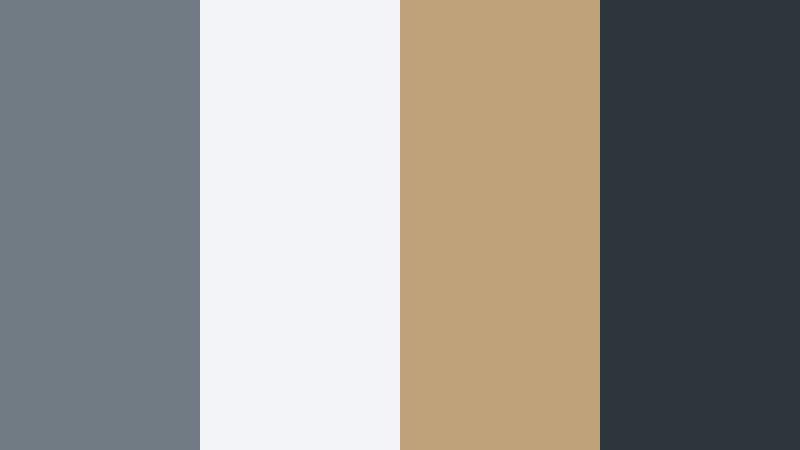
- HEX Codes: #707b84, #f2f4f7, #c0a27a, #2d343c
- Mood: Sophisticated, stable, and subtly luxurious.
- Use for: Use for personal brands, consultants, and logo stings that need trust and refinement.
Slate Compass Brand pairs Cool Ocean Gray and slate charcoal with a warm brass accent. It signals stability and subtle luxury without relying on bright or trendy colors.
This palette is a strong choice for consultants, agencies, or educational creators who want to feel elevated yet approachable. In Filmora, build logo stings and intro animations using #2d343c as a base, #707b84 for secondary text, and #c0a27a as a highlight on icons, underlines, or CTA buttons in thumbnails.
Cloudline Studio
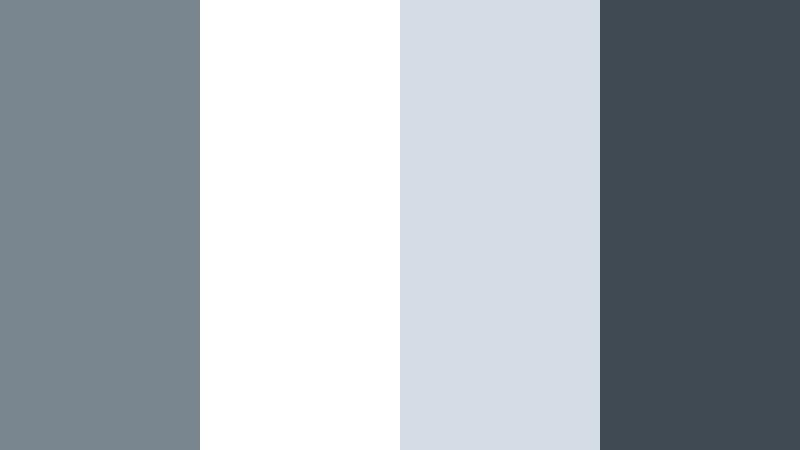
- HEX Codes: #7a868f, #ffffff, #d4dde5, #404a53
- Mood: Clean, creative, and studio ready.
- Use for: Ideal for design portfolios, motion graphics templates, and channel brands that favor a gallery look.
Cloudline Studio sets bright white against Cool Ocean Gray and a solid charcoal accent, evoking a gallery or creative studio space. It is minimal yet strong, putting your work center stage.
Use this palette to frame your design portfolio, case study videos, or motion graphics templates. In Filmora, leave plenty of white space (#ffffff), reserve #404a53 for headers and key text, and use #7a868f and #d4dde5 for borders, panels, and simple shapes in thumbnails and title sequences.
Tips for Creating Cool Ocean Gray Color Palettes
When you build your own Cool Ocean Gray palettes for video and design, focus on balance: pair the calm neutral base with just enough contrast, warmth, or saturation to guide the viewer's eye without breaking the serene mood.
- Choose a single primary Cool Ocean Gray and keep it consistent across intros, lower thirds, and thumbnails to strengthen your channel identity.
- Add one accent color only (such as Pale Melon, coral, or brass) if you want emphasis, and use it sparingly for CTAs, key words, or icons.
- Check text readability by testing your lightest and darkest grays together; use dark text on light backgrounds or vice versa to keep titles clear on mobile.
- Match your grade to the palette: cool your shadows and midtones slightly in Filmora so your footage does not clash with ocean gray graphics.
- Use gradients of Cool Ocean Gray instead of flat blocks to create depth in backgrounds, overlays, and YouTube thumbnail frames.
- Keep skin tones natural by protecting oranges in HSL while you cool the rest of the image toward your chosen gray blue range.
- Create reusable presets in Filmora for color grading, titles, and filters based on your palette so every new video automatically feels on brand.
- Preview your designs on different devices; Cool Ocean Gray can look darker on some screens, so adjust brightness and contrast accordingly.
Cool Ocean Gray palettes give you a flexible foundation for everything from minimalist tutorials to cinematic city montages. By mixing in subtle blues, warm driftwood tones, or a single bright accent, you can shape how viewers feel about your content and your brand.
Experiment with the 15 palettes above inside Filmora, then tweak them with AI Color Palette, HSL, and LUTs until they fit your channel perfectly. Once you lock in a look you like, keep reusing it across intros, end screens, and thumbnails so your videos are instantly recognizable in the feed.
Whether you are building a calm educational channel or a sleek cinematic reel, Cool Ocean Gray offers a modern, ocean inspired base that stays timeless and easy on the eyes.
secure downloadNext: Pale Melon Color Palette
