

 100% Security Verified | No Subscription Required | No Malware


 ChatGPT
 Perplexity
 Gemini
 Claude
 Grok
Grok
If you run a couple channel, your viewers are there for your chemistry, stories, and everyday moments. The right filters make those moments feel warmer, more cinematic, and more bingeable, especially on YouTube where quality instantly separates casual uploads from real creators.
This guide shares 12 Filmora couple video filters for YouTube that give you a clean creator look for couple vlogs and challenge videos. Use them as ready-made presets so your channel keeps a consistent, polished style without spending hours on color grading.
In this article
Soft Romantic Filters for Daily Couple Vlogs
Golden Date Glow
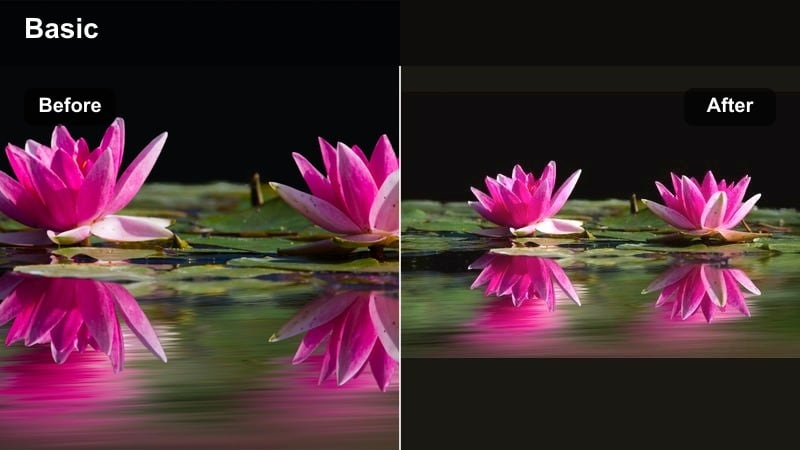
- Effect look: Warm, soft glow with lifted highlights and gentle contrast that feels like golden hour even indoors
- Best for: Date-night vlogs, anniversary recaps, cozy cooking videos, surprise plans or gift reveals
- Editing tip: Lower intensity slightly for indoor scenes so skin tones stay natural, then add a light vignette to keep the focus on your faces during close-up shots.
Golden Date Glow wraps your couple vlogs in a warm, romantic glow that makes every scene feel like it was shot during perfect golden hour. Highlights are lifted just enough to smooth out harsh lighting, while gentle contrast keeps your faces bright and flattering without crushing the shadows.
In Filmora, apply this filter as a base look for your date-night footage, then fine-tune exposure and vignette per clip. Use it on both A-roll and B-roll so the entire vlog feels like one cohesive memory, and save your preferred intensity as a custom preset for future date and anniversary videos.
Use AI Color Tools to Match Your Couple Aesthetic
Filmora’s AI color tools help you take a filter like Golden Date Glow and dial it into your exact couple aesthetic. You can fine-tune warmth, saturation, and skin tones so the look matches your room lighting, outfits, and branding across multiple uploads.
Once you have a version you love, save it as a custom preset and reuse it for vlogs, challenges, and Shorts so your YouTube couple filter feels consistent everywhere your content appears.
 secure download

See Couple Filters in Action on Vlogs and Challenges
Before locking in a look for your channel, drop a short date highlight or challenge clip into Filmora and test several filters side by side. This makes it easy to see how each style treats skin tones, bright windows, and darker backgrounds.
Compare a soft romantic preset like Golden Date Glow with a cleaner or punchier option, then favorite the ones that best match your couple energy and export a quick preview to check them on phone and desktop.
secure downloadCombine Filters and LUTs for Advanced Couple Looks
If you want more cinematic control, start with a gentle Filmora filter and then layer a LUT on top to refine color contrast and mood. This combo lets you push warm highlights, cool shadows, or film-style color separation while keeping your faces natural.
Dial both the filter and LUT strength back until the effect feels polished but still true to your real-life colors. Save that layered setup as a preset and reuse it for series like travel vlogs or date-night episodes.
secure downloadSoft Couple Pastel
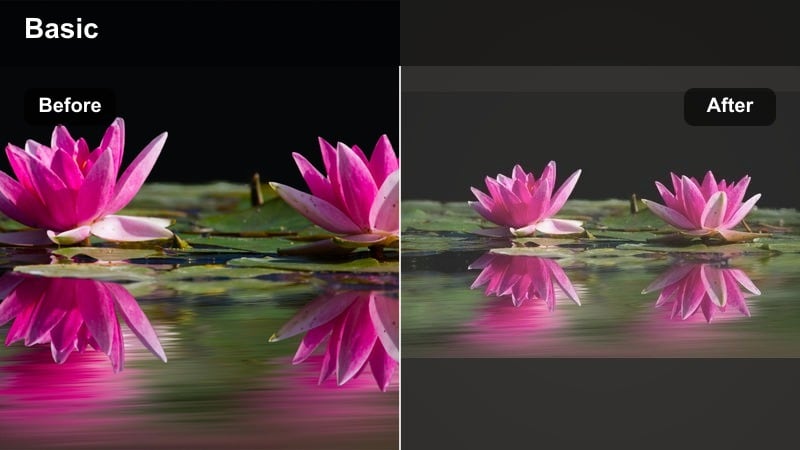
- Effect look: Muted contrast, pastel colors, gentle fade in blacks for a dreamy, aesthetic lifestyle vibe
- Best for: Morning routines, travel diaries, at-home chill vlogs, week-in-the-life couple videos
- Editing tip: Combine this filter with slightly slower cuts and soft background music so the pastel look matches a relaxed storytelling pace.
Soft Couple Pastel turns everyday moments into calm, aesthetic visuals with lowered contrast and pastel color tones. Blacks are gently lifted so nothing feels harsh, which works especially well in bright bedrooms, coffee shops, or soft day-in-the-life clips.
In Filmora, add this filter to your timeline, then check skin tones first. If your faces look washed out, slightly increase vibrance or adjust the skin tone range while keeping overall saturation lower, preserving that Pinterest-style pastel vibe without looking dull.
Clean Apartment Light
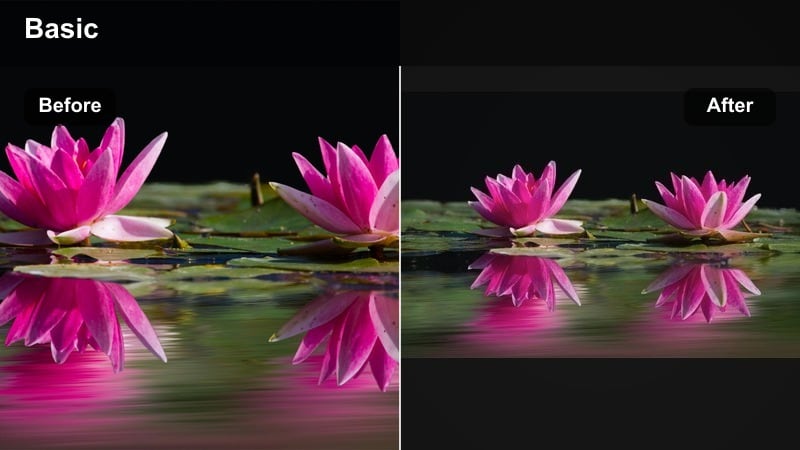
- Effect look: Bright, neutral whites with natural skin tones and slightly boosted clarity for a minimal, clean creator look
- Best for: Sit-down storytime vlogs, Q and A videos, long-form discussions, life-updates filmed in your living room
- Editing tip: Reduce the filter intensity on darker backgrounds, then raise exposure a bit on your faces so the frame feels airy without losing depth.
Clean Apartment Light is designed to make small or dark rooms look more like a YouTube studio. It brightens whites, gently lifts shadows, and adds a touch of clarity so your faces remain sharp while the background looks tidy and intentional.
Inside Filmora, place this filter on all clips filmed in your usual talking setup, then tweak exposure per shot to balance windows, lamps, and wall colors. Save the final version as a preset so every new storytime, Q and A, or life update uploads with the exact same clean creator style.
High-Energy Filters for Couple Challenge Videos
Pop Challenge Boost
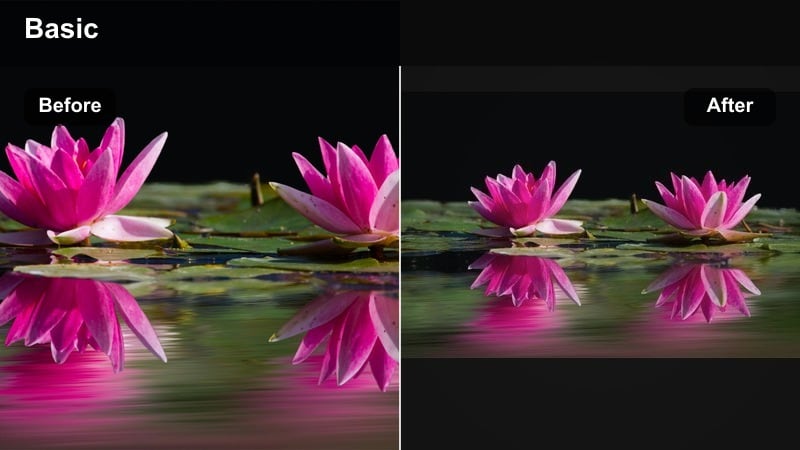
- Effect look: Punchy saturation, crisp contrast, and sharper details that make reactions and fast movements stand out
- Best for: Try-not-to-laugh challenges, food challenges, prank compilations, and viral trend videos
- Editing tip: Use this filter on your A-roll, then slightly reduce saturation on B-roll clips so the main reactions feel extra vivid and eye-catching.
Pop Challenge Boost is built for energy and drama, pushing color and contrast so every laugh, shock, and over-the-top reaction grabs attention. It works especially well for thumbnails and short challenge highlights where you want your expressions to jump off the screen.
In Filmora, apply this filter to your main talking or reaction clips, then consider dialing saturation down on cutaways or overlay graphics to keep the focus on your faces. Export a still frame with the filter applied to use as a thumbnail so your video and preview image share the same bold style.
Game Night Neon
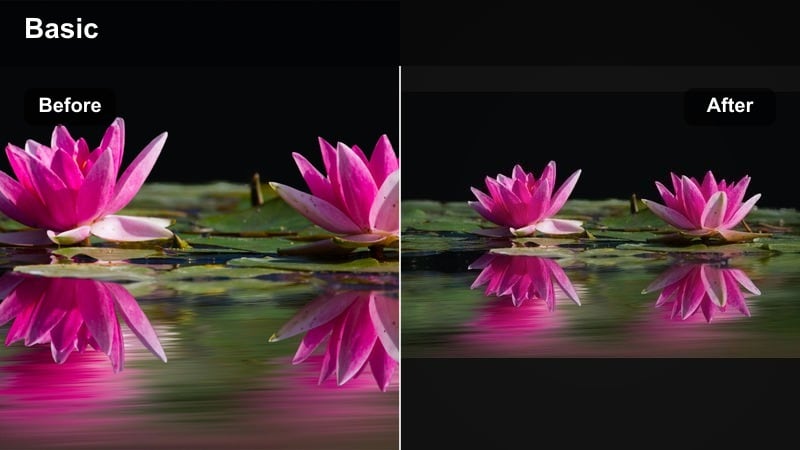
- Effect look: Cool shadows with pops of neon-like saturation in blues and magentas for a playful, gaming-night vibe
- Best for: Late-night challenges, gaming couple content, LED-lit room videos, reaction streams turned into highlights
- Editing tip: Keep background LED lights on a simple color scheme, then apply this filter to push those colors while keeping your skin tones balanced.
Game Night Neon transforms your LED-lit room into a stylized gaming studio with emphasized blues and magentas in the shadows. It keeps skin reasonably neutral while making RGB lights and screens look vibrant and dynamic.
When editing in Filmora, turn on this filter after you have set up your LED colors in the footage. If skin tones lean too cool, gently warm the white balance or selectively reduce saturation in the blue range to keep faces natural while the background stays neon and eye-catching.
Challenge Studio Clean
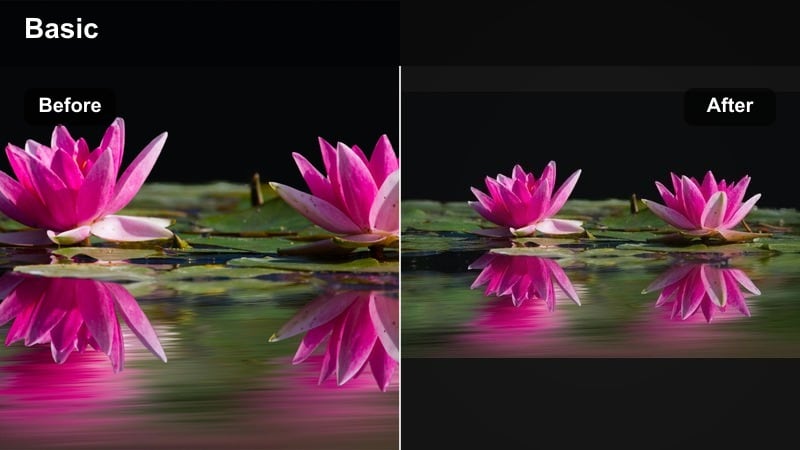
- Effect look: Bright, even exposure with crisp contrast, neutral colors, and a subtle clarity boost for a pro studio feel
- Best for: Sit-down challenges like Who Knows Me Better, Lie Detector style games, and structured content filmed on a tripod
- Editing tip: Lock in the same filter and camera angle for multiple episodes so your challenge series feels like a consistent show.
Challenge Studio Clean gives your couple games and Q and A style challenges a consistent, show-like aesthetic. Colors stay neutral, details are sharp, and exposure feels even, which is perfect for series content that you want viewers to binge.
In Filmora, apply this filter across every episode filmed in the same setup, then copy and paste color settings from one project to the next. This simple workflow keeps your series visually unified and saves you from having to rebuild the look for each upload.
Cinematic Filters for Couple Storytime and Travel Vlogs
Cinematic Roadtrip Warm
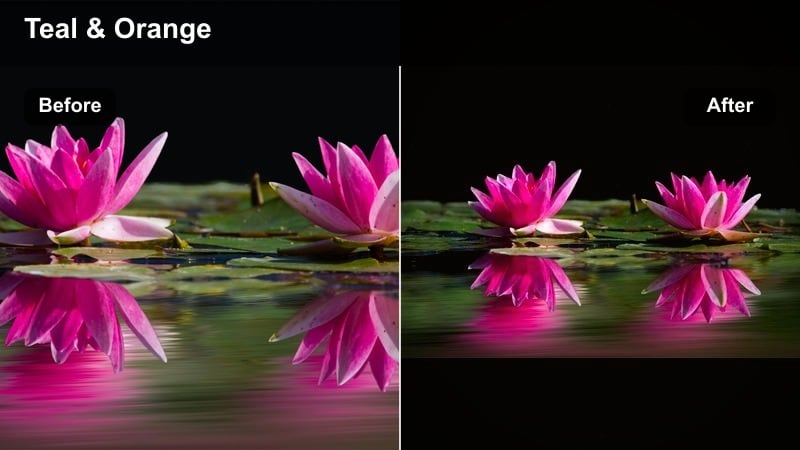
- Effect look: Warm highlights, slightly teal shadows, and subtle film-like contrast for a cinematic road-movie aesthetic
- Best for: Travel vlogs, road trips, outdoor date days, and montage-style B-roll sequences
- Editing tip: Use this filter mostly on B-roll and wide shots, then slightly reduce the teal in close-up talking clips to keep skin tones flattering.
Cinematic Roadtrip Warm brings a classic teal-and-orange inspired style to your travel and date-day vlogs, giving skies and shadows a subtle teal shift while keeping highlights warmly romantic. The overall effect feels like a road-movie montage without being too heavy-handed.
When editing in Filmora, try this filter first on wide shots of landscapes, city streets, and car interiors. For close-up talking clips, reduce the filter intensity or slightly pull back the teal so your skin tones remain soft and natural while still matching the cinematic mood.
Storytime Focus Soft
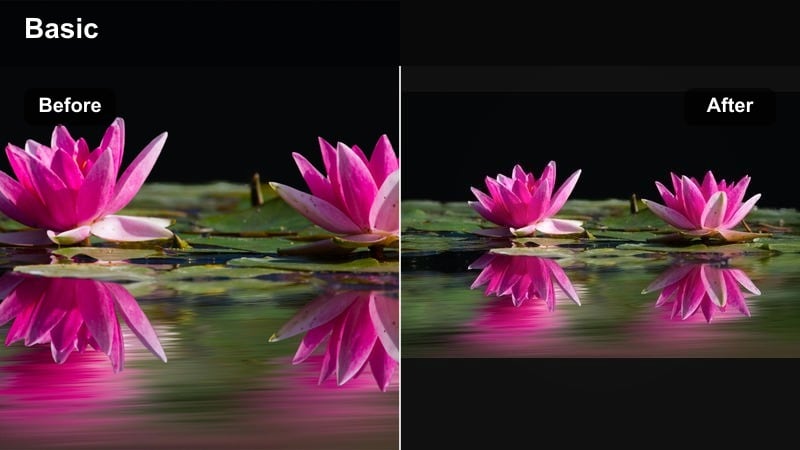
- Effect look: Soft contrast, gentle highlights, and a subtle vignette that keeps attention on your faces while you tell stories
- Best for: Storytime videos, relationship talks, serious conversations, and advice content for other couples
- Editing tip: Pair this filter with slightly slower zooms and fewer jump cuts so the emotional tone feels more intimate and focused.
Storytime Focus Soft is designed for videos where the emotion and message matter more than fast-paced edits. It softens contrast, lifts highlights slightly, and adds a subtle vignette so viewers naturally lock onto your faces and expressions.
In Filmora, apply this filter to your entire storytime sequence and keep your cuts a bit slower to match the mood. If the image feels too dreamy, add a gentle sharpness boost on top so eyes and hair maintain detail without losing that warm, intimate atmosphere.
Evening City Date
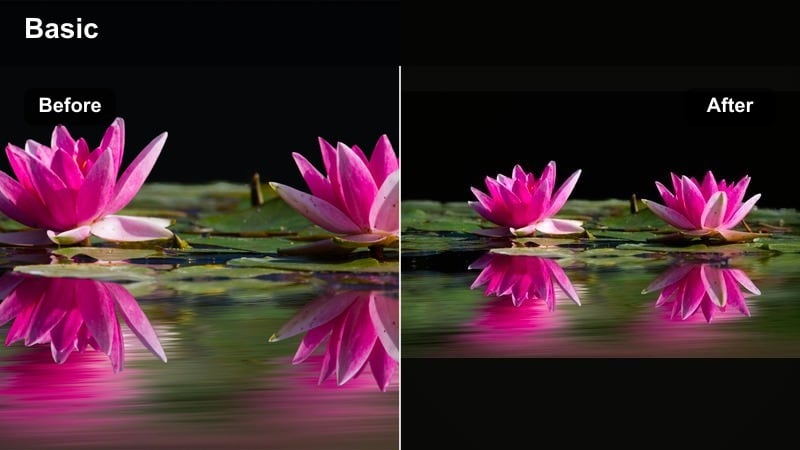
- Effect look: Lifted shadows, warm skin tones, and enhanced city lights for nighttime date vlogs and outdoor scenes
- Best for: City date nights, outdoor markets, amusement park vlogs, and night-time walks or skyline views
- Editing tip: Raise exposure slightly before applying the filter if your footage is very dark, then fine-tune contrast so noise is less noticeable.
Evening City Date helps rescue and stylize low-light footage by lifting shadows and warming skin tones, while keeping city lights bright and cozy. It is ideal for night markets, street walks, fairground dates, and rooftop views where you want atmosphere without muddy blacks.
Inside Filmora, lightly increase exposure on dark clips before you apply this filter, then adjust contrast so the noise does not become too obvious. If grain is still visible, add a touch of noise reduction first, then turn the filter back on so the final result looks clean on both phones and TVs.
Filters That Work for Both YouTube and TikTok Couple Clips
Vlog Date Effect
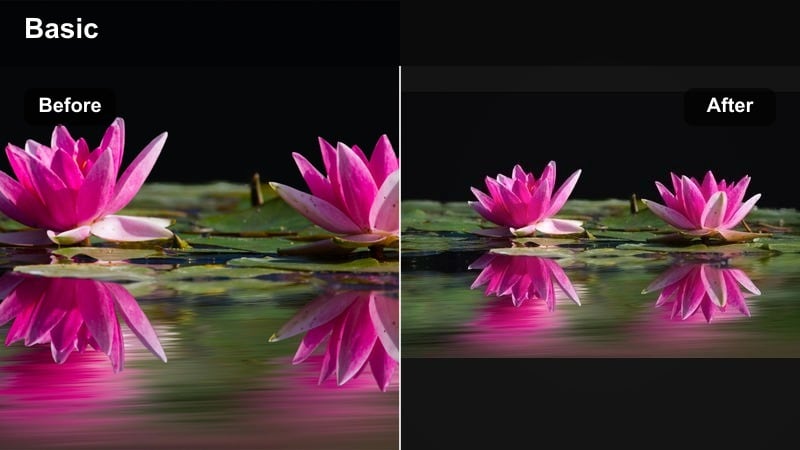
- Effect look: Soft warmth, subtle bloom on highlights, and gentle saturation that looks good on vertical and horizontal videos
- Best for: Short date recaps, mini vlogs, GRWM before dates, and cross-posted Reels or Shorts
- Editing tip: Apply this filter before you crop for vertical and keep intensity the same across platforms so your brand look matches on YouTube and TikTok.
Vlog Date Effect is a versatile filter tuned to look great in both 16:9 YouTube videos and 9:16 Shorts or TikToks. It adds a light warmth and highlight bloom that flatters faces and restaurant or cafe lighting without oversaturating colors.
In Filmora, apply this filter to your full-resolution clip first, then duplicate and crop versions for YouTube Shorts, TikTok, or Reels. Keeping the same preset and intensity across formats helps your audience recognize your couple brand no matter where they see your content.
YouTube Couple Filter Clean
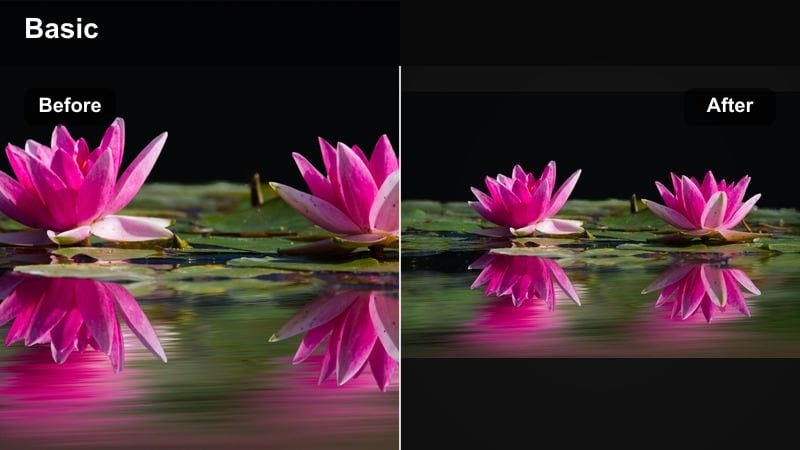
- Effect look: Neutral color balance, medium contrast, and slightly brightened midtones for a classic YouTube couple channel look
- Best for: Channel trailers, collabs, introductions, and any video where new viewers should see your best overall quality
- Editing tip: Use this as your default filter preset for main channel uploads, then slightly tweak warmth per video instead of switching styles often.
YouTube Couple Filter Clean is a reliable, all-purpose look that works for most lighting setups and content types. It boosts midtones just enough to keep faces bright, while neutral colors make it perfect for first impressions like trailers and collabs.
In Filmora, consider setting this filter as your default preset for any new project on your couple channel. From there, only adjust white balance and exposure scene by scene, so your content feels consistent even as locations and topics change.
Couple Creator Signature Filter
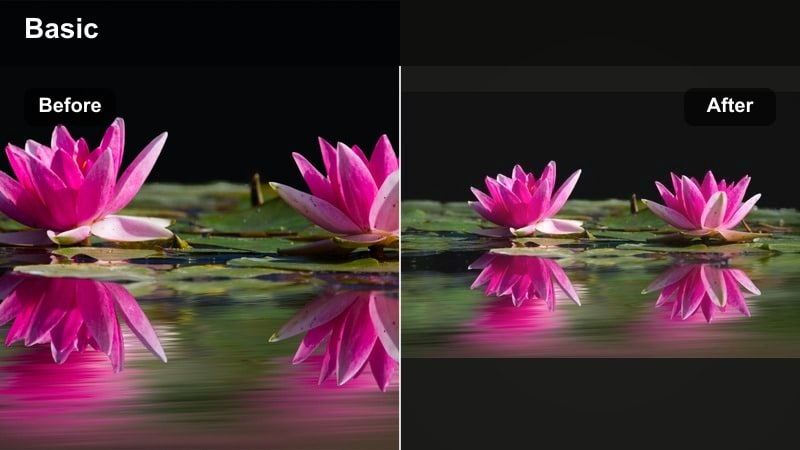
- Effect look: Slightly warm whites, soft contrast, and a tiny fade in blacks that creates a subtle signature creator style
- Best for: Everyday vlogs, quick challenges, day-in-the-life edits, and any clip you might repost to TikTok or Instagram
- Editing tip: Use this as your signature preset, then only adjust exposure and white balance per clip so your brand stays recognizable everywhere.
Couple Creator Signature Filter is meant to become the look people associate with your channel. It adds a hint of warmth and a soft fade so everything feels lightly cinematic, without being so strong that it distracts from your personalities or humor.
Once you create a version you love in Filmora, save it as a named preset and apply it across long vlogs, Shorts, TikToks, and Reels. Keeping the same signature style across platforms helps loyal viewers recognize your videos instantly in any feed.
Tips for Using Couple Youtube Creator Filters in Filmora
- Shoot in consistent lighting whenever possible so your couple filters look natural and need fewer clip-by-clip adjustments.
- Create one main couple creator filter preset for your channel and then save slight variations for travel, challenges, and night vlogs.
- Always test filters on your skin tones first, then fine-tune saturation so you look healthy and natural in every scene.
- Apply your chosen filter before adding text, overlays, and transitions so graphics stay sharp and correctly colored.
- Export a short test clip and watch it on both a phone and a TV to confirm your couple YouTube filter looks good on all screens.
- Use Filmora’s AI color and LUT tools to refine each preset instead of starting from scratch for every new upload.
- Save your favorite looks as custom presets and reuse them across playlists so your channel grid feels visually consistent.
- Keep filter intensity moderate; the goal is to enhance your story and chemistry, not overpower them.
With the right couple video filters for YouTube, your vlogs and challenge videos can feel cinematic and consistent without complicated color grading, helping new viewers instantly see you as established creators.
Pick one or two favorite filters from this list, save them as presets in Filmora, and build a recognizable look that follows your couple brand across long vlogs, Shorts, and cross-posted TikTok clips.
secure downloadNext: Best Couple Video Filters for TikTok: Stand Out in Vertical Vlogs
