

 100% Security Verified | No Subscription Required | No Malware


 ChatGPT
 Perplexity
 Gemini
 Claude
 Grok
Grok
Daily vlog filters for TikTok are the fastest way to make your short videos look polished, on-trend, and consistent from clip to clip. With the right color grade, your everyday moments instantly feel more cinematic and bingeable in the feed.
Below are 12 creator-friendly filters designed for TikTok vlogs and short form daily content, with clear suggestions on when to use each look and how to tweak them for your own style.
In this article
Soft and Natural Daily TikTok Vlog Filters
Soft Daylight Glow
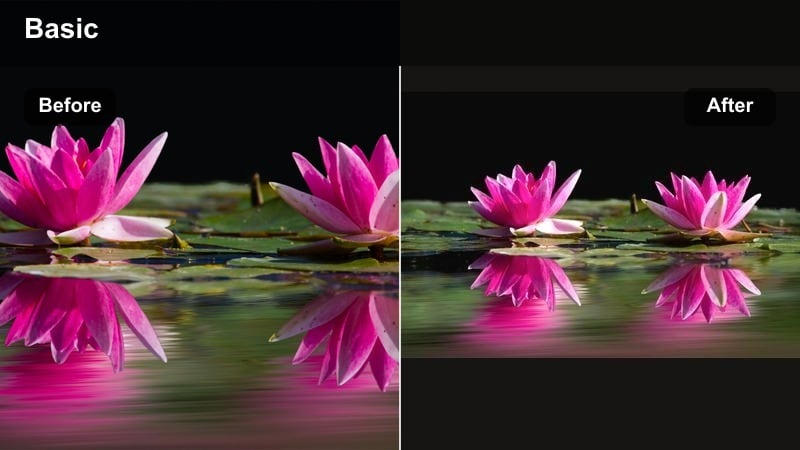
- Effect look: Clean, bright, slightly warm vlog filter that keeps skin tones natural while lifting shadows for a soft daily look.
- Best for: Morning routines, desk vlogs, study vlogs, and casual talking videos filmed near a window or in soft indoor light.
- Editing tip: Reduce contrast by a small amount and gently raise exposure; then fine-tune warmth so your skin looks natural without turning orange.
Soft Daylight Glow is a go-to TikTok vlog filter when you want your footage to feel bright and inviting without looking over-edited. In Filmora, start by slightly raising exposure and lowering contrast, then use the white balance controls to nudge warmth until your skin looks natural and the whites in your scene stay clean.
This filter is perfect for daily clips filmed near a window or with soft indoor light, like morning desk setups, planning sessions, or casual check-ins. Once you are happy with the look on one clip, save it as a preset or copy the color settings across similar shots to keep your entire morning sequence consistent.
Use AI-Powered Color Matching for Consistent Vlog Filters
Instead of rebuilding your favorite TikTok vlog filter from scratch for every new project, use Filmoras AI-driven color tools to auto-match the color grade across all your clips. Capture a reference frame where your filter looks perfect, then let the software align exposure, contrast, and tones for the rest of your vlog.
This is especially powerful for daily vlog filters for TikTok because your conditions change constantly between morning, afternoon, and night. AI color matching quickly brings everything back to one cohesive style, so your followers recognize your look instantly while you spend less time tweaking sliders.
 secure download

Preview TikTok Vlog Filters in Real Time
Before you commit to a look, drop a few of these vlog filters onto your timeline and scrub through your clips to see how they handle different scenes. Pay attention to how each filter treats your skin, your walls, and any strong colors like LED lights or decor pieces.
Filmoras real-time preview lets you quickly compare options, so you can choose one core look for the whole vlog or mix two complementary filters, like a cozy warm preset for indoors and a cooler one for city walks. You will instantly see which style makes your content feel more clickable and on-brand for your page.
secure downloadTurn Your Favorite Daily Filter Into a Reusable LUT
Once you dial in a daily TikTok color grade you love, save it as a LUT-style preset so you can apply it in one click to future vlogs. This turns your personal aesthetic into a repeatable asset instead of something you manually rebuild every day.
Combining LUT-style presets with the filters above lets you keep your channel visually consistent even as you experiment with new formats, sounds, and hooks. You can create separate LUTs for morning routines, night vlogs, and travel diaries, then layer small adjustments on top for each video.
secure downloadEveryday Neutral Balance
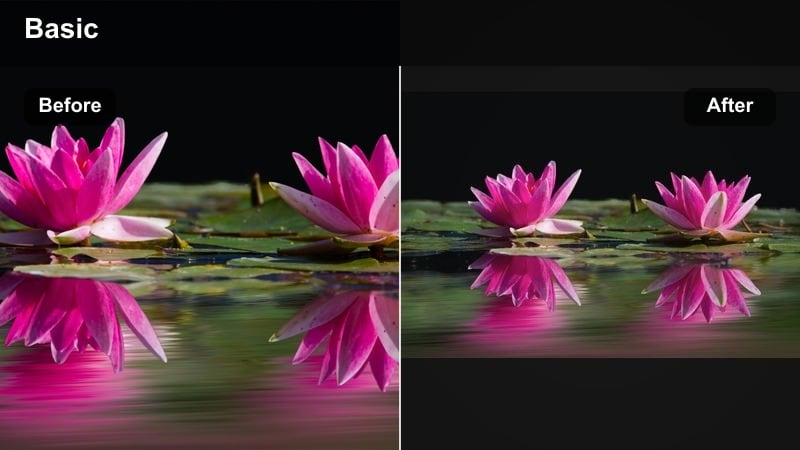
- Effect look: True-to-life color grade with mild contrast, balanced saturation, and no strong tints for a clean documentary feel.
- Best for: All-purpose daily TikTok vlogs, indoor and outdoor mix days, and clips you may later repurpose for other platforms.
- Editing tip: Lower saturation a touch and slightly boost clarity or sharpness to keep details crisp without making the image look overly edited.
Everyday Neutral Balance is ideal when you want a flexible base look that works on almost any scene. In Filmora, keep contrast moderate, pull saturation down just a little, and add a small clarity boost so details stay crisp while the overall color feels natural and brand-safe.
Because it avoids heavy color tints, this filter is perfect for footage you plan to reuse on Reels, YouTube Shorts, or other platforms. Apply it as your default preset in Filmora so new clips start clean and consistent, then build alternative warm or cool versions from this neutral base as needed.
Skin Tone Saver
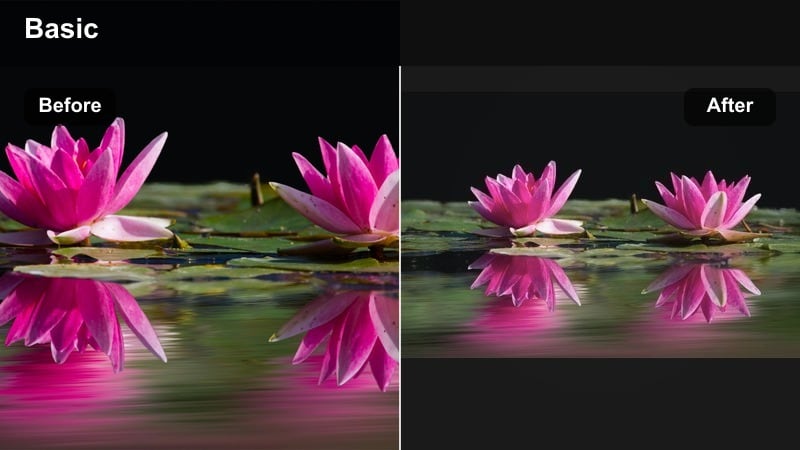
- Effect look: Soft contrast and selective saturation adjustments that protect natural skin tones while gently enhancing background colors.
- Best for: Face-to-camera storytime vlogs, GRWMs, makeup routines, and any TikTok where your face is the focus.
- Editing tip: Dial back global saturation, then selectively raise the saturation of warm hues to keep skin vibrant without oversaturating clothing and backgrounds.
Skin Tone Saver is built for creator content where your face needs to look flattering and true to life. In Filmora, use HSL or color correction controls to reduce overall saturation slightly, then carefully boost the orange and red ranges so your skin keeps a healthy glow without blowing out lipstick or blush.
This look is great for GRWM, storytime, and makeup tutorials where viewers pay close attention to how products appear on camera. Combine the filter with one consistent light source like a window or ring light, then copy the preset across clips so your skin tone stays aligned throughout the whole vlog.
Warm and Cozy Aesthetic TikTok Vlog Filters
Golden Routine Glow
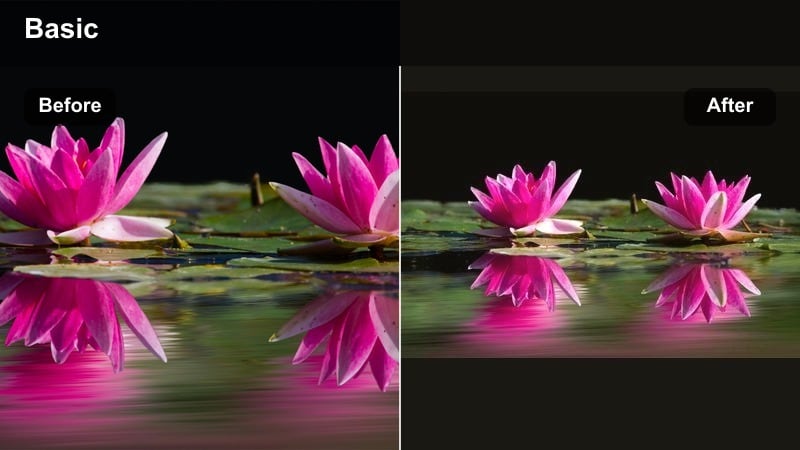
- Effect look: Warm, golden tint with gentle highlight roll-off that makes everyday scenes feel like golden hour.
- Best for: Morning coffee shots, slow productivity vlogs, cozy weekend vlogs, and lifestyle content with wood or beige decor.
- Editing tip: Increase warmth and a bit of vibrance, then slightly lower highlights to keep bright areas from blowing out while still feeling sunlit.
Golden Routine Glow wraps your daily clips in a soft golden-hour feel, even if you filmed indoors on a grey day. In Filmora, push the temperature slider warmer, add a touch of vibrance, and gently lower highlights so bright mugs, notebooks, and windows hold detail while still looking sun-kissed.
This filter pairs nicely with neutral or earth-tone outfits and backgrounds, making routine vlogs and cozy B-roll feel more aesthetic. Save it as a custom preset for your coffee shots and slow weekend montages so viewers immediately recognize your warm, inviting style in the feed.
Latte Aesthetic Soft Warmth
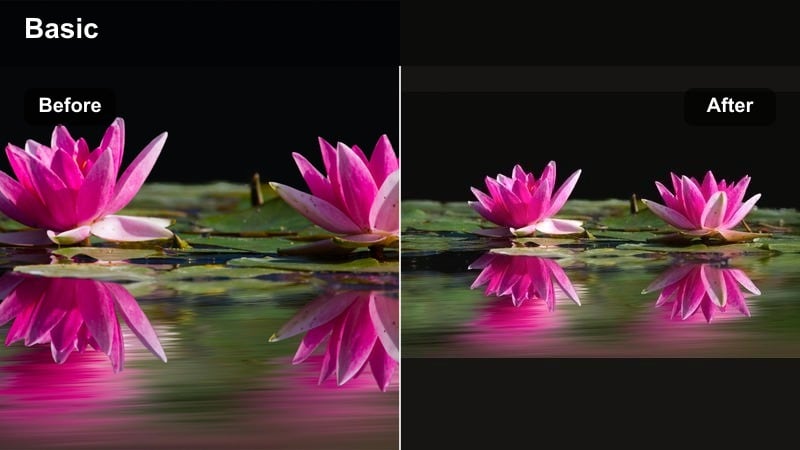
- Effect look: Muted warm tones with lowered saturation and gentle contrast for that soft latte and beige lifestyle aesthetic.
- Best for: Book vlogs, cafe check-ins, workspace setups, and aesthetic B-roll of notebooks, laptops, and coffee.
- Editing tip: Slightly fade the blacks and reduce saturation in blues and greens so the browns and creams stand out as the main color story.
Latte Aesthetic Soft Warmth leans into beige, cream, and caramel tones to give your TikTok vlogs a calm, curated mood. In Filmora, add a small fade to the blacks, lower global saturation, and specifically pull back the blues and greens so warm shades stay dominant without looking heavy.
Use it on cafe clips, reading vlogs, and desk setups to unify multiple locations into one soft lifestyle palette. If outdoor greens start to look too muddy, selectively brighten green luminance rather than adding more saturation so plants keep detail while staying within the muted aesthetic.
Sunset Walk Tint
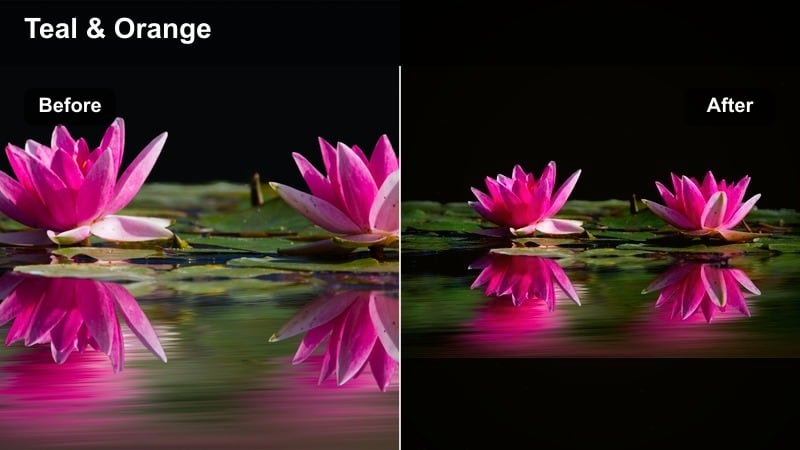
- Effect look: Warm-magenta tint with a subtle teal balance in the shadows, giving a cinematic sunset vibe to regular street and park clips.
- Best for: Evening walk vlogs, city strolls, travel transitions, and any outdoor golden-hour or post-sunset footage.
- Editing tip: Increase contrast and gently push the shadows toward teal while keeping highlights warm for a trendy teal-and-orange inspired grade.
Sunset Walk Tint adds a cinematic teal-and-orange twist to your city or park walks. In Filmora, boost contrast, warm up the highlights, and use color wheels or curves to push shadows slightly toward teal or blue-green so the sky and skin stay warm while asphalt and buildings feel cool and stylized.
This filter works best when you shoot slightly underexposed to protect skies and neon signs. If your face falls into deep shadow, use Filmoras masking or local adjustment tools to lift shadows around you only, keeping the background rich and moody while your subject remains clear.
Cool and Clean Creator TikTok Vlog Filters
Cool Creator Clean
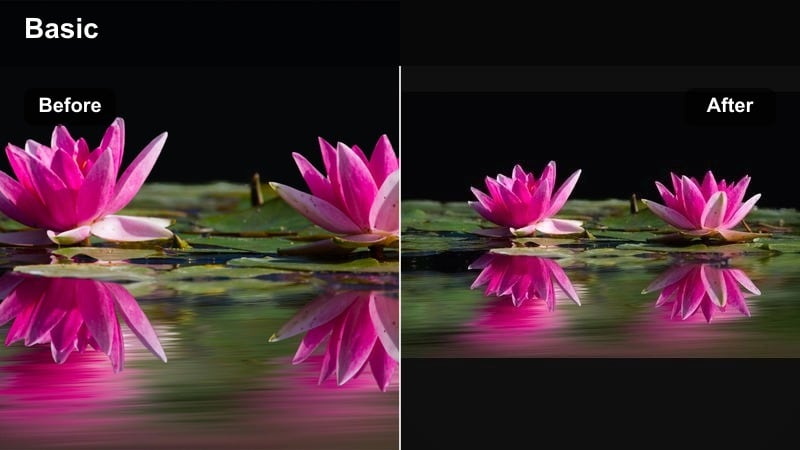
- Effect look: Cool, crisp filter with gentle blues in the shadows, clean whites, and slightly desaturated colors for a modern tech vibe.
- Best for: Desk setups, productivity vlogs, tech unboxings, and creator workspace tours on TikTok.
- Editing tip: Pull temperature slightly cooler and reduce yellow saturation, then boost clarity and sharpness to highlight details in your setup.
Cool Creator Clean gives your workspace and tech shots a minimal, modern feel. In Filmora, slide temperature slightly toward blue, pull back yellow saturation, and add a bit of clarity and sharpness so keyboards, monitors, and accessories look crisp while the overall palette stays calm.
This filter is ideal for study-with-me clips, unboxings, and day-in-the-life vlogs at your desk. Make sure you shoot with one main light source so whites look truly white; then save the finished look as a preset to keep all your productivity content aligned visually.
City Minimal Cool Fade
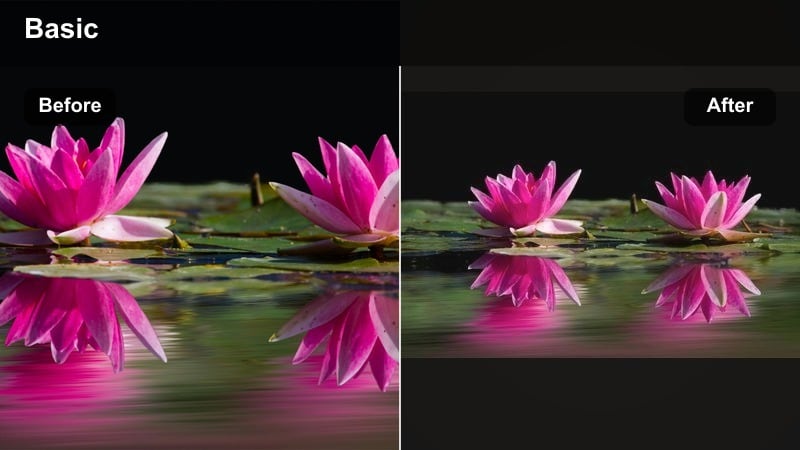
- Effect look: Low-saturation, cool-leaning filter with a light fade in the blacks for that understated city-diary vibe.
- Best for: Urban walk vlogs, commute snippets, train rides, and daily TikToks shot in busy public spaces.
- Editing tip: Decrease overall saturation and add a small fade to the blacks; then slightly brighten midtones so the image does not feel too flat.
City Minimal Cool Fade turns busy streets and commutes into relaxed, cinematic diary clips. In Filmora, reduce saturation to soften loud colors, apply a gentle fade to the blacks, and lift midtones so faces and key details remain visible even with the muted style.
This approach helps messy environments feel more intentional on TikTok. If darker areas start to look washed out, slightly deepen the blacks or dial back the fade per clip while preserving the cool tone and low-saturation mood across your whole city vlog.
Studio Crisp Focus
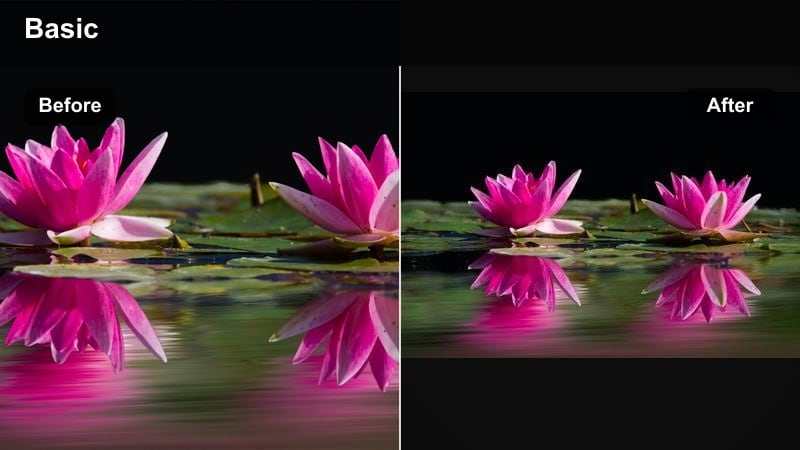
- Effect look: High-clarity, cool-neutral filter with punchy contrast that makes studio or bedroom setups look intentional and professional.
- Best for: Tutorials, talking head tips, reaction videos, and gear breakdowns filmed with ring lights or softboxes.
- Editing tip: Boost clarity and micro-contrast carefully, and avoid over-sharpening; reduce saturation in reds if your face or background LED lights are too intense.
Studio Crisp Focus is perfect when you want your bedroom or studio setup to feel like a pro creator space. In Filmora, add controlled amounts of clarity and contrast, keep white balance slightly cool-neutral, and dial down intense reds from LEDs or decor so your face stays natural.
This filter works especially well with ring lights or softboxes where your subject is cleanly lit. Expose for your face first, then let the filter deepen the background; if highlights look harsh, gently lower whites and highlights before increasing contrast so skin remains smooth and flattering.
Cinematic and Mood-Based TikTok Vlog Filters
Cinematic Daily Grade
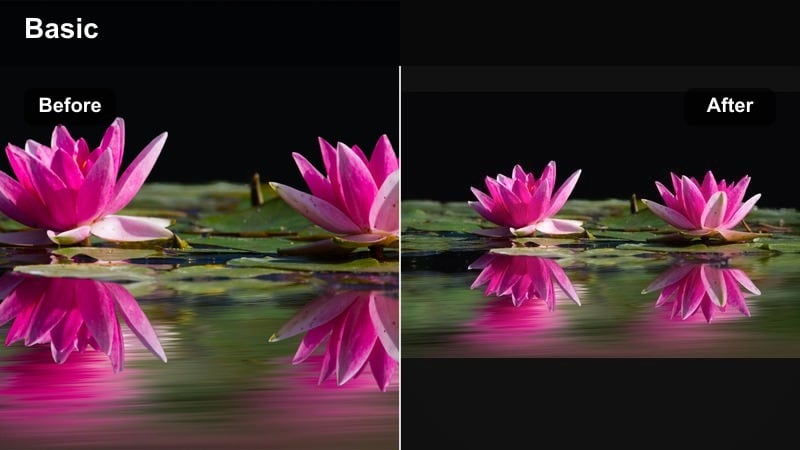
- Effect look: Film-inspired contrast with subtle color separation and gentle vignette to make simple daily clips feel like movie scenes.
- Best for: Story-driven vlogs, travel diaries, moody room tours, and narrative-style TikTok sequences.
- Editing tip: Increase contrast and add a soft vignette; then delicately push shadows toward teal or green while keeping highlights warm for cinematic depth.
Cinematic Daily Grade is designed to make everyday moments feel like scenes from a short film. In Filmora, raise contrast, apply a soft vignette, and use color wheels to steer shadows gently toward teal while keeping highlights warm, creating subtle color separation without overdoing the effect.
This filter shines on travel diaries, room tours, and voiceover-led stories where pacing and framing matter. Plan a mix of wide, medium, and close shots, then apply the same preset across the sequence so color stays consistent while your editing and camera movement deliver the cinematic feel.
Moody Night Vlog
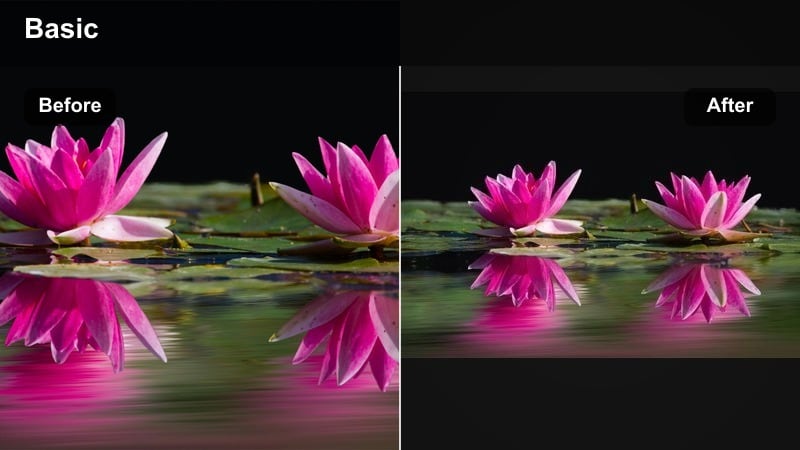
- Effect look: Deep contrast night filter with rich shadows, slightly lifted midtones, and emphasized neon or warm indoor lights.
- Best for: Night drives, late study sessions, city lights, bar or restaurant vlogs, and any low-light daily TikTok content.
- Editing tip: Lower blacks and increase contrast gradually, then selectively raise exposure on your subject so the background stays moody but not muddy.
Moody Night Vlog keeps your low-light clips stylish and readable, even under mixed lighting. In Filmora, carefully deepen the blacks, add contrast, and then use local adjustments or masks to brighten your face or key subjects so they stand out against rich shadows and glowing signs.
Combine this look with controlled ISO and existing light sources like storefronts or desk lamps to avoid heavy noise. If your footage is grainy, apply gentle noise reduction first, then add the contrast and color tweaks so your night vlogs stay clean while still feeling dramatic.
Retro Diary Fade
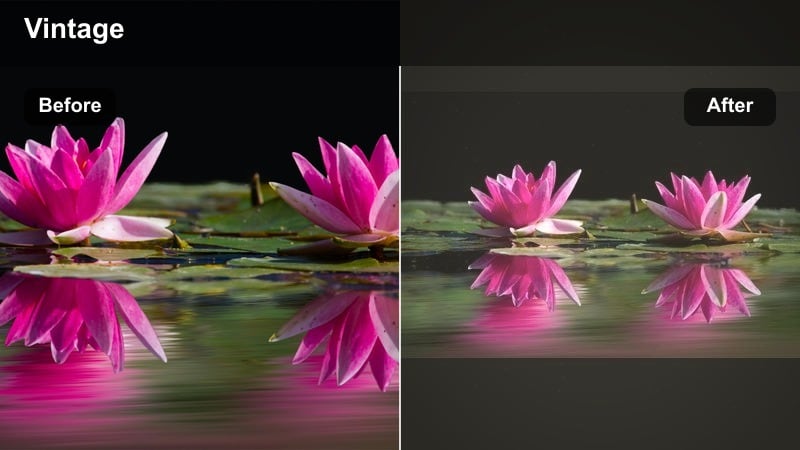
- Effect look: Faded, slightly grainy filter with warm highlights and cool shadows to mimic vintage camcorder or early vlog aesthetics.
- Best for: Nostalgic daily vlogs, childhood-memory edits, throwback clips, and casual weekend diaries.
- Editing tip: Add a soft fade to blacks, reduce clarity a bit, and introduce a small amount of film grain to sell the retro feel without losing detail.
Retro Diary Fade recreates the softness and charm of old camcorder footage. In Filmora, lower clarity slightly, lift the blacks for a gentle fade, warm up the highlights, and add a subtle layer of film grain so the image feels analog without becoming muddy or hard to watch.
This filter fits throwback edits, family weekends, and memory-style TikToks. Handheld shots, small imperfections, and casual framing actually enhance the nostalgic vibe; if the image starts to look too washed out, bring back life with a touch of vibrance rather than heavy saturation.
Tips for Using Daily Vlog Filter Tiktok Filters in Filmora
- Shoot with one main light source when possible so your vlog filters work consistently from clip to clip.
- Pick one or two core filters and reuse them so viewers instantly recognize your visual style.
- Record in slightly flatter, less contrasty camera settings to give your filters more room to work.
- Adjust exposure and white balance before adding filters to avoid fighting extreme color casts.
- Export a short test vlog to TikTok as an unlisted or private post to see how the filter looks after compression.
- Save separate presets for indoor, outdoor, and night vlogs to keep editing fast but cohesive.
- Tone down saturation on bold colors like neon signs or LED lights so your skin stays natural.
- Batch edit your clips by lighting scenario, applying the same filter and tweaks to similar shots.
Daily vlog filters for TikTok help you turn quick everyday clips into a recognizable, polished series that fits your brand and niche. By choosing a small set of reliable looks for mornings, nights, and city or home content, you can make your feed feel cohesive without spending hours color grading every new upload.
Test a few of these filter styles, lock in the ones that flatter your lighting and skin tones, then save them as reusable presets or LUTs. With a solid color grade in place, you can focus less on editing and more on storytelling, filming consistently, and growing your TikTok audience with bingeable daily content.
secure downloadNext: Best Daily Vlog Filters for Instagram Stories and Reels
