

 100% Security Verified | No Subscription Required | No Malware


 ChatGPT
 Perplexity
 Gemini
 Claude
 Grok
Grok
Daily vlog filters help you keep all your everyday clips looking consistent, flattering, and on brand without spending hours on color grading. With the right presets, you can turn raw phone or camera footage into polished lifestyle content in just a few clicks.
Below you will find Filmora style filters inspired by popular vlog LUTs, organized by mood and use case. Whether you film cozy home days, city walks, or quick personal diaries for YouTube Shorts, you can mix and match these looks to build a recognizable daily vlog style.
In this article
Soft and Natural Daily Vlog Filters
Soft Daylight Glow
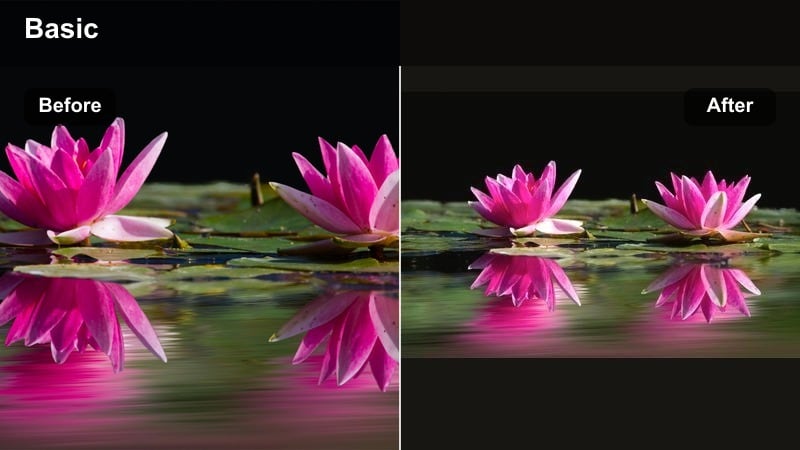
- Effect look: Gentle brightening with soft contrast and a slight warm tint that keeps skin tones natural while lifting shadows.
- Best for: Morning routines, get-ready-with-me vlogs, bright kitchens, and lightly lit living rooms.
- Editing tip: Lower the filter intensity to around 60 to 70 percent if your footage is already very bright to avoid overexposed highlights.
Soft Daylight Glow is ideal when you want your daily vlog to feel clean and fresh without the harshness of heavy contrast or strong color shifts. It lightly polishes your footage, opening up shadows and giving skin a gentle warmth so morning scenes or bright rooms look naturally flattering.
In Filmora, apply Soft Daylight Glow from the Effects panel, then fine tune intensity so white areas like walls and bedsheets do not clip. Combine it with small exposure and highlight reductions to create a bright yet controlled base, then save the combo as a preset to reuse on all your routine style videos.
Match Daily Vlog Filters with AI Color Tools
Filmora’s AI color tools help you turn these daily vlog filters into a repeatable visual style, even when every day is filmed in different lighting and locations. You can quickly align the look of new clips to a previous vlog that already matches your channel aesthetic.
Use AI based color matching to copy the grading from a reference clip, then layer Soft Daylight Glow or other filters on top for subtle finishing. This keeps your skin tones, backgrounds, and brand colors consistent without manual tweaking on every single shot.
 secure download

Preview Daily Vlog Filters in Real Time
Filmora lets you hover over filters and LUT style presets in the Effects panel to preview how they will look on your clip before applying anything. This makes it easy to compare options like Soft Daylight Glow, Neutral True Life, or Golden Home Warmth on the exact same moment.
By auditioning several filters back to back, you can quickly see which preset keeps skin smooth, protects highlights, and matches your vlog mood. Once you find your favorite combination, save it as a custom preset so you can drop it onto every new timeline in one click.
secure downloadCombine Filters with LUTs for Stronger Vlog Color Grading
If you already rely on LUTs for vlog color grading, Filmora lets you stack them with these daily vlog filters for precise control. Use a LUT for broad color shaping, then a softer filter like Neutral True Life or Soft Skin Friendly to refine contrast, warmth, and skin tone.
This layered approach keeps your daily vlogs looking cinematic without becoming too stylized for everyday content. You can also lower LUT intensity while letting the filter carry most of the look, which helps prevent color banding or harsh shadows on compressed YouTube uploads.
secure downloadNeutral True Life
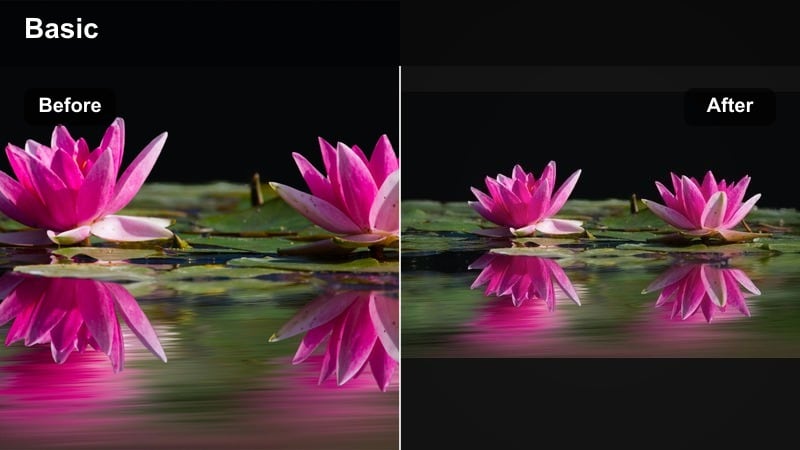
- Effect look: Balanced color with mild contrast and almost zero tint, designed to keep scenes realistic and consistent.
- Best for: Everyday clips, mixed lighting situations, grocery runs, commute shots, and run-and-gun vlog moments.
- Editing tip: Pair this filter with gentle sharpening and a slight saturation boost for phones that capture flat or washed-out footage.
Neutral True Life is a dependable all purpose filter that keeps your footage looking true to what you saw in real life. It lightly cleans up color casts and adds just enough contrast to avoid flatness, which is perfect for creators who want a natural, documentary style vlog.
In Filmora, you can apply Neutral True Life across an entire sequence as a base layer, then add subtle per clip tweaks to exposure and saturation. Save this combo as your default project preset so every new vlog starts from the same neutral look, helping your channel stay cohesive over time.
Soft Skin Friendly
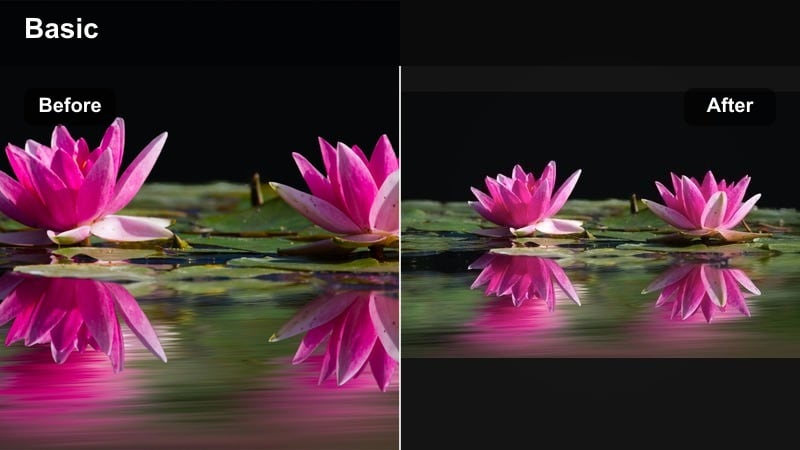
- Effect look: Subtle smoothing and soft contrast with muted highlights that flatter skin without looking overly filtered.
- Best for: Talking-to-camera segments, storytime vlogs, personal diaries, and face-focused B-roll clips.
- Editing tip: Keep clarity and sharpness slightly reduced when using this filter on close-ups to avoid emphasizing texture the smoothing cannot hide.
Soft Skin Friendly is designed to make your on camera appearances feel polished but still authentic. It lowers harsh highlights, softens contrast, and gently smooths skin so blemishes and minor texture are less noticeable, which is ideal for long talking segments and storytime uploads.
Inside Filmora, apply this filter only to clips where your face fills most of the frame, while keeping B roll on a more neutral or stylized look. You can duplicate the clip on a higher track and limit the filter with a mask if you want skin smoothing mainly on your face while preserving background detail and texture.
Warm and Cozy Lifestyle Filters
Golden Home Warmth
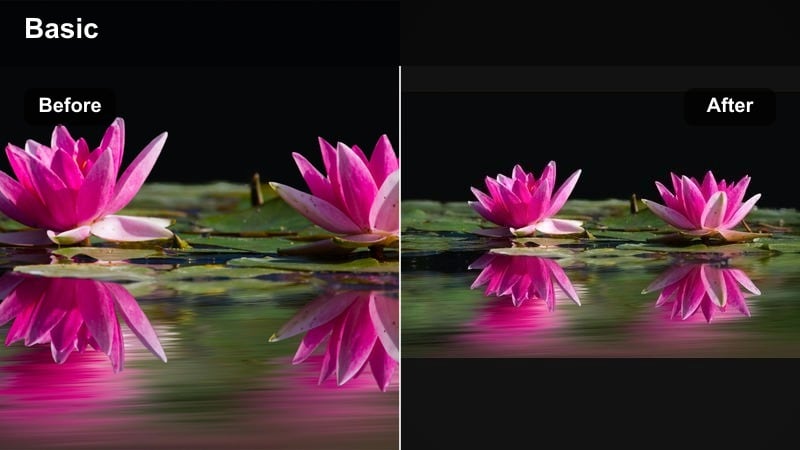
- Effect look: Soft golden warmth with lifted shadows, slightly reduced blues, and a cozy living room feel.
- Best for: Home vlogs, cozy evenings, baking, cleaning routines, and family time clips.
- Editing tip: Dial back saturation for oranges if wooden furniture or skin tones become too intense under this warm filter.
Golden Home Warmth wraps your indoor scenes in a gentle golden tint that instantly feels cozy and inviting. It is especially effective on footage shot under cool LEDs or cloudy daylight, turning sterile rooms into softer, more welcoming spaces in your vlogs.
Apply this filter in Filmora to your home based sequences, then fine tune the orange and yellow channels using HSL to balance wood, furniture, and skin tones. You can also add a light vignette and a small lift in shadows to enhance the intimate, evening in atmosphere without losing important detail.
Coffee Shop Amber
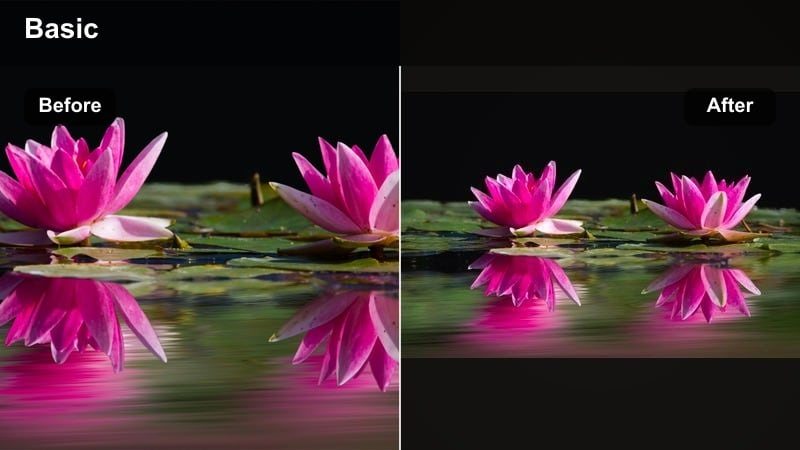
- Effect look: Rich amber shadows with slightly deeper contrast and muted greens for a cafe-inspired aesthetic.
- Best for: Coffee runs, cafe work sessions, study vlogs, and moody indoor B-roll with practical lights.
- Editing tip: Shoot slightly brighter than normal and let this filter pull the shadows down to avoid noise in darker environments.
Coffee Shop Amber gives your indoor lifestyle clips a moody, cafe style warmth that is perfect for study days, laptop work, or ambient B roll. It deepens shadows and adds reddish amber tones that make warm bulbs and wood surfaces feel cinematic rather than flat.
In Filmora, use this filter on sequences shot in cafes or bars, then reduce green saturation to keep plants or outdoor glimpses from clashing with the amber palette. Combine it with gentle film grain and slower cuts to emphasize the relaxed, focused mood of your work or study sessions.
Sunset Room Glow
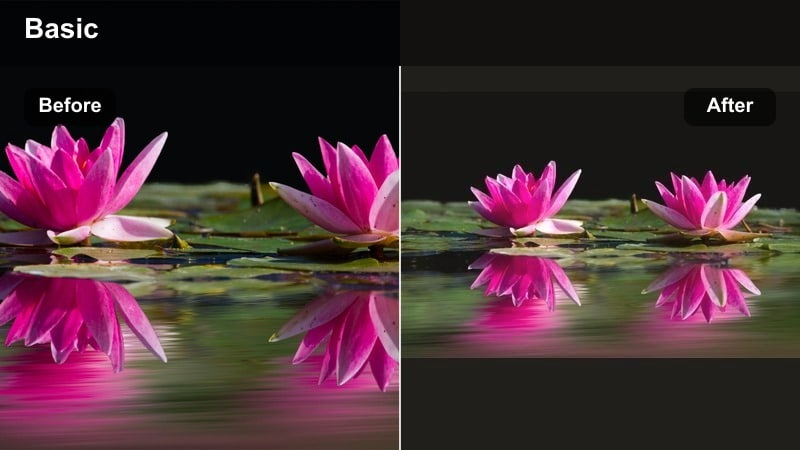
- Effect look: Soft magenta and orange cast with faded blacks, mimicking sunset light spilling into your room.
- Best for: Golden hour vlogs, window B-roll, end-of-day reflections, and aesthetic room tours.
- Editing tip: Apply this filter only to selected clips shot near windows so the stylized color does not confuse scenes filmed at midday.
Sunset Room Glow recreates the dreamy, pastel feel of golden hour light, even if your original footage was a little flat. The gently faded blacks and warm magenta tones turn ordinary windows, curtains, and wall textures into aesthetic moments for montages and transitions.
When editing in Filmora, reserve this filter for B roll inserts and aesthetic shots around windows or mirrors, rather than making it your all day look. Place these stylized clips around chapter breaks or reflective monologues to signal a shift in time or mood, while keeping your main talking shots under a cleaner base filter.
Cool and Clean Outdoor Filters
City Walk Clean
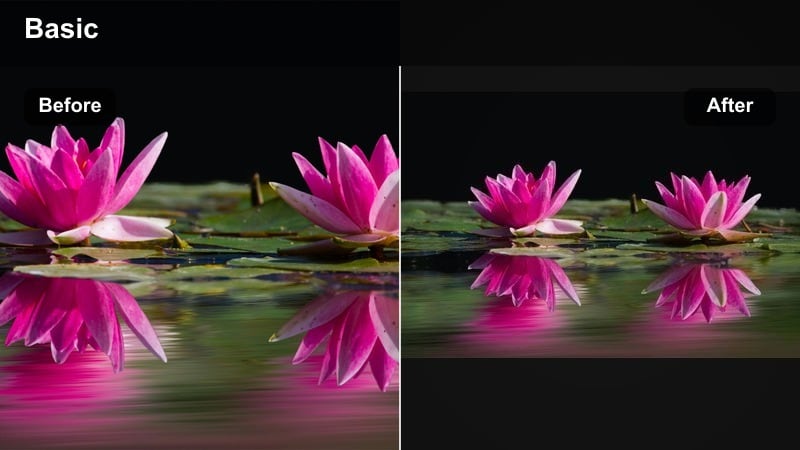
- Effect look: Cool neutral balance with crisp contrast, slightly lifted blues, and reduced yellows for modern city footage.
- Best for: City walks, travel vlogs, street B-roll, commuting shots, and urban lifestyle content.
- Editing tip: Lower contrast a bit if your camera already has punchy color, and use stabilization in Filmora to match the clean visual feel.
City Walk Clean is tailored for concrete, glass, and metal environments, giving them a modern, slightly cool polish. It keeps skies controlled, tones down yellow street lighting, and adds crisp contrast that works well with fast cuts and handheld motion.
In Filmora, apply City Walk Clean to all your outdoor urban clips, then use the HSL panel to gently reduce blue if skies or clothing become too intense. Pair it with built in stabilization and speed ramping to create smooth walking sequences and dynamic city montages in your daily vlogs.
Park Day Fresh
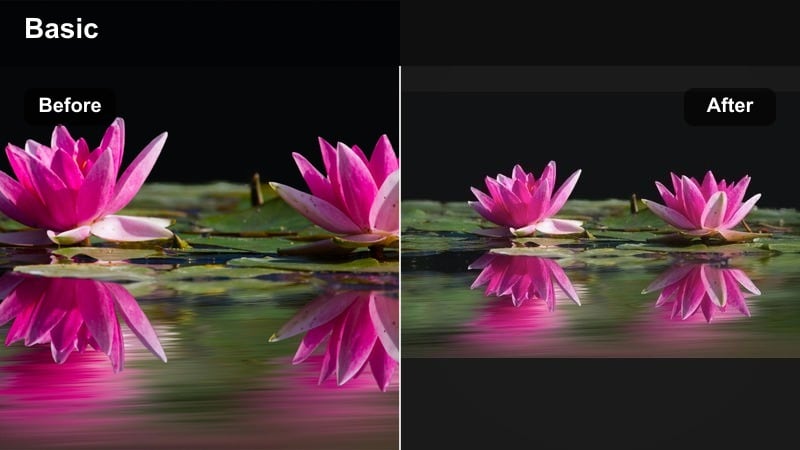
- Effect look: Bright, airy toning with soft greens and gentle vibrance that keeps nature scenes looking light and fresh.
- Best for: Park walks, picnics, dog walks, outdoor workouts, and light travel days.
- Editing tip: Reduce green saturation slightly if grass appears neon, and keep exposure a little lower to protect highlights on bright days.
Park Day Fresh brings out the best in outdoor nature clips by adding soft vibrance without cartoonish greens. It brightens your scene, lifts shadows, and smooths out harsh midday light so trees, grass, and skin tones look inviting but still realistic.
Use this filter in Filmora for parks, hikes, and backyard clips, then tweak green saturation and luminance to match your region’s foliage. Combined with a subtle boost in shadows and a tiny drop in overall contrast, it creates a light, lifestyle ready look that fits picnics, walks, and casual travel vlogs.
Minimal Street Film
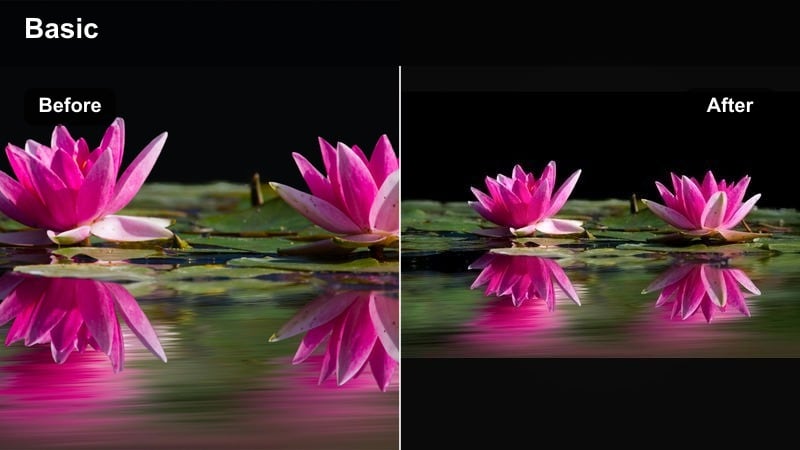
- Effect look: Muted color palette with soft contrast and a slight teal shift in shadows for a subtle filmic street look.
- Best for: Street B-roll, bike rides, minimal fashion vlogs, and moody overcast days.
- Editing tip: Use slower shots or gentle camera movement with this filter so the soft, film inspired tone has time to be appreciated.
Minimal Street Film gives your urban footage a understated, cinematic feel with desaturated colors and soft contrast. The slight teal shift in shadows works especially well with concrete, asphalt, and metal, turning simple walks or bike rides into stylish B roll sequences.
In Filmora, apply this filter to your establishing shots, transitions, and fashion B roll, while keeping talking clips more neutral. You can also lower saturation further and add film grain or a 21:9 style crop for sequences you want to feel especially cinematic within an otherwise everyday vlog.
Night and Mixed Light Daily Vlog Filters
Soft Night Indoors
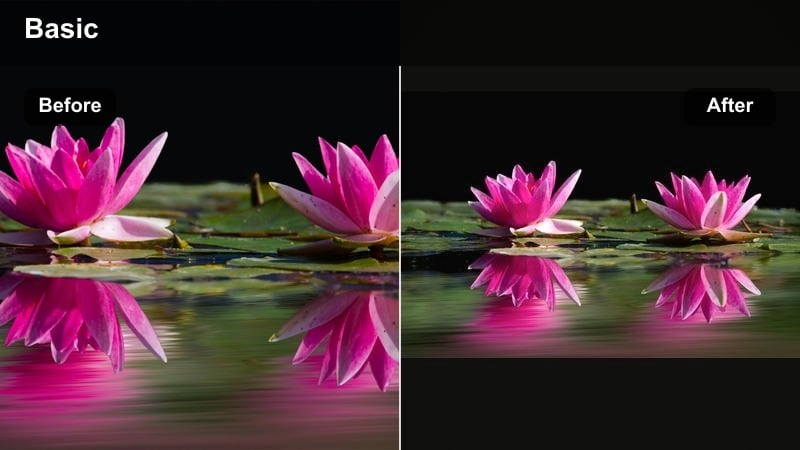
- Effect look: Gentle noise-friendly contrast, warm highlights, and slightly faded blacks to smooth out low-light indoor scenes.
- Best for: Night routines, late office sessions, gaming vlogs, and cozy living room evenings.
- Editing tip: Avoid over-sharpening noisy clips; let this filter soften grain and then add only a tiny bit of sharpness for clarity.
Soft Night Indoors is built to rescue dim, grainy clips from evening routines or desk setups without making them look muddy. It slightly fades the blacks and warms highlights, which helps blend noise and creates a softer, more intentional nighttime mood.
When editing in Filmora, place this filter on all your evening indoor clips, then reduce sharpness and clarity before adding just a touch back. Combine it with gentle noise reduction and a subtle vignette so your viewers focus on your face or subject instead of the busy, dark corners of the frame.
City Neon Vibes
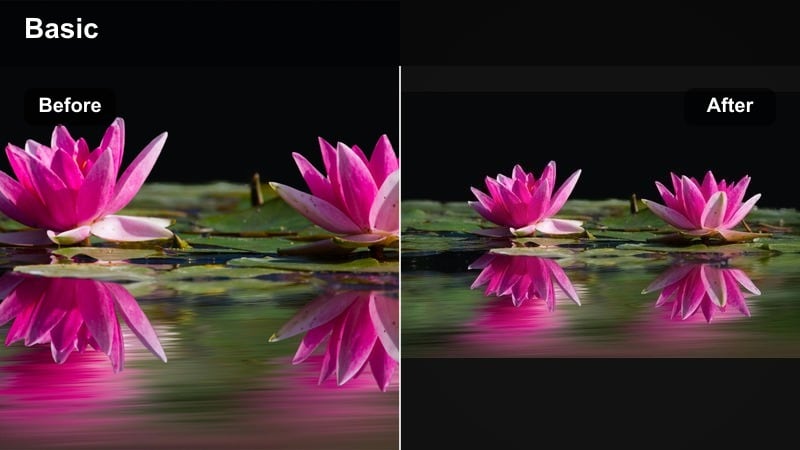
- Effect look: Punchy contrast with boosted neon colors, deeper blacks, and a modern nightlife aesthetic.
- Best for: Night walks, city lights, concerts, street food markets, and neon signage shots.
- Editing tip: Reduce the filter intensity for shots with very bright signage to avoid clipping, and stabilize handheld clips for a cleaner look.
City Neon Vibes is perfect for energetic night sequences where signs, screens, and lights are the stars of the shot. It deepens blacks, boosts saturation in colorful highlights, and adds contrast for a high energy, nightlife ready look.
In Filmora, use this filter on city walks, markets, and concert B roll, then adjust individual color channels in HSL if one neon color becomes overwhelming. Stabilize your handheld shots and consider adding subtle motion blur or speed ramps to complement the punchy, music video like feel.
Mixed Light Fix
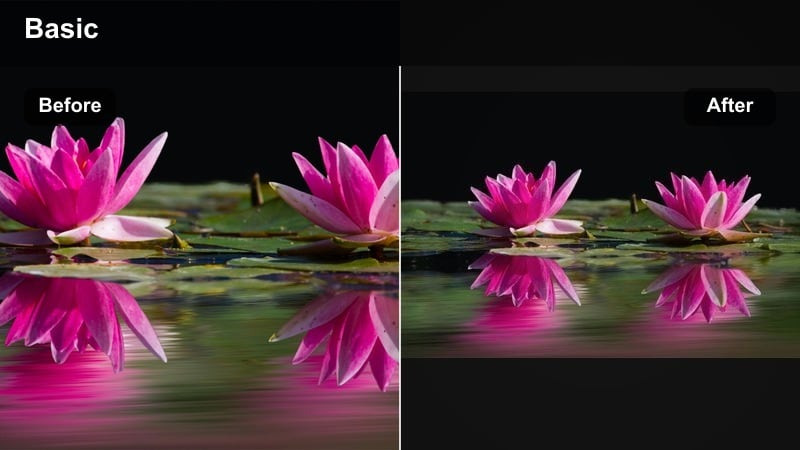
- Effect look: Subtle neutralizing filter that tames harsh color casts from mixed daylight, lamp light, and screens.
- Best for: Rooms with windows and lamps on, desktop setups, kitchen scenes at dusk, and TV-lit shots.
- Editing tip: Start with white balance correction, then add this filter and fine-tune temperature for the most natural looking skin tones.
Mixed Light Fix is your go to corrective filter when footage shifts wildly between blue daylight and yellow or green indoor lighting. It pulls extreme color casts back toward neutral so your skin stays believable even when multiple light sources are visible in frame.
In Filmora, correct overall white balance first, then apply Mixed Light Fix to even out any remaining shifts. You can keyframe slight adjustments in temperature and tint if you move closer to a window or screen mid shot, helping the entire scene stay consistent without manual per frame grading.
Tips for Using Daily Vlog Filter General Filters in Filmora
- Pick one or two daily vlog filters as your go-to base looks and use them across several videos to build visual brand recognition.
- Always correct exposure and white balance before applying filters or LUTs so the final look stays consistent from clip to clip.
- Lower filter intensity on overexposed or very colorful scenes to avoid harsh skin tones and distracting backgrounds.
- Save your favorite combinations of filters and basic adjustments as Filmora presets so you can apply your vlog look in one click.
- Shoot slightly flatter or less saturated in camera when possible, then let your daily vlog filters add contrast and color in post.
- Use stronger, stylized filters mainly on B-roll and transitions while keeping talking-to-camera segments more neutral and clean.
Daily vlog filters make it possible to turn raw everyday moments into polished, consistent videos without complex color grading knowledge. By choosing a few reliable looks for home, outdoor, and night scenes, you can keep your channel visually on brand while editing faster.
Experiment with the filters and workflows above in Filmora until you find a combination that feels like your personality and lifestyle. Once you lock in that look, apply it across your vlogs so viewers instantly recognize your content and keep coming back for more daily stories.
secure downloadNext: Next: Daily Vlog Filters for Instagram and Social Platforms
