

 100% Security Verified | No Subscription Required | No Malware


 ChatGPT
 Perplexity
 Gemini
 Claude
 Grok
Grok
Deep Charcoal Blue sits between navy and smoky gray, creating a mood that feels cinematic, grounded, and sophisticated. It suggests depth, focus, and calm authority, which is why it works so well for storytelling, night scenes, and anything that should feel intentional rather than random. Add a hint of light neutral or a vivid accent, and this color can move from mysterious and moody to clean and professional.
In video editing, branding, thumbnails, and channel intros, Deep Charcoal Blue is a favorite for backgrounds, overlays, and typography because it makes both soft and vibrant colors stand out. Below you will find ready-made Deep Charcoal Blue color palettes with HEX codes for creators and Filmora users, so you can color grade your footage, design cohesive thumbnails, and build consistent branding without guessing.
In this article
Moody Cinematic Deep Charcoal Blue Color Palettes
Midnight Studio Noir
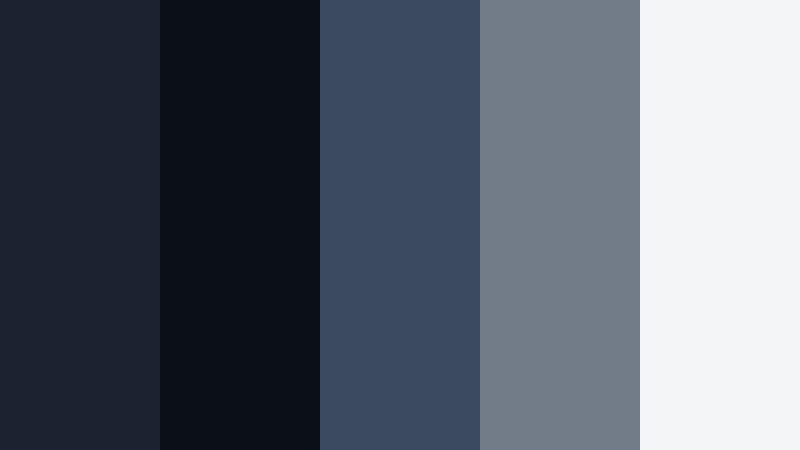
- HEX Codes: #1b2230, #0b0f16, #3b4a5f, #727b88, #f4f5f7
- Mood: Dark, cinematic, and intensely focused.
- Use for: Perfect for dramatic film titles, thriller trailers, and moody B-roll sequences.
Midnight Studio Noir layers Deep Charcoal Blue with near-black shadows and soft gray whites, giving you a high-contrast palette that feels like a controlled studio environment at night. The darker tones frame your subject, while the mid grays and off-white keep text and graphics crisp and readable.
Use this palette for thriller-style intros, suspenseful cold opens, and dramatic lower thirds on YouTube or social reels. The lighter hex values (#727b88 and #f4f5f7) are ideal for titles, captions, and logos placed over the deeper blues (#1b2230 and #0b0f16), helping you create cinematic thumbnails and consistent branding across your channel and Filmora projects.
Pro Tip: Build a Cinematic Deep Charcoal Blue Look in Filmora
To keep a Midnight Studio Noir look consistent from intro to credits, start by setting your background, overlays, and text colors to the key HEX values in Filmora. Use the darkest blue as your base for title cards and end screens, then add lighter grays behind text for legibility on mobile and desktop. This gives your entire edit one unified Deep Charcoal Blue atmosphere.
Once you have your primary color choices set, save them as presets in Filmora or copy the HEX codes into your text, shapes, and graphics. This makes it easier to maintain the same moody tone across trailers, B-roll, social cutdowns, and shorts without re-creating the palette every time.
AI Color Palette
If you have a reference frame that perfectly captures your Deep Charcoal Blue mood, you can use Filmora's AI Color Palette feature to match that look automatically. Filmora's AI Color Palette feature analyzes the colors of your chosen clip or still and transfers the grade to the rest of your timeline.
Import your hero shot with the ideal Deep Charcoal Blue shadows, select it as the reference, then apply the AI match across all your clips. This way, your titles, B-roll, talking head, and cutaway shots feel like they belong in the same cinematic world, even if you shot them in different lighting conditions.
 secure download

HSL, Color Wheels & Curves
For even finer control, use Filmora's HSL and color wheels to nudge your blues toward a specific tone. You can deepen the blue channel in shadows for more noir contrast, shift midtones slightly cooler for a techy feel, or warm up highlights so skin tones stay natural against your Deep Charcoal Blue background. The luminance controls help you keep details visible in dark areas while preserving that moody look.
Curves give you precise control over contrast: a gentle S-curve can make Deep Charcoal Blue footage feel more cinematic without crushing blacks. You can follow along with Filmora's tutorials on advanced color grading to see how HSL, wheels, and curves work together for professional Deep Charcoal Blue grades.
secure download1000+ Video Filters & 3D LUTs
If you want to speed up your workflow, Filmora's video filters and 3D LUTs make it easy to stylize Deep Charcoal Blue palettes in a few clicks. You can start with a cinematic LUT that pushes blues into a richer charcoal tone, then tweak the intensity to match your chosen HEX palette.
Stack subtle filters for glow, grain, or vignettes to emphasize the Midnight Studio Noir mood. This approach works especially well when you need to grade multiple videos in a series or maintain a consistent dark aesthetic across intros, tutorials, and shorts.
secure downloadUrban Rainstorm Streets

- HEX Codes: #202736, #11151f, #536174, #8aa0b4, #f0f2f5
- Mood: Gritty, rainy, and emotionally charged.
- Use for: Works well for city vlog montages, music videos, and narrative shorts set in urban environments.
Urban Rainstorm Streets feels like wet asphalt and distant headlights after a storm. Deep Charcoal Blue tones mix with steel blue and pale highlights, echoing reflections in puddles and cloudy skies. The palette balances realism with a subtle stylized finish that suits narrative and documentary-style edits.
Use the darker shades for backgrounds and overlays in your vlogs or music videos, while the cooler midtones (#536174, #8aa0b4) are great for subtle text bars and lower thirds. The lightest tone #f0f2f5 keeps titles readable on thumbnails and social posts without breaking the moody feel of your Deep Charcoal Blue footage.
Cinematic Steel Horizon

- HEX Codes: #1c2433, #151c29, #445066, #9aa3b5, #e7ecf5
- Mood: Expansive, serious, and quietly powerful.
- Use for: Ideal for documentary titles, tech explainers, and cinematic b-roll overlays.
Cinematic Steel Horizon layers Deep Charcoal Blue with cool steel tones and soft gray highlights. The result feels polished and controlled, like an opening shot drifting over a city skyline or a hero product on a clean set.
Apply the darker blues as your base for full-screen graphics and lower thirds, then use #445066 and #9aa3b5 for accent lines, icons, and infographics in Filmora. The light shade #e7ecf5 is perfect for titles and body text in thumbnails, end screens, and educational explainers where clarity and professionalism matter.
Harbor Fog Dusk
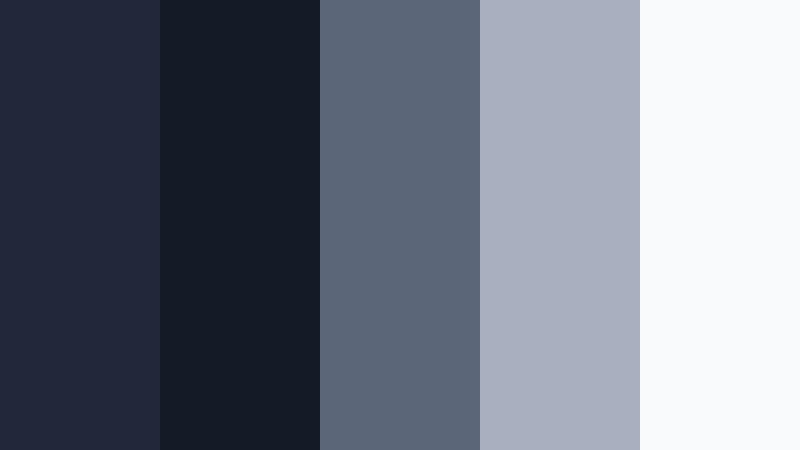
- HEX Codes: #202839, #141a26, #5b6678, #a8b0bf, #f8fafc
- Mood: Calm, introspective, and misty.
- Use for: Use in travel films, reflective vlogs, and slow-paced cinematic sequences.
Harbor Fog Dusk pairs Deep Charcoal Blue with slate and foggy whites, evoking quiet docks and distant lights. It is less intense than pure noir, making it ideal for reflective or emotional storytelling where you want atmosphere without heavy drama.
Use the midtones and light grays for soft text overlays and subtle shapes in Filmora, leaving the darker shades for letterboxing, transitions, and background panels. On YouTube thumbnails, #f8fafc keeps headlines readable while the deeper blues suggest an evening or waterside mood that pulls viewers into your travel or lifestyle videos.
Neon Alley Contrast
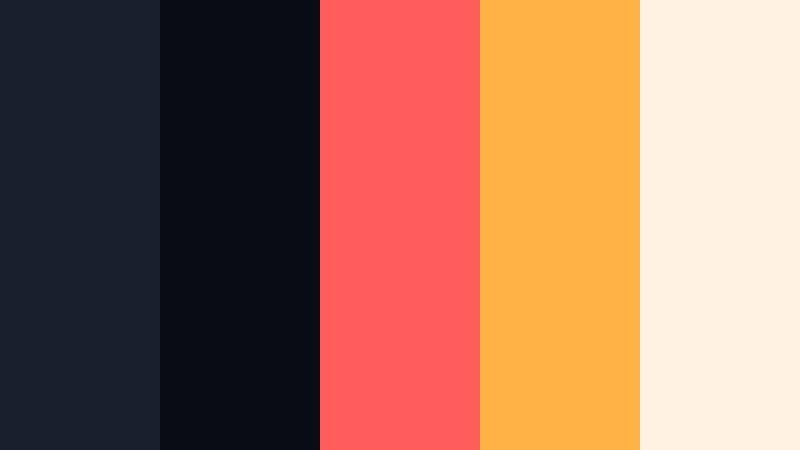
- HEX Codes: #181f2c, #090c13, #ff5c5c, #ffb347, #fef3e2
- Mood: Edgy, energetic, and urban nightlife inspired.
- Use for: Designed for music videos, gaming intros, and bold channel branding.
Neon Alley Contrast throws bright coral and amber highlights against inky Deep Charcoal Blue shadows. It feels like walking through a cyberpunk side street or a neon-lit music venue, full of energy and contrast.
Use the dark blues as your main background for clips and full-screen titles in Filmora, then apply #ff5c5c and #ffb347 for text, buttons, and motion graphics. The pale #fef3e2 keeps small labels readable on thumbnails and end cards while preserving the neon glow vibe that stands out in crowded feeds.
Elegant And Modern Deep Charcoal Blue Color Palettes
Charcoal Luxe Minimal

- HEX Codes: #1d2433, #111723, #6d7684, #d2d6dd, #fafbff
- Mood: Minimal, refined, and highly professional.
- Use for: Best for brand intros, SaaS promos, corporate reels, and clean UI graphics on screen.
Charcoal Luxe Minimal blends Deep Charcoal Blue with modern neutrals and bright whites. It feels polished and premium, like a sleek app interface or a high-end corporate website.
Use the darkest shades for backgrounds and video frames, and the mid gray #6d7684 for iconography and simple graphics in Filmora. The pale tones #d2d6dd and #fafbff keep text and charts clean on webinars, product demos, thumbnails, and LinkedIn videos, reinforcing a serious but modern brand identity.
Slate And Silver Identity

- HEX Codes: #1e2635, #121722, #7e8898, #c4ccd7, #f5f7fa
- Mood: Corporate, trustworthy, and balanced.
- Use for: Great for logo stings, pitch decks, LinkedIn videos, and professional lower thirds.
Slate And Silver Identity matches Deep Charcoal Blue with silver-toned grays and cloud white. The palette communicates reliability and clarity, ideal for brands that want to feel solid and established.
Drop #1e2635 or #121722 behind your titles and logo animations, then use #7e8898 for accent bars or subtle icons in Filmora. The light tones support easy-to-read body text on explainers, pitch clips, and short-format business content without sacrificing a cohesive Deep Charcoal Blue theme.
Midnight Gold Signature
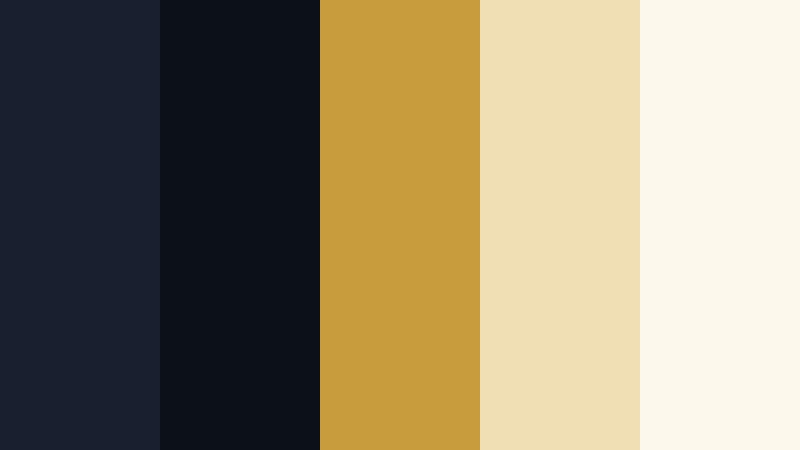
- HEX Codes: #181f2e, #0c1019, #c89b3c, #f0dfb4, #fdf8ec
- Mood: Luxurious, warm, and aspirational.
- Use for: Perfect for premium product promos, fashion lookbooks, and chic brand reveals.
Midnight Gold Signature sets rich gold and champagne tones against Deep Charcoal Blue, instantly signaling luxury. The blues keep everything grounded while the warm metallics draw the eye to key details.
In Filmora, use the dark blues for backgrounds and frames, then accent them with #c89b3c on logo marks, call-to-action buttons, and key phrases in your videos. The soft gold tints #f0dfb4 and #fdf8ec are ideal for text highlights or gentle gradients in thumbnails and lookbook intros, giving your brand an aspirational feel.
Tech Blueprint Grid

- HEX Codes: #1f2838, #121826, #4aa0ff, #7fd0ff, #f3f8ff
- Mood: Futuristic, precise, and innovative.
- Use for: Use for app demos, motion graphics, and tech product explainers.
Tech Blueprint Grid combines Deep Charcoal Blue with electric sky blues and crisp white, evoking UI dashboards and holographic interfaces. It feels technical and forward-looking without becoming too harsh.
Use #1f2838 and #121826 as base colors for panels and overlays, then draw lines, icons, or HUD-style shapes with #4aa0ff and #7fd0ff in Filmora. #f3f8ff keeps text legible while matching the cool, digital vibe in thumbnails, demo videos, and promotional shorts for apps or hardware.
Gallery Wall Monochrome

- HEX Codes: #202837, #141821, #555b67, #aeb2ba, #ffffff
- Mood: Artful, understated, and gallery ready.
- Use for: Ideal for portfolio reels, photography slideshows, and minimalist channel aesthetics.
Gallery Wall Monochrome stretches from Deep Charcoal Blue to bright white in a restrained, monochrome spectrum. The palette feels like a curated exhibition space where your visuals act as the main color.
Use the darker tones for backgrounds and video frames in Filmora, keeping text and UI elements simple in #aeb2ba or #ffffff. This approach lets your photos, artwork, or footage bring the color, while the Deep Charcoal Blue environment provides a calm, modern visual frame for portfolios, case studies, and showcase reels.
Bold And Vibrant Deep Charcoal Blue Color Palettes
Electric Coral Night
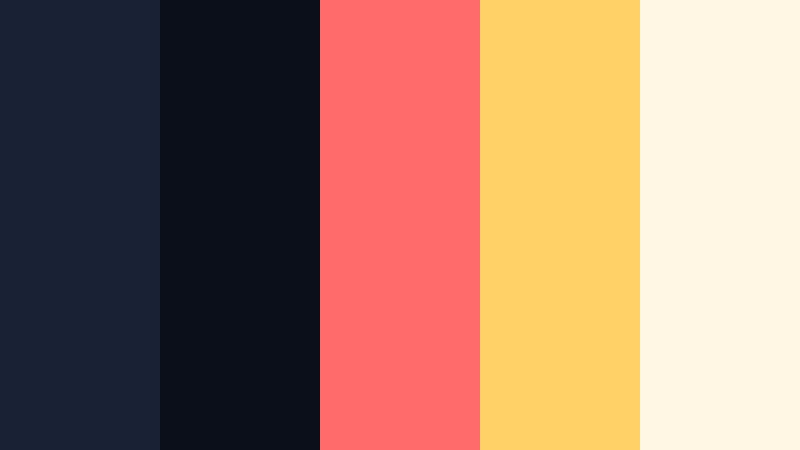
- HEX Codes: #192234, #0b0f19, #ff6b6b, #ffd166, #fff6e3
- Mood: Vibrant, youthful, and attention grabbing.
- Use for: Great for YouTube thumbnails, energetic intros, and social ads that must stand out in feeds.
Electric Coral Night uses Deep Charcoal Blue as a dark base to make coral and golden yellow accents explode off the screen. It is playful but still grounded, perfect when you want strong thumbnail contrast.
Place #192234 or #0b0f19 behind your footage and then highlight titles and buttons with #ff6b6b or #ffd166 in Filmora. The soft #fff6e3 keeps secondary text readable. This palette works especially well for channels focused on lifestyle, entertainment, or challenges where grabbing clicks is a priority.
Cyber Teal Pulse

- HEX Codes: #181f2e, #090d15, #00b3c6, #5bffea, #f0fffd
- Mood: High-tech, energetic, and futuristic.
- Use for: Perfect for gaming streams, esports branding, and sci-fi intros.
Cyber Teal Pulse surrounds Deep Charcoal Blue shadows with glowing teal and aqua tones that mimic LED strips in a dark studio. It instantly makes your visuals feel digital and fast-paced.
Use #181f2e and #090d15 for backgrounds and overlays, then apply #00b3c6 and #5bffea to outlines, glitch text, and animated shapes in Filmora. #f0fffd is ideal for key text on intros, countdowns, and stream overlays so you keep readability while preserving the futuristic glow.
Sunset Neon Skyline
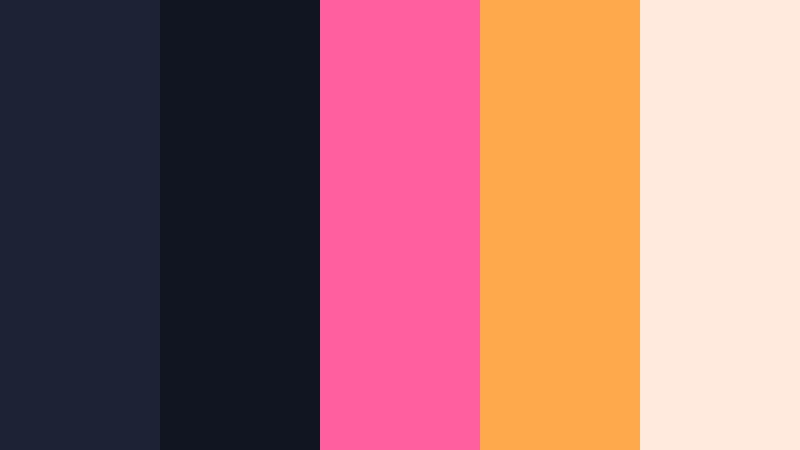
- HEX Codes: #1b2334, #101521, #ff5e9f, #ffa94d, #ffeadd
- Mood: Retro, playful, and nostalgic.
- Use for: Use for lifestyle vlogs, retro titles, and upbeat travel or festival videos.
Sunset Neon Skyline feels like a stylized city sunset: neon pink and tangerine streak across a Deep Charcoal Blue sky. It captures a retro yet modern nightlife vibe with plenty of personality.
Harness #1b2334 and #101521 as your base tones in Filmora and highlight key words or icons with #ff5e9f and #ffa94d. The pale #ffeadd supports subtitles, captions, or smaller text in thumbnails and end screens, helping your upbeat content stand out while keeping the Deep Charcoal Blue night-sky foundation intact.
Soft And Atmospheric Deep Charcoal Blue Color Palettes
Soft Cloud Over Harbor
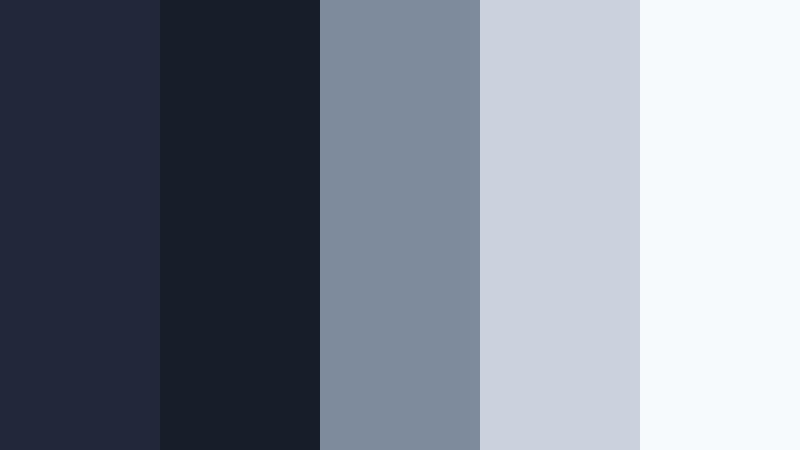
- HEX Codes: #202839, #171d29, #7d8b9c, #c9d2dd, #f7fafc
- Mood: Gentle, airy, and reflective.
- Use for: Ideal for calm vlogs, tutorials, and background graphics where text needs to stay readable.
Soft Cloud Over Harbor anchors airy grays and off-whites with Deep Charcoal Blue, creating a calm, open feeling like watching clouds drift over water. It is soothing without being bland.
Use the blues (#202839, #171d29) for subtle gradients and panels behind your footage, while #7d8b9c and #c9d2dd frame titles and lower thirds in Filmora. The bright #f7fafc ensures text clarity in tutorials, study-with-me videos, and peaceful vlogs, especially when viewed on smaller screens.
Moonlit Coastal Drift

- HEX Codes: #1d2536, #131923, #6f8094, #b8c6d6, #f5f8ff
- Mood: Serene, coastal, and slightly dreamy.
- Use for: Best for travel diaries, wellness content, and cinematic b-roll with gentle motion.
Moonlit Coastal Drift blends Deep Charcoal Blue with dusty ocean blues and pale moonlit highlights. It feels tranquil and slightly dreamy, like slow waves and quiet shorelines.
In Filmora, work with #1d2536 and #131923 as your base for letterboxes and overlays, and add #6f8094 or #b8c6d6 to titles and graphic accents. The soft white #f5f8ff is excellent for clear subtitles and headings on travel diaries, meditation videos, and cinematic b-roll sequences that should relax the viewer.
Tips for Creating Deep Charcoal Blue Color Palettes
When you design with Deep Charcoal Blue, you can push projects toward dark cinematic drama or clean modern minimalism. These tips will help you combine this color with accents and neutrals so your videos, thumbnails, and branding stay consistent and easy to read.
- Pair Deep Charcoal Blue with one light neutral (off-white or soft gray) to keep text and logos readable over dark footage.
- Add a single strong accent color (coral, teal, gold) for calls to action, key words, or icons instead of using too many bright shades at once.
- Test your palette on both desktop and phone screens; adjust brightness or saturation if text on Deep Charcoal Blue looks muddy on smaller displays.
- Use Deep Charcoal Blue as a unifying background for intros, lower thirds, and end screens so your channel or brand feels cohesive across multiple videos.
- When color grading footage, gently cool shadows toward Deep Charcoal Blue while keeping skin tones natural, so people do not look overly cold or gray.
- Reserve the darkest blue or near-black tone for borders, letterboxing, and high-impact title cards; use midtones behind body text and graphics.
- For thumbnails, combine Deep Charcoal Blue backgrounds with high-contrast text and a bright accent next to faces or key objects to guide the viewer's eye.
- Save your chosen HEX codes as presets or style guides inside Filmora so future edits, overlays, and graphics follow the same Deep Charcoal Blue palette.
Deep Charcoal Blue is a versatile foundation for moody cinematic edits, modern branding, and eye-catching thumbnails. Whether you lean into neon accents, soft coastal grays, or sleek corporate neutrals, these palettes give you ready-made HEX combinations you can apply directly to backgrounds, text, overlays, and color grades.
Try a few palettes on your next intro, vlog, or product video in Filmora, then refine them with AI Color Palette, HSL, and LUTs until they match your brand or channel identity. Over time, your audience will start to recognize your Deep Charcoal Blue look before they even see your name.
Use these palettes as a starting point, experiment with contrast and saturation, and let Filmora handle the technical side so you can focus on storytelling and style.
secure download