

 100% Security Verified | No Subscription Required | No Malware


 ChatGPT
 Perplexity
 Gemini
 Claude
 Grok
Grok
Deep Ocean Teal sits between blue and green, with enough depth to feel mysterious yet calm. It carries the psychology of trust, stability, and quiet confidence, while still echoing the freshness of the ocean. In video and design, it is often used to suggest sophistication and cinematic mood without looking harsh or overly saturated.
Because of its versatility, Deep Ocean Teal works beautifully for YouTube thumbnails, vlog intros, channel branding, app promos, and cinematic color grading. Below you will find hand picked Deep Ocean Teal color palettes with ready to use HEX codes so creators and Filmora users can build consistent looks across intros, B roll, titles, overlays, and social cutdowns.
In this article
Calm & Atmospheric Deep Ocean Teal Color Palettes
Twilight Harbor Calm
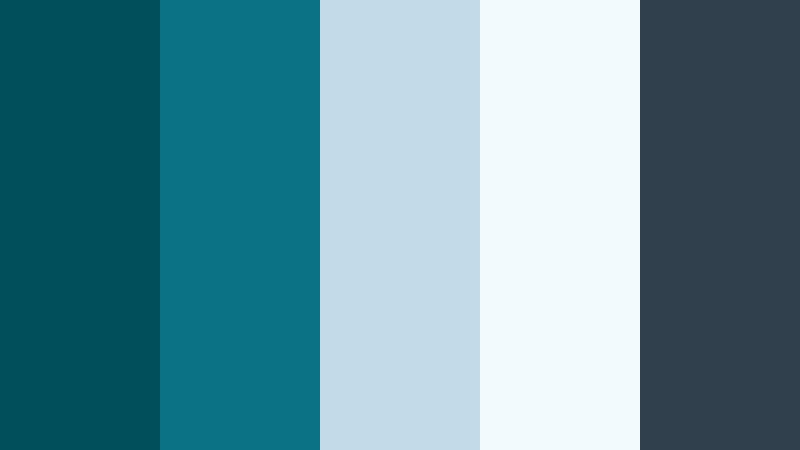
- HEX Codes: #014f5b, #0b7285, #c1dce8, #f1fafc, #30404d
- Mood: Serene, cinematic, and quietly introspective, like a calm harbor at dusk.
- Use for: Use for cinematic travel vlogs, slow B-roll sequences, and reflective documentary titles.
Twilight Harbor Calm balances deep teal shadows with misty blues and soft off whites, creating the feeling of a harbor winding down after sunset. The combination feels reflective and cinematic, giving your footage a moody but not gloomy tone that works perfectly for storytelling.
This palette is ideal when you want your YouTube thumbnails, chapter cards, and lower thirds to feel polished yet gentle. Use the darker teal and charcoal tones for backgrounds, then layer titles or graphic elements in the pale blues for clean readability. In Filmora, you can echo these tones across B roll, text, and transitions so your entire edit carries the same twilight harbor atmosphere.
Pro Tip: Build a Cinematic Deep Ocean Teal Look in Filmora
To keep your Twilight Harbor Calm look consistent across an edit, start by sampling your main Deep Ocean Teal shade (#014f5b or #0b7285) for key elements like title backgrounds, overlay shapes, or frame bars. Then, in Filmora, reuse this color in your text, motion graphics, and end screens so every scene feels like part of one cinematic story.
Layer subtle vignettes and soft fade transitions over your teal tinted footage to echo the sense of dusk. When color correcting, gently cool down your shadows and keep skin tones natural so the teal mood supports your subject rather than overpowering it.
AI Color Palette
If you have a still frame or style reference that already uses this Twilight Harbor Calm palette, you can quickly spread that look across your whole project. Filmora's AI Color Palette feature lets you use one clip as the color reference and automatically match the tone of your other shots.
This is especially useful for travel vlogs or B roll sequences filmed at different times of day. With a few clicks, your footage gains a unified Deep Ocean Teal atmosphere, so thumbnails, intros, and reels all share the same calm cinematic vibe.
 secure download

HSL, Color Wheels & Curves
Once your overall color mood is in place, HSL and color wheels help you fine tune the Deep Ocean Teal tones. In Filmora, you can gently darken the cyan and blue channels to deepen your harbor shadows, then add a touch of warmth back into midtones so skin still looks healthy. This keeps your teal aesthetic cinematic instead of icy.
You can also use curves to add subtle contrast, lifting highlights in the pale blues (#c1dce8, #f1fafc) while keeping the teal shadows rich. For a walkthrough of advanced color tools in Filmora, explore tutorials that cover HSL, color wheels, and curves step by step, and then experiment directly on your teal themed footage.
secure download1000+ Video Filters & 3D LUTs
If you want a faster route to a stylized Deep Ocean Teal look, Filmora's video filters and 3D LUTs make it easy to experiment. You can start with a teal oriented LUT or cinematic filter, then tweak saturation and contrast so your chosen HEX codes still feel accurate.
Stack light grain or film style filters on top of your teal grade for reflective travel edits, documentary intros, or aesthetic reels. This combination of precise color control and one click filters helps you move from raw footage to polished teal visuals in minutes.
secure downloadSubmerged Reef Tones
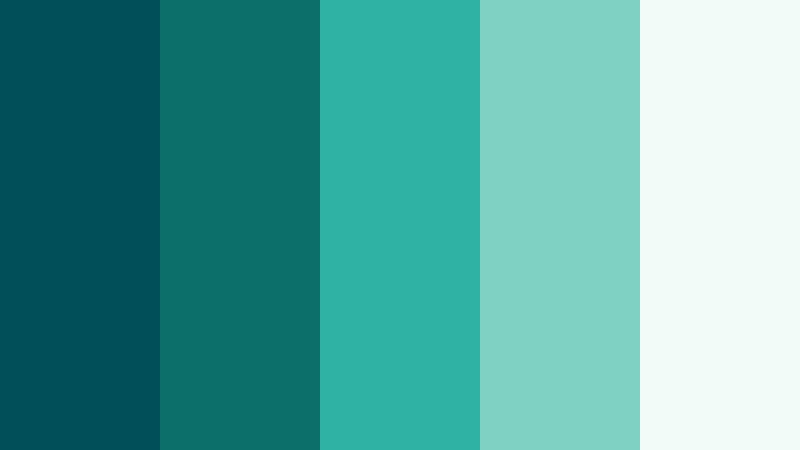
- HEX Codes: #00505a, #0c6f68, #2fb1a3, #7fd1c3, #f3fbf8
- Mood: Refreshing and immersive, evoking underwater stillness and clear reefs.
- Use for: Use for underwater clips, wellness content, and nature documentaries needing a clean aquatic feel.
Submerged Reef Tones layers deep teal greens with bright seafoam and almost white foam, giving your visuals a clean underwater clarity. The darker shades anchor your frames, while the lighter aquas and soft white add an uplifting, pure feel.
This palette works well for wellness vlogs, spa or meditation content, and eco storytelling. Use the deeper teals for background blocks in titles or YouTube thumbnails, and keep text in the pale reef tones for high contrast and readability. In layouts, it also suits app mockups, product demos, and social posts where you want to highlight freshness and purity.
Foggy Fjord Horizon
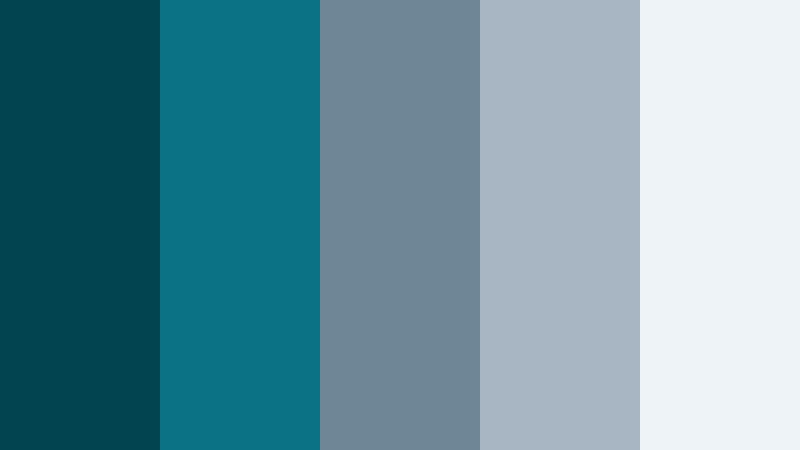
- HEX Codes: #024550, #0b7285, #6f8697, #a8b6c4, #edf3f7
- Mood: Cool, expansive, and contemplative, like a foggy fjord at first light.
- Use for: Use for aerial landscape shots, cinematic title cards, and quiet storytelling sequences.
Foggy Fjord Horizon mixes Deep Ocean Teal with steel blues and soft cloud grays, building a sense of distance and scale. The darker tones recall deep water, while the airy highlights feel like morning mist hanging over mountains.
Use this palette when you want your travel films, drone shots, or nature B roll to feel expansive and calm. In thumbnails and title cards, pair the darkest teal or blue for backgrounds with the lightest gray for typography to keep text crisp. It also suits quiet documentary covers, chapter screens, and serene website headers.
Midnight Tide Minimal
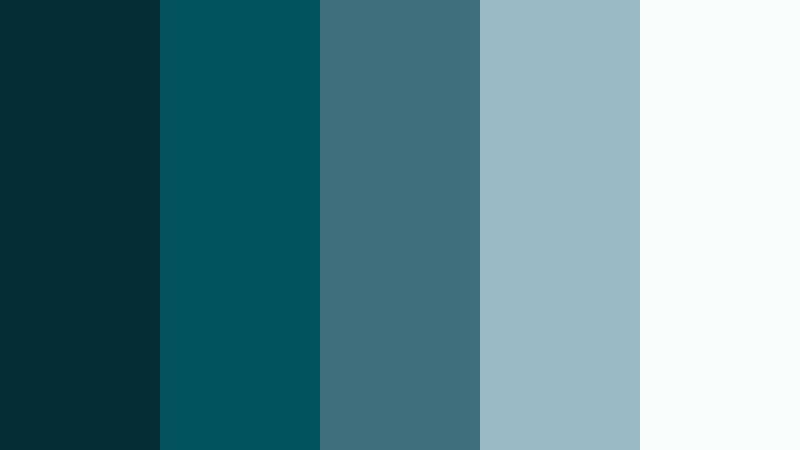
- HEX Codes: #012f34, #01545d, #3e6f7a, #9bbac3, #f7fcfd
- Mood: Minimal, moody, and sophisticated with a clean modern edge.
- Use for: Use for minimalist titles, UI overlays in apps or software demos, and sleek tech explainers.
Midnight Tide Minimal is built around inky teal blues paired with light, almost white tints. The contrast feels clean and intentional, giving your visuals a modern minimal look with just enough mood to stay cinematic.
This palette is great for app walkthroughs, SaaS explainers, or minimal productivity vlogs. Use the darkest teal for full bleed backgrounds, reserve midtones for icons or UI panels, and use the near white shade for text and line work. In YouTube thumbnails, this palette reads instantly professional and on brand.
Glassy Lagoon Glow
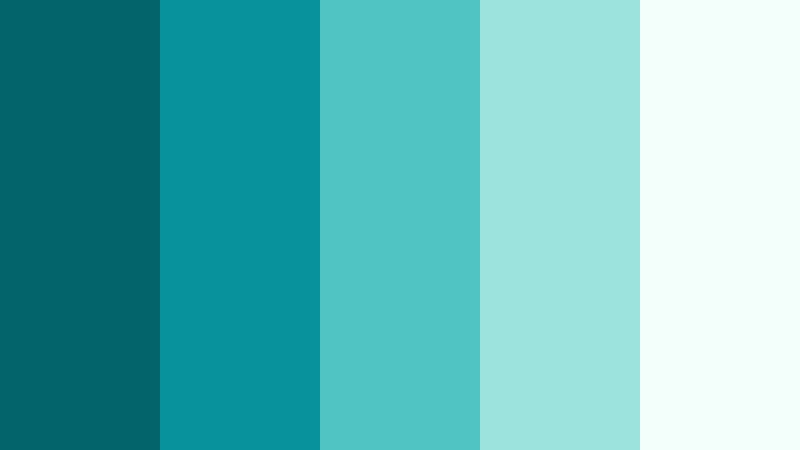
- HEX Codes: #02656b, #08929c, #4fc4c2, #9ce3dd, #f2fffb
- Mood: Airy, bright, and rejuvenating with a gentle tropical breeze feel.
- Use for: Use for wellness vlogs, productivity videos, and upbeat explainer graphics that need clarity and freshness.
Glassy Lagoon Glow brings together saturated teals and bright minty highlights, mimicking sunlight on crystal clear water. It feels refreshing and energizing, perfect when you want your edits to look clean, optimistic, and easy to watch.
Apply this palette to lifestyle and self improvement thumbnails, social banners, and infographic style animations. Keep backgrounds lighter and use the deeper teal accents for buttons, call to action text, and icons. On video, this combination works well with high key lighting and clean compositions.
Bold & Cinematic Deep Ocean Teal Color Palettes
Neon Dock Nights
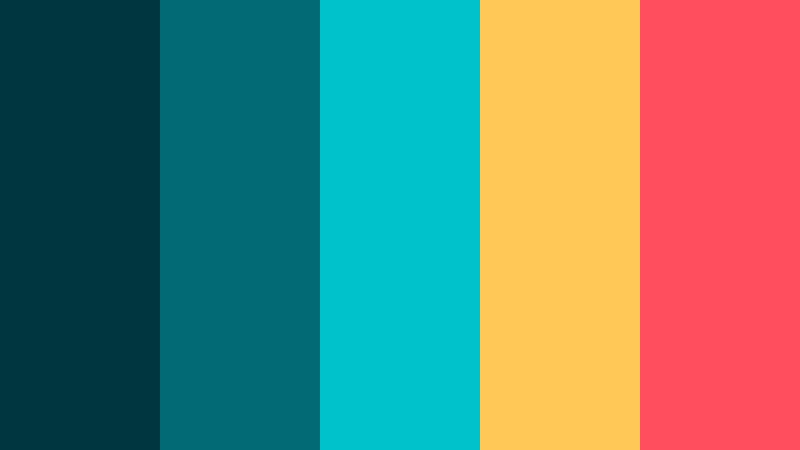
- HEX Codes: #00363f, #016a74, #00c2cb, #ffc857, #ff4f5e
- Mood: Electric, urban, and cinematic with strong nightlife energy.
- Use for: Use for music videos, gaming intros, and kinetic typography with a bold neon punch.
Neon Dock Nights contrasts deep teal blues with vivid cyan, warm amber, and hot coral. The result feels like neon signs reflected on dark water, with an instant urban night cinema vibe.
Use the dark teal for backgrounds, then let the cyan, yellow, and coral act as your main accent colors for titles, UI elements, or thumbnail outlines. This palette is ideal for EDM visuals, gaming highlight reels, tech intros, and any content needing strong, eye catching contrast in small social formats.
Stormcurrent Drama
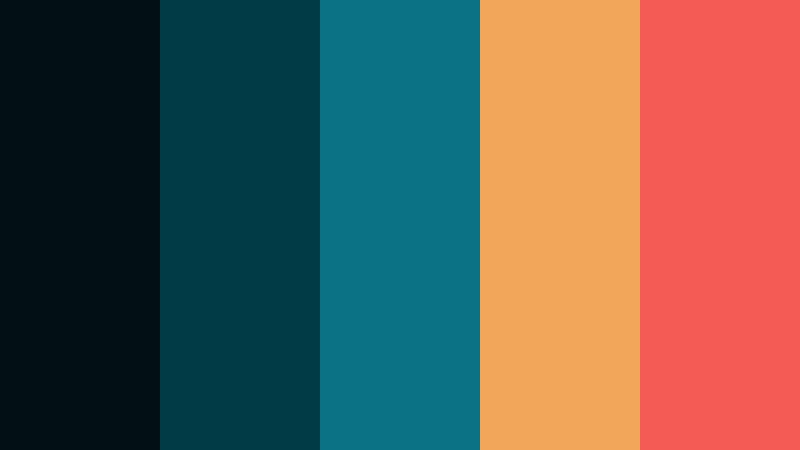
- HEX Codes: #021014, #013b46, #0b7285, #f2a65a, #f25c54
- Mood: Dramatic and intense with a cinematic storm-on-the-horizon feel.
- Use for: Use for trailers, short films, and suspenseful storytelling with high contrast titles and overlays.
Stormcurrent Drama pits brooding teal shadows against fiery oranges and reds, creating high emotional tension. It feels like a storm rolling in over a burning sunset, perfect for dramatic storytelling.
In video, use the darkest tones for letterbox bars, title backgrounds, and overlay shapes, then let the warm accent colors draw attention to key text or calls to action. This palette suits thriller trailers, intense short films, or emotional docu series intros where you want every frame to feel charged.
Harbor Lights Festival

- HEX Codes: #013f49, #0b7285, #ffd166, #ff9f1c, #ffffff
- Mood: Festive, cinematic, and welcoming, like harbor lights during a celebration.
- Use for: Use for event promos, travel festivals, and brand launches needing a warm yet cool balance.
Harbor Lights Festival combines rich teal bases with glowing yellows and oranges, plus crisp white. The mix feels like lanterns and fireworks reflecting over water, both celebratory and cinematic.
Use this palette for event recaps, launch trailers, or tourism promos. Let teal dominate backgrounds and shadows, while the warm colors brighten banners, badges, and typography. The white adds clarity for text, making this scheme effective even on small mobile thumbnails.
Deep Current Cyber
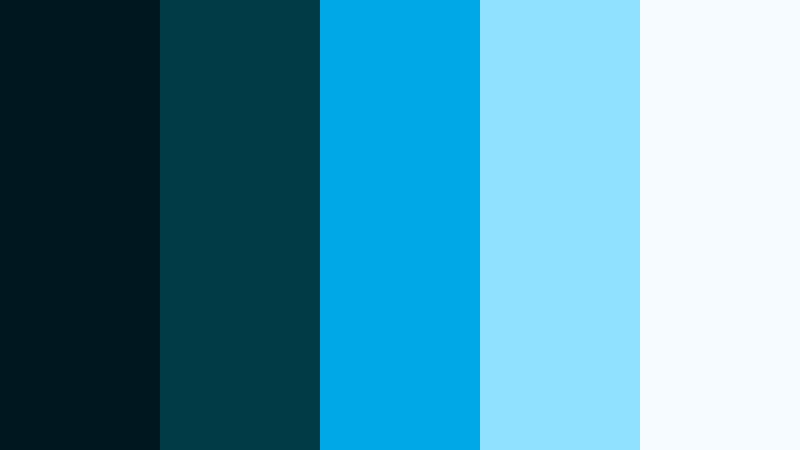
- HEX Codes: #00171f, #003b46, #00a8e8, #90e0ff, #f5fbff
- Mood: Futuristic, digital, and sleek with a tech forward punch.
- Use for: Use for app promos, tech explainers, and sci fi themed intros or motion graphics.
Deep Current Cyber pushes Deep Ocean Teal into a sci fi, UI inspired direction, with electric blues and icy highlights. It feels like a digital HUD hovering over dark ocean depths.
This palette is a great fit for product demos, startup intros, cybersecurity explainers, and motion graphics. Use the dark teals for grids and panels, then highlight important icons or metrics in the bright blues. The almost white tone works well for clean, legible text over darker backgrounds.
Teal Ember Contrast
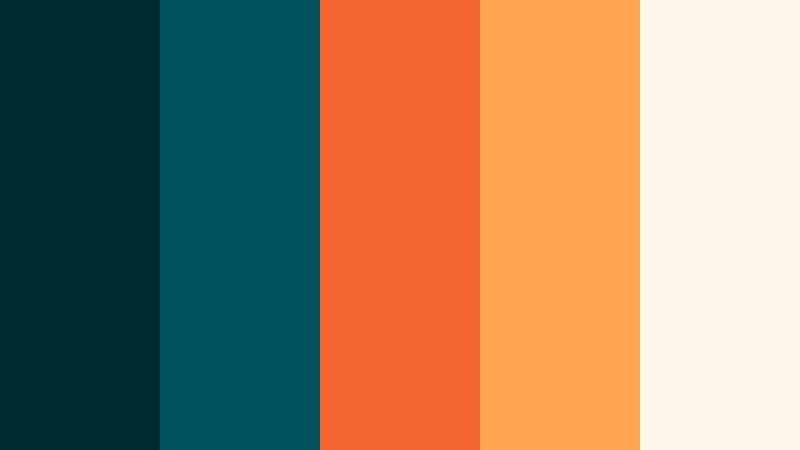
- HEX Codes: #002a32, #01545d, #f26430, #ffa552, #fef6e9
- Mood: Bold, fiery, and energetic with strong complementary contrast.
- Use for: Use for bold title sequences, call to action end cards, and attention grabbing social posts.
Teal Ember Contrast pairs dark teal bases with bright orange and warm cream, creating powerful complementary contrast. The effect is bold and energetic, like glowing embers over deep water.
Use the teal tones for solid backgrounds, then reserve the bright oranges for critical calls to action, subscribe prompts, or sale banners. The light neutral ties everything together and keeps the palette from feeling too heavy. This is a strong choice for end cards, hooks, and shorts where you need immediate impact.
Elegant & Modern Deep Ocean Teal Color Palettes
Teal And Brass Atelier
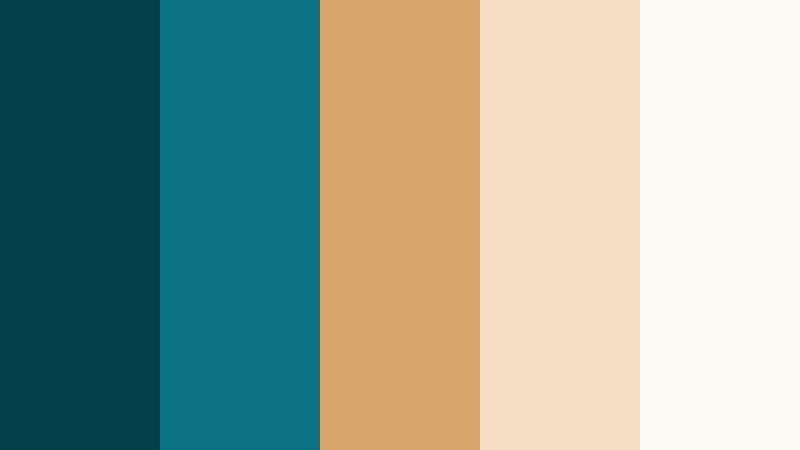
- HEX Codes: #013f49, #0b7285, #d6a56b, #f4dfc5, #fdf9f4
- Mood: Refined, artistic, and luxurious with a studio loft feel.
- Use for: Use for brand stories, portfolio reels, and product promos needing a polished, upscale tone.
Teal And Brass Atelier marries rich Deep Ocean Teal with brushed brass gold and soft cream neutrals. It feels like an artist studio or boutique showroom, stylish without being flashy.
This palette is ideal for fashion lookbooks, design portfolios, jewelry or product promos, and premium brand intros. Use teal as your main brand color, brass for accents like borders or icons, and the light neutrals for backgrounds and text. It looks especially strong in clean layouts, split screens, and title sequences.
Marbled Tidal Stone
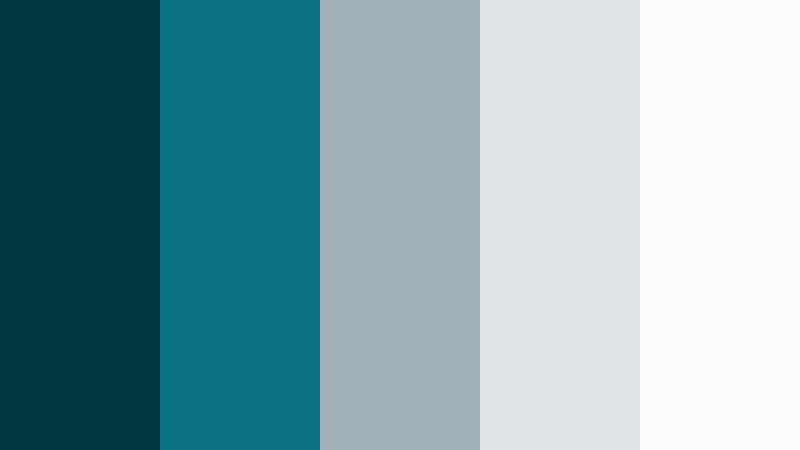
- HEX Codes: #003943, #0b7285, #9fb0b8, #e0e4e7, #fafbfc
- Mood: Understated, modern, and calming like polished stone with ocean veining.
- Use for: Use for UI, app walkthroughs, and clean educational content with subtle sophistication.
Marbled Tidal Stone uses Deep Ocean Teal with cool stone grays and gentle off whites. It recalls marble veining and polished surfaces, giving your visuals a quietly luxurious, modern tone.
Apply this palette to app demos, dashboards, online courses, and minimalist brand content. Use teal sparingly as a highlight color for buttons or progress bars, while grays and whites form most of the background and text. On YouTube, this scheme makes your thumbnails and lower thirds look clean and trustworthy.
Seafront Townhouse
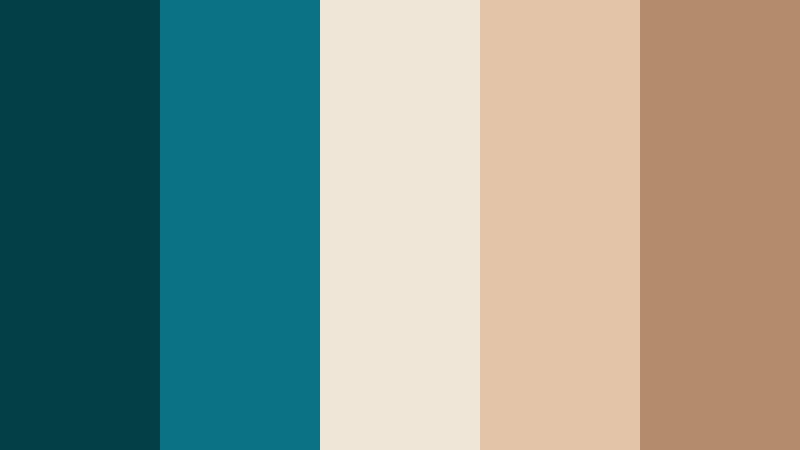
- HEX Codes: #014047, #0b7285, #f0e6d8, #e3c4a8, #b38b6d
- Mood: Warm, sophisticated, and inviting with coastal architecture charm.
- Use for: Use for real estate tours, interior design content, and lifestyle branding videos.
Seafront Townhouse sets Deep Ocean Teal against creamy off whites and warm taupes, creating a lived in coastal elegance. It feels like an upscale beach home or boutique hotel interior.
Use this palette for real estate walkthroughs, interior design reveals, and lifestyle branding. Teal works well for logos, dividers, or lower third strips, while the warm neutrals provide soft backgrounds and text fields. On social, this scheme helps your grid look curated and cohesive.
Ocean Ink Editorial
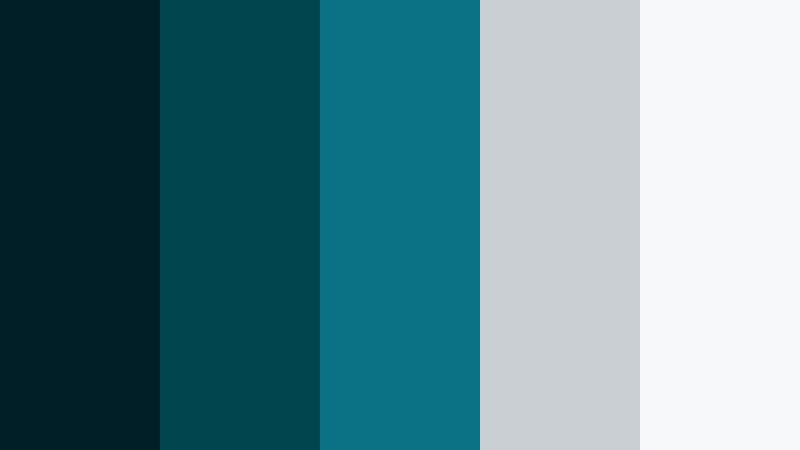
- HEX Codes: #001f26, #01454f, #0b7285, #cacfd4, #f7f8fa
- Mood: Editorial, crisp, and modern with a print magazine sensibility.
- Use for: Use for lookbooks, fashion reels, and sophisticated social carousels or titles.
Ocean Ink Editorial leans into inky teals, paired with cool grays and clean off white. The contrast is sharp yet controlled, echoing high end magazine layouts and editorial spreads.
This palette shines in fashion content, photography showcases, and statement typography. Use deep teal blocks behind text, drop in monochrome images, and rely on the cool grays for body copy and captions. It translates well to reels, carousels, and end slates where you want a strong sense of style.
Harbor Mist Neutrals
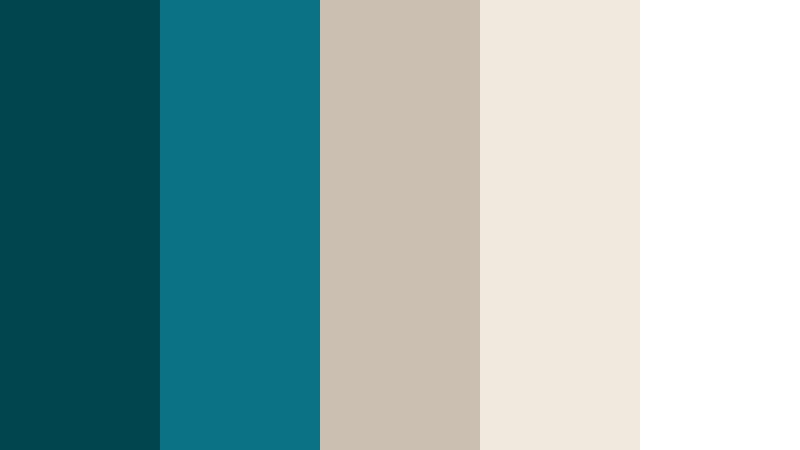
- HEX Codes: #01454f, #0b7285, #cbbfb2, #f1e9de, #ffffff
- Mood: Soft, polished, and approachable with a modern coastal calm.
- Use for: Use for personal brands, coaching channels, and minimal aesthetic vlogs or podcasts.
Harbor Mist Neutrals blends gentle teals with warm beige and clean white. The look is soft and polished, making Deep Ocean Teal feel friendly and accessible instead of heavy.
This palette is a strong choice for personal brands, coaching and education channels, and podcast visuals. Keep backgrounds light and neutral, use teal for logos, headings, and icons, and reserve pure white for text on darker elements. It adapts easily to YouTube banners, Instagram covers, and slide decks.
Tips for Creating Deep Ocean Teal Color Palettes
When you build your own Deep Ocean Teal color palette for video or design, think about balance, readability, and how the colors will behave on different screens and platforms.
- Pair Deep Ocean Teal with at least one light neutral (off white, pale gray, or cream) so text and UI elements stay readable in thumbnails and overlays.
- Use warm accent colors like amber, coral, or brass sparingly to create focal points such as calls to action, subscribe buttons, or product highlights.
- Keep brand consistency by reusing the same HEX codes across your intro, lower thirds, end screens, and channel art so your audience instantly recognizes your content.
- Check contrast on mobile by zooming out on your thumbnail designs; if text over teal areas is hard to read, brighten the background or switch to a lighter type color.
- Match footage to your palette in Filmora with basic color correction first (exposure, white balance), then fine tune teal hues so they align with your chosen HEX values.
- Decide on a mood before choosing supporting colors: cool grays for calm and minimal, warm neutrals for cozy lifestyle, or high saturation accents for bold cinematic energy.
- Limit your palette in busy layouts; 3 to 5 colors (one primary teal, one or two neutrals, one or two accents) usually give cleaner, more professional results.
- Test your Deep Ocean Teal palettes on both dark and light backgrounds to ensure logos, text, and icons remain visible in different scenes of your video.
Deep Ocean Teal is one of those rare colors that can be calm, bold, or luxurious depending on how you combine it. Whether you choose misty harbor tones, neon dock contrasts, or elegant teal and brass, a clear palette helps shape the mood of your videos, thumbnails, and branding.
Use these ready made HEX combinations as a starting point in Filmora, then customize them to match your story, niche, and audience. With consistent color across intros, B roll, text, and social clips, your channel or brand will feel more intentional and memorable.
The more you experiment with Deep Ocean Teal palettes, the faster you will find a signature look that fits your style. Save your favorite combinations, turn them into presets in Filmora, and reuse them so every new project feels on brand from the first frame.
secure downloadNext: Dusty Aqua Color Palette
