

 100% Security Verified | No Subscription Required | No Malware


 ChatGPT
 Perplexity
 Gemini
 Claude
 Grok
Grok
Deep Storm Teal sits between blue and green with a muted, stormy depth that feels both cinematic and sophisticated. It suggests calm confidence, mystery, and focus, which is why so many filmmakers and designers use it to anchor their visuals. In video, it works beautifully in shadows, water, and night scenes, while in branding it conveys trust and modernity without feeling cold.
For YouTube thumbnails, intros, overlays, and social graphics, Deep Storm Teal pairs well with warm accents, soft neutrals, and crisp whites to create contrast and draw the eye. Below are ready to use Deep Storm Teal color palettes with HEX codes, designed for creators and Filmora users who want consistent, professional color in their edits, thumbnails, and visual branding.
In this article
Cinematic Deep Storm Teal Color Palettes
Midnight Harbor Cinema

- HEX Codes: #064a52, #0b7278, #f5e0c3, #f7a14b, #171c26
- Mood: Moody, cinematic, and dramatic with a coastal night energy.
- Use for: Perfect for cinematic travel vlogs, moody short films, and dramatic title sequences.
Midnight Harbor Cinema combines deep oceanic teals with warm amber and sand tones for a classic teal and orange film look. The dark teal and near black shades hold your shadows, while the amber highlight brings in that cinematic glow you see in trailers and big screen dramas.
Use this palette in Filmora when grading narrative footage, adding overlays to travel B roll, or building bold opening titles. In thumbnails and channel banners, let Deep Storm Teal dominate the background, then use the warm oranges for text, call to action buttons, or light leaks that guide the viewer toward your subject.
Pro Tip: Build a Cinematic Deep Storm Teal Look in Filmora
To keep a Midnight Harbor Cinema look consistent, start by choosing one of the deep teal HEX codes as your primary brand or project color inside Filmora. Apply it to titles, lower thirds, and background shapes, then echo the warm amber tones in accent text, icons, and subtle overlays across your timeline.
When color grading your clips, push your shadows slightly toward Deep Storm Teal while lifting highlights with a gentle warm tint. This keeps your edit unified from intro to end screen, so your travel vlogs, trailers, and social cuts all feel like they belong to the same cinematic world.
AI Color Palette
You can capture this exact Deep Storm Teal palette from a still frame or reference artwork, then apply it to your entire project using Filmora's AI Color Palette feature. Import your reference image, let Filmora analyze the tones, and match your clips so the teal shadows and warm highlights stay consistent.
This is especially useful when you shoot on different days or cameras. AI Color Palette quickly harmonizes your A roll, B roll, and thumbnails so they all share the same Midnight Harbor Cinema mood without manual tweaking on every single clip.
 secure download

HSL, Color Wheels & Curves
Once your base look is in place, refine those Deep Storm Teal tones with Filmora's HSL controls, color wheels, and curves. Gently shift cyan and green toward your chosen HEX code, deepen the blues in the shadows, and use the color wheels to keep skin tones natural even when backgrounds are strongly teal.
You can also follow along with Filmora's tutorials on advanced color tools to see how curves and wheels shape contrast and mood. A subtle S curve can give your Midnight Harbor Cinema palette extra punch, while balancing midtones so your titles and UI elements remain easy to read on screen.
secure download1000+ Video Filters & 3D LUTs
If you want to stylize your Deep Storm Teal look even faster, Filmora's video filters and 3D LUTs make it easy to experiment. Start with a teal and orange or cinematic LUT, then fine tune it to match the HEX codes in the Midnight Harbor Cinema palette.
You can stack filters for glow, grain, or vignettes, then save your setup as a custom preset. That way, every vlog, short film, or YouTube intro you create can instantly inherit your signature Deep Storm Teal style without rebuilding the grade every time.
secure downloadStormfront Neon Drift

- HEX Codes: #0b5b63, #11aab3, #f0f5ff, #ff4e5b, #1a1b2f
- Mood: Edgy, cyberpunk, and high energy with a futuristic feel.
- Use for: Great for gaming intros, tech promos, and high tempo music videos that need bold contrast.
Stormfront Neon Drift pushes Deep Storm Teal into a high contrast, cyberpunk space by mixing aqua highlights, icy whites, and a vivid electric red. The combination of cool teals and hot red accents instantly suggests digital worlds, synthwave nights, and high speed motion.
Use this palette for glitch transitions, HUD style overlays, and kinetic typography in Filmora. In thumbnails or channel banners, frame your subject with dark teal and navy, then use aqua and neon red for buttons, progress bars, and subscriber prompts to attract clicks in busy feeds.
Tempest Skyline Glow

- HEX Codes: #07434a, #0f7b82, #ffd6a3, #ff8b5f, #2f2a3a
- Mood: Epic and cinematic with a sunset over stormy water mood.
- Use for: Ideal for cinematic B-roll, cityscape montages, and drone shots in travel films.
Tempest Skyline Glow blends deep teal shadows with glowing peach and coral tones that feel like a sunset filtered through storm clouds. The dark charcoal accent gives you a strong base for titles or letterboxing, while the warm sky hues pull focus to highlights and horizons.
Apply this palette when you are grading cityscapes, drone footage, or skyline time lapses in Filmora. For vertical shorts and YouTube thumbnails, keep the teal in your midtones and shadows, then use the warm peach and coral for sun flares, title blocks, and callouts that make your skyline shots feel like a movie poster.
Deep Current Noir
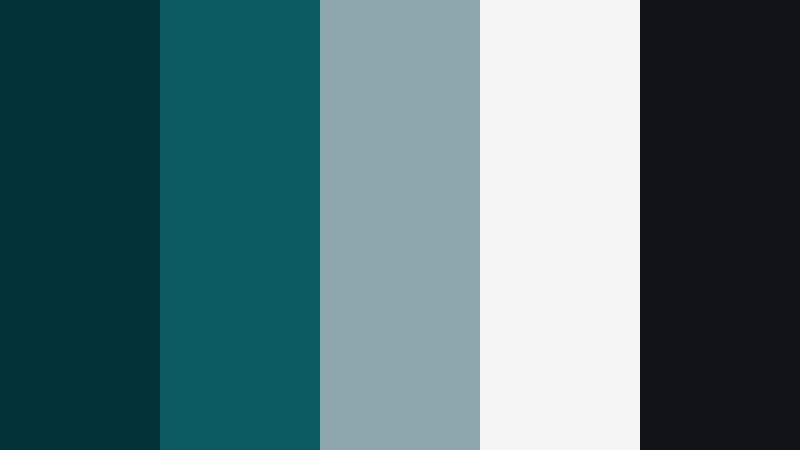
- HEX Codes: #043239, #0b5b63, #8ea7ac, #f5f5f5, #111318
- Mood: Sophisticated, noir, and introspective with a minimalist edge.
- Use for: Best for introspective documentaries, interview setups, and stylish brand stories.
Deep Current Noir uses inky Deep Storm Teal as the foundation, supported by soft grays and clean white for a refined, almost monochrome aesthetic. It feels modern and introspective, making it ideal for subjects that need seriousness and elegance instead of bright, saturated color.
This palette works well for studio interviews, behind the scenes stories, and brand documentaries in Filmora. Use the deepest shades for backgrounds and frames, mid grays for overlays and lines, and white for legible text. On social platforms, it helps your thumbnails look premium and calm while still standing out from more chaotic visuals.
Harbor Lantern Nights

- HEX Codes: #064a52, #096c70, #f6c56b, #f4e9d4, #272021
- Mood: Warm, nostalgic, and story driven like a seaside night market.
- Use for: Great for cozy travel vlogs, food stories, and evening lifestyle content.
Harbor Lantern Nights pairs rich teal shadows with lantern like golds and creamy highlights for a warm yet mysterious night time look. The dark chocolate accent keeps your frames grounded, while the soft off white tones ensure your text and UI elements stay readable.
Use this palette in Filmora for golden hour into night sequences, food vlogs shot under string lights, and evening market B roll. In thumbnails or Instagram covers, keep the teal in the background and shadows, then drop pops of warm gold around your subject or title to hint at storytelling and atmosphere.
Minimal & Modern Deep Storm Teal Color Palettes
Nordic Sea Minimal
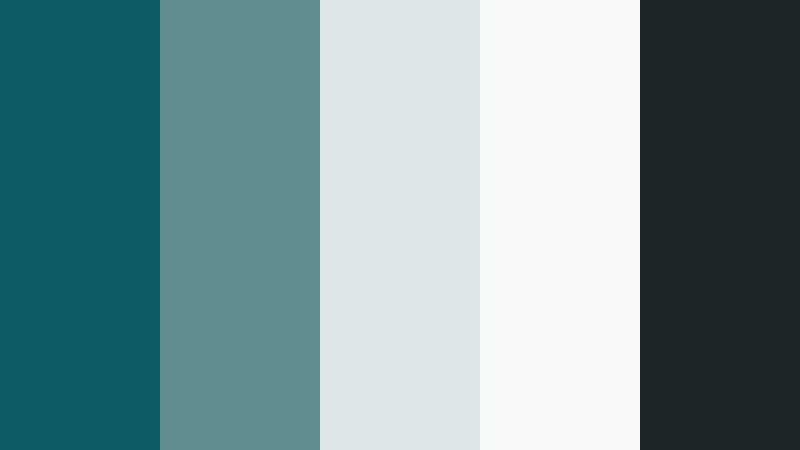
- HEX Codes: #0b5b63, #5f8c8f, #dfe6e8, #f8fafb, #1c2528
- Mood: Calm, clean, and contemporary with a Scandinavian influence.
- Use for: Perfect for UI overlays, tutorial lower thirds, and minimalist brand intros.
Nordic Sea Minimal tones Deep Storm Teal down into a calm, muted sea color and pairs it with cool grays and bright whites. The result feels like a clean, Scandinavian interface: airy, structured, and easy on the eyes.
Use this palette for tutorial overlays, screen recordings, and productivity content in Filmora. Apply the deeper teal for header bars and key shapes, mid grays for dividers and icons, and soft whites for backgrounds. On thumbnails and channel art, this combination makes your text super readable while still feeling modern and professional.
Teal Blueprint Grid
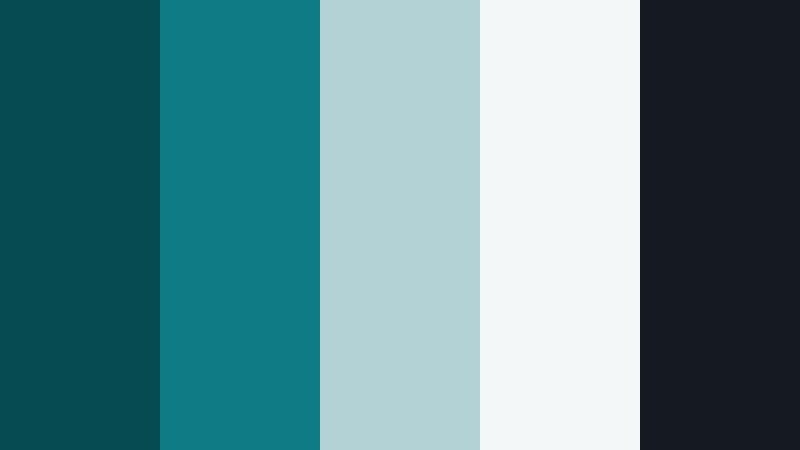
- HEX Codes: #064a52, #0f7b82, #b3d2d6, #f4f7f8, #151921
- Mood: Technical, precise, and smart with a design studio vibe.
- Use for: Great for product explainers, app demos, and engineering or tech channels.
Teal Blueprint Grid leans into the technical side of Deep Storm Teal, combining structured teals with powdery blues and a dark, almost navy base. It feels like a digital blueprint or CAD interface, perfect for content that needs clarity and precision.
Use this palette in Filmora when designing explainer animations, data callouts, or product walk throughs. Let the darkest shade hold your backgrounds, mid teals support charts and shapes, and pale blues and whites carry text and icons. For thumbnails, a grid or line pattern in these colors instantly signals tech and design expertise.
Concrete Tide Balance
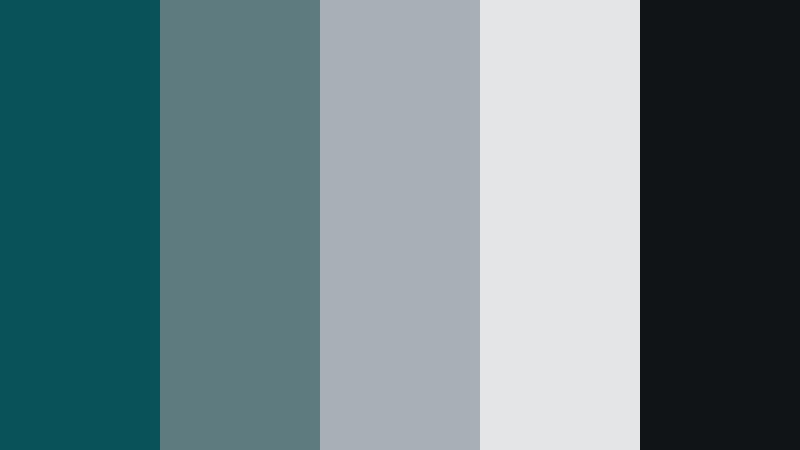
- HEX Codes: #0a5259, #5e7b80, #a7b1b5, #e3e5e7, #101417
- Mood: Balanced, understated, and urban with a grounded tone.
- Use for: Ideal for corporate videos, portfolio reels, and sleek logo stings.
Concrete Tide Balance merges stormy teal with a range of concrete inspired neutrals for a grounded, urban minimalism. It feels serious and trustworthy but not lifeless, making it ideal when you want to look polished without neon or heavy saturation.
Use this palette for corporate intros, agency reels, and LinkedIn ready content in Filmora. Deep teal and charcoal can frame your logo or subject, while the lighter grays act as clean canvases for key messages and stats. In thumbnails, this palette keeps your brand cohesive across playlists while letting any accent color you add stand out clearly.
Soft Studio Mist

- HEX Codes: #0f6a72, #8fb4b6, #d8e5e4, #ffffff, #1a2426
- Mood: Airy, soft, and professional with a light studio feel.
- Use for: Best for lifestyle channels, design portfolios, and tutorial backgrounds.
Soft Studio Mist brightens Deep Storm Teal into a soft, airy tone surrounded by pale mists and clean white. It feels like a well lit studio or design workspace: inviting, modern, and easy to live with day after day.
Use this palette in Filmora for talking head setups, minimalist title cards, and clean lower thirds. The lighter shades are perfect for thumbnail backgrounds where you want your face, product, or text to stand out crisply while still sitting inside a cohesive Deep Storm Teal themed identity.
Digital Tidal Lines

- HEX Codes: #064a52, #0b8c96, #3bc7c4, #f3fbfb, #121b1d
- Mood: Techy, dynamic, and fresh with a digital wave feel.
- Use for: Great for motion graphics, channel branding, and animated lower thirds.
Digital Tidal Lines creates a crisp gradient from deep teal to bright aqua, supported by nearly white highlights and a dark anchor tone. It feels like a digital wave or data flow, ideal for motion graphics and energetic branding.
Use it in Filmora to design animated lower thirds, wave like transitions, or looping background graphics for intros. In thumbnails and banners, the dark teal can hold edges and text, while the bright aqua streaks or shapes draw attention to your logo, episode number, or key hook.
Warm & Lifestyle Deep Storm Teal Color Palettes
Cozy Cabin Breaker
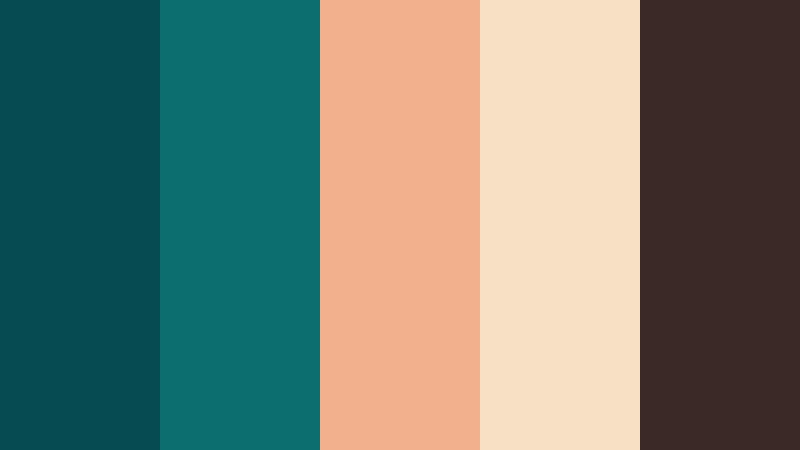
- HEX Codes: #064a52, #0d6e70, #f2b08c, #f7e1c5, #3a2926
- Mood: Cozy, earthy, and inviting like a rainy weekend retreat.
- Use for: Perfect for lifestyle vlogs, home decor videos, and slow living content.
Cozy Cabin Breaker wraps Deep Storm Teal around caramel, cream, and dark wood tones for a hygge inspired mood. The teal keeps things grounded and modern, while the warm neutrals bring out blankets, coffee mugs, and soft lighting in your visuals.
Use this palette in Filmora when editing home tours, desk setups, and cozy day in the life vlogs. Let teal sit in accents, textiles, or UI elements, while the warm hues shape your titles, chapter cards, and thumbnail backgrounds to create an inviting, binge worthy aesthetic.
Sunlit Jetty Stroll

- HEX Codes: #0b5b63, #6ba39c, #ffe0b0, #ffeeda, #394143
- Mood: Bright, relaxed, and travel ready with a beach town feel.
- Use for: Great for vacation vlogs, family footage, and upbeat day in the life edits.
Sunlit Jetty Stroll softens Deep Storm Teal into friendly water tones and balances them with sandy creams and sunny beiges. It gives your footage a relaxed beach town energy without pushing saturation too hard.
Use this palette for holiday montages, family days out, or lighthearted walk and talk vlogs in Filmora. In thumbnails, let teal appear in the sea, sky, or graphic shapes while the warm neutrals hold your portrait and text, creating a travel inspired look that is easy to recognize in your playlist.
Market Tide Rhythm

- HEX Codes: #0a5259, #13a39a, #ffb66e, #ffdbc3, #2d2524
- Mood: Vibrant, bustling, and joyful like a harbor street market.
- Use for: Perfect for food videos, street photography reels, and city travel edits.
Market Tide Rhythm charges Deep Storm Teal with vivid turquoise and citrusy peach accents, echoing the colors of stalls, food, and signage in a busy harbor market. The dark brown adds a touch of grounded grit so it does not feel too cartoonish.
Use this palette in Filmora for food reels, market walkthroughs, and energetic city edits. Teal and turquoise can color your lower thirds and transitions, while warm peach and cream make great highlight blocks behind text in thumbnails and Reels covers, instantly signaling movement and flavor.
Seaside Storybook
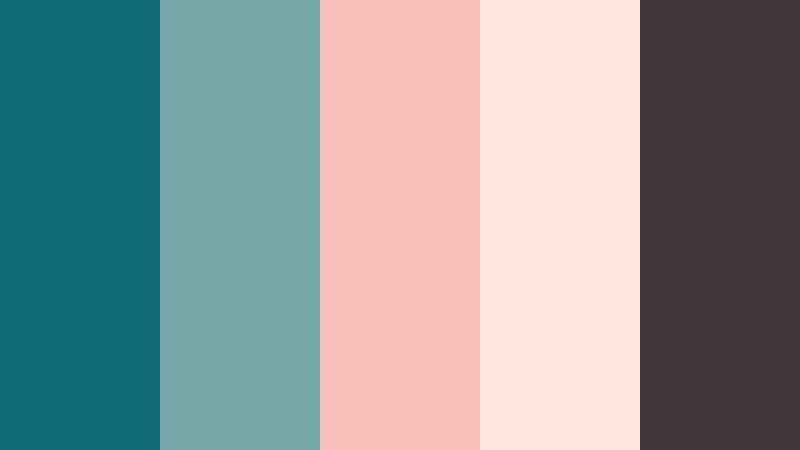
- HEX Codes: #0f6a72, #77a7a8, #f9c0ba, #ffe9df, #43363a
- Mood: Gentle, nostalgic, and romantic with a seaside pastel twist.
- Use for: Ideal for couple vlogs, engagement films, and dreamy lifestyle montages.
Seaside Storybook softens Deep Storm Teal with gentle seafoam and pairs it with blush and shell pink for a dreamy, nostalgic atmosphere. The slightly muted tones keep everything feeling elegant and memory like rather than overly sweet.
Use this palette for couple shoots, engagement highlight films, and slow motion lifestyle edits in Filmora. Apply teal to water, sky, or subtle overlays, while the blush and cream shades color your titles, borders, and thumbnail text to suggest romance and warmth at a glance.
Branding & Social Deep Storm Teal Color Palettes
Bold Creator Crest

- HEX Codes: #064a52, #0fb6ac, #ffb34d, #ffffff, #181d21
- Mood: Confident, punchy, and brand forward with high contrast accents.
- Use for: Great for YouTube channel branding, logo reveals, and social thumbnails.
Bold Creator Crest takes Deep Storm Teal and elevates it with bright teal and golden accents set against clean white and dark charcoal. It feels like a modern creator or startup brand: confident, energetic, and easy to recognize across platforms.
Use this palette in Filmora for logo animations, subscribe end screens, and reusable thumbnail templates. Anchor your visuals with the deep teal and dark gray, use the bright teal for highlights and outlines, and reserve the gold for buttons, badges, and key words you want viewers to notice instantly.
Creator Desk Calm
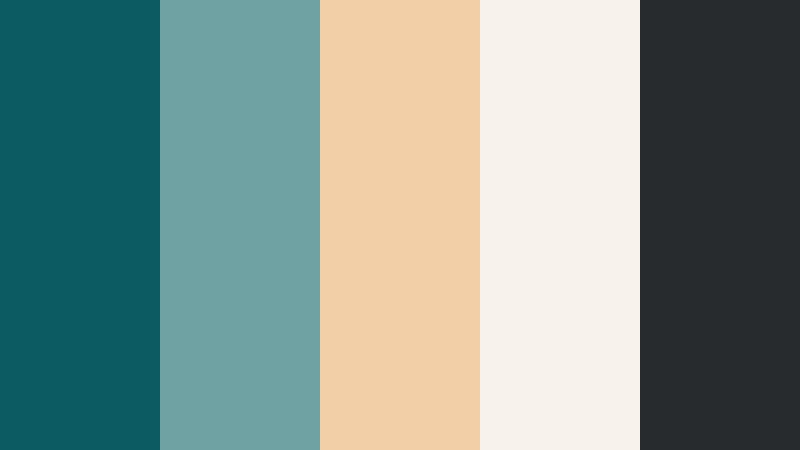
- HEX Codes: #0b5b63, #6fa2a2, #f3cfa7, #f8f3ea, #272b2d
- Mood: Productive, welcoming, and softly professional like a curated desk setup.
- Use for: Perfect for productivity vlogs, educational content, and personal brand sites.
Creator Desk Calm balances rich teal with softer blue greens, tan, and off white for a productive yet cozy workspace mood. The palette feels like a curated desk flat lay translated into color: focused, creative, and not too loud.
Use it in Filmora as your personal brand palette for intros, lower thirds, and chapter cards in study with me, planning, or educational videos. On thumbnails and your social headers, let the deeper teal and charcoal outline sections while the warm neutrals form background panels for your face, laptop, or key text.
Tips for Creating Deep Storm Teal Color Palettes
Deep Storm Teal is versatile enough to feel cinematic, minimal, or cozy depending on how you combine it with other colors. A few simple guidelines help you keep your palettes balanced and effective for video, design, and social branding.
- Pair Deep Storm Teal with a warm accent (orange, gold, peach) for cinematic contrast that works well in thumbnails and title cards.
- Use lighter neutrals (cream, soft gray, off white) behind text to maintain readability, especially on mobile screens.
- Limit your palette to 4 or 5 active colors per design: one primary teal, one accent, one light background, one dark anchor, plus an optional extra highlight.
- Keep Deep Storm Teal in shadows, midtones, or UI elements, and protect skin tones when grading so faces stay natural and engaging.
- Test your palette on both light and dark modes: invert backgrounds in Filmora titles or overlays to see if your teal still reads clearly.
- Reuse the same HEX codes for titles, lower thirds, and end screens to build a consistent channel identity over time.
- When matching to footage, sample real colors from your scene (water, walls, clothing) and nudge them toward your chosen Deep Storm Teal HEX value for a cohesive look.
- Create a few template projects or presets in Filmora that already use your favorite Deep Storm Teal palette so every new video starts on brand.
Deep Storm Teal is a powerful anchor color: it can make your visuals feel cinematic, trustworthy, and modern while still leaving room for personality through accents and textures. Whether you lean into moody nightlife, minimalist design, or warm lifestyle storytelling, the right palette shapes how viewers feel about your content and your brand.
Try these 15 palettes as starting points in Filmora. Drop the HEX codes into your title designs, match your footage with color tools, and refine them until they feel like your own signature look. Over time, your audience will begin to recognize your Deep Storm Teal style before they even read your channel name.
The more often you reuse and tweak a favorite palette, the faster you will move from random edits to a visually consistent body of work. Let Deep Storm Teal be the thread that connects your videos, thumbnails, and social assets into one clear creative identity.
secure download