

 100% Security Verified | No Subscription Required | No Malware


 ChatGPT
 Perplexity
 Gemini
 Claude
 Grok
Grok
Dinosaur inspired color palettes usually lean into deep greens, earthy browns, and misty neutrals that feel ancient, wild, and powerful. They suggest fossils, jungles, and volcanic skies, making them perfect for creators who want visuals that feel cinematic, grounded, or playfully prehistoric. Used well, these tones can make YouTube thumbnails, channel art, and intros instantly recognizable and full of character.
This guide gathers 15 ready made Dinosaur color palettes with HEX codes, from earthy and epic to playful and vintage. Each palette is easy to apply in Filmora, so you can keep your colors consistent across vlogs, gaming overlays, kids content, educational videos, and social edits.
In this article
Earthy Dinosaur Color Palettes
Jurassic Forest Mist
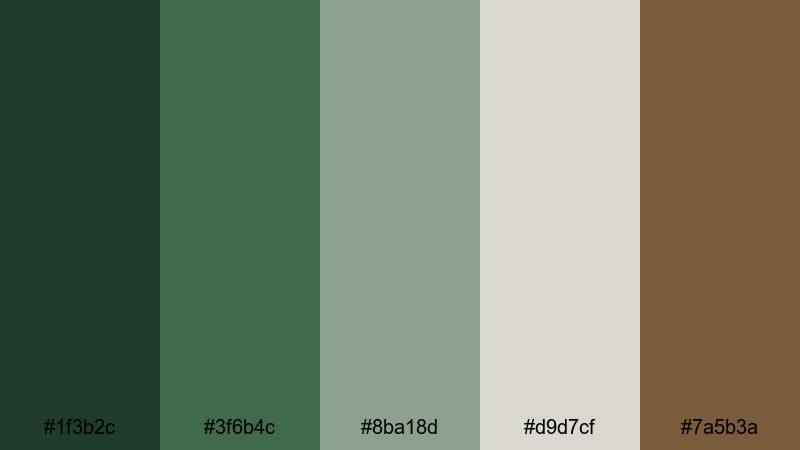
- HEX Codes: #1f3b2c, #3f6b4c, #8ba18d, #d9d7cf, #7a5b3a
- Mood: calm, grounded, and quietly mysterious
- Use for: Perfect for cinematic travel vlogs, nature documentaries, and moody B roll sequences that need a lush yet subtle look.
Jurassic Forest Mist mixes deep forest greens with soft mineral neutrals, like fog drifting through a prehistoric jungle at dawn. The rich greens (#1f3b2c, #3f6b4c) anchor your frame, while the pale stones and soft browns keep everything readable and calm.
This palette is ideal for creators who want an earthy Dinosaur feel without going neon or cartoony. Use the darker tones for text or logo marks on YouTube thumbnails, the lighter neutrals for backgrounds in title cards, and the mid greens for lower thirds, overlays, and subtle intro animations in Filmora.
Pro Tip: Build a Cinematic Dinosaur Forest Look in Filmora
To keep a Jurassic Forest Mist vibe across an entire edit, start by picking one or two key HEX colors from the palette and reusing them in your titles, shapes, and overlays. In Filmora, you can set these as custom colors, then apply them consistently to intro templates, subtitles, and end screens so your Dinosaur theme feels intentional from first frame to last.
For B roll and scene transitions, add soft vignettes and a gentle fade between the deep greens and warm browns. This keeps the footage grounded and cinematic, especially in travel vlogs, hiking recaps, and nature explainers that need a coherent prehistoric mood.
AI Color Palette
If you have a still image of a misty forest or a custom Dinosaur color card, you can use Filmora's AI Color Palette feature to spread that exact look across your project. Import the reference frame, match it to your clips, and Filmora will automatically adjust colors so your greens, neutrals, and browns stay in the same family.
This is especially useful when some shots are darker or shot on a different camera. AI Color Palette helps unify the grade, so your thumbnails, intros, B roll, and shorts all share the same Jurassic Forest Mist feeling without manual tweaking on every clip.
 secure download

HSL, Color Wheels & Curves
Once the base look is matched, refine those Dinosaur greens using HSL and color wheels in Filmora. Gently desaturate overly bright foliage, push midtones slightly toward teal or olive, and use curves to deepen shadows while keeping highlights soft and misty. A detailed walkthrough in the Filmora color grading guide shows how small HSL changes can make your prehistoric forest feel more cinematic and less video like.
For titles and overlays, aim for contrast: keep text closer to the light neutrals, while your backgrounds sit in deeper greens and browns. Use curves to protect skin tones if you appear on camera, so your face looks natural even with a strong Jurassic grade on the environment.
secure download1000+ Video Filters & 3D LUTs
If you want to move even faster, Filmora's video filters and 3D LUTs make it easy to add a stylized Dinosaur look in one click. Choose cinematic, vintage, or nature focused LUTs, then fine tune intensity so your Jurassic Forest Mist palette stays recognizable.
You can stack subtle filters on top of your AI Color Palette result to add halation, glow, or vintage film texture, perfect for documentary intros, cinematic travel sequences, or prehistoric themed shorts that need a polished finish.
secure downloadFossil Canyon Earth
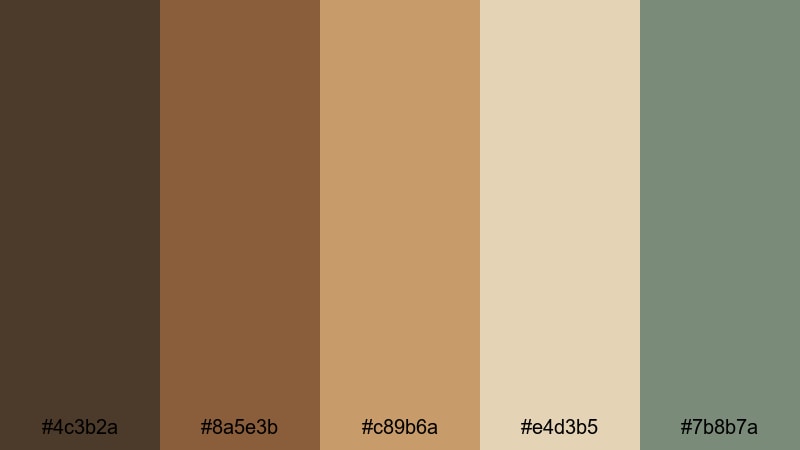
- HEX Codes: #4c3b2a, #8a5e3b, #c89b6a, #e4d3b5, #7b8b7a
- Mood: warm, rugged, and story rich
- Use for: Use in documentary titles, travel storytelling, and historical explainers where earthy credibility matters.
Fossil Canyon Earth is all baked clay, sandstone browns, and dusty bone tones, like a sunlit canyon full of fossils. The warm mid browns and soft beige highlights create a trustworthy, documentary style look that still feels cinematic.
Use the deeper brown (#4c3b2a) for strong title text, the lighter tan and bone shades for backgrounds, and the muted green gray for accents or iconography. This palette works especially well for timeline explainers, map animations, and thumbnail designs around history, travel, and science content in Filmora.
Mossy Footprints Trail
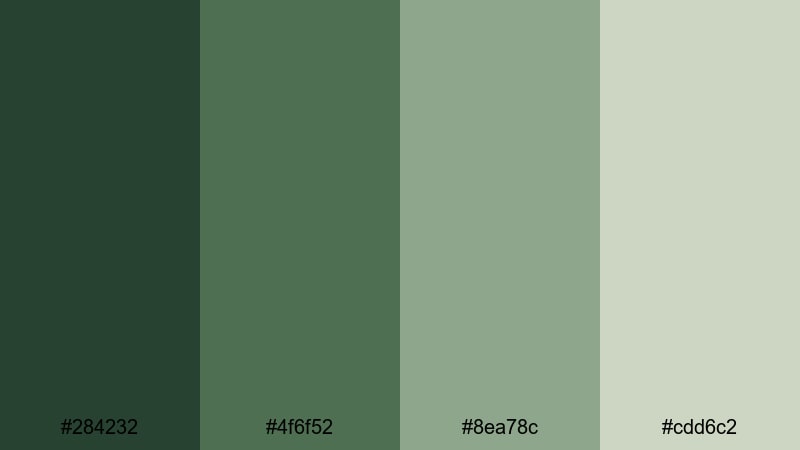
- HEX Codes: #284232, #4f6f52, #8ea78c, #cdd6c2
- Mood: fresh, organic, and reassuring
- Use for: Great for sustainable brands, hiking channels, and calm outdoor vlogs that favor a natural, low contrast grade.
Mossy Footprints Trail layers moss greens and lichen tints to create the feeling of walking along a soft forest path. It is a gentle Dinosaur palette that suggests nature and sustainability rather than drama.
Apply this scheme to eco focused vlogs, hiking recaps, or wellness content. Use the darkest green for logo marks and lower thirds, mid greens for buttons and callouts, and pale lichen for text backgrounds or end screens. In Filmora, a low contrast grade and slight fade in the blacks will match the quiet, reassuring tone of this palette.
Cretaceous Riverbank
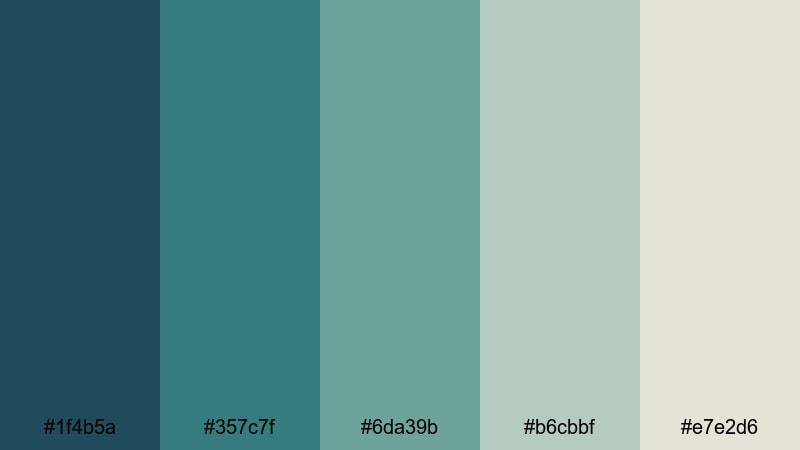
- HEX Codes: #1f4b5a, #357c7f, #6da39b, #b6cbbf, #e7e2d6
- Mood: cool, tranquil, and cinematic
- Use for: Ideal for establishing shots, drone footage near water, and calm tutorial backgrounds that need a subtle prehistoric edge.
Cretaceous Riverbank blends teal river hues with pale stone neutrals, evoking a serene, ancient waterway. The cool greens and blues feel clean and modern, while still echoing a Dinosaur landscape.
Use the darker teals behind white or beige text in tutorials, and the lighter stone shades for panel backgrounds, chapter cards, and overlays. This palette suits drone footage over lakes, productivity videos, or any calm content where you still want a subtle prehistoric twist.
Playful Dinosaur Color Palettes
Cartoon Dino Playground
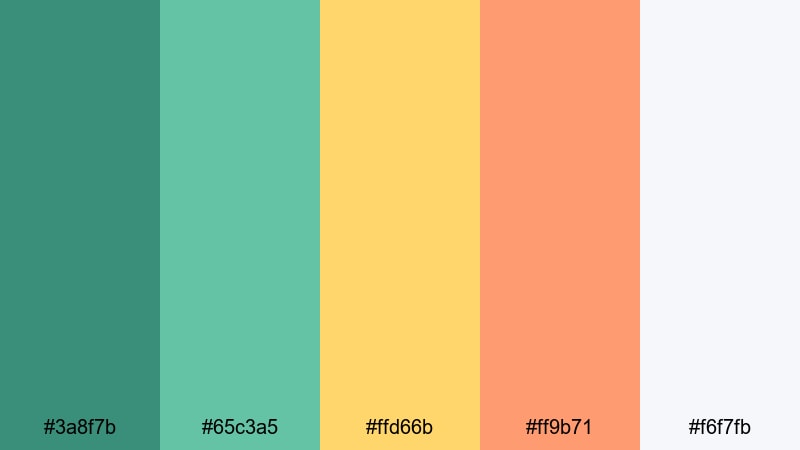
- HEX Codes: #3a8f7b, #65c3a5, #ffd66b, #ff9b71, #f6f7fb
- Mood: fun, energetic, and kid friendly
- Use for: Designed for kids channels, family vlogs, and playful intros with animated dinos or bold stickers.
Cartoon Dino Playground is a burst of bouncy teals, sunshine yellow, and soft coral, sitting on a bright off white. It feels like a colorful Dinosaur theme park, perfect for grabbing kids attention.
Use the yellow and coral for call to action buttons, like Subscribe stickers and animated arrows, while the teals frame characters and titles. In Filmora, combine this palette with bold shapes, stickers, and motion graphics for family vlog intros, toy unboxings, and fun YouTube Shorts.
Pastel Dino Eggs
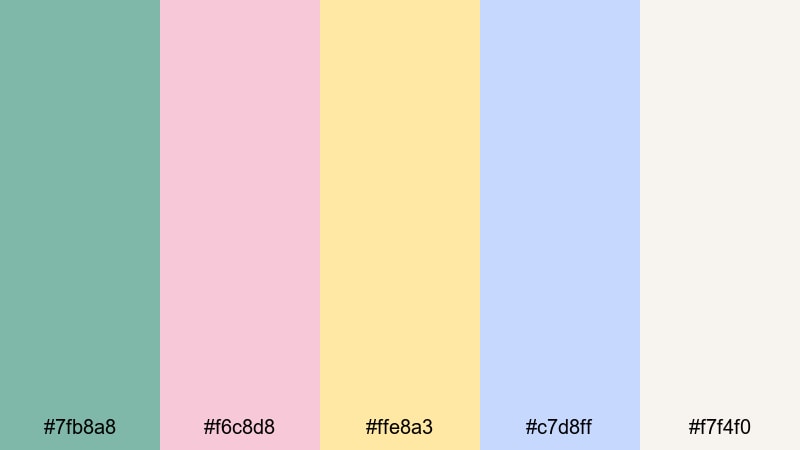
- HEX Codes: #7fb8a8, #f6c8d8, #ffe8a3, #c7d8ff, #f7f4f0
- Mood: soft, charming, and whimsical
- Use for: Perfect for channel art, storytime videos, and pastel themed unboxings or craft tutorials.
Pastel Dino Eggs mixes gentle greens, blush pinks, buttery creams, and powdery blues, like a nest of speckled Dinosaur eggs. It is soothing and whimsical, great for creators who want a cozy, friendly brand.
Use the soft cream (#f7f4f0) as your main background, then accent with pastel pinks and blues for titles, frames, and doodle elements. This works especially well for storytime videos, kids crafts, stationery hauls, and any channel art that should feel warm, cute, and approachable.
Roaring Birthday Party
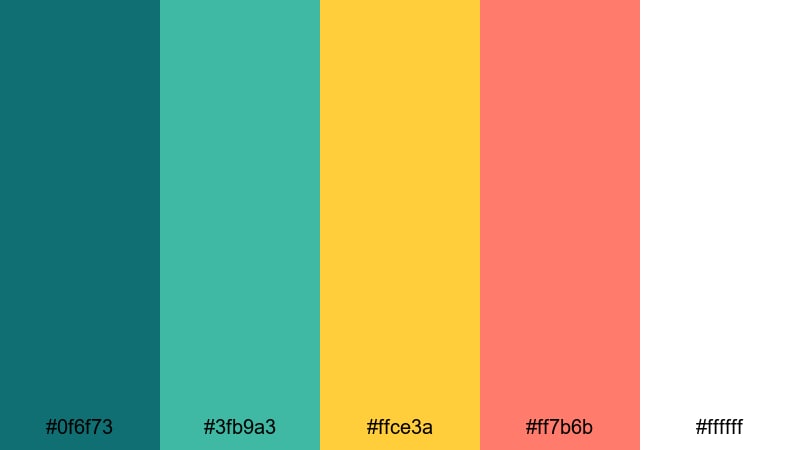
- HEX Codes: #0f6f73, #3fb9a3, #ffce3a, #ff7b6b, #ffffff
- Mood: festive, bold, and high impact
- Use for: Use in birthday highlight reels, party recaps, and bright channel trailers that need instant excitement.
Roaring Birthday Party throws together tropical greens with punchy yellows and corals, anchored by crisp white. It immediately feels like a dino themed birthday bash.
Use the bright yellow and coral for confetti effects, countdowns, and animated stickers, while the greens hold your logo and key text. In Filmora, combine this palette with fast cuts, upbeat music, and simple transitions to create energetic party recaps, fun channel trailers, or kids birthday montages.
Tiny T Rex Vlog
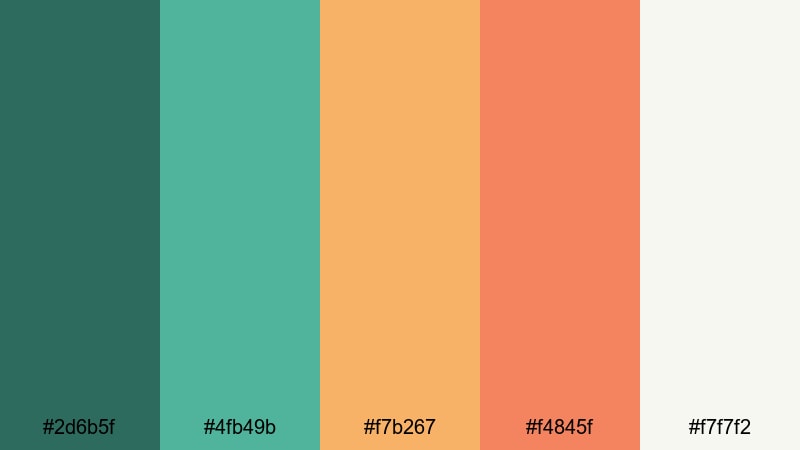
- HEX Codes: #2d6b5f, #4fb49b, #f7b267, #f4845f, #f7f7f2
- Mood: cheerful, modern, and approachable
- Use for: Great for lifestyle vlogs, reaction videos, and creator intros aimed at younger audiences.
Tiny T Rex Vlog balances friendly greens with warm oranges and a soft off white. It feels modern and fun, like a cartoon Dinosaur that has grown up just enough for teen and young adult audiences.
Use the off white (#f7f7f2) for clean backgrounds, greens for branding elements and borders, and oranges for like/subscribe prompts and highlight shapes. This palette is a strong fit for lifestyle vlogs, reactions, gaming overlays, and creator intros where you want playful energy without feeling childish.
Epic Dinosaur Color Palettes
Volcanic Dino Dusk
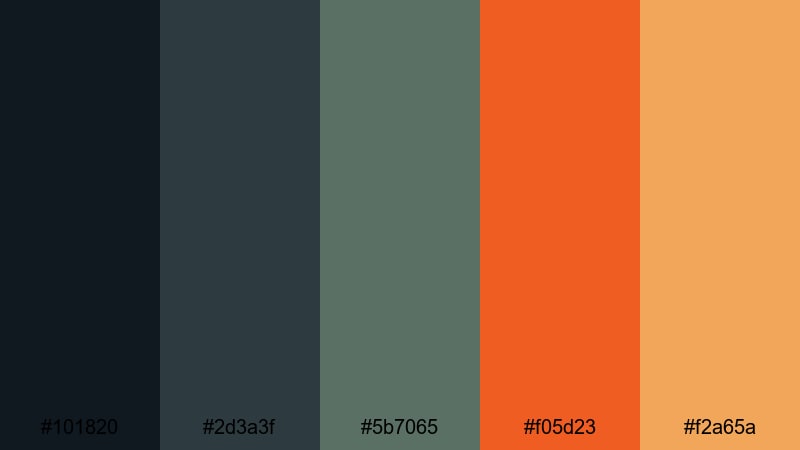
- HEX Codes: #101820, #2d3a3f, #5b7065, #f05d23, #f2a65a
- Mood: dramatic, intense, and cinematic
- Use for: Perfect for trailers, gaming montages, and high tension sequences that need a blockbuster feel.
Volcanic Dino Dusk pairs smoky charcoals and muted greens with lava orange accents. It feels like Dinosaur silhouettes against an erupting sky and is packed with cinematic tension.
Use the darkest tones as backgrounds for bold, high contrast titles in white or pale orange. The bright orange (#f05d23) and amber (#f2a65a) work well for streak animations, progress bars, and kill count graphics in gaming edits. In Filmora, add contrast and slight film grain to fully sell the blockbuster atmosphere.
Prehistoric Storm Chase
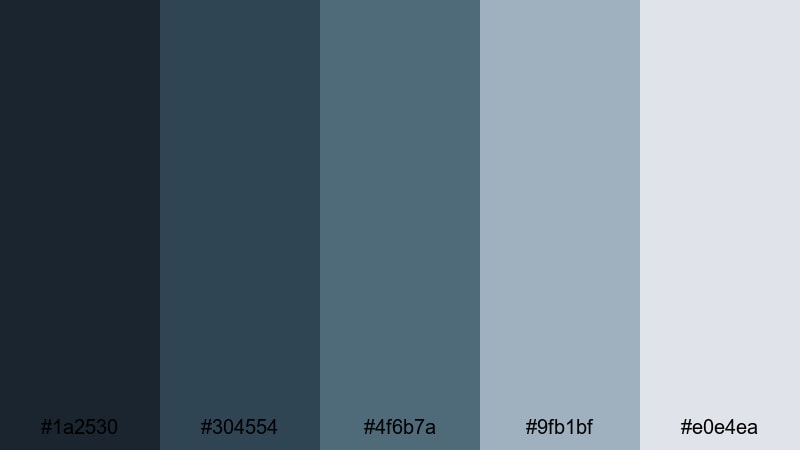
- HEX Codes: #1a2530, #304554, #4f6b7a, #9fb1bf, #e0e4ea
- Mood: moody, suspenseful, and atmospheric
- Use for: Use for cinematic intros, stormy B roll, and sci fi or mystery edits that need brooding tension.
Prehistoric Storm Chase moves through midnight blues, slate tones, and pale storm cloud grays, building a sense of incoming danger. It is moody without being too dark to read.
Use the deepest blue (#1a2530) behind white or pale gray text, and bring in the lighter grays for on screen captions or UI style overlays. This palette is great for mystery narrations, sci fi storylines, rainy B roll, and moody channel trailers built in Filmora.
Stone Cliff Titans
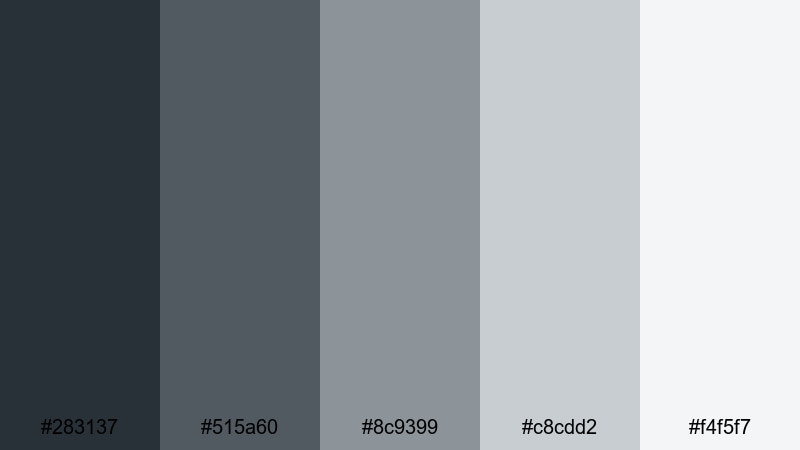
- HEX Codes: #283137, #515a60, #8c9399, #c8cdd2, #f4f5f7
- Mood: stoic, powerful, and minimalist
- Use for: Great for title cards, logo reveals, and techy dinosaur themed content needing a strong, neutral base.
Stone Cliff Titans is a stepped gradient of cool stone grays, from deep shadow to light cliff face. It suggests massive rock walls and imposing Dinosaur shapes without leaning on green or brown.
Use the darkest gray for cinematic title slates and logo reveals, and the lightest tones as clean backgrounds for interface elements, credits, and subtitles. This palette fits tech explainers, minimal channel branding, and any edit where you want a powerful yet neutral Dinosaur inspired base.
Amber Fossil Glow
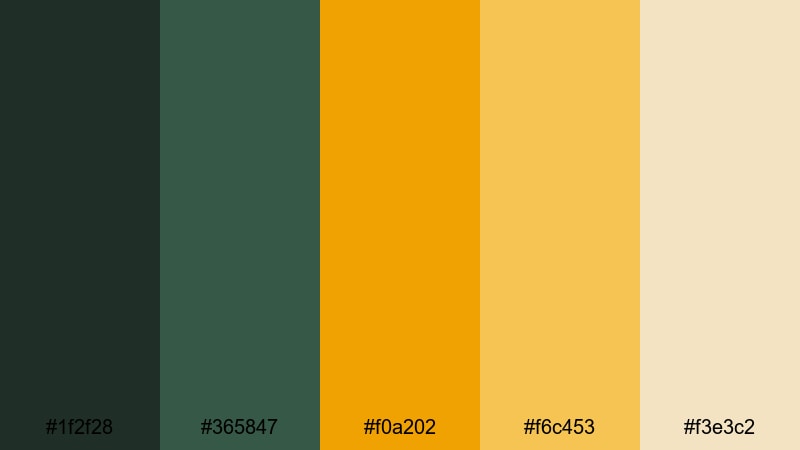
- HEX Codes: #1f2f28, #365847, #f0a202, #f6c453, #f3e3c2
- Mood: glowing, historic, and luxurious
- Use for: Ideal for logo stings, documentary openers, and educational content focused on fossils or paleontology.
Amber Fossil Glow anchors deep green shadows with glowing amber and honey tones, like a fossil trapped in golden resin. It feels premium while still strongly tied to Dinosaur themes.
Use the amber (#f0a202) and gold (#f6c453) as highlight colors for key text, logo flares, and transition flashes. The dark greens are perfect for backgrounds and vignettes. This palette shines in documentary openers, paleontology explainers, and high end educational branding in Filmora.
Vintage Dinosaur Color Palettes
Museum Exhibit Sepia
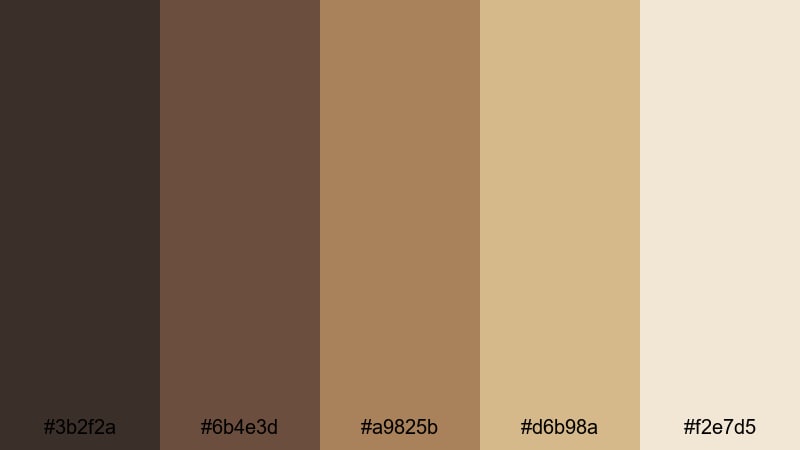
- HEX Codes: #3b2f2a, #6b4e3d, #a9825b, #d6b98a, #f2e7d5
- Mood: nostalgic, scholarly, and refined
- Use for: Use for educational videos, museum style explainers, and title cards that mimic archival footage.
Museum Exhibit Sepia uses soft browns and parchment creams to mimic aged field notes, display tags, and old photographs. It instantly suggests history and expertise.
Apply the darker browns for headings and timeline labels, and the lighter creams behind diagrams, fossils photos, and text heavy frames. In Filmora, combine this palette with a subtle vignette and a slight grain filter to give educational videos and lecture content an archival Dinosaur museum feel.
Retro Dino Poster
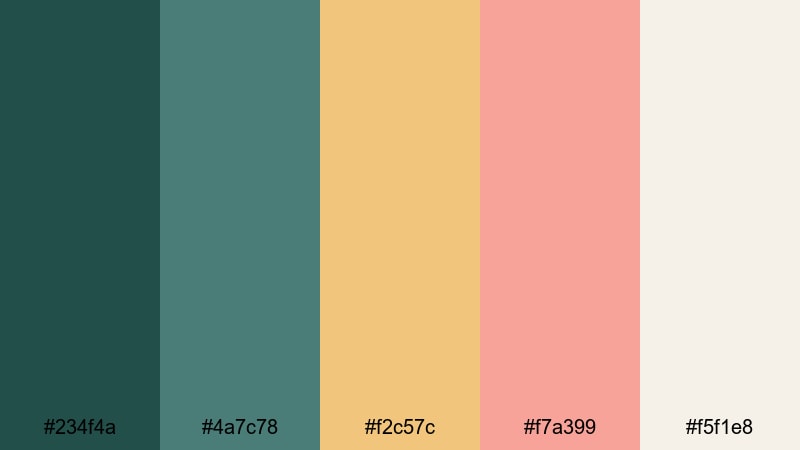
- HEX Codes: #234f4a, #4a7c78, #f2c57c, #f7a399, #f5f1e8
- Mood: retro, adventurous, and inviting
- Use for: Perfect for channel banners, title cards, and thumbnail art inspired by vintage adventure posters.
Retro Dino Poster combines muted teals, buttery yellow, and soft coral to echo classic printed Dinosaur adventure posters. It feels adventurous and nostalgic without looking old fashioned.
Use teal shades for backgrounds and framing elements, while the yellows and corals highlight key text and characters. This palette is great for channel banners, opening title cards, and thumbnail art for travel, adventure, and movie review channels that want a vintage Dinosaur twist.
Archeology Field Notes
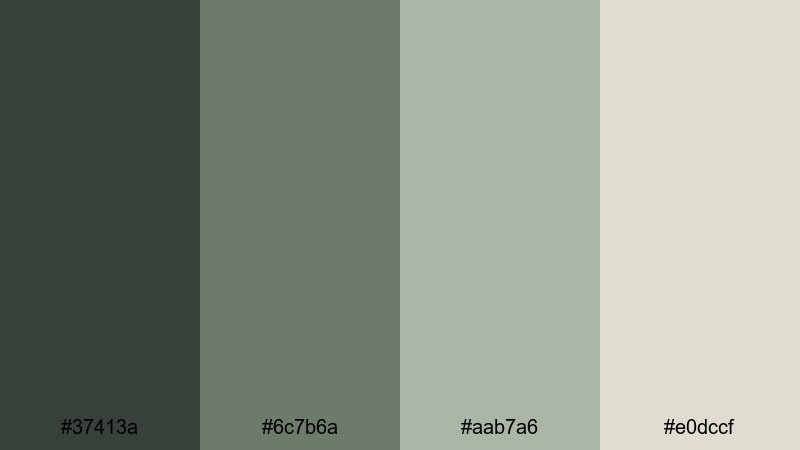
- HEX Codes: #37413a, #6c7b6a, #aab7a6, #e0dccf
- Mood: quiet, intellectual, and documentary focused
- Use for: Great for study guides, voiceover explainers, and minimal layouts with lots of on screen text.
Archeology Field Notes brings together olive grays and faded canvas neutrals, like worn notebooks and expedition gear. It feels calm, serious, and information first.
Use the darker olives for headings and sidebars, while the light neutrals form clean, low distraction backgrounds for text, diagrams, and data. This palette is ideal for study guide videos, online courses, and voiceover explainers where you want a subtle Dinosaur reference but need the focus firmly on information.
Tips for Creating Dinosaur Color Palettes
Dinosaur color palettes work best when you balance earthy, prehistoric tones with modern design needs like contrast, readability, and brand consistency. Here are practical ways to combine Dinosaur hues with other colors in your videos and graphics.
- Pair deep Dinosaur greens or stone grays with light neutrals so titles and subtitles stay easy to read on mobile screens.
- Use one or two accent colors (like amber, coral, or yellow) for calls to action, progress bars, and on screen buttons, and keep the rest of the palette more muted.
- Choose a single base background color for most frames (for example, a stone neutral or parchment cream) and reserve darker tones for overlays and frames to avoid visual clutter.
- When grading footage in Filmora, lightly desaturate secondary colors so your chosen Dinosaur hues stand out and feel intentional.
- Test your palette on a mock thumbnail at small size to make sure text, faces, and key objects pop clearly in YouTube search results.
- Keep branding consistent by reusing the same HEX codes for logos, lower thirds, and end screens across all your series and playlists.
- For kids or family content, lean into brighter Dinosaur greens and warm accents; for documentaries or explainers, stick to earth tones, sepias, and cool stone palettes.
- Export a few short test clips from Filmora using different palettes and compare them on phone and desktop to see which Dinosaur look best matches your channel identity.
Dinosaur color palettes are powerful tools for shaping mood, storytelling, and brand identity. Earthy greens, fossil browns, volcanic oranges, and vintage neutrals can instantly tell viewers whether they are about to watch a playful kids vlog, a serious documentary, or a dramatic prehistoric story.
Use the HEX codes in these 15 palettes as a starting point, then refine them in Filmora until they feel like your own signature look. Apply the same colors to thumbnails, intros, lower thirds, and shorts so your audience recognizes your Dinosaur theme at a glance.
The more you experiment with Filmora's color tools, the easier it becomes to lock in a consistent Dinosaur style that works across platforms, from YouTube and TikTok to branded presentations and social posts.
secure download